Torque - Precision Hyundai Landing Page Template
Torque is a gallery and detail landing page built for Hyundai specialist mechanics. It opens with an interactive model-and-service configurator, flows into a documentary-style repair gallery, and closes with a sticky booking bar pre-filled from the visitor's selections. The Industrial Raw design, charcoal, amber, and gunmetal, makes every section feel like a clean, competent workshop bay.
by Rocket studio
Quick summary
Torque is a single-page template designed for Hyundai-only garages. It pairs a high-interactivity configurator header with an immersive documentary gallery and a direct booking flow. The result is a landing page that earns trust through evidence and converts visitors into booked appointments without phone calls or vague estimates.
Who this template is for
This template is built for specialist mechanics who work exclusively on Hyundai vehicles. It suits both customer-facing workshops and fleet service operations that need a credible, conversion-ready online presence.
- Independent Hyundai specialist garages serving private owners of models such as the Tucson, i30 N, Kona, and Santa Fe
- Fleet managers who need a reliable workshop contact for regular vehicle turnaround
- Performance-minded enthusiasts who want proof of technical depth before booking track-day or engine work
What problem this template solves
Generic garage websites fail Hyundai specialists. They look the same as every other mechanic's page, offer no proof of model-specific knowledge, and force visitors into phone calls before they can even get a price. Torque fixes all three.
- Visitors cannot quickly confirm that a garage understands their specific model and service need
- No instant pricing means high drop-off before any booking intent forms
- A lack of documentary evidence leaves serious Hyundai owners unconvinced of specialist skill
What you get with this template
You get a fully structured, single-page layout with high interactivity and a strong visual identity already built in. Every section is designed to move a Hyundai owner from curiosity to a confirmed booking.
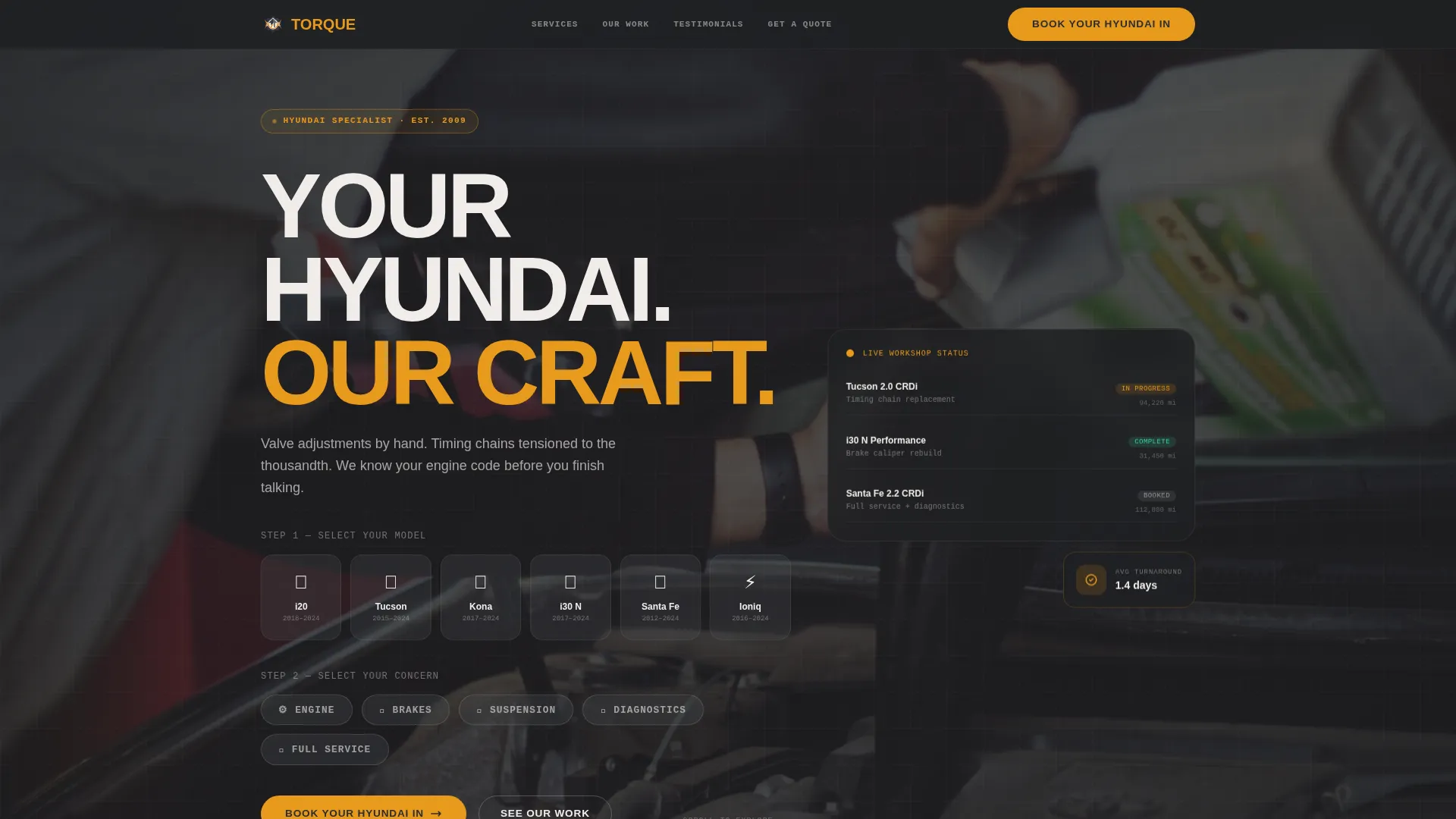
- A model-and-service configurator header with crossfading background photography and a pre-filled booking call to action
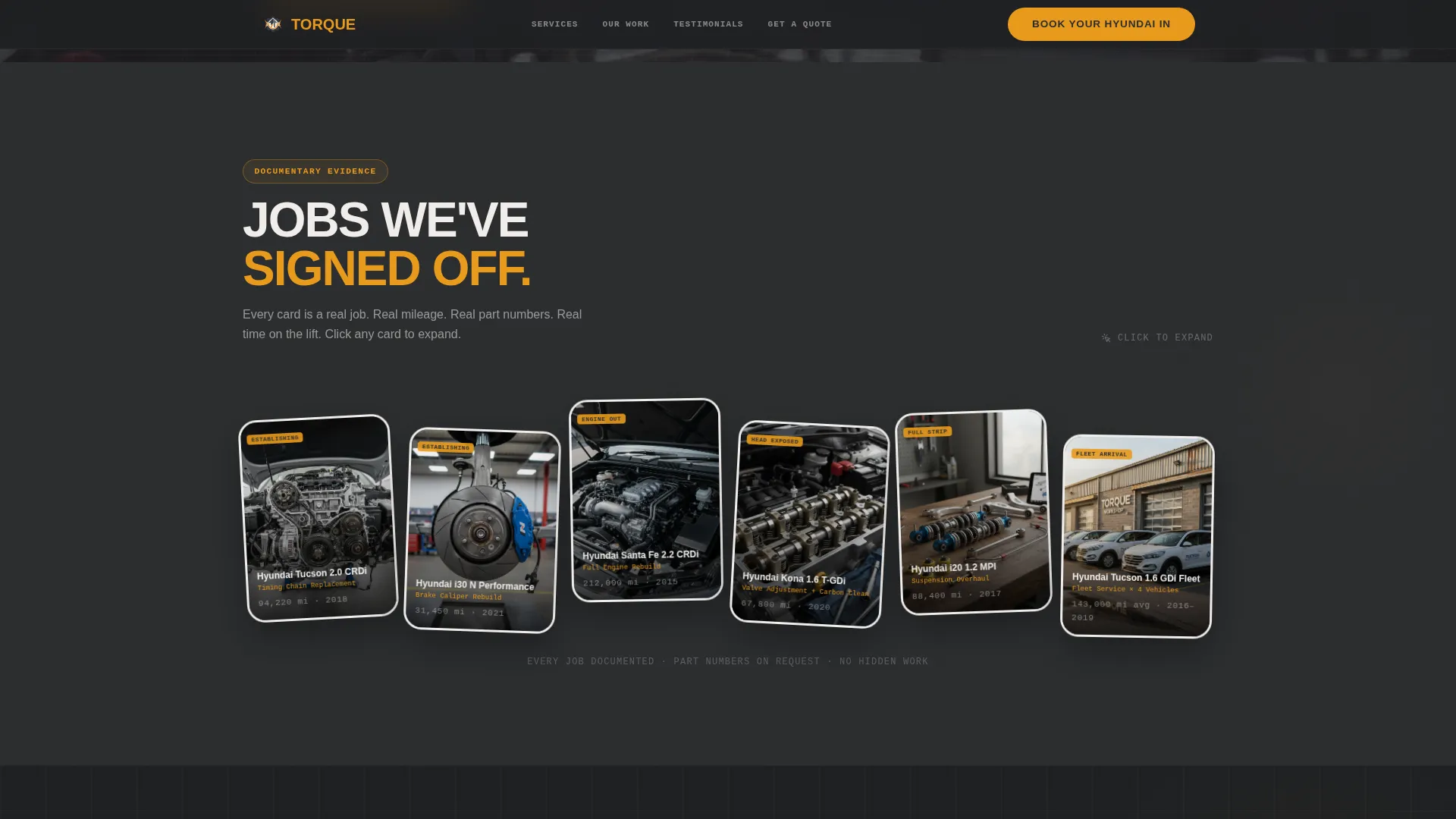
- A documentary repair gallery with mechanic's-notes captions, mileage data, and part number details
- A sticky bottom bar with an instant fixed-quote calculator and a direct "Book Your Hyundai In" booking prompt
Feature list
This template is built around five core capabilities drawn directly from the brief.
Model and Service Configurator
The header lets visitors select their Hyundai model from a silhouette grid covering the i20, Tucson, Kona, i30 N, Santa Fe, and Ioniq. They then choose a service type from a rotating dial: Engine, Brakes, Suspension, Diagnostics, or Full Service. Each selection triggers a background crossfade to a close-up photograph of that exact system mid-repair, making the interaction feel like handing over your keys rather than filling in a form.
Documentary Repair Gallery
Past the header, each section presents a full-bleed gallery built around a single repair job. Wide lift shots, macro worn-part details, replacement parts still in packaging, and finished clean assemblies are arranged in documentary-style card rotations. Captions are written like a mechanic's notes, carrying mileage, part numbers, and time on the lift, so every scroll builds credibility through real evidence.
Sticky Booking Bar with Pre-Fill
After the configurator interaction, a bottom bar pins itself to the viewport. It carries the model and service type already selected by the visitor, reducing friction to near zero. The primary call to action reads "Book Your Hyundai In" and the bar stays visible as the visitor scrolls through the gallery.
Instant Fixed-Quote Calculator
A secondary conversion path lets visitors add their vehicle's mileage and year to receive an instant price for standard services. This removes the need for phone calls and vague estimates, which are the most common reasons a motivated visitor leaves without booking.
Specialist Stats and Testimonials
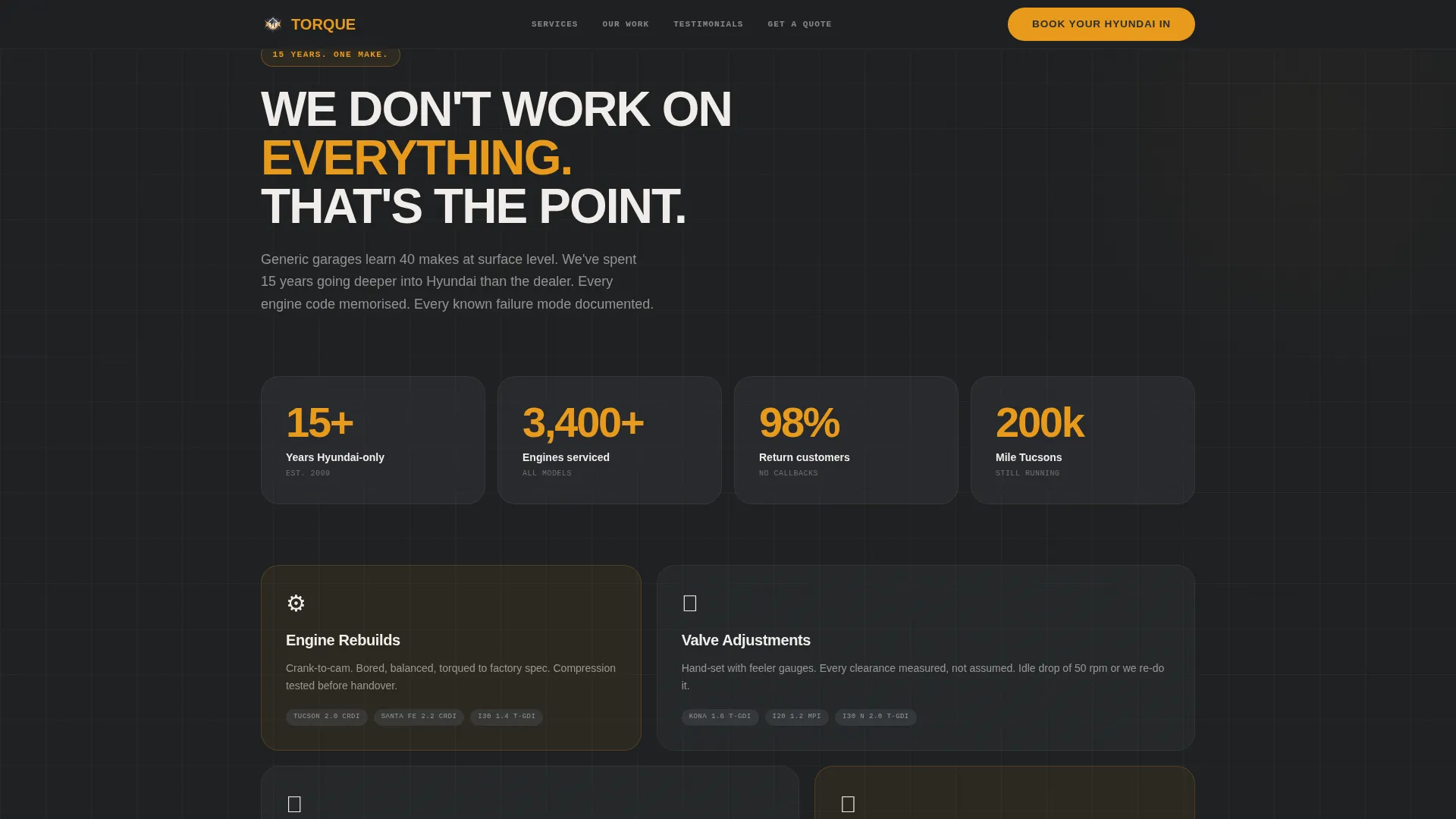
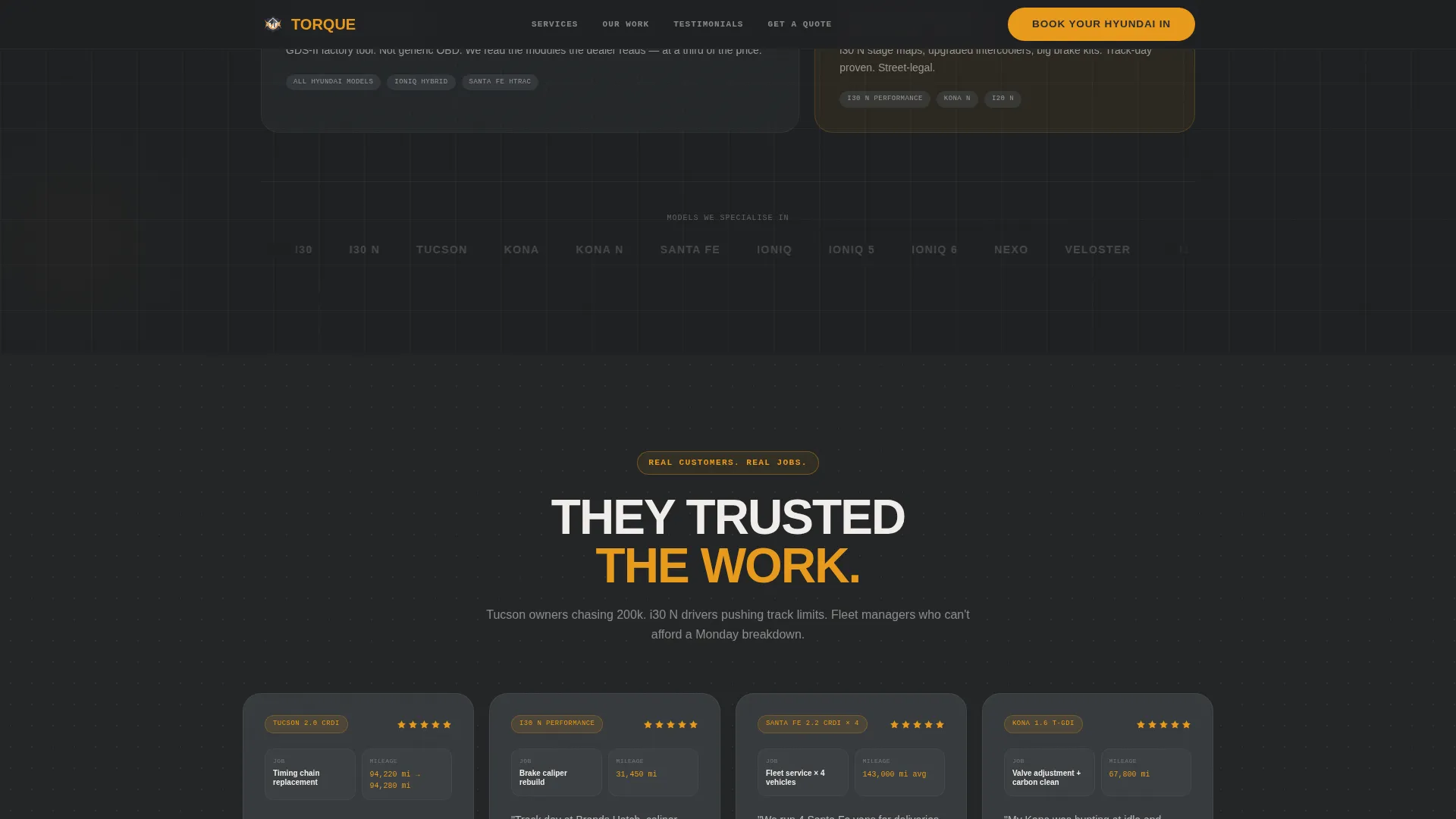
A dark stats section uses amber metric displays to communicate expertise proof: years of Hyundai-only work, jobs completed, and service ranges covered. A four-card testimonial grid follows, with each card carrying the vehicle model, mileage, and job type as metadata, making the social proof specific and verifiable rather than generic.
Page sections overview
| Section | Purpose |
|---|---|
| Hero Configurator | Model silhouette and service dial selection with crossfade background photography |
| Repair Gallery | Documentary-style full-bleed cards with mechanic's-notes captions and part data |
| Specialist Stats | Amber metric displays showing years of Hyundai-only expertise and job volume |
| Testimonials Grid | Four-card layout with vehicle model, mileage, and job type per review |
| Quote Calculator | Instant fixed-price output from mileage and year inputs |
| Sticky Booking Bar | Pre-filled bottom bar with primary booking call to action |
| Footer | Linear single-row footer pattern |
Design & branding system
The visual identity follows an Industrial Raw theme. Every colour, typeface, and layout choice is grounded in the physical feel of a clean workshop bay under a caged inspection lamp.
- Colour palette: workshop-floor charcoal (#2B2D2F) as the base, lift-arm gunmetal (#4A4E54) for mid-tone surfaces, inspection-lamp amber (#E8991C) for accent and metric highlights, and degreased white (#F0EDEA) for body text and negative space
- Typography: Manrope in bold weights for headings and key labels, IBM Plex Mono for captions, part numbers, and mechanic's-notes text to reinforce the technical, documentary tone
- Animation approach: high-motion crossfades on configurator selections, Ken Burns effect on gallery images, rotated card layouts, and floating badge details that add energy without decorative excess
Mobile & speed optimization
The template is designed desktop-first to accommodate the configurator's full interaction model, while remaining fully responsive across all screen sizes.
- The configurator adapts to touch input on mobile, with the model grid and service dial remaining accessible on smaller viewports
- Static page sections use server-rendered components for fast initial load, while the configurator and quote calculator run as client components to keep interactivity snappy without blocking the rest of the page
How this template helps you convert
The conversion structure is deliberate. Every section earns the next click rather than demanding it.
- The configurator personalises the experience immediately. A visitor who selects their Tucson and chooses Diagnostics sees a photograph of a Tucson diagnostic job in progress. The page already understands their problem before they scroll further.
- The documentary gallery builds trust through evidence rather than claims. Mileage, part numbers, and repair timelines give technically minded Hyundai owners the proof they need to commit.
- The sticky booking bar with pre-filled model and service data reduces the booking action to a single tap or click, removing the last moment of hesitation before a visitor converts.
Other information about this template
This template targets the specialist end of the automotive and Hyundai services market, not the generalist garage sector. A few additional details are worth noting before you customise it.
- The localization defaults are set for a UK market: British English copy, GBP pricing format (£), and UK date formatting throughout
- The template style is Gallery and Detail, meaning the repair photography is central to the design and should be replaced with real workshop images for best results
- The footer uses a linear single-row pattern to keep the page exit clean and uncluttered
- Animation intensity is set to high across the configurator, gallery, and stats sections, which gives the page energy appropriate to a performance-oriented workshop brand
Theme
Industrial Raw
Creative direction
Immersive Visual
Color system
Charcoal & Amber
Style
Gallery + Detail
Direction
Direct Sales
Page Sections
Model and Service Configurator
Documentary Repair Gallery
Sticky Pre-filled Booking Bar
Instant Fixed-quote Calculator
Specialist Stats and Testimonial Grid
Related questions
Can I customise the Hyundai model list in the configurator?
Do I need real workshop photography to use this template?
How does the instant quote calculator work?
Is this template suitable for a multi-brand garage?
What happens if a visitor skips the configurator?



