Torque is a full-width immersive landing page template built for Kia specialist mechanics. It combines a split-video hero, scroll-driven facility tour, and a three-step booking form to convert post-warranty Kia owners into confirmed appointments. The Corporate Precision design uses a ruby and chrome palette to signal expertise before the visitor ever taps a button.
by Rocket studio
Loading preview…
Quick summary
Torque is a single-page booking template designed for a Kia-only specialist workshop. It opens with a split-video hero that contrasts a generic garage against a Kia-specific service bay. The scroll then walks visitors through each zone of the facility, ending at a three-step booking form that moves leads from curiosity to confirmed appointment.
Who this template is for
This template is built for independent mechanics who work exclusively on Kia vehicles. It speaks directly to shop owners who want to attract post-warranty owners and convert them online without relying on a dealership's reputation.
Kia specialist workshops offering dealer-grade diagnostics for post-warranty vehicles
Independent mechanics servicing electric and hybrid Kia models that general shops avoid
Service businesses that want a professional booking presence without a custom build
What problem this template solves
Most automotive service pages look the same. They list prices, show a phone number, and ask visitors to call. That approach fails post-warranty Kia owners who are nervous about their specific model and need to feel confident before they commit.
Visitors leave without booking because the page never proves specialisation
EV and hybrid Kia owners cannot tell if the workshop has the right equipment for high-voltage systems
Generic service pages offer no guided path from "I have a problem" to "I have a booking"
What you get with this template
Torque delivers a complete single-page layout with every section pre-built and purposefully ordered. The design, interaction logic, and booking flow are all included in the template as delivered.
A split-video hero section with a typewriter headline and animated chrome divider
A scroll-driven facility tour with parallax layers and zone-by-zone expansion
A three-step embedded booking form covering model selection, service category, and time slot
Feature list
Theme
Corporate Precision
Creative direction
Spatial & Architectural
Color system
Ruby & Chrome
Style
Full-Width Immersive
Direction
Booking/Scheduling
Page Sections
Split-video Compare Hero
Scroll-driven Facility Tour
Three-step Booking Form
Symptom Input Lead Capture
Sticky Booking Bar
Kia Model Coverage Grid
Related questions
What type of business is this template designed for?
Does this template include the booking form functionality?
Can the template handle EV and hybrid Kia enquiries?
Is this template suitable for mobile users?
What animation and interaction features are included?
This template includes six purpose-built features. Each one earns visitor trust progressively, so the booking form feels like a natural conclusion rather than an interruption.
Split-Video Compare Hero
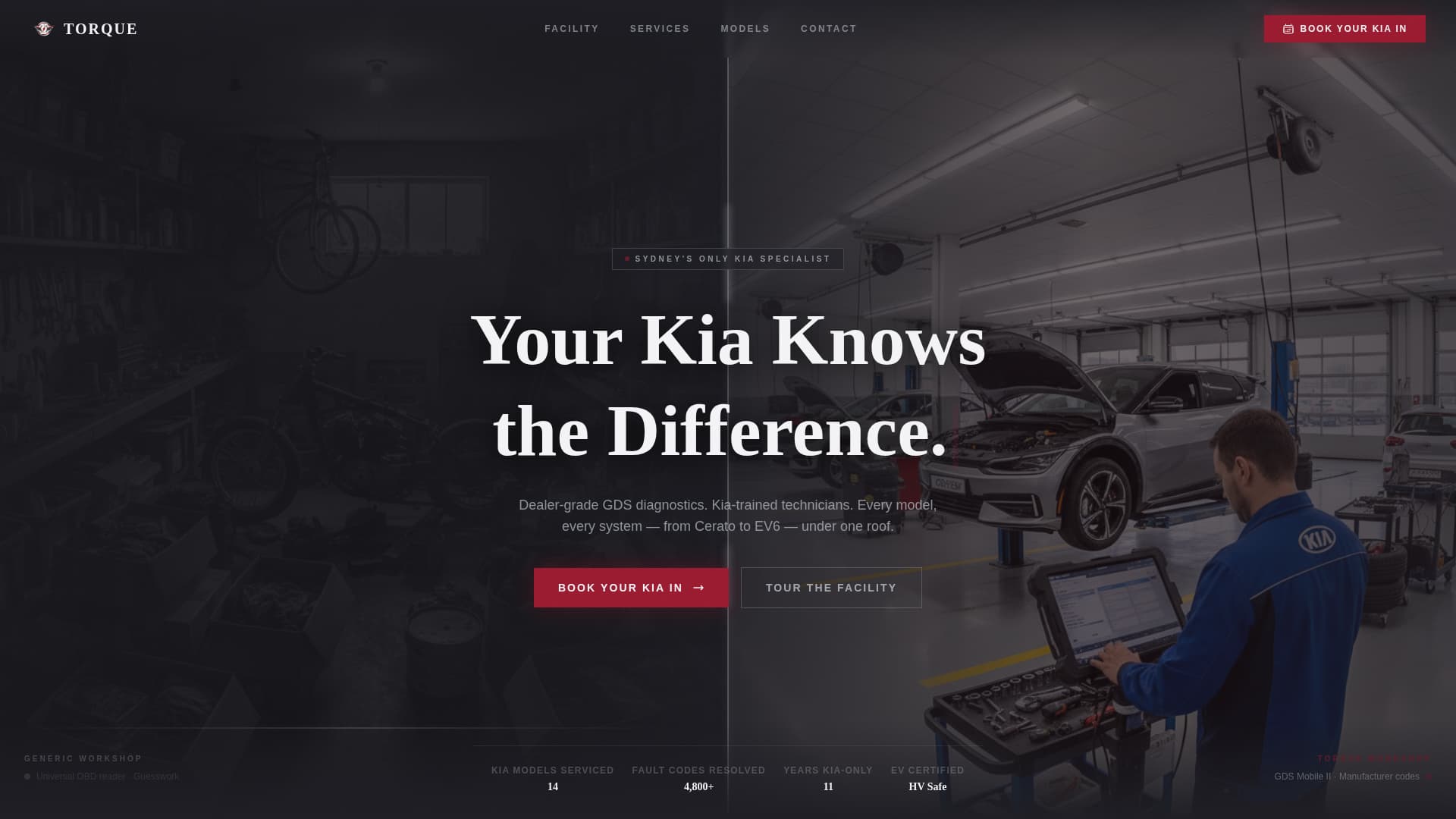
The header splits the viewport into two halves. The left plays a dim, cluttered generic garage clip. The right shows the same repair performed with Kia-specific tooling, branded uniforms, and clinical LED lighting. A chrome divider pulses between them while a typewriter headline builds across both frames.
Scroll-Driven Facility Tour
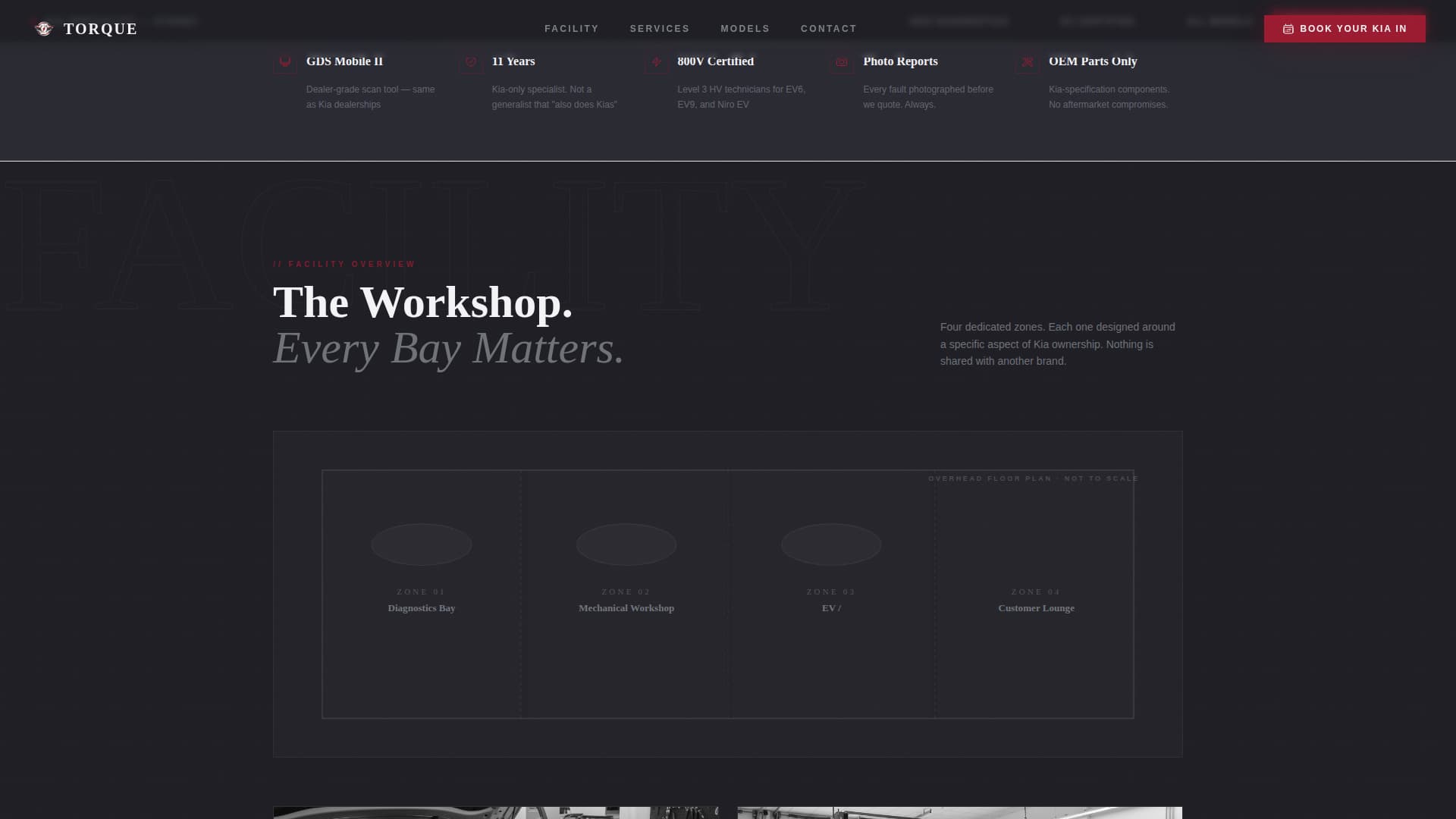
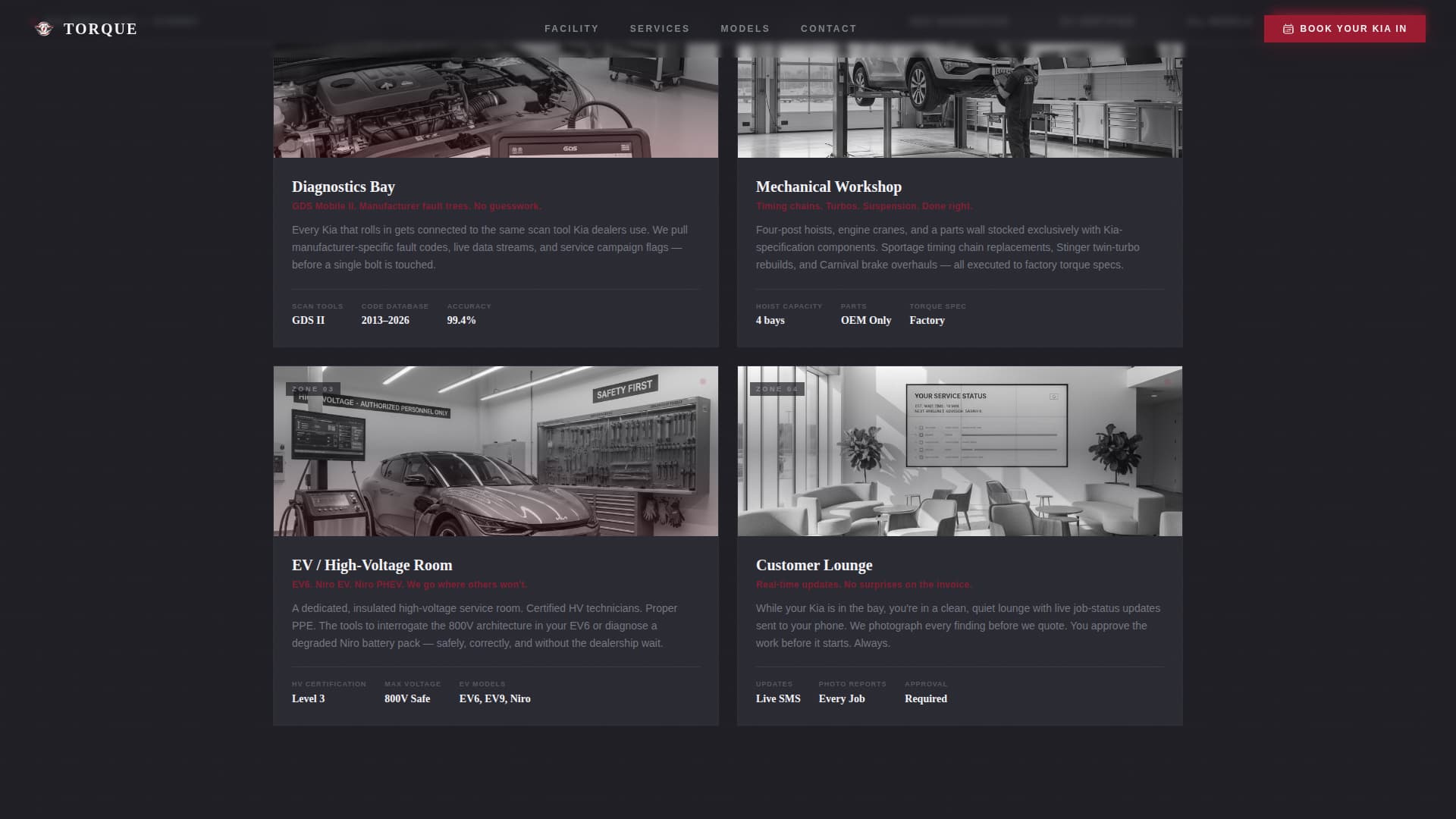
After the hero, an overhead floor-plan diagram appears and highlights four workshop zones: the diagnostics bay, mechanical workshop, EV-safe high-voltage room, and customer lounge. Each zone expands into its own full-width section as the visitor scrolls, with foreground tool close-ups parallaxing faster than background layers.
Visual Kia Model Selector
Step one of the booking form presents a visual grid of Kia silhouettes spanning the full model range. Visitors tap their specific model to begin. This confirms immediately that their vehicle is covered, removing one of the most common drop-off points in automotive booking flows.
Three-Step Booking Form
The embedded booking flow keeps each decision simple and contained. Step one selects the Kia model. Step two picks a service category from four options: diagnostic scan, logbook service, specific repair, or EV and hybrid work. Step three displays the next five available time slots from a calendar.
Symptom Input Path
A secondary call to action labelled "Describe a Symptom" gives hesitant visitors an alternative to committing to a date. They can type or voice-record what they are experiencing with their vehicle. This creates a warm lead capture point for visitors who are not yet ready to book.
Sticky Booking Bar
After the first scroll, a chrome-trimmed booking bar locks to the top of the viewport. The primary call to action "Book Your Kia In" remains visible throughout the entire page experience, so the conversion path is always one tap away regardless of which section the visitor is reading.
Page sections overview
Section
Purpose
Split-Video Hero
Contrast generic versus. specialist service visually
Facility Floor Plan
Introduce workshop zones through scroll interaction
Diagnostics Bay Zone
Prove dealer-grade scanning capability
Mechanical Workshop Zone
Show range of mechanical repair work
EV High-Voltage Room
Address the EV and hybrid owner's specific concern
Customer Lounge Zone
Signal professionalism and client experience
Services Bento Grid
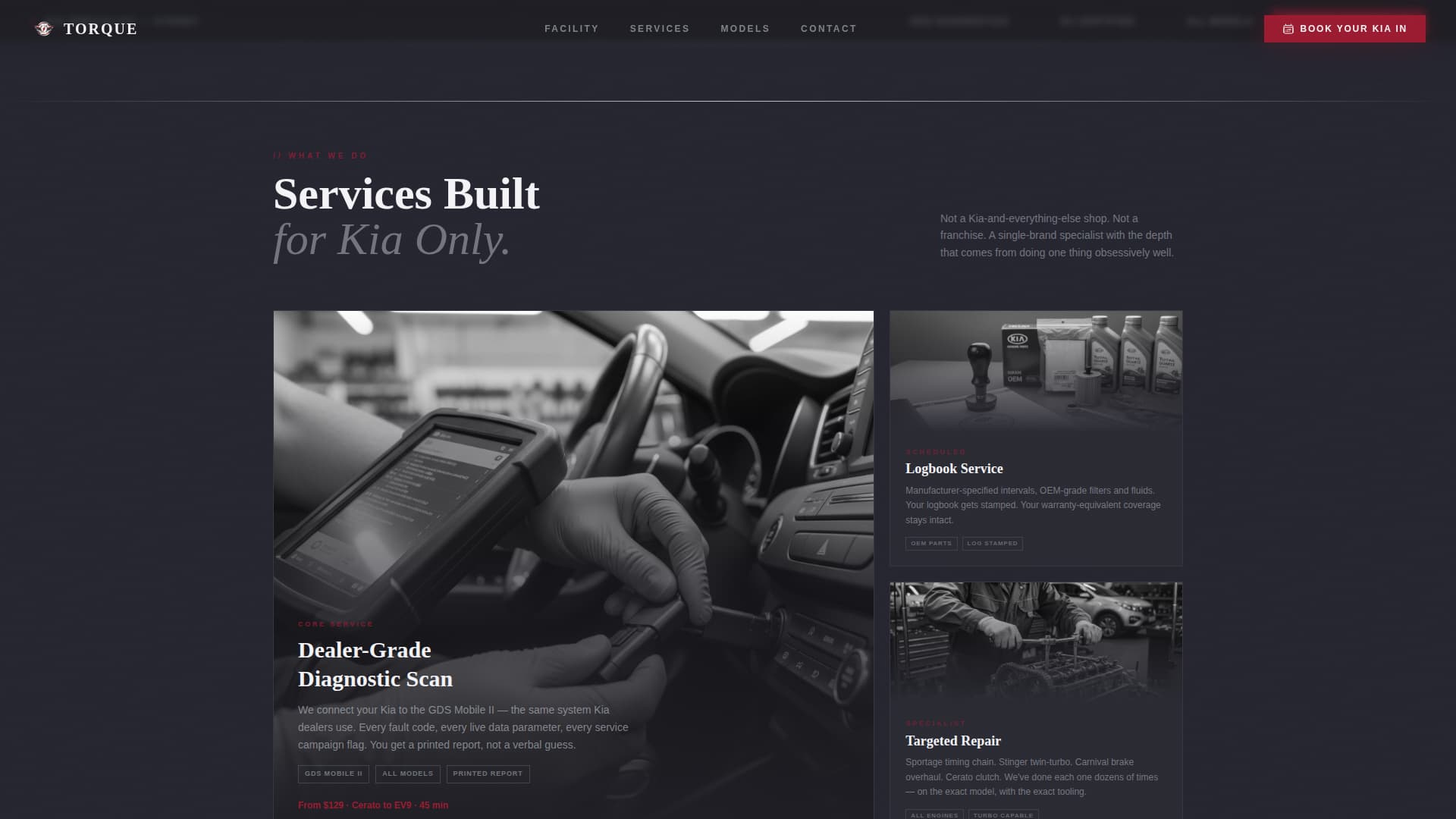
Display service categories in an asymmetric layout
Kia Model Coverage
Confirm full model range from Picanto to EV9
Three-Step Booking Form
Convert visitors into booked appointments
Footer
Linear single-row contact and navigation links
Design & branding system
The visual identity follows a Corporate Precision theme. Every colour decision reinforces the idea that this workshop is exact, controlled, and completely focused on one brand of vehicle.
Deep ruby (#9B1B30) drives all calls to action and urgency indicators throughout the page
Polished chrome silver (#C0C5CE) traces divider lines, icon strokes, and the sticky booking bar trim
Lift-bay charcoal (#1E1E24) anchors full-bleed sections, and diagnostic-screen white (#F4F4F7) opens service-detail panels so they read like technical spec sheets
Typography pairs Fraunces serif display headings with DM Sans for body text and form interfaces
Mobile & speed optimization
The template is built desktop-first, with full responsiveness extending the experience to mobile screens. Animation intensity and layout reflow are handled through the same GSAP ScrollTrigger system used on desktop.
Parallax layers and staggered reveal animations are built with GSAP ScrollTrigger for smooth scroll-driven behaviour
The booking form steps, model selector grid, and symptom input field are all fully usable on touch devices
Static sections use server components while interactive booking and animation elements use client components, separating rendering concerns cleanly
How this template helps you convert
Every section of this template is ordered to reduce scepticism before asking for a commitment. The visitor earns confidence progressively, and the booking bar is always present to catch them the moment they are ready.
The split-video hero creates immediate differentiation by showing what specialist service actually looks like compared to a general workshop, before a single word of copy is read.
The scroll-driven facility tour turns the page into a guided walkthrough, so by the time the visitor reaches the booking form they have already seen the tooling, the zones, and the model coverage that applies to their vehicle.
The "Describe a Symptom" path captures leads who are not ready to commit to a date, extending the conversion window beyond visitors who arrive with a firm decision already made.
Other information about this template
This template is built for the Australian market, with English (AU) copy conventions and pricing language consistent with local workshop communication. It is designed as a single-page layout with a linear footer pattern.
Animation stack includes GSAP ScrollTrigger for scroll-driven reveals, a typewriter effect on the hero headline, and staggered section entrance animations
The design style is categorised as Corporate Precision with a full-width immersive template style
Social proof blocks are included in the layout to support repair counts, diagnostic accuracy indicators, and model count statistics
The template sits within the Automotive and Transport category, specifically the Kia Services subcategory and Kia specialist mechanic niche