Car Dealership Pricing Website Template
Torque is a split-screen landing page template built for Mercedes-Benz parts and accessories stores. It pairs a dramatic spotlight header with interactive before-and-after reveal sections, scroll-driven motion transitions, and three-column pricing comparison tables. The Carbon Fiber color system and Dynamic Motion theme give every section the industrial precision buyers expect from a serious parts source.
by Rocket studio
Quick summary
Torque is a single-page, split-screen template designed for Mercedes-Benz parts retailers. It opens with a rotating AMG rotor under hard studio light, then walks visitors through degraded-versus-restored part comparisons, chassis-specific fitment badges, and side-by-side dealer price tables. Every section is built to earn the click before asking for a cart commitment.
Who this template is for
This template is built for businesses that sell Mercedes-Benz parts and accessories to a technically informed audience. It speaks directly to buyers who already know what they need and want proof that your store delivers it at the right price.
- Independent shop owners sourcing parts before the first morning appointment
- Weekend detailers who distinguish between original equipment manufacturer (OEM) and original equipment supplier (OES) parts
- E-Class and AMG owners who want dealer-quality components without dealer pricing
What problem this template solves
Most parts store pages look generic. They list products, show a price, and ask for a click. That approach loses technically confident buyers who need fitment certainty and savings proof before they trust a new supplier.
- Buyers abandon pages that do not confirm chassis compatibility upfront
- Price-sensitive customers leave when they cannot compare dealer cost against store pricing at a glance
- Visual shoppers struggle to find the right part without an exploded schematic view
What you get with this template
You get a fully structured, single-page layout that handles the entire buyer journey from discovery to conversion. Every design and interaction decision comes directly from the source brief.
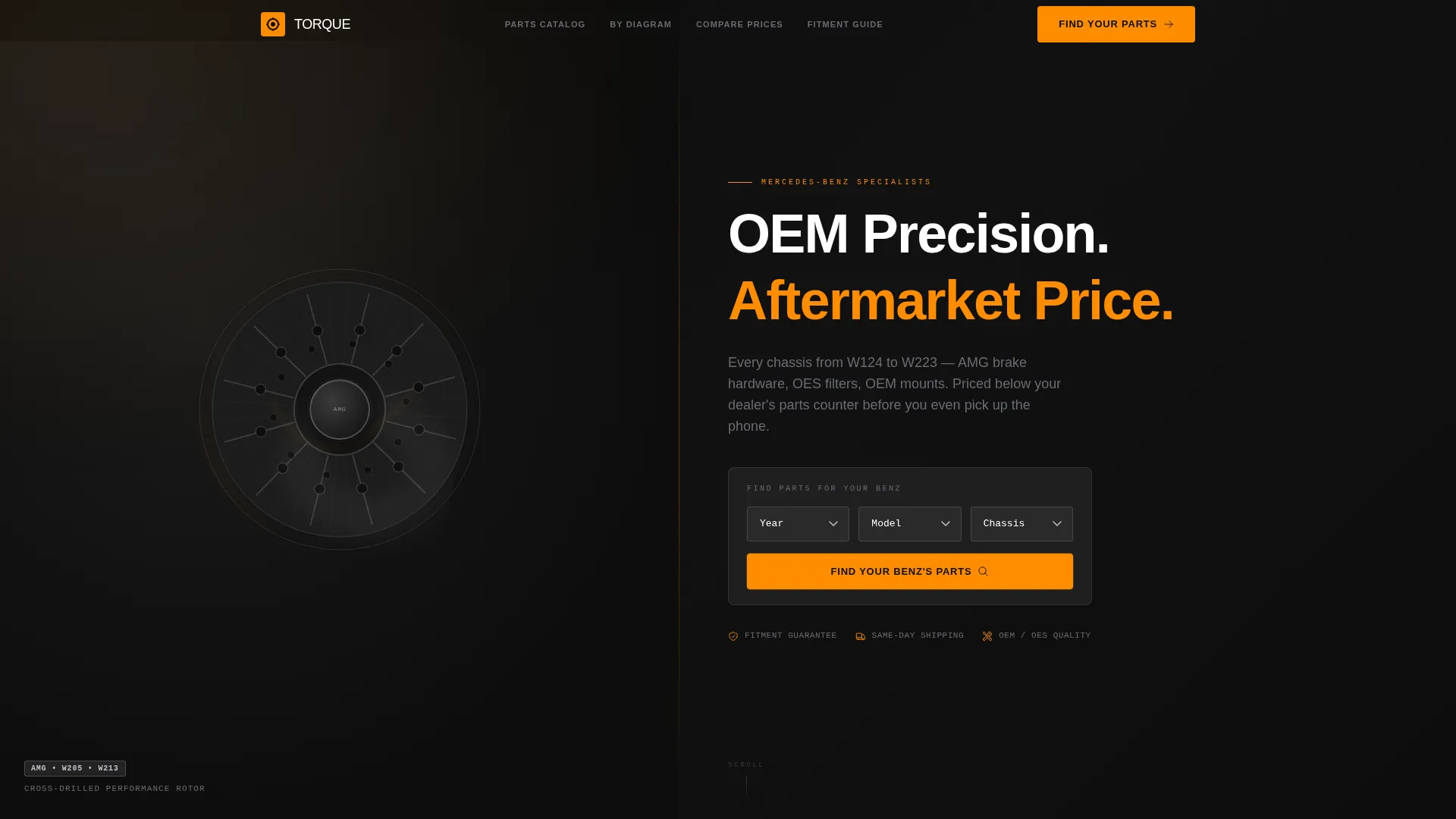
- A spotlight header with a slowly rotating AMG cross-drilled rotor and a carved headline entrance animation
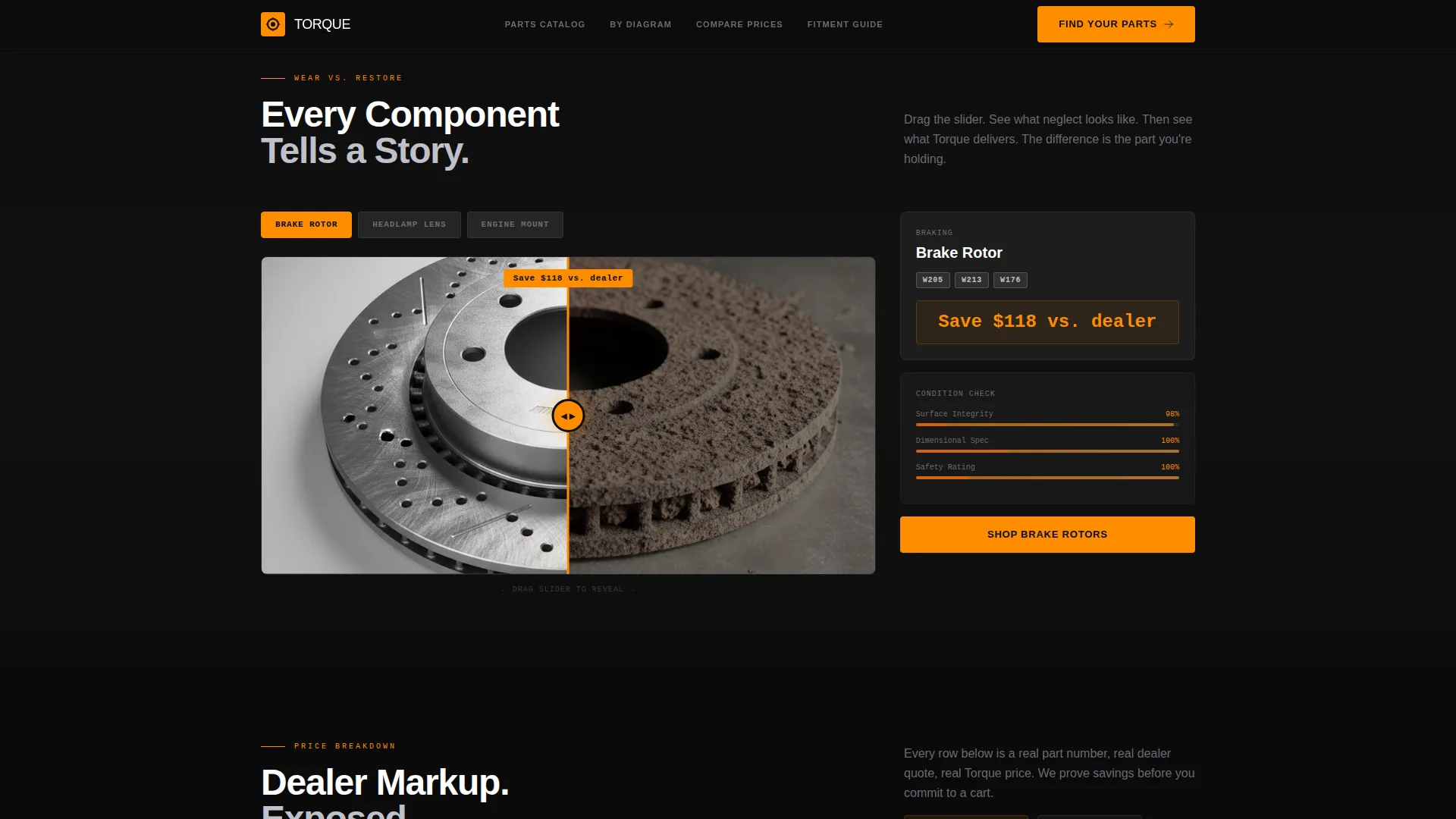
- Interactive drag sliders that split the viewport between worn components and gleaming replacements
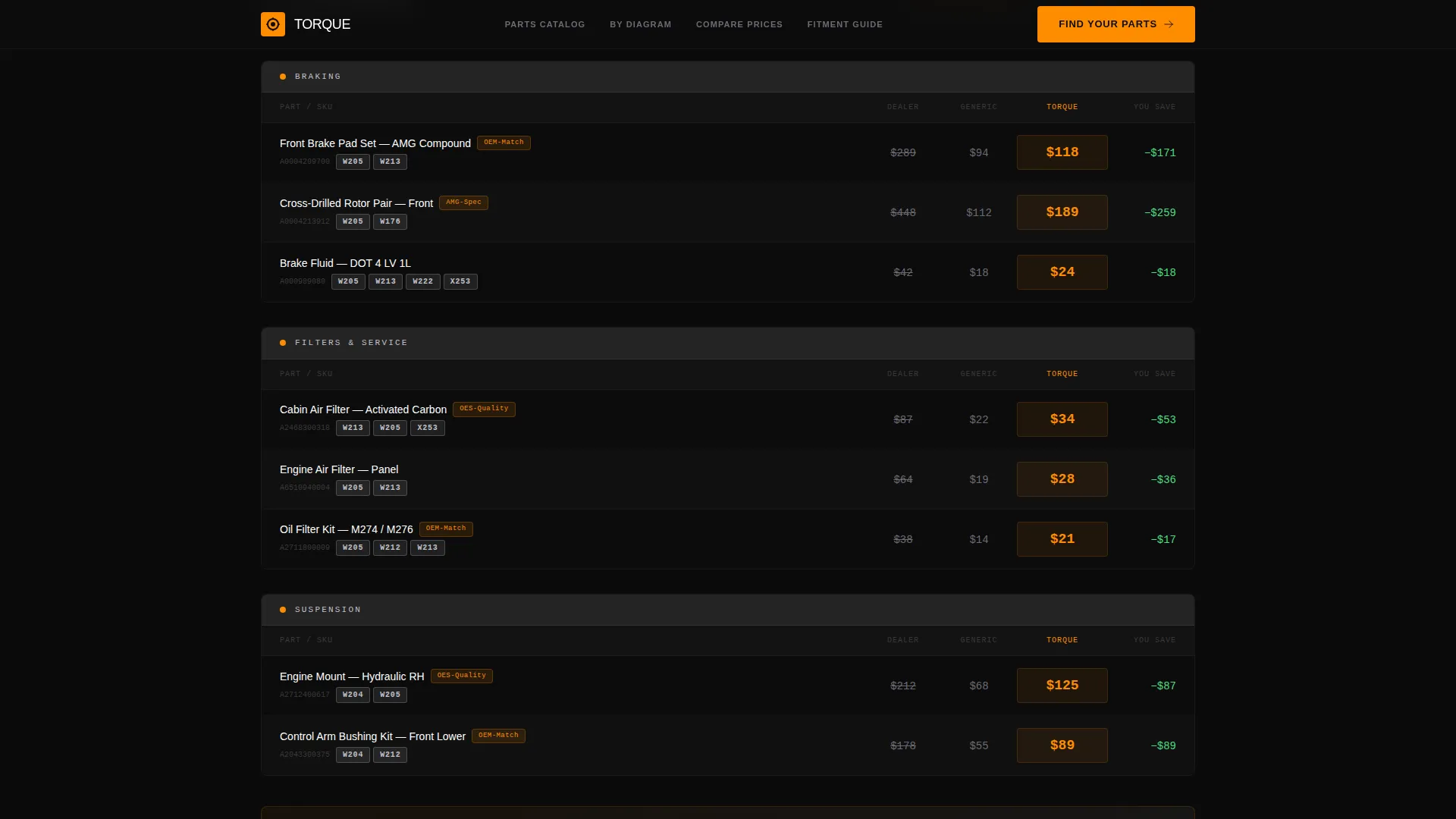
- Three-column comparison tables showing dealer price, generic aftermarket price, and your store's OEM-quality price
- A year-model-chassis lookup tool anchored at the top and repeated after every comparison block
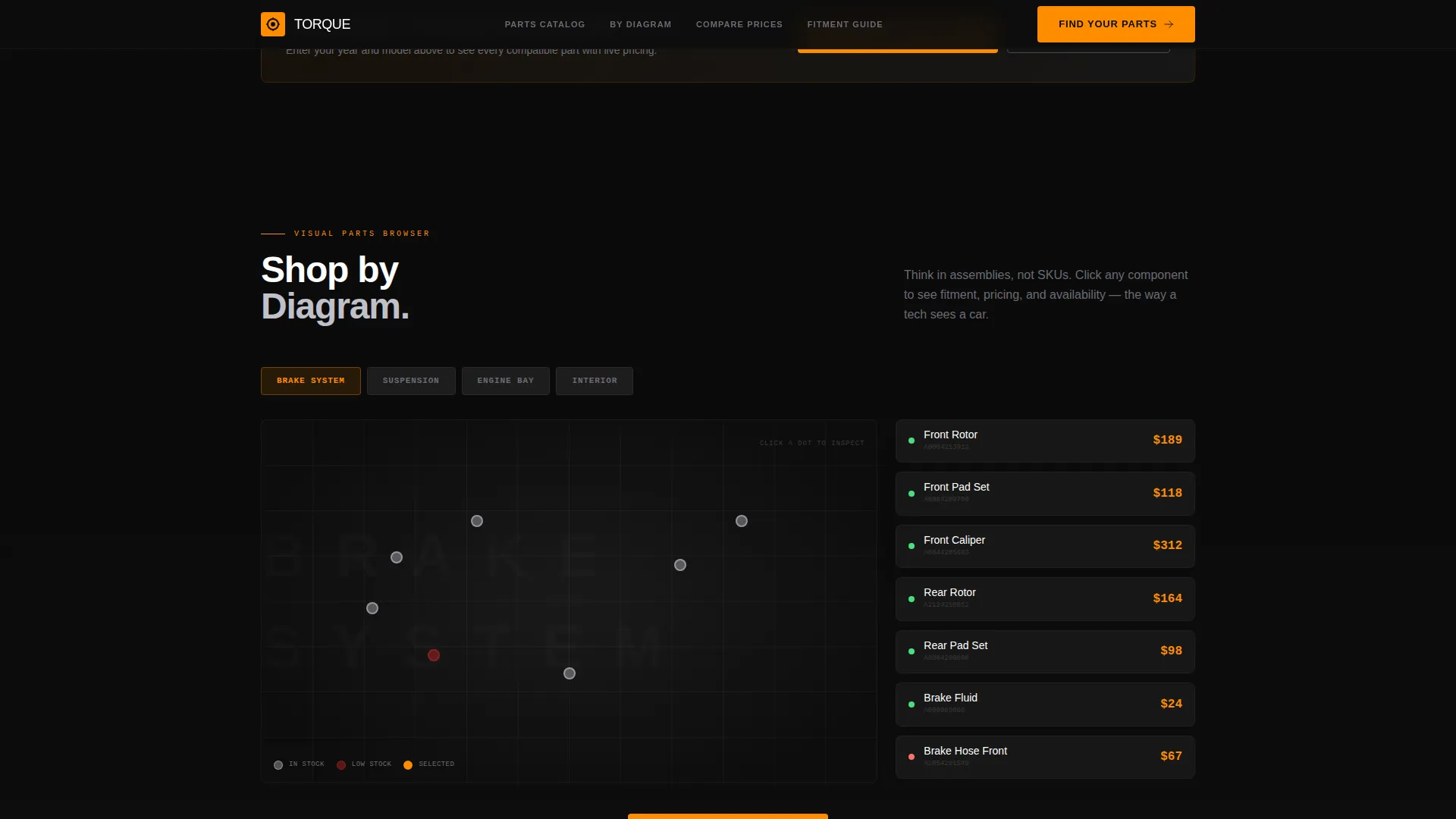
- An exploded parts schematic path labeled "Shop by Diagram" for assembly-oriented buyers
- Inline chassis compatibility tags (such as W205, W213, and X253) displayed alongside fitment guarantee badges
Feature list
This template packages a specific set of interactive and visual components. Each one is drawn directly from the design brief.
Rotating Spotlight Header
The page opens with a single AMG cross-drilled rotor spinning slowly against pure black. A hard light source from the upper left catches every machined groove. After two seconds, the headline "OEM Precision. Aftermarket Price." carves in from the screen edges.
Before and After Drag Slider
Each scroll section splits the viewport 50/50. The left side shows a worn or degraded part. The right side shows the store's replacement under studio light. Visitors drag a curtain slider between the two states to reveal the contrast at their own pace.
Three-Column Pricing Tables
Every product section includes a comparison table pitting dealer pricing against generic aftermarket against this store's alternative. Fitment guarantee badges and chassis tags appear inline so buyers can verify compatibility without leaving the row.
Chassis Lookup Tool
A year-model-chassis lookup tool sits at the top of the page and repeats after every comparison block. Buyers enter their vehicle details and the page surfaces the relevant parts, reducing fitment uncertainty before any purchase decision.
Shop by Diagram Path
A secondary navigation path opens an exploded parts schematic. Visual shoppers who think in assemblies rather than stock-keeping unit (SKU) codes can identify the exact component they need by its position in the diagram.
Kinetic Scroll Transitions
Parts slide, rotate, and lock into place as the visitor scrolls. The motion moves through engine bay, suspension, and interior trim sections in sequence, reinforcing the Dynamic Motion theme throughout the page.
Page sections overview
| Section | Purpose |
|---|---|
| Spotlight Header | Introduce the store with a rotating rotor and carved headline |
| Chassis Lookup Tool | Let buyers search by year, model, and chassis code |
| Engine Bay Reveal | Compare worn engine mounts against fresh replacements |
| Suspension Reveal | Show degraded versus restored suspension components |
| Interior Trim Reveal | Contrast aged cabin parts with store replacements |
| Pricing Comparison Block | Display three-column dealer versus. aftermarket versus. store tables |
| Fitment Badge Row | Show chassis compatibility tags inline with each product |
| Shop by Diagram | Open exploded schematic for assembly-based browsing |
| Repeat call to action Block | Anchor "Find Your Benz's Parts" after every comparison |
Design & branding system
The Carbon Fiber color system gives the page a dark, textured, industrial feel. Every color serves a specific role, and the palette stays disciplined across all sections.
- Deep cockpit black (#0D0D0D) as the primary background, carbon weave gray (#2A2A2A) for surface layering, and machined silver (#C0C0C8) for text and structural detail
- Mercedes-signature amber (#FF8C00) reserved exclusively for calls to action, hover states, and price callouts so buyer attention lands exactly where it should
- The Dynamic Motion theme drives all transitions: parts slide, rotate, and lock into position rather than fading or dissolving
Mobile & speed optimization
The split-screen layout and scroll-triggered animations are structured to translate cleanly across screen sizes. The 50/50 split adapts so mobile visitors still experience the before-and-after reveal without losing context.
- Drag sliders are touch-friendly, allowing mobile visitors to pull the reveal curtain with a finger swipe
- Comparison tables are structured to remain readable on narrower viewports without sacrificing the three-column layout logic
How this template helps you convert
Every design decision in this template is built around earning buyer confidence before asking for a click. The page proves value repeatedly and specifically rather than making a single generic pitch.
- The chassis lookup tool removes fitment doubt at the very first interaction, so buyers know immediately that your inventory matches their specific vehicle.
- The before-and-after drag sliders make the quality difference tangible and visual, turning product claims into something the visitor can feel through interaction.
- The three-column pricing tables show savings row by row, so by the time the "Find Your Benz's Parts" call to action appears, the buyer has already seen the evidence.
Other information about this template
This template is designed for the Mercedes-Benz parts and accessories niche and fits stores covering a wide chassis range starting from the W124 generation forward. It suits retailers who carry everything from AMG brake calipers to cabin air filters and want a page that matches the precision of the parts they sell.
- The template covers the full spectrum from performance components to everyday maintenance parts such as cabin air filters and engine mounts
- Chassis compatibility tags support common designations including W124, W205, W213, and X253, making it practical for multi-generation inventories
- The "Shop by Diagram" path makes this template particularly useful for customers who approach repairs as assembly sequences rather than individual part searches
- The amber accent color reserved for price callouts keeps savings figures visually prominent without overwhelming the dark industrial aesthetic
Theme
Dynamic Motion
Creative direction
Before/After Reveal
Color system
Carbon Fiber
Style
Split Screen (50/50)
Direction
Comparison/Versus
Page Sections
Rotating Spotlight Header
Before and After Drag Slider
Three-column Pricing Comparison
Year-model-chassis Lookup Tool
Shop by Diagram Path
Kinetic Scroll Transitions
Related questions
Who is this landing page template best suited for?
Can I customize the chassis compatibility tags shown in the comparison tables?
Does the before-and-after slider work on touch screens?
How does the pricing comparison table handle my store's specific prices?
Do I need coding experience to set up this template?