Auto Repair & Booking Website Template
Torque is a storybook single-page landing page template built for mobile mechanic services. It combines an exploded-view hero illustration, an interactive system explorer, transparent pricing tiers, and a persistent floating booking button. The carbon fiber visual identity and scroll-driven animations create a technically precise, trust-first experience designed to turn curious visitors into confirmed bookings.
by Rocket studio
Quick summary
Torque is a full-page, scroll-snapping landing page template for mobile mechanic businesses. It opens with an isometric exploded-vehicle illustration, guides visitors through interactive system deep-dives, and closes every section with a high-vis yellow "Book a Van to You" button. The design feels technical and tactile, earning trust before asking for a click.
Who this template is for
This template is built for mobile mechanic operators who need a professional online presence that converts without a waiting room. It works equally well for solo operators and multi-van fleets serving both individual customers and business accounts.
- Independent mobile mechanics who want to stand out from shop-based competitors
- Fleet service providers managing uptime for 10 to 50 vehicles across commercial accounts
- Auto repair entrepreneurs launching or rebranding a mobile service in a local market
What problem this template solves
Most auto repair websites look like shop directories. They lead with phone numbers, stock photos of wrenches, and contact forms that nobody fills out. A mobile mechanic has a genuinely different offer, and a generic template buries that difference entirely.
- Visitors cannot immediately understand how a mobile service works or why it is better
- There is no visual proof of technical expertise, so trust has to be stated rather than demonstrated
- Generic layouts push visitors toward a form too early, before confidence in the service has been established
What you get with this template
You get a complete, section-by-section landing page layout with every visual and interactive component already structured. The template is ready to receive your real service details, pricing, and booking link without rebuilding the layout from scratch.
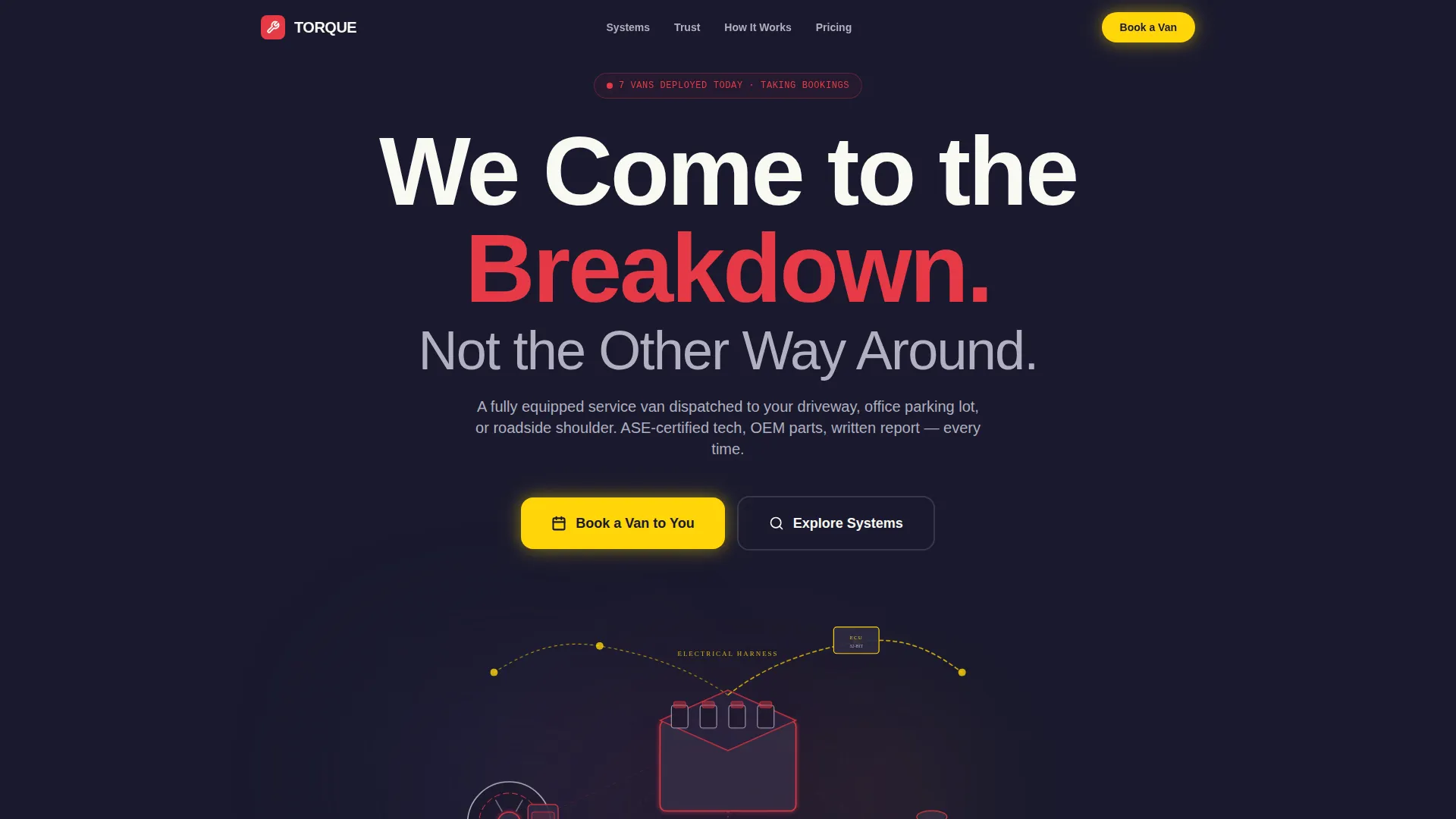
- A hero section with an exploded-view SVG vehicle illustration and scroll-reveal headline
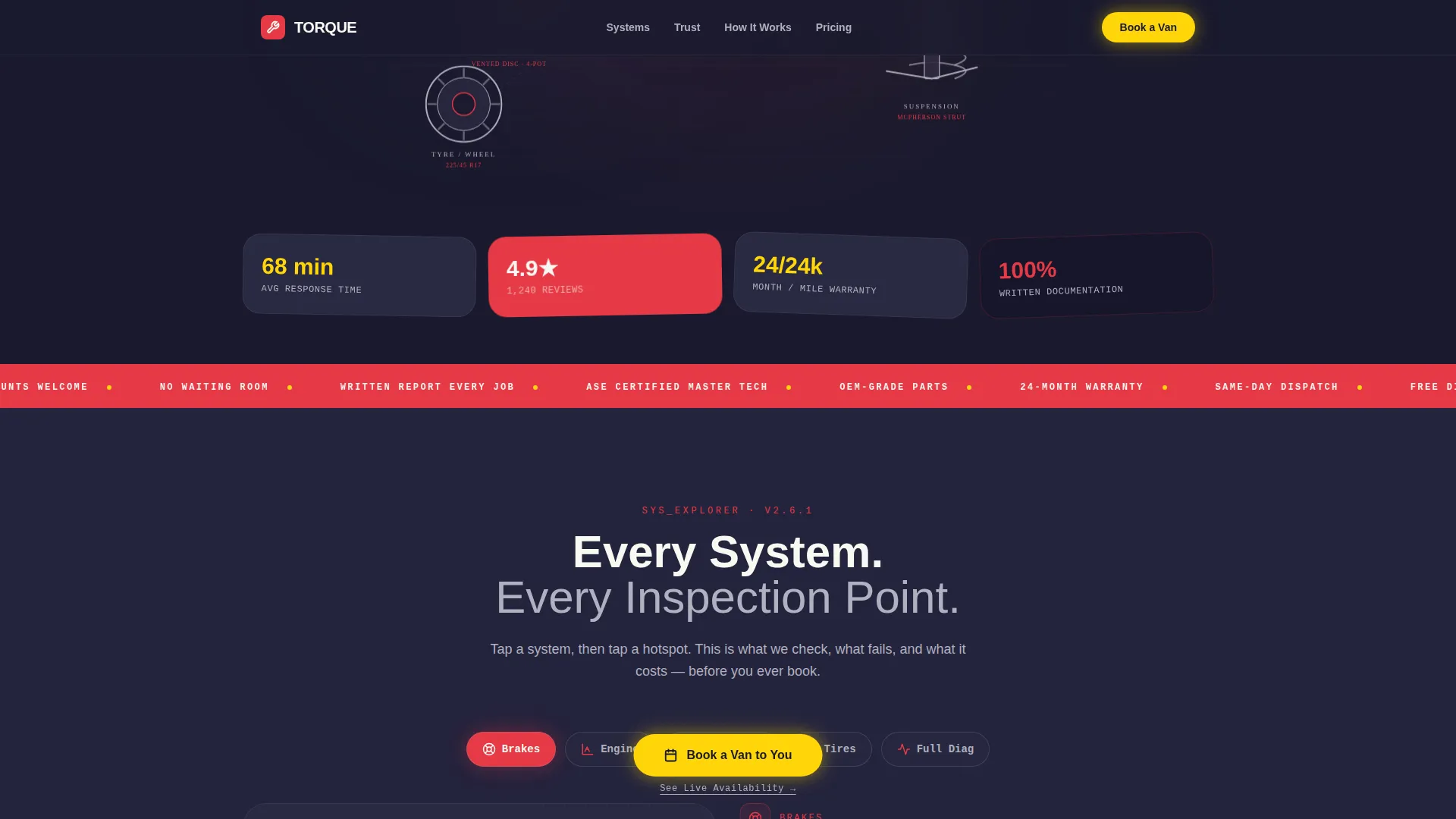
- An interactive system explorer with hotspot tabs covering brakes, engine, electrical, tires, and diagnostics
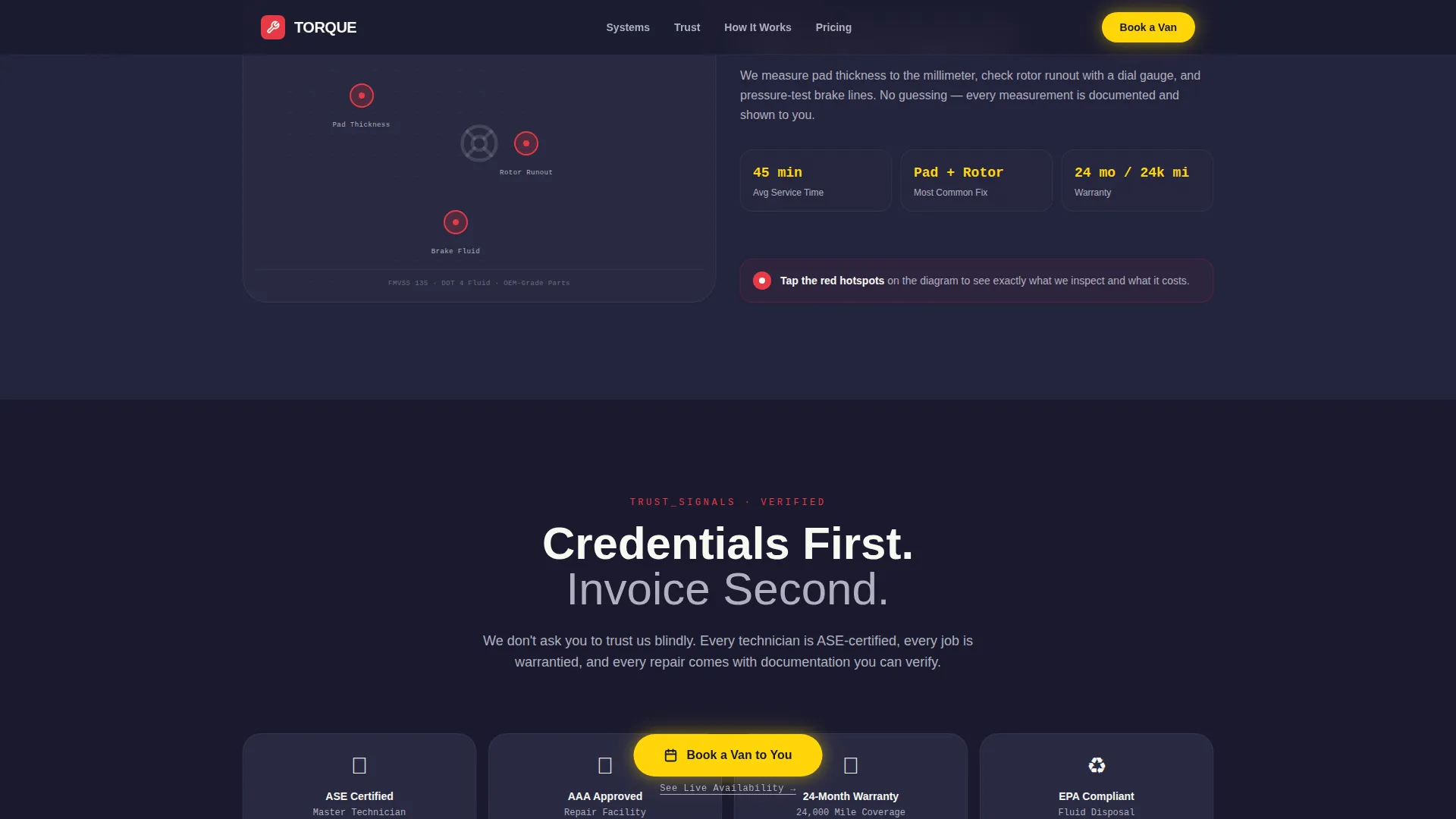
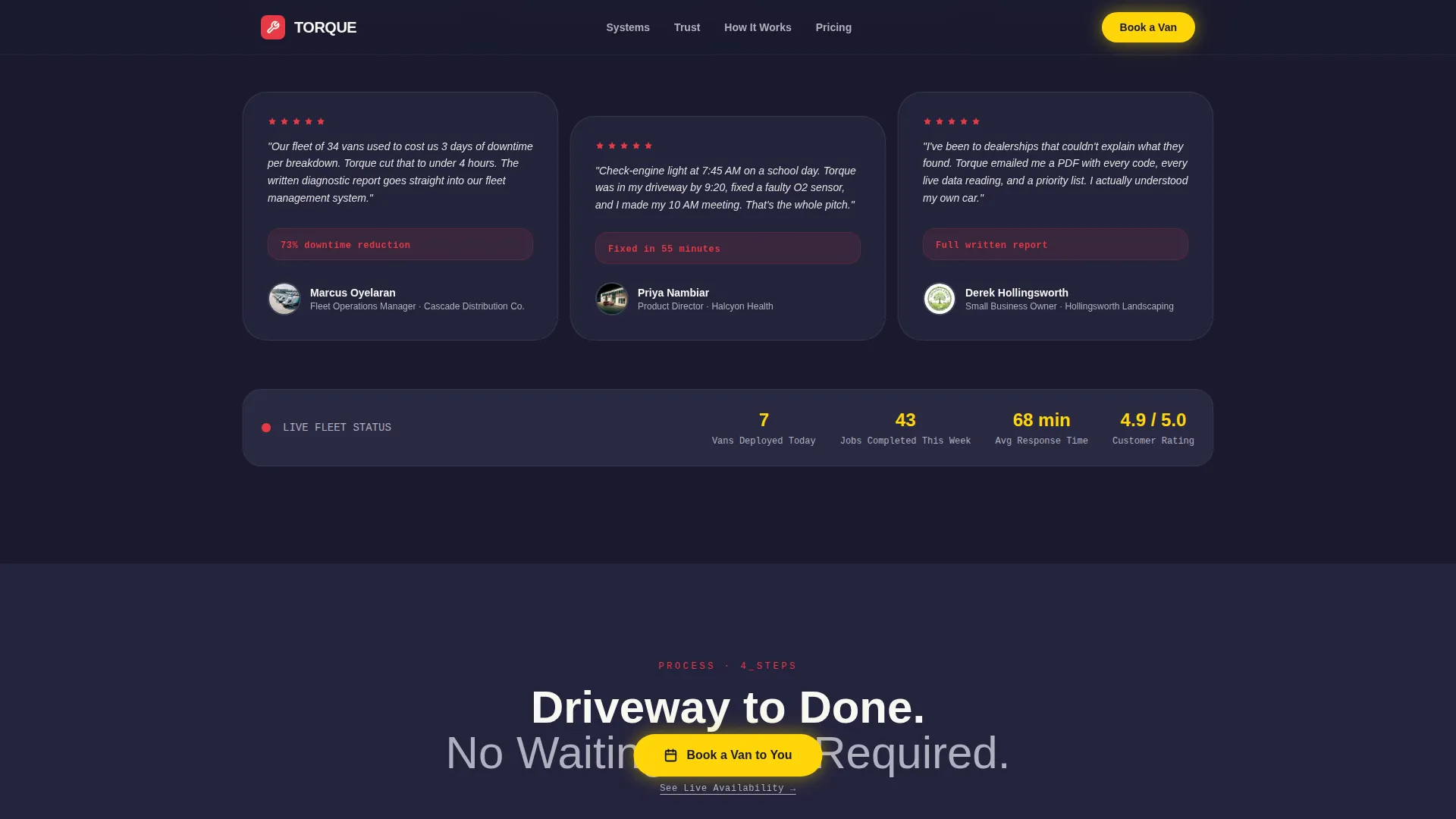
- A trust and proof section, a how-it-works flow, a pricing transparency section, and a linear footer
Feature list
This template includes purpose-built features aligned to the mobile mechanic use case. Each one is grounded in the source brief and designed to move a visitor from curious to committed.
Exploded-View Hero Illustration
The hero opens with a detailed isometric vehicle illustration rendered in precise linework against carbon black. Major systems float separated in space, each outlined with diagnostic-red pulses. The headline fades in over the engine block, immediately communicating technical depth before a single word of body copy is read.
Interactive System Explorer
Five full-page scroll-snap sections cover brakes, engine, electrical, tires, and diagnostics. Visitors hover or tap hotspots within each illustrated system to reveal what gets inspected, what commonly fails, and what the fix typically costs. The narrative escalates from routine maintenance to complex diagnostics, building credibility section by section.
Persistent Floating Call-to-Action
A high-vis yellow "Book a Van to You" button floats on every section and routes directly to a scheduling page. A secondary text link reading "See Live Availability" sits beneath it for high-intent visitors ready to commit immediately. No form appears on the landing page itself.
Micro-Animation System
Torque specs spin up on entry. Fluid-level indicators fill as the visitor scrolls. Tab transitions animate between system sections. Every micro-animation is triggered by scroll position using IntersectionObserver, rewarding curiosity and keeping the experience alive without overwhelming the content.
Trust and Social Proof Section
A dedicated section displays certification badges, a warranty badge, and testimonials from both individual clients and fleet managers. A live metric showing the number of vans deployed today reinforces operational scale and real-world activity.
Pricing Transparency Layout
Service tiers are displayed with diagnostic-red callouts highlighting key inclusions. Transparent pricing builds confidence and reduces the hesitation that typically stops visitors from booking an unfamiliar service type.
Page sections overview
| Section | Purpose |
|---|---|
| Hero Exploded View | Introduce the service with technical illustration and core headline |
| System Explorer Tabs | Let visitors explore vehicle systems and reveal expertise interactively |
| Trust and Proof | Display certifications, warranty badge, and client testimonials |
| How It Works | Show the asymmetric visual process from booking to on-site repair |
| Pricing Transparency | Present service tiers with clear cost callouts |
| Footer Linear Row | Close the page with contact and navigation in a single-row layout |
Design & branding system
The visual identity follows a Corporate Precision theme built around a carbon fiber color palette. Every color has a defined role, keeping the interface clean and the hierarchy unmistakable.
- Carbon black (#1A1A2E) and charcoal (#22223B) alternate as section backgrounds, with titanium (#B0B0BF) and white (#F8F8F2) carrying all body text
- Diagnostic-red (#E63946) marks callout icons, trust signal badges, and system outlines, never used for primary actions
- High-vis yellow (#FFD60A) appears exclusively on call-to-action buttons and interactive hotspots, making every clickable element instantly recognizable
Mobile & speed optimization
The template is built mobile-first, which matches the on-the-go nature of its target audience. A parent whose check-engine light just came on is reaching for their phone, not their laptop.
- Full-page scroll snapping, hotspot interactions, and tab transitions are all touch-friendly and optimized for small screens
- Animations use GPU-accelerated transforms only, keeping scroll performance smooth on mobile hardware
- Desktop layouts enhance the mobile-first base with wider illustration viewports and expanded hotspot hit areas
How this template helps you convert
The page is structured so trust is fully established before a booking action is ever requested. The visitor does not need to read a sales pitch; they experience the expertise directly.
- The interactive explorer lets visitors self-qualify by exploring the systems most relevant to their vehicle problem, making the booking feel like a natural next step rather than a cold ask.
- The persistent floating button stays visible throughout the entire scroll journey, so when the visitor is ready, the path to booking is always one tap away without any back-scrolling or searching.
Other information about this template
Torque is part of a broader family of precision-themed templates designed for local service businesses that need to compete with larger, better-funded competitors through design quality and content clarity.
- The template uses DM Sans for bold headings, JetBrains Mono for specs and data values, and Manrope for body text, creating a layered typographic system that reinforces the technical aesthetic
- No stock photography is used anywhere in the design; all visual content relies on the SVG illustration system, which is fully replaceable with your own linework or brand assets
- The template targets both business-to-consumer and business-to-business audiences within a single layout, using testimonial placement and fleet-specific copy slots to serve both segments without a separate page
Theme
Corporate Precision
Creative direction
Interactive Explorer
Color system
Carbon Fiber
Style
Storybook/Full-Page
Direction
Click-Through
Page Sections
Exploded-view SVG Hero Illustration
Interactive Hotspot System Explorer
Persistent Floating Booking Button
Scroll-driven Micro-animations
Trust and Social Proof Section
Pricing Transparency Section
Related questions
Does this template include a booking form on the page?
Can this template serve both individual customers and fleet clients?
How does the interactive system explorer work on mobile devices?
Is the exploded-view vehicle illustration editable?
Do I need to use all five system explorer sections?



