Motorcycle Mechanic Landing Page Template
Torque is an editorial-style motorcycle mechanic landing page built for shops that earn trust before asking for a lead. It pairs a half-page photo header, technician profile sections, and a structured inquiry form into one polished, single-page flow. The Corporate Precision visual theme signals expertise on first scroll and guides serious riders toward booking a callback.
by Rocket studio
Quick summary
Torque is a precision-crafted motorcycle mechanic landing page template. It is designed for service-area shops that need to convert local riders into booked appointments. The layout leads with credibility, real technician profiles, editorial pull quotes, and a geography-anchored service map, before presenting the inquiry form. It feels like a magazine feature, not a generic service page.
Who this template is for
This template suits motorcycle repair businesses that operate within a defined service radius and rely on local trust to win new customers. It works equally well for solo master technicians and multi-bay shops with a small team.
- Independent motorcycle mechanics and small repair shops serving a regional area
- Multi-technician garages handling everything from routine service to complex engine rebuilds
- Fleet managers or courier companies looking for a reliable local service contact
What problem this template solves
Most motorcycle service pages look like generic business listings. They bury the technician's real skills, skip the human element entirely, and ask for a lead before earning it. Riders with a specific problem, a mysterious tick, a persistent fault code, a pre-ride inspection, need to feel confident in the shop before they hand over their machine.
- Builds shop credibility through visible team profiles and specific certifications before any form appears
- Anchors geographic trust with a named service-area section listing towns and zip codes
- Captures qualified leads using a structured form with bike make, model, year, and free-text symptom fields
What you get with this template
The template delivers a fully composed single-page layout that moves visitors from first impression to form submission in one confident scroll. Every section has a defined purpose, and the editorial pacing keeps riders engaged through the full narrative.
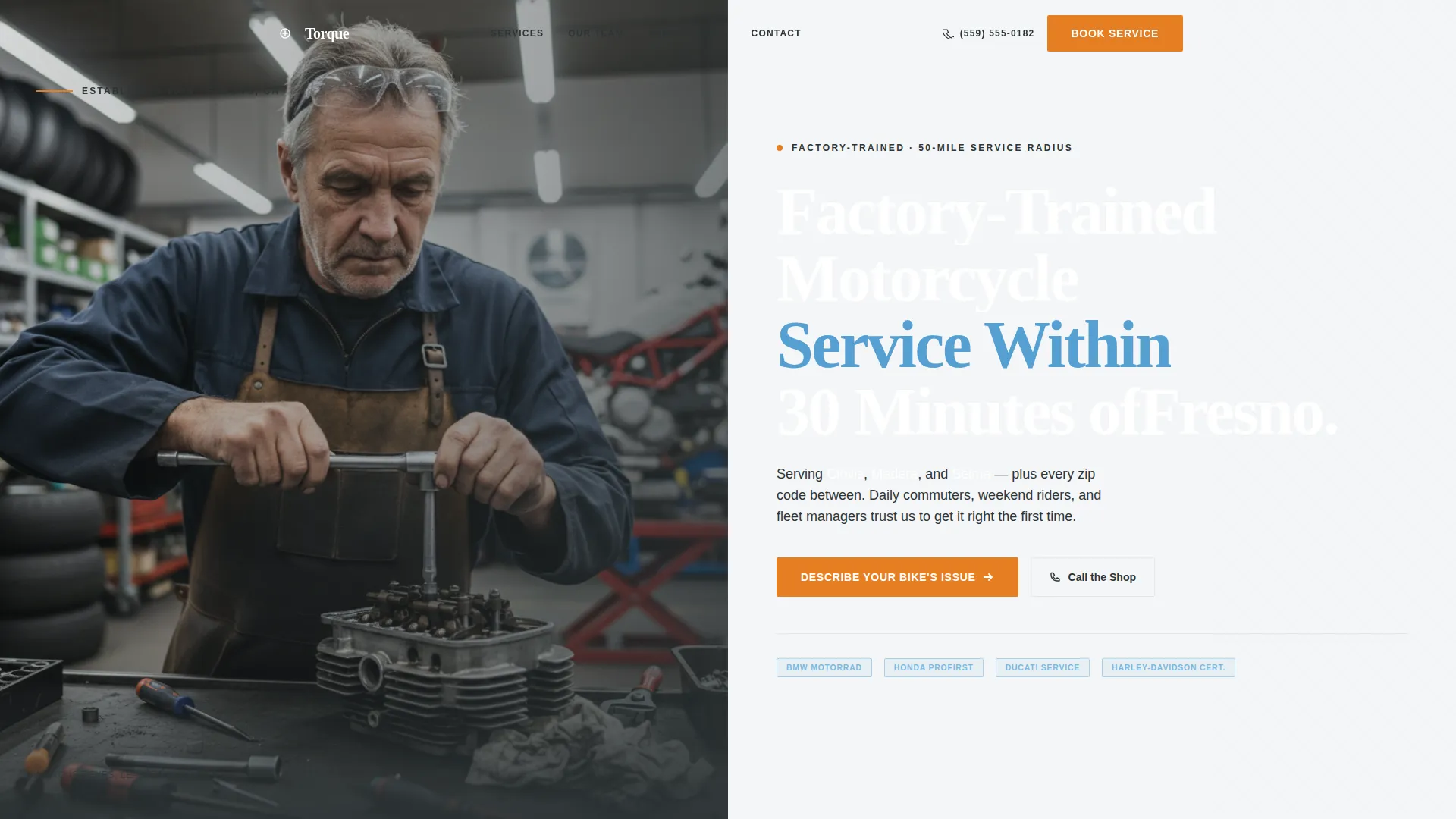
- A half-page split header with mechanic portrait and location-specific headline
- Individual technician profile blocks with specialty, certifications, and station photography
- A lead generation form with structured dropdowns and a sticky mobile call-to-action bar
Feature list
This template is built around a clear content hierarchy. Each feature below is present in the layout as described in the source brief.
Half-Page Split Header
The header divides into two distinct zones. The left side holds a tightly composed portrait of a senior mechanic mid-diagnosis. The right side carries a clean serif headline naming the service area and a one-line subhead listing the three anchor towns covered.
Technician Profile Sections
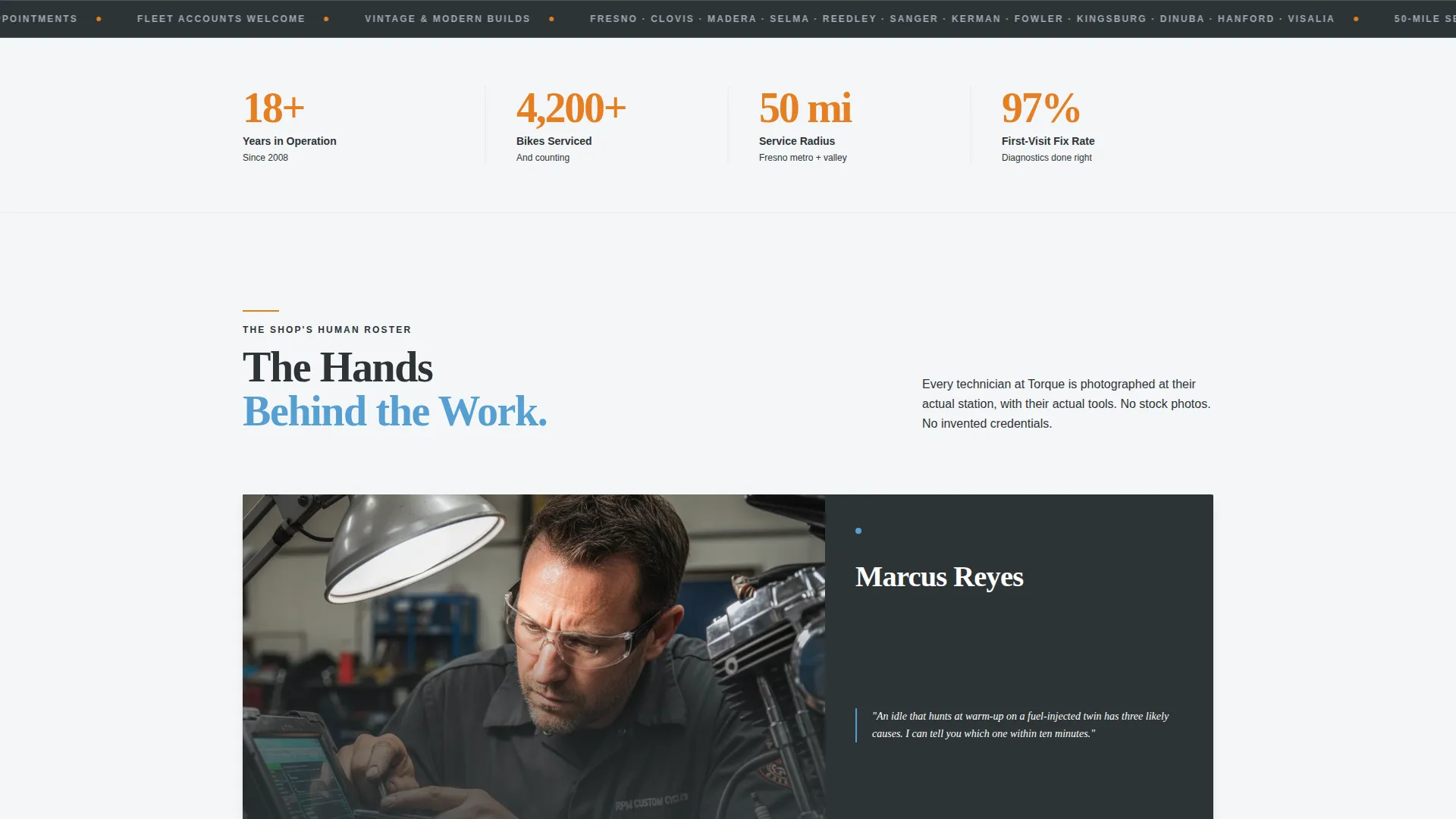
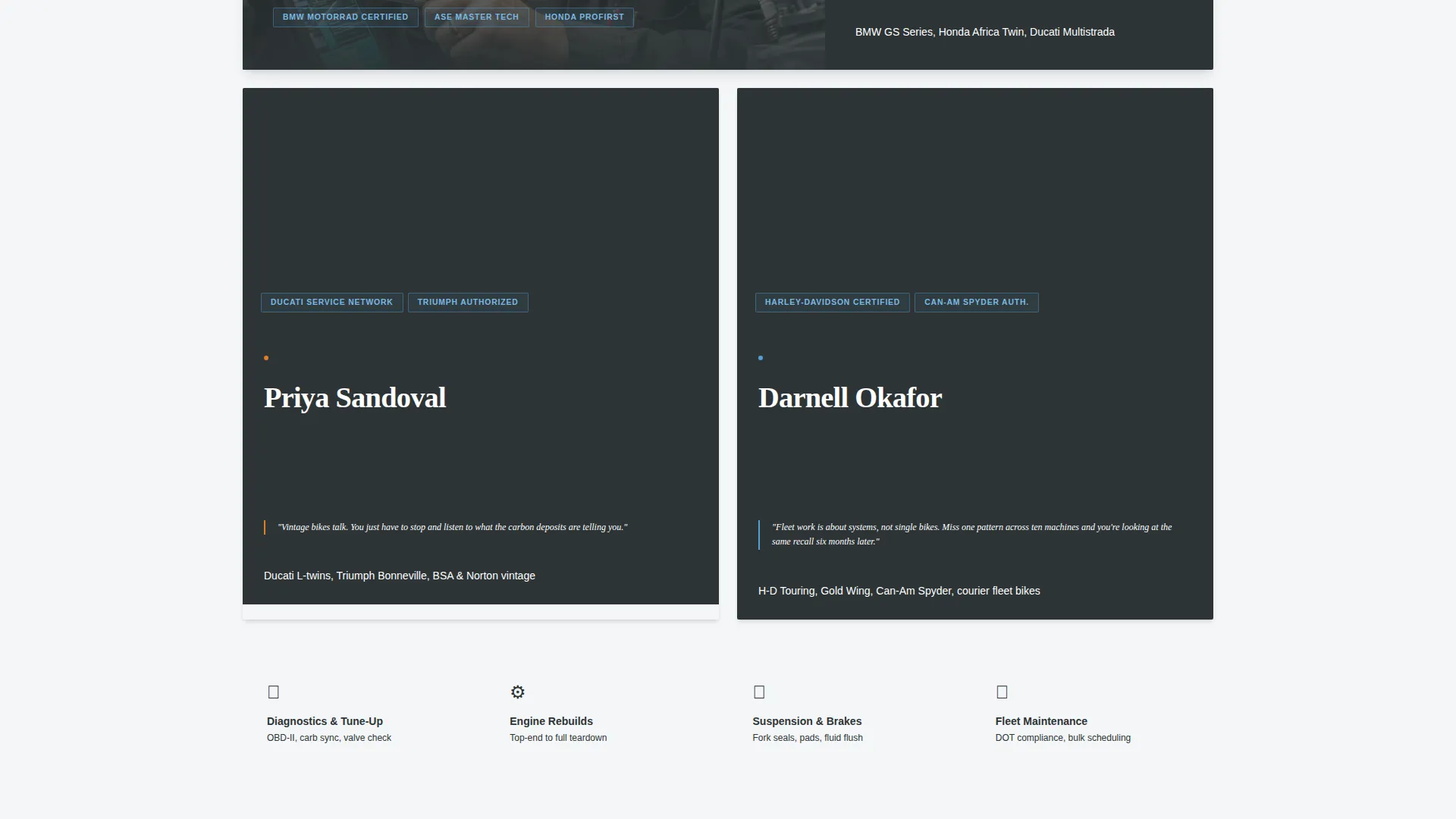
Each profile block introduces one team member alongside their specialty, certifications, and the specific bike types they work on. Photos are taken at their actual station with their actual tools, giving each entry real visual weight and proof of capability.
Editorial Pull Quotes
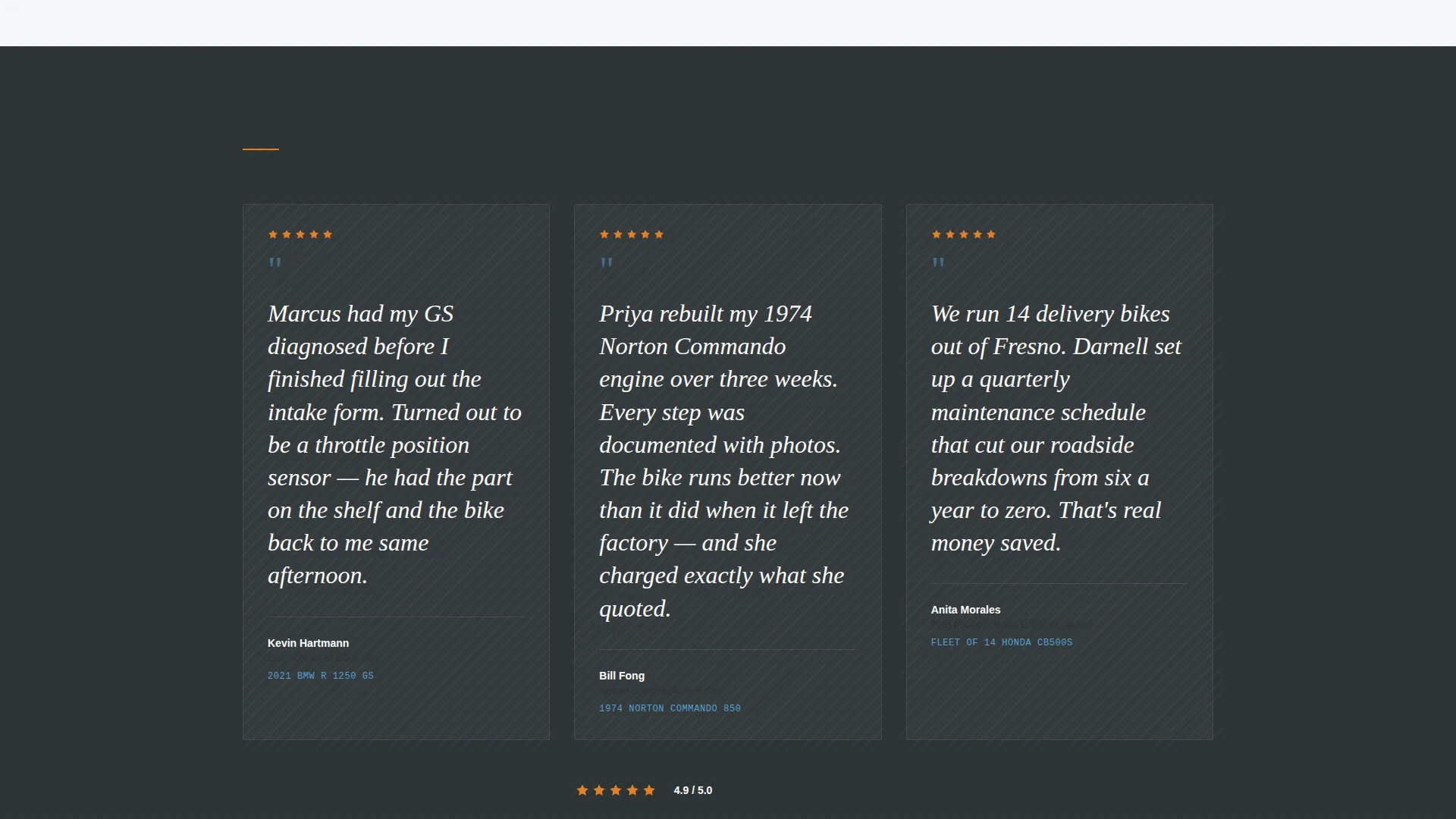
Between technician profiles, customer review excerpts appear as styled pull quotes. These break the page rhythm naturally and reinforce trust through real voices at the exact moment a visitor is forming an opinion about the shop.
Service-Area Map Section
A dedicated section names every town and zip code within the shop's coverage radius. This grounds the page in local geography and signals clearly to nearby riders that the shop is genuinely within reach.
Structured Lead Generation Form
The inquiry form captures bike make, model, and year via structured dropdowns. A free-text symptom field lets riders describe the specific issue in their own words. The form also collects a preferred service location and a phone number for callback.
Sticky Mobile Call Bar
A secondary call-to-action bar stays fixed at the bottom of the screen on mobile devices. It reads "Call the Shop Now" and gives riders who prefer talking over typing an instant, frictionless path to contact.
Page sections overview
| Section | Purpose |
|---|---|
| Split photo header | Establishes mechanic credibility and service area at a glance |
| Service area subhead | Names anchor towns to confirm local relevance immediately |
| Technician profile one | Introduces first team member, specialty, and certifications |
| Technician profile two | Escalates capability narrative with a more complex specialization |
| Lead generation form | Captures bike details, symptoms, and callback number |
| Pull quote blocks | Reinforces trust with real customer review excerpts between profiles |
| Service area map | Lists every covered town and zip code for geographic anchoring |
| Sticky mobile bar | Keeps "Call the Shop Now" visible for phone-first mobile visitors |
Design & branding system
The template uses a Corporate Precision visual theme built on a Slate and Sky color system. Every tone in the palette has a functional role, and the combination reads as technical, trustworthy, and clean without feeling sterile.
- Core palette: workshop charcoal (#2D3436) for structure, machined aluminum (#A4B0BD) for supporting text, open-sky blue (#56A0D3) for key interface elements, and clean-bay white (#F4F6F7) for backgrounds and breathing space
- Accent color: signal orange (#E67E22) is reserved strictly for calls to action and urgent callouts, giving the calls to action immediate visual priority
- Typography follows a clean serif for headlines and a legible sans-serif for body copy, giving the page an editorial magazine quality that separates it from standard service listings
Mobile & speed optimization
The template is structured to deliver a reliable experience for mobile-first visitors, who are often riders checking the page on the go. The layout adapts to smaller screens without losing the editorial character of the desktop view.
- The sticky "Call the Shop Now" bar stays fixed at the screen bottom on mobile, making the primary action accessible at any point in the scroll
- The half-page split header reflows cleanly on narrow screens so the mechanic portrait and headline remain visually impactful
- The lead generation form uses structured dropdowns that are easy to interact with on touchscreens, reducing friction for mobile users filling out bike details
How this template helps you convert
The page is designed to earn trust first and ask for information second. Every layout decision is sequenced to lower visitor resistance before the form appears.
- The technician profiles and pull quotes establish genuine expertise across the first two-thirds of the page, so visitors arrive at the form already confident in the shop's ability to help them.
- The primary call to action, "Describe Your Bike's Issue," appears only after the second technician profile, at the moment credibility is highest, which increases the likelihood of a quality submission.
- The sticky mobile call bar ensures that visitors who are not ready to fill out a form still have a direct, zero-effort way to make contact, capturing leads who prefer a phone conversation.
Other information about this template
This template is part of the Professional Services category and sits specifically within the Motorcycle Mechanic Business subcategory. It was built for service-area businesses that compete on local reputation and personal expertise rather than volume pricing.
- The page style follows a single-column flow with editorial magazine pacing, keeping the reader moving through the narrative without distraction
- The template is suitable for shops serving commuters, weekend riders, and small commercial fleets within a defined geographic radius
- The layout supports up to two featured technician profiles in the default structure, with pull quotes positioned between profiles to maintain reading rhythm
- Because the design theme is Corporate Precision, the visual output is polished and professional without sacrificing the authentic workshop character that builds trust with riders
Theme
Corporate Precision
Creative direction
Stats-First Impact
Color system
Cloud Canvas
Style
Single Column Flow
Direction
Partnership/B2B
Page Sections
Half-page Split Header
Technician Profile Blocks
Editorial Pull Quote Inserts
Structured Lead Generation Form
Sticky Mobile Call Bar
Geographic Service Area Section
Related questions
Can I update the service area towns and zip codes listed on this page?
How many technician profiles does the default layout include?
Is the lead generation form ready to collect real inquiries?
Why does the primary call to action appear mid-page rather than at the top?
Does the sticky call bar show on desktop screens as well?



