Off-Road & Lift Kit Installer Landing Page Template
Torque is a split-screen landing page template built for off-road and lift kit installers. It pairs a live truck configurator with side-by-side specification comparisons to show visitors exactly what an upgrade delivers. The charcoal and amber design system, sticky comparison call to action, and PDF spec sheet lead capture work together to convert forum researchers and ready-to-book clients alike.
by Rocket studio
Quick summary
Torque is a precision-built, single-page landing page template for off-road shops and lift kit installers. It opens with a split-screen truck configurator, walks visitors through honest before-and-after specification comparisons, and closes with a sticky "Compare Your Build" call to action. The design is clean, technical, and built to earn trust before asking for a booking.
Who this template is for
This template is for shops that do the kind of work that requires explanation, not just a price list. If your clients arrive with questions and leave with confidence, this page is built for your business.
- Off-road and lift kit installers serving weekend overlanders, fleet managers, and truck enthusiasts
- Shops that want to demonstrate technical authority through data rather than lifestyle photography
- Builders whose clients research extensively before committing to a suspension upgrade
What problem this template solves
Most off-road shop pages lead with photos of muddy trucks and a phone number. That approach loses the client who spent six months reading forums and wants to see geometry numbers, not dust clouds. Torque solves the trust gap with structured, verifiable technical content.
- Visitors cannot easily compare stock suspension data against upgraded specifications on a typical shop page
- Researchers who are not ready to book have no low-commitment way to engage and stay connected
- Shop owners have no clear framework to present build complexity in a way that justifies the investment
What you get with this template
You get a fully structured single-page layout that guides visitors from curiosity to commitment. Every section is purpose-built around a technical comparison model, so the page does the selling through evidence rather than claims.
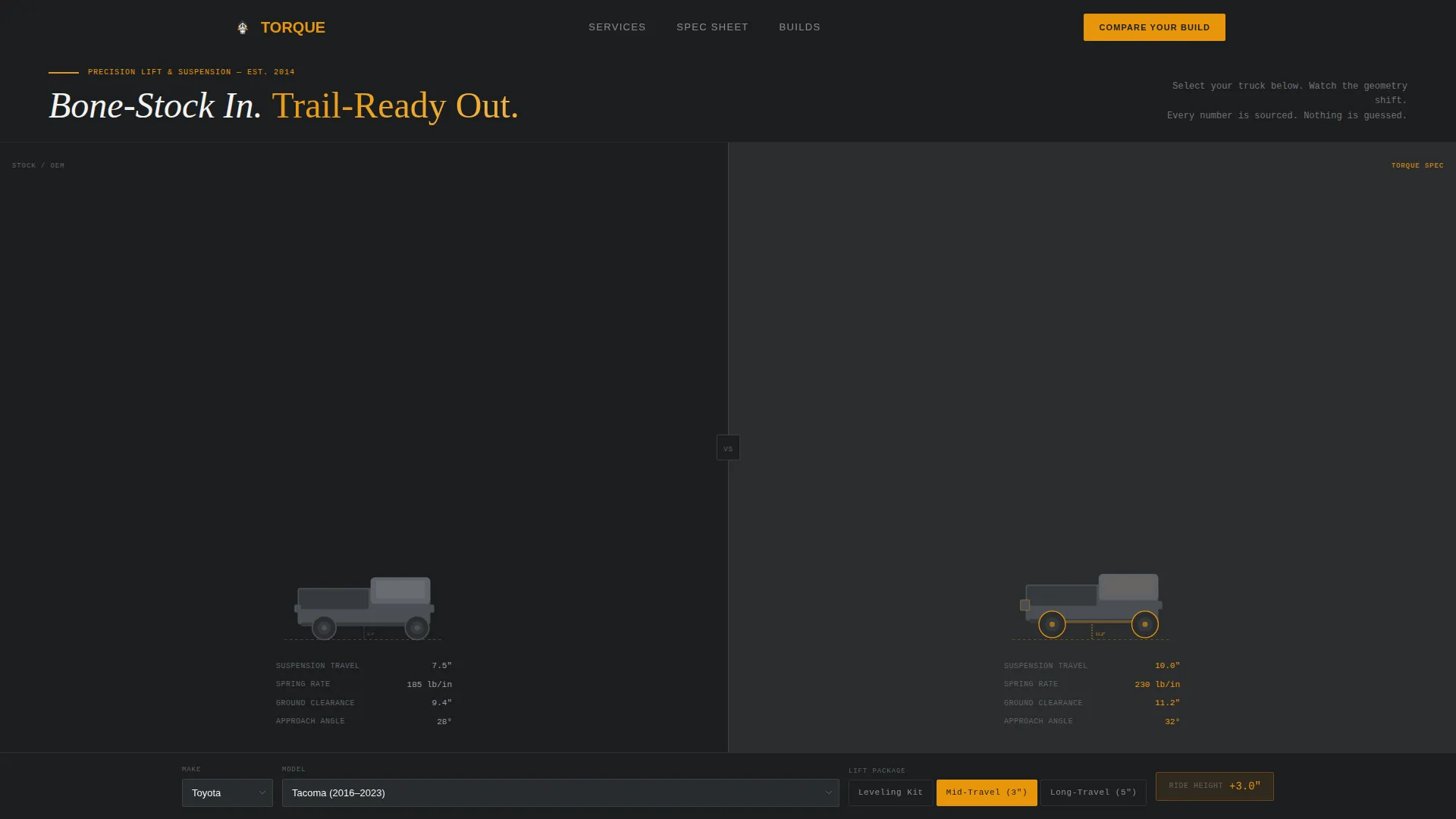
- A live split-screen configurator header showing stock versus lifted truck silhouettes with real-time ride height and clearance data
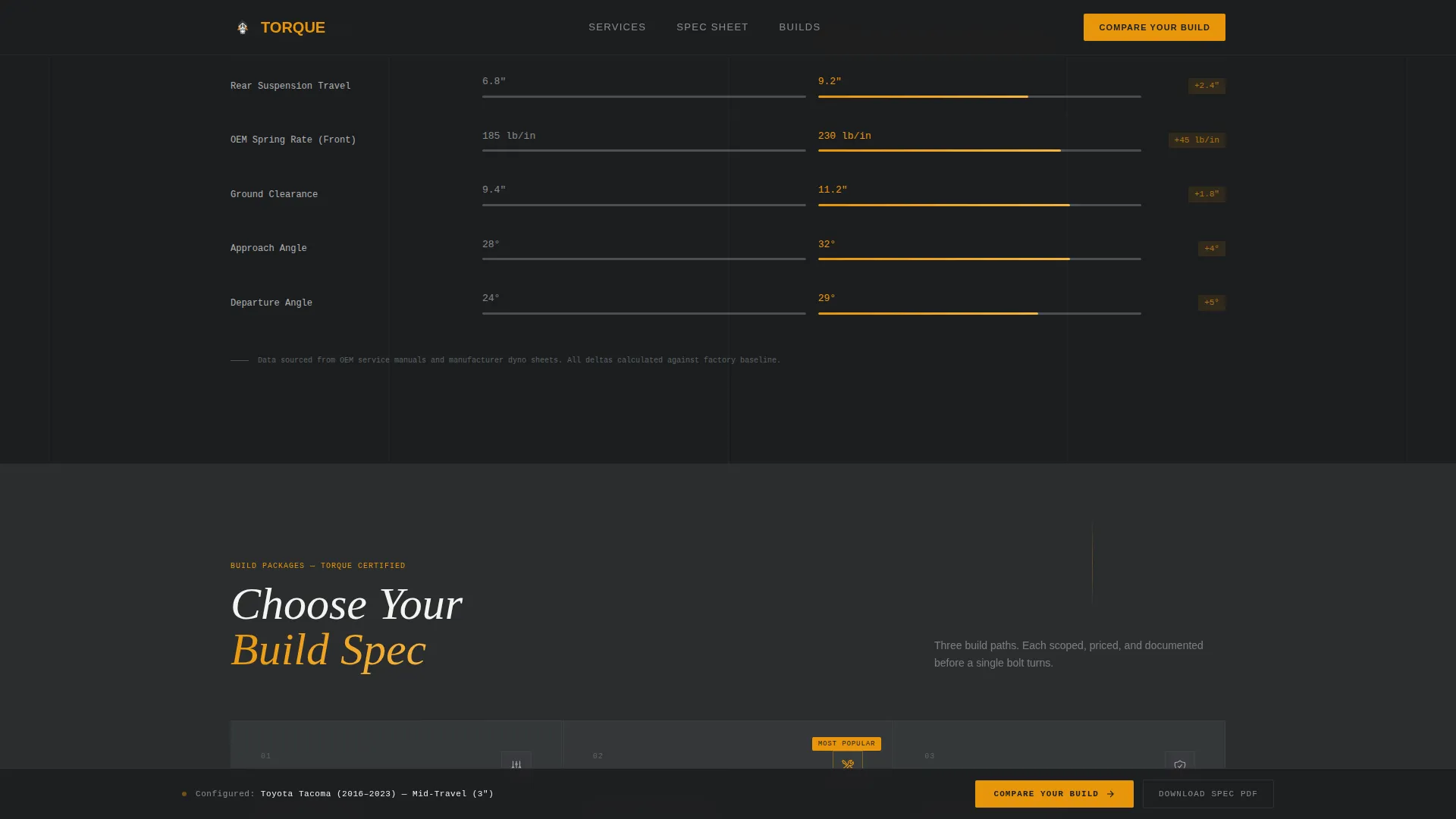
- Scrolling side-by-side specification comparison panels covering suspension geometry, brake-line extensions, and differential protection
- A sticky "Compare Your Build" call to action rail, a pre-filled booking form, and a PDF spec sheet download lead capture
Feature list
This section describes the core components included in the Torque landing page template.
Split-Screen Truck Configurator
The header uses a 50/50 split viewport. The left side displays a stock truck silhouette and the right side shows the same model after the selected lift configuration. As the visitor picks their make, model, and suspension tier, the right silhouette updates in real time. Ride height numbers, tire clearance specs, and center of gravity lines adjust accordingly.
Live Specification Comparison Panels
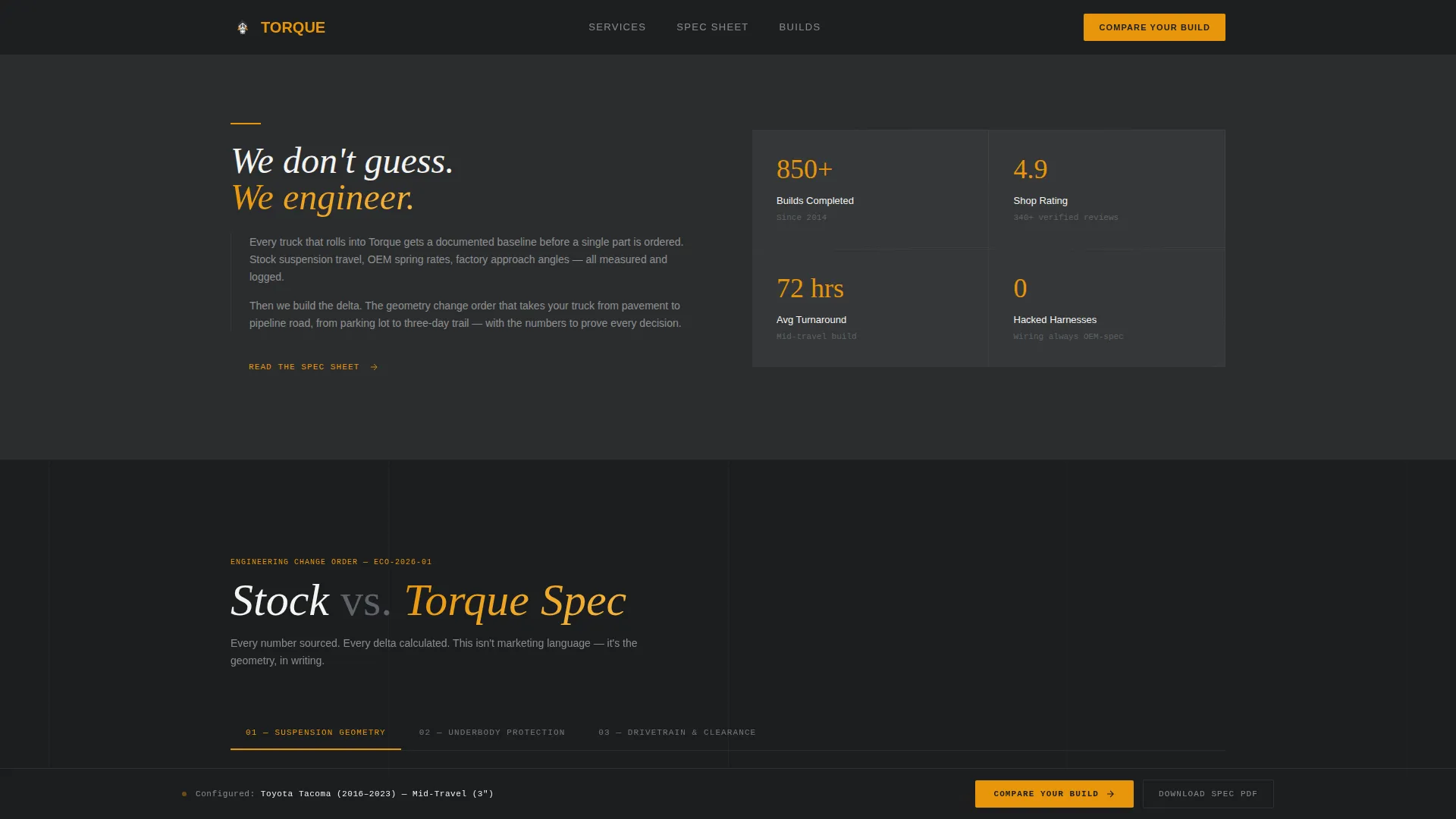
Each scroll section is a structured two-column technical comparison. The left panel holds factory suspension data including stock travel, original equipment manufacturer spring rate, ground clearance, and approach angle. The right panel shows upgraded figures in amber type with calculated deltas displayed clearly. The comparisons build progressively from suspension geometry through to differential protection.
Sticky "Compare Your Build" Call to Action
After the configurator interaction, a persistent bottom rail locks the primary call to action to the screen. It follows the visitor through every specification section and opens a two-column summary of stock versus upgraded specs for the selected vehicle, followed by a short lead form.
Pre-Filled Lead Capture Form
The booking form auto-populates the vehicle year, make, and model from the configurator selection. Visitors add any current modifications via free text and select their intended use from three options: daily driver, weekend trail, or full overland build. This reduces form friction and improves completion rates.
PDF Spec Sheet Download Path
A secondary conversion path offers the full specification sheet as a downloadable file in exchange for an email address. This captures forum researchers and specification-driven buyers who are not ready to book but want data to study offline.
Corporate Precision Design System
The charcoal and amber color system runs throughout the entire page. Deep charcoal backgrounds, gunmetal section dividers, white body text on dark panels, and safety-amber reserved strictly for calls to action, hover states, and specification highlights create a visual hierarchy that reads like a professional service manual.
Page sections overview
| Section | Purpose |
|---|---|
| Configurator Header | Select vehicle and preview lift silhouette in real time |
| Suspension Geometry Panel | Compare stock versus upgraded travel and spring rate |
| Brake and Protection Panel | Show brake-line extension and skid plate upgrade data |
| Differential Coverage Panel | Display differential protection specs and ground clearance delta |
| Sticky call to action Rail | Persist the Compare Your Build action through all sections |
| Build Summary Form | Capture vehicle details, current mods, and intended use |
| PDF Lead Capture | Exchange spec sheet download for visitor email address |
Design & branding system
The visual identity follows a Corporate Precision theme. Every design decision is functional, not decorative. The palette feels deliberate and tool-grade, like opening a well-organized shop drawer.
- Color system: shop-floor charcoal (#2B2D2F) for backgrounds, tool-steel gunmetal (#4A4E54) for dividers, clean-bay white (#F4F4F2) for body text, and safety-amber (#E8950A) reserved for callouts, hover states, and specification highlights
- Typography and layout: body text sits white against dark panels, amber type marks upgraded specification values, and thin gunmetal rules divide sections cleanly
- Visual style: no lifestyle photography or dust clouds; the page uses clean truck profile silhouettes and structured data panels as its primary visual language
Mobile & speed optimization
The split-screen layout and configurator are designed to adapt to smaller viewports without losing the side-by-side comparison structure. Technical pages like this one require clean reflow so the data remains readable on any screen.
- The 50/50 split panels are built to stack vertically on mobile while preserving the stock versus upgraded comparison logic
- The sticky call to action rail is positioned to remain accessible on touch screens without obscuring key specification data
- The configurator dropdown and form inputs are sized and spaced for comfortable mobile interaction
How this template helps you convert
Torque is built around a Comparison/Versus conversion model. Every design and content decision is structured to move an informed, skeptical visitor toward a clear next step.
- The configurator creates a personalized experience immediately. Visitors see their specific truck and their specific lift, which makes the specification data feel relevant rather than generic, increasing engagement before the first call to action appears.
- The progressive specification comparison builds undeniable technical authority through each scroll section. By the time the sticky call to action is visible, the visitor has already seen the evidence. The form asks for a commitment only after the page has earned it.
Other information about this template
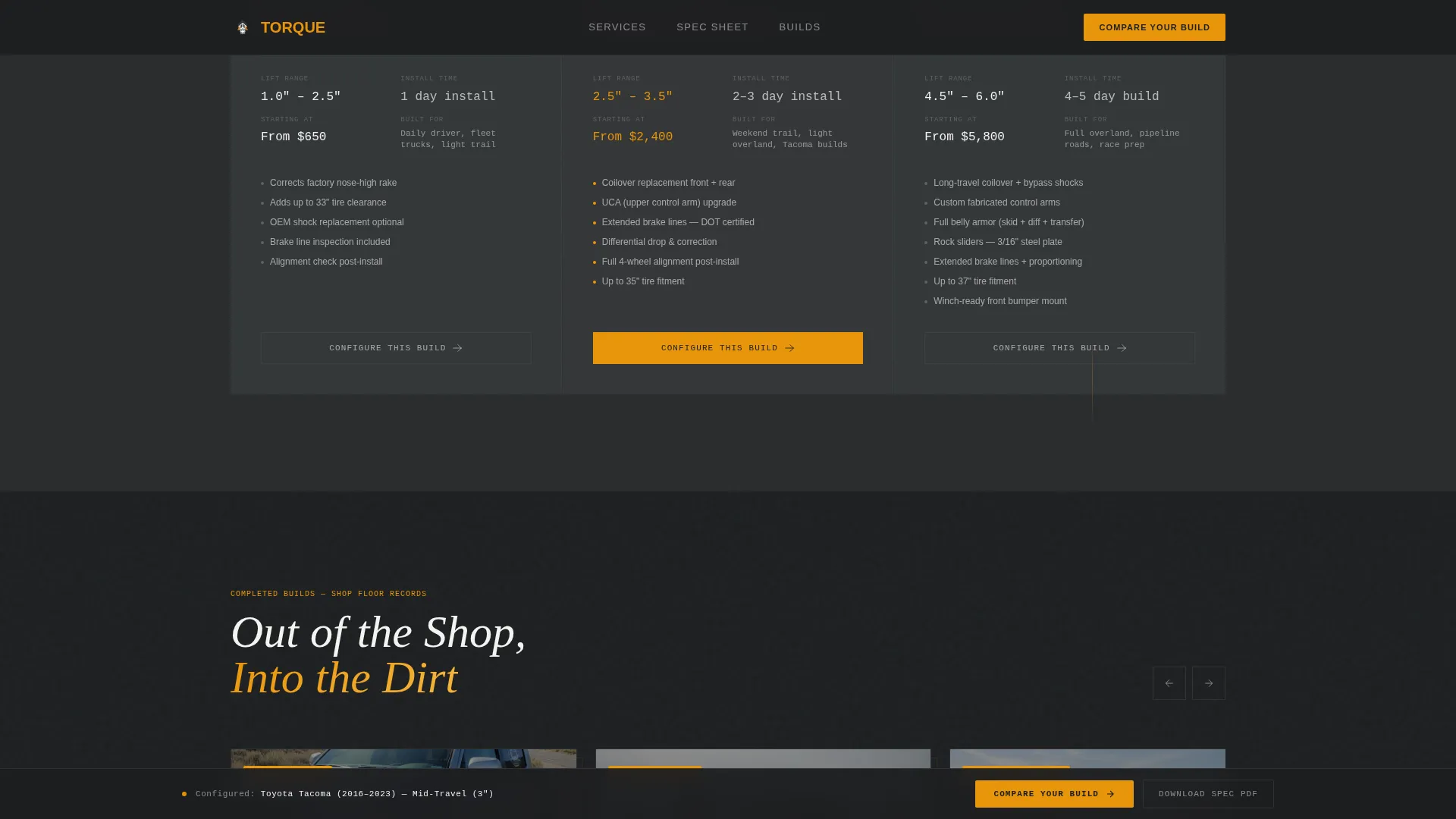
The Torque template is a strong fit for shops that serve clients across a range of build goals. It handles the full spectrum from entry-level leveling kits to long-travel suspension builds within the same configurator flow.
- The three suspension tiers in the configurator (leveling kit, mid-travel, and long-travel) map directly to the most common buyer segments in the off-road installer market
- The intended-use selector in the lead form (daily driver, weekend trail, full overland build) helps shops pre-qualify leads before the first conversation
- The PDF spec sheet download path is particularly effective for technically minded buyers who research vehicle customization and modification decisions thoroughly before committing
- This template is suited to shops positioned in the vehicle customization and modification category who want a page that reflects the precision and intentionality of their actual work
Theme
Corporate Precision
Creative direction
Spec Sheet
Color system
Charcoal & Amber
Style
Split Screen (50/50)
Direction
Comparison/Versus
Page Sections
Split-screen Truck Configurator
Progressive Specification Comparison Panels
Sticky Compare Your Build Call to Action
Pre-filled Vehicle Lead Form
PDF Spec Sheet Lead Capture
Corporate Precision Design System
Related questions
Can I use this template if I only offer one type of lift kit?
How does the PDF spec sheet download capture leads?
Is the sticky call to action always visible while scrolling?
Who is this landing page template designed to speak to?
Can the lead form fields be adjusted for different service offerings?



