Component & Equipment Manufacturing Portfolio Website Template
Torque is a single column flow landing page template built for steering and suspension parts retailers. It follows a case study narrative structure, walking visitors through a real-world front-end rebuild from diagnosis to installed result. The Industrial Raw design, before-and-after header, and layered proof sections work together to earn trust before the click-through call to action ever appears.
by Rocket studio
Quick summary
Torque is a landing page template for steering and suspension parts retailers. It uses a case study narrative to guide visitors through one truck's full front-end rebuild. By the time the primary call to action appears, visitors have already seen the failed parts, the fitment data, and the alignment result. The design is industrial, gritty, and credibility-first.
Who this template is for
This template is built for businesses that sell steering and suspension components to hands-on buyers. It works best when your audience already knows what a ball joint is and just needs to trust your inventory.
- Independent retailers selling tie rod ends, control arms, and polyurethane bushings
- Fleet suppliers sourcing worn components in volume for commercial vehicle programs
- Off-road parts shops serving builders spec'ing long-travel suspension kits
What problem this template solves
Most parts retail pages lead with a catalog grid and expect visitors to just browse. That approach loses the buyer who arrived skeptical, already burned by a wrong-fitment order or a cheap part that failed early.
- Visitors leave before converting because the page never proves competence
- Fitment trust is missing, so buyers hesitate or shop elsewhere for reassurance
- There is no narrative thread holding attention across the scroll depth
What you get with this template
You get a fully structured, single column flow landing page built around one complete rebuild story. Every section is sequenced to add proof before asking for a click.
- A before-and-after header frame with a real-world stat overlay and shop-bay photography direction
- Four scroll-depth narrative sections: symptoms, inspection findings, parts with fitment data, and installed result with alignment printout context
- A primary click-through call to action tied to a year, make, and model fitment lookup, plus a secondary email capture path for the full rebuild parts list
Feature list
A single paragraph describes the philosophy here: every feature in this template exists to reduce doubt. Each section earns the next one.
Before-and-After Case Study Header
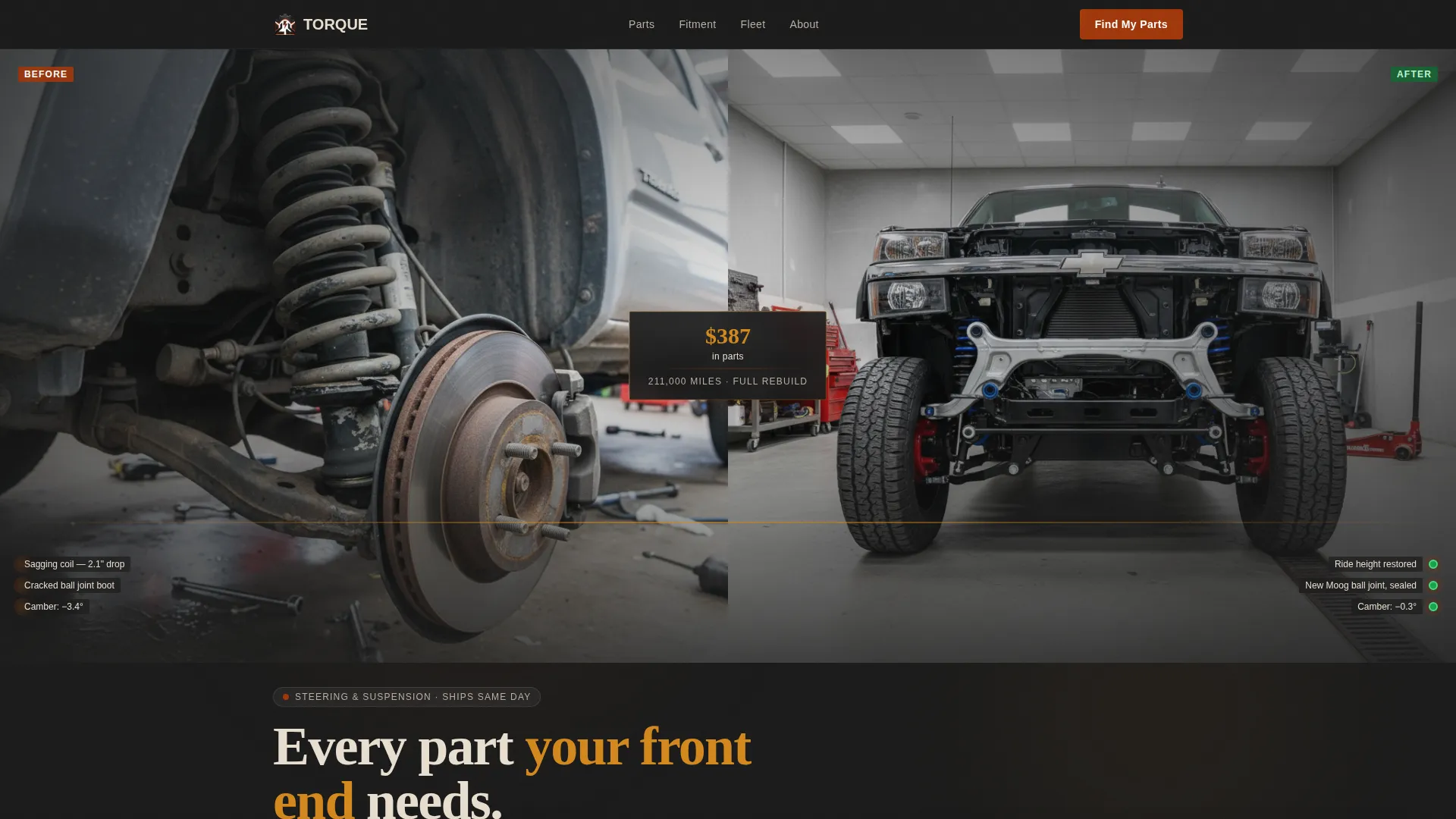
The header opens with a split-frame showing a destroyed front suspension alongside the same vehicle rebuilt and sitting level. A single stat overlays the seam, giving the visitor an immediate, concrete proof point before they read a single line of body copy.
Four-Stage Narrative Scroll
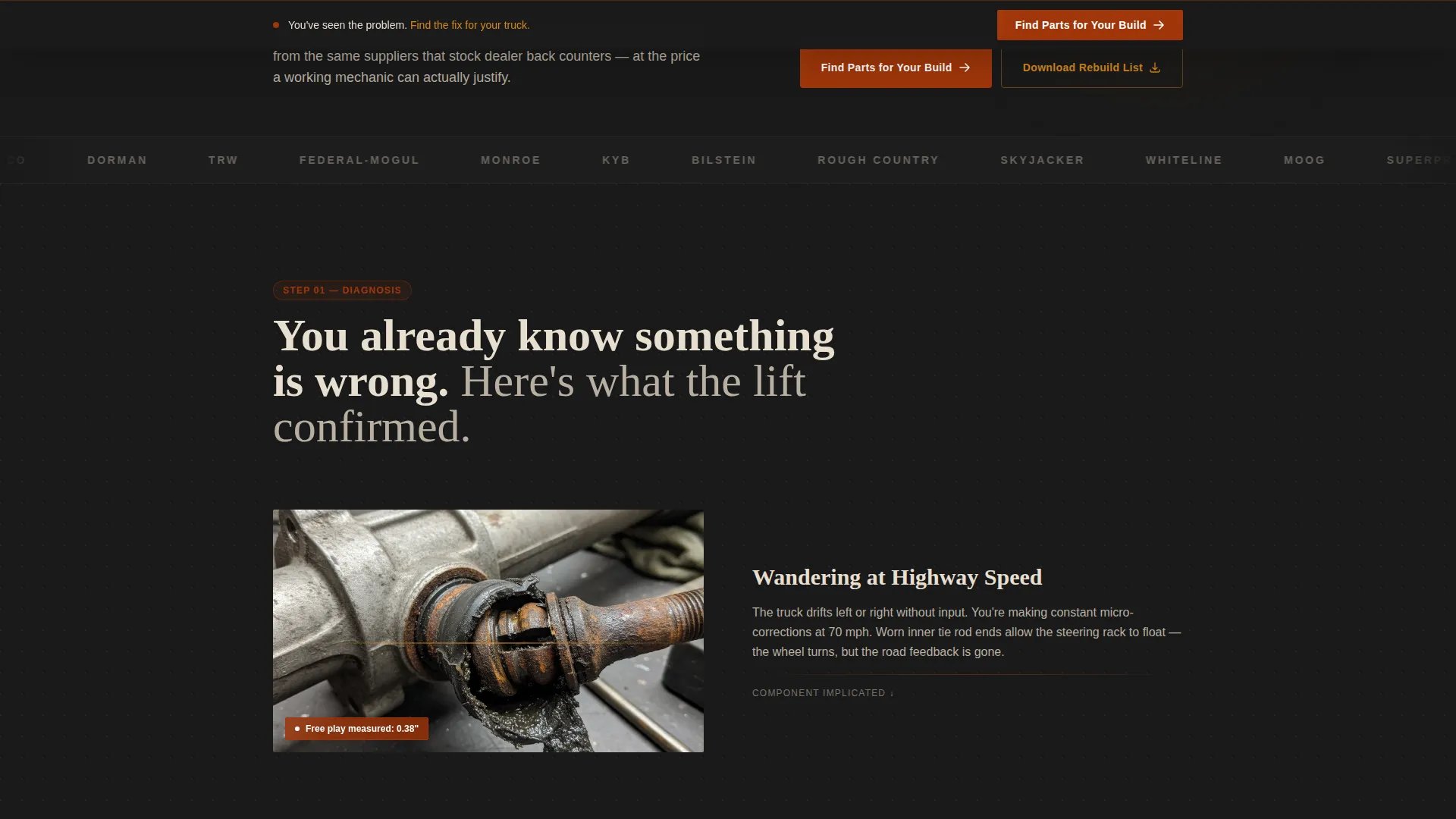
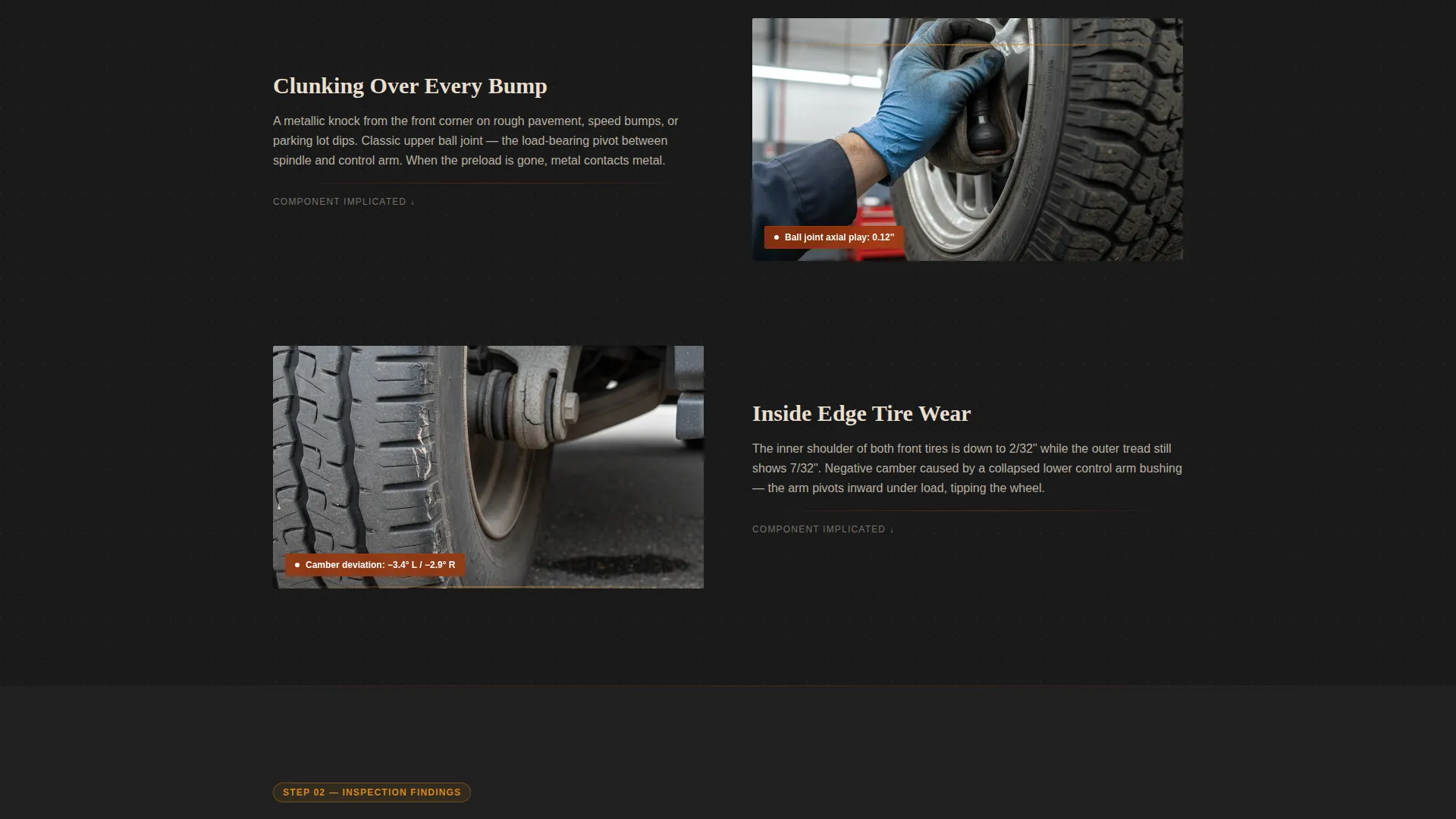
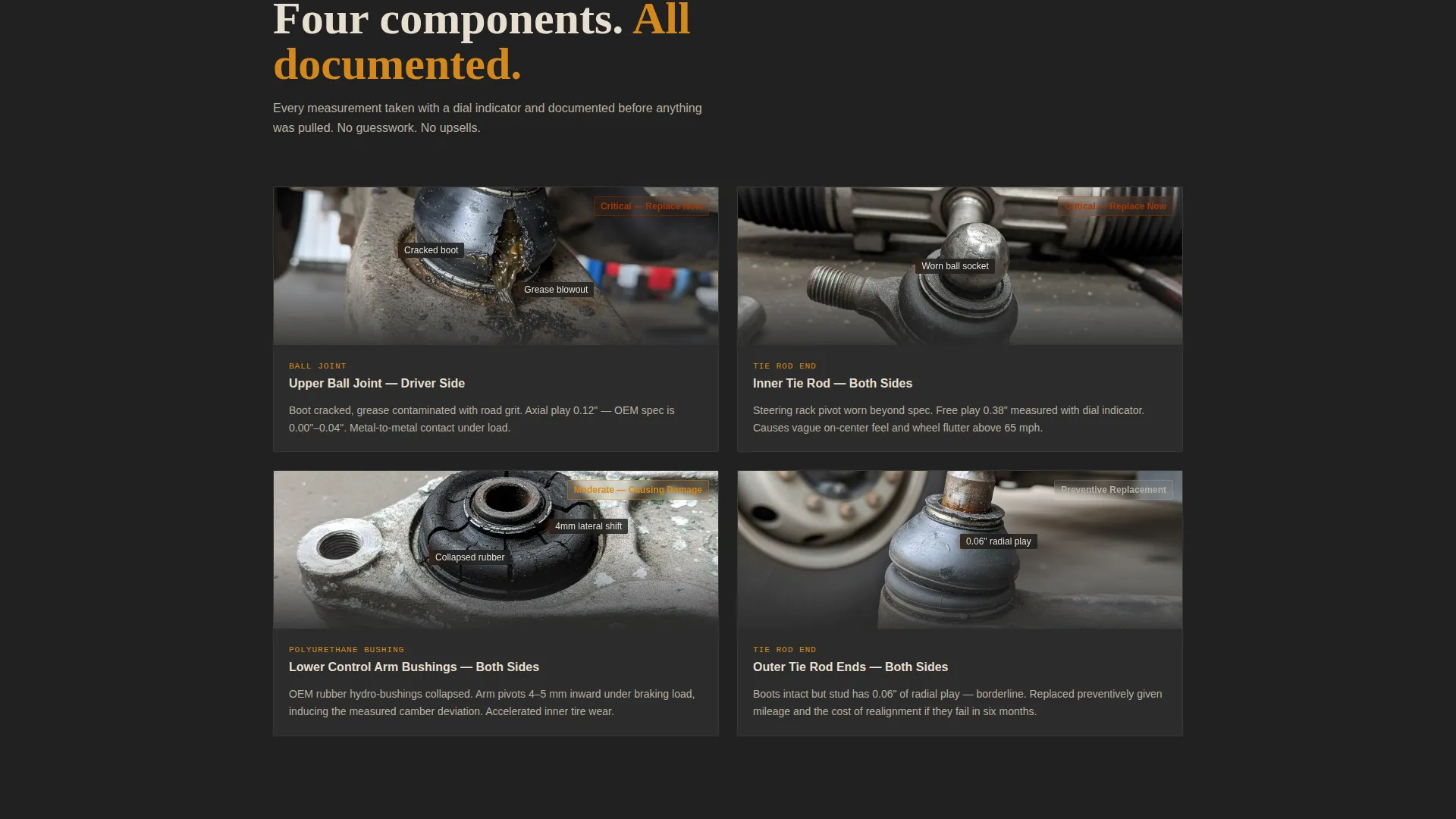
The page is structured as a four-act rebuild story. Symptoms appear first, then inspection findings with annotated component close-ups, then the exact parts used with original equipment cross-reference numbers and fitment data, then the installed result with alignment context. Each scroll depth adds a new layer of evidence.
Sticky Click-Through Call to Action Bar
A sticky bar appears once the visitor scrolls past the diagnosis section. It carries the primary call to action and stays visible as the story continues. It routes directly to a fitment lookup on the catalog page.
Email Capture for Rebuild List
A secondary conversion path offers the complete rebuild parts list, including quantities, torque specifications, and installation sequence, in exchange for an email address. It gives hesitant buyers a reason to stay connected without requiring an immediate purchase decision.
Industrial Raw Visual Design
The layout uses a forge-black background, iron-oxide red for calls to action and price callouts, foundry amber for hover states, and calcium dust for body text and part number typography. The palette is purpose-built to feel like a working shop environment, not a generic storefront.
Fitment-Anchored Part Display
Parts are shown with original equipment cross-reference numbers and fitment data directly on the page. This removes ambiguity at the exact moment a buyer is deciding whether a part is right for their vehicle.
Page sections overview
| Section | Purpose |
|---|---|
| Before-After Header | Opens with split-frame proof and a single rebuild stat |
| Symptom Diagnosis | Lists highway wander, clunking, and uneven tire wear |
| Inspection Findings | Annotated close-ups of each failed component |
| Parts with Fitment | Shows OE cross-reference numbers and vehicle fitment data |
| Installed Result | Alignment printout context and completed rebuild visual |
| Primary call to action Block | Routes visitor to year, make, model fitment lookup |
| Email Capture Path | Offers full rebuild list in exchange for email address |
| Sticky call to action Bar | Persistent action bar active after diagnosis scroll |
Design & branding system
The visual identity follows an Industrial Raw theme built around a Fire and Earth color system. Every color choice is intentional and reinforces the shop-floor environment the audience already works in.
- Forge-black (#1A1A1A) primary background, iron-oxide red (#A0360A) for calls to action and price callouts, foundry amber (#D4881C) for hover states and diagnostic highlights
- Calcium dust (#E8DFD0) for body text and part number typography, keeping technical details easy to read against the dark background
- Photography direction calls for eye-level, fluorescent-lit shop-bay shots of real-world workhorse vehicles such as a second-generation Tacoma or GMT800 Silverado
Mobile & speed optimization
The single column flow layout adapts naturally to smaller screens. There are no complex grid structures to reflow or horizontal scrolling traps to avoid.
- Single column structure keeps the narrative linear and readable on any screen width
- The sticky call to action bar remains accessible across scroll depth on mobile viewports
- Part number typography in calcium dust stays legible at smaller sizes against the dark forge-black background
How this template helps you convert
This template is designed for click-through conversion. It earns the action rather than demanding it upfront.
- The before-and-after header delivers an immediate proof point, a real vehicle, a real rebuild, and a specific dollar figure, so visitors have a reason to keep scrolling before you ask for anything.
- The four-stage narrative builds compound credibility with each section, so by the time the primary call to action appears, the visitor has already seen annotated failure evidence, exact parts with fitment data, and the alignment result.
- Two conversion paths serve two buyer types: the ready buyer clicks through to the fitment lookup, while the research-stage buyer submits an email for the full rebuild list, keeping both audiences in the funnel.
Other information about this template
This template is a strong fit for the steering and suspension parts niche within the broader automotive parts and components space. It is designed for the Manufacturing and Industrial category and reflects real purchasing behavior in that segment.
- The case study narrative format works especially well for replacement parts categories where fitment accuracy and part quality are the primary buyer objections
- The rebuild story approach differentiates a parts retailer from a generic catalog page without requiring custom development work
- The template style is Single Column Flow, the creative direction is Case Study Narrative, and the header concept is Case Study Before and After, all matched from the intersection context for this niche
Theme
Industrial Raw
Creative direction
Case Study Narrative
Color system
Fire & Earth
Style
Single Column Flow
Direction
Click-Through
Page Sections
Before-and-after Case Study Header
Four-stage Narrative Scroll
Sticky Click-through Call to Action Bar
Email Capture for Rebuild List
Fitment-anchored Part Display
Industrial Raw Visual Identity
Related questions
What kind of business is this landing page template designed for?
Can I use my own vehicle photography?
How does the email capture path work?
What is the sticky call to action bar and when does it appear?
Is the template limited to one vehicle case study?



