Supreme Exterior Washing Landing Page Template
Blast is a modular card grid landing page built for commercial pressure washing services. It opens with an interactive map showing completed jobs across your service region, then walks visitors through real case study cards. The layout is designed to convert facility managers and property teams into booked walkthroughs through a structured scheduling flow.
by Rocket studio
Quick summary
Blast is a single-page, card grid landing page template built for industrial and commercial pressure washing businesses. It combines a satellite-style service map, before-and-after case study cards, and a booking-focused form flow to move serious buyers from first visit to scheduled walkthrough without friction.
Who this template is for
This template is designed for pressure washing operations that serve commercial accounts at scale. It speaks directly to the buyers who manage properties professionally and need fast proof of capacity before they commit.
- Facility managers handling multi-site property portfolios
- Property management companies preparing buildings for tenant walkthroughs or inspections
- Restaurant owners and operators who need exterior surfaces cleaned before health inspections
What problem this template solves
Commercial pressure washing businesses lose leads because their pages look residential. A visitor managing thirty properties needs to see proof of scale, not a hero image of a garden hose. This template closes that gap.
- No clear proof that the crew handles large, complex commercial jobs
- No fast path for multi-property buyers to request bulk quotes separately from single-site leads
- No interactive way to show the service area before a visitor even reads a headline
What you get with this template
You get a fully structured, single-page layout built around three conversion priorities: proof of work, service area visibility, and frictionless booking. Every section feeds the next.
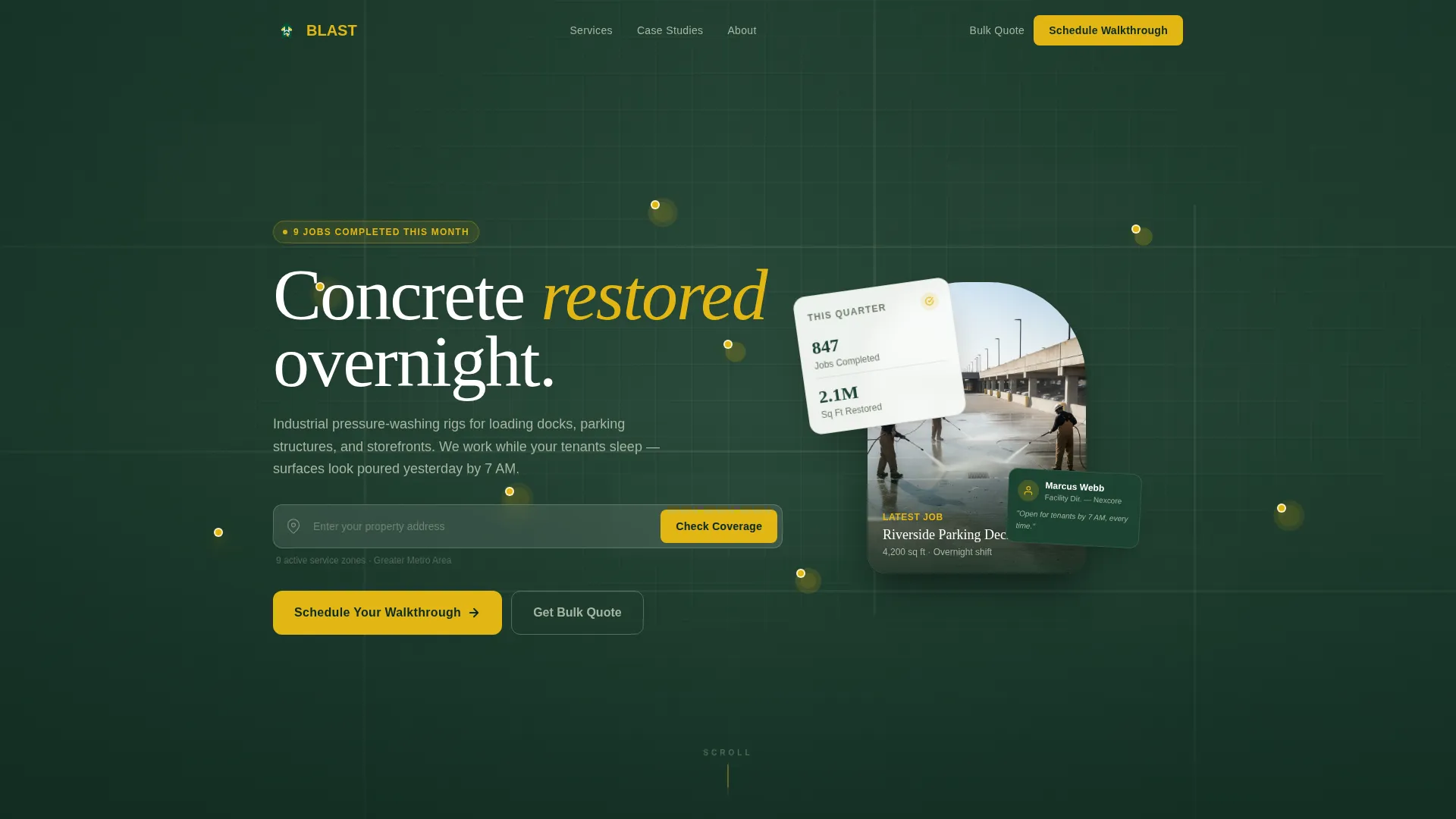
- An interactive satellite-style map header with pulsing completed-job pins and an address search bar
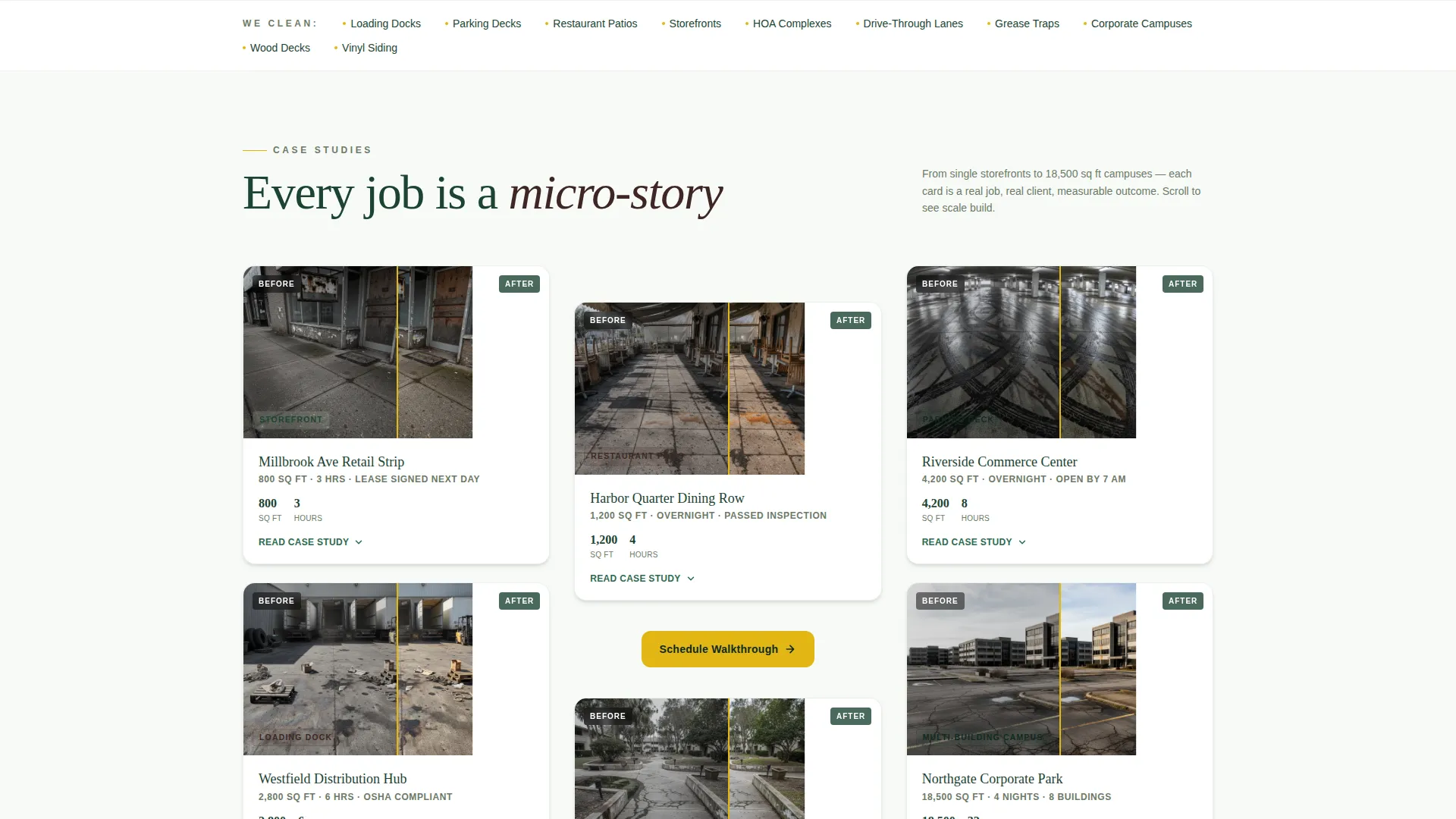
- A modular card grid of expandable case study cards showing before-and-after images, square footage, and job narratives
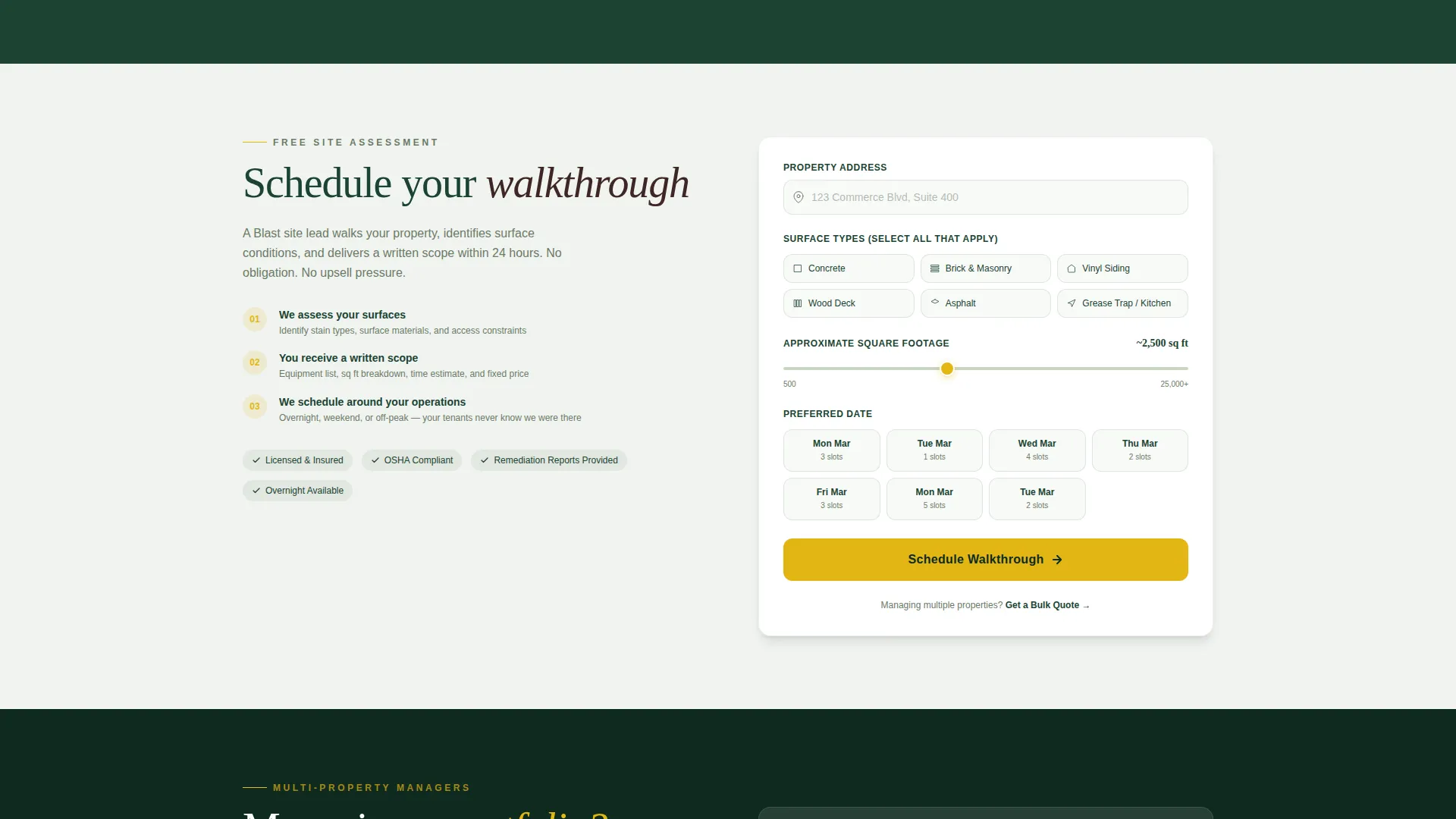
- A dual-path booking system with a primary scheduling form and a separate bulk quote intake for multi-property managers
Feature list
This template packs tightly scoped components, each one doing real work in the conversion flow.
Interactive Map Header
The page opens with a satellite-style map of your service region. Completed-job pins pulse faintly in safety yellow across the map. An "Enter your property address" search bar sits over the map, turning the very first interaction into an active intent signal rather than passive reading.
Expandable Case Study Cards
Each card in the modular grid shows a before-and-after split image, property type label, square footage cleaned, and time on site. Clicking a card expands it into a short job narrative covering the problem, equipment used, and the measurable outcome. Cards escalate in complexity as the visitor scrolls, from single storefronts to multi-building campuses.
Pinned Scheduling call to action
The primary call to action, "Schedule Your Walkthrough," is rendered in high-vis safety yellow. On mobile it pins to the bottom of the viewport. It repeats after every third card in the grid so the booking prompt stays consistently visible without interrupting the reading flow.
Smart Booking Form
The scheduling form collects property address first, auto-filled when the visitor used the map search. It then presents surface type checkboxes covering concrete, brick, vinyl siding, and wood deck. A square footage slider and a preferred date picker with real availability complete the intake.
Bulk Quote Secondary Path
A separate "Get a Bulk Quote" flow routes multi-property managers away from the residential booking form. It asks only for number of sites and service frequency, qualifying large commercial accounts without creating friction in the primary flow.
Corporate Precision Visual System
The layout uses the Forest Trust color palette throughout: deep evergreen, weathered bark brown, lichen gray, and bright pressure-rinse white for card backgrounds. Safety yellow is reserved strictly for buttons and interactive hotspots, keeping visual hierarchy clear and professional.
Page sections overview
| Section | Purpose |
|---|---|
| Map header | Show service region coverage and capture address intent |
| Address search bar | Convert passive visitors into active, located prospects |
| Case study grid | Prove job capacity through real before-and-after narratives |
| Expanded card view | Deliver measurable job outcomes and equipment detail |
| Schedule Walkthrough form | Capture single-site booking leads with structured intake |
| Get a Bulk Quote path | Qualify multi-property commercial leads separately |
| Surface type checkboxes | Help visitors self-segment by job scope |
| Square footage slider | Set realistic scope expectations before contact |
| Date picker | Show real availability and reduce scheduling back-and-forth |
Design & branding system
The visual theme is Corporate Precision, built to signal that a responsible, organized operation is in charge. The Forest Trust palette keeps the page grounded and professional without feeling cold.
- Deep evergreen (#1B4332) and weathered bark brown (#3E2723) anchor the structural elements, while lichen gray (#A8B5A2) and pressure-rinse white (#F8FAF8) keep card backgrounds clean and readable
- High-vis safety yellow (#E2B714) appears exclusively on buttons and interactive hotspots, creating a consistent and unmistakable action signal across the entire page
- The overall feel references a well-maintained corporate campus after morning rain: groomed, clean, and quietly authoritative
Mobile & speed optimization
The layout is structured with mobile commercial buyers in mind. Facility managers often review vendor pages from tablets or phones while on-site, so the template is built to work in that context.
- The "Schedule Your Walkthrough" button pins to the bottom of the viewport on mobile so the primary action is always reachable without scrolling back up
- The card grid uses a modular structure that reflows cleanly at smaller screen widths, keeping before-and-after images and job details readable on compact displays
- The booking form is sequenced to minimize input: address auto-fill from map search, checkboxes instead of typed fields, and a slider for square footage all reduce tap burden on mobile
How this template helps you convert
Every design and layout decision in this template points toward a single outcome: turning a browsing property professional into a booked walkthrough or a qualified bulk lead.
- The map header creates immediate geographic relevance. Visitors see their city, recognize nearby completed jobs, and understand the service area before reading a single line of body copy. This reduces the first trust barrier fast.
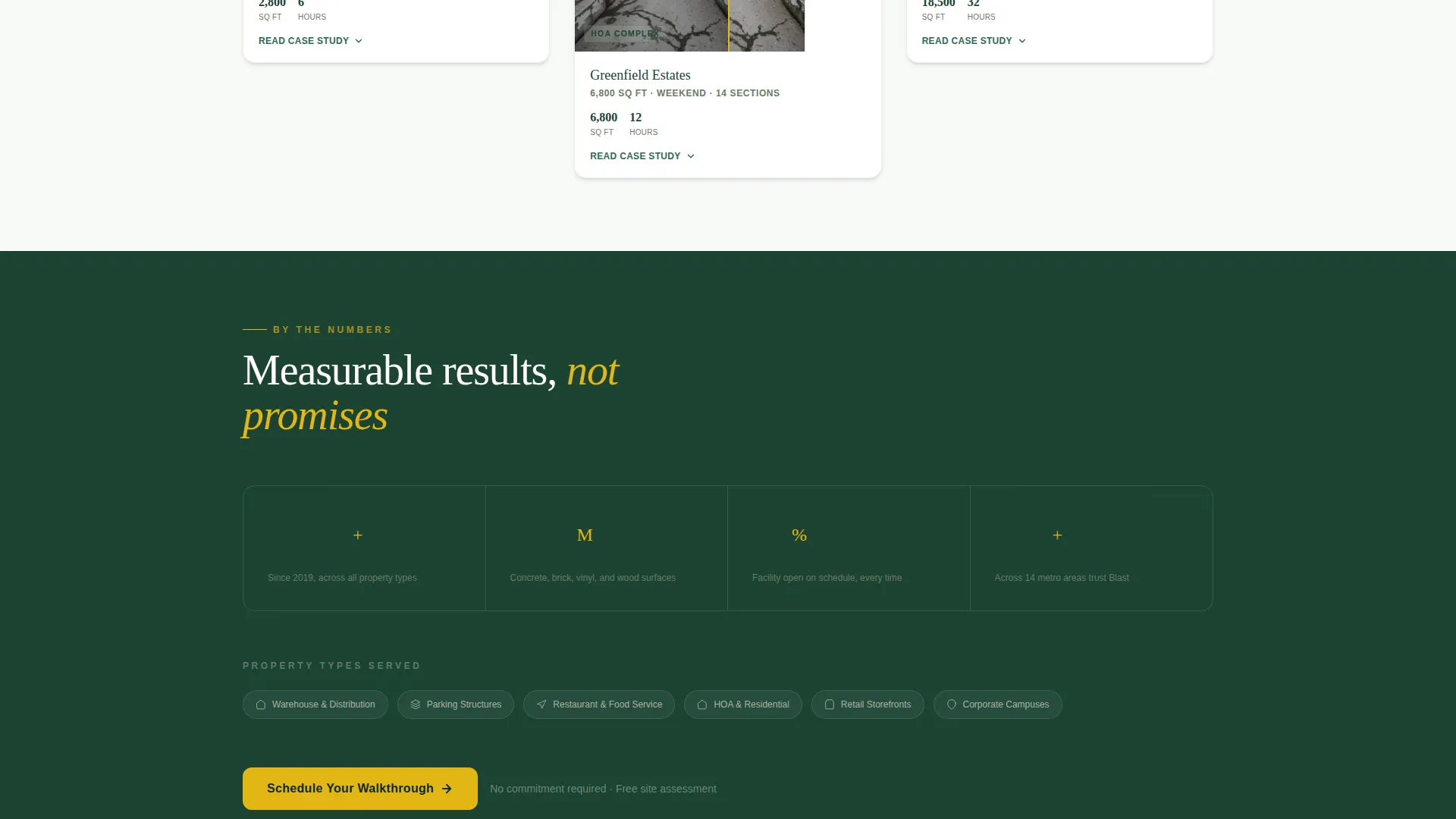
- The case study card grid builds credibility progressively. Simple jobs appear first and complexity scales up as the visitor scrolls, quietly demonstrating that this operation handles large accounts without ever stating it as a claim.
- The dual booking path separates single-site leads from multi-property managers at the point of intent. Each path asks only for what it needs, reducing drop-off for both buyer types and improving the quality of every lead captured.
Other information about this template
This template is built specifically for the pressure washing niche within the broader cleaning service and construction category. It is designed as a standalone landing page, not a multi-page website, so all conversion elements live within a single scrollable view.
- The template style is Card Grid (Modular), making it straightforward to add or remove case study cards as your job portfolio grows
- The Case Study Narrative creative direction means the content does real persuasive work without relying on testimonials or star ratings
- The booking flow is designed to qualify commercial cleaning leads at the point of form entry, separating high-volume accounts from standard single-site requests
- This template suits any pressure washing business that operates industrial rigs for commercial clients, including loading docks, parking structures, drive-through lanes, HOA complexes, and restaurant exteriors
Theme
Corporate Precision
Creative direction
Case Study Narrative
Color system
Forest Trust
Style
Card Grid (Modular)
Direction
Booking/Scheduling
Page Sections
Interactive Satellite Map Header
Expandable Before-and-after Cards
Pinned Mobile Booking Call to Action
Structured Scheduling Form
Bulk Quote Secondary Path
Related questions
Can I update the case study cards with my own completed jobs?
Does the interactive map header work for any service region?
What is the Get a Bulk Quote path and who is it for?
Can this template support a residential pressure washing business?
Can I change the colors to match my existing brand?



