Heavy Equipment Mechanic Review Landing Page
Torque is a single-page landing page template built for heavy equipment repair shops that compete on transparency. It pairs a bold typographic headline with real customer review cards, a side-by-side comparison table, and a documented repair timeline to move fleet managers, owner-operators, and rental yards from curious to convinced before they ever fill out a form.
by Rocket studio
Quick summary
Torque is a click-through landing page template for heavy equipment mechanic businesses that lead with radical transparency. It stacks customer review proof, a shop-versus-industry comparison table, and a real repair walkthrough into one scroll that ends with a clear call to action pushing visitors toward a booking and estimate page.
Who this template is for
This template is built for independent heavy equipment repair shops that want their reputation to do the selling. It speaks directly to the customers those shops already serve every day.
- Fleet managers coordinating repairs across multiple active jobsites
- Owner-operators keeping older machines running season after season
- Rental yards that need equipment turned around and back on the trailer fast
What problem this template solves
Most repair shop pages hide their process behind a phone number. Customers who manage expensive iron cannot afford that kind of guesswork. This template fixes the trust gap before the visitor even picks up the phone.
- No visible labor breakdown, no documentation policy, no diagnostic fee clarity on typical shop pages
- Review pages that feel manufactured rather than earned through real, verifiable repair work
- No clear path from "I'm interested" to "I'm ready to book" without a cold form or a cold call
What you get with this template
This template delivers a fully structured, single-page layout designed to build buyer confidence through documented proof. Every section earns the next click rather than demanding it.
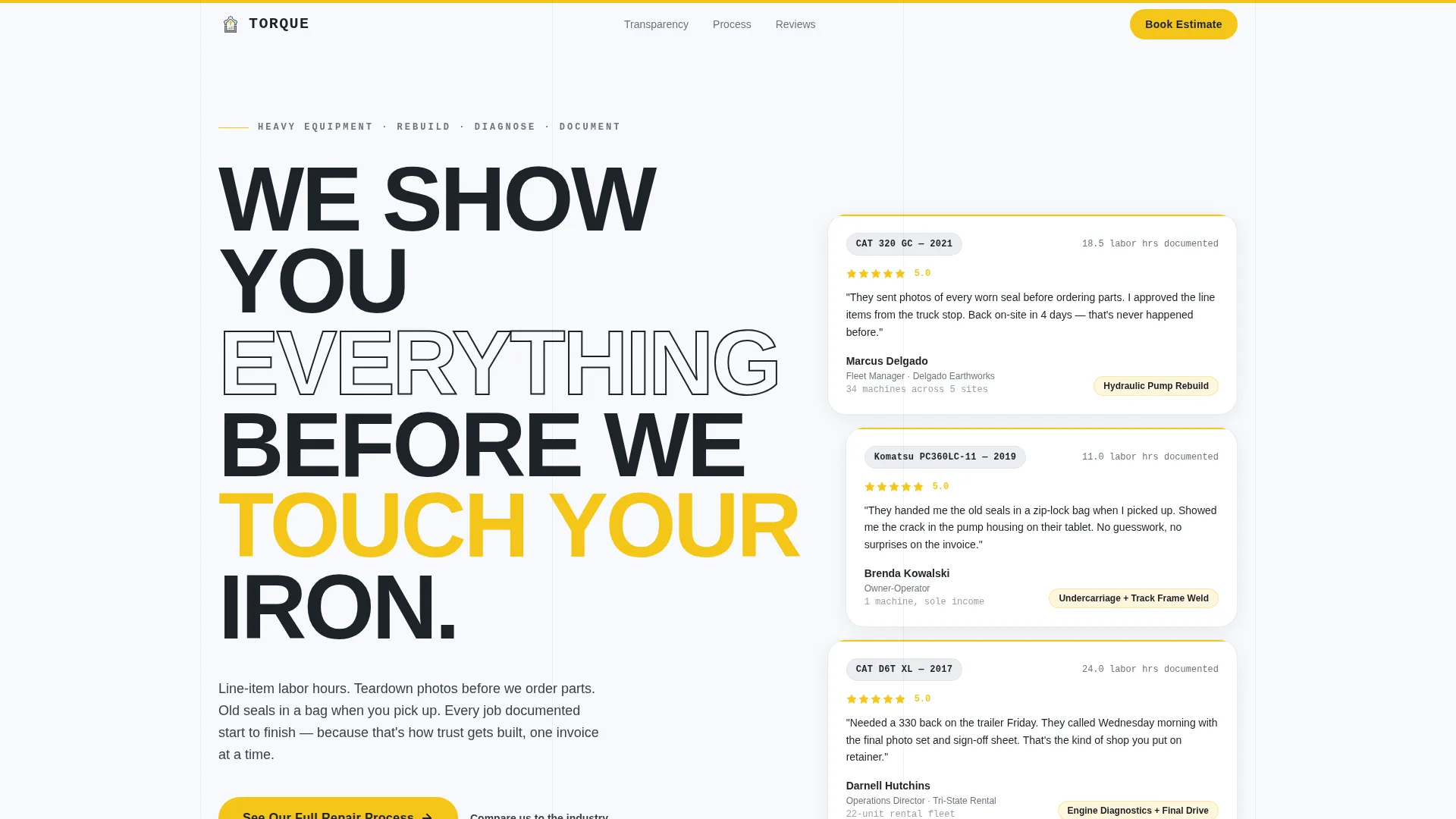
- A giant typographic headline paired with three real customer review cards showing star ratings, machine model numbers, and repair descriptions
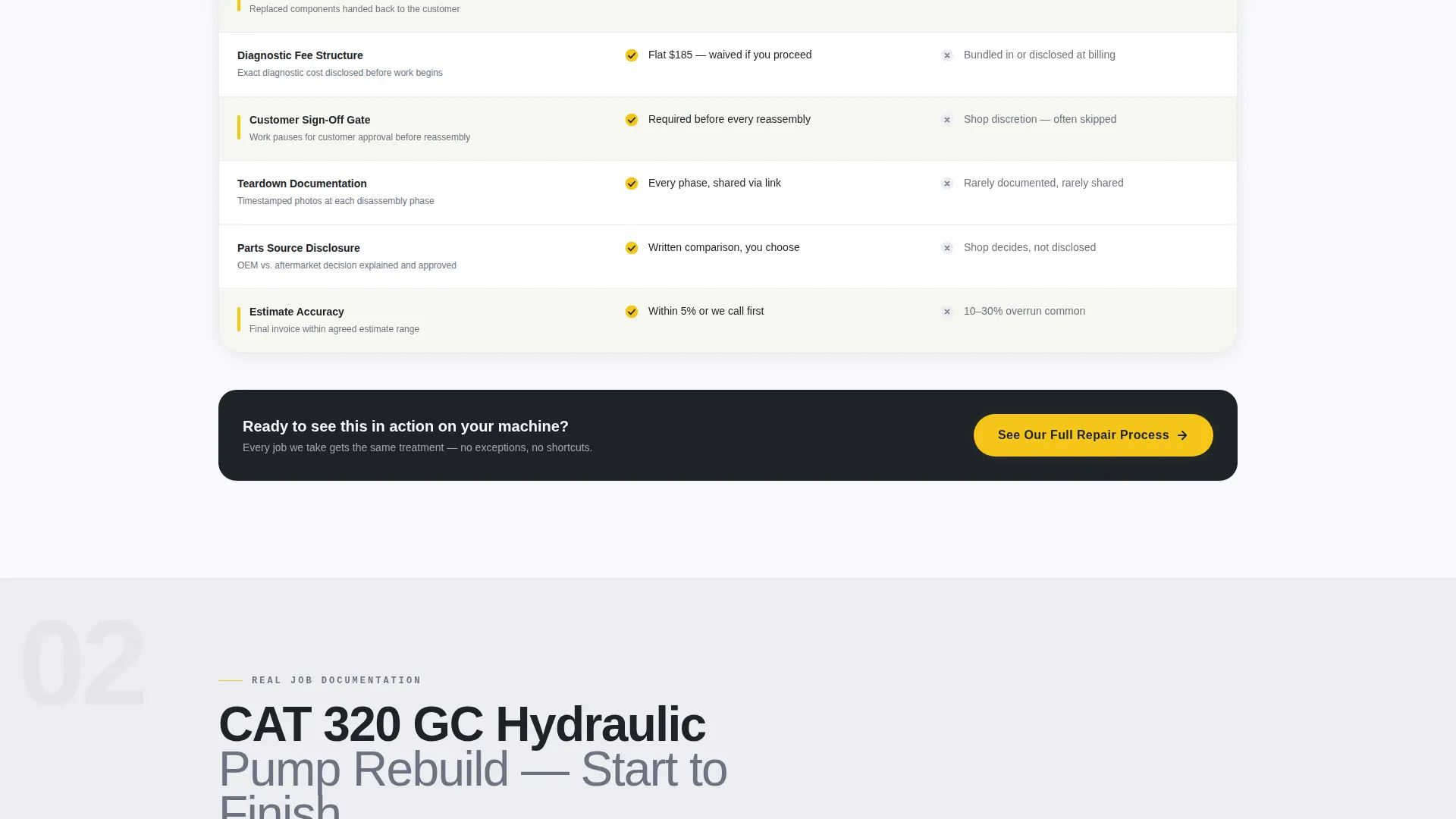
- A side-by-side comparison table contrasting this shop's disclosed practices against industry-standard defaults
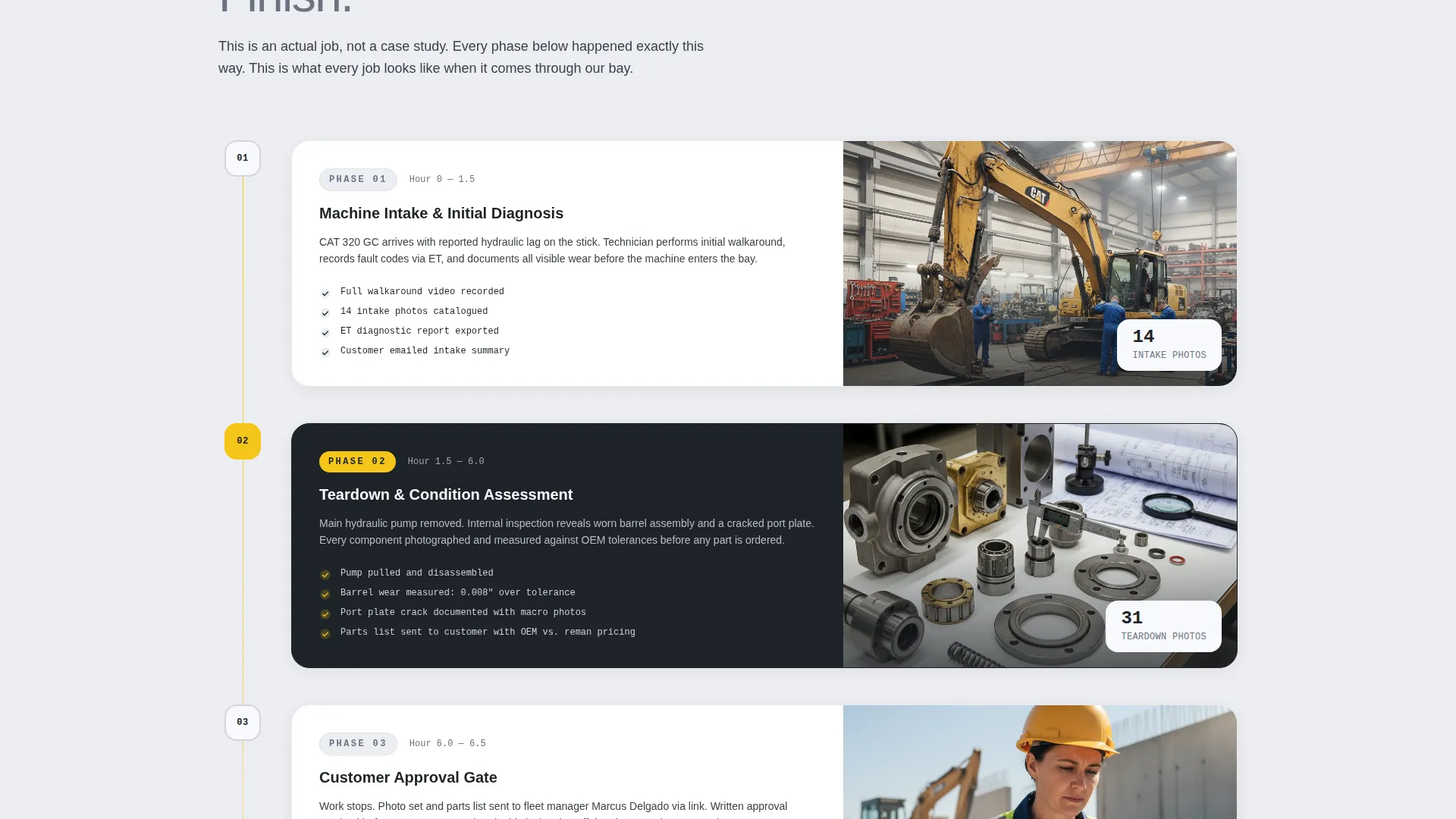
- A real repair timeline walking through a hydraulic pump job from intake photos to customer sign-off
- A primary call-to-action button placed after the comparison table, plus a sticky bottom bar repeating the call to action after the third review cluster
Feature list
This template is built around a specific set of components that work together to establish credibility and drive the click.
Giant Headline with Review Card Mosaic
The header sets the tone immediately. Massive stacked type reading "We Show You Everything Before We Touch Your Iron" sits left in deep diesel soot against arctic white. A right-column mosaic of three customer review cards with star ratings, machine model numbers, and real repair descriptions provides instant social proof beside the headline.
Transparency Comparison Table
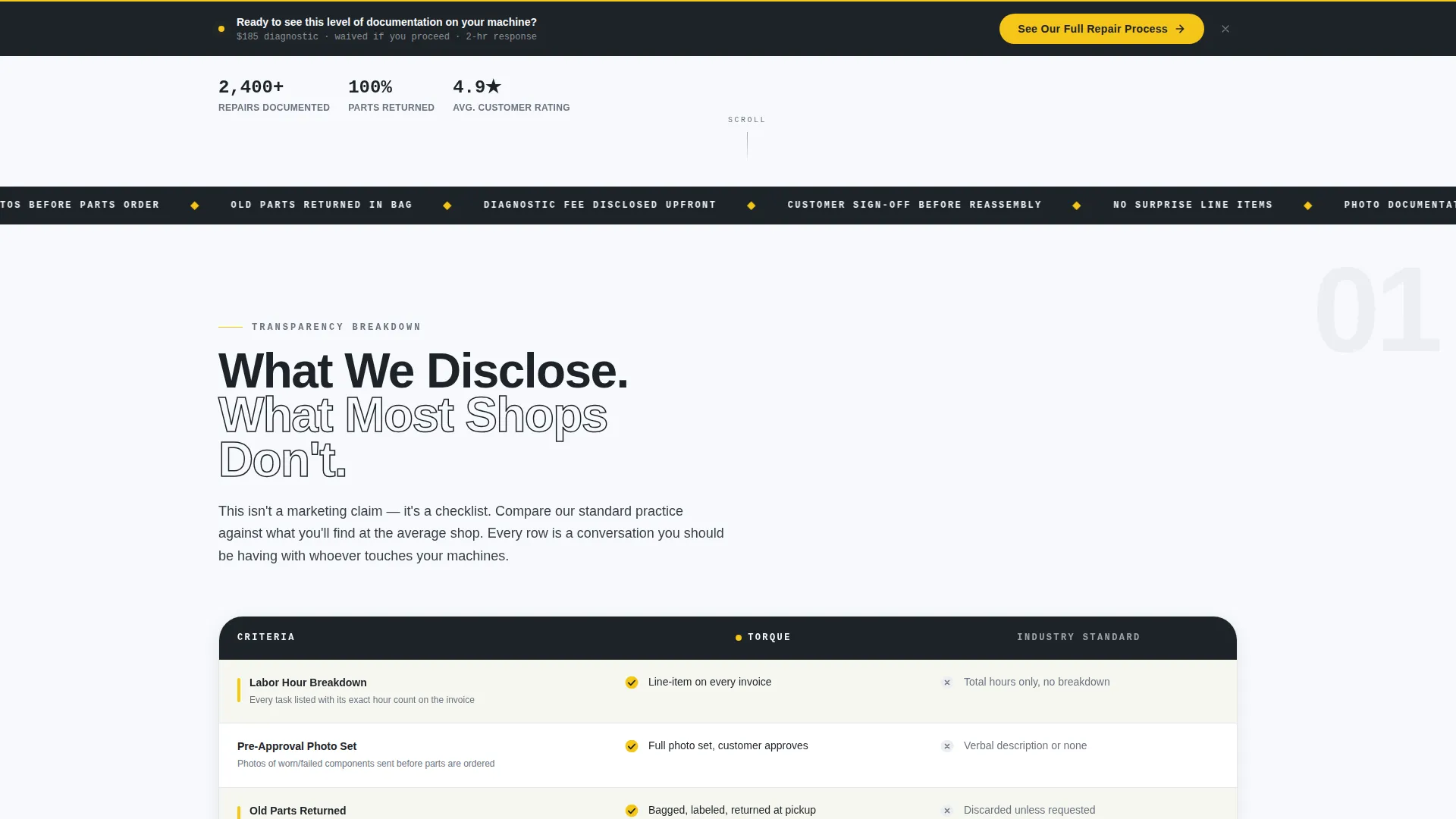
The core persuasion engine of the page. A structured table compares this shop's disclosed practices against what most shops offer by default. Line items cover labor hour breakdowns, photo documentation policy, old-parts-returned policy, and diagnostic fee structure. Visitors can see the difference in a single glance.
Real Repair Timeline Section
A documented walkthrough of an actual hydraulic pump repair job. The timeline moves from intake photos through teardown documentation to customer sign-off, building accountability layer by layer as the visitor scrolls deeper into the page.
Sticky Call-to-Action Bar
After the third review cluster, a sticky bottom bar appears and repeats the primary call to action. The call to action pushes visitors to the full booking and estimate request page rather than asking for form input on this page.
Educational Guide Visual Theme
The Arctic White color system and clean typographic layout give the page the feel of a well-organized shop whiteboard. Yellow safety-accent callouts draw the eye to key interactive elements without cluttering the layout.
No-Form Click-Through Structure
This template is deliberately form-free. The page earns the click by stacking documented proof, review evidence, and side-by-side transparency. The visitor arrives on the intake page already trusting the shop.
Page sections overview
| Section | Purpose |
|---|---|
| Hero Headline Area | Lead with authority using bold typography and immediate review proof |
| Customer Review Cards | Display real star ratings, machine models, and repair descriptions |
| Comparison Table | Contrast disclosed shop practices against industry defaults |
| Primary call to action Block | Push visitors toward the booking and estimate request page |
| Repair Timeline | Document a real job from intake to customer sign-off |
| Review Cluster Group | Reinforce credibility with a third set of review proof points |
| Sticky call to action Bar | Repeat the primary call to action after the final review cluster |
Design & branding system
The visual identity follows an Educational Guide theme. The palette reads like a freshly wiped toolbox under fluorescent lights: clinical, honest, and built for immediate clarity.
- Arctic white (#F7F9FC) and machined aluminum (#D1D5DB) create a clean, open canvas that keeps the content readable
- Deep diesel soot (#1E2328) anchors the typography and gives the headline its weight and authority
- Safety yellow (#F5C518) is reserved for callouts and interactive elements, functioning like caution tape to draw the eye exactly where it needs to go
Mobile & speed optimization
The layout is structured to remain readable and functional across screen sizes. The single-column scroll structure and typographic-first design translate cleanly to smaller viewports.
- The sticky call to action bar is designed for thumb-reach placement on mobile screens
- The comparison table uses a structured layout that can reflow to a readable format on narrow displays
- No stock photography is used anywhere on the page, keeping the visual load minimal and the content immediate
How this template helps you convert
This template is built around a deliberate trust sequence. Each section earns the next scroll until the visitor is ready to act.
- The headline and review card mosaic establish authority and proof in the first viewport, giving the visitor a reason to keep reading
- The comparison table makes the shop's transparency concrete and specific, removing doubt by showing rather than telling
- The sticky call to action bar and post-table button placement ensure the call to action appears at exactly the moment the visitor crosses from curious to convinced
Other information about this template
This template is part of the Torque series, designed specifically for professional services businesses in the heavy equipment mechanic space. A few additional details worth knowing before you apply it.
- The template is built as a click-through landing page, meaning no form appears on this page by design
- It is intended to pair with a separate intake and estimate request page where the actual booking happens
- The comparison table and timeline sections can be updated with real shop data to reflect your actual disclosure policies and documented repair examples
- The Educational Guide theme makes the layout suitable for shops that want to position transparency and documentation as their core differentiator
Theme
Educational Guide
Creative direction
Transparent Process
Color system
Arctic White
Style
Comparison Table
Direction
Click-Through
Page Sections
Typographic Hero with Review Mosaic
Side-by-side Transparency Table
Documented Repair Timeline
Sticky Click-through Call to Action Bar
Safety-yellow Accent Callouts
Form-free Page Architecture
Related questions
Does this template include a contact form?
Can I update the comparison table with my own shop's information?
What type of repair business is this template designed for?
Does the page use stock photography?
How does the sticky call to action bar work?



