Mechanic Booking Website Template
Torque is a single-column lead generation landing page built for auto repair shops that compete on transparency. It walks visitors through a digital intake form, a color-coded multi-point inspection breakdown, and plain-type pricing before asking for a booking. The design uses a corporate charcoal and amber palette that signals precision, professionalism, and a clean shop floor.
by Rocket studio
Quick summary
Torque is a trust-first landing page template for auto repair and diagnostic businesses. It shows the full service process, inspection report format, and labor pricing before a visitor ever submits a form. The result is a page that earns the booking rather than demanding it, making it ideal for shops competing on honesty.
Who this template is for
This template is built for independent and specialist auto repair shops that want to stand out by being fully transparent with customers. It works equally well for businesses serving individual drivers and commercial fleet accounts.
- Repair shop owners targeting commuters whose manufacturer warranty has recently expired
- Fleet managers overseeing large vehicle pools across a metro area who need reliable, accountable service partners
- Small business operators who bill mileage and cannot afford vehicle downtime
What problem this template solves
Most repair shop websites ask for a booking before explaining anything. Visitors arrive anxious and leave without converting because they never see what they are paying for. This template reverses that sequence.
- It removes ambiguity by displaying the inspection report format and pricing structure before the call to action appears
- It addresses the trust gap that exists between first-time customers and independent repair shops
- It gives fleet decision-makers a separate, clearly labeled path to request a commercial quote
What you get with this template
You get a fully structured, single-column landing page that guides visitors from credibility to commitment. Every section is designed to strip away one more layer of the typical shop's opacity.
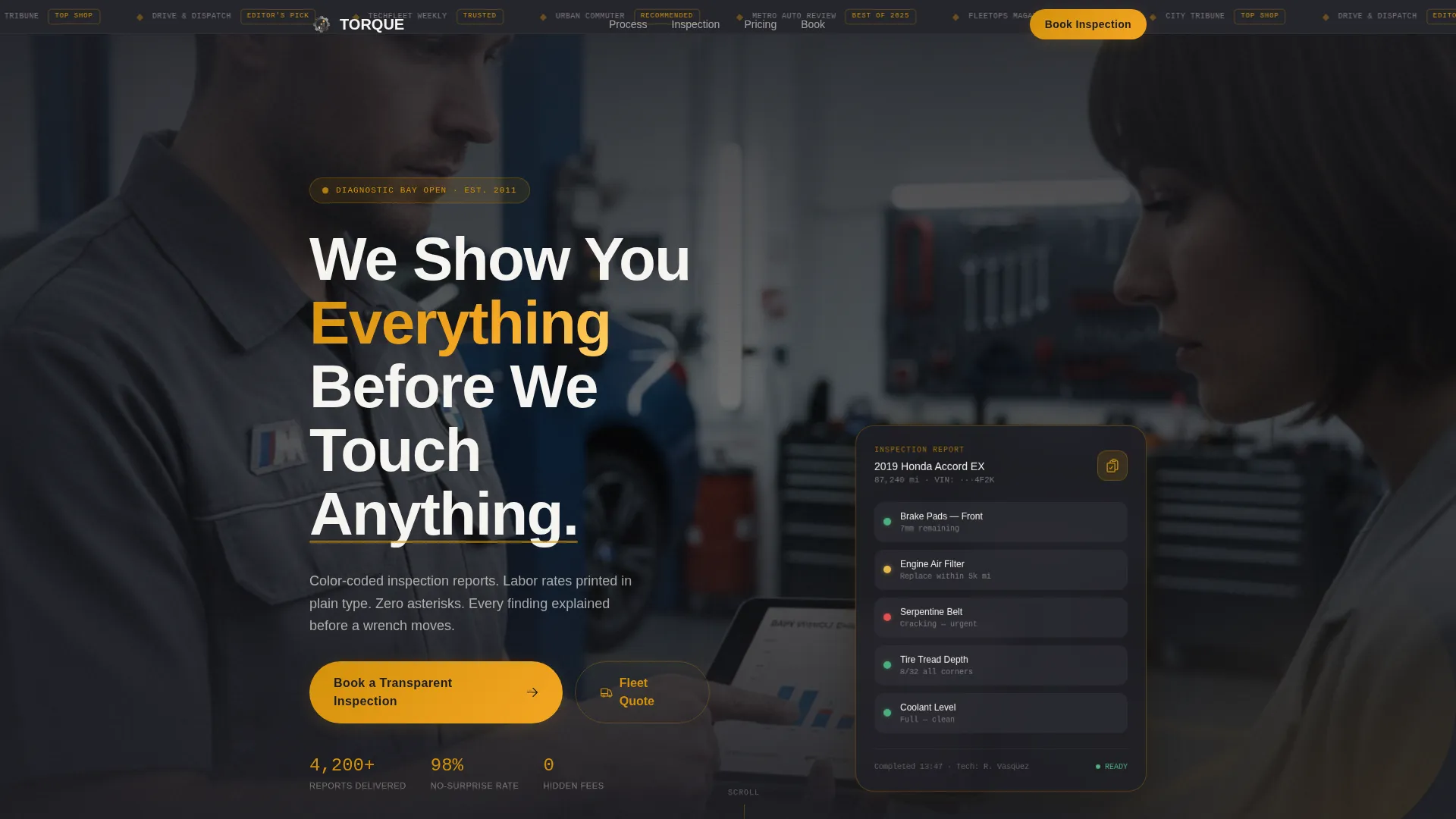
- A hero section with a press mentions bar, a cinematic muted video loop, and a bold headline that sets the tone immediately
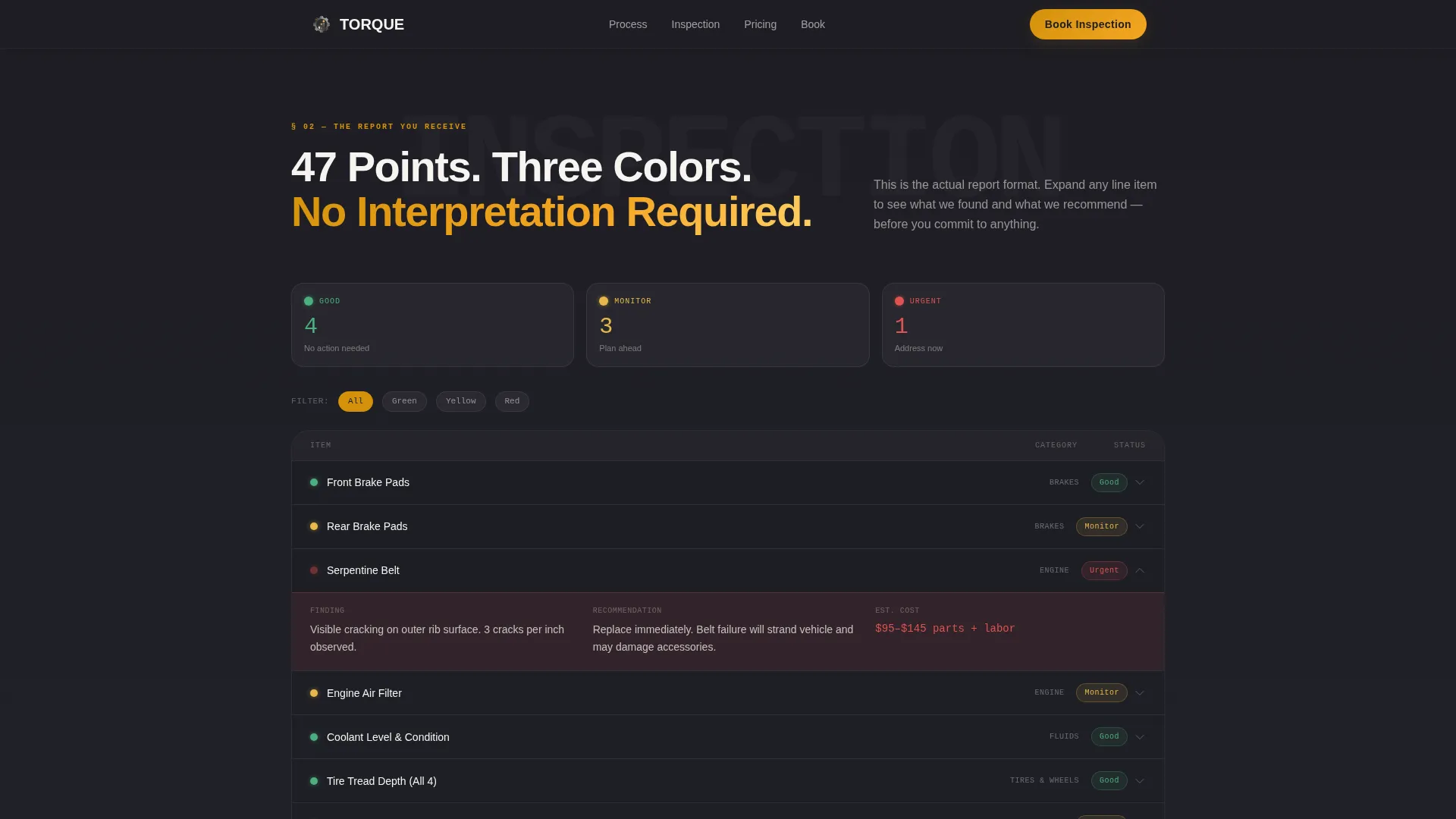
- An interactive multi-point inspection breakdown with expandable green, yellow, and red line items that replicate the actual customer report
- A lead capture booking form that collects vehicle details, mileage, symptoms, and a preferred drop-off window before asking for anything else
Feature list
This section covers the core components built into the Torque template and what each one does for your business.
Press Mentions Hero Bar
A horizontal strip above the hero headline displays logos from local news outlets, fleet industry publications, and a regional "Best Of" badge. This establishes credibility within the first two seconds of the visit, before the visitor reads a single word of body copy.
Cinematic Muted Video Header
The header includes an autoplaying, muted short video showing a technician rotating a tablet toward a customer, with a color-coded inspection report on screen. The shot is shoulder-level with shallow depth of field. It sets a professional, process-driven tone without requiring any sound.
Expandable Inspection Report Section
Visitors see a multi-point inspection breakdown with expandable line items coded green, yellow, and red, exactly as they would receive it after a real service visit. This interactive section makes the deliverable visible before the booking form appears.
Plain-Type Transparent Pricing
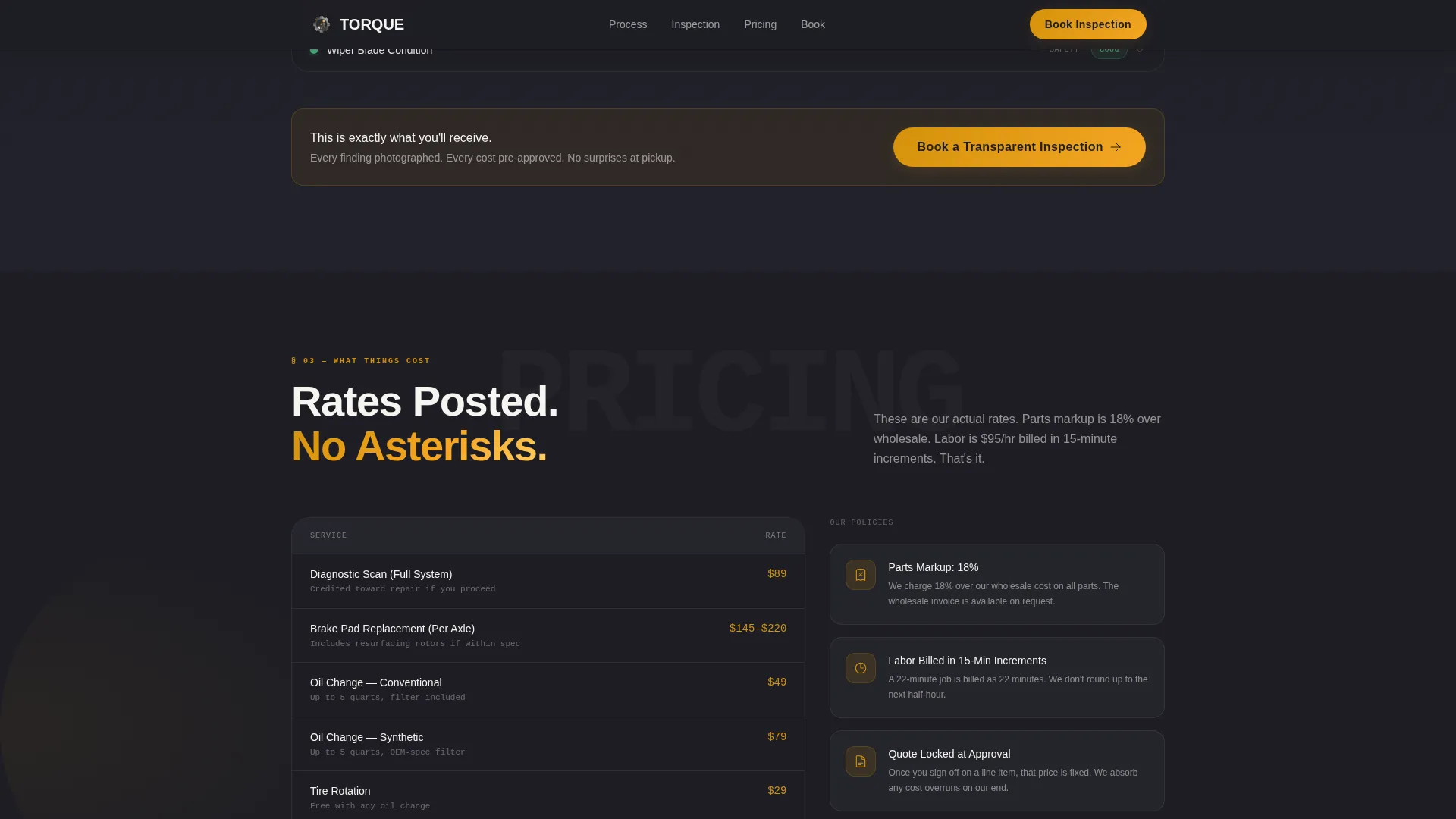
Labor rates and parts markup percentages appear in clean, readable type with no asterisks and no fine print. A secondary call-to-action path leads fleet account contacts to a short-form quote capture, keeping the commercial audience clearly served.
Vehicle-First Booking Form
The primary booking form collects vehicle year, make, and model first, then mileage, then a symptoms dropdown covering noise, warning lights, scheduled maintenance, and pre-purchase checks. A preferred drop-off window picker closes the form. The sequence is logical and feels low-pressure.
Digital Intake Process Section
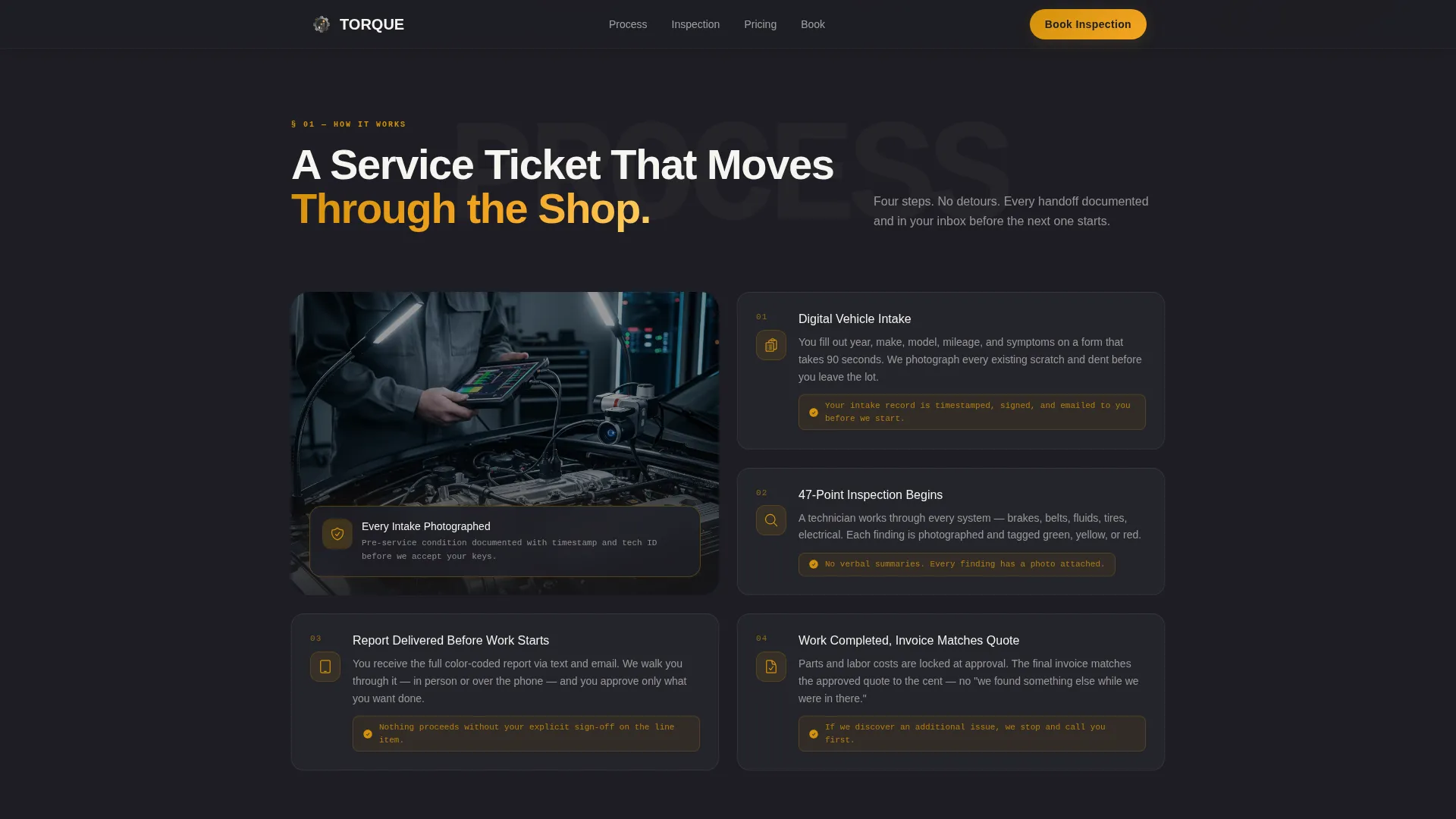
A tablet mockup mirrors the digital intake form visitors will complete at drop-off. This section reduces uncertainty by showing exactly what the check-in experience looks like before anyone arrives at the shop.
Page sections overview
| Section | Purpose |
|---|---|
| Press Mentions Bar | Establishes credibility above the fold with media logos and a "Best Of" badge |
| Hero with Video | Sets trust tone with a cinematic technician-and-tablet scene and bold headline |
| Digital Intake Process | Shows the drop-off form experience on a mirrored tablet mockup |
| Inspection Breakdown | Displays expandable color-coded line items replicating the real inspection report |
| Transparent Pricing | Lists labor rates and parts markup in plain type with no asterisks |
| Primary Booking Form | Captures vehicle details, mileage, symptoms, and drop-off window preference |
| Fleet Quote Path | Short-form contact capture for commercial and multi-vehicle accounts |
| Footer | Single-row linear footer with essential links and contact information |
Design & branding system
The visual identity follows a Corporate Precision theme. Every color choice is intentional, referencing the physical environment of a well-organized service bay rather than a generic service business palette.
- Deep charcoal (#1E1E24) forms the primary background, gunmetal (#3A3A42) handles surface layers, warm amber (#D4920B) drives all accent elements and calls to action, and invoice white (#F5F4F0) keeps content areas clean and readable
- Plus Jakarta Sans is used for bold headings throughout, while JetBrains Mono handles data-dense elements like rates, codes, and inspection values, reinforcing a precise, diagnostic feel
- Scroll-triggered animation reveals, floating card elements, expandable inspection items, and amber glow pulses add motion without distracting from the core trust-building message
Mobile & speed optimization
The template is designed mobile-first to match the primary audience: commuters booking a repair appointment from their phone during a lunch break or commute. Desktop layout serves fleet managers who typically research vendors on larger screens.
- Interactive elements including the booking form, inspection accordion, and symptoms dropdown are built as client-side components for responsive, smooth interaction
- Static sections use server-rendered components to keep the initial page load lean and the layout stable across device sizes
- The single-column flow means no horizontal scroll, no hidden content, and a clear reading path on any screen width
How this template helps you convert
The Torque template is built around a specific conversion philosophy: show the deliverable before asking for the commitment. Each scroll step adds one more reason to trust the shop before the booking form appears.
- The hero section leads with press mentions and a process-focused headline, establishing authority before the visitor reads the service details
- The inspection breakdown and transparent pricing sections make the service tangible, so visitors understand exactly what they are paying for before they ever see a form field
- The booking form appears only after three trust-building sections, collecting structured vehicle data that makes the lead immediately actionable for the shop
Other information about this template
This template is suited for auto repair businesses operating in metropolitan areas with a mix of individual and commercial clients. It is particularly effective for shops that want to position themselves as the honest alternative in a market where opacity is the norm.
- The "Get a Fleet Quote" secondary path is a distinct flow, not a variant of the primary form, keeping the commercial audience experience clean and separate
- Typography pairing of Plus Jakarta Sans and JetBrains Mono is chosen to signal both approachability and technical precision, matching the dual audience of everyday drivers and fleet professionals
- The amber accent color functions as a visual trouble light throughout the page, guiding the eye from headline to call to action at every scroll depth
Theme
Corporate Precision
Creative direction
Transparent Process
Color system
Charcoal & Amber
Style
Single Column Flow
Direction
Lead Generation
Page Sections
Press Mentions Credibility Bar
Cinematic Muted Video Header
Expandable Inspection Report Breakdown
Plain-type Transparent Pricing Block
Vehicle-first Structured Booking Form
Digital Intake Process Mockup
Related questions
Can this template serve both individual drivers and fleet clients at the same time?
Is the inspection breakdown section interactive without extra configuration?
Can I update the pricing section with my actual labor rates?
What kind of video should I use in the header section?
Does the booking form include a way for visitors to describe their vehicle problem?



