Auto Mechanic Marketing Booking Website Template
Torque is a single-page landing page template built for neighborhood auto mechanics running seasonal promotions. It pairs technician bios with side-by-side service comparison tables and two lead-capture paths: a printable checklist download and a direct booking form. The layout teaches visitors what their car needs before asking for anything in return.
by Rocket studio
Quick summary
Torque is a focused, single-page template for local auto mechanics. It combines a photo-forward hero, technician team bios, plain-language comparison tables, and dual conversion paths into one scrollable experience. Visitors learn the difference between seasonal services before they ever pick up the phone. The design feels like a clean, well-lit service bay: honest, calm, and direct.
Who this template is for
This template is built for independent auto mechanics and small shops that serve a local community. It works especially well for garages that rely on trust, repeat customers, and seasonal demand rather than paid advertising alone.
- Solo mechanics and small shop owners promoting seasonal service packages
- Garage operators who want to educate customers instead of running hard-sell campaigns
- Small-fleet service providers who need a fast, clear way to communicate what is included in each visit
What problem this template solves
Many auto shops lose potential customers before the first call because their online presence gives no real information. Visitors see a phone number and a list of services but nothing that helps them understand what they actually need. That gap breeds hesitation.
- Car owners distrust shops that describe services in vague technical language without explanation
- Commuters and parents do not want to commit to a booking before they understand the cost and scope
- Fleet operators need to evaluate service packages quickly and cannot afford unclear or incomplete information
What you get with this template
You get a complete, ready-to-customize single-page layout that covers every stage of the customer journey. From first impression to form submission, each section has a clear job to do.
- A split-layout hero with space for a mechanic photograph and a seasonal headline
- A team section with individual technician bios and specialty badges
- Side-by-side seasonal service comparison tables with plain-language row explanations
- A mid-page lead capture form for a downloadable seasonal checklist (first name and email)
- A booking section with date, vehicle make and model, and service-type dropdowns
- A single-row linear footer
Feature list
This template includes the following built-in sections and design components, all drawn directly from the source brief.
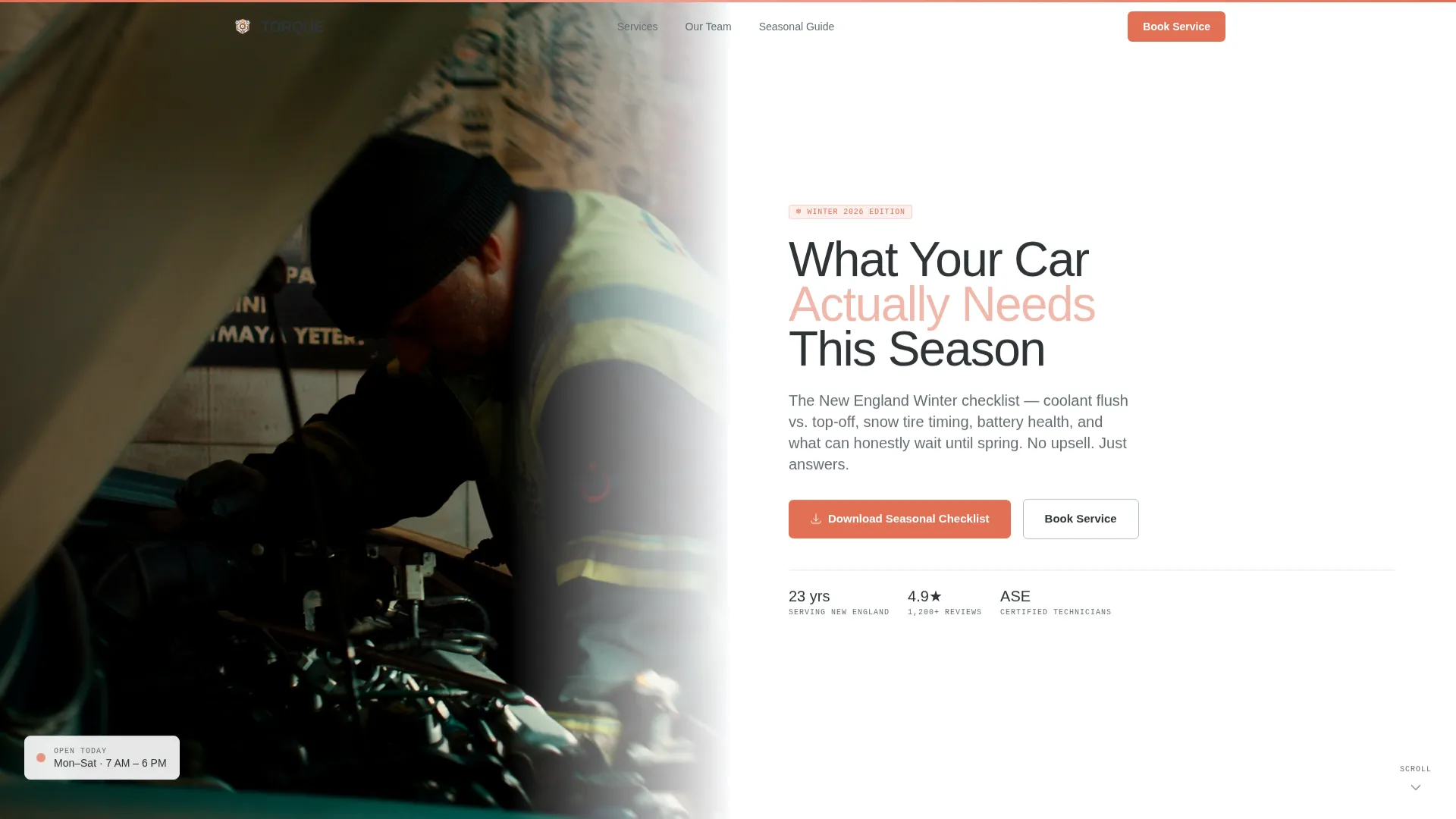
Half-Page Photo and Text Hero
The hero splits the screen into two equal halves. The left side holds a portrait-style photograph of the lead mechanic beside an open engine bay. The right side carries the headline "What Your Car Actually Needs This Season," a one-line seasonal subhead, and a downward-scroll cue to guide visitors into the page.
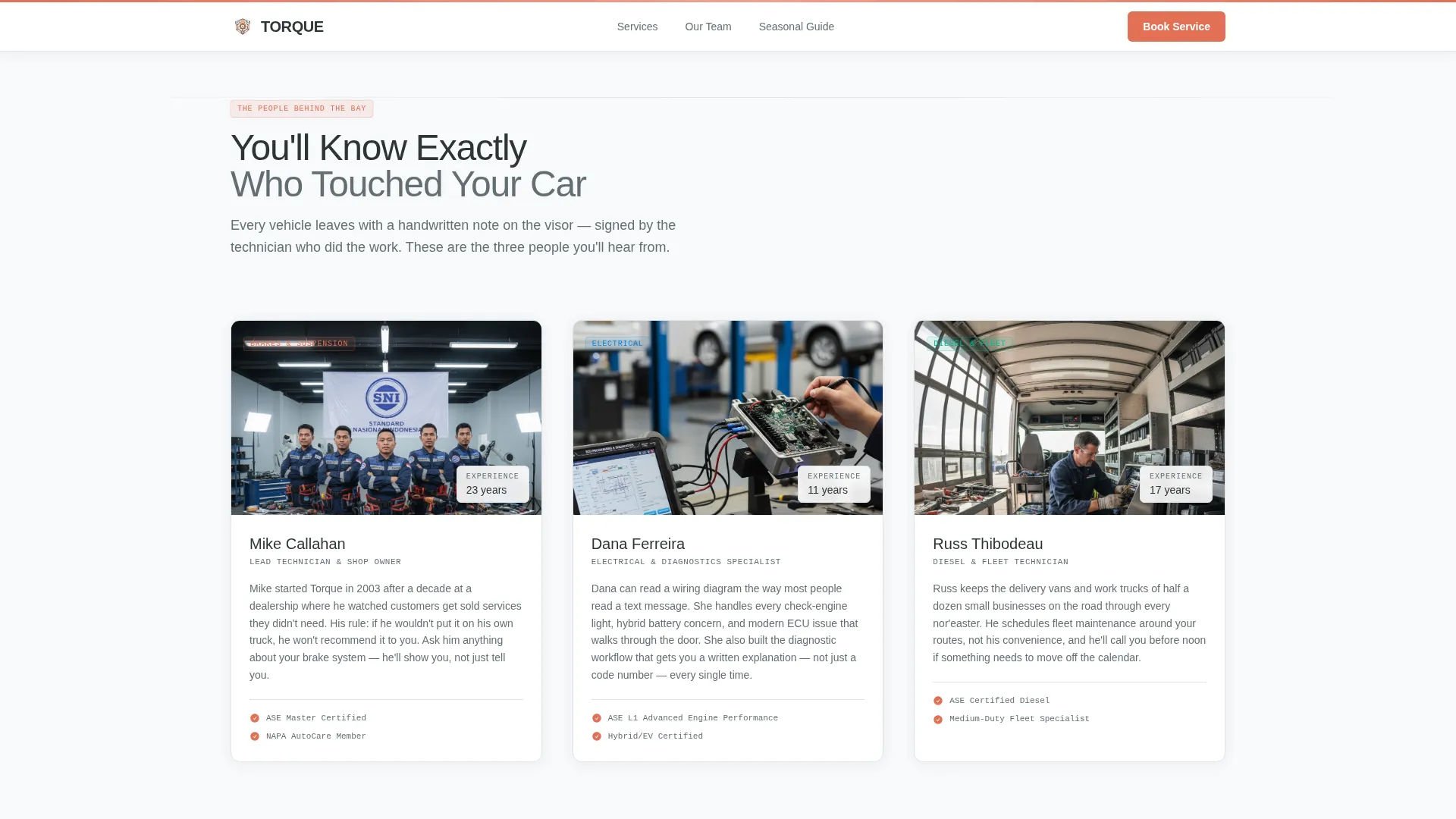
Technician Bio Cards with Specialty Badges
Each technician gets a short human bio and a labeled specialty badge covering areas such as brakes, electrical, and diesel work. The bios serve as credibility proof without reading like a résumé. They introduce real people before the visitor reaches the sales content.
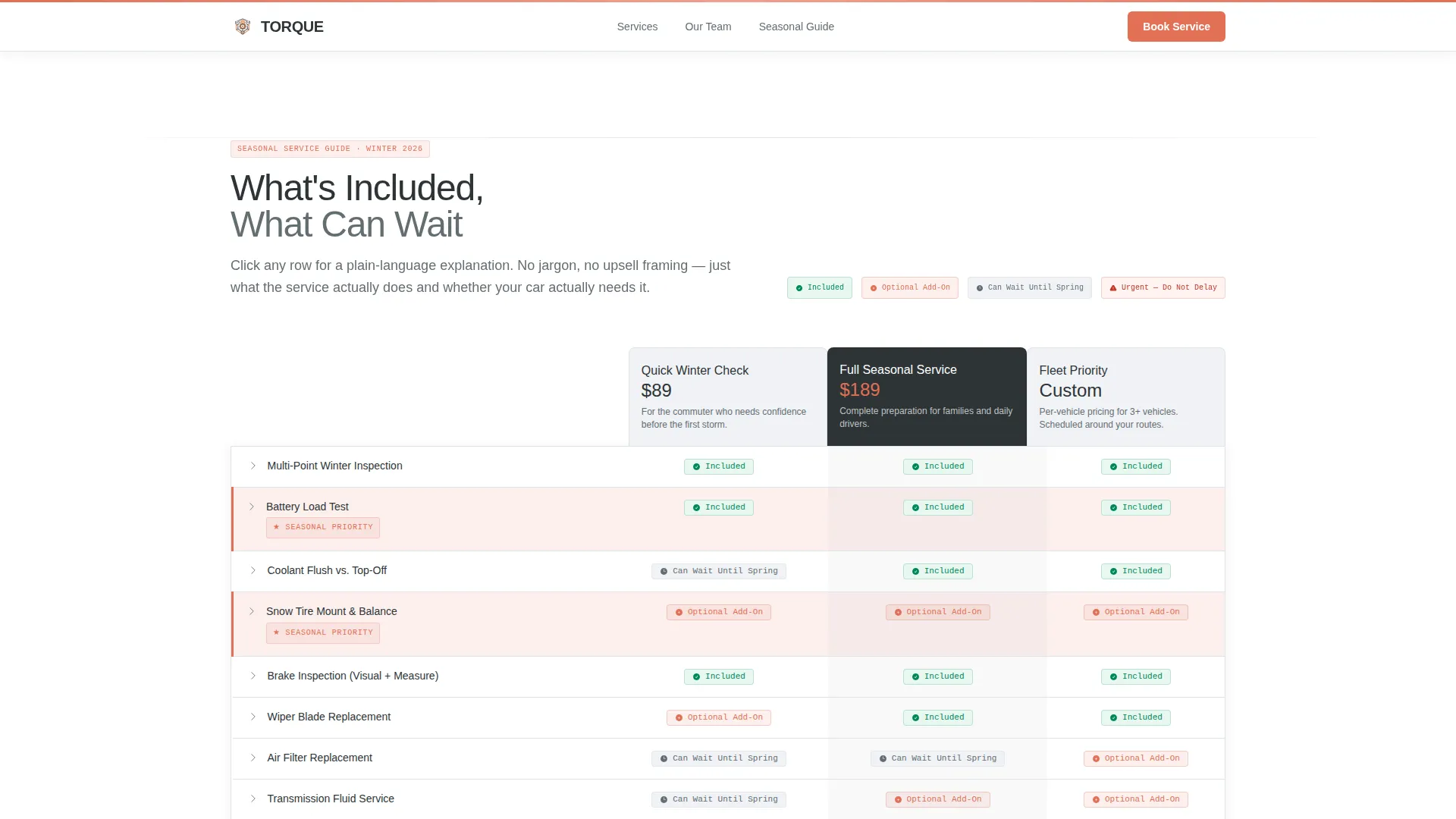
Seasonal Service Comparison Tables
The comparison tables sit at the core of the template. Each table breaks down what is included in a service package, what is optional, and what can safely wait. Every row carries a plain-language explanation so visitors understand the difference between, for example, a coolant flush and a coolant top-off before they ever call.
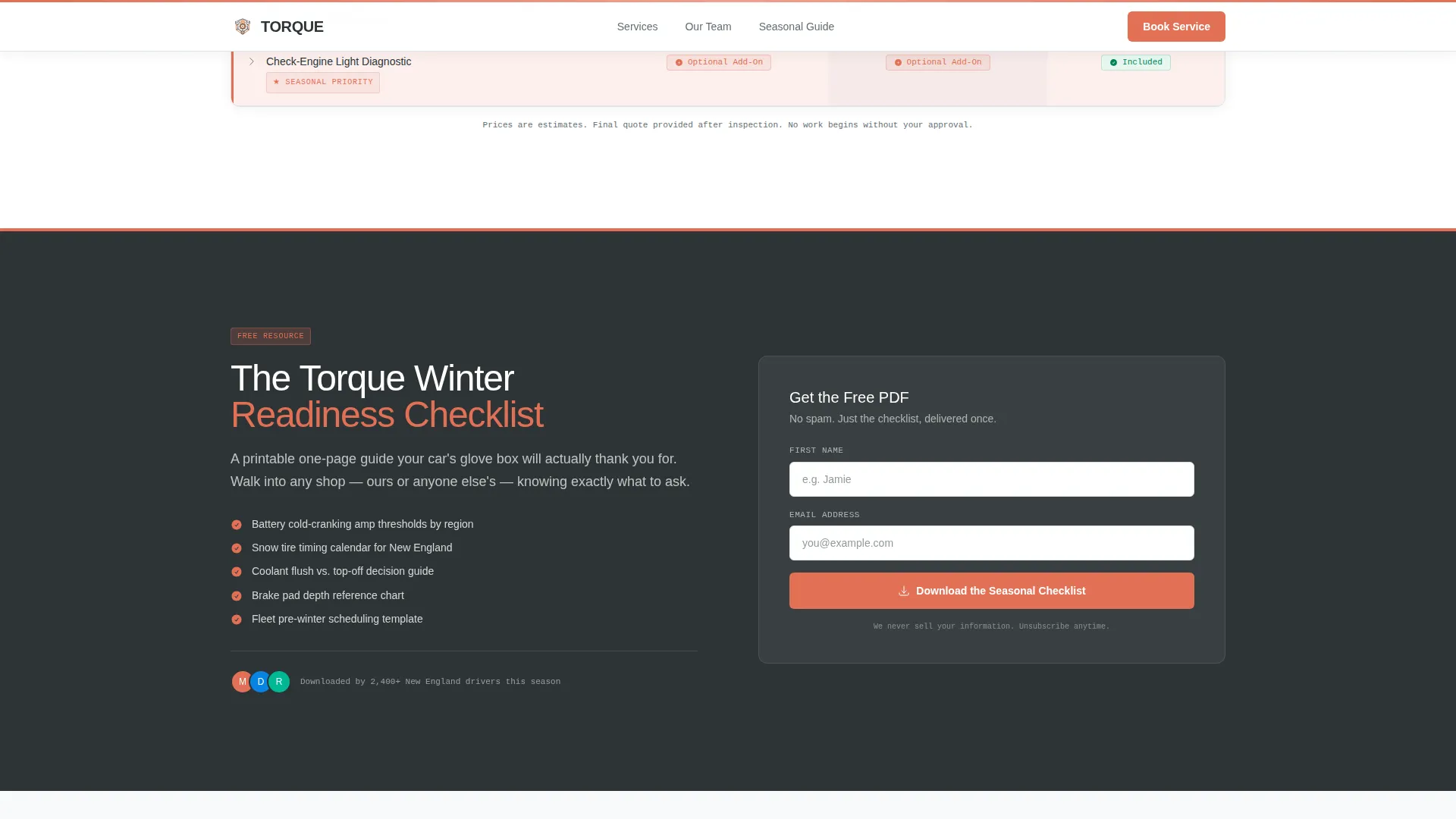
Mid-Page Checklist Download Form
A lead capture form positioned after the first comparison table lets visitors download a printable seasonal checklist. The form asks only for a first name and an email address, keeping the barrier low and the value exchange clear.
Inline Booking Section
A secondary conversion path lets visitors book directly from the page. The booking section includes dropdowns for date, vehicle make and model, and service type, so the visitor arrives at the shop already matched to the right appointment.
Scroll-Linked Animations and Table Highlights
The template includes blur-reveal scroll animations, staggered card entry effects, and highlighted table rows. These animations guide attention without distracting from the educational content. Table row highlights use safety orange to flag the most relevant options.
Page sections overview
| Section | Purpose |
|---|---|
| Hero split layout | Introduces the shop and sets the seasonal context |
| Technician bio cards | Builds personal credibility through team introductions |
| Comparison table block | Educates visitors on seasonal service differences |
| Checklist download form | Captures leads with a low-friction printable resource |
| Booking section | Converts informed visitors into scheduled appointments |
| Linear footer | Closes the page with essential contact and navigation links |
Design & branding system
The visual identity follows an Educational Guide theme built around a clinical Arctic White color system. Every design choice reinforces the idea of a spotless, fluorescent service bay where nothing is hidden.
- Arctic White (#F8F9FA) covers open backgrounds; Tool-Steel Charcoal (#2D3436) handles body text and table borders; Frozen Asphalt (#636E72) handles secondary type
- Safety Orange (#E17055) is reserved strictly for calls to action, seasonal badges, and highlighted table rows
- Typography uses Manrope for headings, DM Sans for body copy, and JetBrains Mono for labels and specialty badges
Mobile & speed optimization
The template is built mobile-first, reflecting the reality that commuters check shop information from their phones while waiting in a parking lot or a drive-through. Desktop layout serves fleet operators and parents doing longer research sessions.
- Mobile-first layout ensures comparison tables and forms are readable and usable on small screens
- Server Components handle static content to keep the page light and reduce unnecessary JavaScript
- Scroll-linked reveals and staggered animations use minimal JavaScript to avoid slowing down the experience
How this template helps you convert
The page earns trust before it asks for anything. By the time a visitor reaches either conversion point, they already understand what they need and why.
- The comparison tables give away real knowledge freely, so the checklist download feels like a useful shortcut rather than a marketing trade
- Visitors who understand the difference between service tiers arrive at the booking form with fewer objections, making the scheduling step feel like a natural conclusion rather than a commitment
Other information about this template
This template is part of the Professional Services category and sits within the Auto Mechanic Marketing subcategory. It is specifically designed for the Auto Mechanic Seasonal Promotion niche and reaches an Intersection Match Score of 13, meaning it aligns tightly with the defined use case.
- The template is localized for a United States audience with New England seasonal context, including references to nor'easters, winter tires, and summer humidity
- The footer follows a linear single-row pattern, keeping the page exit clean and uncluttered
- The page type is a single-page landing page, not a multi-page website
- Animation settings are set to medium intensity: blur-reveal on scroll, staggered card entries, and table row highlights are all included
- Interactivity is set to high: comparison table toggles, form validation, and scroll-linked reveals are part of the design specification
Theme
Educational Guide
Creative direction
Team & People
Color system
Arctic White
Style
Comparison Table
Direction
Content/Resource
Page Sections
Split-screen Hero with Mechanic Photo
Technician Bios with Specialty Badges
Seasonal Comparison Tables
Lead Capture for Checklist Download
Inline Appointment Booking Section
Scroll-linked Reveals and Table Highlights
Related questions
Can I customize the comparison table content for my own service packages?
Does the checklist download form connect to an email tool?
Is this template suitable for a shop that runs promotions year-round?
How many technicians can I feature in the team section?
What does the footer include?



