Farm Equipment Mechanic Business Pricing Website Template
Torque is a split-screen landing page template built for farm equipment mechanics who earn trust through transparency. It pairs a live-count repair dashboard with real farmer reviews, then walks visitors step by step through the actual repair workflow. Every section builds credibility before presenting a clear call to action around service pricing.
by Rocket studio
Quick summary
Torque is a single-page template designed for a farm equipment mechanic's customer review page. It uses a 50/50 split-screen layout to place hard repair data next to real farmer voices. The design follows an Educational Guide theme, showing visitors exactly how repairs happen and why customers keep coming back.
Who this template is for
This template is built for independent farm equipment mechanics who do specialized, high-stakes repair work. It speaks directly to the kind of shop where one skilled person handles everything from hydraulic cylinder rebuilds to diesel injection timing.
- Single-operator or small farm equipment repair shops serving row crop farmers and ranchers
- Mechanics who want to show transparency in their repair process, not just collect star ratings
- Shop owners ready to convert browsing farmers into booked repair appointments
What problem this template solves
Most service pages list capabilities without explaining them. Farmers making a decision about a broken combine header or a failed hydraulic cylinder need more than a list of services. They need to see the process, read real outcomes, and feel confident before harvest season forces their hand.
- Generic review pages lack context, so praise feels hollow without explanation
- Visitors leave without booking because the repair process feels like a black box
- Emergency repair customers have no way to gauge turnaround time or shop credibility quickly
What you get with this template
You get a complete, single-page layout structured around building trust through evidence. The template moves visitors from raw data to human stories to a clear pricing call to action, in a logical sequence that respects how farmers actually make decisions.
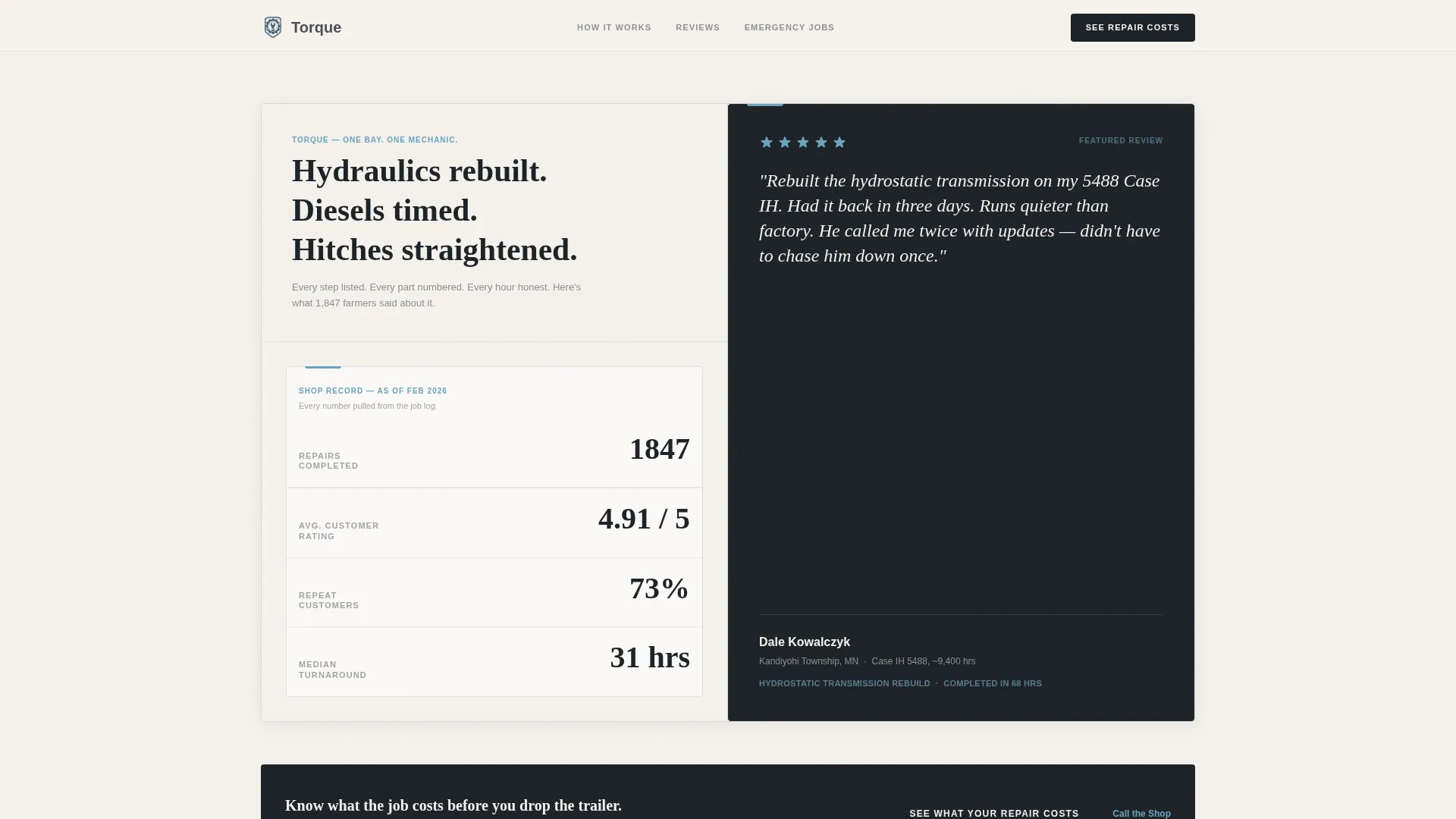
- A live-count header dashboard showing total repairs, average rating, repeat-customer percentage, and median turnaround time
- A scrolling split-screen review section that pairs each repair step with the customer reviews that reference it
- Strategically placed calls to action linking to a service and pricing page, plus a pinned mobile phone link
Feature list
A brief note on how the feature blocks below map to the template: each feature reflects a specific, designed element described in the source brief.
Animated Repair Statistics Dashboard
The header left panel displays four key metrics: total repairs completed, average customer rating to two decimal places, repeat-customer percentage, and median turnaround time in hours. Each number animates upward like an odometer rolling, giving the data a sense of live, honest accounting.
Named Farmer Review Panel
The header right panel holds a single five-star review from a named farmer, with his township and specific equipment listed. No stock photography is used. The human voice sits directly beside the numbers, so each element reinforces the other's credibility.
Step-by-Step Transparent Process Layout
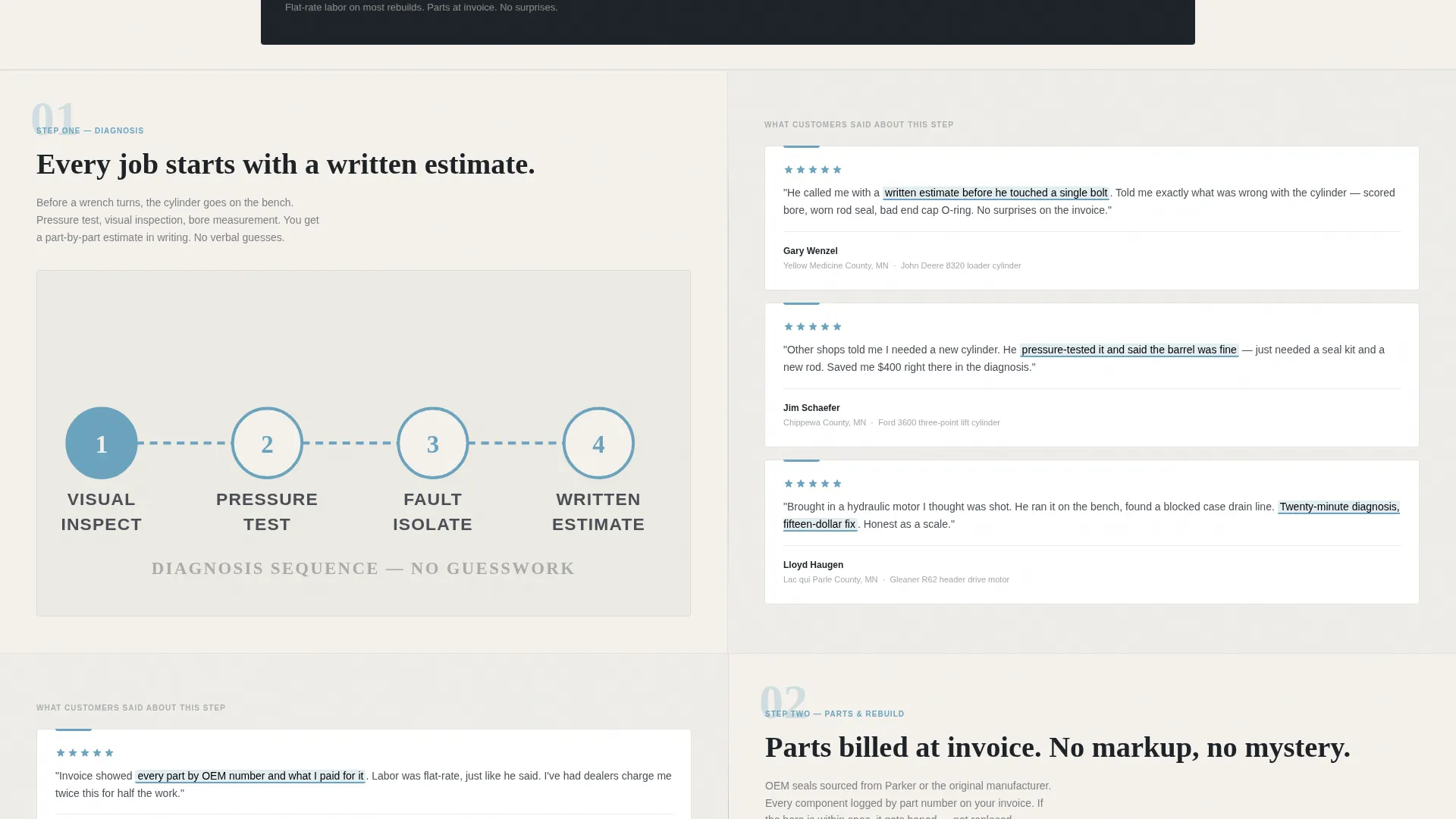
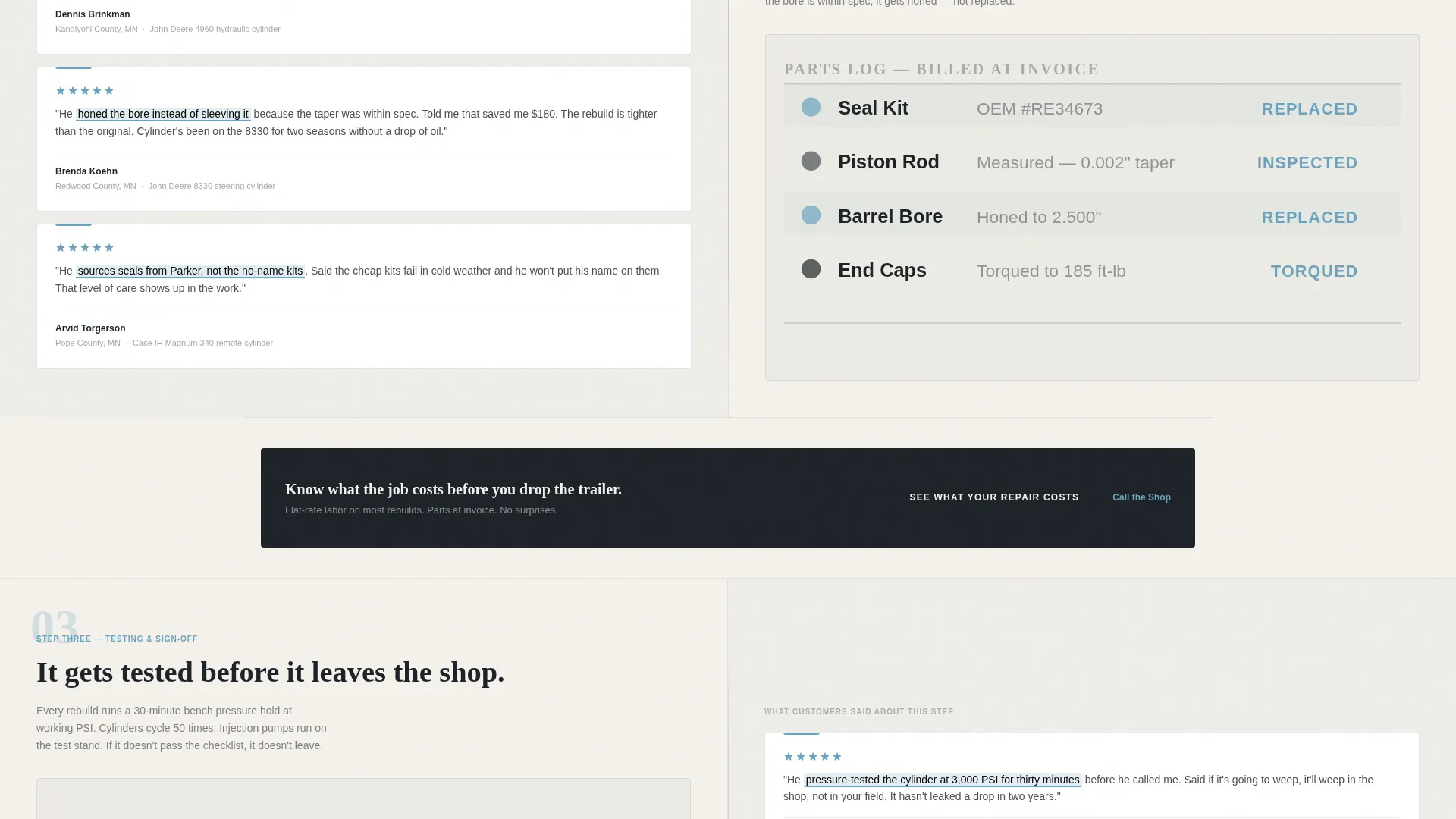
As visitors scroll, each section splits the screen between a labeled repair workflow step on the left and the customer reviews mentioning that exact step on the right. Highlighted phrase callouts pull key moments from reviews so readers see what was done, not just that customers were satisfied.
Escalating Stakes Review Sequence
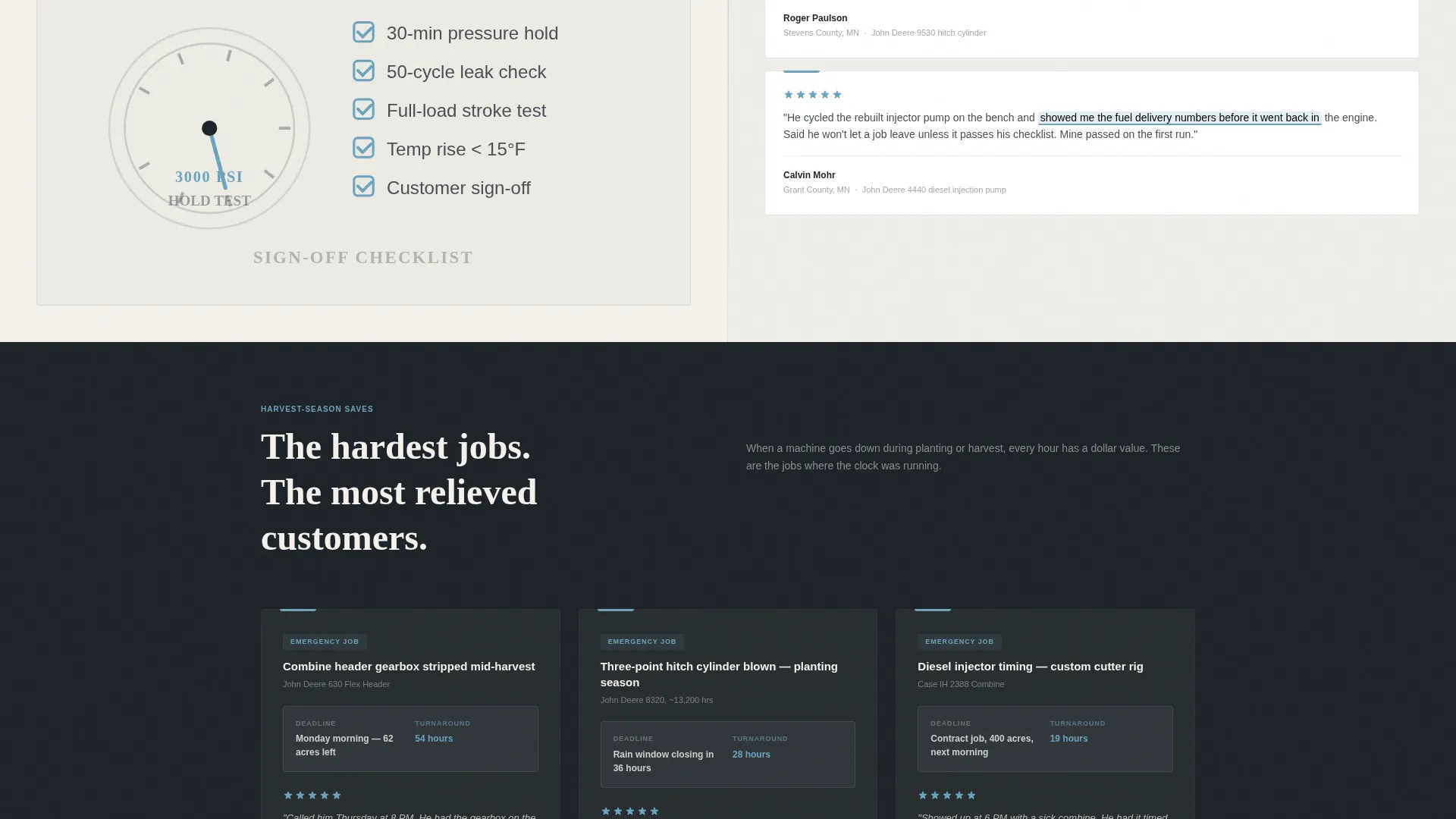
The review clusters build from routine maintenance feedback to emergency harvest-season saves. The sequence ends with the most difficult jobs and the most relieved customers, matching the emotional arc of a farmer who needs to trust a shop before a deadline.
Conversion-Focused Call-to-Action Placement
The primary call to action, "See What Your Repair Costs," appears first beneath the header dashboard and then resurfaces after every third review cluster. This spacing lets the trust accumulate naturally before the pricing ask.
Pinned Mobile Phone Link
A secondary text link, "Call the Shop Direct," pins to the bottom of the viewport on mobile screens. It includes a phone icon and the actual shop number, giving farmers on a tractor or in a field an immediate way to reach the mechanic.
Page sections overview
| Section | Purpose |
|---|---|
| Header Dashboard Panel | Displays animated repair statistics and a single named farmer review side by side |
| Primary call to action Block | Introduces the "See What Your Repair Costs" link directly below the header |
| Diagnosis Step Split | Pairs the diagnosis workflow step with customer reviews mentioning that stage |
| Disassembly Step Split | Shows disassembly process and matching farmer feedback |
| Parts Sourcing Split | Illustrates parts sourcing step alongside reviews referencing part quality |
| Rebuild Step Split | Covers the rebuild stage with corresponding customer praise callouts |
| Testing Step Split | Presents the final testing step with reviews confirming performance outcomes |
| Emergency Harvest Saves | Highlights the most urgent jobs and the most time-sensitive customer outcomes |
| Recurring call to action Blocks | Resurfaces the pricing call to action after every third review cluster |
| Mobile Phone Footer | Pins a direct call link at the bottom of the viewport for mobile visitors |
Design & branding system
The visual identity follows an Educational Guide theme built on the Slate and Sky color system. The palette is designed to feel like a clear October morning in a shop yard: functional, visible, and honest.
- Weathered tool-steel gray (#4A4E56) handles primary text and section dividers; open-pasture sky blue (#6BA3BE) fills accent links and star ratings; chalk-dust white (#F4F1EC) covers page backgrounds; and diesel-soot charcoal (#1E2328) anchors headers and pull-quotes
- Typography and layout follow an educational visual rhythm, keeping diagrams, labeled photos, and text columns easy to scan in a single pass
- No stock photography is used anywhere; visual content relies on line diagrams, labeled repair photos, and the contrast between data panels and human review text
Mobile & speed optimization
The template is built with mobile farm customers in mind. A farmer checking options from a cab or a field needs fast access to the phone link and the key trust signals without scrolling through excessive content.
- The pinned "Call the Shop Direct" link stays visible at the bottom of the viewport on all mobile screen sizes
- The split-screen layout adapts to a single-column stacked view on smaller screens, keeping the repair steps and review callouts readable without horizontal scrolling
- Animated dashboard counters and section transitions are designed to be lightweight visual elements, not heavy media files
How this template helps you convert
The template earns each click before it asks for one. The entire page is structured so trust is fully built by the time a visitor reaches a pricing decision.
- The header dashboard establishes credibility immediately with specific, animated numbers and a named farmer quote, so visitors know within seconds that this shop has a real track record.
- The scrolling transparent process layout shows exactly what happens during a repair, turning forty real farmer reviews into a guided explanation of shop quality rather than a passive praise wall.
- The repeated "See What Your Repair Costs" call to action appears only after trust-building content, so each click feels like a natural next step rather than a premature sales push.
Other information about this template
This template is categorized under Professional Services, specifically the Farm Equipment Mechanic Business subcategory. It is designed for the Farm Equipment Mechanic Customer Review Page niche and carries an intersection match score of 13, reflecting a tight alignment between the template style, the header concept, and the landing page direction.
- The template style is Split Screen (50/50), the header concept is Data Storytelling, and the creative direction is Transparent Process
- The landing page direction is Click-Through, meaning every layout decision supports moving visitors toward the service pricing page
- The theme is Educational Guide, so the visual language prioritizes clarity, step-by-step structure, and honest data presentation over decorative or promotional styling
Theme
Educational Guide
Creative direction
Transparent Process
Color system
Slate & Sky
Style
Split Screen (50/50)
Direction
Click-Through
Page Sections
Animated Repair Statistics Dashboard
Named Farmer Review Panel
Transparent Process Split Layout
Escalating Stakes Review Sequence
Conversion-timed Call to Action Placement
Pinned Mobile Phone Link
Related questions
Can I customize the repair statistics shown in the dashboard?
Does this template support real customer reviews, or does it use placeholder text?
How does the split-screen layout behave on a phone screen?
Is this template suitable for a shop that handles emergency harvest-season repairs?
Where does the primary call-to-action button link?



