Small Engine Repair Quote Landing Page Template
Torque is a split-screen landing page template built for small engine repair shops. It pairs bold diagnostic storytelling with a guided quote request form and a gated PDF resource. The layout teaches visitors first, earning their trust before asking for anything. It is ideal for independent repair shops ready to turn curious homeowners into booked jobs.
by Rocket studio
Quick summary
Torque is a single-page, split-screen landing page template designed for small engine repair businesses. It combines an educational content flow with two clear conversion paths: a guided quote request form and a gated PDF download. The design feels like a clean, well-lit shop manual. Every section builds trust before asking for a commitment.
Who this template is for
This template is built for independent small engine repair shops that want a professional web presence without a generic look. It works especially well for operations that handle a wide range of residential and commercial equipment.
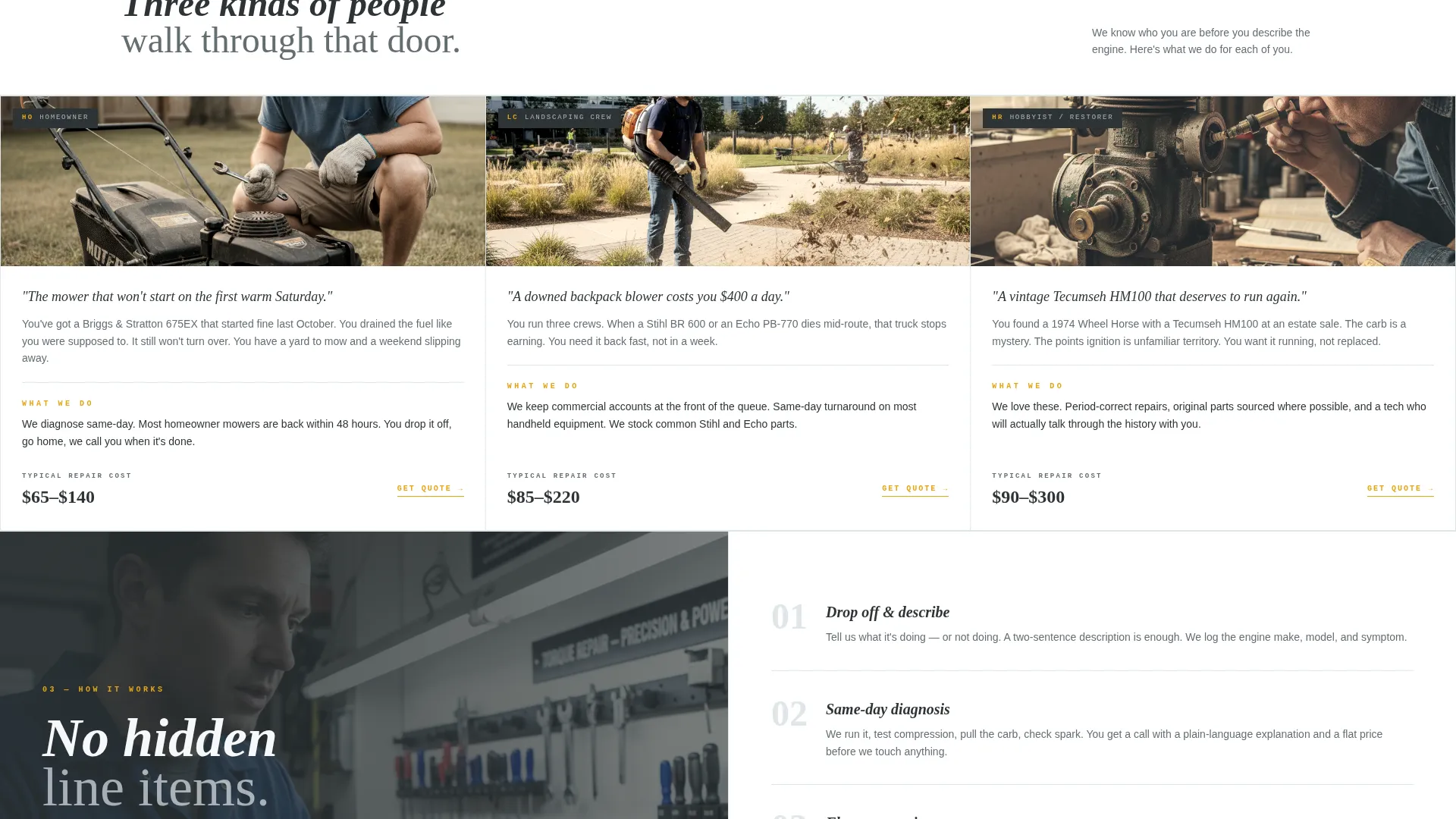
- Repair shops serving homeowners with lawn mowers, snow blowers, and handheld power equipment
- Service businesses working with landscaping crews who need fast turnaround on commercial equipment
- Hobbyist-facing shops that restore vintage or older small engines and want to attract enthusiast customers
What problem this template solves
Most repair shop pages ask for a phone call before they explain anything. Visitors arrive confused, leave quickly, and call a competitor. This template flips that dynamic by leading with education and transparency.
- Visitors learn how to describe their problem before they fill out a form, reducing friction at the point of contact
- The shop builds credibility through real diagnostic content instead of generic "we fix everything" claims
- Two conversion paths capture both ready buyers and early-stage researchers who are not yet ready to commit
What you get with this template
You get a fully structured single-page layout with every section pre-built and ready to customize. The content architecture is already planned so you can focus on swapping in your own photos, copy, and contact details.
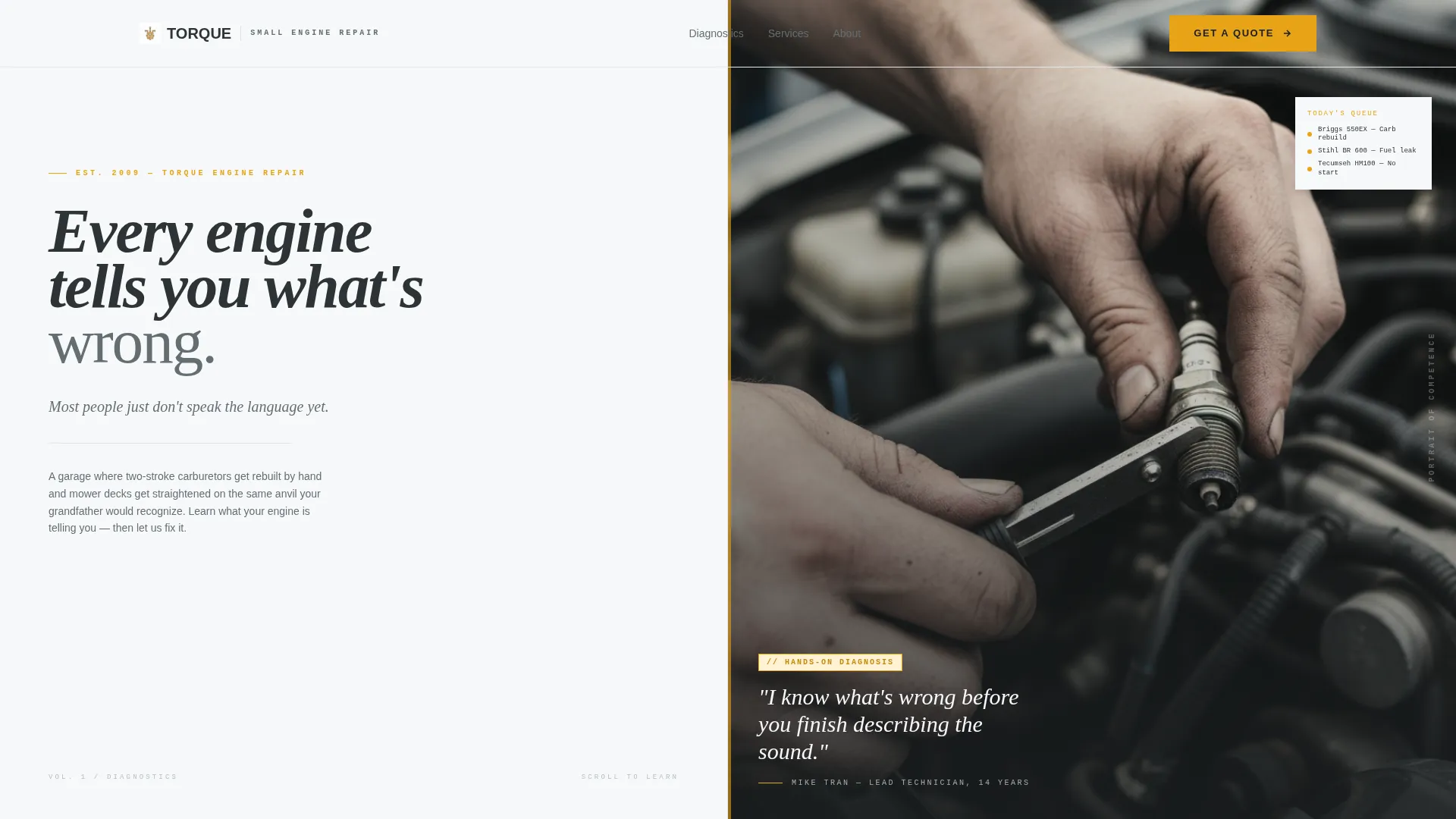
- A split-screen hero section with a bold typographic statement and a space for a close-up diagnostic photograph
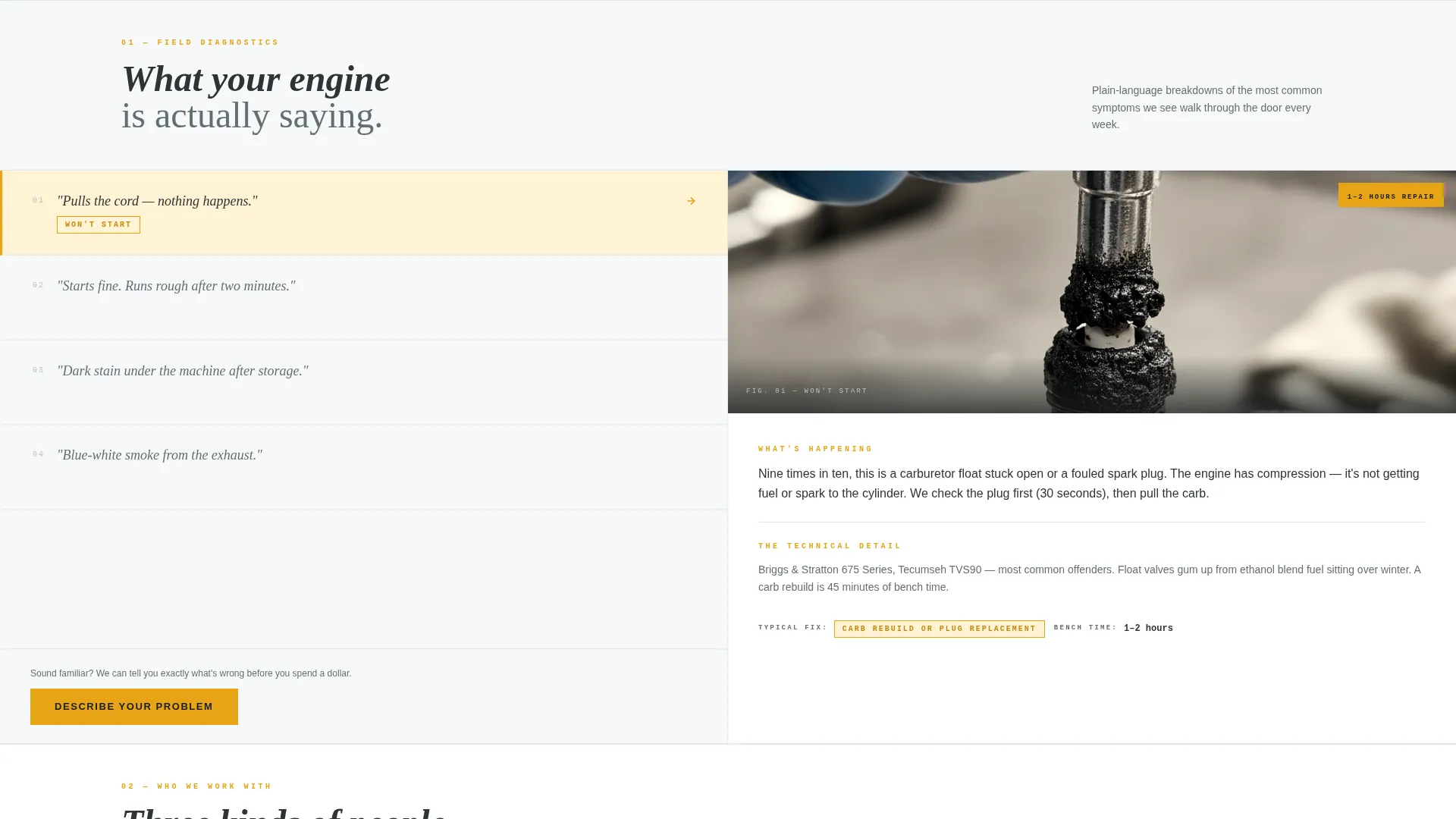
- A symptom-driven educational scroll section with paired left-right panels for problem descriptions and diagnostic explanations
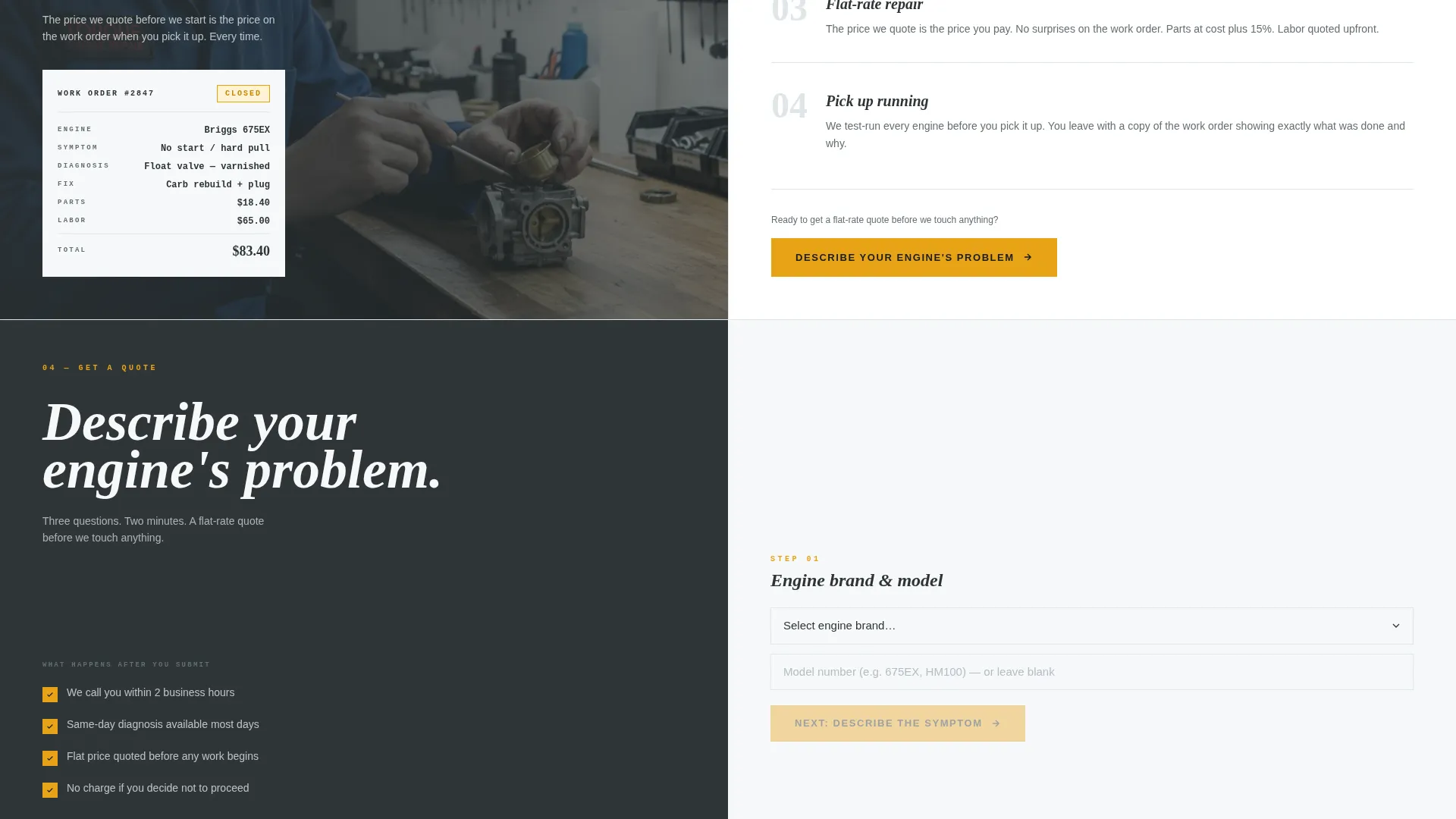
- A three-step guided quote form and a secondary email-gated PDF download path
Feature list
This template includes the following purpose-built components drawn directly from the design brief.
Split-Screen Hero with Quote Manifesto
The header divides the viewport evenly. The left panel displays a bold condensed sans-serif headline designed to stop a skimming visitor. The right panel holds a close-up mechanic photograph that signals hands-on expertise immediately.
Symptom-Paired Scroll Sections
Each scroll section uses a 50/50 split layout. The left side names a plain-language symptom such as "pulls the cord, nothing happens." The right side provides a clear diagnostic explanation with space for labeled close-up component photos and team portraits.
Guided Three-Step Quote Form
The primary call to action anchors to a structured form. It collects engine brand and model via a dropdown with a "not sure" option, a plain-language symptom selector, and a free-text field so visitors can describe exactly what happened in their own words.
Gated PDF Resource Path
A secondary conversion path offers a downloadable troubleshooting guide behind a simple email capture field. This captures visitors who are researching rather than ready to book, keeping them connected to the shop for a future visit.
Educational Content Architecture
The page is structured as a content and resource destination. Each section teaches something genuine about small engine diagnosis. By the time a visitor reaches the form, requesting a quote feels like a natural next step rather than a cold transaction.
Arctic White Visual System
The color palette uses workshop white as the dominant background, toolbox charcoal for all body text, dipstick amber for every interactive element and callout, and spark-plug ceramic gray for secondary panels and photo overlays. The result is a clean, clinical, and trustworthy visual tone.
Page sections overview
| Section | Purpose |
|---|---|
| Split-Screen Hero | Establish credibility with a bold statement and a real diagnostic photograph |
| Symptom Scroll One | Pair "won't start" symptom with a plain-language diagnostic explanation |
| Symptom Scroll Two | Pair "runs rough" symptom with component-level breakdown and labeled photo |
| Symptom Scroll Three | Pair "leaks oil" symptom with a diagnostic walkthrough and team portrait |
| Quote Request Form | Capture job leads through a guided three-step form anchored by the primary call to action |
| PDF Download Gate | Capture researcher emails with a free troubleshooting guide behind a simple email field |
Design & branding system
The visual identity follows an Educational Guide theme. It feels like a freshly wiped workbench under fluorescent light: honest, clinical, and nothing hidden. White dominates every background, keeping the layout open and easy to read.
- Dipstick amber (#E8A317) marks every interactive element, callout, and "here's what you need to know" moment, functioning like a caution tag on a parts diagram
- Toolbox charcoal (#2D3436) carries all body text and section dividers, while spark-plug ceramic (#DFE6E9) softens secondary panels and photo overlays
- Typography uses a condensed sans-serif for headlines to reinforce the shop-manual aesthetic without feeling cold or corporate
Mobile & speed optimization
The split-screen layout is designed to restack cleanly on smaller screens. Each 50/50 panel becomes a full-width block so diagnostic content and photos remain readable at any viewport width.
- The symptom scroll sections maintain their paired structure on mobile, keeping the teach-first flow intact as visitors scroll
- The three-step quote form and email capture field are sized and spaced for comfortable thumb interaction on mobile devices
How this template helps you convert
The page is built around a teach-first, sell-never philosophy. Every design and content decision reduces the hesitation a visitor feels before submitting a form to a shop they have never visited.
- The symptom scroll sections answer the visitor's first unspoken question before the form ever appears, so they arrive at the call to action already trusting the shop's expertise
- The guided quote form lowers commitment anxiety by asking only three focused questions in plain language, making it feel more like a conversation than a submission
- The gated PDF path captures visitors who leave without booking, giving the shop a second opportunity to convert them when they are ready
Other information about this template
This template is categorized under Professional Services and is purpose-built for the small engine repair business niche. It is a single landing page, not a multi-page website, so all content lives in one scrollable flow.
- The template style is informed by a Comparison Table and FAQ-Driven creative direction, meaning content is structured for easy scanning and decision-making
- The header concept uses a high-contrast split layout rather than a dark full-bleed approach, keeping the Arctic White color system consistent from top to bottom
- This page suits shops that repair equipment from well-known consumer engine brands commonly found in residential mowers, blowers, trimmers, and generators
- The PDF lead magnet is described as "The Homeowner's Small Engine Troubleshooting Guide" in the brief, giving the shop a branded resource to reference in follow-up outreach
Theme
Executive Suite
Creative direction
FAQ-Driven
Color system
Arctic White
Style
Comparison Table
Direction
Lead Generation
Page Sections
Split-screen Hero with Bold Manifesto
Symptom-paired Diagnostic Scroll
Guided Three-step Quote Form
Gated PDF Resource Download
Arctic White Educational Design System
Related questions
Can I customize the symptom descriptions in the scroll sections?
What type of photography works best with this template?
Who is the PDF download section designed to capture?
Is this template suitable for shops that also serve landscaping crews?
Does this template work as a standalone page or part of a larger site?



