Torschluss - Reliable Garagedoor Landing Page Template
Torschluss is a single-column landing page template built for a Berlin garage door repair service. It leads with live-updating performance numbers, walks visitors through every repair phase with honest cost ranges, and repeats a clear booking call to action throughout. The result feels less like a sales page and more like a straight-talking mechanic who shows you the problem and the price at the same time.
by Rocket studio
Quick summary
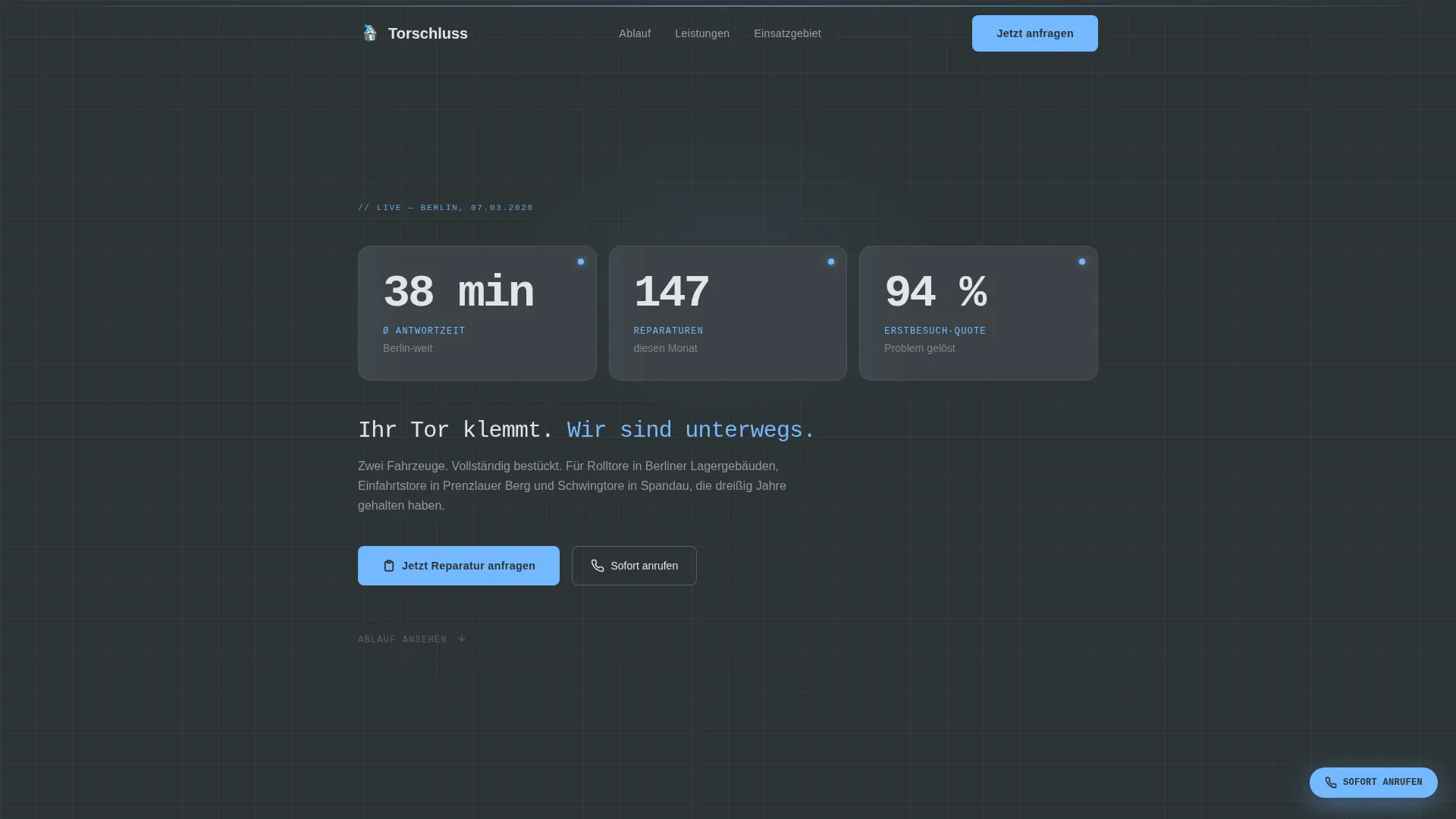
Torschluss is a single-column landing page for a two-van Berlin garage door repair operation. It opens with a data panel showing real response times, monthly repairs, and first-visit resolution rates. A transparent process timeline then walks visitors through every repair phase before asking for a booking. The page earns trust by hiding nothing.
Who this template is for
This template is built for small, reliable repair services that need a page as direct as their work. It is especially well suited to tradespeople who compete on honesty rather than marketing gloss.
- Property management companies (Hausverwaltungen) handling postwar apartment blocks across Berlin
- Small-business owners with loading docks who cannot afford extended downtime
- Homeowners in outer Berlin districts whose residential garage doors have finally reached end of life
What problem this template solves
Most repair service pages bury the important details. Visitors cannot find response times, cost ranges, or a clear process. That uncertainty makes them call the wrong company or delay the booking entirely.
- Visitors arrive unsure whether the service is fast enough for an urgent problem
- Hidden pricing creates distrust before a single word of copy lands
- No visible process means customers cannot picture what will actually happen when they call
What you get with this template
This template gives you a complete, ready-to-adapt landing page that puts performance data and process transparency at the centre of the pitch. Every section works together to move a visitor from anxious to confident.
- A header data panel with three live-updating numbers: average response time, repairs this month, and single-visit resolution rate
- A vertical repair-process timeline with step durations and cost ranges at each phase
- Two primary call-to-action placements plus a floating emergency call button throughout the scroll
Feature list
This template bundles every structural element a Berlin repair service needs on a single, scrollable page. No extraneous sections, no filler.
Live Performance Data Panel
The header opens with three large monospaced numbers on a workshop-charcoal background. They show average response time across Berlin zones, repairs completed this month, and the percentage resolved in one visit. The numbers update live and do the convincing before any copy tries.
Transparent Repair Process Timeline
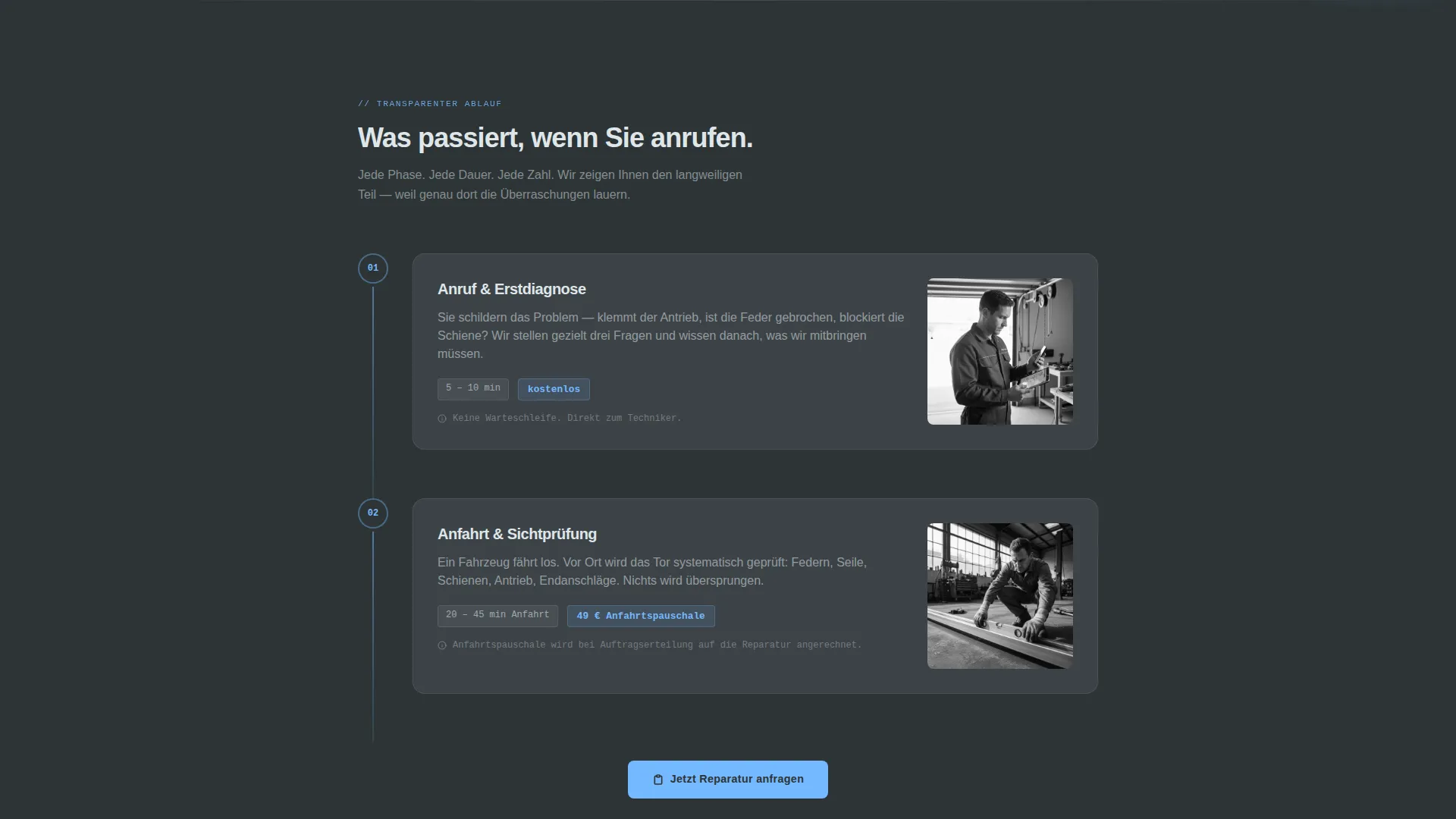
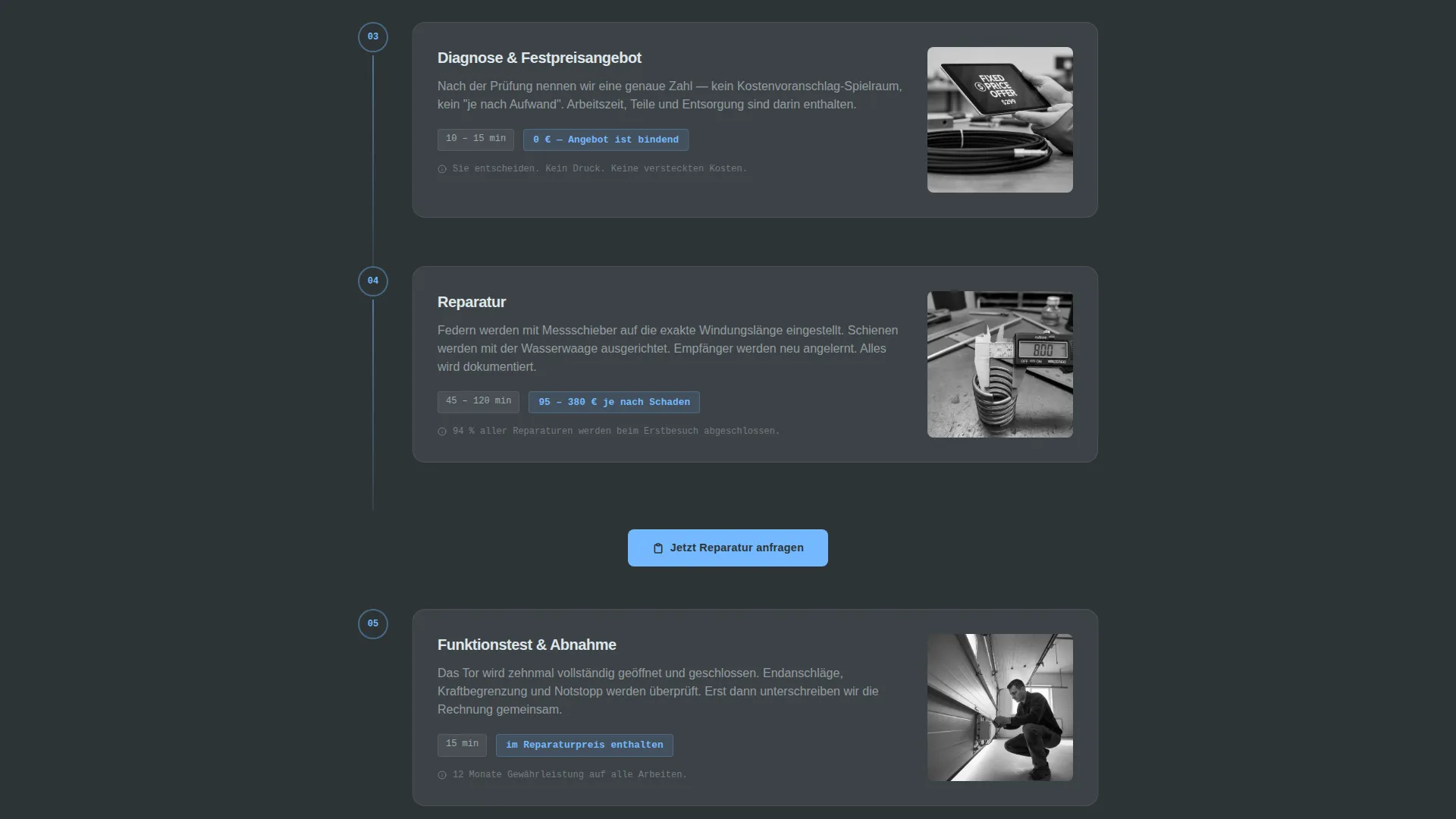
A numbered vertical timeline covers every phase: initial call, diagnosis, quote, parts sourcing, and completion. Each step shows what happens, how long it typically takes, and a realistic cost range. Nothing is skipped, because the skipped parts are usually where customers feel surprised.
Repeating Booking Call to Action
The primary button, labelled "Jetzt Reparatur anfragen," appears first below the data panel and then again after every second process step. Each instance links through to a dedicated booking page with scheduling and address entry fields.
Floating Emergency Call Button
A secondary button labelled "Sofort anrufen" stays visible as visitors scroll. It triggers a direct telephone link for customers who need immediate help rather than a scheduled booking.
Close-Up Process Photography
Photography throughout the timeline is unglamorous and specific: a tension spring being measured with calipers, a rail being levelled with a spirit bubble, a remote receiver being reprogrammed. The images reinforce the honest-mechanic tone without stock-photo gloss.
Slate and Sky Color System
The palette uses four intentional values: workshop charcoal for text, zinc panel gray for section backgrounds, open-sky blue for every clickable element, and signal white for breathing room. The result reads like a clean concrete shop floor seen under a strip of Berlin sky.
Page sections overview
| Section | Purpose |
|---|---|
| Header Data Panel | Opens with live response time, monthly repairs, and first-visit resolution rate |
| Primary call to action Block | First "Jetzt Reparatur anfragen" button placed directly below the data panel |
| Process Timeline | Numbered steps from first call through completion, each with duration and cost range |
| Inline call to action Repeats | Booking button reappears after every second timeline step to capture mid-scroll intent |
| Close-Up Photography | Unglamorous repair images anchor each timeline step in real work |
| Floating Call Button | Persistent "Sofort anrufen" button provides a direct telephone link at all scroll positions |
| Final call to action Block | Closing booking prompt after the full process has been revealed |
Design & branding system
The visual identity follows a Service Utility theme. Every colour and type choice signals function over decoration.
- Workshop charcoal (#2D3436) anchors all body text and the header panel background for strong readability
- Zinc panel gray (#636E72) holds alternate section backgrounds, giving the page a structured rhythm without visual noise
- Open-sky blue (#74B9FF) marks every clickable element and progress indicator so the path through the page is always clear
- Signal white (#DFE6E9) provides breathing room between sections and keeps long scrolls from feeling dense
Mobile & speed optimization
The single-column flow is designed to work cleanly on a phone screen. A Berlin property manager checking the page at 6 AM on a van ride does not need to pinch or zoom.
- Single-column layout means no horizontal scrolling or collapsed navigation to manage on smaller screens
- The floating "Sofort anrufen" button stays accessible at any scroll position, which matters most on mobile during an emergency
- Monospaced header numbers and short paragraph blocks keep the layout stable across different screen widths
How this template helps you convert
The page is built around a simple logic: show everything first, then ask for the booking. By the time a visitor reaches the final call to action, the decision feels easy rather than risky.
- The data panel at the top gives visitors a concrete reason to stay within the first few seconds, replacing vague promises with actual numbers
- The process timeline removes the fear of the unknown by showing exactly what will happen, how long each phase takes, and what it costs
- Repeating the booking button after every second step means the call to action appears at the moment each visitor feels ready, rather than only at the end
Other information about this template
This template is part of a broader set of service-utility landing pages built for local trades in Berlin and similar urban markets. A few additional points worth knowing before you start adapting it:
- The template style is Single Column Flow, which keeps the scroll linear and predictable for first-time visitors
- The header concept is Data Storytelling, a deliberate choice to lead with numbers rather than photography or headlines
- The creative direction is Transparent Process, meaning the page earns trust through detail rather than design polish
- The landing page direction is Click-Through, so every call-to-action element points to a separate booking page rather than an embedded form
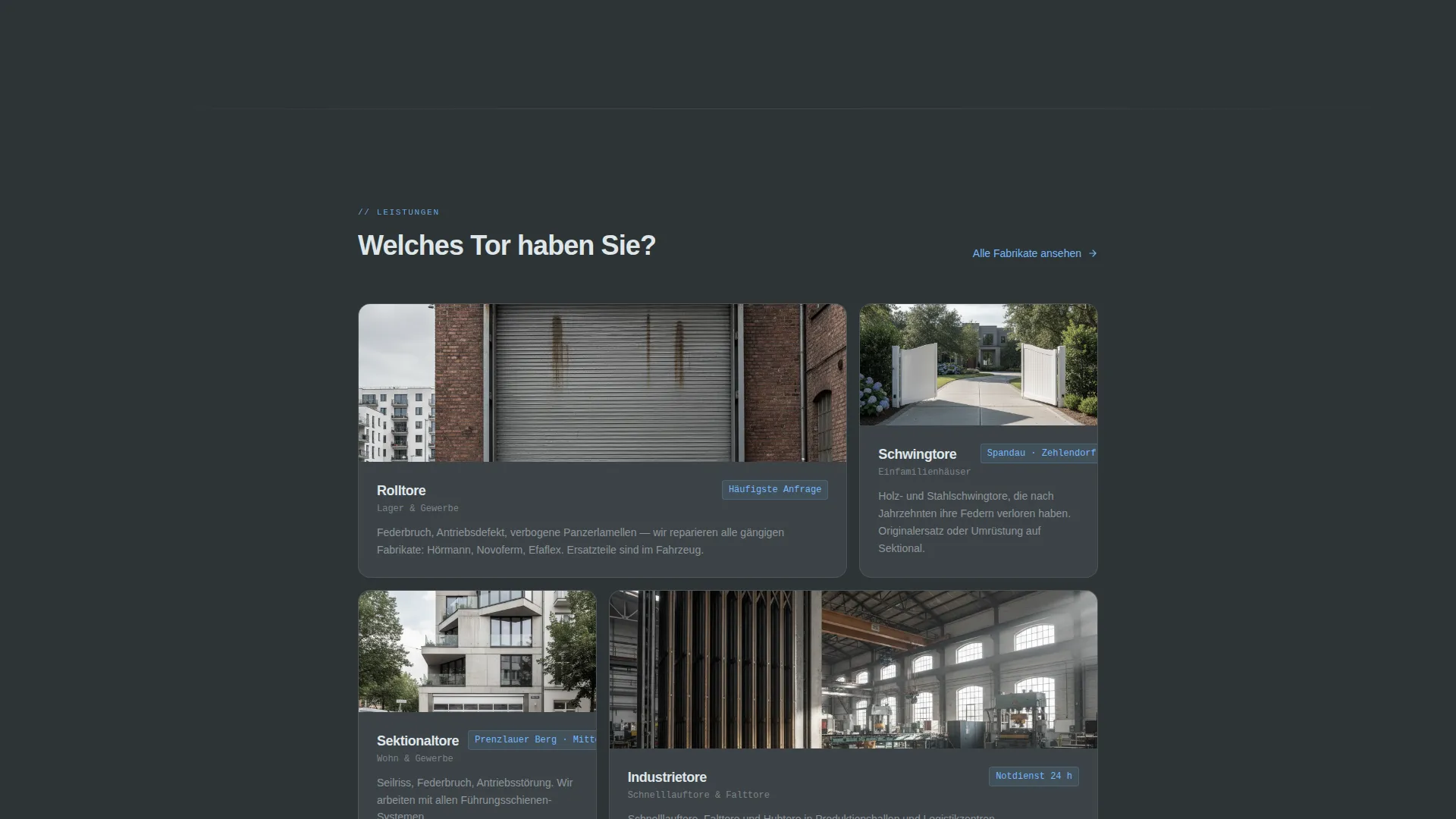
- Target use cases include emergency roller door repairs, courtyard gate servicing, loading dock maintenance, and residential Schwingtor (swing-gate) replacements
- The German-language calls to action and section labels are built in, making the template ready for a Berlin-market audience without extra translation work
Theme
Service Utility
Creative direction
Transparent Process
Color system
Slate & Sky
Style
Single Column Flow
Direction
Click-Through
Page Sections
Live Performance Data Header Panel
Transparent Repair Process Timeline
Repeating Click-through Booking Button
Floating Emergency Call Button
Close-up Repair Photography Layout
Slate and Sky Branding System
Related questions
Can I use this template for a garage door service outside Berlin?
Does the live data panel require a developer to set up?
Can I change the call-to-action labels or booking link destination?
How many times does the booking call to action appear on the page?
Is the repair photography included with the template?



