Master-Planned Community Landing Page Template
Township is a split-screen landing page template built for master-planned community developers. It guides visitors from a dramatic aerial Before/After slider down through street-level lifestyle sections, an interactive site map, and model home interiors, earning the booking before it ever asks for one. The primary call to action is "Schedule Your Private Tour," supported by a secondary lead-capture path for plan downloads.
by Rocket studio
Quick summary
Township is a single-page landing page template designed for master-planned community developers. It opens with a draggable Before/After aerial slider, then descends through street-level photography, a color-coded site map, model home interiors, and a tour-booking form. Every section builds desire before asking for commitment.
Who this template is for
This template is built for property developers and community builders who need to sell a vision, not just a floor plan. It works best when the project spans multiple phases and the story is as important as the specs.
- Master-planned community developers launching a new township or residential district
- Property sales teams targeting young professionals, growing families, and downsizing empty-nesters
- Real estate marketing agencies producing a high-impact landing page for a large-scale residential development
What problem this template solves
Most community landing pages drop visitors straight into a floor plan grid with no emotional context. That approach loses the buyer before they feel the neighborhood. Township solves this by structuring the page as a cinematic descent from aerial overview to kitchen countertops, letting the story do the selling first.
- Visitors leave too early because the page shows specs before showing a life worth buying into
- Developers struggle to communicate the full scale and phasing of a master-planned community in a single view
- Tour bookings stay low when the call to action appears before the visitor is emotionally ready
What you get with this template
Township delivers a fully structured landing page with a clear narrative arc. Each section has a defined role, and the visual system is consistent from the first scroll to the booking form.
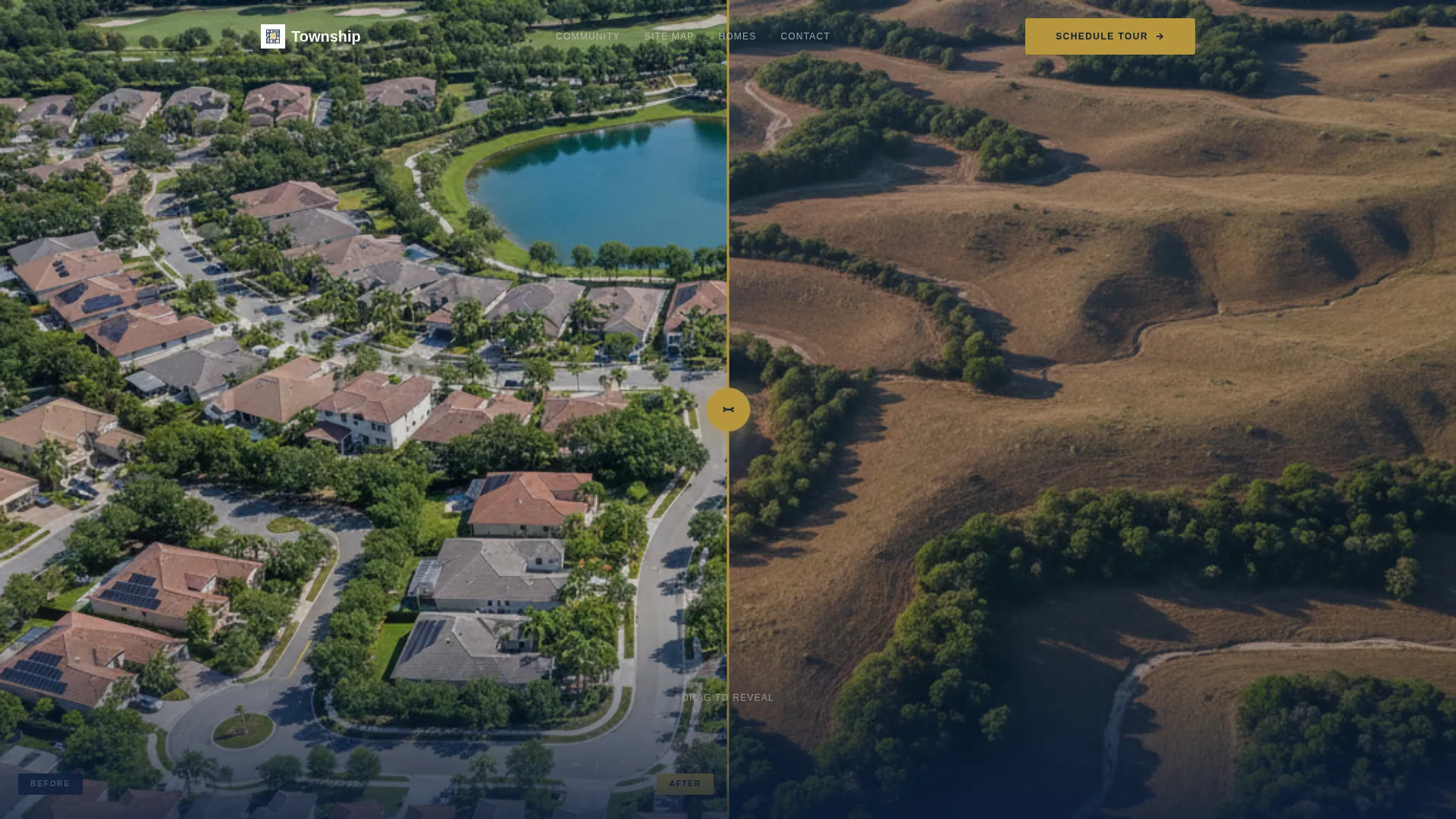
- A draggable Before/After aerial header slider with a reveal headline that fades in on first interaction
- Four core content sections flowing from aerial overview to street level, site map, and model home interiors
- A tour-booking form with an inline calendar picker, community interest selector, and realtor toggle, plus a secondary email-gate for the master plan PDF download
Feature list
This template is built around one goal: earning the tour booking by the time the visitor reaches the form. Every feature listed here serves that narrative arc directly.
Before/After Aerial Slider Header
The header splits the viewport into a 50/50 panel. Left shows raw undeveloped land under flat midday light. Right shows the same aerial angle rendered as the completed community. A gold-accented draggable handle sits center screen. The headline "This Land Becomes Your Address" fades in only after the first drag, rewarding curiosity before making any ask.
Parallax Scroll Transitions
Each section transition uses a slow parallax drift that mimics driving through the community at low speed. The pacing creates a cinematic descent from sky to street to interior, keeping the visitor oriented and emotionally engaged throughout the scroll.
Community Stats Panel
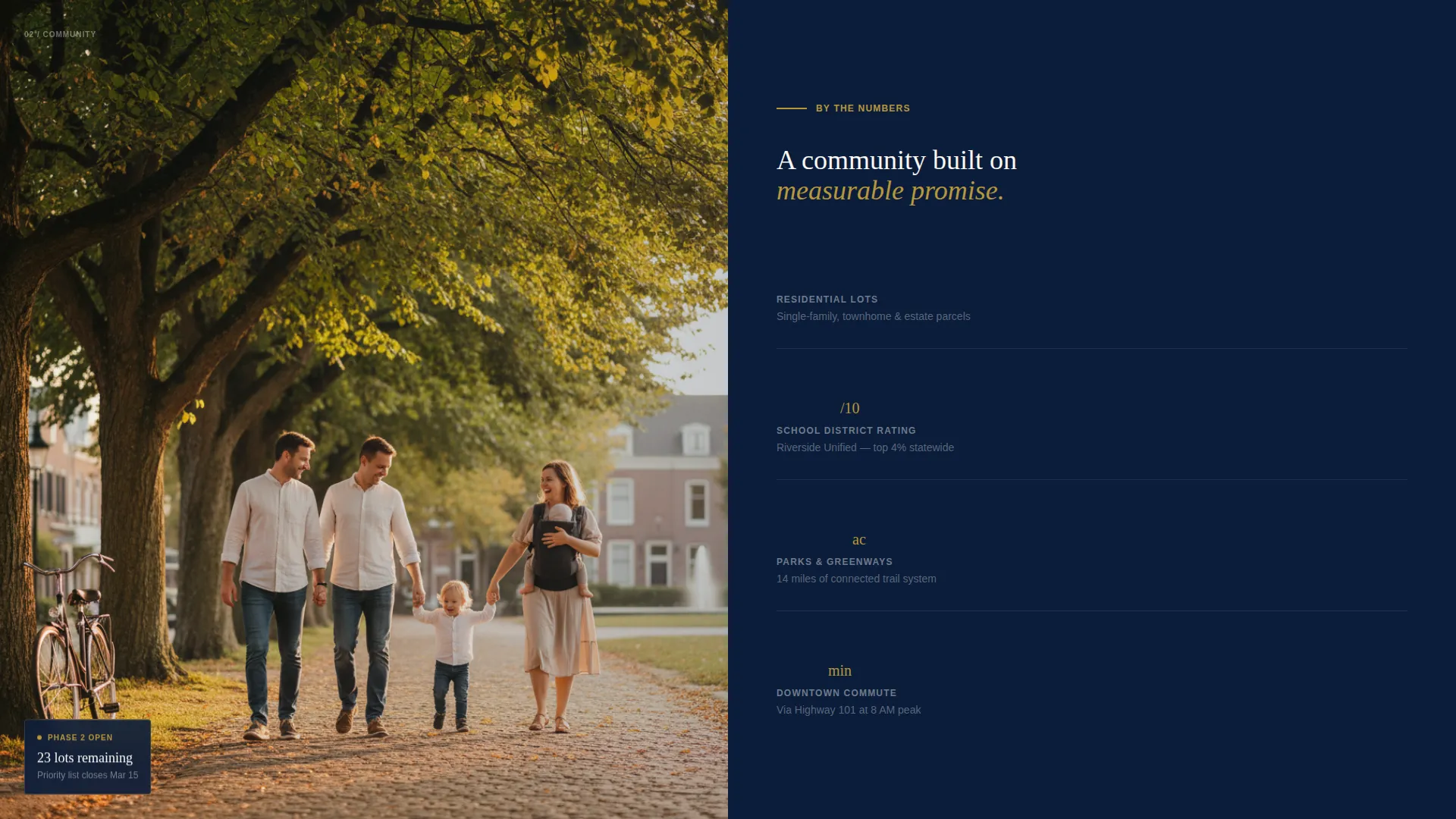
Section two pairs a full-bleed lifestyle photograph with a structured data panel. The panel displays lot counts, school ratings, park acreage, and commute times side by side. This grounds the emotional imagery in practical facts at exactly the right moment.
Interactive Phase Site Map
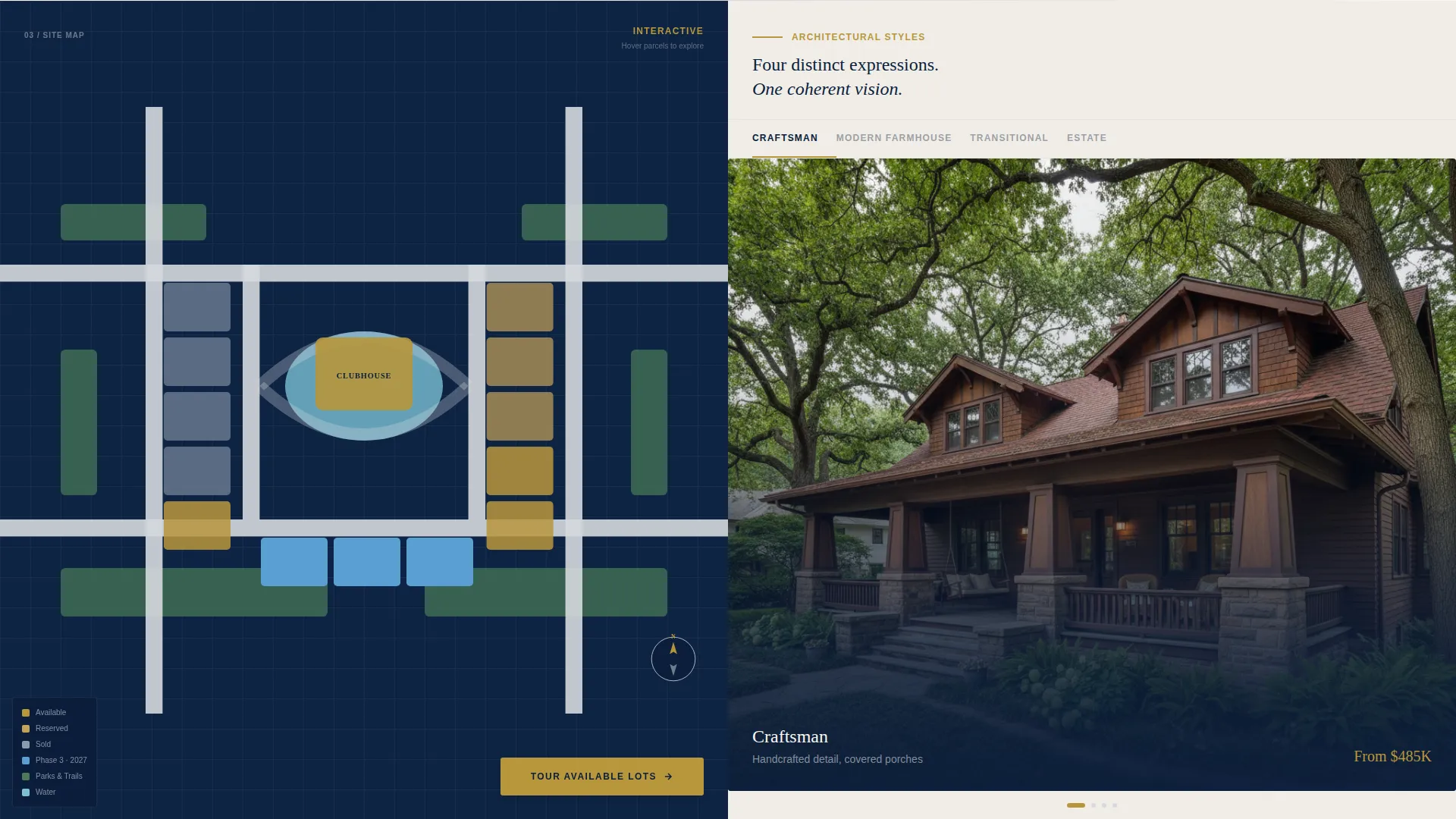
Section three features a color-coded site map where parcels are organized by phase and availability. A rotating architectural gallery sits on the opposite split. Together they let the visitor understand scale, progress, and style options without leaving the page.
Model Home and Floor Plan Section
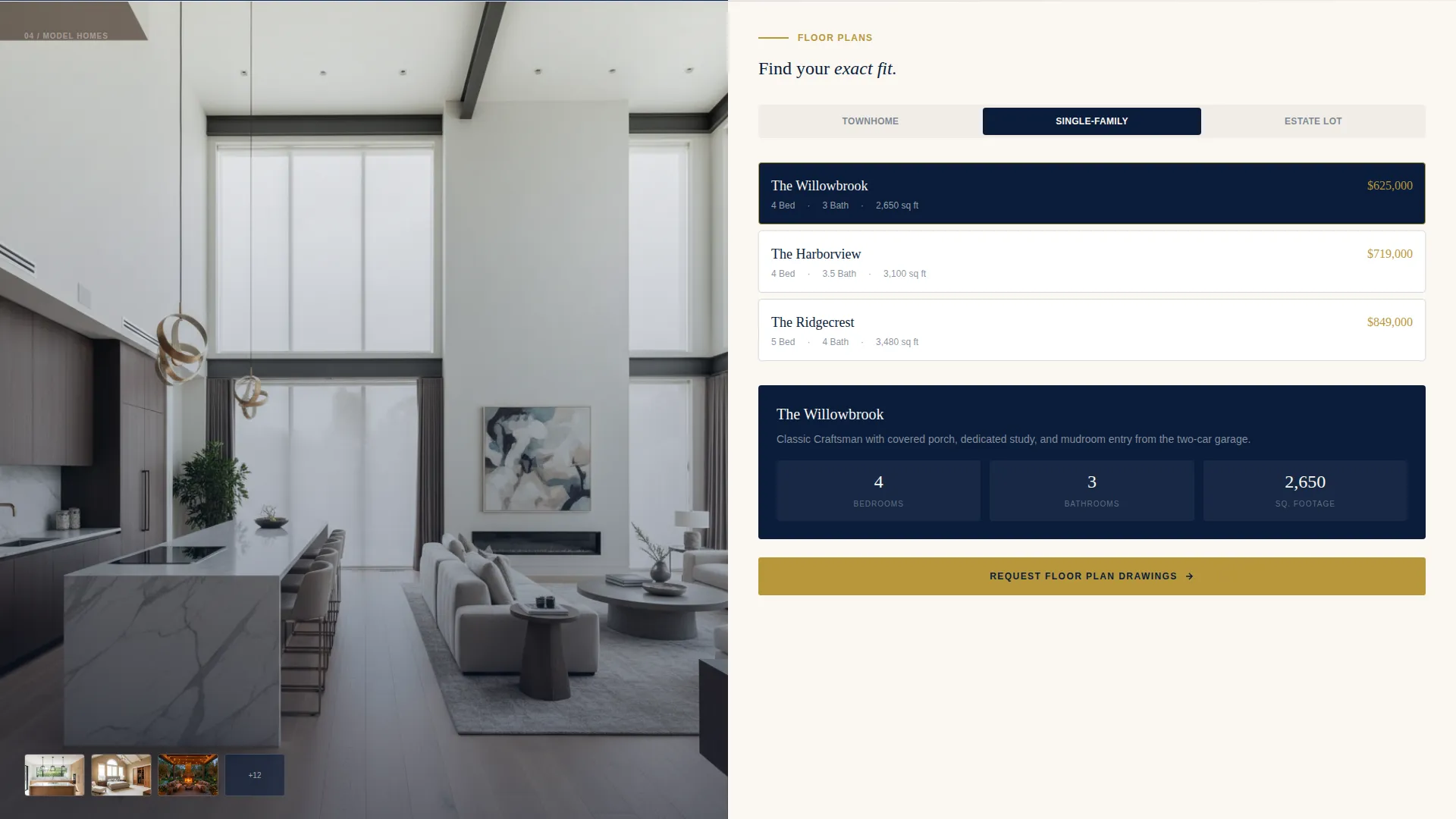
Section four brings the visitor inside. Interior shots of model homes appear on the left. A floor plan selector sits on the right, covering single-family, townhome, and estate lot configurations. The layout reverses the split-screen frame for visual variety and depth.
Tour Booking Form with Secondary Lead Path
The primary call to action, "Schedule Your Private Tour," collects first name, preferred tour date via an inline calendar picker, community interest type, and a realtor working status toggle. A secondary path offers a master plan PDF download requiring only an email address, capturing visitors who are not yet ready to book.
Page sections overview
| Section | Purpose |
|---|---|
| Before/After Slider | Reveal the community vision and trigger the headline on first interaction |
| Street Level Split | Pair lifestyle photography with community stats for emotional and factual grounding |
| Site Map Split | Show phase availability and architectural styles side by side |
| Model Home Interior | Move the visitor from exterior to interior with floor plan selection |
| Tour Booking Form | Capture tour bookings and secondary PDF leads before the page ends |
| Fixed Mobile Bar | Keep the primary call to action visible on mobile throughout the scroll |
Design & branding system
The visual identity follows a Luxe Minimal direction built on a Navy Authority color system. Deep admiralty navy owns the headers and full-bleed photo panels. Warm ivory carries body copy and text panels. Brushed platinum traces the architectural grid lines between sections. A muted gold accent appears exclusively on calls to action, price points, and interactive hover states.
- Navy (#0B1D3A) as the dominant ground color for headers and full-bleed panels
- Warm ivory (#FAF7F2) for body text panels and breathing space between sections
- Muted gold (#B8973C) reserved for the call-to-action buttons, interactive handles, and hover states only
Mobile & speed optimization
On mobile, the split-screen layout adapts to stacked full-width panels so no content is compressed or hidden. The tour booking form collapses cleanly into a single-column flow. A slim fixed bottom bar keeps the "Schedule Your Private Tour" call to action pinned throughout the mobile scroll.
- The Before/After slider is touch-enabled, allowing mobile visitors to drag the gold handle across the viewport
- Community stats, site map, and floor plan sections restack vertically without losing their visual hierarchy
- The secondary PDF download path remains accessible in the mobile flow without interrupting the primary booking journey
How this template helps you convert
The page is structured to earn trust before asking for anything. Conversion happens because the visitor has already walked through the entire community in their imagination before the form appears.
- The interactive Before/After slider creates immediate emotional investment. The visitor pulls the future across the present and triggers the headline themselves, making the first impression feel personal rather than broadcast.
- The phased narrative descent from aerial to street to interior mirrors how a real site visit feels. By the time the visitor reaches the booking form, the tour feels like a natural next step rather than a cold ask.
- The dual call-to-action structure captures visitors at two different stages of readiness. Serious buyers book a tour. Researching visitors download the master plan PDF. Neither path is wasted.
Other information about this template
Township is category-matched to the Real Estate and Property sector, specifically within the Property Developer and Builder subcategory. The template style is Full-Width Immersive, and the landing page direction is Booking and Scheduling. The header concept is a Before/After interaction rather than a standard calculator or static hero, reflecting the visual storytelling nature of the project brief.
- The template is suited for developers operating across multiple buyer profiles within the same community, from entry-level townhomes to estate lots
- The muted gold accent color appears sparingly across the page, ensuring every flash of it carries weight and draws the eye intentionally
- The master plan PDF download path is designed as a low-friction secondary conversion, requiring only an email address to initiate a nurture sequence for undecided visitors
Theme
Corporate Precision
Creative direction
Interactive Explorer
Color system
Sunset Mesa
Style
Full-Width Immersive
Direction
Booking/Scheduling
Page Sections
Before/after Aerial Slider Header
Parallax Scroll Transitions
Community Stats Panel
Interactive Phase Site Map
Model Home and Floor Plan Selector
Dual Call-to-action Lead Capture
Related questions
Can I customize the community types shown in the booking form?
How does the Before/After slider work on mobile devices?
Can I use this template for a community that is still in early phases?
What happens when a visitor downloads the master plan PDF?
Is the tour booking form the only way to capture leads?



