Home Health & Hospice Booking Website Template
Palliate is a split-screen palliative care landing page template built for scheduling consultations. It introduces a physician-led care team through five expert portrait panels, each answering a real family fear in plain language. A three-field booking form and a secondary family guide download give visitors two clear paths forward, without pressure.
by Rocket studio
Quick summary
Palliate is a single-page template designed for palliative care services that need to earn trust before asking for a booking. It uses a 50/50 split-screen layout, five expert portrait panels, and a calm visual identity to guide anxious family members and hospital case managers toward a scheduled conversation, gently and clearly.
Who this template is for
This template is built for palliative care teams that serve families navigating serious illness. It works equally well for physician-led practices and hospital-affiliated care programs.
- Adult children coordinating care for an aging parent with advanced cancer or heart failure
- Spouses and partners of patients who need help understanding treatment options
- Hospital case managers looking for a trusted referral partner they can confidently recommend
What problem this template solves
Families searching for palliative care are often exhausted, scared, and unsure whether asking for help means giving up. A generic medical page makes that fear worse. This template solves the trust gap before it becomes a barrier.
- Visitors arrive with specific fears: pain management, unclear prognoses, and not knowing who to call
- A standard contact form offers no reassurance; this template answers real questions with real faces
- The page removes the friction of uncertainty so families feel ready to book a first conversation
What you get with this template
The template delivers a fully structured, scroll-driven landing page with every major section pre-built and ready to customize. You get a cohesive visual system, a conversion-focused layout, and content architecture grounded in palliative care communication.
- A portrait-centered hero section with headline, subheadline, and a primary scheduling call to action
- Four expert panel sections, each pairing a specialist portrait with a plain-language fear response
- A three-field scheduling form and a secondary email-only family guide download path
Feature list
This template ships with six purposefully designed capabilities drawn directly from the project brief.
Portrait-Centered Hero Section
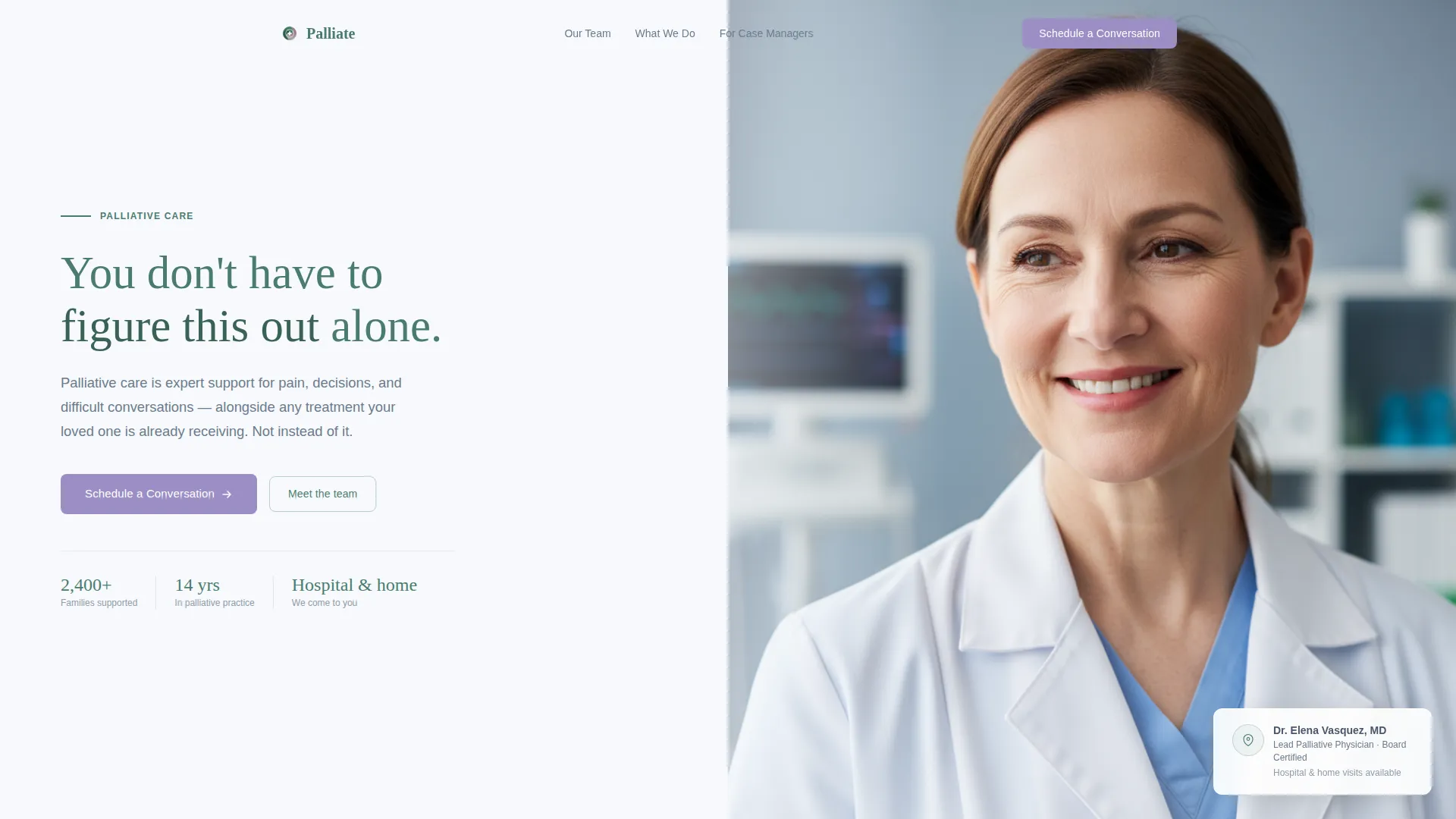
The hero opens with a 50/50 split: a warmly lit physician portrait on the right and a pine-green headline on the left. The single subheadline in stone gray clarifies that palliative care works alongside treatment, not instead of it. A lilac "Schedule a Conversation" button appears immediately below.
Scroll-Driven Expert Panel Layout
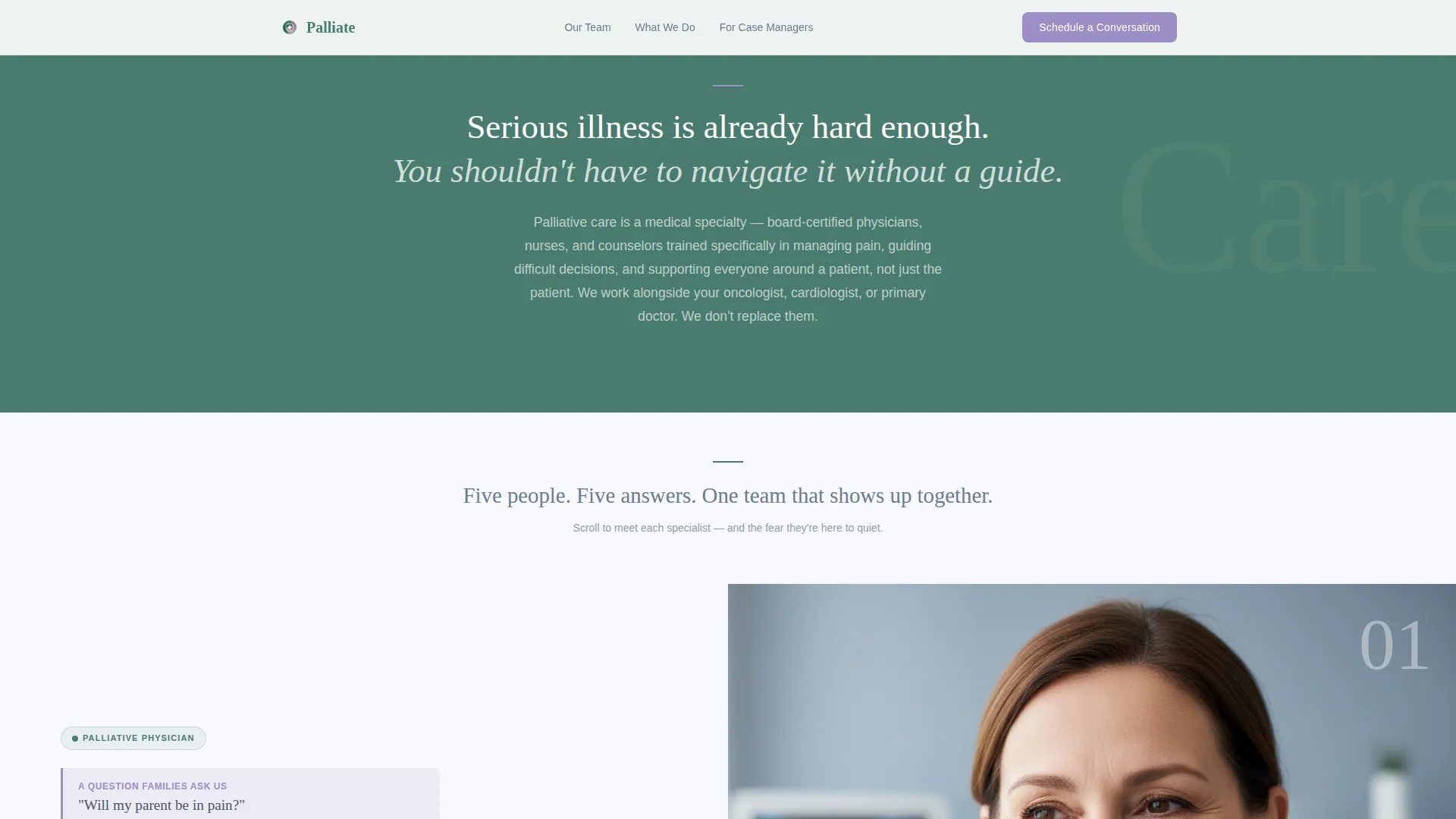
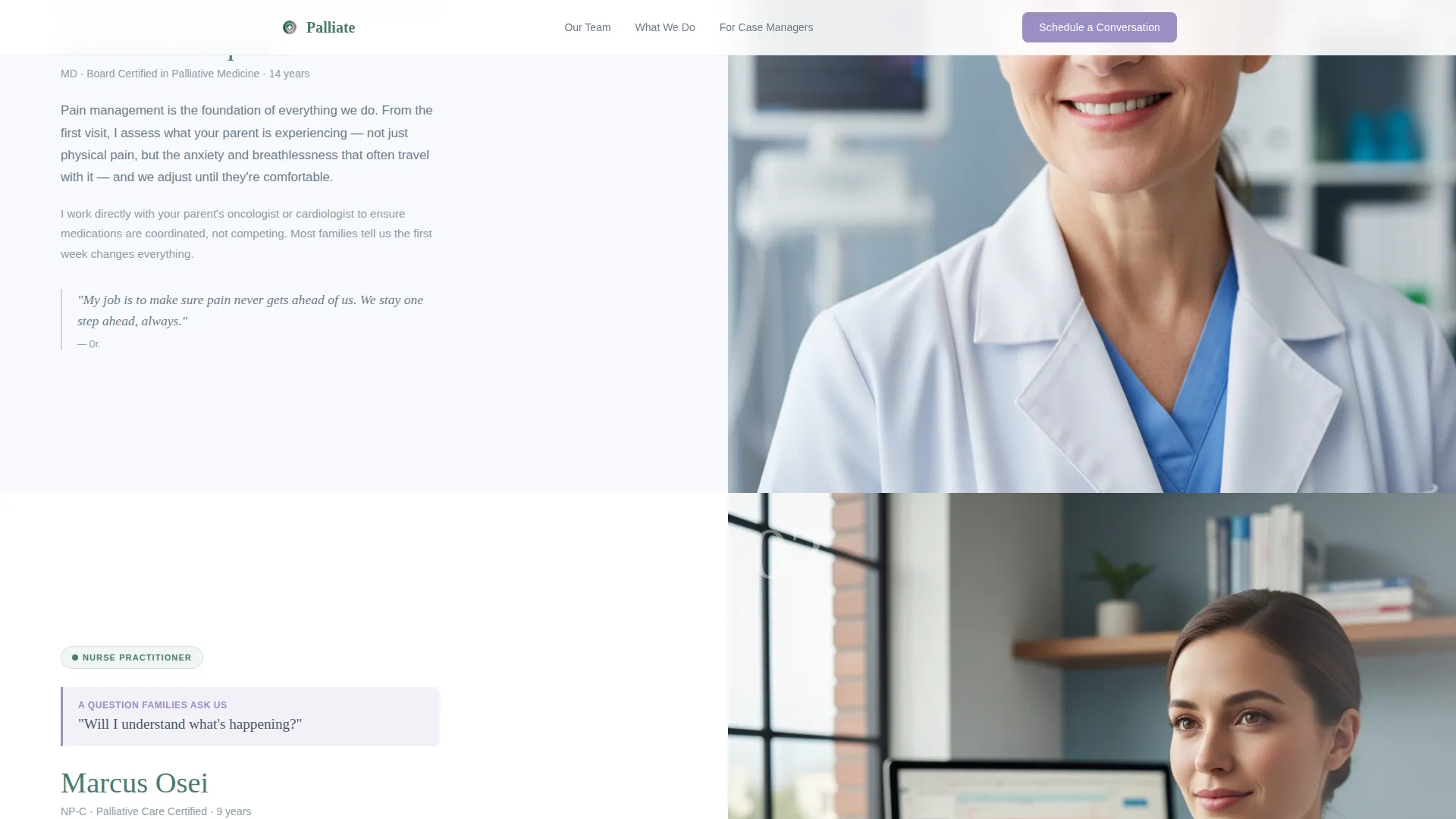
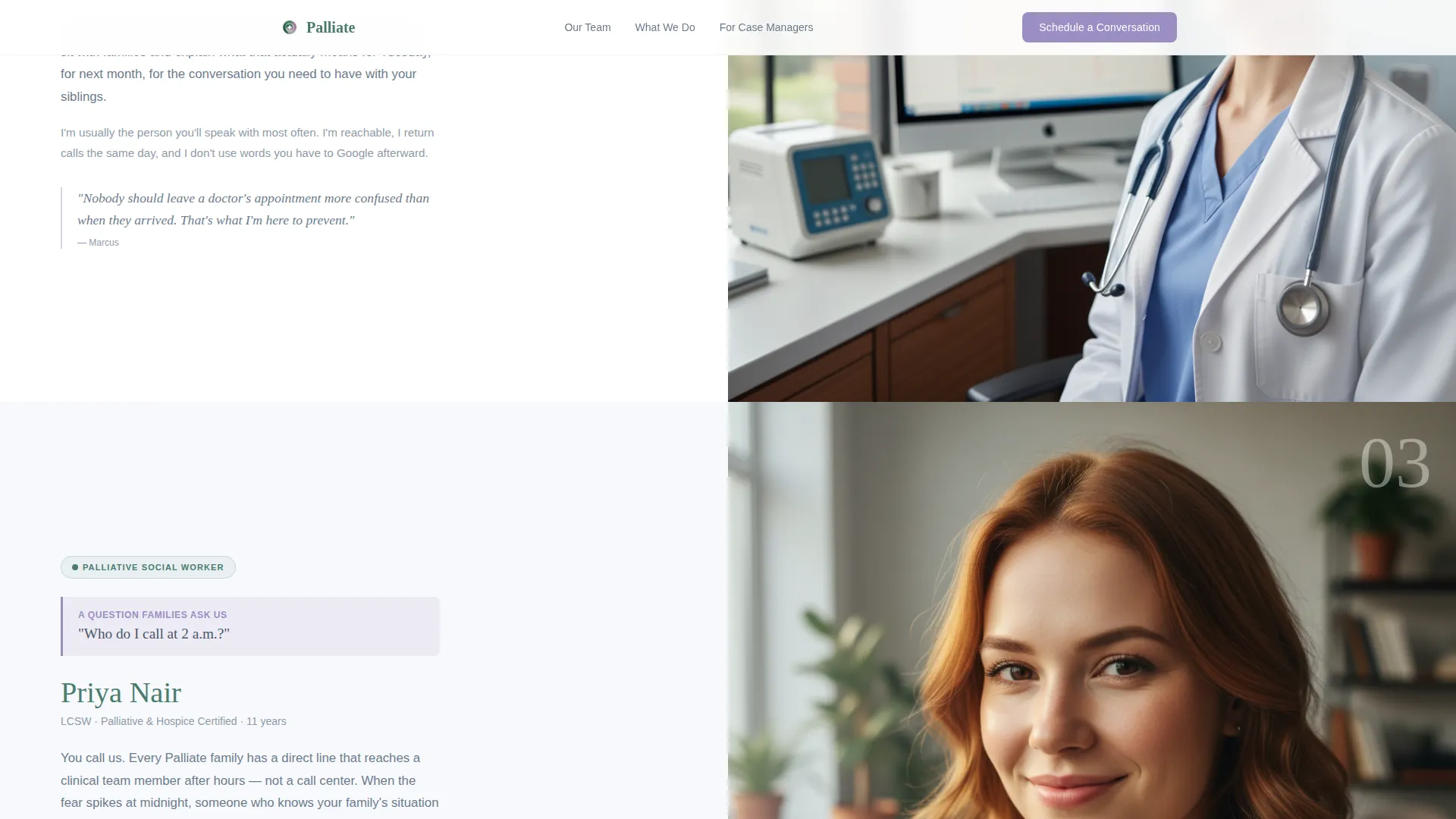
Four specialist panels follow the hero, each filling its own full-width split-screen frame. Physician, nurse practitioner, social worker, and chaplain each answer one specific family fear. Portraits and role descriptions alternate sides as the visitor scrolls, keeping the experience visually dynamic and calm at the same time.
Three-Field Scheduling Form
The booking form asks only three things: the patient's first name, the caller's relationship to the patient via a dropdown, and a preferred day for a 20-minute phone call via a date picker. No time slots are shown. The team calls when promised, reducing decision fatigue for the visitor.
Secondary Family Guide Download
Below the scheduling form, a secondary path reads "Not ready to talk yet? Download our family guide." It uses a single email-only field. This gives visitors who are not ready to book a low-commitment way to stay connected.
Alpine Fresh Color System
Snow white dominates the background to give clinical information space to breathe. Pine green anchors headers and specialist names. Stone-path gray carries body text without visual heaviness. Alpine wildflower lilac is reserved exclusively for interactive elements and scheduling buttons, so the eye always knows where to act.
Gentle Scroll Animations
The template includes low-to-medium animation: gentle fade-ins for expert panels and subtle parallax movement on portrait images. Motion is intentionally restrained so the page never feels pressured or clinical. Hover states on form elements and buttons complete the interactive layer.
Page sections overview
| Section | Purpose |
|---|---|
| Hero Split Screen | Introduces lead physician and primary scheduling call to action |
| Expert Panel: Physician | Addresses fear of pain through Dr. Elena Vasquez |
| Expert Panel: Nurse Practitioner | Answers "Will I understand what's happening?" via Marcus Osei |
| Expert Panel: Social Worker | Covers after-hours support through Priya Nair |
| Expert Panel: Chaplain | Clarifies that treatment can continue, answered by James Whitfield |
| Scheduling Form | Captures name, relationship, and preferred call date |
| Family Guide Download | Offers email-only secondary path for undecided visitors |
| Footer | Single-row linear layout with essential links |
Design & branding system
The visual identity follows a Medical Clarity theme. Every design decision reinforces calm, competence, and unhurried warmth, the emotional register that families in crisis need before they can trust a care team.
- Typography pairs Fraunces serif headlines for warmth and trust with DM Sans body text for clinical readability
- The Alpine Fresh palette uses snow white (#F7F9FC) as the dominant background, pine green (#4A7C6F) for authority, stone-path gray (#6B7B8D) for body copy, and lilac (#9B8EC4) strictly for interactive calls to action
- Portrait photography direction calls for open white coats, soft sweaters, direct eye contact, and softly blurred clinical backgrounds, competent without feeling sterile
Mobile & speed optimization
The template is built desktop-first to serve family members researching on laptops late at night. It is fully responsive so the experience holds across all screen sizes.
- Split-screen panels reflow gracefully on smaller screens, stacking portrait and text vertically without losing hierarchy
- Server Components handle static expert panels, keeping the initial page load fast even with multiple portrait images
- Animation is kept low-to-medium and scroll-triggered, so the page never lags or feels heavy on mid-range devices
How this template helps you convert
The page earns the booking by systematically reducing anxiety before asking for any commitment. The conversion architecture is deliberate and sequential.
- The hero section establishes immediate emotional safety with a calm headline and a physician portrait, then offers the scheduling button before the visitor has had to scroll at all
- Each expert panel dismantles one specific fear in plain language, so by the time the visitor reaches the form they feel held by a team rather than approached by a company
- The three-field form minimizes friction to a near-zero decision, name, relationship, and a preferred day, while the family guide download catches visitors who need more time before committing
Other information about this template
This template is categorized under Health and Medical, specifically the Home Health and Hospice subcategory, with a niche focus on palliative care services. A few additional details worth knowing before you customize it.
- The layout supports both business-to-consumer and business-to-business use cases, making it suitable for direct family outreach and hospital case manager referral programs simultaneously
- The footer uses a linear single-row pattern, keeping the page end clean and uncluttered
- All placeholder specialist names, role titles, and panel copy are included as editable starting points, not locked content
- The template is localized for English (United States) with standard date formatting built into the date picker field
Theme
Medical Clarity
Creative direction
Expert Panel
Color system
Alpine Fresh
Style
Split Screen (50/50)
Direction
Booking/Scheduling
Page Sections
Portrait-centered Hero Split Screen
Scroll-driven Expert Panel Sections
Minimal Three-field Booking Form
Secondary Family Guide Download
Alpine Fresh Color System
Restrained Scroll Animations
Related questions
Can I customize the specialist names and portrait images?
Does the scheduling form connect to a calendar or booking system?
Is this template suitable for a hospital-based palliative care program?
Can I use this template if my team has fewer than four specialists?
What if I do not have a family guide ready for the download section?



