Court Reporter FAQ Landing Page Template
Transcript is a court reporter landing page template built for legal professionals who need answers fast. It uses a split-screen FAQ layout to address scheduling, pricing, and delivery timelines before a visitor even thinks to call. The charcoal and amber design signals quiet authority, while dual conversion paths capture both ready-to-book clients and those still comparing options.
by Rocket studio
Quick summary
Transcript is a single-page landing page template designed for court reporting firms. It pairs a FAQ-driven split-screen layout with a lead generation focus, giving attorneys, paralegals, and litigation support managers clear answers on scheduling, turnaround times, and pricing in one organized, visually authoritative page.
Who this template is for
This template serves court reporters and court reporting firms that market directly to legal professionals. It is built for practices that handle a high volume of inbound inquiries and want to reduce repetitive phone calls by answering common questions upfront.
- Solo practitioners juggling multiple depositions in a single week
- Large-firm litigation teams coordinating multi-day proceedings across jurisdictions
- Insurance adjusters and litigation support managers who need certified transcript copies for arbitration
What problem this template solves
Legal professionals booking a court reporter rarely have time to hunt for basic information. When a page fails to answer scheduling, pricing, and delivery questions immediately, visitors leave and call a competitor. This template eliminates that friction by presenting every standard question with its answer already on the page.
- Visitors cannot find turnaround times, coverage areas, or pricing without calling the office
- Busy attorneys distrust pages that look unorganized or feel like a brochure rather than a resource
- Firms lose qualified leads because there is no clear path to book a reporter or download a rate sheet
What you get with this template
The template delivers a complete, single-page layout structured around a logical FAQ progression. Every design and copy decision mirrors the workflow of a legal professional, from the first scroll to the final form submission.
- A full split-screen landing page with question and answer panels, a persistent header call-to-action, and a full-width booking form
- Two conversion paths: a primary "Schedule a Reporter" button and a secondary gated "Download Our Rate Sheet" PDF offer
- A color-coded visual system, a four-field scheduling form, and a structured FAQ sequence covering logistics, trust, and action topics
Feature list
This template includes purpose-built components drawn directly from the brief. Each one supports the goal of turning a legal professional's visit into a confirmed booking.
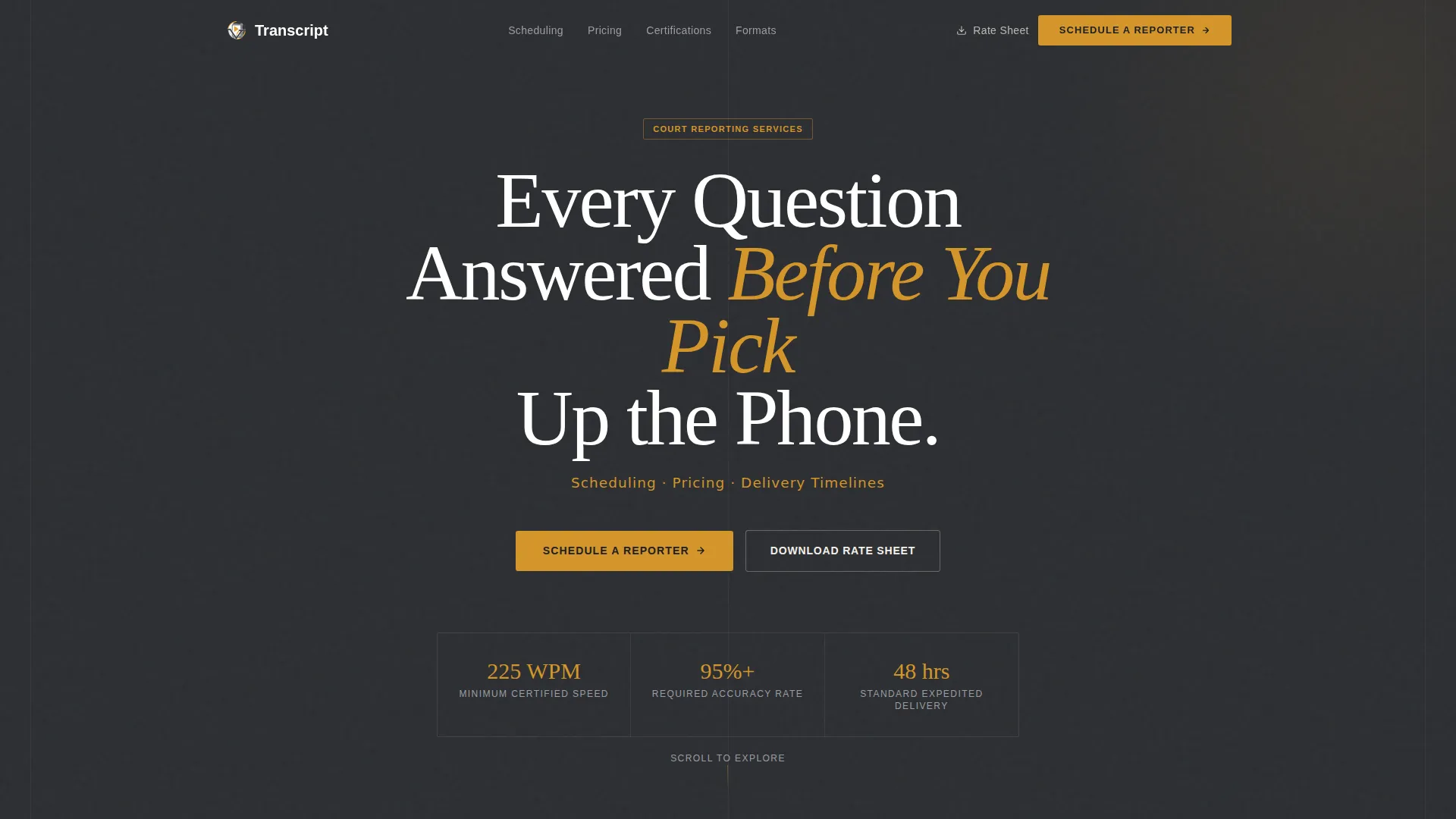
Giant Headline Header Block
The header opens with a stark white centered headline on deep charcoal, immediately stating what the page delivers. A single line of amber subtext names the three priorities visitors arrive with: scheduling, pricing, and delivery timelines. No imagery competes with the message.
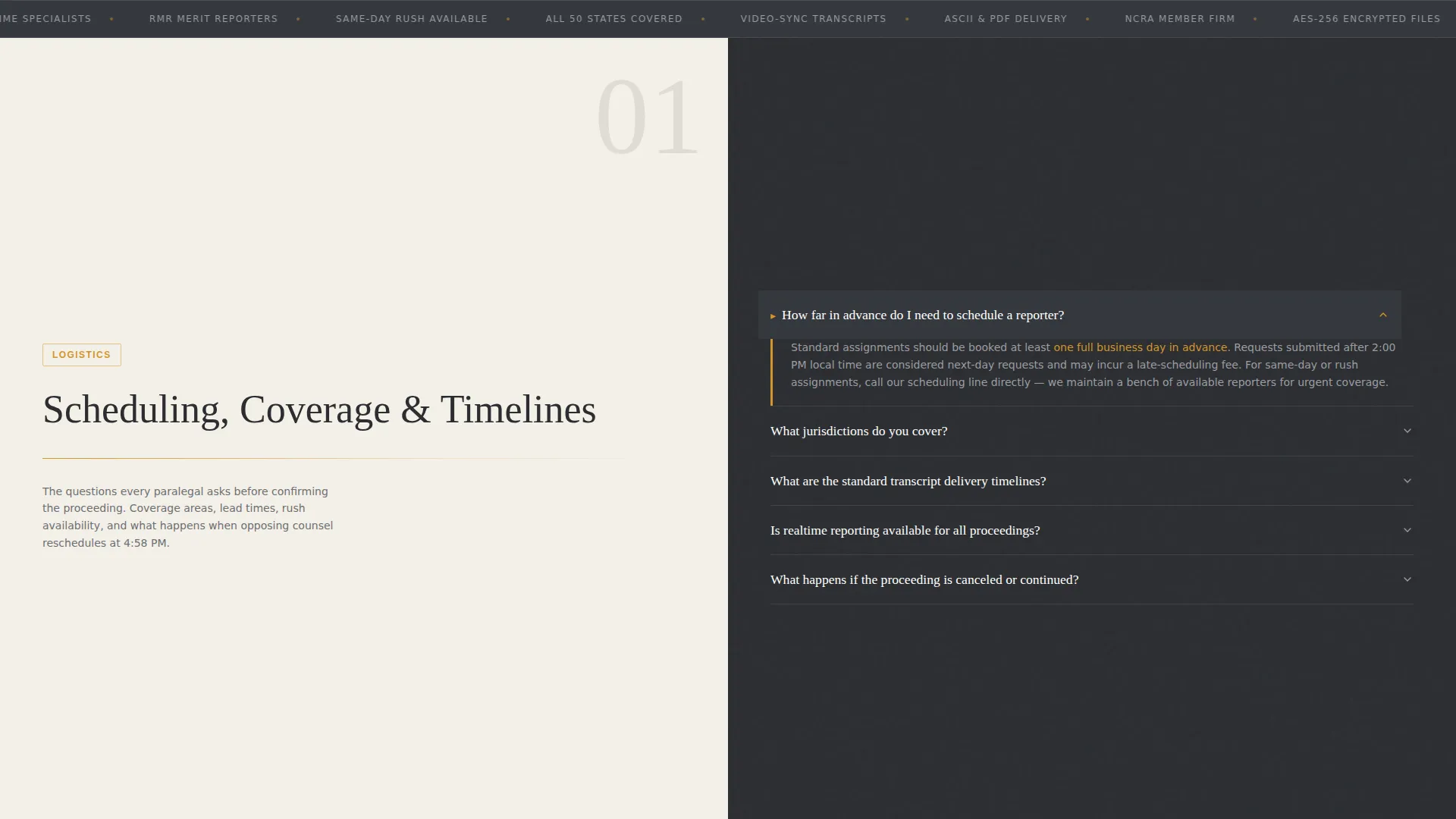
Split-Screen FAQ Layout
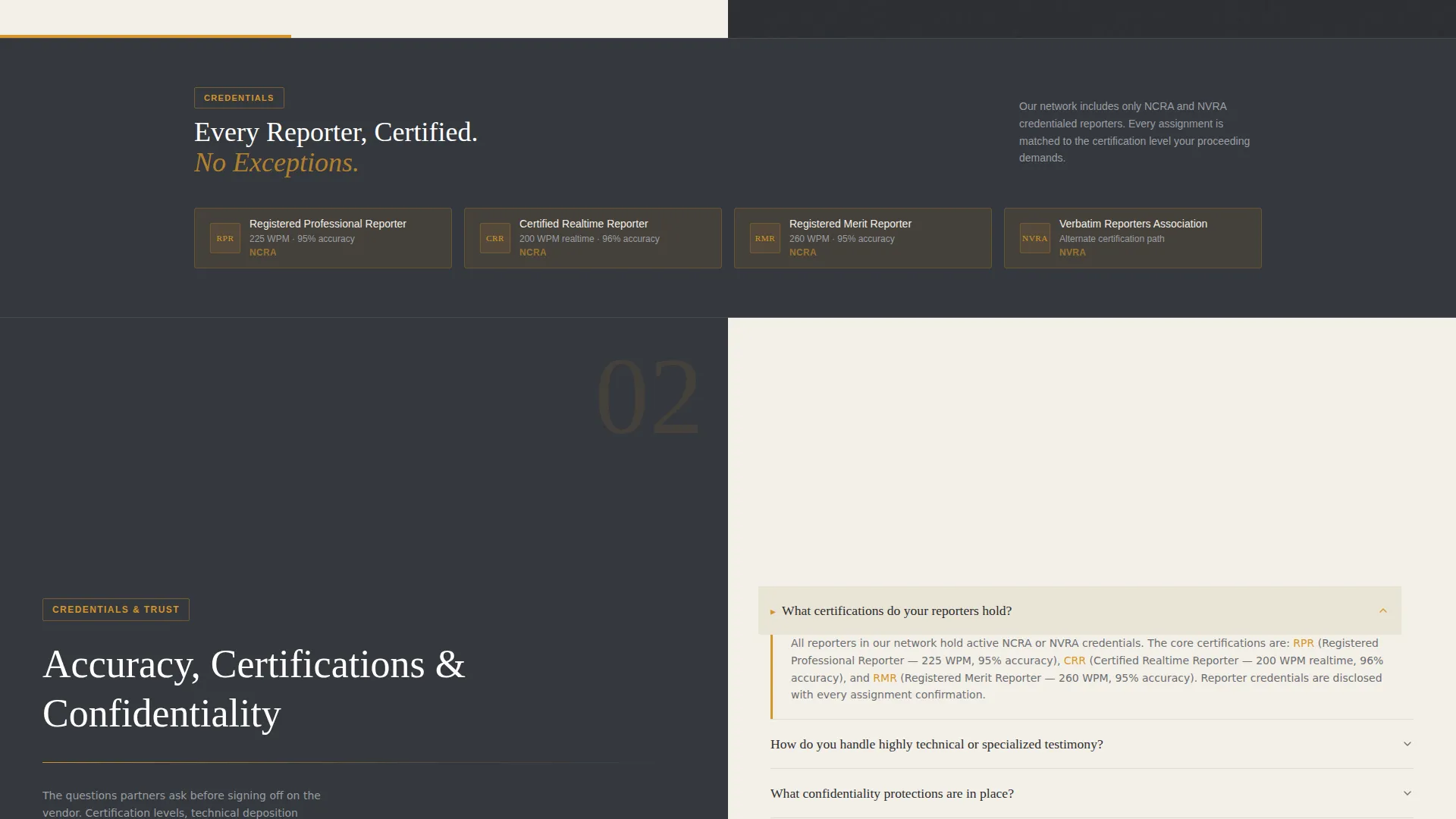
The core of the page unfolds as a series of paired panels. Each question is pinned on the left in large serif type against a parchment background. The answer appears on the right against charcoal, accented with amber lines. The rhythm progresses from logistical questions to trust questions to action questions.
Persistent Navigation Call-to-Action
An amber "Schedule a Reporter" button lives in the top navigation bar throughout the entire scroll. Visitors can initiate a booking at any point without scrolling back to the top.
Four-Field Scheduling Form
After the final FAQ cluster, a full-width form asks for deposition date, location with zip-code autofill, estimated duration, and whether a realtime feed is needed. These four fields reflect exactly what a coordinator already has ready before they reach out.
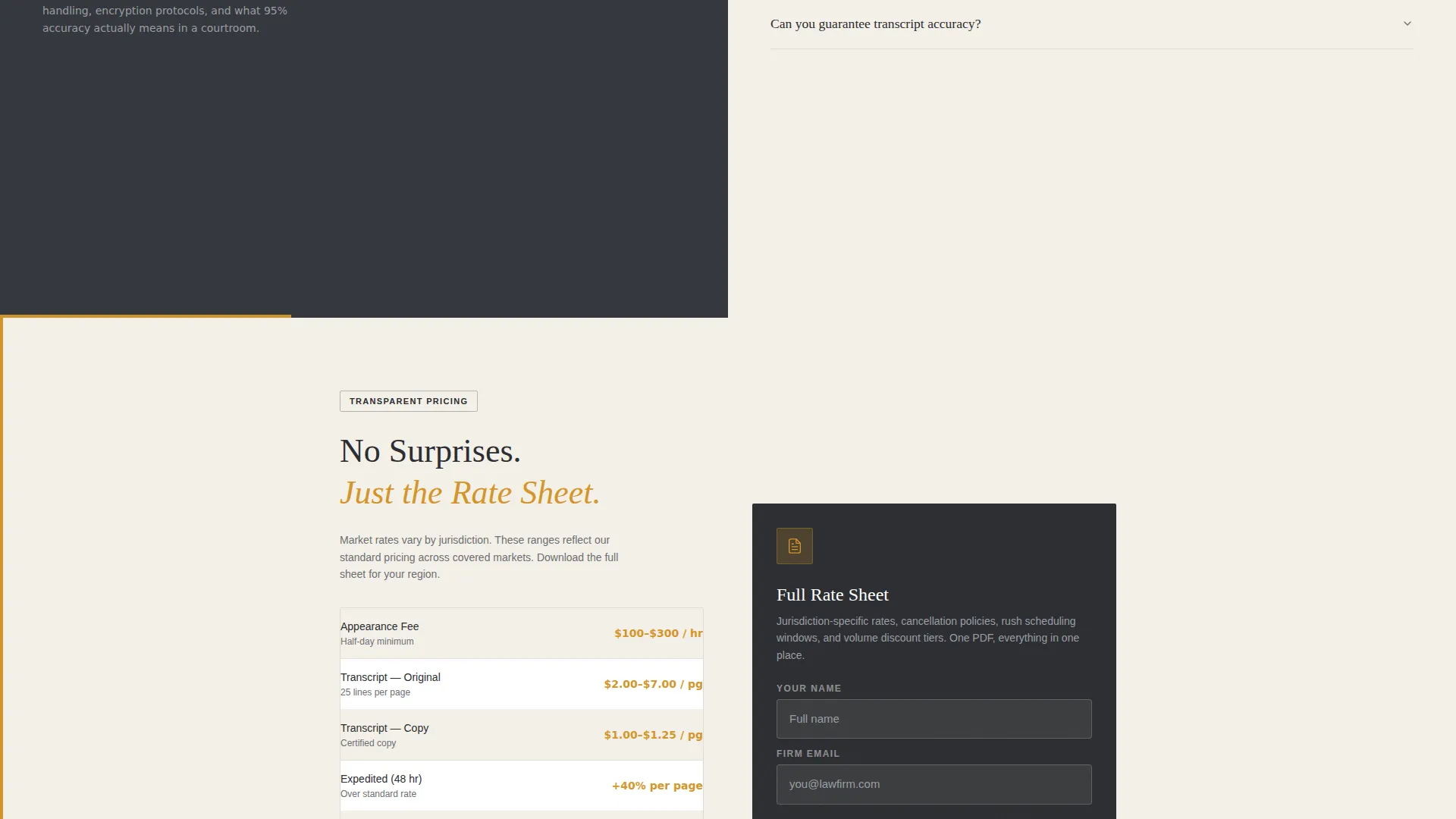
Gated Rate Sheet Download
A secondary conversion path offers a downloadable rate sheet PDF. Visitors still comparing firms can submit their name and firm email address to receive the document, capturing a qualified lead without requiring an immediate booking commitment.
FAQ Accordion with Amber Markers
Each FAQ section uses active accordion markers styled in amber to indicate open and closed states. This keeps the page visually clean while making it easy for visitors to navigate directly to the question most relevant to their situation.
Page sections overview
| Section | Purpose |
|---|---|
| Centered Header Block | Establishes authority and names core visitor priorities |
| Logistics FAQ Panel | Answers turnaround, coverage, and realtime availability questions |
| Trust FAQ Panel | Covers certifications, accuracy, and confidentiality protocols |
| Action FAQ Panel | Addresses rush scheduling, volume discounts, and transcript formats |
| Booking Form Section | Captures scheduling details via a four-field full-width form |
| Rate Sheet Download | Offers a gated PDF for visitors still in the comparison stage |
Design & branding system
The visual identity follows a Service Utility theme. The palette is deliberately restrained, evoking the feel of a legal pad under a brass desk lamp at the end of a working day: warm enough to be human, serious enough to handle sworn testimony.
- Deep charcoal (#2B2D31) for primary backgrounds, warm amber (#D4952A) for highlights, call-to-action buttons, and active FAQ accordion markers
- Soft parchment (#F4F0E8) for content panels and alternating answer blocks, with muted graphite (#6B6E73) for body text
- Large serif typography for FAQ questions on parchment panels, stark white headline type on charcoal for the header, and no illustrations or decorative imagery anywhere on the page
Mobile & speed optimization
The split-screen layout is designed to translate clearly across screen sizes. On smaller viewports, the 50/50 panel structure reflows so that questions and answers remain readable without horizontal scrolling.
- Each FAQ panel stacks vertically on mobile, keeping the question above its answer for a natural reading order
- The persistent amber navigation button remains visible and tappable throughout the scroll on all device sizes
- The four-field booking form is designed for straightforward input on both desktop and mobile viewports
How this template helps you convert
The page is structured to move visitors through a deliberate sequence, from curiosity to confidence to action. Each layer of the FAQ progression deepens the visitor's trust before presenting a conversion moment.
- The FAQ sequence builds commitment in three stages: logistics first, then trust signals, then direct action prompts, so visitors feel informed rather than sold to by the time they reach the booking form.
- Two distinct conversion paths serve visitors at different stages. Ready-to-book clients go straight to the scheduling form, while comparison-stage visitors take the rate sheet download path, capturing a firm email for follow-up.
Other information about this template
This template is categorized under Professional Services, specifically within the Court Reporter Online Presence subcategory. It is designed for the Court Reporter FAQ and Resource Page niche and scores a strong intersection match across all five design and direction attributes in its category.
- Template style: Split Screen (50/50) with a Service Utility theme and FAQ-Driven creative direction
- The header concept is Giant Headline Centered, and the landing page direction is Lead Generation
- The Charcoal and Amber color system is applied consistently across backgrounds, interactive elements, typography, and form components throughout the page
Theme
Service Utility
Creative direction
FAQ-Driven
Color system
Charcoal & Amber
Style
Split Screen (50/50)
Direction
Lead Generation
Page Sections
Split-screen FAQ Layout
Giant Headline Header Block
Persistent Navigation Call to Action Button
Four-field Scheduling Form
Gated Rate Sheet Download
Amber Accordion FAQ Markers
Related questions
What type of legal professional is this template designed for?
How does the split-screen layout work in this template?
Can this template capture leads at two different stages of the buying decision?
What fields does the scheduling form include?
Does this template require images or illustrations to work visually?



