Nonprofit Digital Transformation Consulting Landing Page
Transform is a single-page landing page template built for nonprofit digital transformation consultancies. It combines an animated data-chaos header, a comparison-table-driven scroll, and interwoven executive testimonials to build trust with senior nonprofit leaders. Two conversion paths capture both ready buyers and self-diagnosing prospects, making it purpose-built for high-stakes B2B consulting engagements.
by Rocket studio
Quick summary
Transform is a comparison-table landing page template designed for consultancies that help nonprofits unify their data infrastructure. The layout guides executive-level prospects from recognizing operational chaos to booking a systems assessment. Every section earns its place through editorial restraint, specific proof points, and two precisely calibrated conversion paths.
Who this template is for
This template is built for consulting firms that serve senior nonprofit leadership. If your clients are executive directors, development directors, or board chairs managing complex organizational data, this page speaks their language directly.
- Nonprofit digital transformation consultancies targeting organizations with budgets from $1 million to $50 million or more
- Consulting practices that help clients migrate donor data, consolidate siloed program records, or replace legacy customer relationship management systems
- Advisors who sell through credibility and proof rather than promotional language
What problem this template solves
Most consulting landing pages either bury the value proposition or oversell with vague promises. Nonprofit leaders are skeptical buyers who have already lived through failed implementations. This template addresses that skepticism head-on.
- Prospects arrive with high pain but low trust, so the page leads with recognizable chaos before presenting the solution
- Generic service pages fail to articulate the operational cost of inaction, leaving prospects unconvinced
- Two-path conversion captures leaders who are ready to book and those who need more time to self-qualify
What you get with this template
You get a complete, single-page layout structured around progressive proof-building. The page moves from emotional recognition to rational evidence to a clear next step.
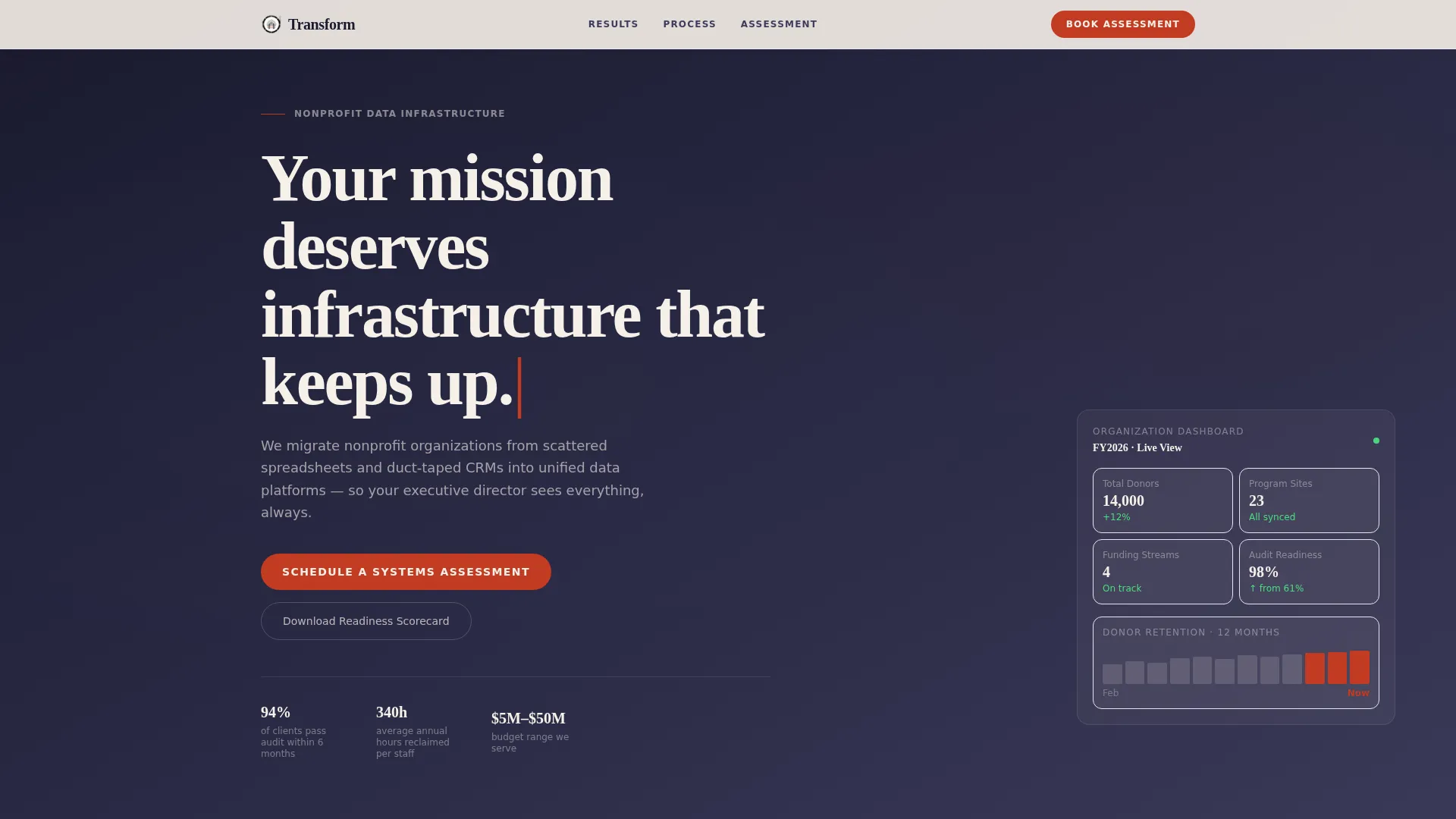
- An animated header sequence that visualizes data fragmentation before resolving into a unified dashboard
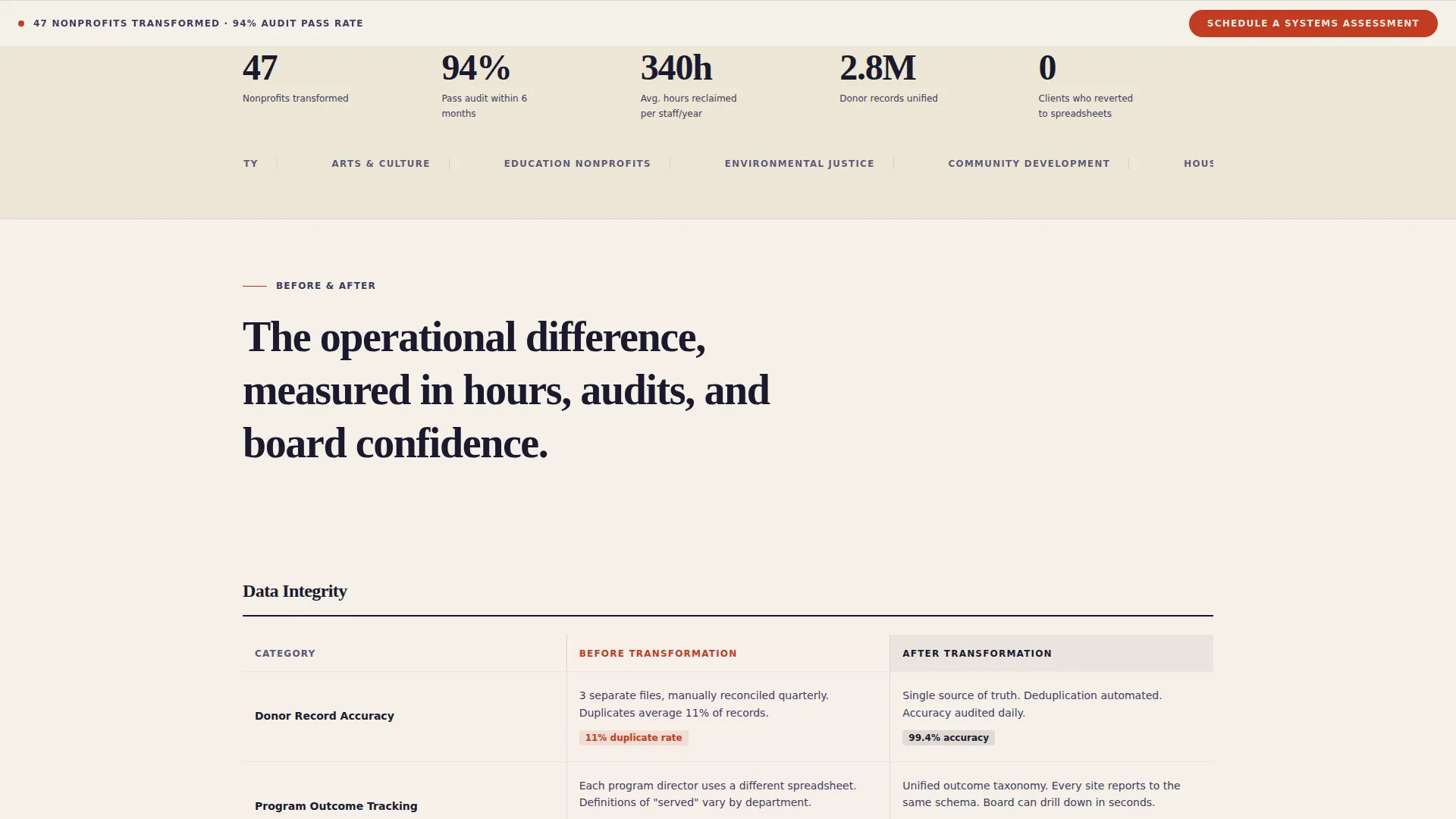
- A scrollable comparison table series contrasting before-and-after states across data integrity, reporting speed, staff hours, and audit readiness
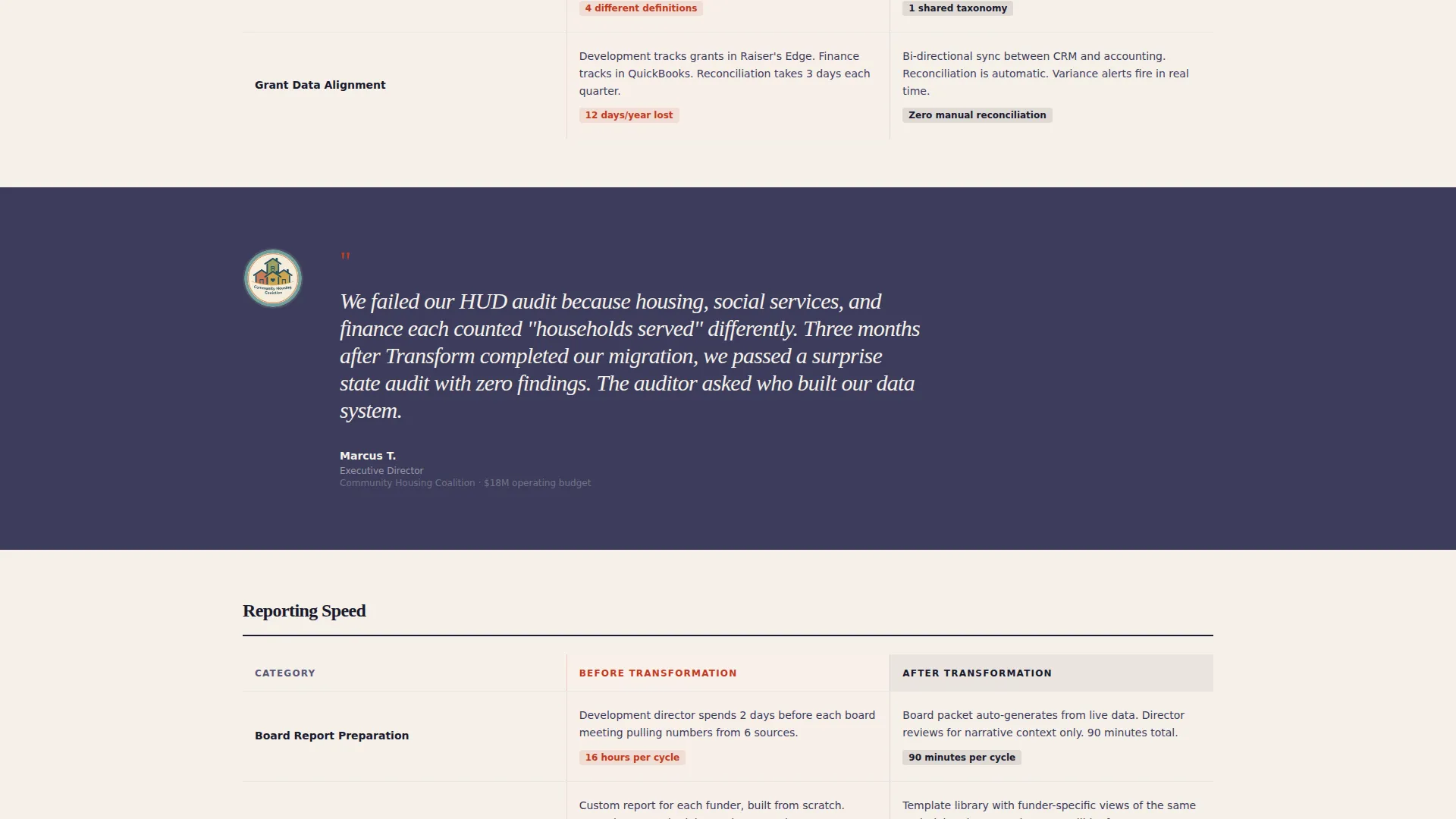
- A testimonial mosaic system that weaves seven or more executive quotes between table sections to build cumulative credibility
- A sticky bottom-bar primary call to action and a secondary gated download path for the digital readiness scorecard
Feature list
This section covers the core built-in capabilities that make the Transform template function as a high-converting B2B consulting page.
Animated Data Chaos Header
The header opens with scattered data points drifting across the viewport in mismatched fonts, sizes, and colors. Over four seconds, they snap into a clean dashboard visualization. A self-typing headline appears beneath, anchoring the emotional premise of the page immediately.
Comparison Table Architecture
Multiple before-and-after comparison tables are structured across the scroll. Each table contrasts states across categories including data integrity, reporting speed, manual entry hours, and audit readiness. The tables do the persuading so the copy does not have to.
Testimonial Mosaic Layout
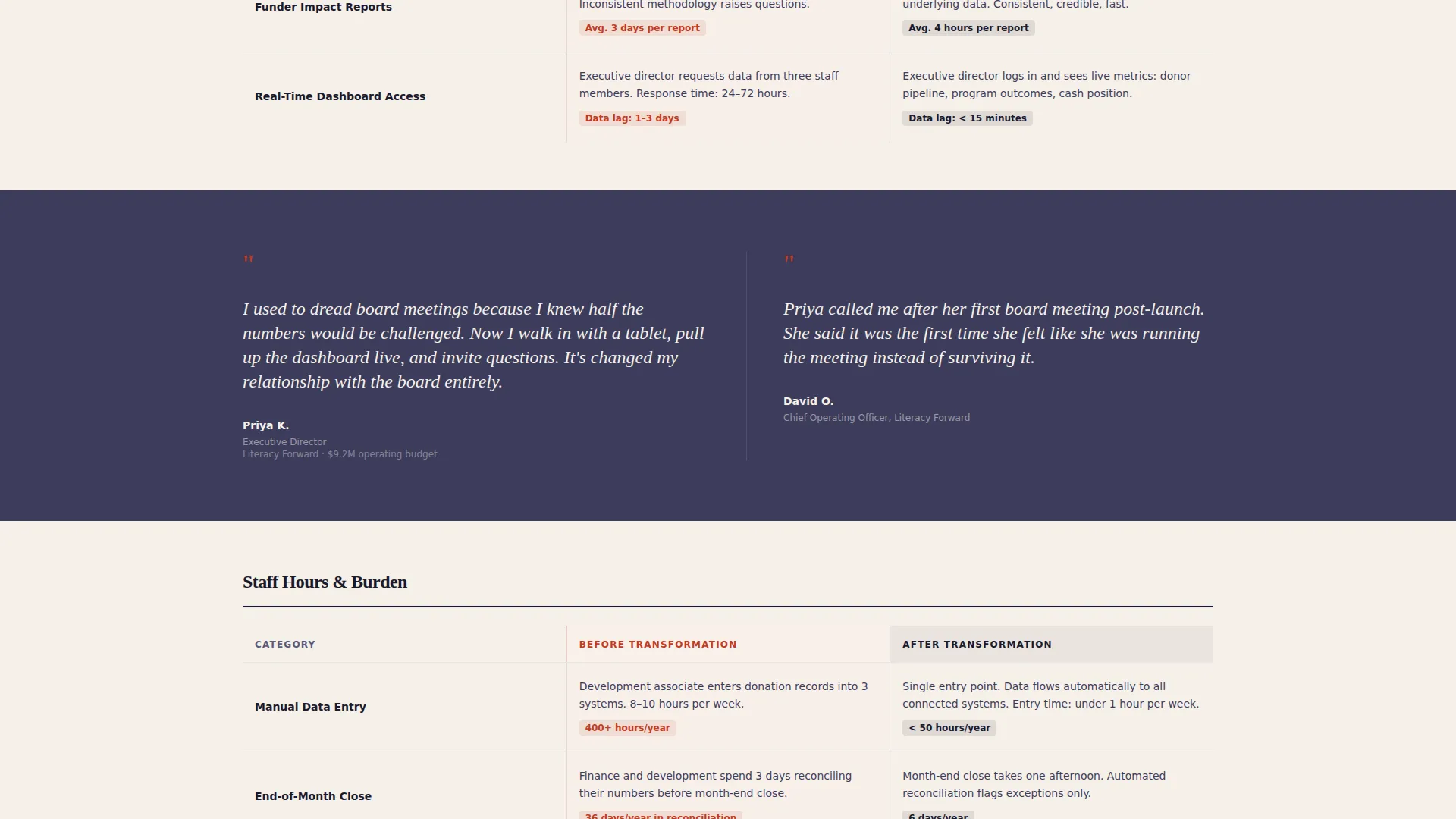
Executive quotes from nonprofit leaders are woven between every table section. Layouts alternate between left-aligned portraits, centered monumental quotes, and paired CEO and COO voices from the same organization. Seven or more voices build from anecdote to industry consensus.
Sticky Primary Call to Action
After the first scroll, a bottom-of-viewport bar locks into place. It displays the "Schedule a Systems Assessment" button in decision-red against archival cream. The bar stays visible throughout the rest of the page without obscuring content.
Two-Path Conversion System
The primary path captures high-intent leads through a short form collecting organization name, annual budget range, primary pain points via multi-select, and preferred meeting window. The secondary path offers a downloadable digital readiness scorecard gated behind only an email address and organization name.
Ink and Paper Visual System
The color palette uses deep manuscript black, warm archival cream, institutional charcoal, and decision-red reserved exclusively for calls to action and critical data points. Typography and spacing reflect the weight and authority of a formal board packet.
Page sections overview
| Section | Purpose |
|---|---|
| Animated Data Header | Opens with chaos-to-clarity animation and self-typing headline |
| Primary Headline Block | Establishes mission-infrastructure value proposition |
| Comparison Table One | Contrasts data integrity before and after transformation |
| Testimonial Quote Block | Introduces first executive voice to anchor credibility |
| Comparison Table Two | Contrasts reporting speed and manual staff hours |
| Testimonial Mosaic Pair | Pairs CEO and COO quotes from one organization |
| Comparison Table Three | Contrasts audit readiness and board reporting quality |
| Cumulative Quote Wall | Presents mosaic of seven or more executive testimonials |
| Sticky call to action Bar | Locks "Schedule a Systems Assessment" to viewport bottom |
| Lead Capture Form | Collects organization details and preferred meeting window |
| Scorecard Download Gate | Secondary path gated by email and organization name only |
Design & branding system
The visual identity follows an Executive Suite editorial theme. Every design decision signals institutional authority and operational seriousness, which is exactly what nonprofit CEOs and board chairs respond to.
- Color system uses deep manuscript black (#1A1A2E), warm archival cream (#F5F0E8), institutional charcoal (#3D3D5C), and decision-red (#C23B22) reserved only for calls to action and critical data points
- Typography and spacing evoke the weight of a formal board packet, using restraint over decoration to signal respect for the reader's time
- Full-bleed charcoal backgrounds behind testimonial sections create visual separation and give executive quotes the prominence they deserve
Mobile & speed optimization
The single-column flow layout makes the page straightforward to adapt across screen sizes. The design prioritizes content hierarchy so nothing critical is buried on smaller viewports.
- The sticky call-to-action bar is designed to remain functional and visible on mobile without overlapping key content
- The single-column template style means table layouts and testimonial blocks stack cleanly without requiring complex responsive overrides
How this template helps you convert
The page is built around the principle that transformation should feel like an operational inevitability, not a sales pitch. Each section advances the prospect's conviction before asking for anything.
- The animated header creates immediate emotional recognition, showing prospects their own fragmented reality before the solution is introduced, which lowers resistance before a single claim is made.
- The comparison table and testimonial mosaic sequence builds layered proof, moving from one executive voice to a pattern of three and then to what reads as an industry consensus by the end of the scroll.
- The two-path conversion system meets prospects exactly where they are, capturing ready buyers through the assessment form while nurturing earlier-stage leaders through the self-diagnostic scorecard download.
Other information about this template
This template is categorized under Professional Services and Nonprofit Consulting. It is built as a single-page lead generation layout and is well-suited for consultancies working with organizations navigating data consolidation challenges.
- The template style follows a single-column flow, making it straightforward to customize for different consulting firm voices and client segments
- The digital readiness scorecard secondary conversion path is particularly useful for longer nonprofit sales cycles, where trust must be built before a discovery call is requested
- Specific data points visible in the header animation, such as 14,000 donor records, 23 program sites, and 4 funding streams, are illustrative and can be updated to reflect your consultancy's real client results
- The template supports common nonprofit consulting positioning around topics such as customer relationship management migration, program data unification, grant tracking, and board-level impact reporting
Theme
Editorial Magazine
Creative direction
Team & People
Color system
Monochrome Steel
Style
Single Column Flow
Direction
Lead Generation
Page Sections
Animated Data Chaos Header
Before and After Comparison Tables
Testimonial Mosaic System
Sticky Assessment Call to Action
Two-path Conversion System
Ink and Paper Visual Identity
Related questions
Who is this landing page template designed for?
Can I customize the comparison table categories?
How does the two-path conversion system work?
Is this template suitable for consultancies working with larger nonprofits?
What makes the testimonial mosaic different from a standard quote section?



