Rodent & Wildlife Removal Website Template
Trapline is a single-column booking landing page built for rodent and wildlife removal services. It combines an Engineering Blueprint visual theme with a Charcoal and Amber color system, draggable before/after job-site reveals, and a frictionless inspection booking module. The result is a page that feels like a structural report, specific, credible, and designed to turn anxious homeowners into booked inspections.
by Rocket studio
Quick summary
Trapline is a focused, single-column landing page template for rodent and wildlife removal professionals. It uses a dark charcoal and amber palette, blueprint-style typography, and scrolling before/after reveals to present real job-site transformations. The primary conversion goal is a free inspection booking, with zero price friction and a direct-call fallback for after-hours emergencies.
Who this template is for
This template is built for service businesses in the pest control and wildlife removal space. It speaks directly to the professionals who handle the jobs most homeowners cannot face alone.
- Rodent and wildlife removal contractors targeting suburban residential clients
- Property managers dealing with ongoing tenant complaints about pest activity
- Restaurant and commercial property owners facing health inspection pressure
What problem this template solves
Most pest control pages look like generic service listings. They list treatments without showing proof, and they ask visitors to trust a company they have never heard of. Trapline solves the credibility gap.
- Visitors land with urgency and anxiety; the page meets them with specific, evidence-based content
- The lack of a clear booking path on most competitor pages causes drop-off; this template fixes that with a persistent, frictionless call to action
- Generic imagery fails to build trust; the before/after reveal format shows real outcomes with blueprint-style annotations
What you get with this template
You get a complete, ready-to-customize landing page built around one conversion goal: a booked inspection. Every section is ordered to move a stressed homeowner from problem recognition to scheduled appointment.
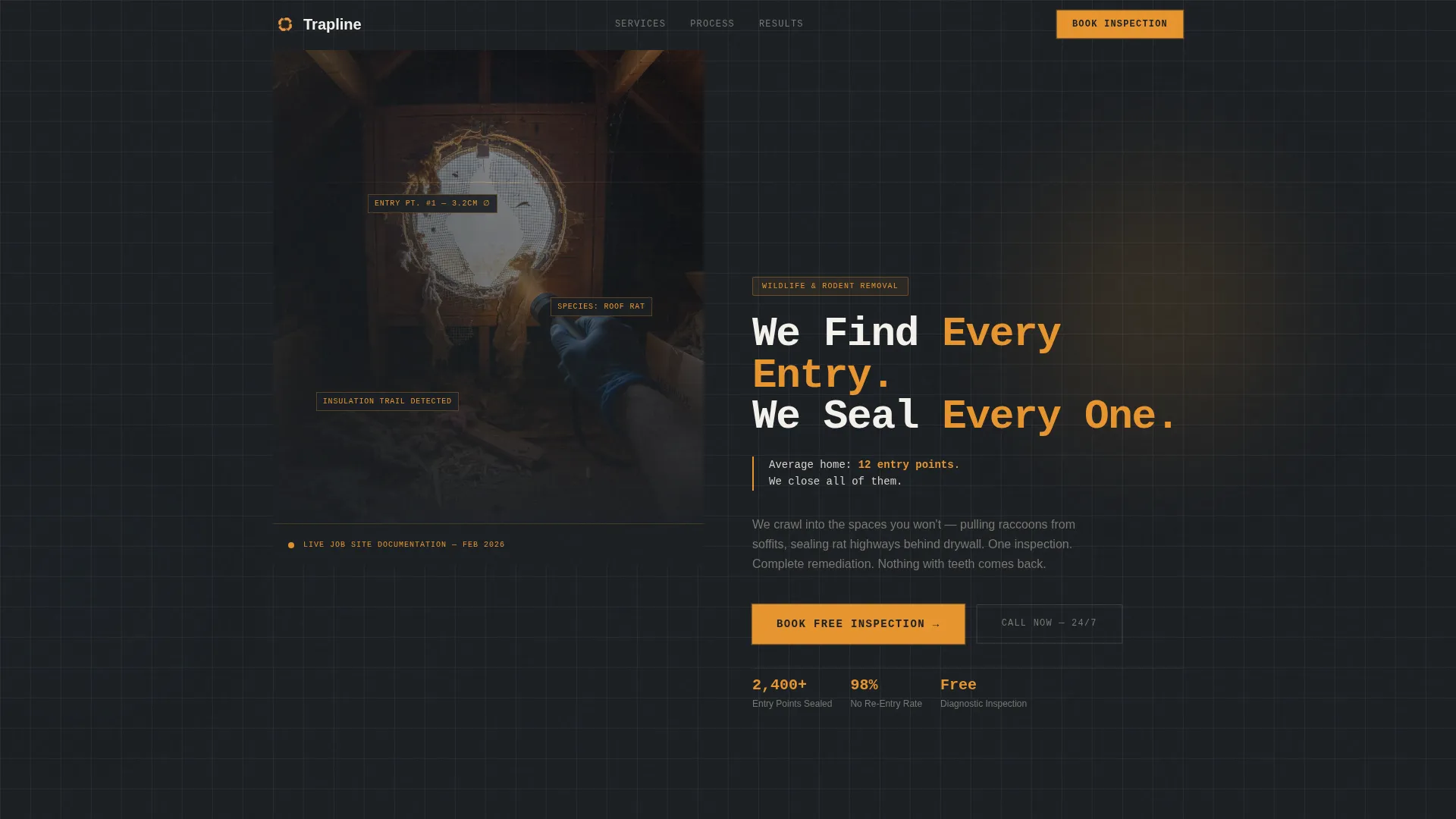
- A half-page photo and text header with a headline, a supporting statistic, and a pulsing amber call-to-action button
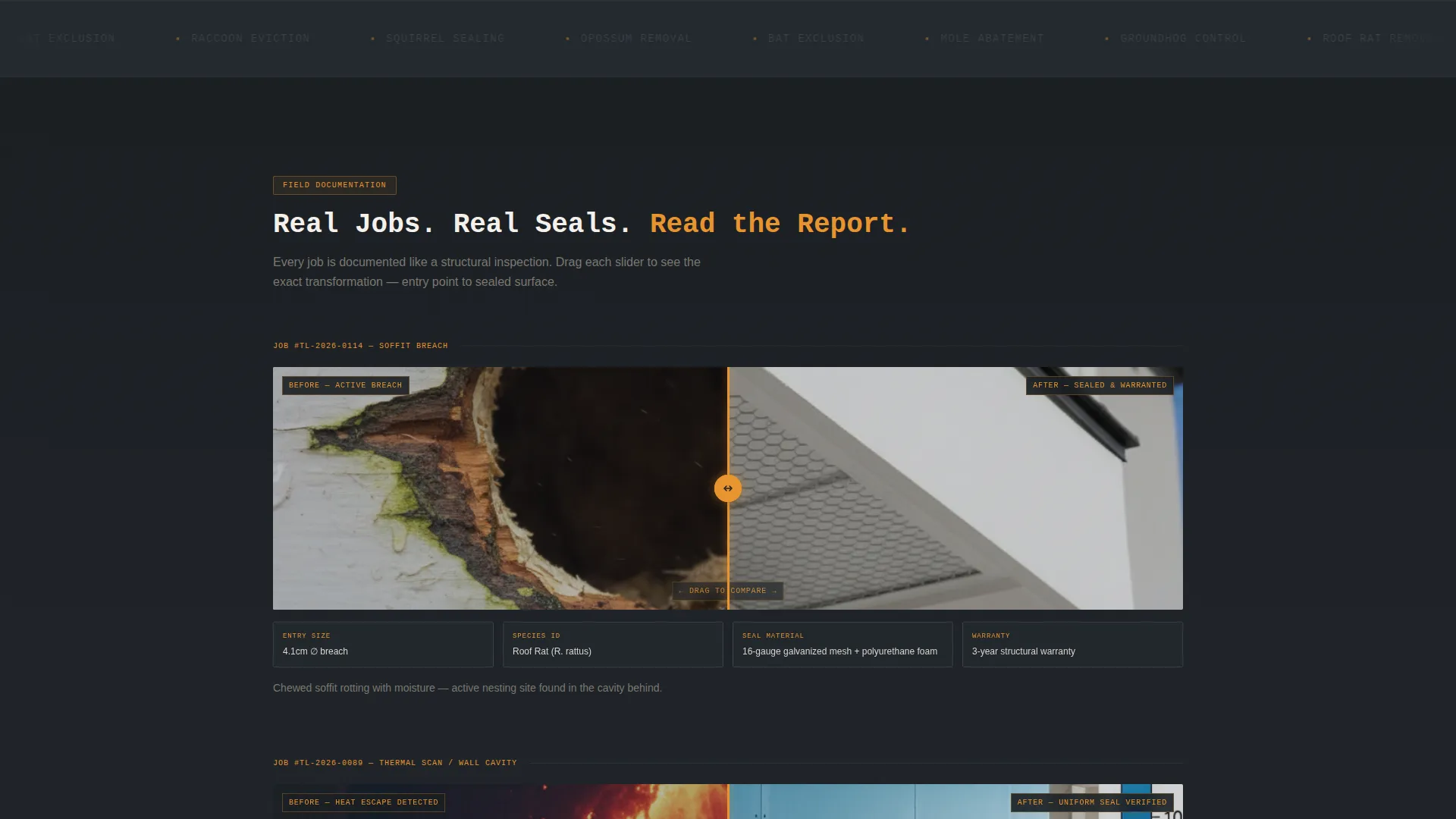
- Scrolling before/after job-site reveals with draggable sliders and annotation captions covering entry point details, species, materials, and warranty length
- A full booking module with address auto-complete, activity checkboxes, location selectors, a date-time picker, and an after-hours direct-call fallback
Feature list
This section covers the core functional and design capabilities built into the Trapline template.
Half-Page Split Header
The header uses a left-weighted photograph shot from inside an attic, looking toward a gable vent where daylight shows through chewed damage. The right side carries a monospaced headline, a single supporting stat, and a pulsing amber booking button against charcoal.
Draggable Before/After Reveals
Each scroll section presents a paired job-site transformation. A draggable slider divides the damaged state from the remediated result. Blueprint-style annotations caption each reveal with entry point diameter, species identified, materials used, and warranty length.
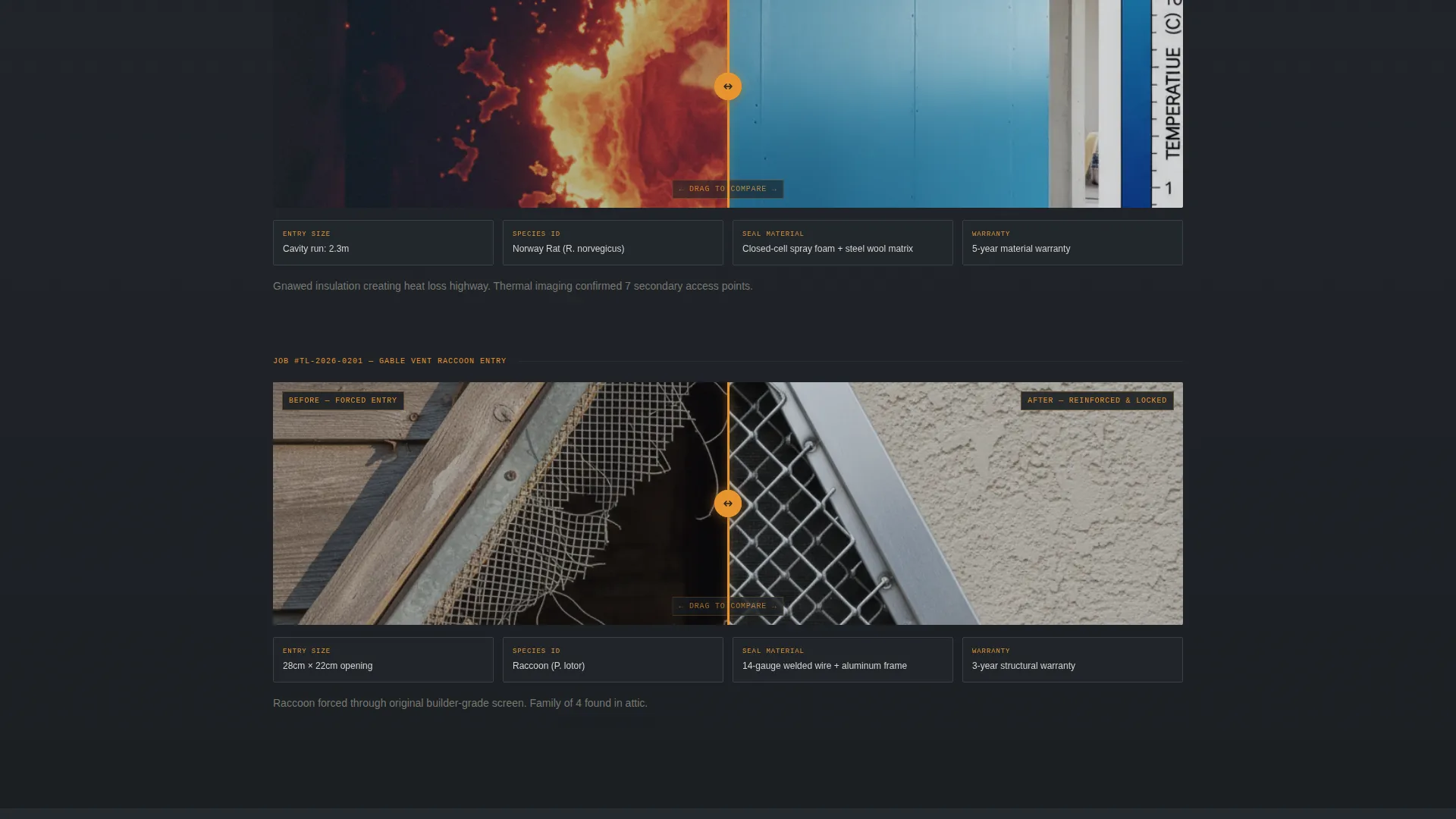
Thermal Imagery Pairing
One reveal uses thermal imaging to show heat escaping through gnawed insulation beside the same wall reading uniform after remediation. This format makes invisible damage visible and reinforces the diagnostic credibility of the service.
Frictionless Booking Module
The booking form collects service address with auto-complete, type of activity noticed via checkboxes, location within the home, and a preferred inspection window via date-time picker. No price is shown. The inspection is positioned as free and diagnostic to remove all cost friction.
Sticky Mobile Call-to-Action Bar
On mobile, the primary "Book Your Inspection" call to action locks into a sticky bottom bar. This keeps the conversion path visible at every scroll point without interrupting the reading experience.
After-Hours Emergency Path
Below the booking form, a secondary line reads "Hear Something Right Now?" and links to a direct-call tap button. This gives visitors an immediate action option for after-hours situations where waiting for a form response is not acceptable.
Page sections overview
| Section | Purpose |
|---|---|
| Attic Photo Header | Establish urgency and introduce the headline stat with primary booking call to action |
| First Before/After | Show soffit damage versus sealed repair with blueprint annotations |
| Second Before/After | Pair thermal damage image with post-remediation result |
| Third Before/After | Third job-site transformation leading into mid-page call to action repeat |
| Mid-Page call to action | Repeat booking button after third reveal to capture scrolled visitors |
| Booking Module | Collect address, activity type, home location, and inspection time preference |
| Emergency Call Path | Offer direct-call tap button for after-hours or urgent situations |
Design & branding system
The visual identity follows an Engineering Blueprint theme. The palette is built around four specific tones that each carry a distinct role across the page.
- Deep crawlspace charcoal (#1B1F23) and schematic grid gray (#3A3F47) dominate backgrounds and section dividers, keeping the atmosphere dark and focused
- Inspection-light amber (#E8952F) marks every interactive element, callout, annotation, and call-to-action button, acting as the visual flashlight across the page
- Clean drywall white (#F4F1EC) opens up testimonial areas and the booking module so the final conversion section reads like a clean, resolved space
Mobile & speed optimization
The template is designed with a mobile-first scrolling experience in mind. The single-column flow removes layout complexity on smaller screens.
- The sticky bottom call-to-action bar keeps the booking path accessible throughout the entire scroll on mobile devices
- The booking module uses tap-friendly checkboxes, an address field with auto-complete, and a date-time picker suited to touch interaction
- Section flow is linear and uninterrupted, reducing the cognitive load on visitors using phones late at night when urgency is highest
How this template helps you convert
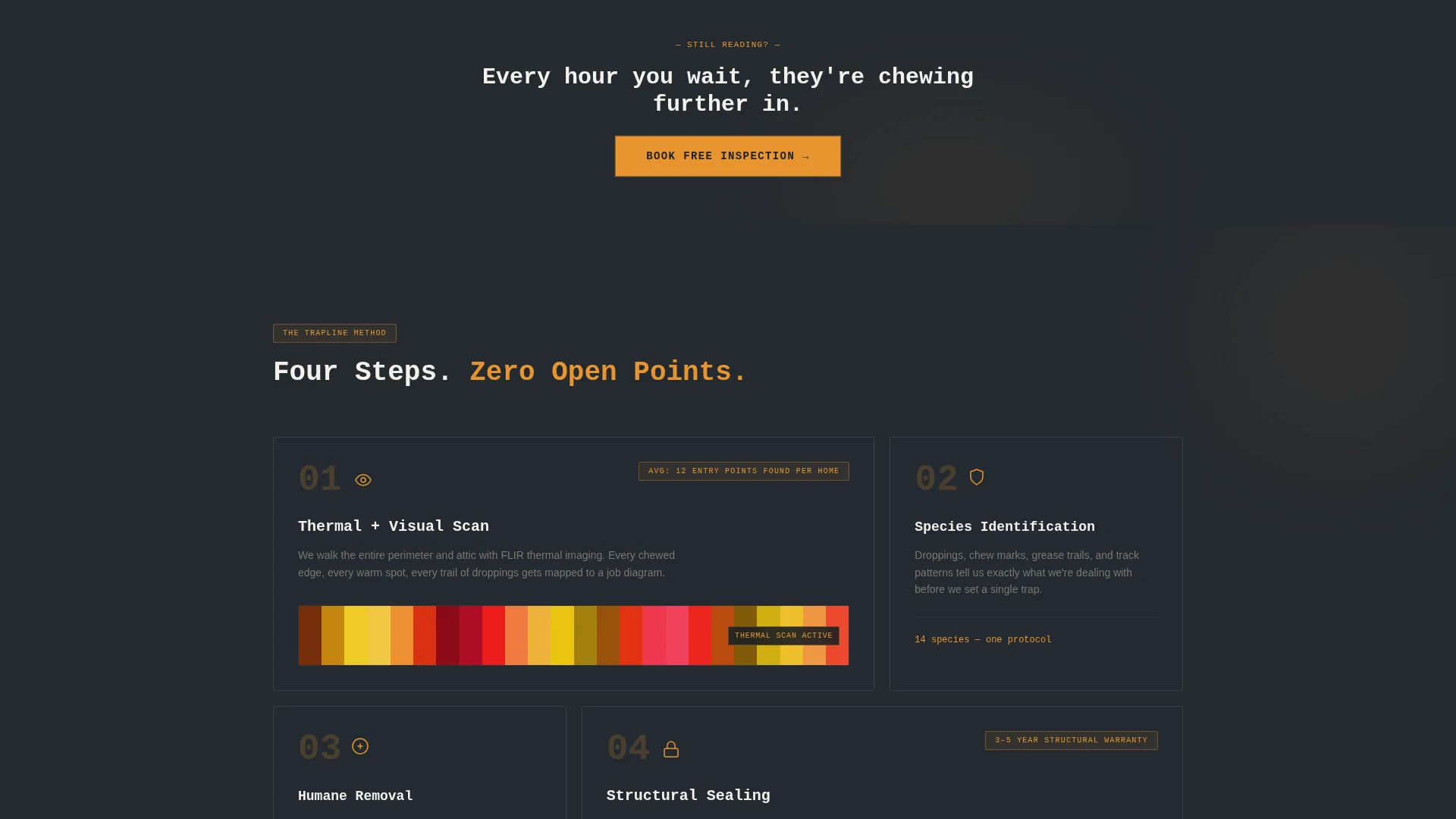
Trapline is built around one outcome: turning a stressed visitor into a booked inspection appointment. Every design and content decision supports that goal.
- The header delivers a specific, believable stat alongside the primary call to action, so visitors understand the scope of the problem and the solution within the first few seconds of landing
- The before/after reveal sequence builds progressive trust with real visual evidence, moving visitors from concern to confidence before they reach the booking form
- The booking module removes every common friction point: no price, no commitment language, simple checkboxes, and an emergency call path for visitors who cannot wait
Other information about this template
Trapline is categorized under Construction and Home, specifically within the Pest Control subcategory and the Rodent and Wildlife Removal niche. It is built as a single-column flow landing page, which means all content sits in one continuous vertical scroll without separate pages or navigation menus. The Engineering Blueprint theme and Charcoal and Amber color system are matched intersection context fields, meaning the visual design and layout direction were selected together as a coherent set.
- The template style is Single Column Flow, making it straightforward to customize section by section without disrupting overall layout
- The creative direction is Before/After Reveal, a format that works particularly well for service businesses where visible transformation is the most powerful proof
- The landing page direction is Booking and Scheduling, so the entire content hierarchy is ordered around getting a visitor to submit an inspection request or place a call
Theme
Engineering Blueprint
Creative direction
Before/After Reveal
Color system
Charcoal & Amber
Style
Single Column Flow
Direction
Booking/Scheduling
Page Sections
Half-page Split Header with Stat
Draggable Before/after Job Reveals
Frictionless Inspection Booking Form
Sticky Mobile Booking Bar
After-hours Emergency Call Path
Blueprint Annotation Captions
Related questions
Can I edit the booking form fields to match my own service options?
Does the template include the draggable before/after slider as a built-in component?
Is the booking form the only conversion path on the page?
Who is the target audience this template is designed to reach?
Can I use this template for a service area that covers multiple cities?



