Tire Shop Marketing Booking Website Template
Tread is a single-column landing page template built for tire shops that want to earn bookings through clarity rather than noise. It pairs a bold editorial layout with a step-by-step service narrative, guiding visitors from a commanding headline through a transparent process flow to a direct booking call to action. No forms, no sliders, no upsell clutter.
by Rocket studio
Quick summary
Tread is a landing page template designed for tire shops that want to project authority without loud visuals. It uses a deep editorial color system, a transparent service walkthrough, and two repeating call-to-action placements to move visitors from curiosity to a confirmed booking appointment with minimal friction.
Who this template is for
This template suits tire shop owners and service managers who want their page to feel as professional as their work. It fits any operation that values clear communication over flashy promotions.
- Independent tire shops and bay-door service centers that rely on local repeat business
- Fleet managers or commercial service coordinators who need a no-nonsense booking path
- Shop owners replacing an outdated or cluttered website section with a focused, conversion-ready landing page
What problem this template solves
Most tire shop pages overwhelm visitors with competing offers, pop-ups, and confusing navigation. That anxiety slows decisions and loses the customer who just pulled over with a nail in their sidewall.
- Visitors arrive stressed and leave without booking because the page gives no confidence in the process
- Shops lose walk-in intent from mobile users who cannot find a clear call to action fast enough
- Generic templates make every tire shop look the same, erasing trust before the phone ever rings
What you get with this template
You get a fully structured, single-column landing page that walks every visitor through your service process before asking them to commit. The layout is honest, skimmable, and built around a direct booking path.
- A commanding headline section with address and same-day availability text, no hero image required
- A sequential transparent-process section with individual text and image blocks for each service step
- Two call-to-action placements: one beneath the header and one as a fixed mobile bottom bar after the second scroll
Feature list
This template ships with a focused set of layout decisions that serve the tire shop use case specifically. Each feature below reflects what the brief defines as built and delivered.
Giant Headline Left Header
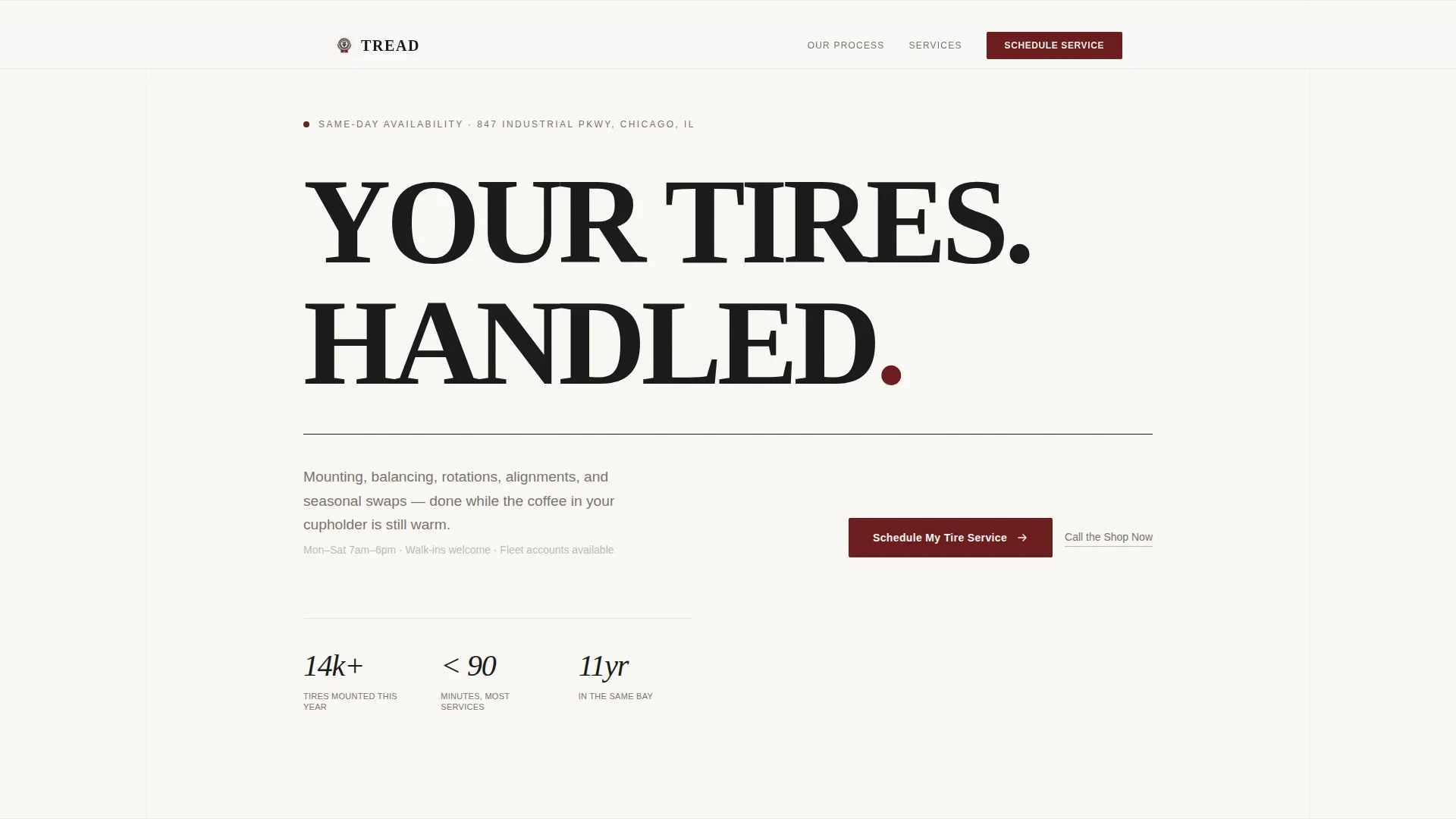
The header opens with large, tightly kerned display type set flush-left. The headline "YOUR TIRES. HANDLED." sits in deep black against bone-white. A single subtext line in mid-gray carries the shop address and same-day availability. Whitespace does the heavy lifting.
Transparent Process Scroll Flow
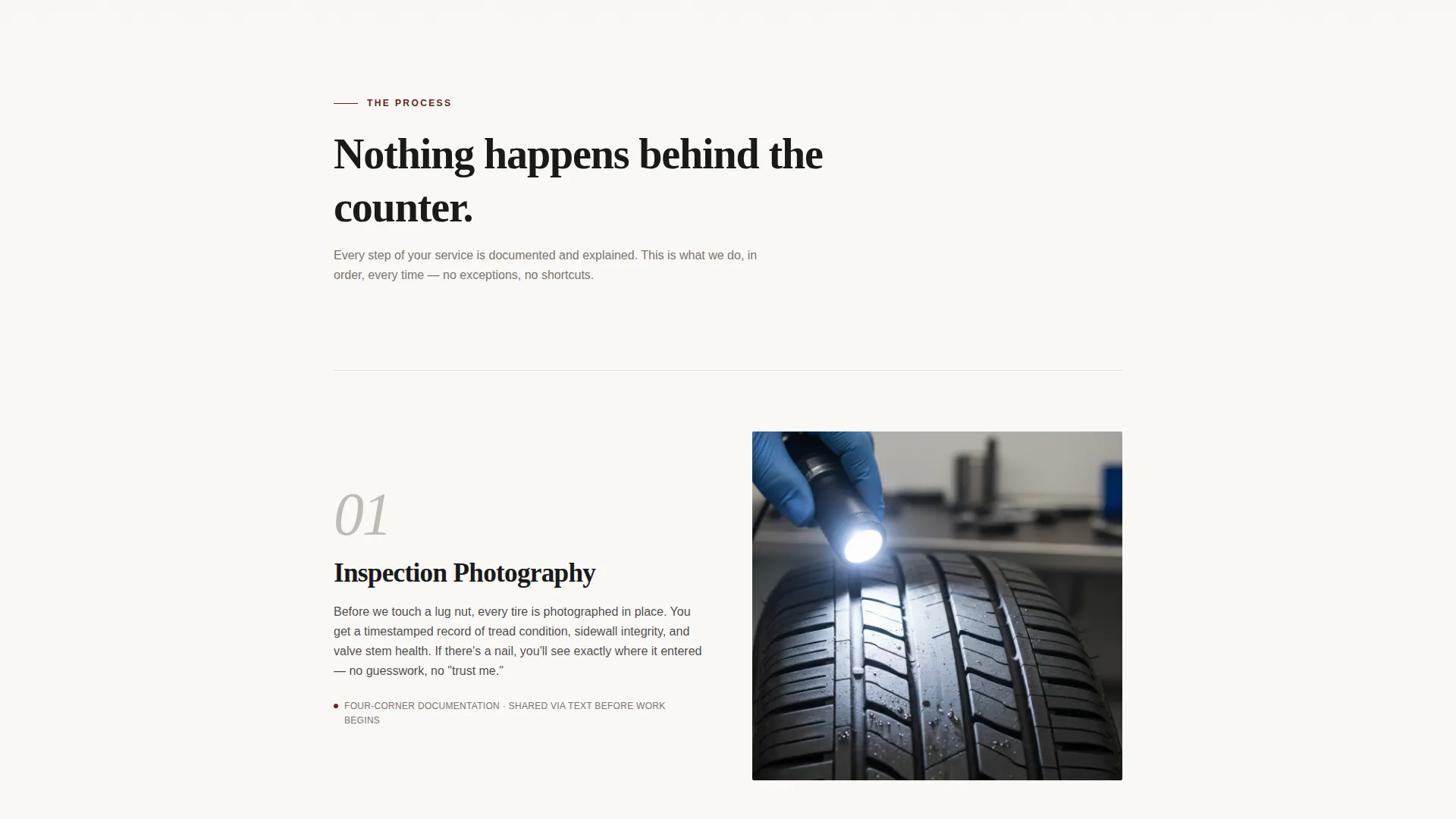
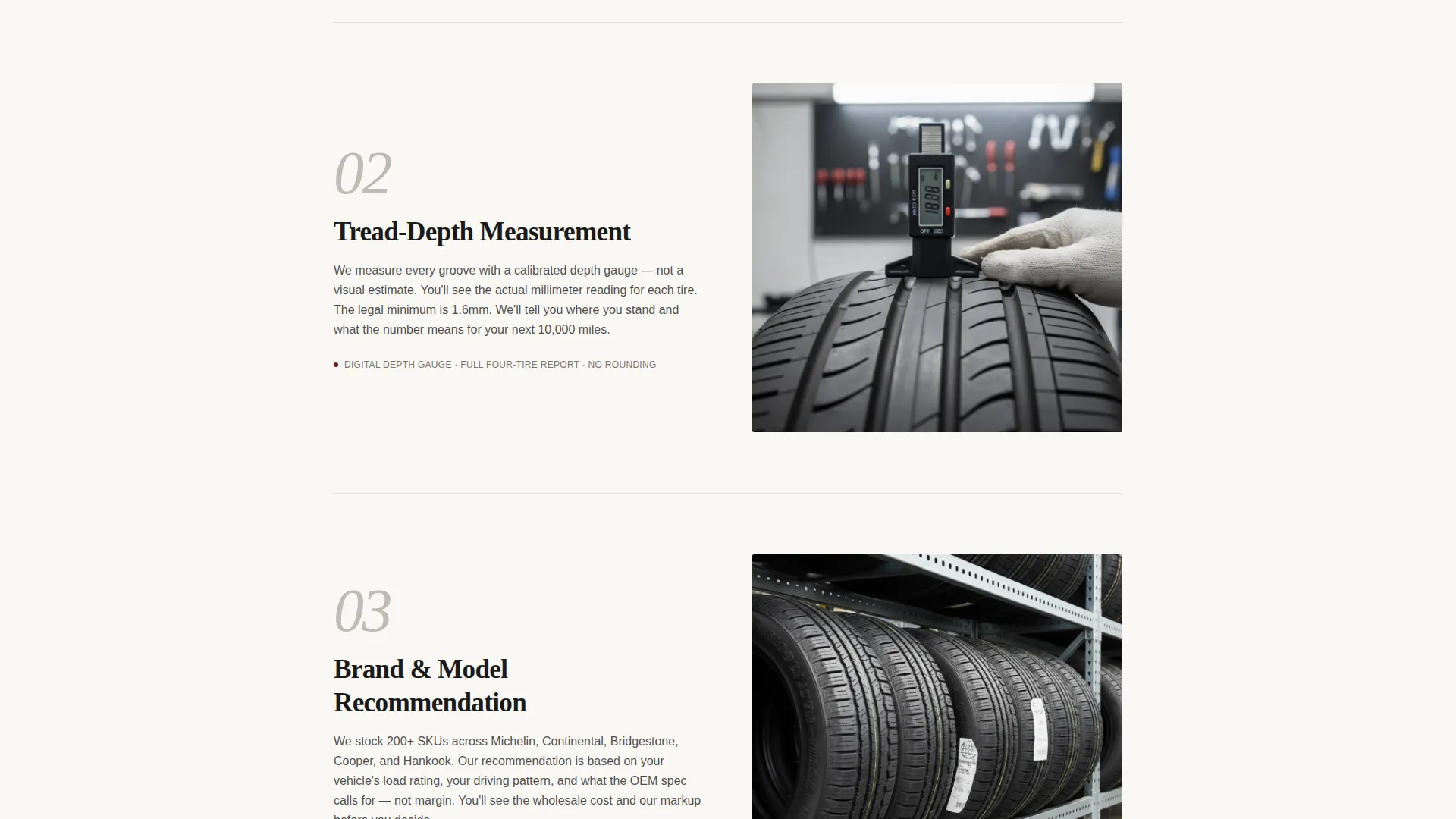
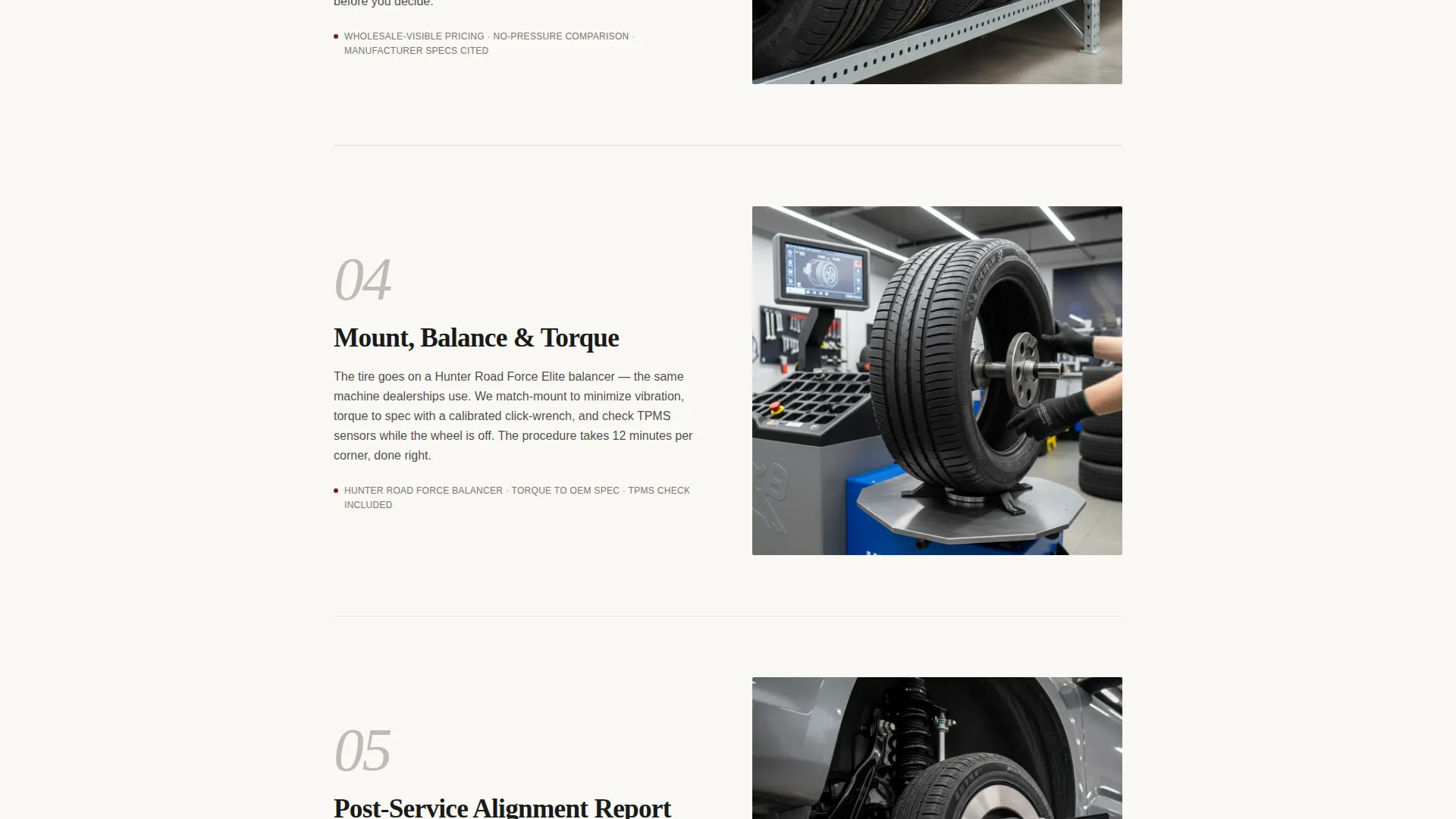
The core of the page is a sequential, downward-scrolling service narrative. Each step, from inspection photography to a post-service alignment report, gets one text block and one supporting image. No carousels, no sliders. The layout builds trust through honest forward momentum.
Dual Call-to-Action Placement
The primary call to action, "Schedule My Tire Service," appears directly below the header and again as a fixed bottom bar on mobile after the second scroll. A secondary text link, "Call the Shop Now," sits beside every instance for urgent situations.
Click-Through Booking Path
No form lives on this page. Every primary call-to-action button links through to the shop's external booking calendar, pre-filtered to tire services. This removes friction and keeps the page lean.
Editorial Ink and Paper Color System
The palette uses deep editorial black, warm bond-white, mid-gray rule lines, and a single oxblood red accent reserved for calls to action and urgency indicators. The result feels authoritative and refined rather than promotional.
Single-Column Flow Layout
The entire page runs as one uninterrupted vertical column. Content reveals itself in natural reading order with no sidebars, no tabs, and no competing panels. This structure keeps mobile and desktop reading experiences consistent.
Page sections overview
| Section | Purpose |
|---|---|
| Headline Header Block | Establishes authority and shop availability at a glance |
| Primary call to action Row | Drives immediate booking intent below the headline |
| Step One: Inspection | Shows the inspection photography and process opener |
| Step Two: Tread Depth | Presents millimeter tread-depth readings with context |
| Step Three: Recommendation | Displays brand, model, and wholesale-visible pricing |
| Step Four: Mount and Balance | Explains the mount-and-balance procedure visually |
| Step Five: Alignment Report | Delivers the post-service report as a trust closer |
| Final call to action Block | Repeats the booking and call links to close the page |
Design & branding system
The visual identity follows an Executive Suite editorial direction. Every color and type decision signals competence rather than promotion.
- Color palette: deep editorial black (#1A1A1A), warm bond-white (#FAF8F5), mid-gray rule lines (#BFBAB4), and oxblood red (#6B1D1D) used only on calls to action and urgency indicators
- Typography: large flush-left display type for the headline, mid-gray subtext for secondary information, and clean body copy throughout the process section
- The overall aesthetic references a freshly printed broadsheet, unhurried and authoritative, intentionally distinct from neon and checkered-flag tire shop conventions
Mobile & speed optimization
The mobile experience is a first-class consideration in this template. The fixed bottom bar call to action ensures that a driver pulled over on the shoulder can reach the booking link within one tap.
- Fixed mobile bottom bar activates after the second scroll, keeping the primary call to action visible at all times on smaller screens
- Single-column layout eliminates reflow complexity and keeps the reading experience consistent across device sizes
- No carousels, no sliders, and no heavy interactive components means the page structure stays straightforward to load and navigate
How this template helps you convert
The page earns each click by showing the service process before asking for a commitment. By the time a visitor reaches the final call to action, they already understand exactly what will happen to their vehicle.
- The transparent process scroll replaces pre-booking anxiety with step-by-step confidence, so visitors arrive at the call to action already trusting the shop
- Two strategically placed calls to action, one above the fold and one as a persistent mobile bar, ensure no visitor loses the booking path during the scroll
- The secondary "Call the Shop Now" text link beside every call-to-action instance captures high-urgency visitors who need help immediately rather than scheduling ahead
Other information about this template
This template was designed for the tire shop marketing category within professional services. It is a strong fit for any shop looking to replace a generic or dated landing page with something that feels earned and specific.
- The template supports tire shop service pages covering mounting, balancing, rotations, wheel alignments, and seasonal tire swaps
- The Ink and Paper color system and Editorial Magazine theme make it visually distinct from typical automotive service page templates that rely on bold neon palettes
- The Transparent Process creative direction is well suited to tire shop coupon and discount page extensions, where showing value before listing a price builds more trust than leading with the number
- This template is built for lead generation through click-through to an external booking calendar, making it compatible with any scheduling tool the shop already uses
Theme
Editorial Magazine
Creative direction
Team & People
Color system
Ink & Paper
Style
Sidebar Companion
Direction
Lead Generation
Page Sections
Giant Headline Left Header
Transparent Process Scroll Flow
Dual Call-to-action Placement
Click-through Booking Path
Editorial Ink and Paper Color System
Single-column Flow Layout
Related questions
Does this template include a contact form?
Can I use this template for services beyond tires?
How does the mobile experience work for urgent visitors?
What makes this template visually different from standard tire shop pages?
Is this template a good fit for fleet service coordinators?



