Tire Shop Landing Page Template | Stats-First Design
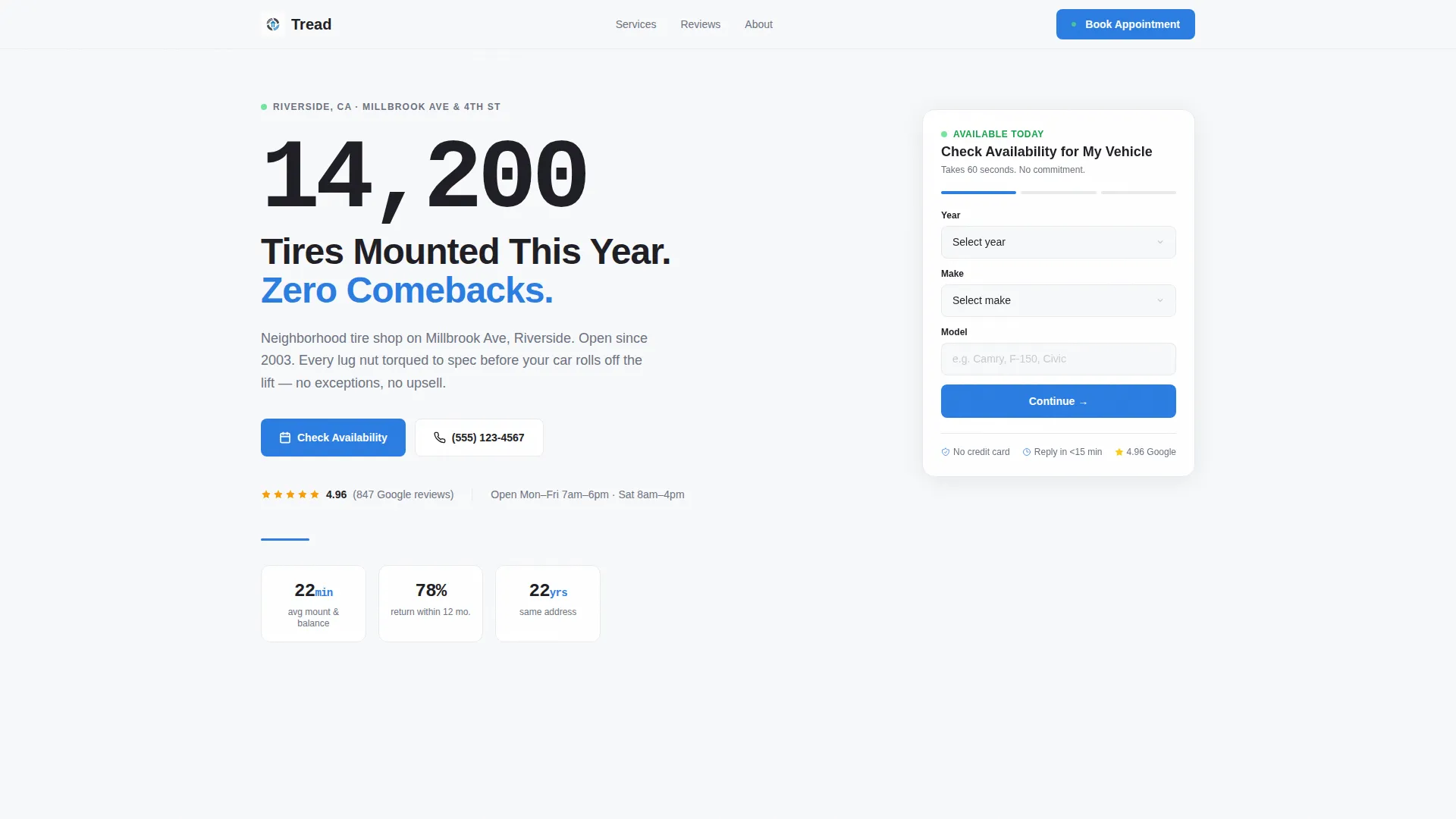
Tread is a stats-first, sidebar companion landing page built for neighborhood tire shops. It leads with bold performance numbers, a sticky appointment form, and a clean Arctic White visual system. The layout is designed to turn dashboard-warning commuters, seasonal tire shoppers, and fleet managers into booked appointments, fast, with no fluff in the way.
by Rocket studio
Quick summary
Tread is a precision-built landing page template for local tire shops. It opens with an oversized stat headline, keeps a sticky sidebar form visible at all times, and structures every section around real results. The design is clean, the copy flow is results-driven, and the lead capture path is direct and frictionless.
Who this template is for
This template suits tire shop owners who want their local page to work as hard as their technicians do. It is built for operators who rely on walk-ins and phone calls but want a structured digital presence that books appointments automatically.
- Independent tire shop owners running one or a few neighborhood locations
- Shop managers targeting commuters, families, and local fleet accounts
- Marketing teams building a dedicated local search landing page for a tire service business
What problem this template solves
Most tire shop pages either look too generic or bury the trust signals that actually close a booking. Visitors arrive with a specific, urgent need and leave the moment they cannot find a fast answer. Tread fixes that by putting the most persuasive information first.
- Trust signals are hidden below the fold on most templates, so visitors leave before they convert
- Mobile users searching for same-day tire service need a fast path to contact, not a wall of text
- Fleet managers and parents planning seasonal tire changes need enough detail to commit without a phone call
What you get with this template
You get a fully structured, single-page layout built around lead generation for a local tire shop. Every section has a defined role, and the conversion path is baked in from the first pixel.
- A giant, stat-driven headline section that dominates the viewport with a bold performance number
- A persistent sidebar appointment form with fields for vehicle year, make, model, tire size, preferred window, and phone number
- A secondary mobile-friendly quote path that asks only for a phone number, reducing friction for on-the-go visitors
Feature list
This template is built around a tight set of purposeful components. Each one has a clear job in the conversion flow.
Giant Stat Headline Block
The header opens with an enormous, centered black number on pure white. A single supporting line names the city and neighborhood. No image competes for attention. The number itself is the visual anchor, rendered at display scale so it reads like a highway billboard at first glance.
Persistent Sidebar Appointment Form
A compact form sits fixed to the right side of the page and scrolls with the visitor. It captures vehicle year, make, and model first, then tire size or a "not sure" option, then a preferred appointment window, and finally a phone number. This order reduces early commitment anxiety and keeps drop-off low.
Stats-First Section Rhythm
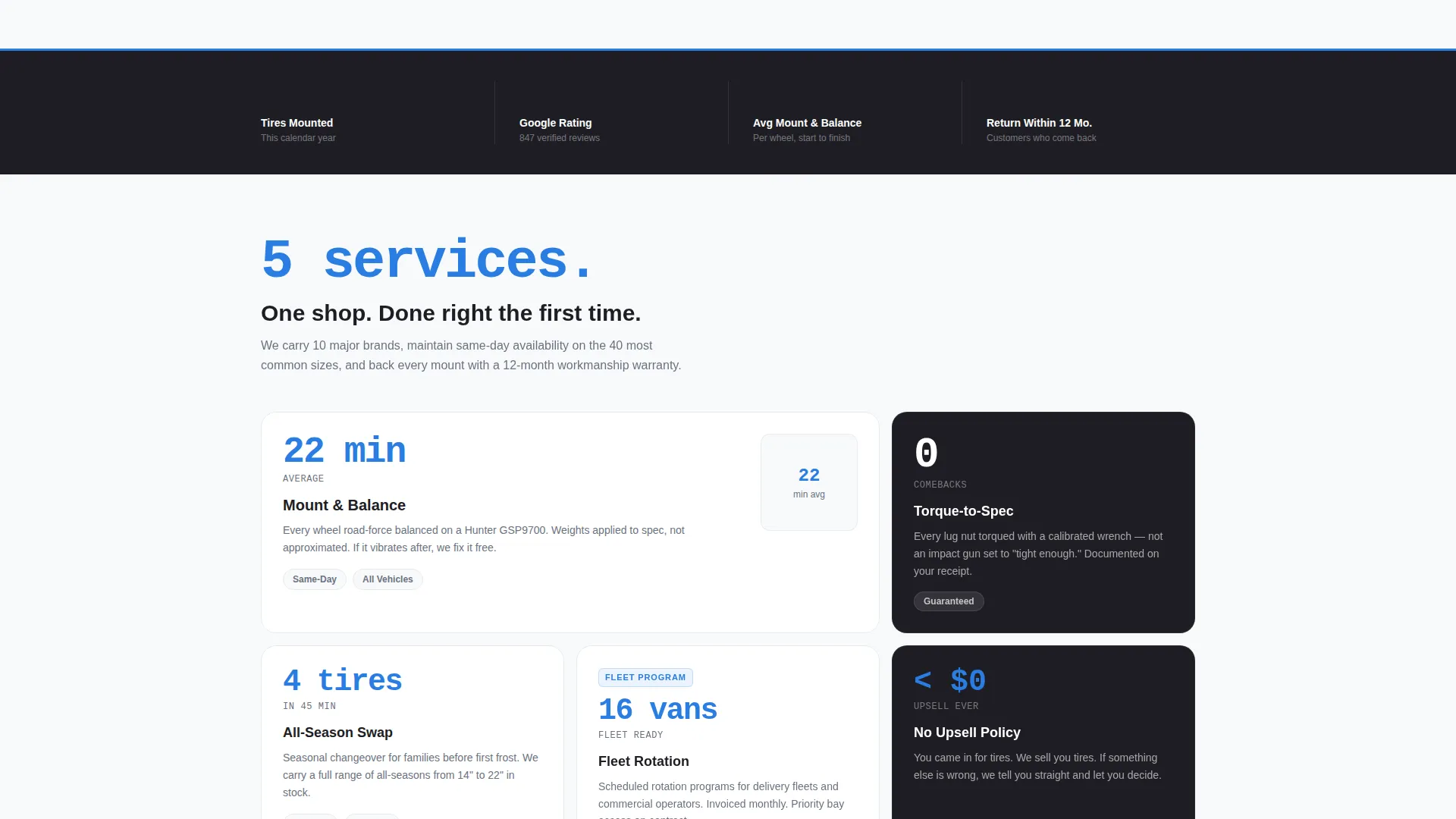
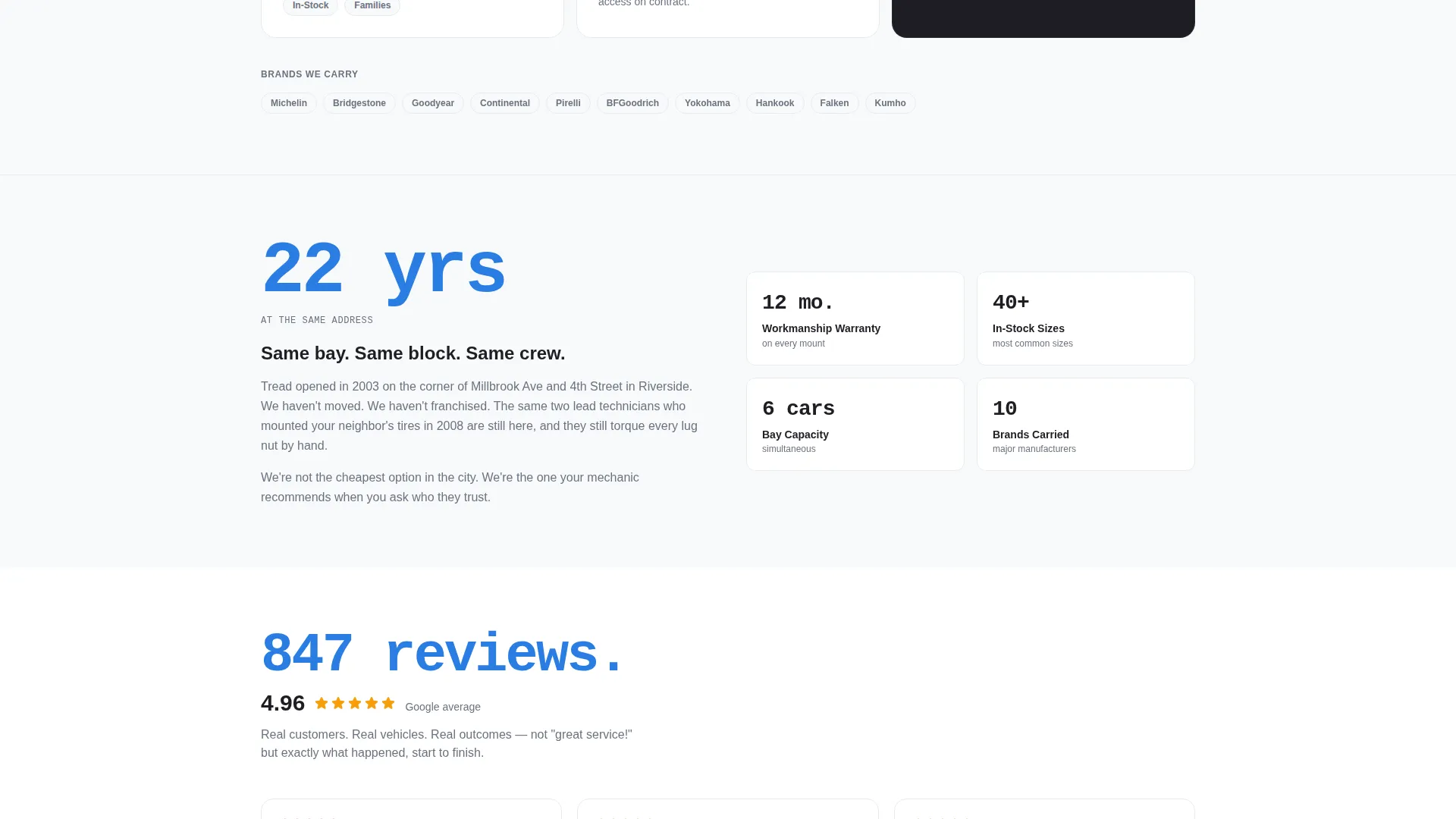
Every section opens with a large, bolded number before any prose appears. Mount-and-balance time in minutes, Google review rating to two decimal places, years at the same address, and return-customer percentage each get their own callout. The rhythm builds a results-based case that feels earned, not claimed.
Secondary Quick-Quote Path
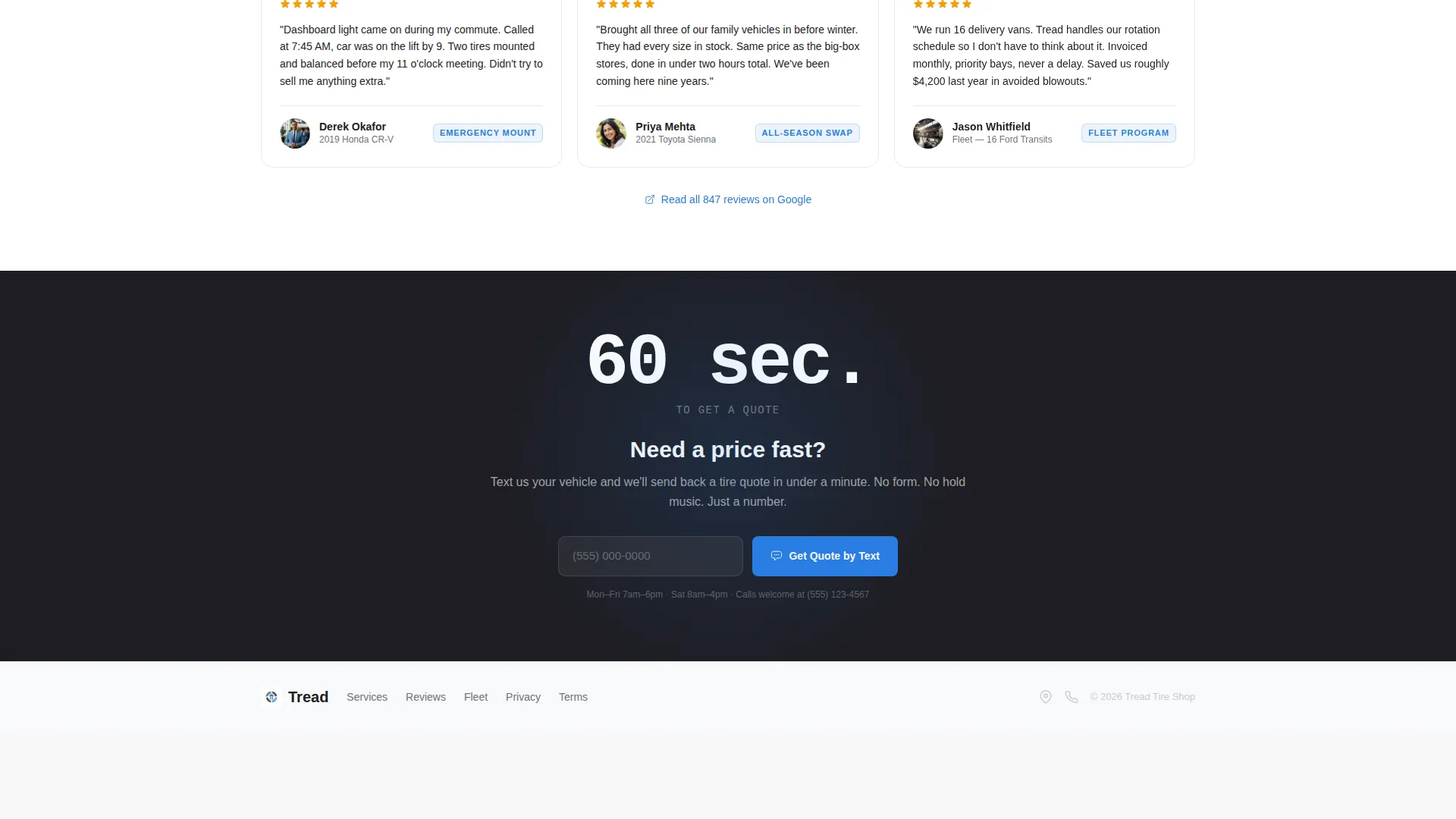
Below the fold, a second conversion option offers a "Get a Quick Quote by Text" path. It asks only for a phone number. This serves mobile users who want speed and do not want to fill out a full form while driving to work.
Alternating Stat and Prose Sections
The scroll alternates between stat callouts and short contextual paragraphs. The paragraphs add detail about service specifics, availability, and warranty terms. The alternating rhythm keeps the page scannable without feeling sparse.
Corporate Precision Visual System
The layout uses a four-color palette centered on clinical white, asphalt charcoal, lane-marker silver, and traction blue. Blue appears only on calls to action, stat highlights, and hover states. The result looks like a spotless shop floor under fluorescent light.
Page sections overview
| Section | Purpose |
|---|---|
| Giant Stat Headline | Lead with a bold performance number and location line |
| Sticky Sidebar Form | Capture appointment requests with a vehicle-first form |
| Trust Stats Row | Display review rating, years open, and return rate |
| Service Detail Block | Describe tire brands, mount times, and same-day availability |
| Secondary Quote Path | Offer a fast text-quote option for mobile visitors |
| Footer Contact Strip | Anchor address, hours, and a final call to action |
Design & branding system
The template follows a Corporate Precision visual theme built on an Arctic White color system. Every color choice is deliberate and functional, not decorative.
- Clinical white (#F8F9FB) and asphalt charcoal (#1E1E24) form the primary contrast pair for text and backgrounds
- Lane-marker silver (#C7CCD1) separates sections and provides subtle structure without breaking the clean feel
- Traction blue (#2A7DE1) is reserved strictly for calls to action, stat highlights, and interactive hover states
Mobile & speed optimization
The layout is structured to keep the most critical conversion elements accessible on smaller screens. Mobile visitors searching for urgent tire help get a direct path without scrolling through large blocks of content.
- The secondary "Get a Quick Quote by Text" form sits below the fold and asks for only a phone number, reducing mobile friction significantly
- Stat callouts are large and readable on small screens, keeping the trust-building rhythm intact on any device
- The sidebar form collapses gracefully on mobile so the primary content remains accessible and the form stays reachable
How this template helps you convert
The conversion logic in Tread is sequential and deliberate. Each section builds trust before asking for anything in return.
- The stat headline earns immediate attention and sets a credibility baseline before the visitor reads a single word of body copy
- The sidebar form is always visible and uses a vehicle-first question order that feels helpful rather than intrusive, lowering the psychological barrier to submitting contact information
- The secondary quick-quote path catches mobile users who are ready to act but unwilling to fill out a longer form, ensuring no fast-moving visitor leaves empty-handed
Other information about this template
Tread is categorized under Professional Services and is purpose-built for tire shop marketing. It is designed as a sidebar companion landing page, meaning the persistent sidebar is a structural feature, not an add-on.
- The template fits the tire shop local search use case, where visitors often arrive with immediate intent and need fast trust confirmation
- The stats-first creative direction comes from a Data Storytelling header concept, where numbers replace hero images as the primary visual hook
- The lead generation direction is reflected in every layout decision, from form field order to the placement of the secondary quote path
- The template is suitable for shops that handle commuter services, seasonal all-season tire changes, and fleet rotation scheduling
- This is a single landing page template, not a multi-page website build
Theme
Editorial Magazine
Creative direction
Team & People
Color system
Ink & Paper
Style
Sidebar Companion
Direction
Lead Generation
Page Sections
Giant Stat Headline Block
Persistent Sidebar Appointment Form
Stats-first Section Rhythm
Secondary Quick-quote Path
Alternating Stat and Prose Layout
Corporate Precision Visual System
Related questions
Can I customize the stat numbers to match my shop's actual results?
Does the sidebar form stay visible while the visitor scrolls?
Is this template suitable for a shop that handles fleet accounts?
What happens to the sidebar form on a mobile screen?
Can I use this template if my shop carries multiple tire brands?



