Walk-In Closet Renovation Appointment Booking Website Template
Tread is a gallery-plus-detail landing page for walk-in closet flooring installers. It opens with a full-width before-and-after slider, then walks visitors through three escalating case study narratives. A built-in booking form with a calendar widget and a photo-upload path make it easy for homeowners, designers, and closet companies to schedule a free in-home measurement.
by Rocket studio
Quick summary
Tread is a single-page flooring installer template built around proof, not promises. Three complete closet transformations scroll the visitor from raw subfloor to finished reveal. A before-and-after image slider opens the page. A booking form with a calendar widget closes the deal. Every section earns the next click.
Who this template is for
This template is purpose-built for flooring crews whose best sales tool is the work itself. It speaks directly to the people who commission walk-in closet floors and need to see range before they reach out.
- Residential flooring installers who specialize in walk-in closet renovation projects
- Custom closet companies looking to subcontract the floor beneath cabinetry installs
- Interior designers who need a credible flooring partner for high-end closet reveals
What problem this template solves
Most flooring installer pages show a portfolio grid and a phone number. That approach leaves visitors with unanswered questions about process, materials, and whether the crew has handled a job like theirs. Tread replaces the guessing game with narrative evidence.
- Visitors cannot gauge a crew's skill from photos alone; the case study format adds context and builds trust
- Homeowners mid-renovation need a clear, low-friction booking path, not a generic contact form
- Interior designers and closet companies need material specifics, not just a pretty finished shot
What you get with this template
The template delivers a complete, ready-to-customize landing page structured around conversion through credibility. Every section contributes to a single goal: getting the right visitor to book a free measurement.
- A full-width interactive before-and-after slider as the opening header
- Three narrative case study blocks, each with a problem detail shot, progress gallery, and full-bleed beauty shot with material specs overlaid
- A booking form collecting closet size, current floor type, preferred material, and a calendar widget for scheduling
Feature list
This section details the core components built into the Tread template.
Interactive Before-and-After Slider
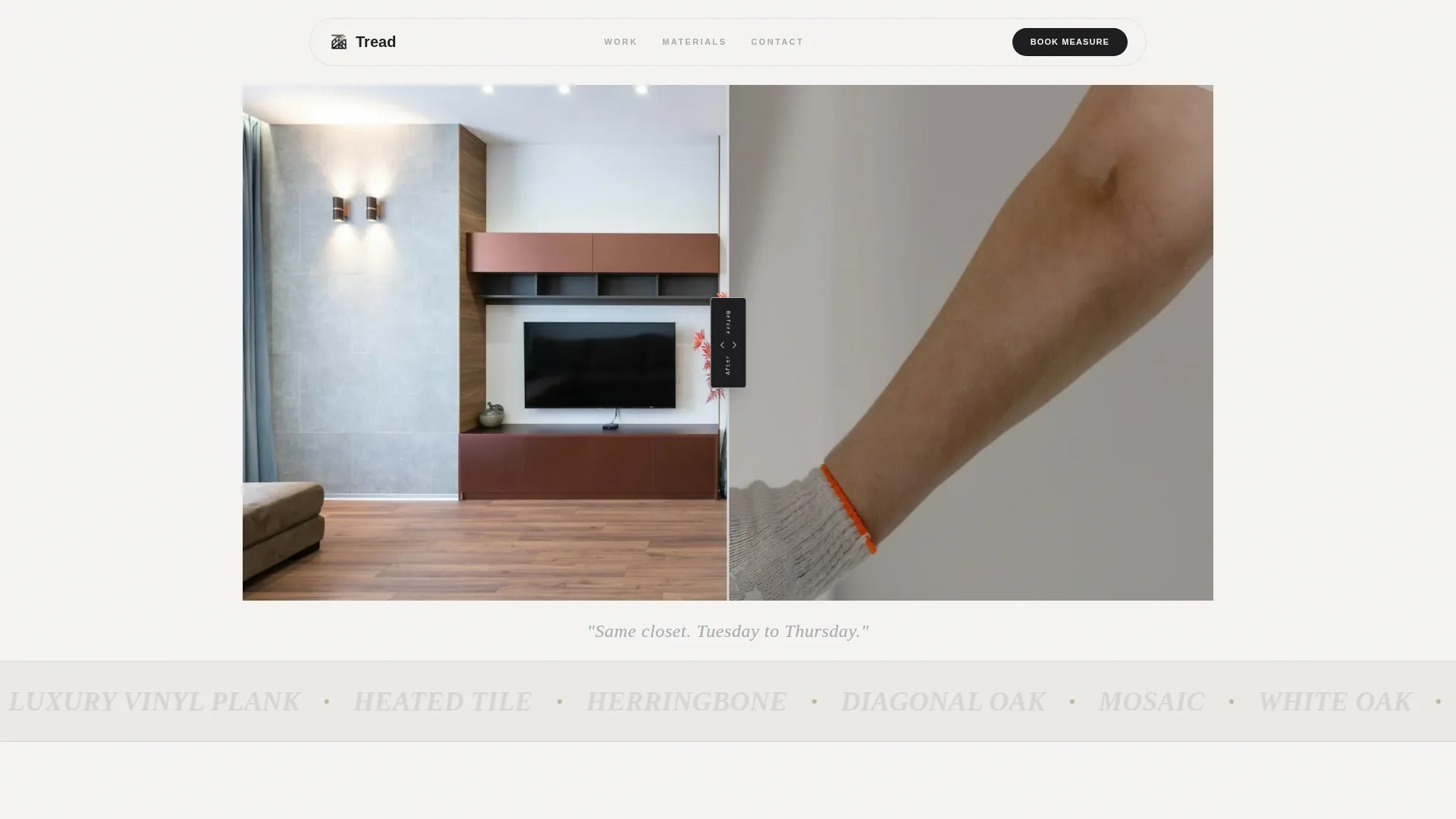
The header opens with a full-width slider showing one walk-in closet transformation. The left side reveals raw plywood subfloor with exposed tack strips. The right side shows the finished herringbone luxury vinyl plank install. A steel-colored drag handle stamped with monospaced type controls the reveal. A single caption line fades in below the image.
Three Escalating Case Study Blocks
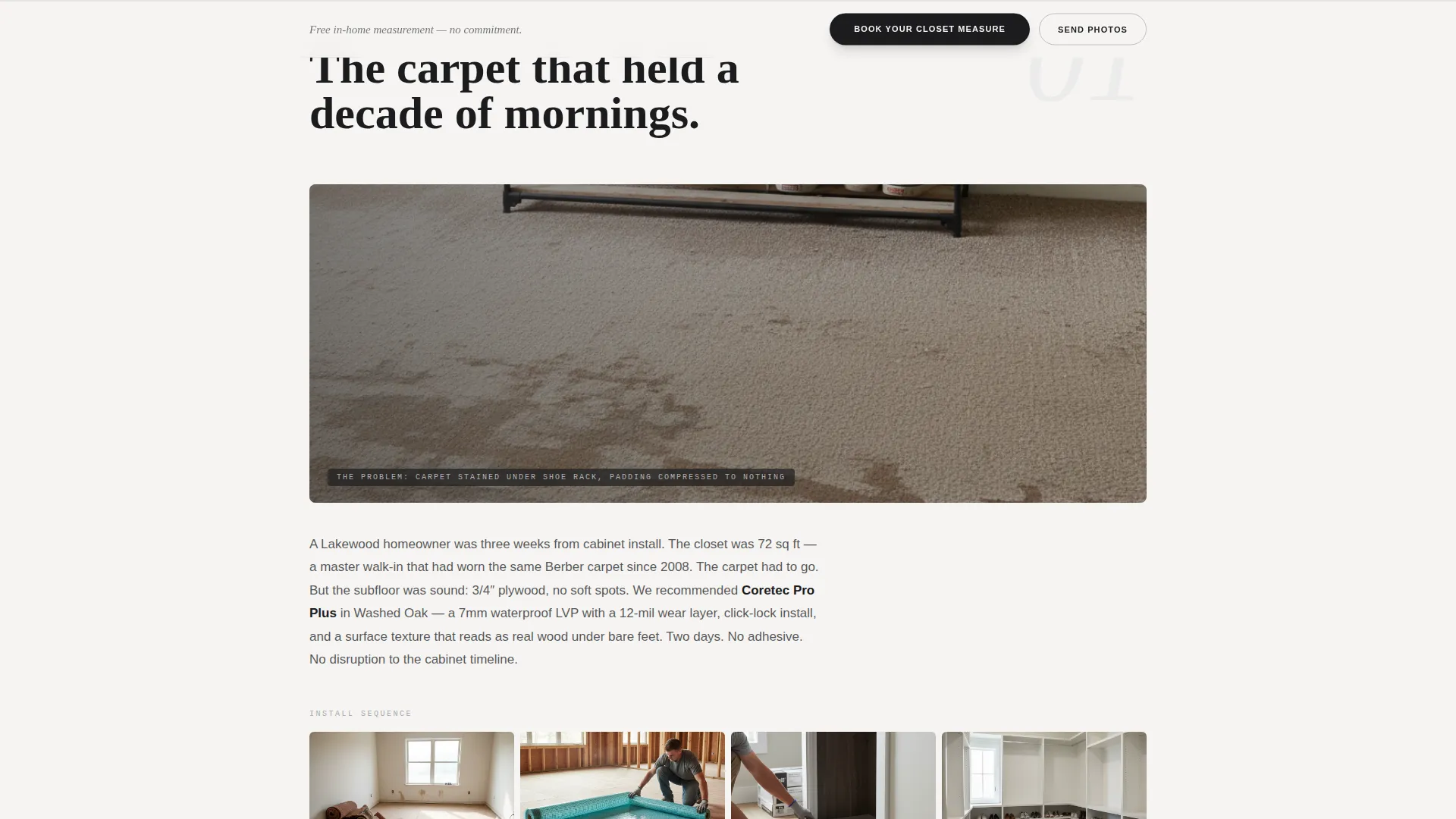
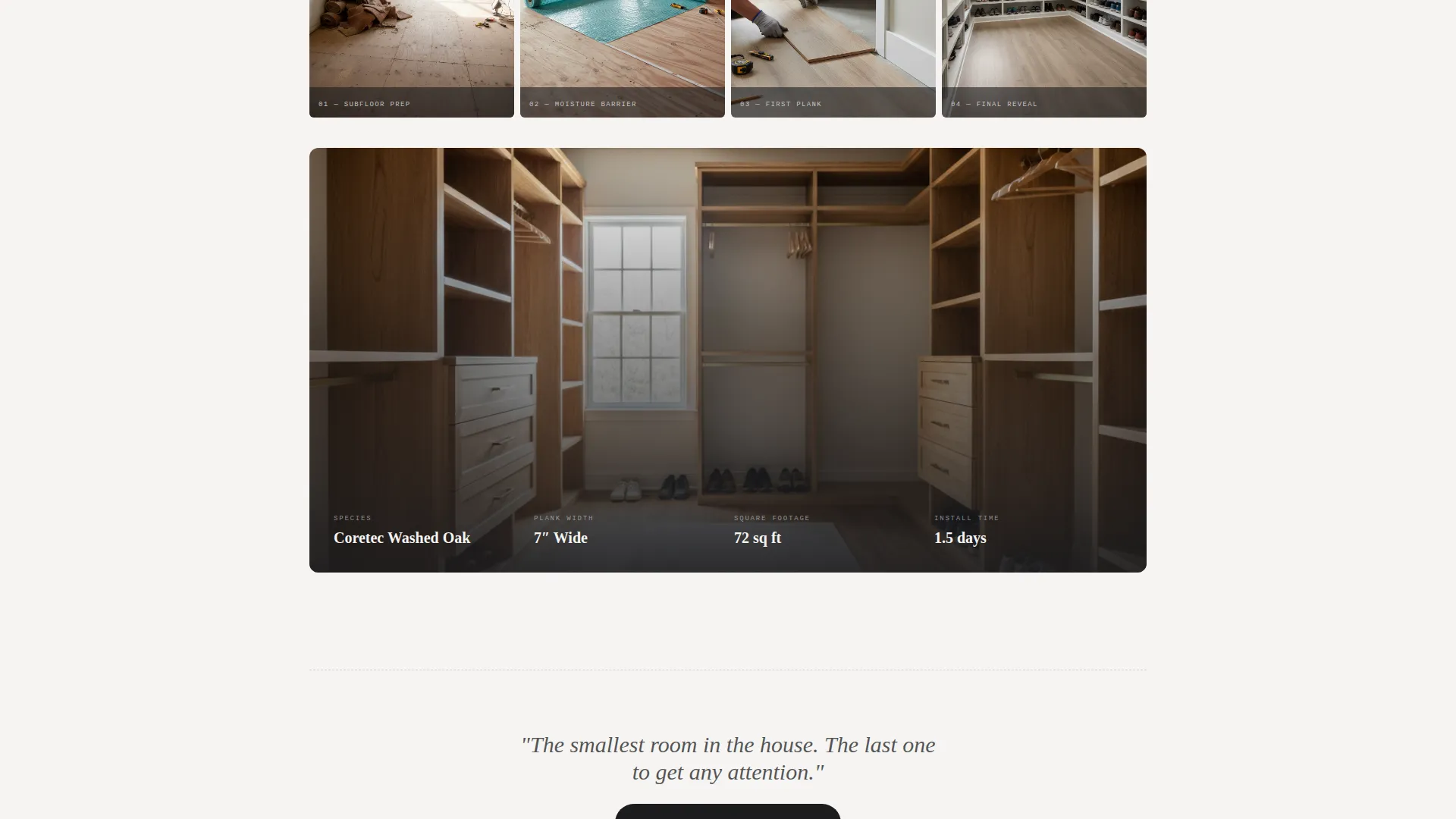
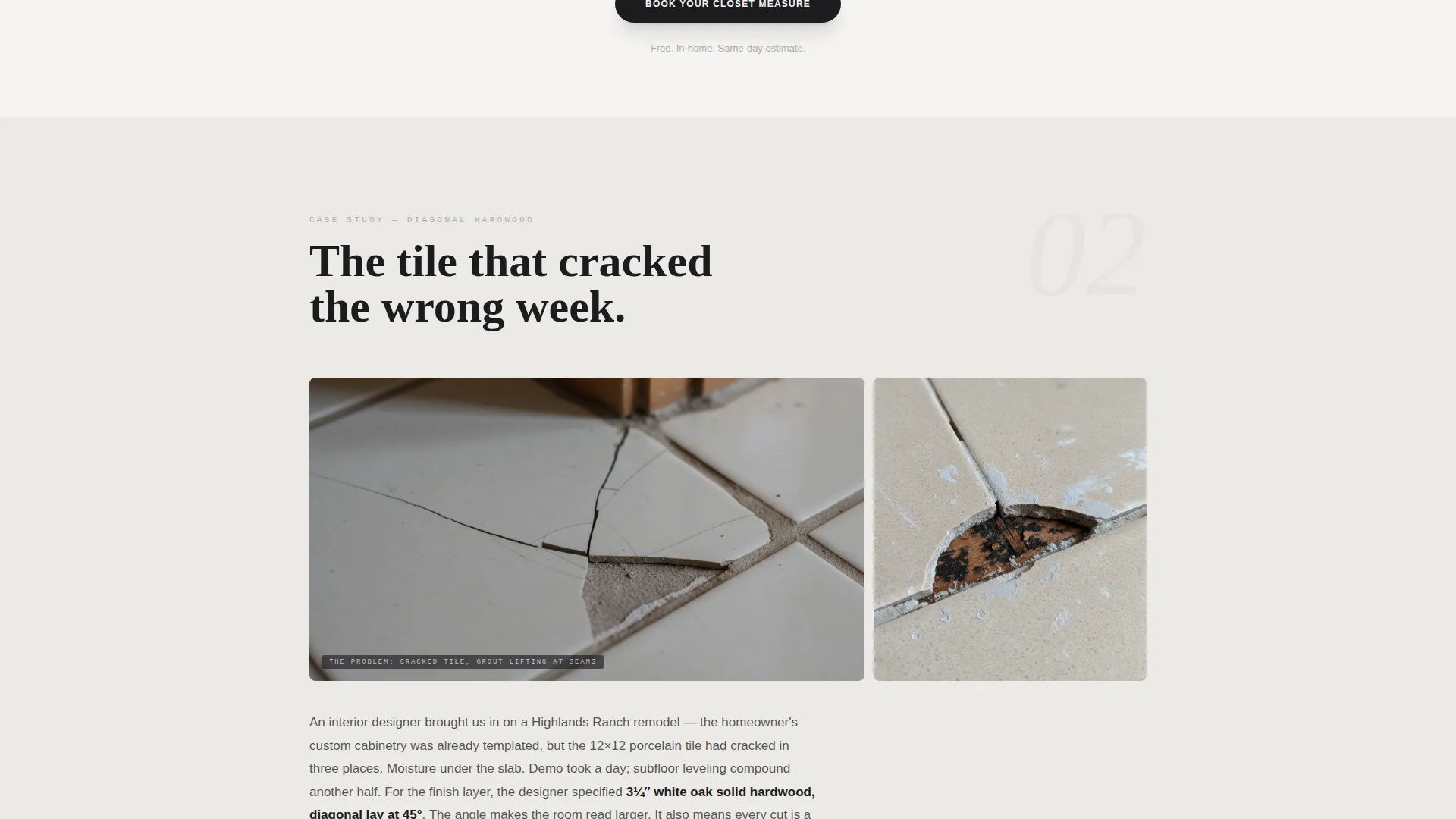
Each case study opens with a close-up problem shot, followed by a paragraph naming the homeowner's situation and the recommended material. A progress gallery covers subfloor prep, moisture barrier, first plank, and final reveal. The sequence escalates in complexity: vinyl click-lock, diagonal hardwood, then a heated-floor tile mosaic. Each block ends on a full-bleed beauty shot with species, plank width, square footage, and install time overlaid.
Booking Form with Calendar Widget
The primary booking form appears after the first case study and again pinned to the bottom of the page. It collects closet approximate size via a dropdown, current floor type, and preferred material. A calendar widget lets visitors schedule a free in-home measurement directly on the page.
Photo Upload Secondary Path
A secondary call-to-action lets visitors tap "Send Closet Photos" to upload images of their current space. This lowers the commitment threshold for people still in the browsing phase. It gives the installer a head start before the first conversation.
Material Spec Overlays
Each case study's final beauty shot carries an overlay listing species, plank width, square footage covered, and install time. These specs make the template useful as a reference, not just a visual showcase. Visitors see the exact scope of comparable jobs.
Pinned Bottom Call-to-Action Rail
A persistent booking call-to-action is fixed to the bottom of the page throughout the scroll. It keeps the primary action visible without interrupting the case study narrative. The rail reinforces the "Book Your Closet Measure" prompt at every scroll depth.
Page sections overview
| Section | Purpose |
|---|---|
| Before/After Slider | Opens with a single closet transformation to establish instant visual credibility |
| Caption Fade-In | Delivers the "Same closet. Tuesday to Thursday." narrative hook below the slider |
| Case Study One | Documents a vinyl click-lock install with problem shot, progress gallery, and beauty shot |
| Case Study Two | Escalates to a diagonal hardwood pattern with full narrative and spec overlay |
| Case Study Three | Peaks with a heated-floor tile mosaic showing maximum range and complexity |
| Booking Form Block | Collects size, floor type, material preference, and calendar scheduling after case study one |
| Photo Upload Path | Offers a lower-commitment entry point for visitors still in the research phase |
| Pinned Bottom Rail | Keeps the primary booking call-to-action visible throughout the entire page scroll |
Design & branding system
The visual identity follows an Agrarian Root theme rendered through a Monochrome Steel color system. The palette feels industrial and honest, like a hand-forged nail driven into reclaimed planking. Every color choice is deliberate and earns its place on the page.
- Forge black (#1C1C1E) and galvanized gray (#A8A9AD) carry the primary text and interface elements
- Barn-washed silver (#D4D4D8) provides mid-tone surface areas and structural backgrounds
- Weathered wheat (#C2B59B) is reserved for hover states and accent callouts, adding warmth without competing with the photography
Mobile & speed optimization
The template is structured for a single-page, section-led layout that translates cleanly to smaller screens. The before-and-after slider, gallery grids, and booking form are all designed to function within the page's vertical scroll flow.
- The case study galleries and full-bleed beauty shots are laid out to reflow naturally on mobile viewports
- The pinned bottom call-to-action rail remains accessible without obscuring content on smaller screens
- The booking form and calendar widget are structured for touch-friendly input on phones and tablets
How this template helps you convert
Tread is built on the principle that trust converts. By the time a visitor reaches the booking form, the page has already answered their three biggest questions: Can this crew handle my job? What materials should I use? How complex is the process?
- The case study narrative format proves range and process before the call-to-action ever appears, so visitors arrive at the form already confident in the installer's skill
- The dual conversion paths, a full booking form and a photo upload option, match visitors at different commitment levels and reduce the drop-off that comes from a single, high-friction form
Other information about this template
This template is a strong fit for flooring professionals who serve a design-conscious clientele and want a page that reflects the quality of their physical work. It is equally useful as a standalone booking page or as a portfolio centerpiece.
- Template style: Gallery plus Detail, optimized for visual storytelling with a clear booking outcome
- Creative direction: Case Study Narrative, meaning the page teaches through documented evidence rather than feature lists
- Header concept: Case Study Before-and-After, a format that creates immediate emotional engagement before any sales copy appears
- The Agrarian Root theme and Monochrome Steel palette are pre-set and ready for color customization to match any installer's brand
- The three-case-study structure is designed to be replaced with real project documentation from the installer's own portfolio
Theme
Agrarian Root
Creative direction
Case Study Narrative
Color system
Monochrome Steel
Style
Gallery + Detail
Direction
Booking/Scheduling
Page Sections
Interactive Before-and-after Header Slider
Three Escalating Case Study Blocks
Material Spec Overlays on Beauty Shots
Booking Form with Calendar Widget
Photo Upload Secondary Path
Pinned Bottom Booking Rail
Related questions
Who is this landing page template designed for?
Can I replace the example case studies with my own project photos?
What does the booking form collect from visitors?
Do the three case studies need to match the escalating complexity shown in the template?
Is this template suitable for a flooring business that covers more than closets?



