Vehicle Inspection & Testing Professional Website Template
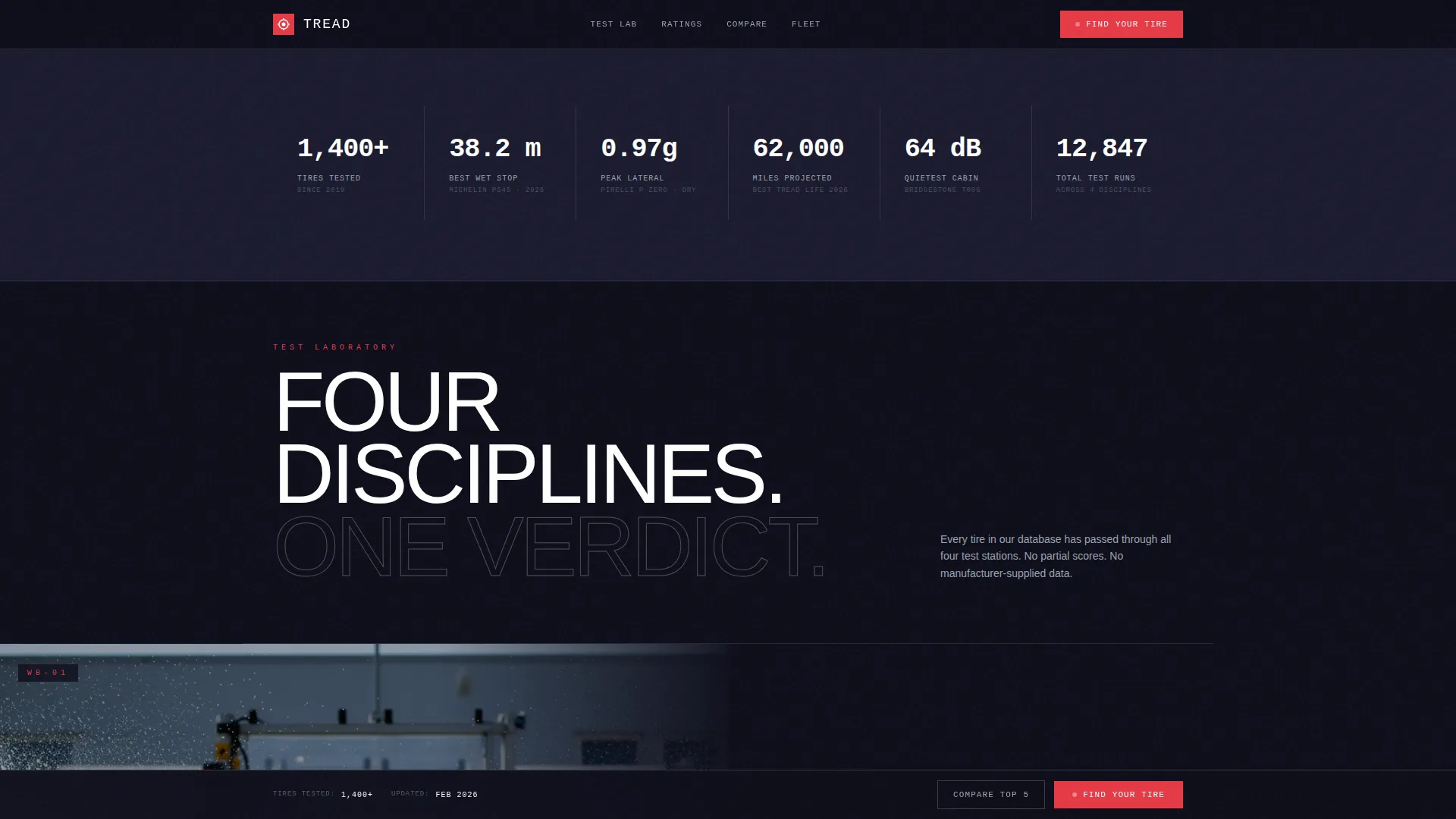
Tread is a hero-dominant landing page template built for tire testing and rating platforms. It uses a high-intensity video header, instrument-panel data overlays, and a persistent "Find Your Tire" selector bar to move visitors from curiosity to purchase. The design system draws from a carbon fiber palette for a precision-lab feel that builds immediate trust.
by Rocket studio
Quick summary
Tread is a single-page template designed for tire testing and rating platforms. It opens with a full-viewport product demo video, then guides visitors through test disciplines one section at a time. A persistent bottom bar with a three-step tire selector drives direct sales at every scroll depth.
Who this template is for
This template suits any operator who needs to communicate rigorous tire testing data and convert visitors into buyers. The design language speaks equally to technical buyers and everyday drivers.
- Fleet managers sourcing bulk tires ahead of seasonal deadlines
- Track enthusiasts comparing performance compounds for lap-time gains
- Everyday drivers looking for reliable all-season guidance before winter
What problem this template solves
Most tire information pages dump tables and spec sheets on visitors and expect them to figure it out. Tread replaces that confusion with a structured visual journey through each test discipline, letting the data build a verdict visitors can feel.
- Buyers struggle to trust ratings they cannot see being earned
- Generic product pages fail to show what separates a top-rated tire from a poor one
- Visitors leave before converting because the path from research to purchase is unclear
What you get with this template
You get a fully structured, single-page layout that takes a visitor from the first second of video through test data to a purchase decision. Every section is ready to populate with your own footage, ratings, and pricing.
- A full-viewport video header with a live data overlay showing braking distance
- Per-discipline test sections with animated instrument-panel data overlays and horizontal bar graph ratings
- A persistent bottom bar with a three-step vehicle and priority selector leading to a direct purchase button
Feature list
This template ships with six distinct functional components, each designed to reduce friction and increase buyer confidence.
Full-Viewport Video Header
The header fills ninety percent of the viewport with slow-motion test footage. A single braking-distance counter ticks down in real time as the tire grips, and the headline appears only after the tire stops. The pacing is deliberate and commands attention.
Animated Test Discipline Sections
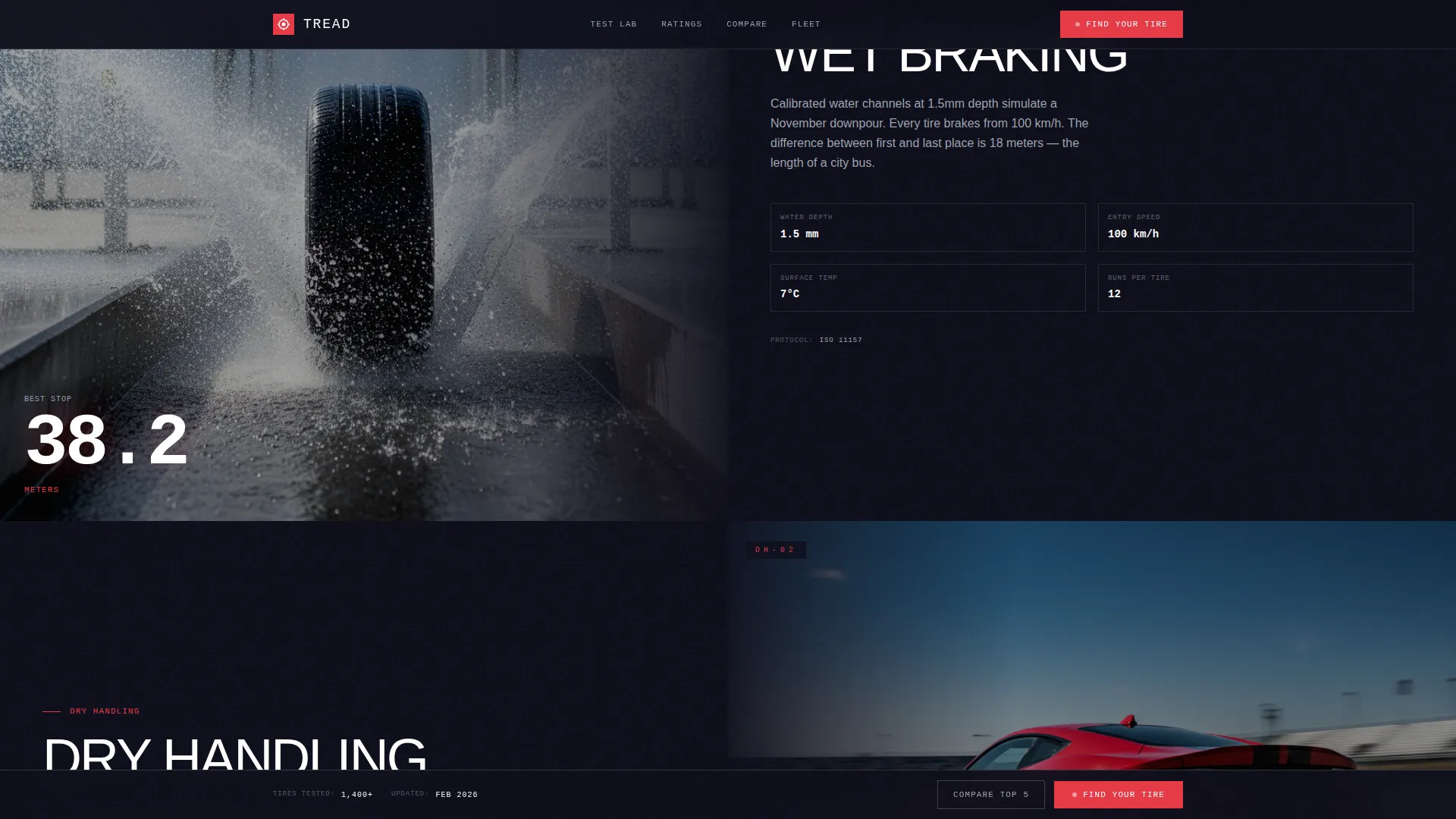
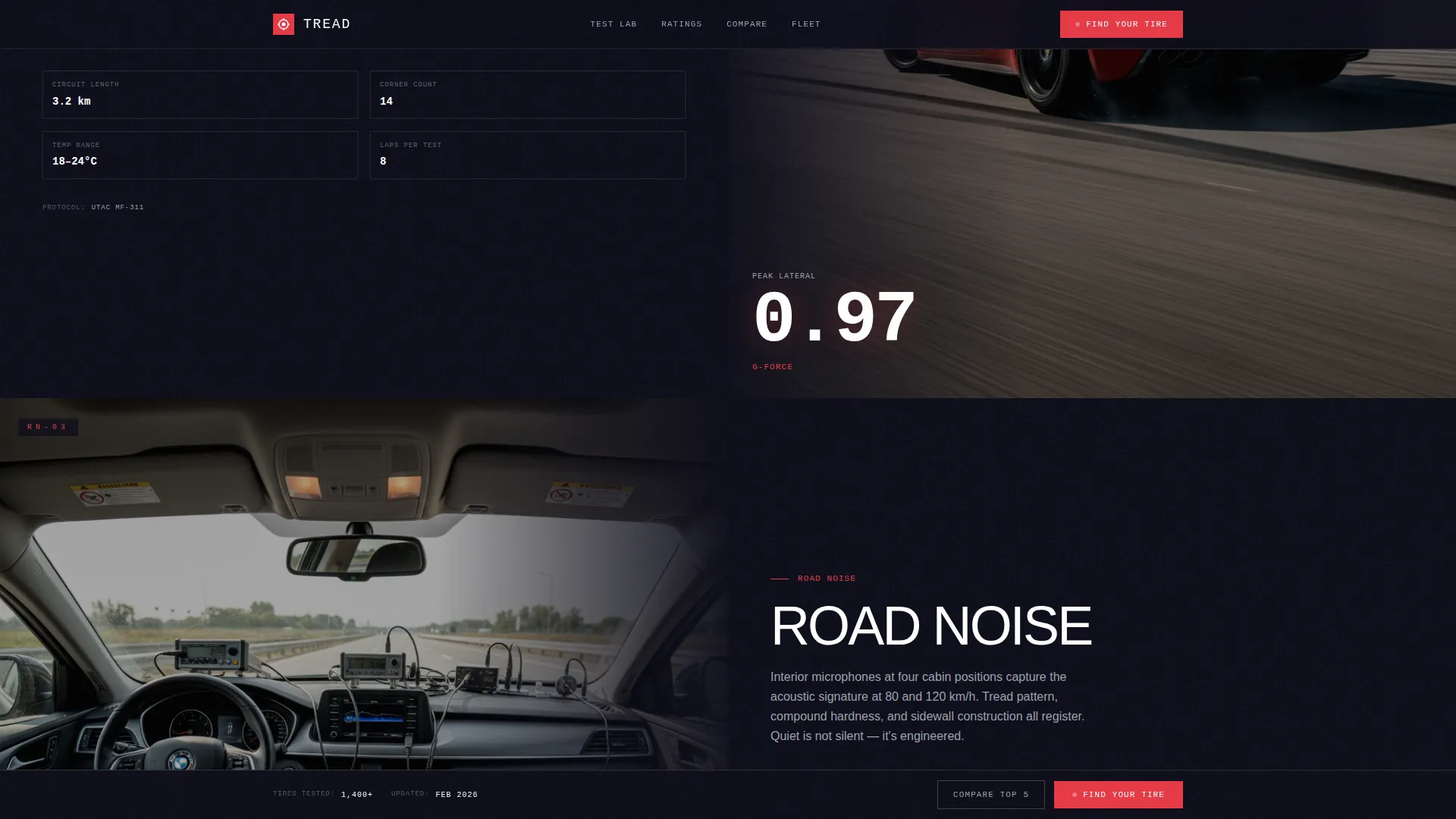
Each scroll section covers one test category: wet braking, dry handling, road noise, or tread life. Instrument-panel data overlays animate into view on arrival, and horizontal bar graphs fill like loading gauges, using red for failures and green for leaders.
Persistent Tire Selector Bar
A bottom bar activates after the first scroll and stays fixed throughout the page. It anchors the primary call to action at all times without interrupting the reading experience.
Three-Step Purchase Selector
Clicking "Find Your Tire" opens a guided three-step flow: vehicle year, make, and model; driving priority such as performance, comfort, economy, or all-weather; and budget range. The result surfaces the top-rated match with a displayed price and a one-click buy button.
Side-by-Side Comparison Path
A secondary "Compare Top 5" option lets analytical visitors review the five highest-rated tires for their criteria in a parallel data view. This path serves buyers who want evidence before committing.
Carbon Fiber Design System
The full visual identity uses deep carbon black, machined graphite, brushed aluminum, and laser-red as a reserved accent for ratings, warnings, and call-to-action elements. The palette replicates the interior atmosphere of a professional dynamometer facility.
Page sections overview
| Section | Purpose |
|---|---|
| Video Hero Header | Immerses visitors in live test footage with a real-time braking data overlay |
| Wet Braking Section | Presents wet-condition test results with animated bar graph ratings |
| Dry Handling Section | Shows lateral load data and dry-grip scores as instrument overlays animate in |
| Road Noise Section | Displays decibel ratings and acoustic test data in a full-bleed visual panel |
| Tread Life Section | Communicates wear test results through progress-style rating bars |
| Tire Selector Bar | Persistent bottom bar housing the "Find Your Tire" call-to-action flow |
| Purchase Result Panel | Surfaces the top-matched tire with a displayed price and one-click buy button |
| Compare Top 5 | Side-by-side data view for analytical buyers reviewing multiple options |
Design & branding system
The template uses a Corporate Precision theme built entirely around a carbon fiber color palette. Every visual decision reinforces the atmosphere of a professional testing facility: matte surfaces, instrument-grade readout styling, and a single accent color that draws the eye exactly where action is needed.
- Deep carbon black (#1A1A2E) and machined graphite (#30364F) form all backgrounds and panel surfaces
- Brushed aluminum (#D1D5DB) handles body text, data labels, and secondary interface elements
- Laser-red (#E63946) appears exclusively on ratings that signal failure, critical warnings, and call-to-action buttons
Mobile & speed optimization
The hero-dominant layout is structured so the video header and selector bar adapt gracefully to smaller screens. Sections are designed as full-bleed panels, which stack cleanly on mobile without breaking the visual hierarchy.
- Full-bleed section panels reflow into single-column stacks on narrow viewports
- The persistent bottom bar remains accessible at all scroll depths on mobile and tablet
- Animated overlays are scoped to individual sections, keeping each panel focused and load-ready
How this template helps you convert
Tread is built around a direct sales flow where every design choice pushes a qualified visitor toward a purchase decision.
- The video header earns attention and establishes credibility before a single word is read, reducing early exit rates.
- Section-by-section test data builds a compounding case for each rating, so the purchase decision feels earned rather than pushed.
- The persistent "Find Your Tire" bar and three-step selector reduce the steps between research intent and completed purchase to an absolute minimum.
Other information about this template
Tread is categorized under Automotive and Transport, specifically within the Vehicle Inspection and Testing subcategory, with a niche focus on tire testing and rating platforms. It is designed as a hero-dominant single-page layout with a ninety-to-ten content ratio, meaning the visual and data experience dominates and text supports rather than leads.
- The template style is Hero-Dominant (90/10), making it suitable for brands where visual credibility does the heavy lifting
- The creative direction is Immersive Visual, meaning every section is designed to feel like a physical space you move through
- The header concept is a Product Demo Video, which requires real test footage to reach its full impact
- The landing-page direction is Direct Sales, so every secondary element is subordinate to the purchase flow

Theme
Corporate Precision
Creative direction
Immersive Visual
Color system
Carbon Fiber
Style
Hero-Dominant (90/10)
Direction
Direct Sales
Page Sections
Full-viewport Video Hero
Animated Instrument-panel Overlays
Horizontal Bar Graph Ratings
Persistent Tire Selector Bar
Three-step Purchase Selector
Side-by-side Comparison Panel
Related questions
What kind of business is this template built for?
Do I need professional video footage to use this template?
How does the three-step tire selector work?
Can analytical buyers compare multiple tire options?
Is the layout designed for mobile visitors?



