Seasonal Tire Shop Landing Page Template
Tread is a single-page landing page template built for tire shops running seasonal changeover promotions. It combines a data-driven header, alternating expert panels, and a structured booking form to turn first-time visitors into confirmed appointments. The design uses a clinical white-and-asphalt palette with caution amber calls to action to project professionalism and urgency without relying on discounts.
by Rocket studio
Quick summary
Tread is a seasonal tire service landing page template designed for shops that want to look as credible as they perform. A live-feeling metrics header replaces a traditional hero image. Alternating technician panels build trust through expertise. Two booking paths serve individual drivers and fleet accounts. Amber calls to action and a countdown timer create urgency grounded in real timing, not hollow discount copy.
Who this template is for
This template is built for tire shops and automotive service businesses that handle seasonal volume. It speaks directly to operators who want to attract higher-quality bookings rather than coupon-hunters.
- Tire shop owners and service managers promoting spring or winter changeover seasons
- Fleet managers and commercial account coordinators handling multiple vehicles
- Automotive marketing teams looking for a polished, lead-generation-ready landing page
What problem this template solves
Most tire shop promotions look like flyers. They lean on discount language, stock photography, and generic calls to action that fail to build real trust. Qualified customers, especially fleet managers and commuter professionals, need to see evidence of competence before they hand over their vehicles.
- Visitors leave without booking because nothing on the page signals genuine expertise
- Fleet accounts bounce when there is no clear commercial inquiry path
- Seasonal urgency gets wasted when the page has no time-aware element to earn the click
What you get with this template
You get a fully structured single-page layout with every section pre-built and ready to customize. The template handles both individual and commercial audiences in one flow without feeling cluttered.
- A stats dashboard header, five alternating expert panels, a dual booking form section, and a sticky call to action bar
- Pre-written content placeholders sized for technician profiles, certifications, and specialty callouts
- Caution amber accent reserved exclusively for calls to action and the countdown urgency indicator
Feature list
This template ships with six purpose-built layout and content features. Each one serves a specific conversion or trust-building role on the page.
Data Dashboard Header
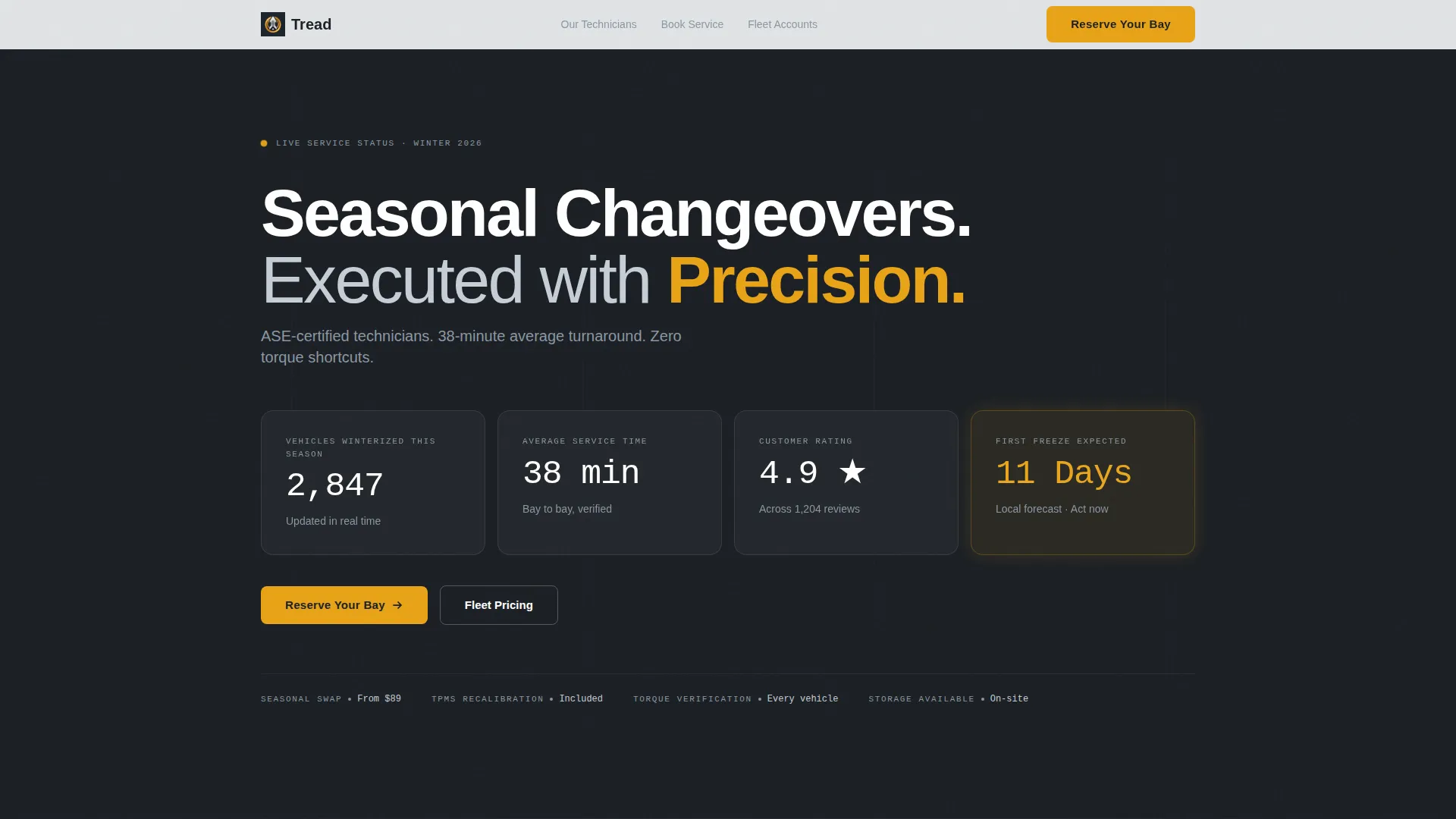
The header replaces a traditional hero image with a live-feeling metrics panel. It displays seasonal vehicle count, average service time, customer rating, and a countdown to first freeze. Numbers are set large in a thin sans-serif against deep asphalt, with the countdown accented in pulsing amber.
Alternating Expert Panel Layout
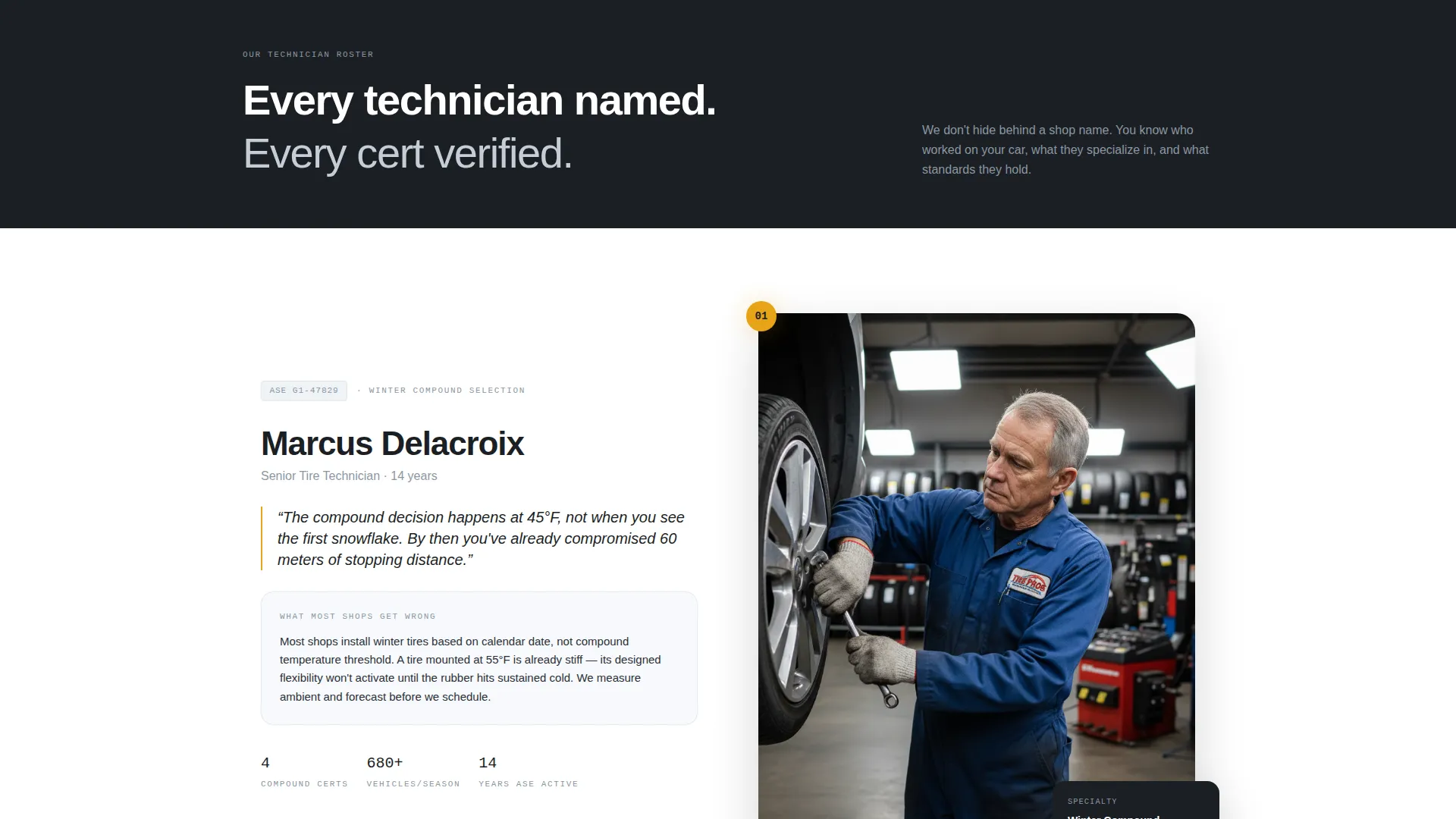
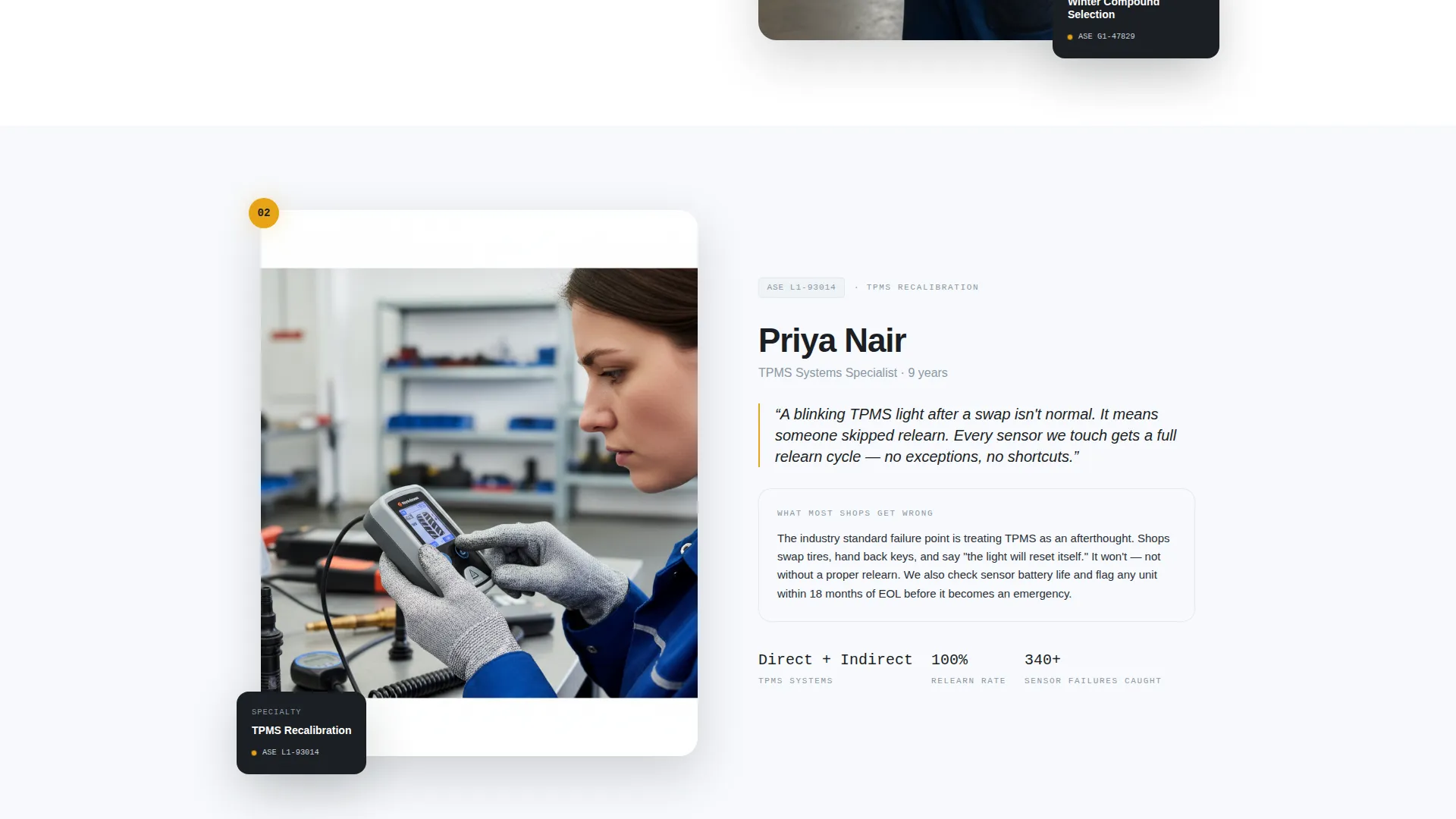
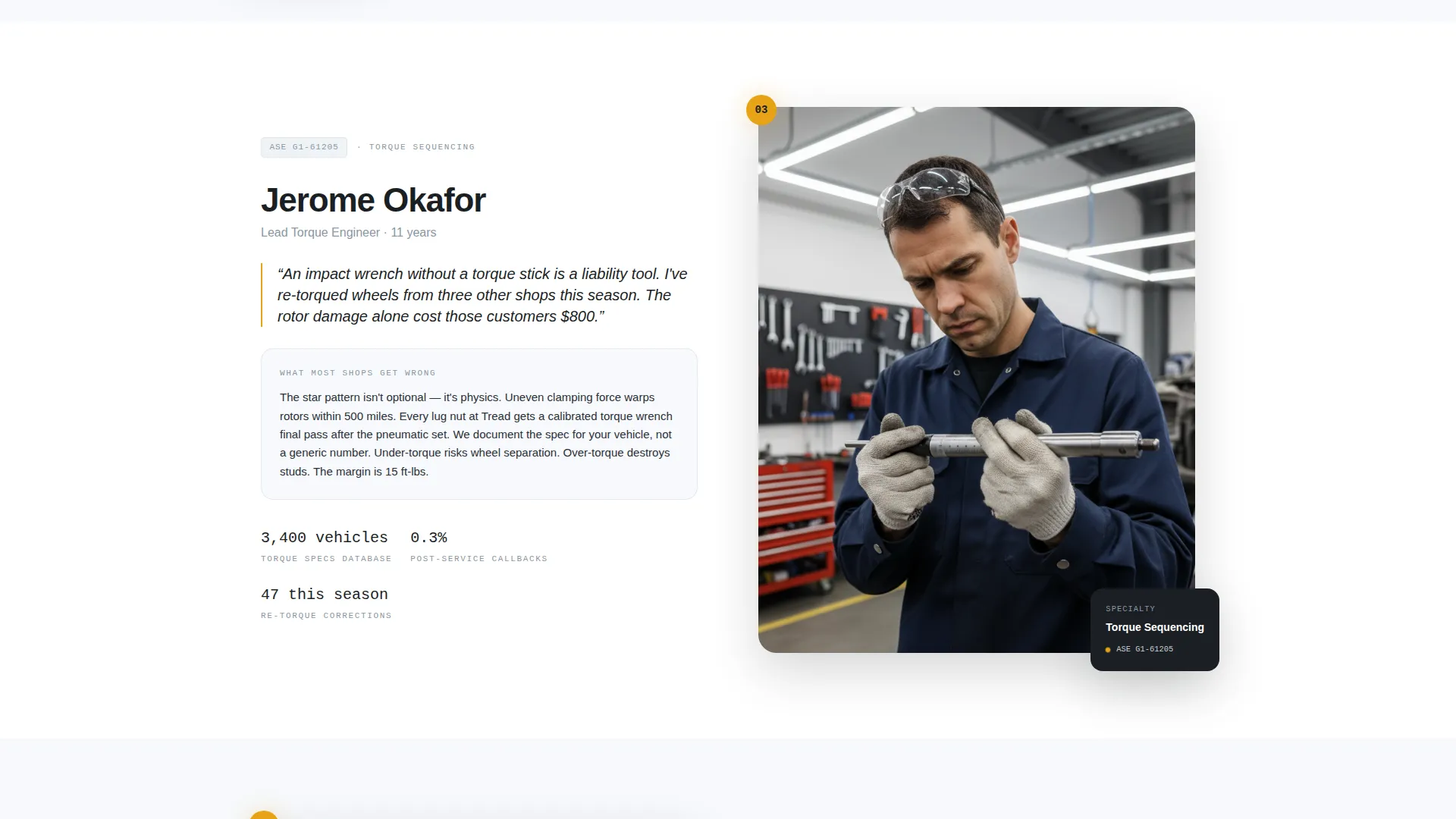
Five zigzag content blocks each feature a named technician with their Automotive Service Excellence (ASE) certification number, stated specialty, and a direct quote. The left-right-left rhythm keeps the reader moving while building a credible roster. Each panel deepens the subject: from tire compound selection to fleet logistics.
Dual Booking Form
The primary booking path asks for vehicle year, make, and model first via dropdown, then service type, then preferred date and time window. A secondary path labeled "Get Fleet Pricing" opens a separate form for commercial visitors requesting vehicle count and account contact details.
Sticky Bottom call to action Bar
A persistent bottom bar carries the "Reserve Your Bay" call to action across the entire scroll. It ensures the booking prompt is always visible without interrupting the reading experience of the expert panels above.
Countdown Urgency Indicator
A "First Freeze Expected in 11 Days" countdown appears in the header and repeats near the primary call to action section. The amber accent on this element creates temporal urgency tied to real seasonal logic rather than artificial discount pressure.
Structured Technician Profiles
Each expert panel block includes a named technician, their ASE certification number, their stated specialty such as Winter Compound Selection or TPMS (Tire Pressure Monitoring System) Recalibration, and a single pointed quote. This structure turns the scroll into an education sequence that positions the shop as the serious choice.
Page sections overview
| Section | Purpose |
|---|---|
| Metrics dashboard header | Establishes authority with live-feeling seasonal stats and countdown |
| Expert panel one | Introduces first technician and tire science specialty |
| Expert panel two | Builds on road safety data with second technician profile |
| Primary call to action block | Places "Reserve Your Bay" form after second expert panel |
| Expert panel three | Covers TPMS recalibration with third technician quote |
| Expert panel four | Addresses torque sequencing and common swap mistakes |
| Expert panel five | Closes with fleet logistics expertise and commercial framing |
| Fleet pricing form | Secondary path for commercial visitors with vehicle count input |
| Sticky call to action bar | Persistent booking prompt anchored at the bottom of the viewport |
Design & branding system
The visual identity follows an Executive Suite direction built on an Arctic White color system. The palette reads like a luxury dealership service lounge: clean enough to signal precision, composed enough to build trust on first glance.
- Surgical white (#F7F9FC) dominates backgrounds with generous negative space; deep asphalt (#1B1F24) anchors headlines and section dividers
- Brushed aluminum (#C5CED6) carries secondary text, card borders, and supporting labels throughout the layout
- Caution amber (#E8A317) appears only on calls to action, the countdown timer, and urgency indicators, ensuring every amber element demands attention
Mobile & speed optimization
The template layout is built with a vertical reading flow that translates naturally to smaller screens. The alternating panel rhythm collapses cleanly into a stacked single-column view without losing the left-right pacing effect.
- The sticky call to action bar remains anchored at the bottom on mobile, keeping the booking prompt within thumb reach at all times
- Form fields use large touch targets with dropdown menus sized for comfortable mobile interaction
How this template helps you convert
The page is designed as a lead-generation sequence, not a brochure. Every structural decision moves the visitor toward a booking or a fleet inquiry.
- The data dashboard opens with social proof and seasonal urgency before the visitor reads a single word of copy, establishing credibility in the first scroll position
- The expert panel sequence educates the visitor progressively, so by the time they reach the call to action block, the shop has already demonstrated it is the most qualified option on the market
- The dual form structure captures both individual drivers and fleet accounts in a single page flow, maximizing the commercial value of every visit
Other information about this template
This template is categorized under Professional Services and specifically targets the Tire Shop Marketing subcategory. It is designed around a lead-generation landing page direction, making it well-suited for seasonal campaigns where appointment volume is the primary metric.
- The template style follows a Sidebar Companion layout direction with a Data Storytelling header concept, consistent with an Editorial Magazine theme
- The Team and People creative direction runs through the expert panel sequence, making technician credibility the core persuasion mechanism rather than pricing or promotions
- This template works well for any seasonal promotional window including spring swap season, winter preparation campaigns, or pre-road-trip inspection drives
Theme
Editorial Magazine
Creative direction
Team & People
Color system
Ink & Paper
Style
Sidebar Companion
Direction
Lead Generation
Page Sections
Data Dashboard Header Panel
Alternating Expert Technician Panels
Dual-path Booking Form
Sticky Bottom Call to Action Bar
Countdown Urgency Indicator
Structured Technician Profile Blocks
Related questions
Can I customize the technician names, certifications, and specialties in each panel?
Does the countdown timer update automatically based on weather data?
Can this template handle both individual customers and fleet accounts at the same time?
How many pages are included in this template?
Can I use this template outside of a winter tire changeover campaign?



