Tread Tire Shop Estimate Landing Page Template
Tread is a split-screen free estimate landing page built for neighborhood tire shops. It pairs a trust-first testimonial hero with an educational brand authority section and a streamlined booking form. The Ink and Paper design feels like a shop manual printed on heavyweight stock, turning cautious visitors into booked customers without pressure or confusion.
by Rocket studio
Quick summary
Tread is a single-page free estimate template built for local tire shops that want to earn trust before they ask for anything. It opens with a customer testimonial, walks visitors through a curated tyre and wheel brand section, and closes with a simple booking form. The design feels like a well-annotated shop manual, confident and clear.
Who this template is for
This template works for any neighborhood tire shop that wants a professional website presence without a complex build. It speaks directly to the customers those shops serve every day.
- Commuters and parents who noticed a wobble, uneven wear, or low tread and need a quick, honest assessment
- Fleet managers who rotate tires and wheels across multiple work vehicles and need a reliable contact point
- Tire shop owners who want to create a credible online presence that converts visitors into booked appointments
What problem this template solves
Most tire shops either have no website or a cluttered site that overwhelms visitors at the exact moment they need simple answers. This template fixes that gap.
- Visitors arrive stressed about their tires and tyre condition; a clear layout and honest testimonial immediately reduce that anxiety
- Generic pages bury the estimate form; this template puts the call to action front and center so customers act without hunting
- Shops lose leads when their site feels untrustworthy; a structured design with social proof and brand authority pages build that trust fast
What you get with this template
You get a ready-to-edit landing page with every section needed to turn a curious visitor into a booked appointment. No coding skills are needed to customize it.
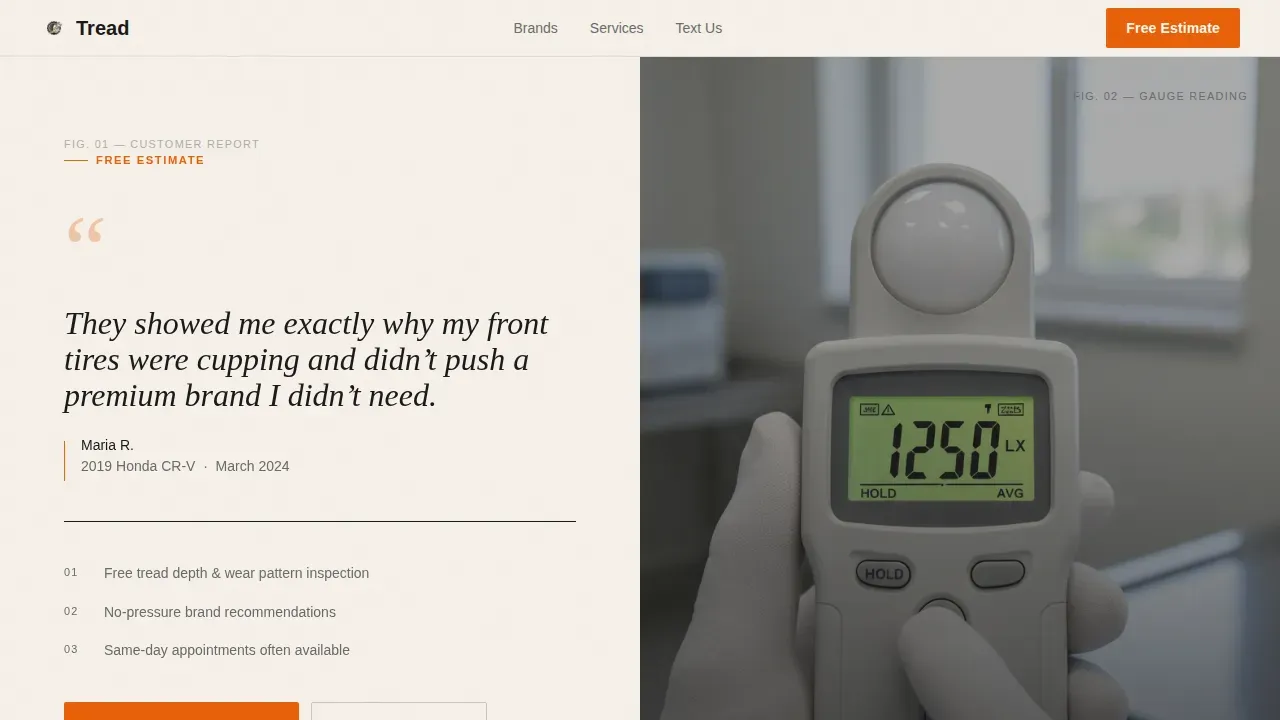
- A split-screen hero with a large testimonial card and a tread-gauge photo, plus a primary "Get Your Free Estimate" button in safety-cone orange
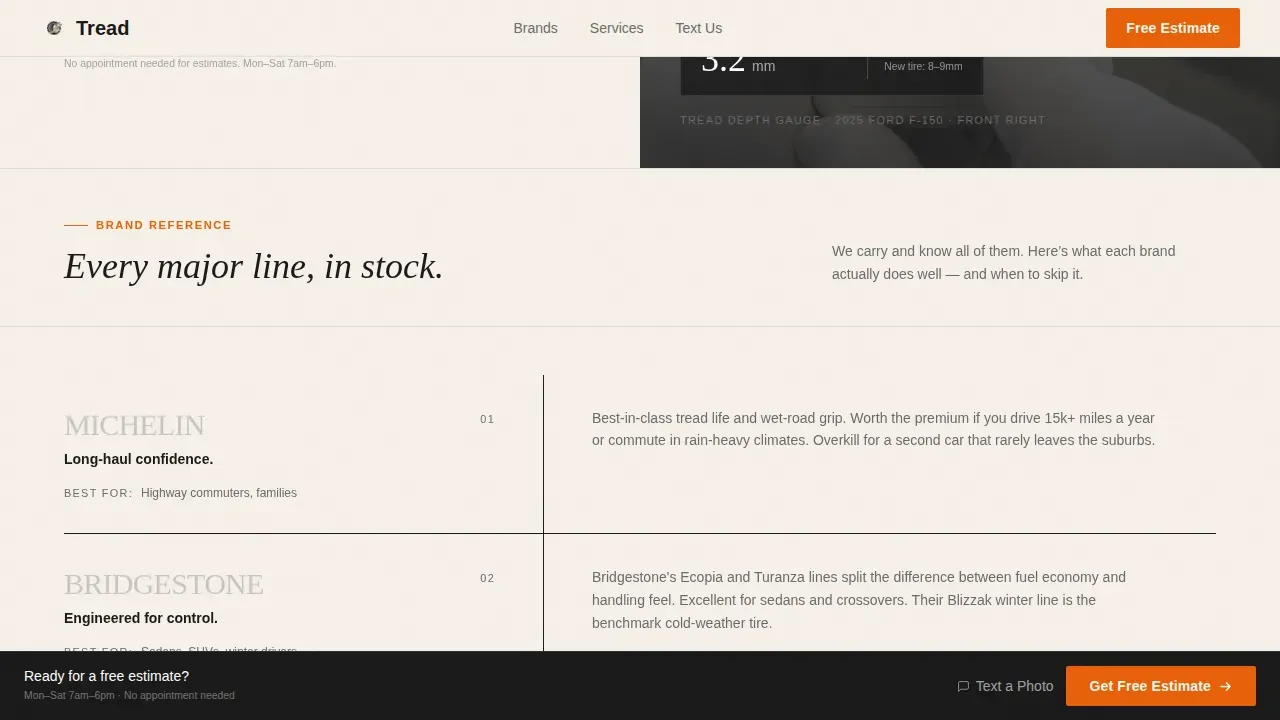
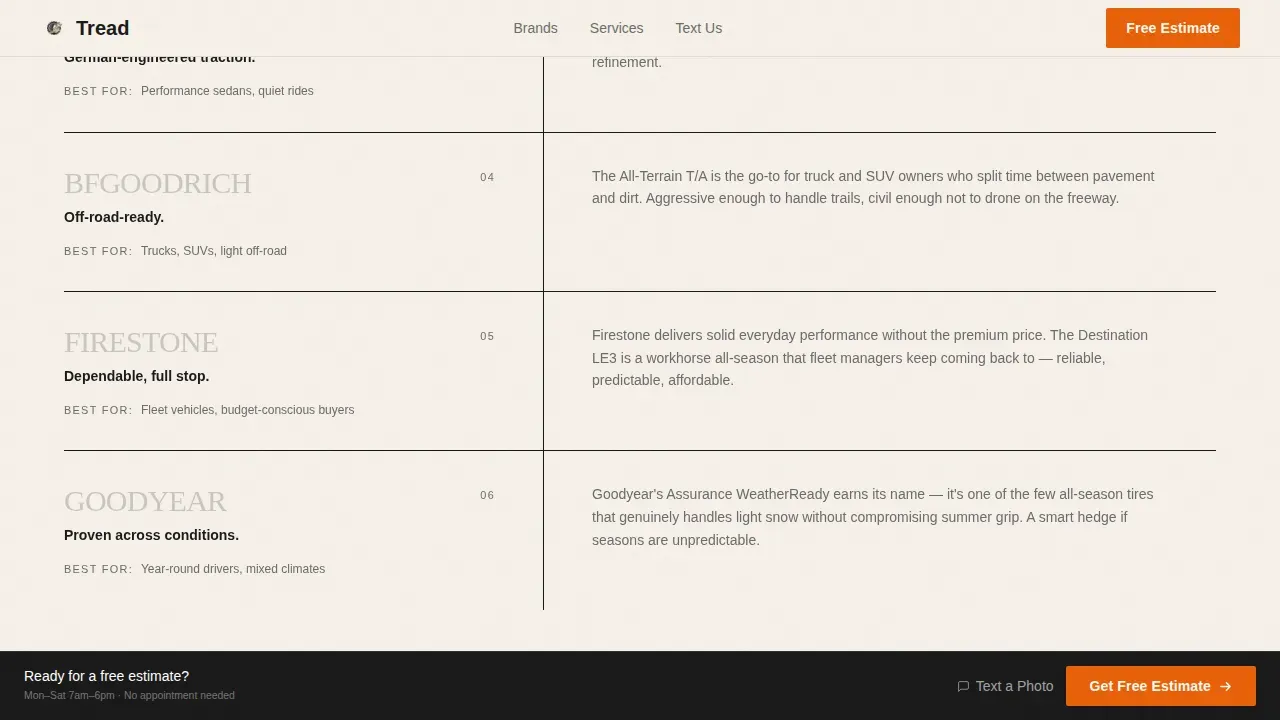
- A logo wall authority section pairing six major tyre and wheel brand marks with short educational notes on each brand's strengths
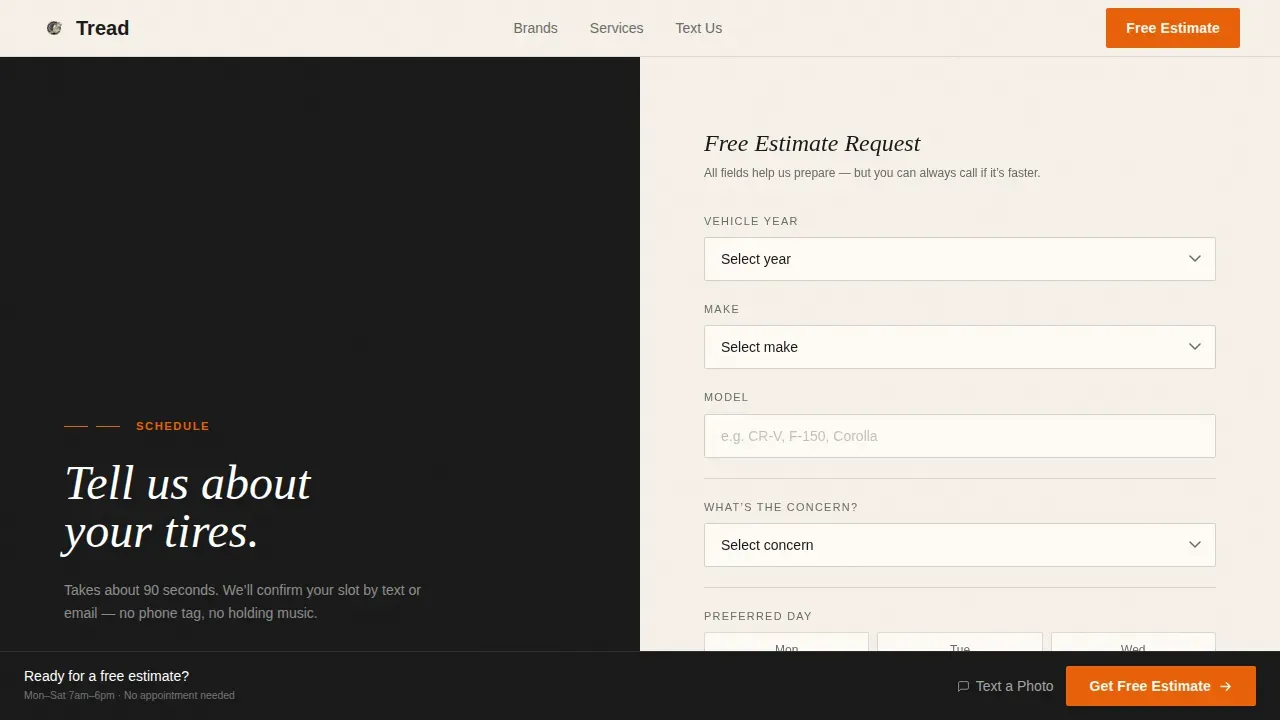
- A multi-step booking form collecting vehicle year, make, and model, tire concern, and preferred date and time window, plus an SMS fallback path
Feature list
This template is built around features that serve real tire shop business goals. Each section earns its place on the page.
Split-Screen Testimonial Hero
The hero opens with a large typeset customer quote on the left and an overhead tread-depth photo on the right. The layout immediately displays social proof and builds credibility before asking visitors for anything.
Educational Brand Authority Section
As visitors scroll, a monochrome logo wall of major tyre and wheel brands appears on the left. The right panel mirrors each logo with a plainspoken note on what that brand excels at and which driving style it suits, turning brand discovery into a trust-building moment.
Streamlined Booking Form
The form collects vehicle details first, then tire concern, then preferred date and time. This simple sequence reduces friction. An SMS fallback path lets customers text a photo of their tyre instead of filling out fields, serving visitors who prefer that route.
Sticky Bottom Bar
After the logo wall section, a persistent bottom bar keeps the "Get Your Free Estimate" call to action visible at all times. Visitors never need to scroll back to find the next step.
Ink and Paper Design System
The color palette uses deep black, warm newsprint cream, mechanic gray, and a single safety-cone orange reserved for calls to action. Typography pairs DM Sans for body and navigation with Fraunces for editorial headlines, creating a design that feels authoritative and unique without being loud.
Scroll Reveal Animations
Low-to-medium animations include staggered fade-ins and scroll-triggered reveals. Each section appears at the right moment, guiding the visitor's eye without slowing the experience down.
Page sections overview
| Section | Purpose |
|---|---|
| Testimonial Hero Split | Opens with social proof and a direct free estimate call to action |
| Brand Logo Wall | Displays tyre and wheel brand authority with educational notes |
| Booking Form | Captures vehicle details, tire concern, date, and time |
| Sticky Bottom Bar | Keeps the estimate call to action visible after the logo wall |
| Footer | Single-row linear footer with basic shop navigation and contact |
Design & branding system
The design follows an Educational Guide theme built on an Ink and Paper color system. Every visual decision feels deliberate, like ink on a technical diagram printed on heavyweight stock.
- Colors: deep shop-manual black (#1A1A1A), warm newsprint cream (#F5F0E8), mechanic pencil gray (#6B6B6B), and safety-cone orange (#E8600A) used only for calls to action and critical callouts
- Typography: DM Sans handles body text, form labels, and site navigation; Fraunces handles editorial headlines and pull quotes for contrast and authority
- Hover states on brand logo cards and scroll-reveal animations add interactivity without distracting from the content
Mobile & speed optimization
The template is built desktop-first with a strong mobile adaptation. The 50/50 split layout stacks cleanly on smaller screens so every section remains readable and functional.
- The split-screen hero becomes a single stacked column on mobile, keeping the testimonial and photo visible without horizontal scrolling
- The sticky bottom bar and SMS fallback path are especially useful for mobile visitors, since over 60 percent of searches for tire services happen on phones
- Server components handle static content and minimal JavaScript keeps pages running light, supporting fast load times needed to prevent bounce
How this template helps you convert
A high-converting landing page for tire shops must build trust, simplify the experience, and guide visitors toward a clear action. This template does all three in sequence.
- The testimonial hero and brand authority section earn trust before any form appears, so customers arrive at the booking step already confident in the shop's knowledge and services
- The booking form uses a logical vehicle-first flow and an SMS alternative path, reducing the friction that causes visitors to leave without making contact
- The sticky bottom bar keeps the "Get Your Free Estimate" call to action available at every scroll position, so no visitor has to work to find the next step
Other information about this template
This template is part of a growing collection of professional service landing page templates designed to help local businesses build a credible web presence quickly. It pairs well with shops that want to display their services, add promotions, and connect with customers across multiple channels.
- Templates create a ready foundation; you can edit colors, swap content, add your shop's address, and change the hours displayed in the footer without touching any code
- The booking form design follows invoicing best practices: it collects tire size and service type up front, making it simple to turn an estimate request into a clear, itemized quote that separates labor and parts
- You can integrate the SMS fallback link with any standard messaging tool, add on additional pages over time, and use the site as a net new starting point for local discovery and ratings growth
- Google Sheets can work alongside this template for teams that want to log estimate requests manually while they build toward a fuller integration with their business systems
Theme
Educational Guide
Creative direction
Logo Wall Authority
Color system
Ink & Paper
Style
Split Screen (50/50)
Direction
Booking/Scheduling
Page Sections
Split-screen Testimonial Hero
Educational Brand Authority Section
Multi-step Booking Form with SMS Fallback
Persistent Sticky Bottom Bar
Ink and Paper Design System
Scroll Reveal Animations
Related questions
Can I edit the booking form fields to match my shop's services?
Does the template support mobile visitors?
How do I add my shop's contact details and hours?
Can I use this template for a fleet or commercial tire client?
What makes this different from a generic tire shop website template?



