Tire Shop Marketing FAQ Website Template
Tread is an editorial-style landing page template built for neighborhood tire shops running a referral program. It uses a FAQ-driven layout, trust badge header, reward tier tables, and two conversion paths: a referral link form and a printable PDF guide. The design feels like a clean technical manual, clear, confident, and built to earn trust before asking for anything.
by Rocket studio
Quick summary
Tread is a single-page referral program template for tire shops that want to turn loyal customers into active advocates. It leads with trust badges, walks visitors through every referral question in an editorial FAQ format, and closes with two low-friction conversion paths. The layout is clean, readable, and built around one idea: answer every question before asking for anything.
Who this template is for
This template suits locally owned or independent tire shops that already have a steady base of repeat customers and want a structured way to grow through word-of-mouth. It works especially well for shops ready to launch or refresh a referral reward program.
- Tire shop owners who want referrals from loyal regulars like seasonal customers or fleet contacts
- Service managers building a program that explains itself clearly without a sales pitch
- Shop marketers who want a credible, low-pressure page that earns the click rather than demanding it
What problem this template solves
Most tire shops rely on informal word-of-mouth with no system behind it. When a loyal customer wants to refer a friend, they have no easy way to do it and no clear answer on what they earn. This template solves that gap directly.
- Referral program details are buried, confusing, or scattered across different touchpoints
- Shops have no dedicated page that handles objections and explains rewards in plain language
- Customers who would happily refer others simply forget or never find a clear starting point
What you get with this template
You get a fully structured editorial landing page that walks a visitor from trust-building to action without any friction. Every section has a defined role, and the two conversion paths make it easy for different types of visitors to engage on their own terms.
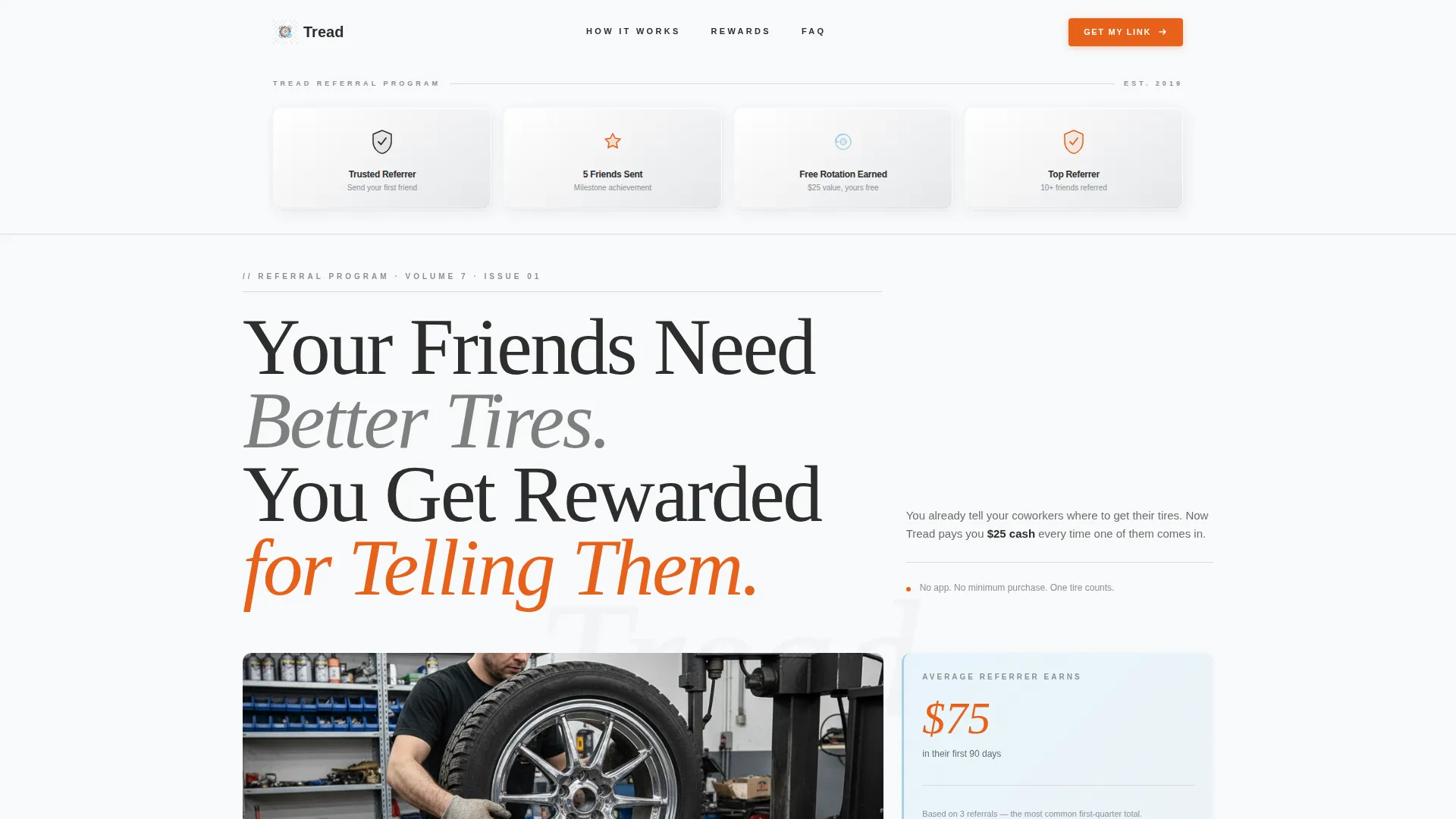
- Trust badge header with embossed milestone shields showing referral program credentials
- A FAQ-driven scroll with numbered questions, editorial answer blocks, reward tier tables, and real referral examples
- Two distinct calls to action: a referral link form (name and phone number only) and a downloadable one-page PDF guide for sharing offline
Feature list
This template is built around a clear set of structural and visual features. Each one is grounded in the source brief and serves a specific purpose in the referral journey.
Trust Badge Header Row
Three or four embossed metallic shield icons are displayed like magazine mastheads across the arctic white header. Each badge marks a referral milestone such as "Trusted Referrer," "5 Friends Sent," or "Free Rotation Earned." Credentials appear first, before any pitch, so the page opens with social proof rather than a request.
Editorial FAQ Scroll
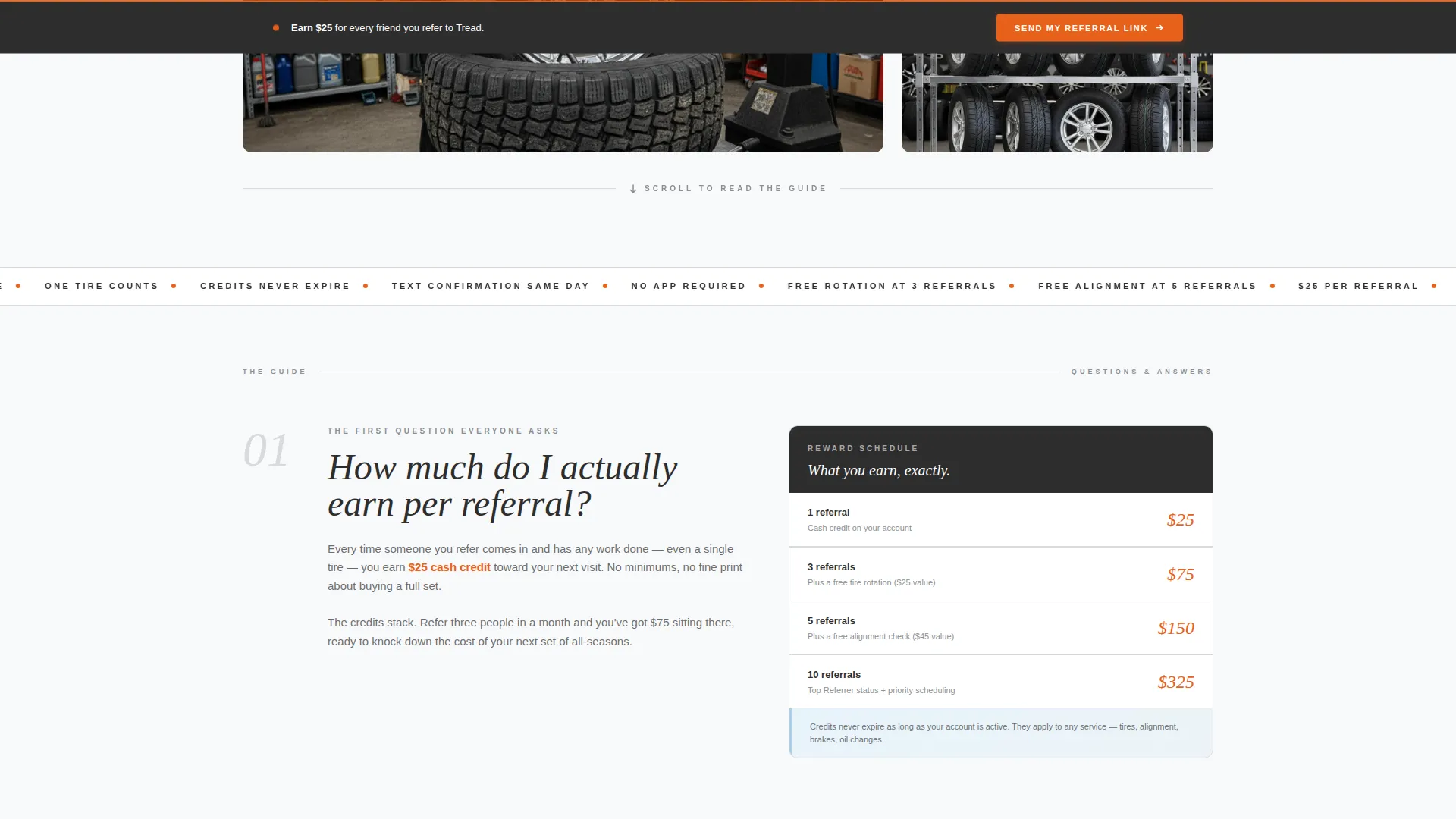
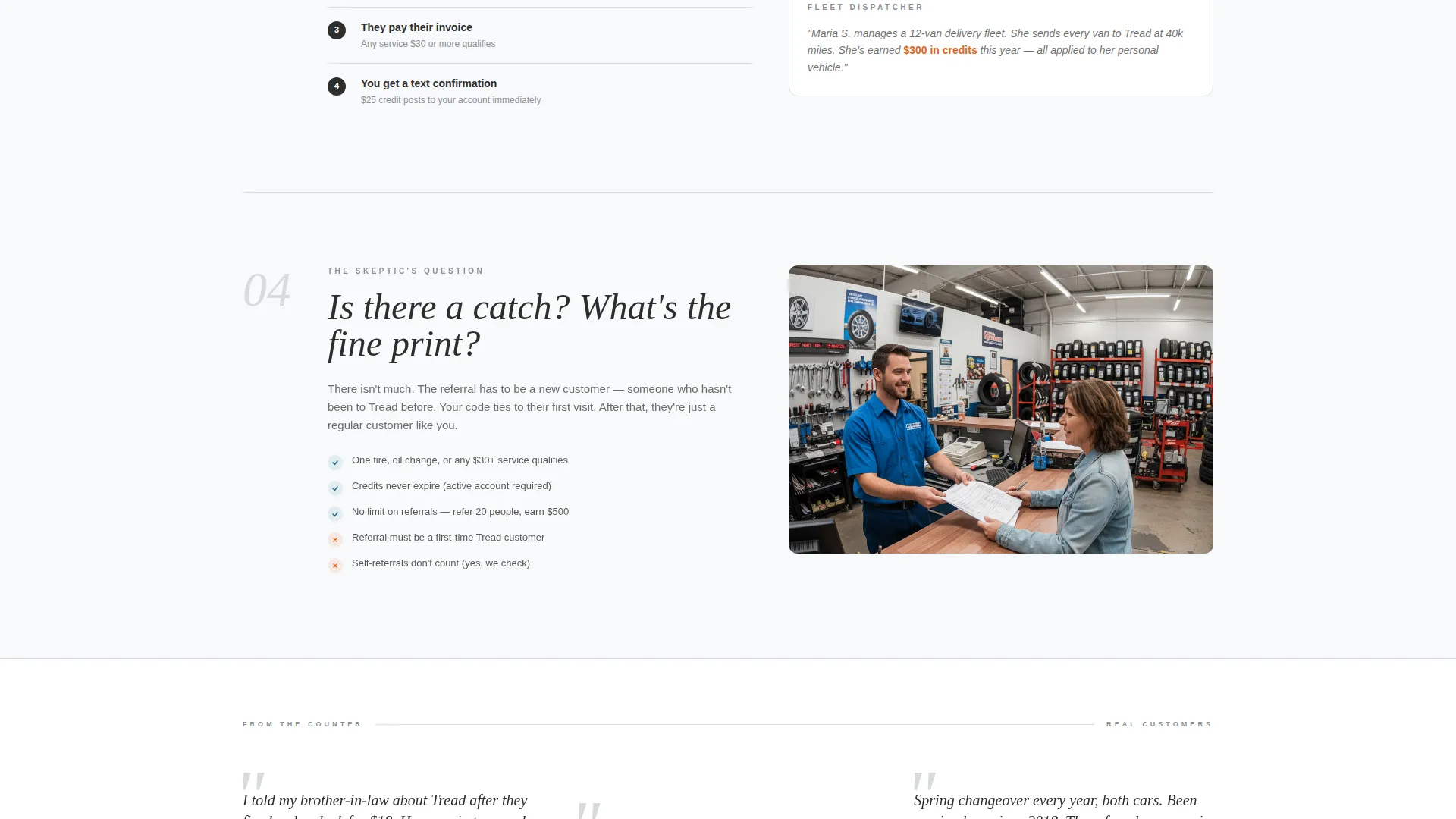
The main body of the page is a series of clearly numbered questions styled as magazine pull-quotes. Each question unfolds into a short editorial block with a diagram, a reward tier table, or a real referral example. The rhythm of question, answer, and proof repeats until every common objection is resolved.
Dual Conversion Path Design
The primary call to action reads "Send My Referral Link" and appears after the third FAQ answer. It is also repeated as a sticky bottom bar so it remains accessible throughout the scroll. A secondary path offers a "Print the Guide" button that lets visitors download a one-page PDF explainer to share in person.
Minimal Referral Form
The form asks only for a name and phone number. Once submitted, a unique referral code is auto-generated and sent by text message immediately. Keeping the form short removes the friction that kills conversions on longer sign-up flows.
Sticky Bottom Call to Action Bar
The "Send My Referral Link" button persists as a sticky bar at the bottom of the page on scroll. This keeps the primary conversion action visible at all times without interrupting the editorial reading experience.
Reward Tier Tables and Real Examples
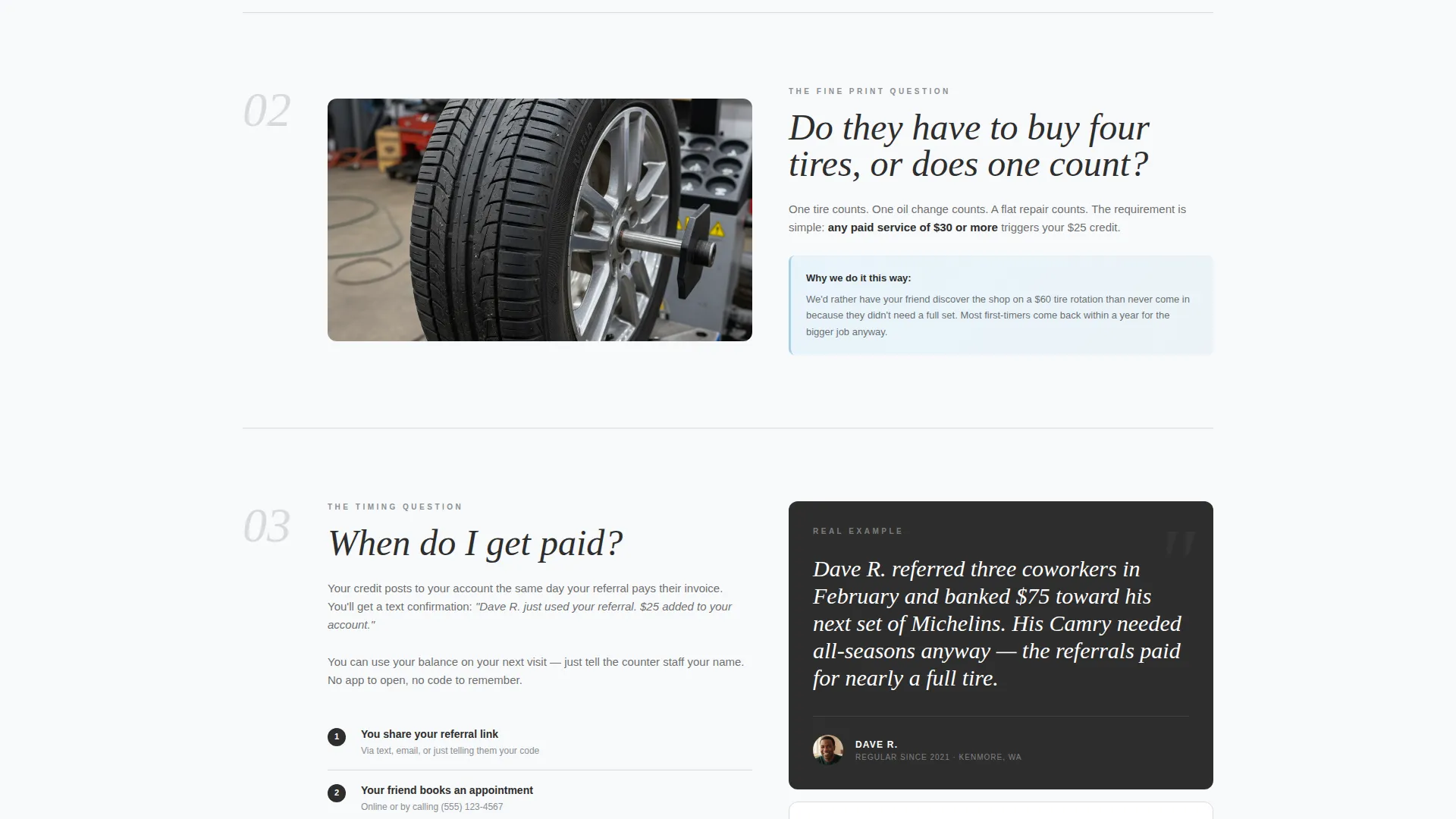
Reward amounts and tiers are displayed in structured tables inside the FAQ blocks. Real referral stories, such as a customer who banked credit toward a new set of tires after referring coworkers, give the numbers a human context and make the rewards feel concrete and achievable.
Page sections overview
| Section | Purpose |
|---|---|
| Badge Header Row | Opens with trust milestones before the pitch |
| Editorial Headline | Sets the referral value proposition clearly |
| FAQ Block One | Answers earnings-per-referral question with proof |
| FAQ Block Two | Clarifies qualifying purchase rules |
| FAQ Block Three | Explains payment timing and delivery method |
| Primary call to action Form | Collects name and phone, sends referral code |
| PDF Download Path | Offers a printable guide for offline sharing |
| Sticky call to action Bar | Keeps referral link action visible on scroll |
Design & branding system
The visual identity follows an Educational Guide theme. The palette is clinical and confident, evoking a freshly printed technical manual laid open on a clean stainless-steel workbench. Every color has a fixed role, so the page is impossible to misread at a glance.
- Arctic white (#F8F9FA) covers open backgrounds; charcoal asphalt (#2D2D2D) handles body text and section dividers; ice blue (#A8D0E6) marks callout boxes and informational highlights
- Safety orange (#E8611A) is reserved exclusively for calls to action and reward amounts, making them visually unmistakable
- Typography uses a heavy editorial serif for headlines, giving the page the authority of a well-printed owner's manual
Mobile & speed optimization
The layout is designed as a single linear scroll, which makes it naturally suited for mobile reading. The sticky bottom bar keeps the primary action reachable on any screen size without the user needing to scroll back up.
- Single-column FAQ flow reads cleanly on small screens without horizontal scrolling or layout breakage
- Minimal form fields (name and phone only) reduce tap burden on mobile and speed up submission
- The PDF download path gives mobile users a shareable asset they can forward directly from their phone
How this template helps you convert
The page is structured to remove hesitation at every step. Rather than leading with an ask, it leads with credentials and then earns the conversion through clarity.
- The badge header establishes program credibility before any reward claim is made, so visitors arrive with trust already building rather than skepticism
- The FAQ-driven scroll addresses the specific objections that prevent referrals, earnings clarity, qualifying rules, and payout timing, using real examples that make rewards feel tangible
- The dual conversion paths mean a visitor who is not ready to submit a form can still take action by downloading the PDF guide, keeping them engaged and giving them something to share
Other information about this template
This template is designed for the tire shop referral program use case, where the goal is converting existing satisfied customers into active word-of-mouth sources. The editorial magazine format makes the page feel informative and trustworthy rather than promotional.
- The layout is well suited for tire shop coupon and discount page campaigns where clear reward communication is essential
- Shops running seasonal promotions, such as spring all-season tire changeovers or fleet service milestones, can update the FAQ blocks and reward tables to reflect current offers
- The "Print the Guide" PDF path is particularly useful for shop staff who want to hand a physical one-pager to customers at the counter without explaining the whole program verbally
Theme
Editorial Magazine
Creative direction
Team & People
Color system
Ink & Paper
Style
Sidebar Companion
Direction
Lead Generation
Page Sections
Trust Badge Header Row
Editorial FAQ Scroll Layout
Dual Conversion Paths
Sticky Bottom Call to Action Bar
Reward Tier Tables with Real Examples
Minimal Referral Code Form
Related questions
What kind of tire shop is this template built for?
Can I customize the reward tiers and FAQ questions?
Does the referral form require complex setup?
Is the one-page PDF guide included in the template?
Can this page support seasonal or fleet promotions alongside the referral program?



