Specialist Military & Defense Provider Directory Website Template
Triage is a sidebar companion landing page built for military hospital complexes. It gives active-duty service members, military families, and VA liaison officers an authoritative, instantly navigable department directory. A sticky sidebar table of contents, department data grids, and high-contrast urgent calls to action work together to route every visitor to the right care, fast.
by Rocket studio
Quick summary
Triage is a single-page directory companion for military hospitals. It presents six department chapters in an industry-report scroll layout, anchored by a persistent sidebar table of contents. Every section delivers mission statements, provider counts, wait times, and direct phone lines, so visitors locate the right clinic before checking any secondary resource.
Who this template is for
Designing a landing page for a military hospital requires careful consideration of the specific needs of military personnel and their families. This template addresses those needs precisely.
- Active-duty service members who need to locate a specialty clinic with zero ambiguity
- Military families checking dependent care enrollment options and eligibility steps
- VA liaison officers routing patients between installations and checking provider availability
What problem this template solves
Most hospital directory pages bury critical information under layers of navigation. Visitors waste time checking multiple menus before finding a phone number or floor location. This template eliminates that friction.
- No provider count, wait time, or direct line is hidden behind a secondary page
- Department building and floor information appears as a localized map pin inside each chapter
- Urgent calls to action are color-coded and positioned so the eye responds immediately
What you get with this template
This template delivers a complete, structured directory experience in one cohesive layout. Effective hospital landing pages focus on user engagement and clear communication of services, and every component here supports that goal.
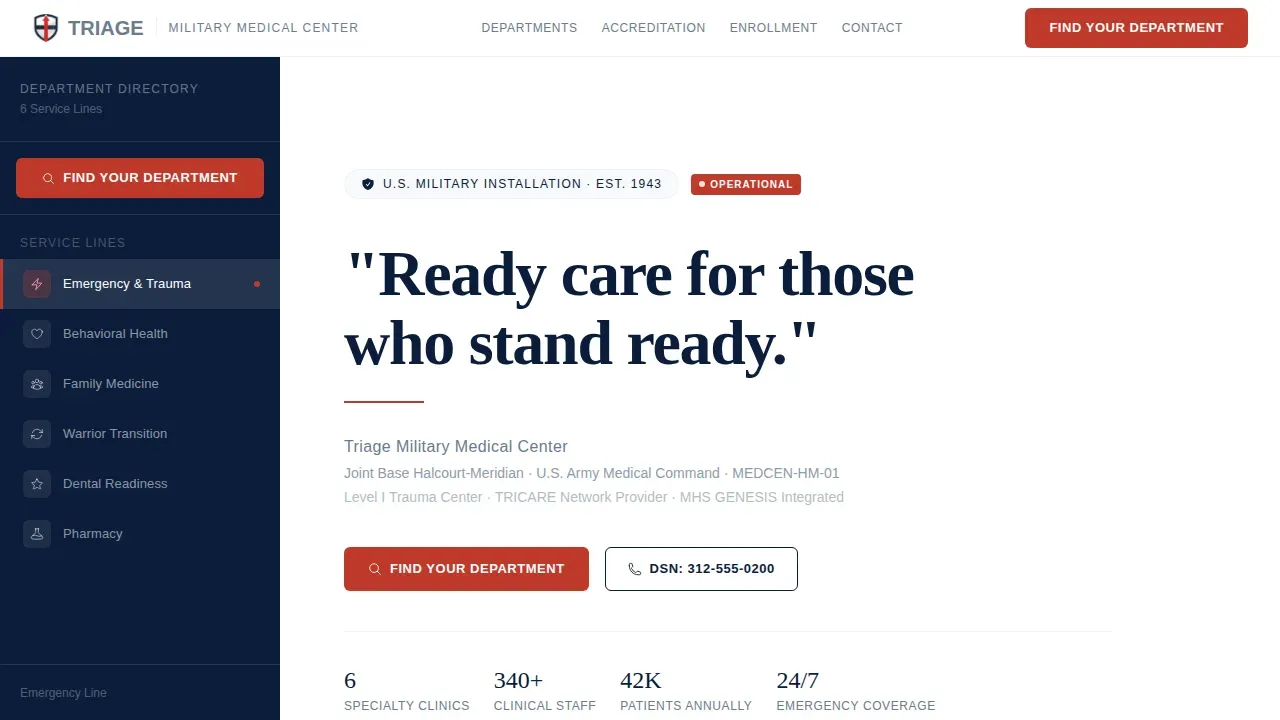
- A manifesto hero section with a navy serif quote, installation context, and a red horizontal rule
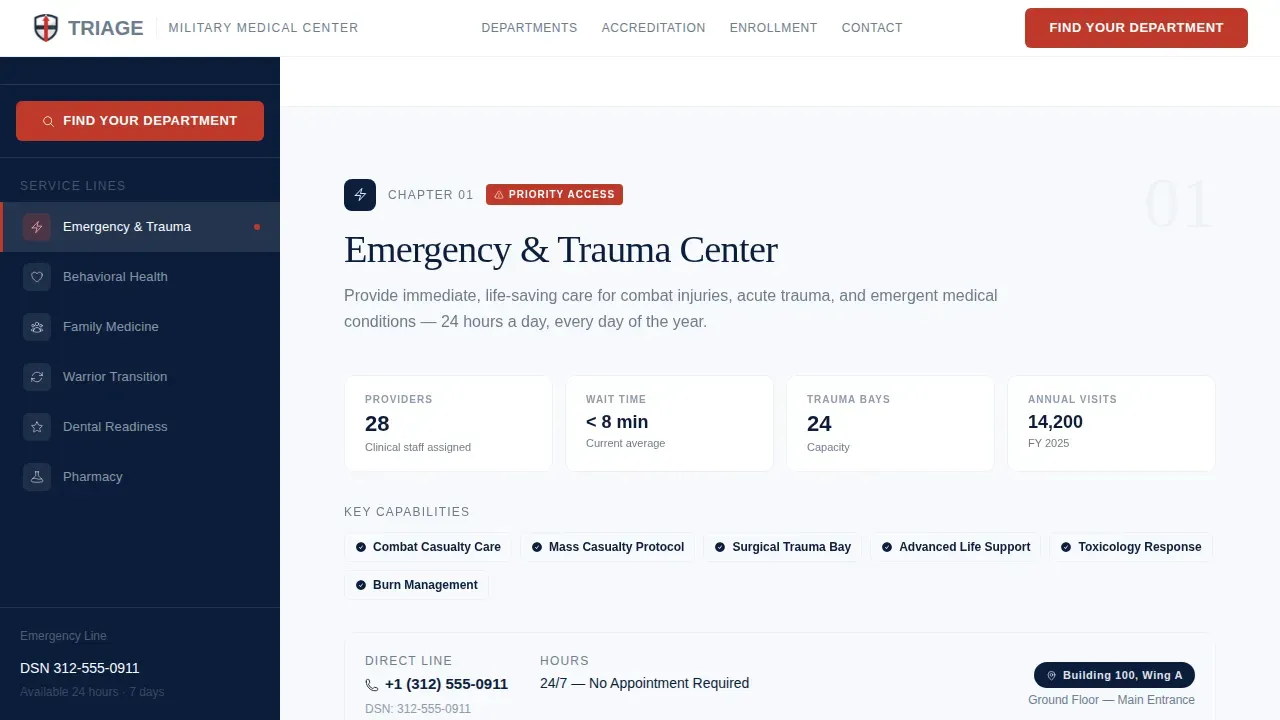
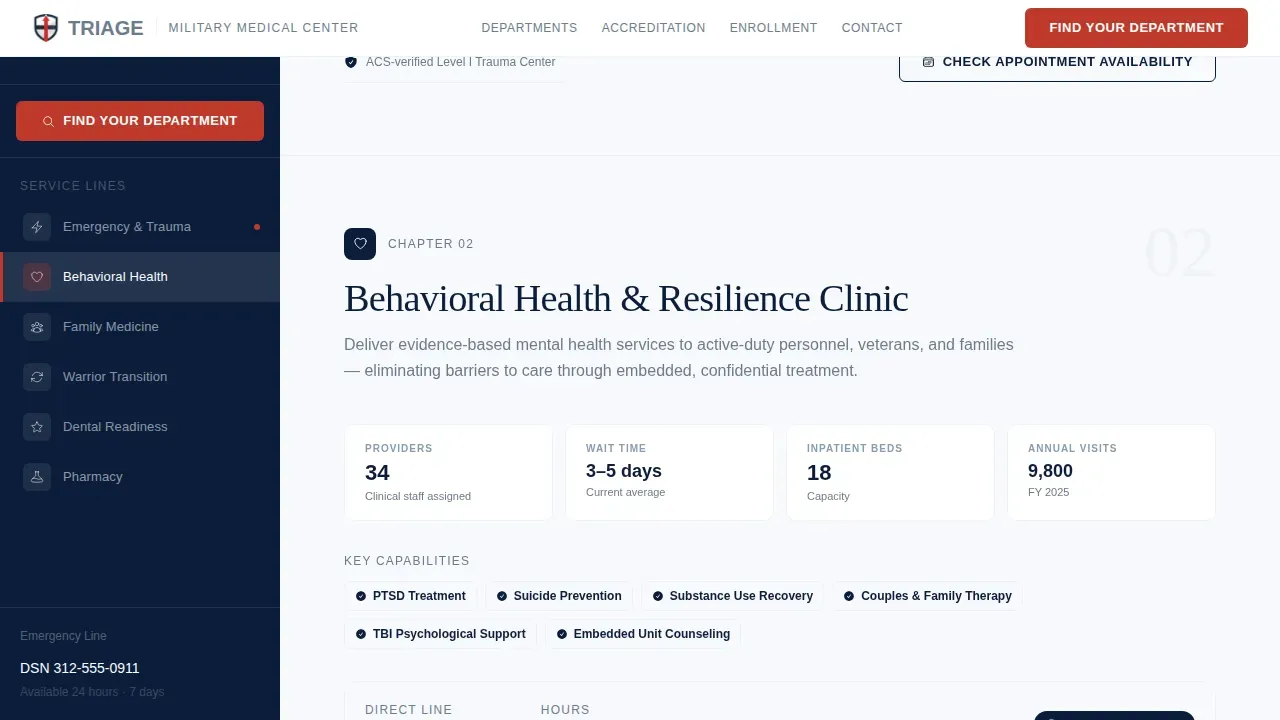
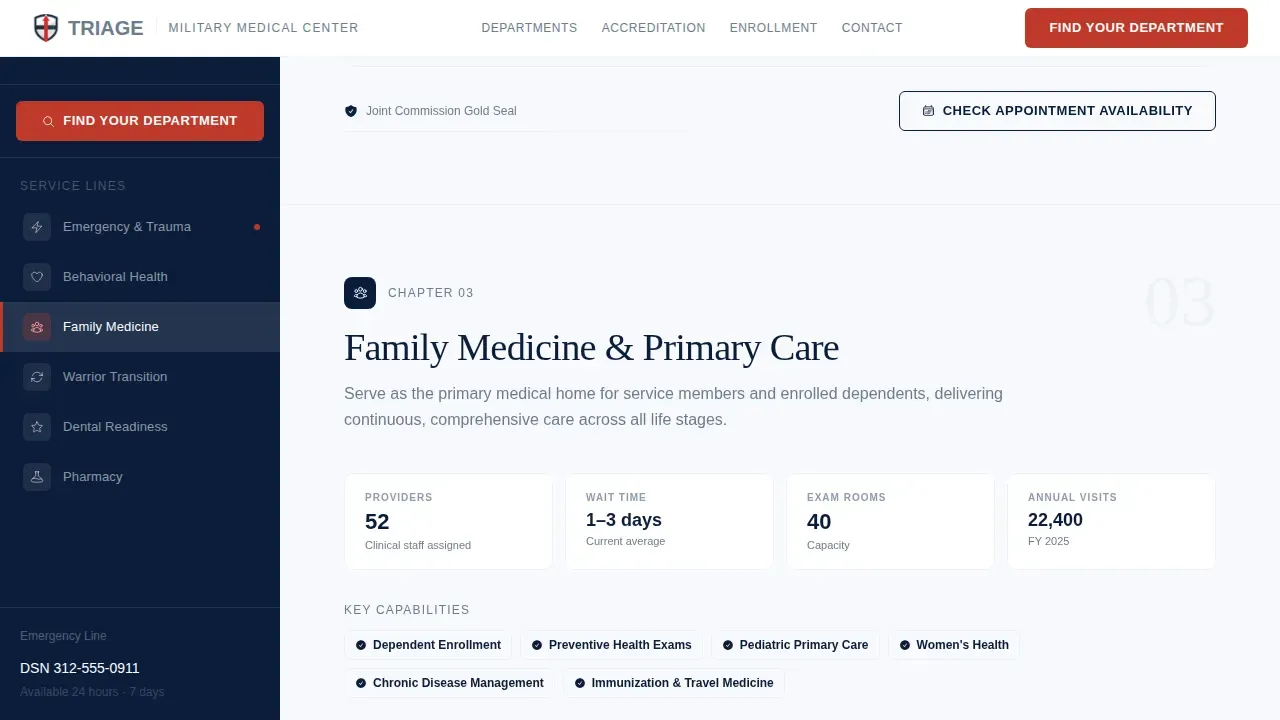
- Six department chapters each containing a mission sentence, capabilities data grid, provider count, average wait time, and direct phone line
- An accreditation and statistics section accumulating seals, patient volume data, and joint-service partnership logos
Feature list
This template ships with six tightly scoped components, each built for a distinct directory function.
Sticky Sidebar Table of Contents
The persistent sidebar lists all six department and service lines. As visitors scroll, active section highlighting updates automatically, so checking the current chapter is always instant.
Department Data Grid Chapters
Each chapter opens with a one-sentence department mission, followed by a structured capabilities grid. Provider count, average wait time, and a direct phone line appear in every chapter, giving VA liaison officers everything they need in one glance.
Manifesto Hero with Red Rule
A single commanding quote sits in navy serif type at full-page scale. A thin lifeline-red horizontal rule separates the manifesto from the first navigation prompt, establishing authority before any information is requested.
Accreditation and Statistics Band
Accreditation seals, patient volume statistics, and joint-service partnership logos accumulate in a dedicated evidence section. High-quality institutional proof builds trust the way a white paper builds an argument.
Enrollment and Access Section
This section covers dependent care enrollment, eligibility context, and the scheduling gateway entry point. Clear priority hierarchy places high-acuity information at the top with high-contrast buttons.
Installation Map with Floor Pins
Each department chapter ends with a localized map pin showing building and floor within the installation. Interactive map details include location context so the directory function is never more than a glance away.
Page sections overview
| Section | Purpose |
|---|---|
| Manifesto Hero | Opens with commanding quote and installation context |
| Sidebar Table of Contents | Sticky department navigation with active states |
| Department Chapter Grid | Six service chapters with data grids and phone lines |
| Accreditation Statistics Band | Institutional proof via seals and patient volume |
| Enrollment Access Section | Dependent care, eligibility, and scheduling entry |
| Installation Map Pins | Building and floor location for each department |
| Footer | Single-row copyright and essential links |
Design & branding system
The visual system follows an Arctic White color approach, described as a pressed white lab coat against starched navy blues: antiseptic, authoritative, and zero-tolerance for ambiguity.
- Arctic White (#F7F9FC) covers every background surface; steel gray (#6B7B8D) carries body text and secondary labels
- Deep dress-blue navy (#0B1D3A) anchors the sidebar, headers, and department icons; lifeline red (#C0392B) appears only on urgent calls to action and alert badges
- Fraunces serif handles all manifesto and heading type; Manrope sans-serif handles body copy and data grid labels
Mobile & speed optimization
The layout is desktop-first to support the wide-viewport sidebar, but a mobile fallback ensures the template remains functional for users checking information while in transit. Mobile-friendly design is essential for personnel who are often on the move.
- On smaller screens, the sticky sidebar collapses and a floating "Find Your Department" button replaces it
- Static server components handle department data, supporting a fast initial load without sacrificing directory depth
How this template helps you convert
The page earns the click by proving navigational mastery before presenting any call to action. By the time a visitor reaches a button, the template has already answered their question.
- The primary call to action, "Find Your Department," appears at the top of the sidebar and as a floating mobile button, routing visitors to the full interactive provider directory
- A secondary call to action, "Check Appointment Availability," closes each department chapter and links directly to the patient scheduling gateway
Other information about this template
This template is a strong fit for any company managing a multi-department military treatment facility that needs a structured public-facing directory. Best practices for directory management include keeping information accurate and up to date, and the chapter-based layout makes that straightforward. Color-coded service groups mirror standard military triage categories: Immediate (red), Delayed (yellow), Minimal (green), and Expectant (black), giving visitors a familiar visual language for checking urgency levels. A well-managed military hospital directory enhances operational efficiency during emergencies, and this layout is structured to support that. The triage military hospital directory discovery landing page template is available for immediate download and customization.
- Transparency regarding accepted coverage plans informs patients about their options upfront
- A company maintaining this directory should plan for regular content reviews to keep provider counts and wait times current
- Any company deploying this template can adapt the department chapter structure to match their specific installation's service lines
Theme
Directory & Discovery
Creative direction
Industry Report
Color system
Arctic White
Style
Sidebar Companion
Direction
Click-Through
Page Sections
Sticky Sidebar Department Navigator
Department Data Grid Chapters
Manifesto Hero with Command Typography
Accreditation and Proof Band
Installation Map with Floor Pins
Enrollment and Scheduling Entry Points
Related questions
Can I customize the six department chapters for my installation's specific service lines?
Does the template include guidance for displaying urgent care and emergency information?
How does the sidebar behave when checking the page on a phone or tablet?
What information should I have ready before customizing this template?



