Parallel Test 2
The Triage emergency dental care landing page template is a sidebar companion landing page built for clinics that handle urgent dental cases around the clock. It pairs a scrollable symptom self-assessment with a fixed sidebar that scores urgency in real time. Three key metrics greet every visitor immediately, and a minimal three-field form gets patients moving toward same-day care without friction.
by Rocket studio
Quick summary
Triage is a single-page emergency dental landing page template intended for clinics that treat acute pain without a waitlist. The design centers on a scroll-linked symptom checklist, a dynamic sidebar urgency scorer, and a three-field intake form. Every visual choice reinforces one message: a competent clinic is ready for you right now.
Who this template is for
This template is intended for emergency dental clinics and urgent care dental practices that need to convert distressed patients quickly. It works equally well for established practices adding an emergency service line and for new clinics building their first patient-facing web presence.
- Emergency dental clinics serving walk-in patients with no appointment
- Dental practices in any region that want a dedicated triage intake flow
- Clinic owners who need a browser-ready page live without a long build time
What problem this template solves
A patient in severe dental pain does not have the patience for a slow, cluttered page. Standard dental websites bury the phone number, ask too many questions, and never confirm whether the clinic is even open. That delay costs clinics patients and costs patients relief.
- Visitors land in a panic and cannot quickly find out if the clinic can help them right now
- Generic contact forms create friction that people in pain will simply abandon
- Pages without urgency signals fail to communicate availability and capacity to act
What you get with this template
This template delivers a fully structured, interaction-rich landing page built around one goal: getting a patient in pain to the right treatment path as fast as possible. Every section serves that purpose, from the opening metrics display to the final form submission.
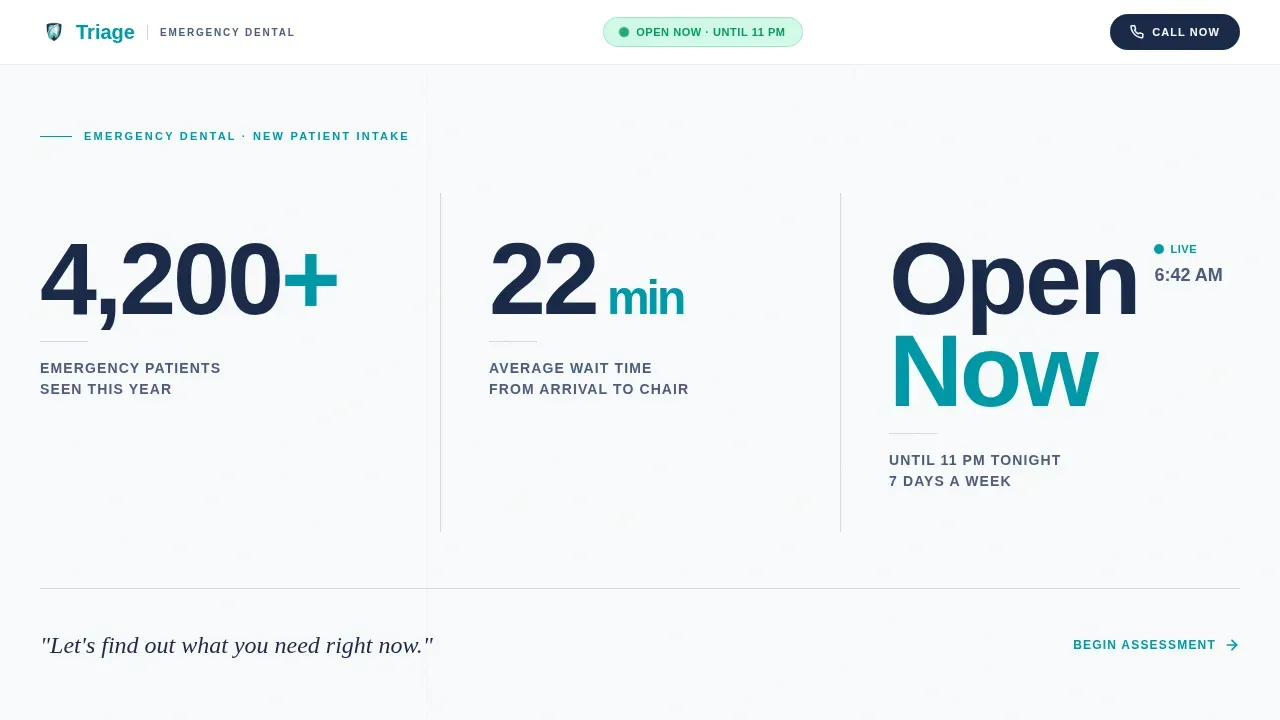
- A stats hero with three oversized figures: patients seen, average wait time, and live operating hours
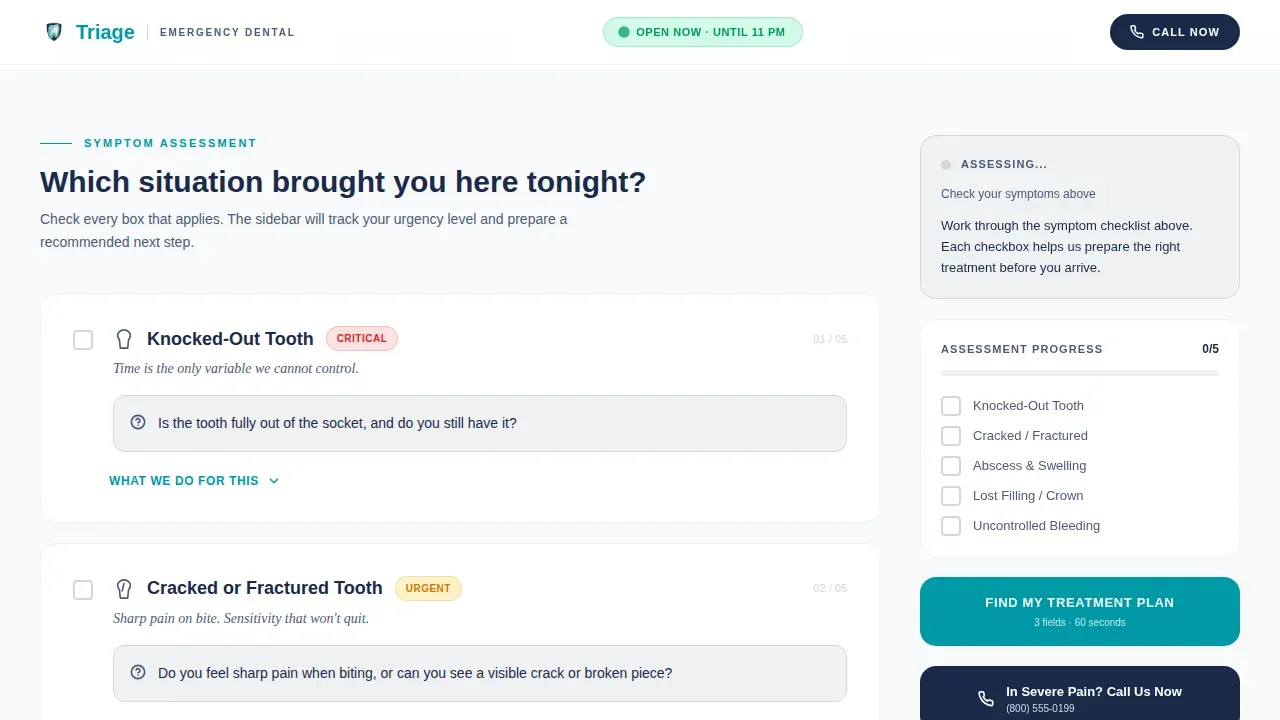
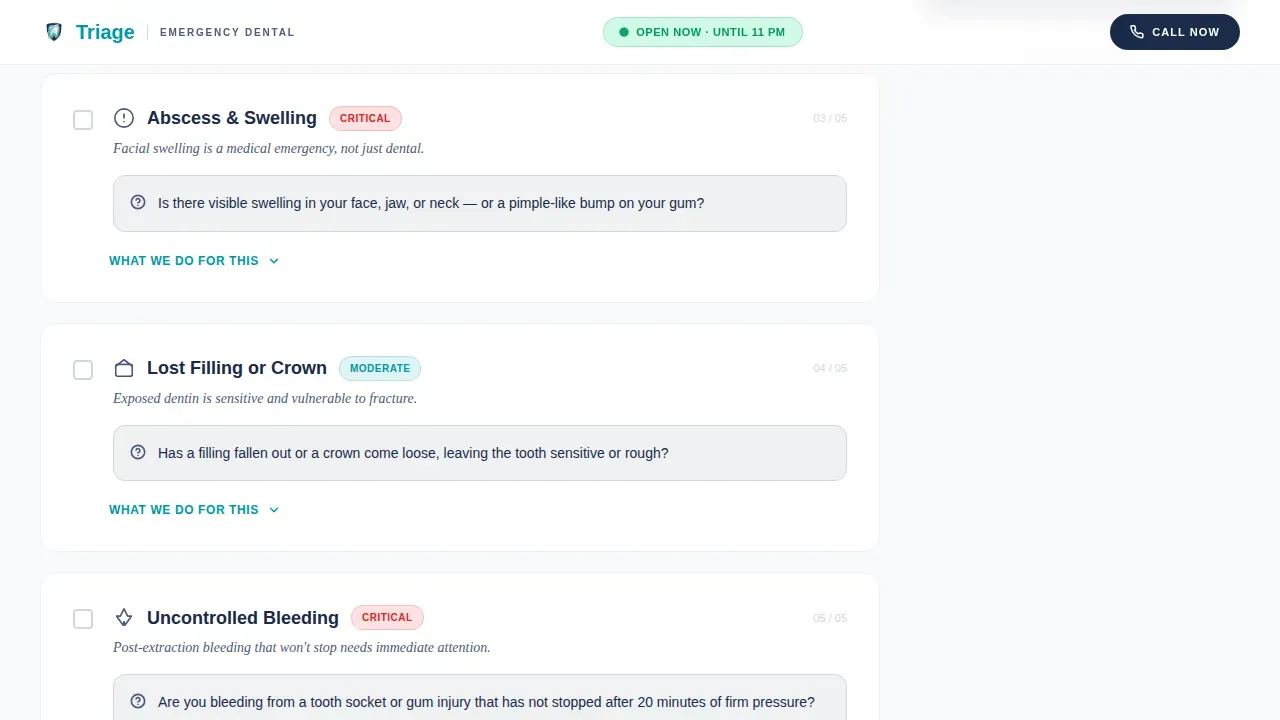
- A five-condition scrollable symptom checklist covering knocked-out teeth, cracked teeth, abscess, lost crowns, and uncontrolled bleeding
- A fixed sidebar with a scroll-linked progress bar, a color-coded urgency score, and a persistent "Find My Treatment Plan" call to action
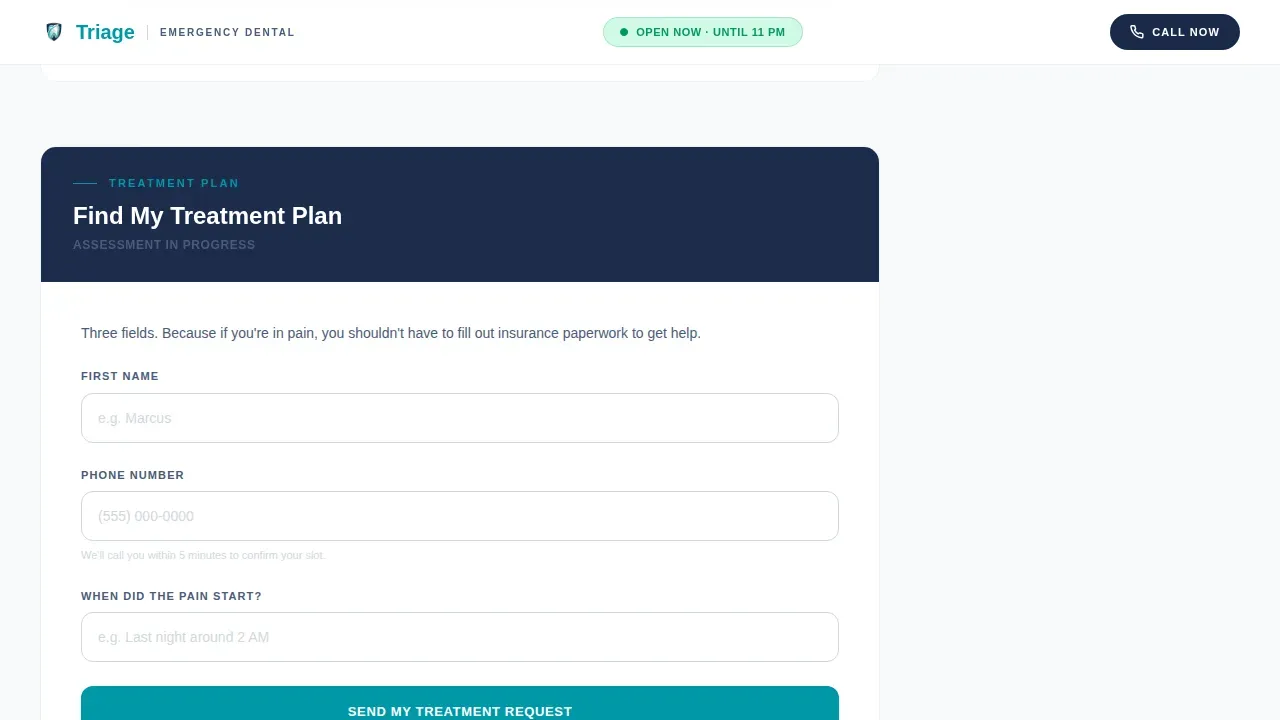
- A three-field intake form collecting only name, phone number, and pain start time
- A reassurance marquee strip and a sticky "In Severe Pain? Call Us Now" click-to-call button visible on every viewport
Feature list
This template was developed with one clinical truth in mind: the best triage page is the one a frightened patient can use in thirty seconds.
Stats and Metrics Hero Display
Three oversized figures open the page in the browser: patients seen this year, average wait time, and current operating hours with a pulsing live clock. No stock photography, just numbers that prove the clinic's capacity and availability before any copy is read.
Scroll-Linked Symptom Checklist
The main content area presents five emergency categories in sequence. Each category opens with a yes/no symptom checkbox, then reveals what the clinic does for that condition, how long treatment takes, and whether sedation is available. The scroll feels sequential and calm, not overwhelming.
Dynamic Sidebar Urgency Scorer
As patients check symptoms, the fixed sidebar updates a preliminary urgency score using green, amber, and red color transitions. This gives every visitor an immediate sense of priority and nudges them toward the correct next step, whether that is booking or calling.
Minimal Three-Field Intake Form
The assessment form asks only for a first name, a phone number, and when the pain started. Keeping the form this short is a deliberate innovation: someone in dental agony will not fill out insurance paperwork. The form reduces drop-off and gets the clinic the information it actually needs.
Sticky Click-to-Call Button
A persistent "In Severe Pain? Call Us Now" button is anchored to the bottom of every viewport in the browser. This ensures the clinic's phone is always one tap away, which is critical for the most urgent cases where filling any form feels impossible.
Reassurance Marquee Strip
A scrolling strip near the footer cycles through clinic capabilities and operating hours. This reinforces trust at the moment a visitor is about to leave and reminds them that the clinic is open and ready to help right now.
Page sections overview
| Section | Purpose |
|---|---|
| Stats Hero Display | Show capacity, wait time, and live hours |
| Symptom Checklist Area | Guide patients through five emergency categories |
| Fixed Progress Sidebar | Track checklist progress and display urgency score |
| Assessment Intake Form | Collect name, phone, and pain start time |
| Reassurance Marquee Strip | Reinforce clinic capabilities and open hours |
| Footer Linear Row | Provide essential clinic links and contact details |
Design & branding system
The visual identity follows a Medical Clarity theme. Every color and type choice is intended to communicate that a competent, organized clinic is already prepared for this patient. The palette avoids alarm while clearly signaling urgency where it matters.
- Arctic White (#F8FAFB) background, Sterilized Instrument Silver (#D1D8DE) for borders and dividers, Calm-Authority Navy (#1B2A4A) for headings and body text
- Urgent Teal (#0097A7) reserved for call-to-action buttons, the urgency score indicator, and the sidebar progress bar
- DM Sans for all body text and interface labels; Fraunces serif for section labels to add a controlled, clinical accent
Mobile & speed optimization
The template is developed desktop-first but fully responsive. Mobile is treated as a first-class concern because most emergency dental searches happen on a phone, often at night, by someone who cannot sit at a computer.
- On mobile, the fixed sidebar collapses into a sticky bottom bar that keeps the urgency score and the primary call to action visible at all times
- Client-side components are used only for interactive elements: the sidebar, the checklist, and the urgency scorer, keeping initial browser load fast
- The click-to-call button remains anchored to the bottom of every mobile viewport so the clinic number is always within reach
How this template helps you convert
This template treats conversion as a clinical outcome. Every interaction is intended to reduce the patient's anxiety, confirm the clinic's ability to help, and remove every barrier between pain and action.
- The stats hero establishes credibility in under three seconds, before the visitor reads a single sentence, proving the clinic has handled thousands of cases and is open right now
- The symptom checklist narrows the visitor's specific situation into a color-coded urgency score, making the "Find My Treatment Plan" call to action feel like a personalized recommendation rather than a generic button
- The three-field form and the persistent click-to-call button provide two exit paths: one for patients who can type and one for patients in too much pain to do anything except dial
Other information about this template
This template draws on established principles from emergency care triage research and modern dental page design. Understanding that context helps clinics use it most effectively.
- Research into triage systems, such as the pre-triage check-in process piloted at the VCU Urgent Care Clinic, showed a 166% increase in cases handled and a 43% rise in walk-in volume. Structured intake flows like the one in this template reflect that same logic.
- The VCU Urgent Care Clinic also developed a scheduling system using a QR code and mobile application for priority booking, with confirmations sent by text or email. This template's form and click-to-call path are intended to serve a similar role for clinics in any region or community.
- The ET3 Model, a federal innovation in emergency services payment, tests Medicare payments for Treatment in Place and Transport to an Alternative Destination, encouraging appropriate use of emergency care resources. Clinics that accept Medicaid or work within multi-payer frameworks can use this template's transparency-first layout to communicate insurance and pricing clearly, reducing financial anxiety before the patient even calls.
- Displaying transparent pricing information and Medicaid acceptance status on a landing page helps alleviate the financial anxiety that keeps many patients from seeking care. This template's layout leaves clear space for that information.
- Clinics that function as a community safety net, particularly those serving patients who have not received dental education or regular preventive care in years, benefit from the empathetic, low-jargon copy structure this template is built around.
- The reassurance strip and patient-count metrics are intended to build the same trust that verified reviews and insurance logos provide. Funds spent on paid search or social advertising convert better when the landing page communicates authority and availability this clearly.
- This is the Triage emergency dental care landing page template, built for clinics that need a browser-ready patient intake experience without a long development timeline.
Theme
Medical Clarity
Creative direction
Checklist & Audit
Color system
Arctic White
Style
Sidebar Companion
Direction
Quiz/Assessment
Page Sections
Stats and Metrics Hero Display
Scroll-linked Symptom Checklist
Dynamic Sidebar Urgency Scorer
Minimal Three-field Intake Form
Sticky Click-to-call Button
Reassurance Marquee Strip
Related questions
Can I customize the five emergency categories in the symptom checklist?
How does the urgency scoring system work in the sidebar?
Is this template suitable for a clinic that accepts Medicaid patients?
Does the sidebar stay visible on mobile devices?
Can I change the three intake form fields?



