Emergency Dentist Appointment Booking Website Template
This sidebar companion landing page guides patients through dental emergencies with calm, step-by-step clinical precision. A condition selector drives a scroll-linked protocol guide covering everything from knocked-out teeth to late-night abscesses. The page earns trust by giving clear answers first, then moves visitors toward booking with a single focused call to action.
by Rocket studio
Quick summary
This landing page is a digital dental emergency triage library. Visitors select their condition from a dropdown, then follow a numbered protocol checklist in a fixed sidebar. The experience is built for people in pain on their phones at odd hours. It gives clear home-care steps first, then routes them to an emergency dentist booking with one click.
Who this template is for
This template is designed for dental practices, urgent care dental networks, and health-focused web teams who need a patient-facing emergency resource. It suits anyone building a calm, clinical first-response guide for people in acute distress.
- Dental practices and emergency dental networks wanting to convert late-night searches into booked appointments
- Health web teams building condition-specific triage guides for consumer audiences
- Caregivers and parents who need a clear, trustworthy resource to reach for during a dental crisis
What problem this template solves
When a tooth gets knocked out at 9 p.m. or a jaw swells suddenly, most people turn to a search engine and land on cluttered articles that bury the answer. This template replaces that experience with a focused, step-by-step protocol that feels like calm clinical guidance rather than a wall of text.
- Patients feel lost and panicked without a clear sequence of steps to follow
- Generic health articles mix vague advice with unrelated content, making it hard to act quickly
- There is no obvious next step connecting home care to finding same-day professional treatment
What you get with this template
You get a single-page layout purpose-built for dental emergency triage, with every section designed to reduce panic and move visitors toward care. The sidebar companion and condition selector are the core interactive elements.
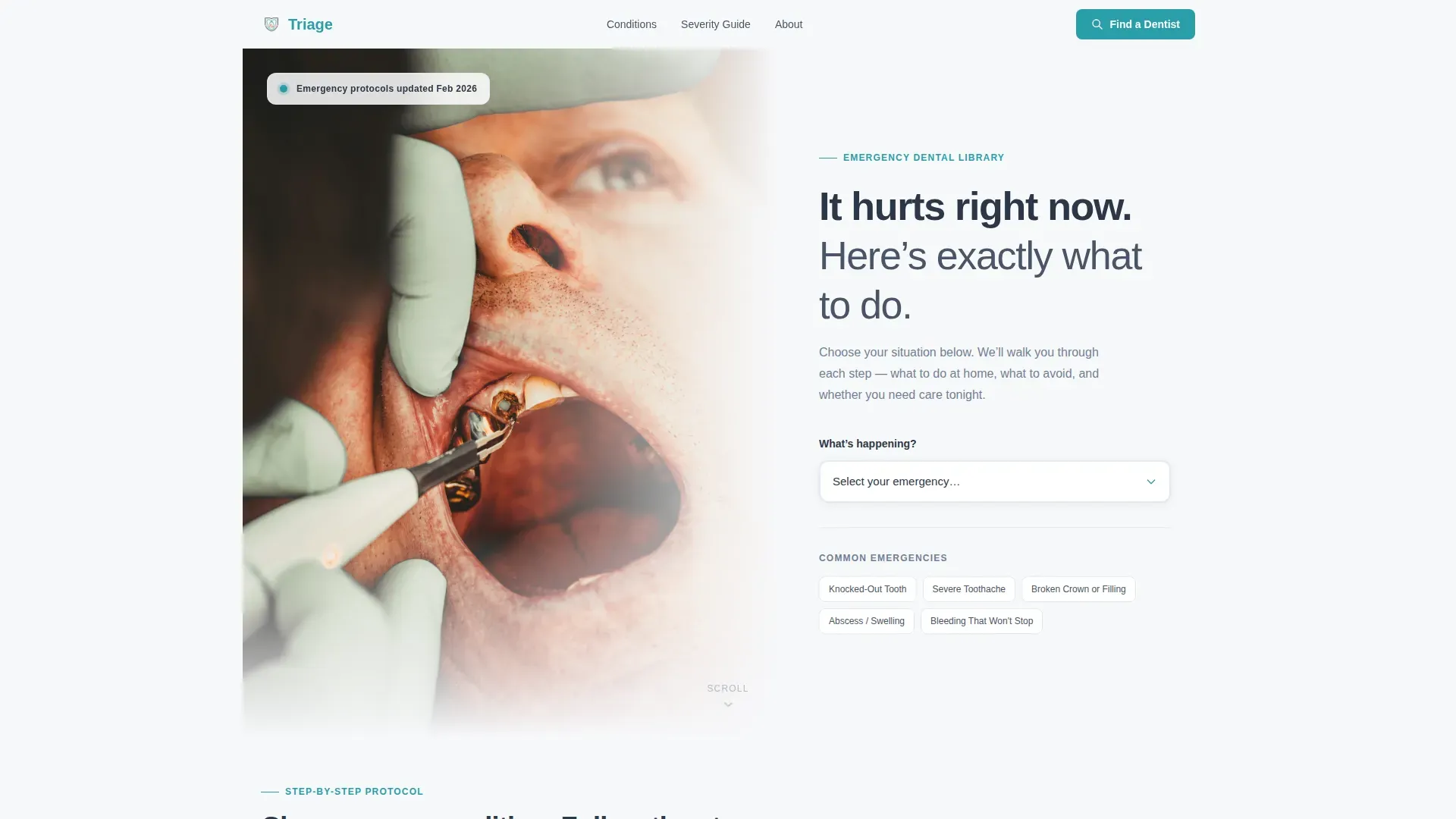
- A split-hero header with a clinical photograph, headline, and a condition selector dropdown covering five dental emergencies
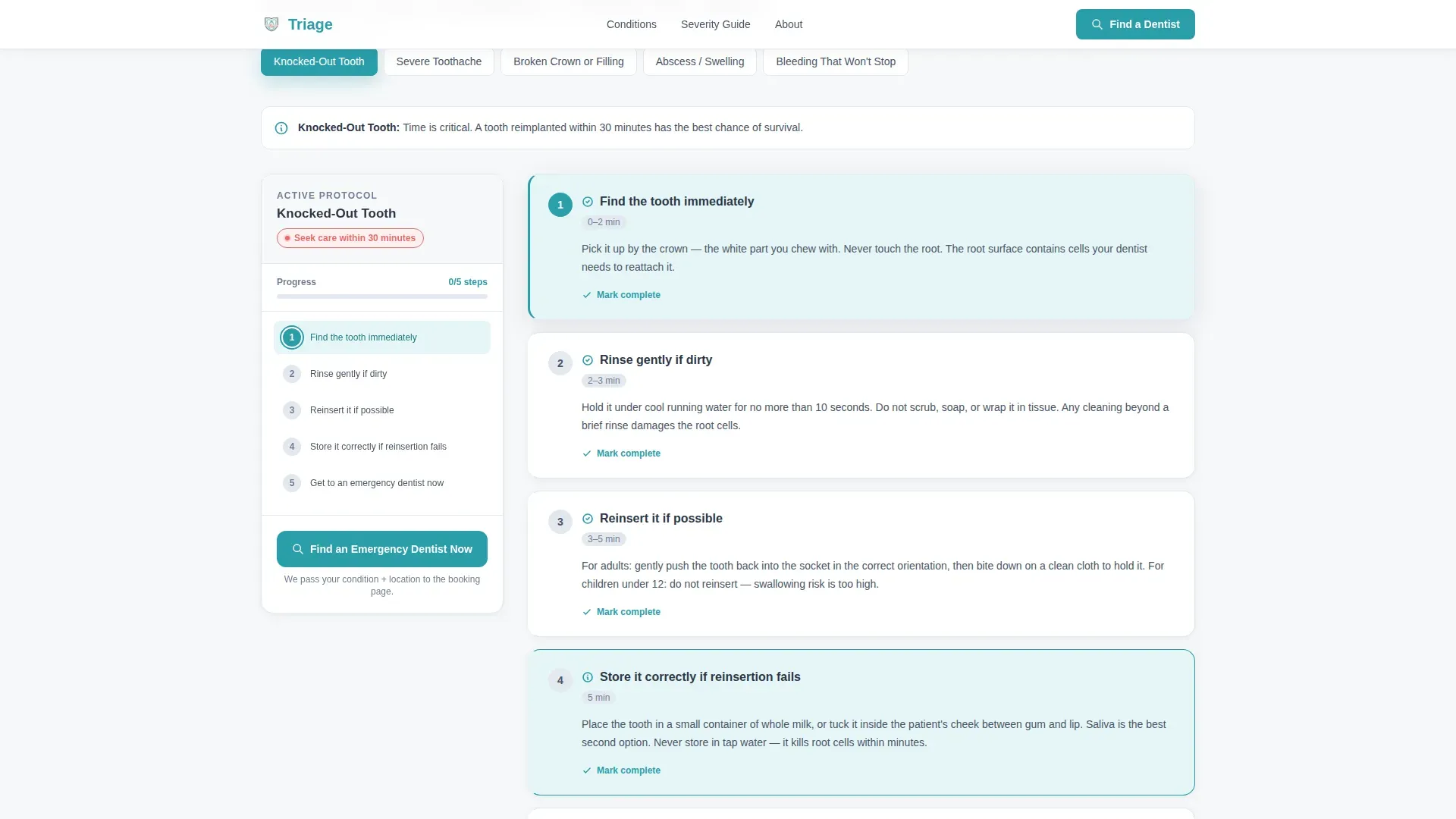
- A scroll-linked sidebar checklist with slide-reveal steps, coral-flagged warnings, and a visual severity scale
- A persistent "Find an Emergency Dentist Now" call to action that passes the selected condition and zip code into the booking flow
Feature list
This template ships with purpose-built components for dental emergency guidance. Each element is designed to keep a distressed visitor moving forward rather than bouncing.
Condition Selector Dropdown
A single dropdown in the hero section lists five dental emergencies by symptom. Selecting a condition drives the entire guide content below, keeping the experience focused and relevant to the visitor's specific situation.
Scroll-Linked Sidebar Protocol
The sidebar stays fixed on scroll and tracks the visitor's position through the active protocol. Step indicators use teal to show progress clearly, so the visitor always knows where they are in the checklist.
Slide-Reveal Step Checklist
Each protocol step appears with a gentle slide animation as the visitor progresses. Steps are numbered and sequential, making the guide feel like following a structured clinical instruction rather than reading a free-form article.
Coral Warning Flags
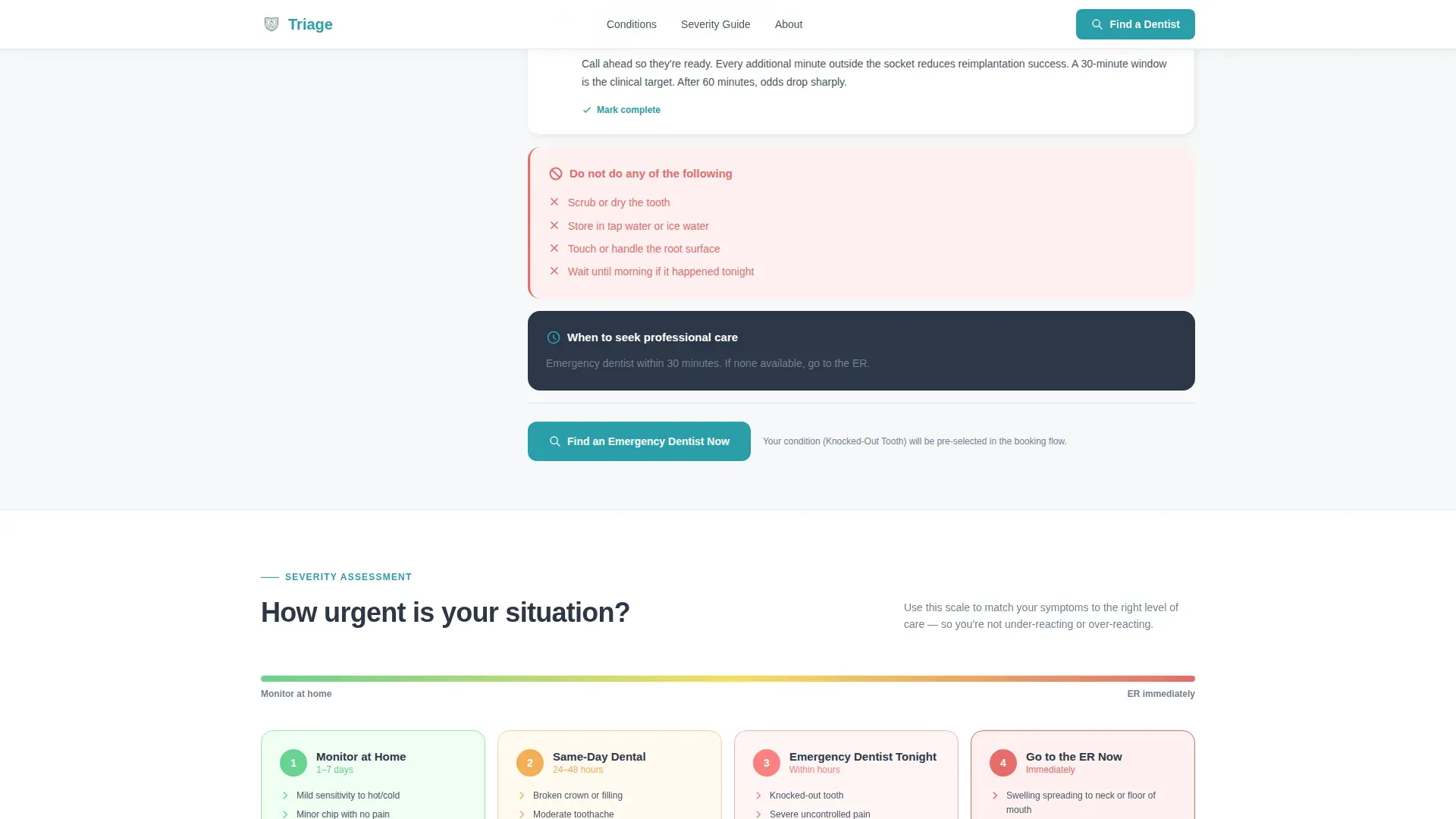
Steps that carry a "do not do this" caution are flagged in soft coral. This visual contrast draws immediate attention to the most critical mistakes patients make during dental emergencies.
Visual Severity Scale
A triage scale within each guide shows whether the situation calls for home care, same-day dental treatment, or an emergency room visit. This helps visitors make a faster, more confident decision about their next step.
Click-Through Booking Call to Action
The primary call to action appears anchored at the bottom of the sidebar and again after the final step of every guide. One click passes the selected condition and zip code into the booking flow on the next page, with no form required on this page.
Page sections overview
| Section | Purpose |
|---|---|
| Split Hero Header | Presents the headline and condition selector dropdown alongside a clinical photograph |
| Condition Selector | Drives the full protocol guide based on the visitor's chosen dental emergency |
| Sidebar Protocol Guide | Delivers numbered, scroll-linked triage steps with slide-reveal animations |
| Warning Flag Blocks | Highlights critical "do not do" cautions in coral for immediate visual contrast |
| Severity Scale | Helps visitors decide between home care, same-day dental, and emergency room care |
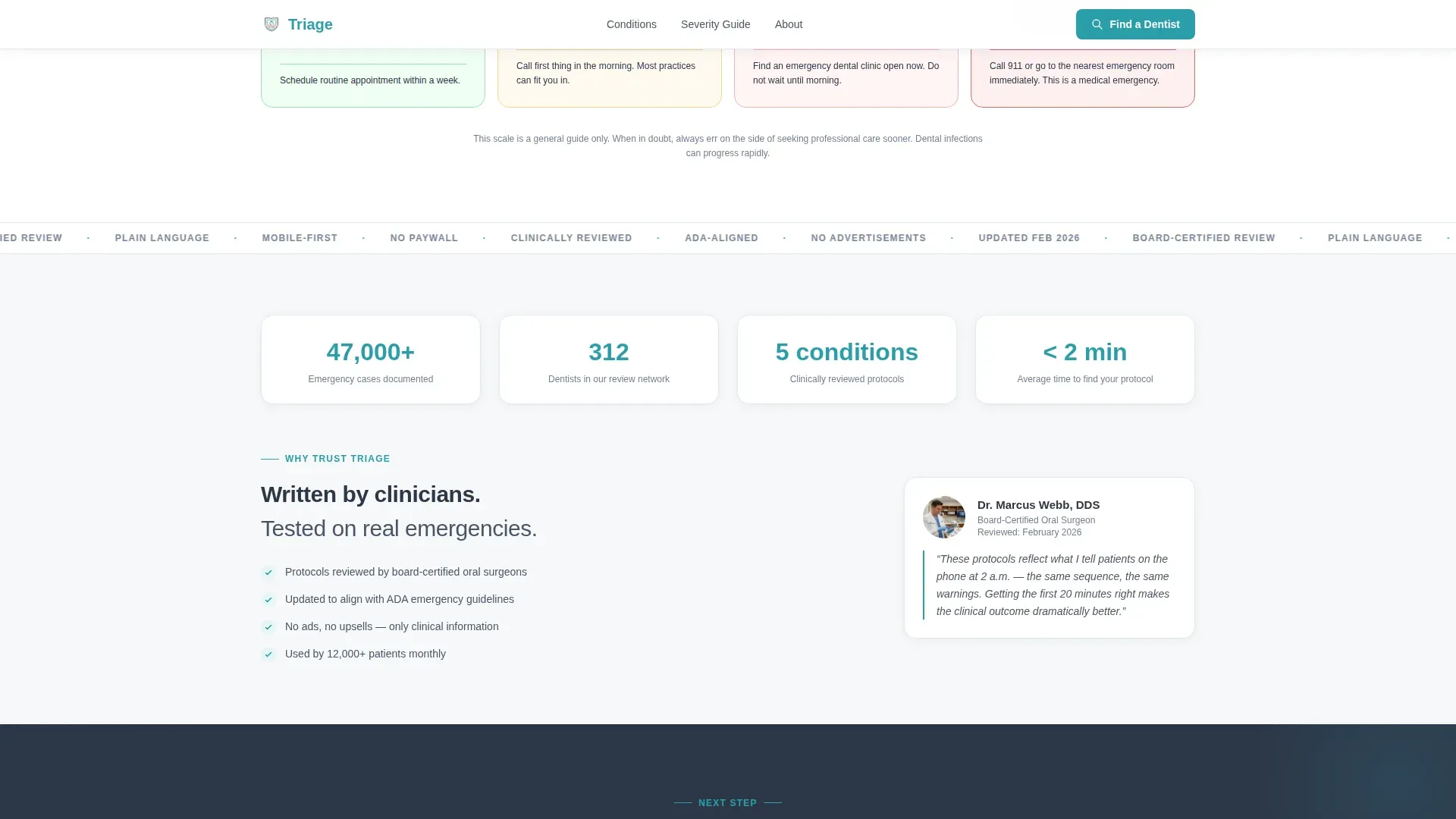
| Clinical Credibility | Builds trust with review badges and dentist network signals |
| Booking Call to Action | Routes visitors to an emergency dentist with condition and zip code pre-filled |
| Footer | Closes the page with horizontal flow navigation |
Design & branding system
The visual identity follows a Medical Clarity theme built on the Cloud Canvas color system. Every design choice reinforces calm confidence rather than clinical coldness or false warmth.
- Base white (#F7F8FA) and cloud gray (#E2E8F0) create generous breathing room around text, keeping the page clean and easy to read under stress
- Slate (#4A5568) carries all body text and headings, giving the page a steady, unhurried tone that reads clearly on white fields
- Teal (#2B9EAA) is reserved strictly for actionable elements: links, step indicators, and the sidebar's active state, so the eye always knows where to move next
- Coral (#E86B6B) appears only on warning flags, making caution blocks unmistakable without disrupting the overall calm palette
- Typography uses DM Sans for headings and Manrope for body text, both clean and highly legible at mobile sizes
Mobile & speed optimization
This template is built mobile-first, reflecting the reality that most dental emergency searches happen on a phone, often in a stressful setting. The layout and interactions are optimized for one-handed use and quick scanning.
- The fixed sidebar collapses into a sticky progress bar on smaller screens, keeping protocol context visible without consuming the reading area
- Condition content is lazy-rendered, so the initial page load stays fast and the selected guide appears promptly after a choice is made
- Slide-reveal animations are medium-weight and scroll-linked, designed to feel responsive without adding friction on lower-end mobile devices
How this template helps you convert
This template converts by giving value before asking for anything. Visitors receive a full triage protocol at no cost, which builds enough trust to make the booking call to action feel like a natural next step rather than an interruption.
- The condition selector creates immediate relevance: the visitor sees a guide built exactly for their situation, not a generic article, which keeps them on the page longer
- The scroll-linked sidebar and severity scale reduce decision paralysis by telling the visitor clearly whether they need same-day care, making the "Find an Emergency Dentist Now" click feel urgent but calm
- The no-form approach on this page removes friction entirely: the condition and zip code pass automatically into the booking flow on the next page, so the visitor only needs to make one decision
Other information about this template
This template is part of the Emergency Dentist Website subcategory within the Health and Medical category. It is designed specifically for the Emergency Dentist Condition and Treatment Library niche, where the primary conversion goal is moving a distressed visitor from self-triage into a confirmed appointment.
- The footer uses a horizontal flow pattern, keeping the page's visual rhythm consistent to the last element
- The hero photograph depicts a dentist's gloved hands examining a patient under an operatory light, with a soft-focus instrument tray in the background, reinforcing clinical credibility immediately
- The template supports five named emergency conditions: Knocked-Out Tooth, Severe Toothache, Broken Crown, Abscess and Swelling, and Bleeding That Won't Stop
- The clinical credibility section includes space for review badges, patient volume statistics, and dentist network size indicators
- The page is localized for English-language audiences in the United States, using USD and US date formatting conventions
Theme
Medical Clarity
Creative direction
Step-by-Step Guide
Color system
Cloud Canvas
Style
Sidebar Companion
Direction
Click-Through
Page Sections
Condition Selector Dropdown
Scroll-linked Sidebar Protocol
Slide-reveal Step Checklist
Coral Warning Flag Blocks
Visual Severity Scale
Click-through Booking Call to Action
Related questions
What dental emergencies does this template cover?
Does the visitor need to fill out a form to book an appointment?
How does the sidebar work on a mobile device?
Who is this landing page most useful for?
Can the warning flag content be edited to match specific clinical guidelines?



