General Practitioner Booking Website Template
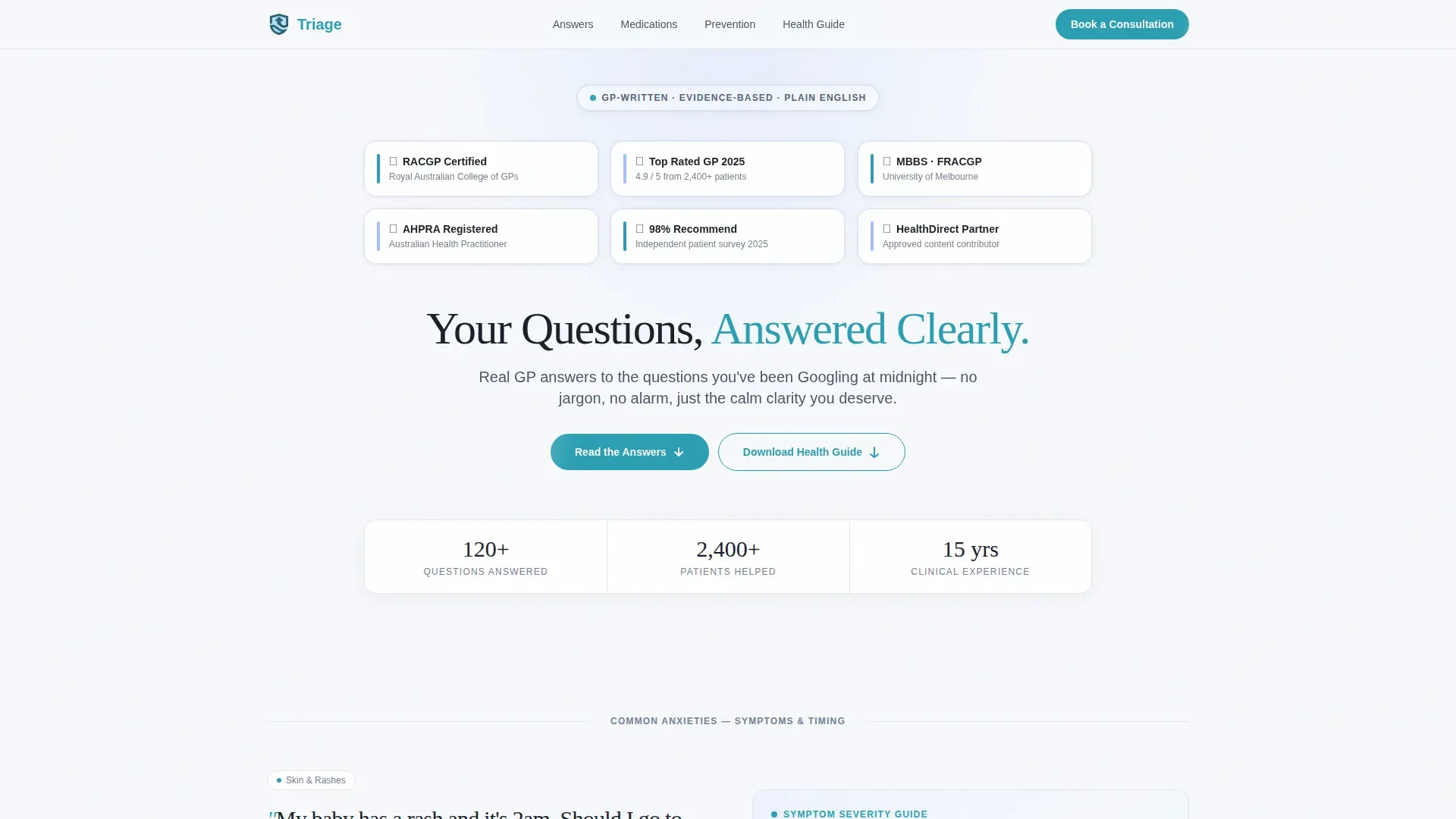
Triage is a general practitioner patient education landing page built for health clinics that want to give patients real answers before they even book. It uses a calm, FAQ-driven zigzag layout to translate clinical language into plain, reassuring guidance. Trust credentials sit front and centre, and a downloadable health guide captures leads with a simple name-and-email form.
by Rocket studio
Quick summary
Triage is a patient education landing page for general practitioner clinics. It turns clinical jargon into clear, plain-English guidance using an FAQ-driven zigzag layout. Trust badges lead the page, a persistent booking link stays in the navigation, and a downloadable health guide provides the primary lead-capture moment every few sections.
Who this template is for
This template is built for general practitioner clinics and family health practices that want to educate patients online. It suits practices that see a high volume of anxious first-contact enquiries and want to reduce those by offering genuine clinical clarity upfront.
- GP clinics wanting to capture patient leads through a free health guide download
- Health practices looking to replace generic stock-photo pages with content-led authority
- Solo practitioners or small group practices building an online patient education hub
What problem this template solves
Patients arrive at a clinic website mid-anxiety. They have Googled a symptom at midnight, read three conflicting forum posts, and need calm, authoritative reassurance before they will trust a booking link. Most clinic pages skip straight to scheduling without earning that trust first.
- No clear pathway from "I have a question" to "I trust this clinic enough to book"
- Clinical language that alienates rather than reassures everyday patients
- No lead-capture mechanism beyond a generic contact form
What you get with this template
You get a fully structured single-page layout designed specifically for patient education. Every section is built around real patient questions, answered with GP-written clarity and paired with supporting visuals like medication diagrams, symptom flowcharts, and screening timelines.
- An award badge header with board certifications, satisfaction scores, and affiliation credentials
- Three FAQ zigzag content blocks, each ending with a "Download Your Health Guide" call to action
- A final consultation booking panel and a clean linear single-row footer
Feature list
Award Badge Header
The page opens with a centered arrangement of trust credentials. Board certifications, a "Top Rated GP" distinction, patient satisfaction scores, and health authority affiliations are each rendered as a precise badge with metallic detailing against a cloud-white background. No hero photography, just earned proof displayed with quiet confidence.
FAQ-Driven Zigzag Layout
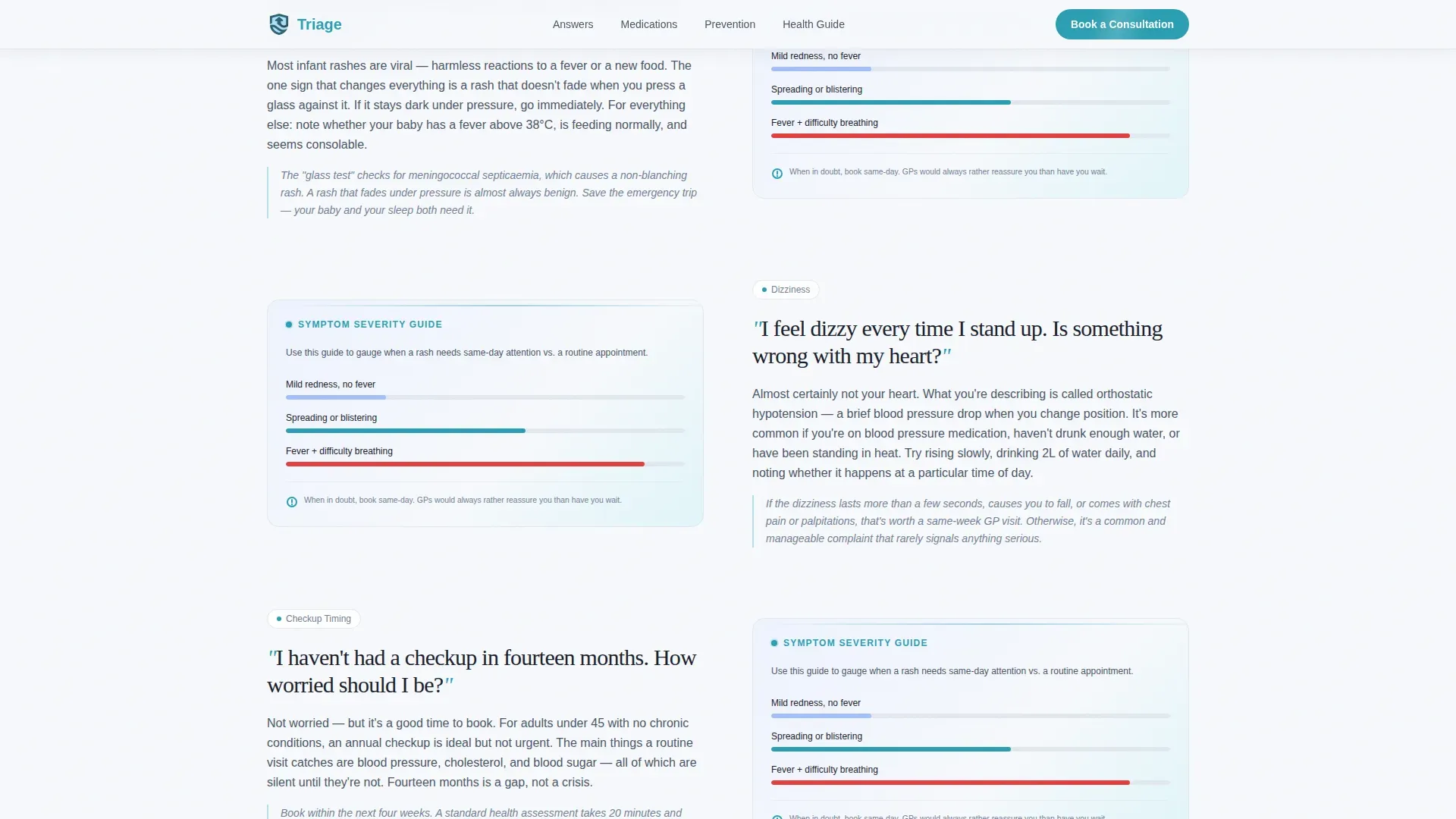
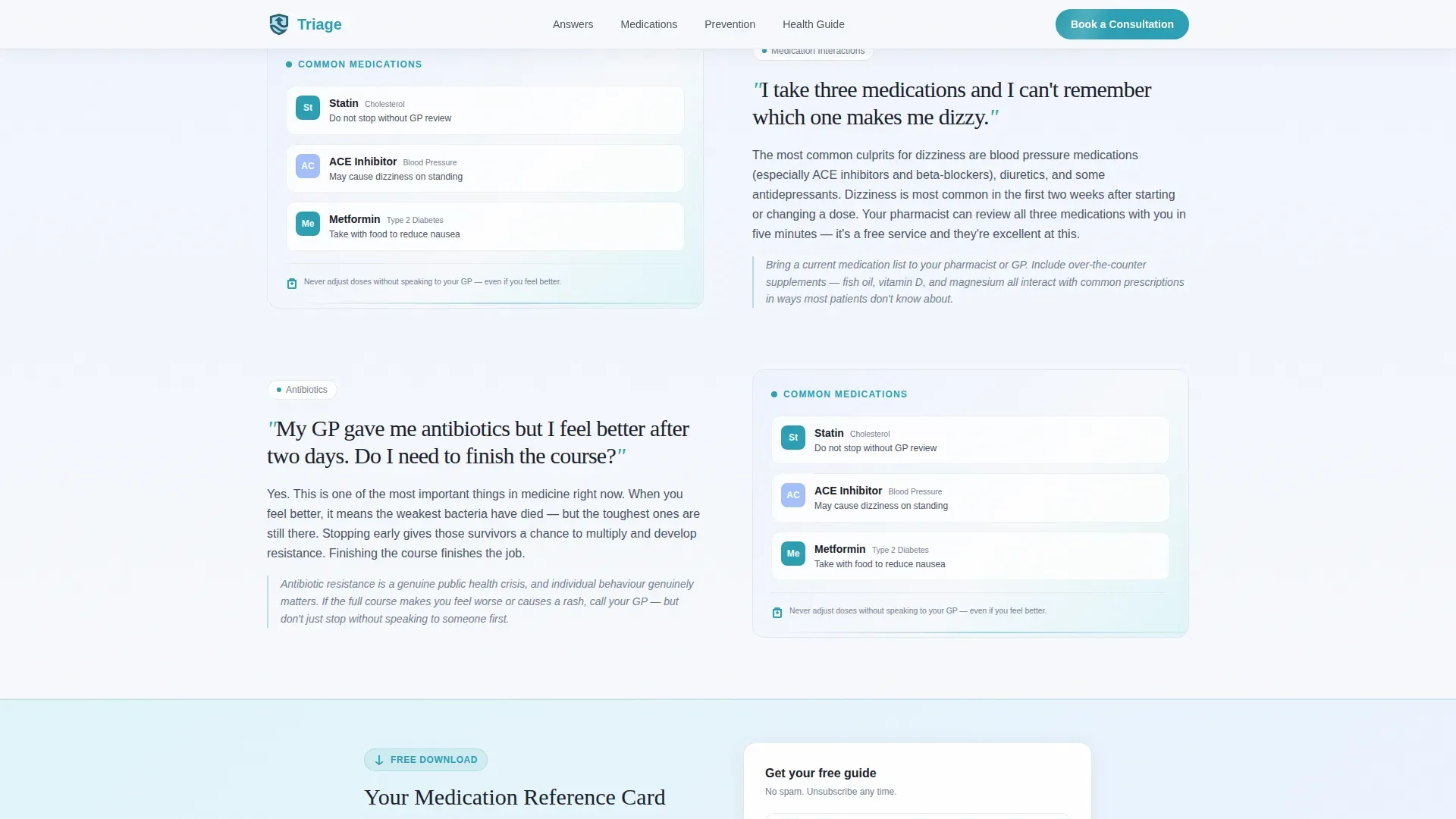
Each content block opens with a real patient question set in large serif type. The answer alternates left and right across panels, pairing concise GP-written explanations with supporting visuals. The scroll builds from common anxieties through medication questions to preventive planning, each section slightly more complex than the last.
Recurring Health Guide Download
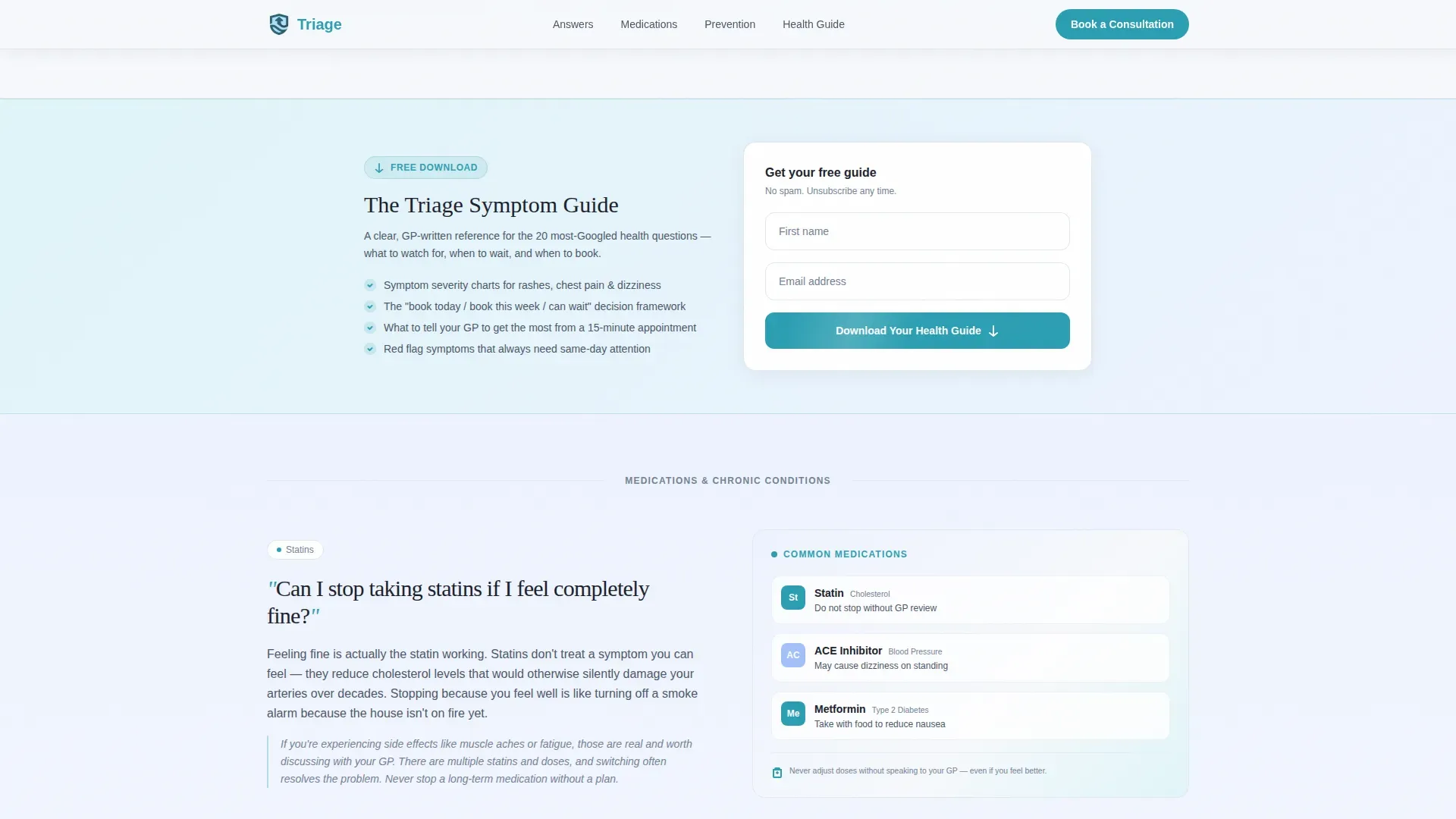
A "Download Your Health Guide" prompt appears at the end of every third FAQ section. It requests only a first name and email address, delivered through a download modal. The placement earns the click by answering genuine clinical questions generously before asking for anything in return.
Sticky Navigation with Booking Link
A persistent "Book a Consultation" link sits in the navigation bar throughout the entire scroll. It links to an external scheduling tool, keeping the booking pathway available at any point without interrupting the educational content flow.
Scroll-Reveal Animations
The template uses medium-weight scroll-reveal animations, staggered badge entrances, and word-fade effects on the animated headline. These add clinical calm and visual rhythm without slowing the reading experience or adding unnecessary complexity.
Mobile-First Page Structure
The layout is built with mobile as the primary device target. Patients searching symptoms on a phone at 2 a.m. are the core audience, so every section stacks cleanly, text remains legible at small sizes, and call-to-action buttons are thumb-friendly throughout.
Page sections overview
| Section | Purpose |
|---|---|
| Award Badges Header | Establish trust with credentials before any content |
| FAQ Zigzag Block 1 | Address common anxieties: rashes, dizziness, checkup timing |
| Download Call to Action 1 | Capture leads after first FAQ block |
| FAQ Zigzag Block 2 | Answer medication and chronic condition questions |
| Download Call to Action 2 | Second lead-capture moment mid-page |
| FAQ Zigzag Block 3 | Cover preventive planning and screening timelines |
| Download Call to Action 3 | Final health guide download prompt |
| Book a Consultation Panel | Convert educated readers into booked patients |
| Linear Single-Row Footer | Provide navigation links and practice contact details |
Design & branding system
The visual identity follows a Corporate Precision theme built on the Cloud Canvas colour palette. The overall feeling is a freshly pressed lab coat in a modern, well-lit waiting room: sterile without being cold, professional without being intimidating.
- Soft clinical white (#F7F9FC) dominates backgrounds in generous, breathing sections; calm slate (#4A5568) carries all body text with quiet authority
- Reassuring sky (#A3BFFA) washes behind alternating content blocks like diffused daylight through frosted glass
- Decisive teal (#2B9EB3) is used exclusively for interactive elements, call-to-action buttons, and linked resources
- Typography pairs DM Sans for body text and user interface elements with Fraunces serif for patient question headings
Mobile & speed optimization
The template is designed with a mobile-first priority throughout. Its core audience, patients Googling health questions late at night, are predominantly on phones, so every structural decision starts with the small-screen experience.
- Static FAQ content is built using Server Components to keep JavaScript lightweight and page load snappy
- Scroll-reveal and staggered animations use minimal JavaScript to preserve smooth performance on mobile networks
- All interactive elements, accordion triggers, download modal, and navigation links, are sized and spaced for comfortable thumb use
How this template helps you convert
The page earns trust before it asks for anything. Genuine clinical answers come first, so by the time a call to action appears, readers already feel helped rather than sold to.
- The award badge header builds immediate credibility with verifiable credentials, so visitors feel safe enough to read further rather than bounce
- The recurring "Download Your Health Guide" prompt appears only after answering real questions, making the email capture feel like a natural continuation of help already received
- The persistent "Book a Consultation" link in the navigation stays visible throughout the entire scroll, so the booking step is always one tap away for any reader who is ready
Other information about this template
This template is localised toward English as used in the United Kingdom and Australia, using metric measurements and general clinical terminology consistent with those markets. It is well suited to practices building a general practitioner patient education hub or expanding an existing general practitioner website with content-led patient resources.
- The zigzag layout style and alternating sky-wash panels make the page easy to scan on any screen size
- The FAQ accordion interaction lets visitors expand individual answers without leaving the page or navigating elsewhere
- The download modal is intentionally minimal, asking only for a first name and email to keep the opt-in friction low
- The linear single-row footer pattern keeps the page closure clean and uncluttered
Theme
Corporate Precision
Creative direction
FAQ-Driven
Color system
Cloud Canvas
Style
Zigzag/Alternating
Direction
Content/Resource
Page Sections
Award Badge Trust Header
Faq-driven Zigzag Content Blocks
Recurring Health Guide Lead Capture
Persistent Booking Navigation Link
Scroll-reveal and Badge Animations
Mobile-first Responsive Layout
Related questions
Can I edit the patient questions and answers in the FAQ sections?
Does the Download Your Health Guide button connect to a form tool?
Can I change the trust badges to reflect my own credentials?
Is this template suitable for a single-doctor practice or only larger clinics?
Can I add more FAQ sections beyond the three included?



