Family Medicine Clinic Landing Page Template
Triage is a hub-and-spoke family medicine landing page built around a three-step Symptom and Visit Estimator. It guides patients of every age toward the right appointment type before asking for a single detail. With a warm editorial design, frequently asked question-driven scroll flow, and a focused booking form, this landing page turns medical anxiety into confident action.
by Rocket studio
Quick summary
Triage is a single-page, anchor-nav medical landing page designed for neighborhood family medicine clinics. The page opens with an illustrated Symptom and Visit Estimator, flows through three real patient frequently asked question sections, and closes with a pre-filled booking form. Every design choice prioritizes trust, clarity, and a calm path to scheduling an appointment.
Who this template is for
This landing page is built for independent family medicine clinics and primary care practices that serve patients across multiple life stages. Doctors, physicians, and nurse practitioners who want a professional online presence without writing code from scratch will find it immediately useful. Creating a polished medical website normally demands both design and technical expertise that a small practice rarely has in-house. This template removes that barrier entirely.
- Family medicine clinic owners and practice managers launching or refreshing a medical website
- Doctors and physicians who want to promote their services and attract new patients through a clear, credible landing page
- Healthcare marketing teams creating a dedicated medical landing page for a booking-focused campaign
What problem this template solves
Many medical landing pages ask visitors to trust the clinic before giving them any reason to. Patients arrive anxious, unsure whether their symptoms are serious, and uncertain which appointment type they need. They leave before booking. This template flips that sequence: it answers the visitor's actual medical question first, then earns the click.
- A vague or cluttered medical website drives patients away instead of converting them into booked appointments
- Generic landing page templates built for other industries fail to address the specific anxiety patterns of healthcare visitors
- Building a custom medical landing page from scratch takes coding knowledge, design expertise, and weeks of time that most clinic teams cannot spare
What you get with this template
This template delivers a complete, ready-to-customize family medicine landing page. Every section is pre-structured, every component is purposeful, and the visual system is cohesive out of the box. You can launch a professional medical website without starting from a blank canvas.
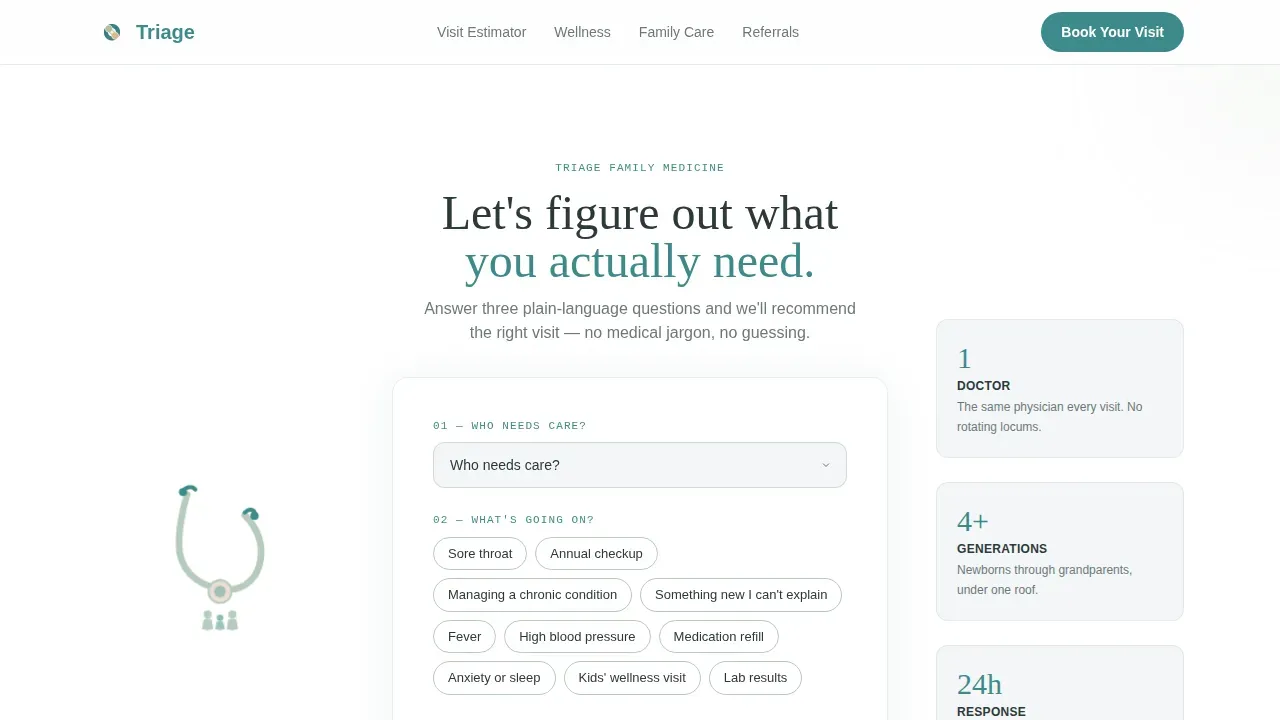
- A three-step Symptom and Visit Estimator card with illustrated flanking elements and a teal call-to-action button
- Three frequently asked question-driven content sections covering wellness visits, family medicine scope, and referral coordination, each with physician voice copy blocks and embedded patient pull-quotes
- A pre-filled booking form with insurance verification note, a click-to-call fallback link, and a floating persistent call-to-action button
Feature list
This landing page template is built around features that directly serve healthcare visitors and clinic teams alike. Each feature reflects a specific design or functional decision described in the project brief.
Three-Step Symptom and Visit Estimator
The header of this landing page is not a static hero image. It is an interactive estimator card that asks three plain-language questions: who needs care, what is going on, and how soon. The result is a recommended visit type, an estimated duration, and a direct button to book that exact appointment. The estimator is implemented as a client-side component with smooth state transitions, so the experience feels responsive on any device.
frequently asked question-Driven Anchor Navigation
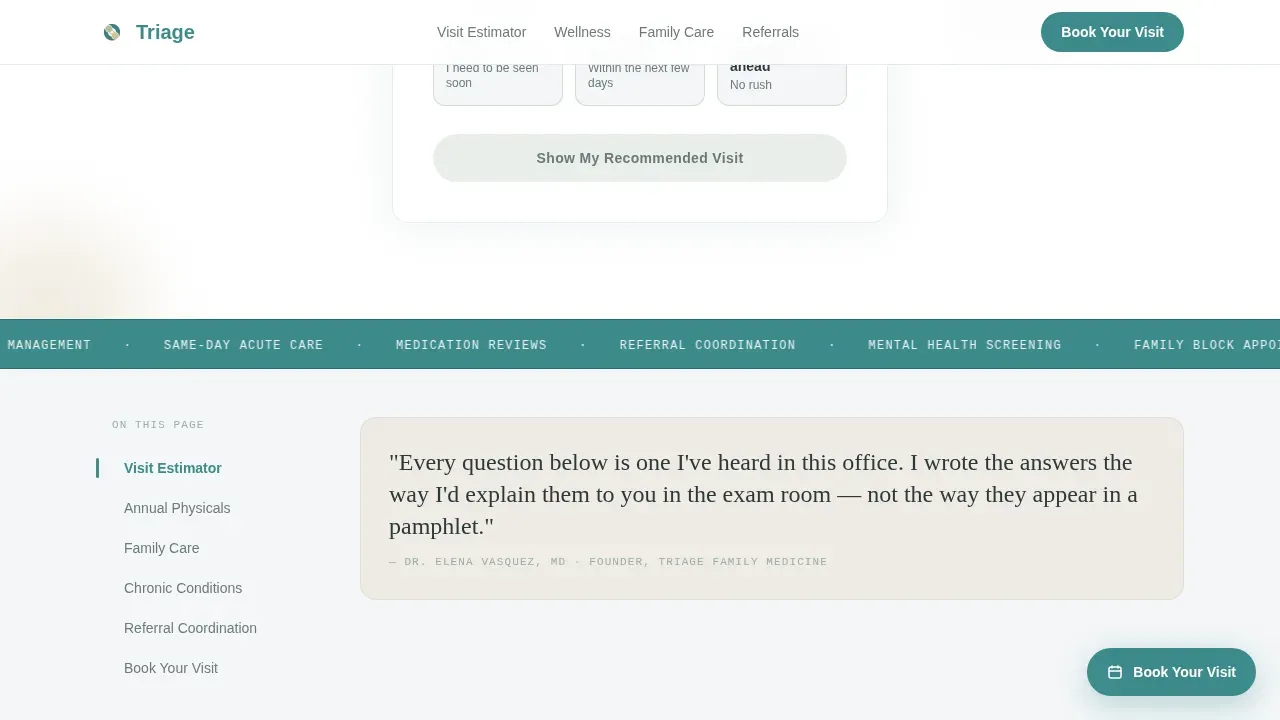
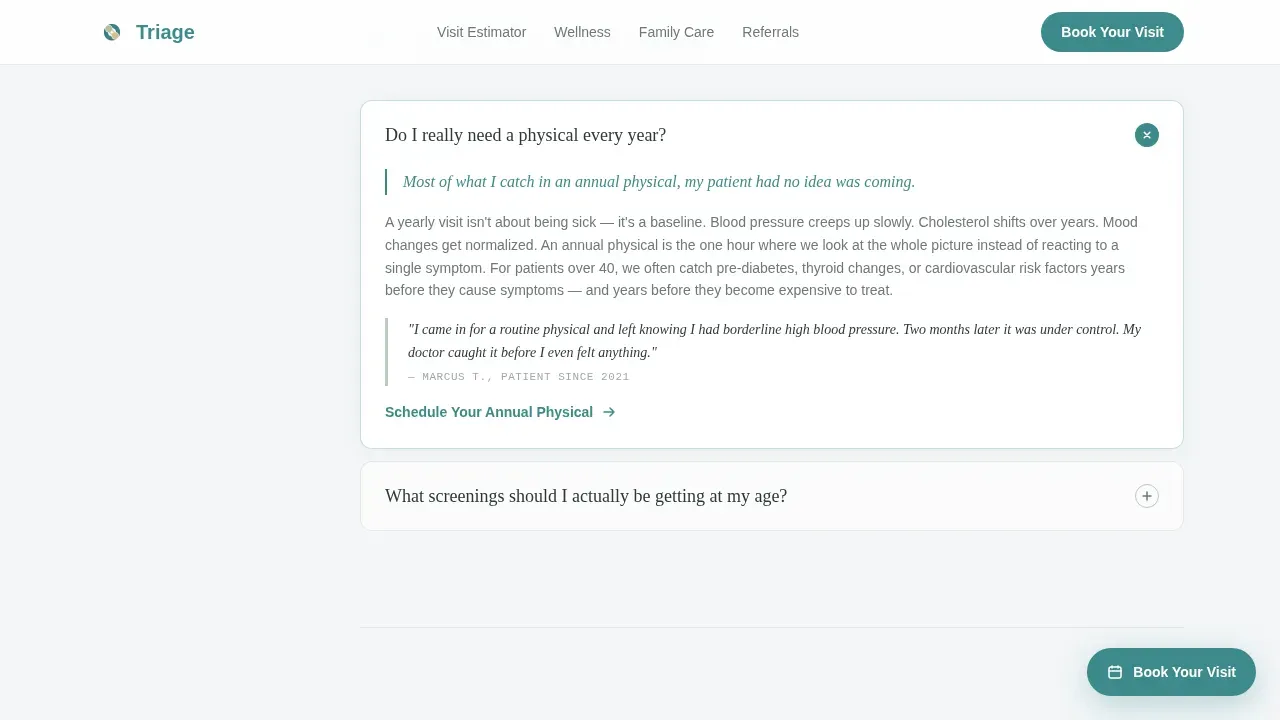
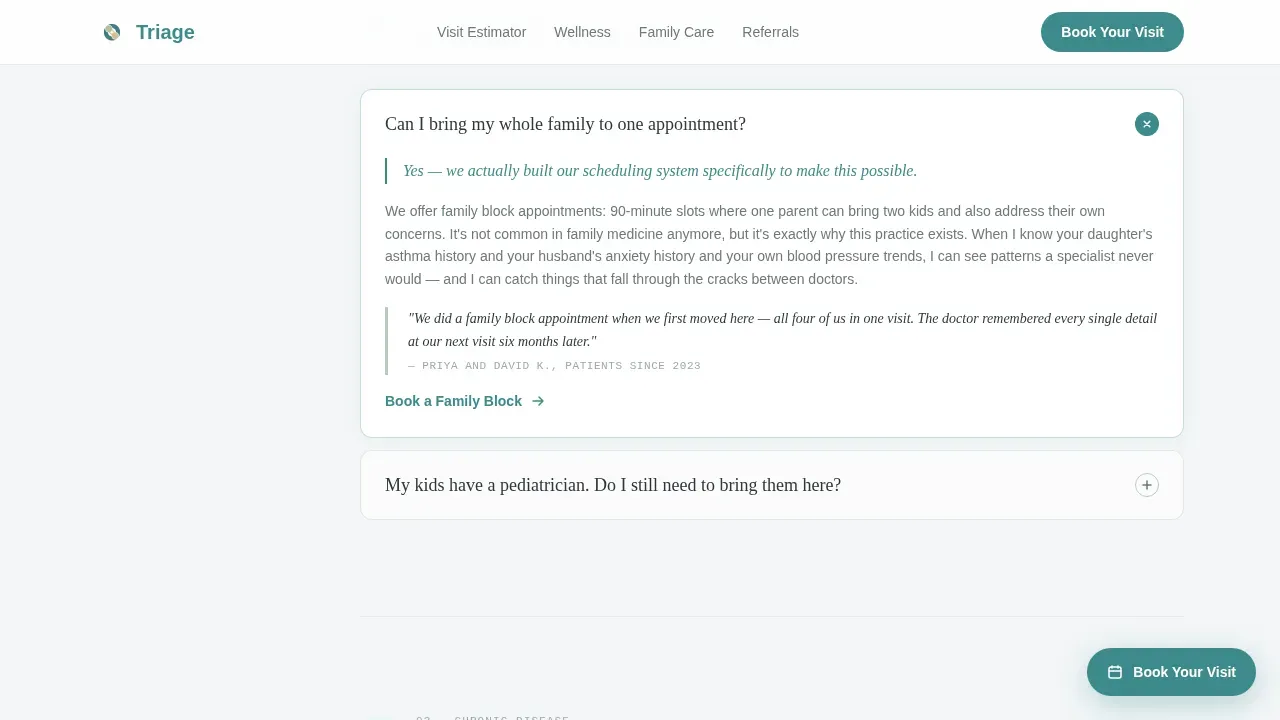
A sticky left-side spoke navigation tracks the visitor's position across three major frequently asked question sections. Each section opens with an honest physician-voice sentence, expands into a short educational passage, and closes with a contextual micro-call-to-action tailored to that topic. This rhythm of question, relief, knowledge, and action keeps visitors engaged and progressively more confident about the clinic's services.
Pre-Filled Booking Form
The booking form collects only essential information to reduce friction: patient name, date of birth, visit type, preferred day of the week, and insurance carrier. If the visitor used the Symptom and Visit Estimator, the visit type field arrives pre-filled. A reassuring note beneath the insurance field states that coverage will be verified before the visit. A secondary click-to-call phone link serves visitors who are not ready to self-schedule.
Patient Pull-Quote System
Each frequently asked question section includes embedded patient testimonials presented as warm pull-quotes. Patient testimonials are a proven tool for building credibility and trust on medical landing pages. The pull-quote design sits inside the editorial content flow rather than in a separate testimonials block, so social proof appears exactly when the visitor needs reassurance.
Floating Persistent Call-to-Action
After the estimator, a floating "Book Your Visit" button remains visible in the bottom-right corner as the visitor scrolls through all frequently asked question sections. The button uses the confident teal accent color at high contrast to encourage immediate action without interrupting the reading experience. This approach ensures that the primary call-to-action is always one tap away on any device.
Illustrated Header Card Elements
The estimator card is flanked by soft pencil-style illustrations: a stethoscope and a small family silhouette. These illustrations replace stock photography with something warmer and more specific to the neighborhood clinic context. They reinforce the educational guide theme and help the landing page feel approachable rather than institutional.
Page sections overview
| Section | Purpose |
|---|---|
| Symptom Estimator Card | Opens the landing page; guides visitors to the right appointment type through three plain-language questions |
| frequently asked question Section One | Covers annual physical wellness visits; builds foundational trust with physician voice and patient pull-quote |
| frequently asked question Section Two | Addresses family medicine scope; reassures families that multiple ages and needs are welcome under one roof |
| frequently asked question Section Three | Explains referral coordination; reduces anxiety for patients whose condition may need specialist involvement |
| Booking Form | Collects essential patient data, pre-fills visit type, confirms insurance verification, and offers click-to-call fallback |
| Footer Row | Single-row linear footer with contact details and navigation links |
Design & branding system
The visual identity follows an Educational Guide theme built on the Soft Mist color system. The palette is warm and clinical at the same time: approachable enough to ease health anxiety, structured enough to signal professional expertise. Every color, typeface, and spacing decision serves the goal of making the visitor feel calm and informed.
- Colors: morning fog white (#F4F6F8) for backgrounds, washed sage (#B7CBBD) for section dividers, warm linen (#E8DFD0) for card surfaces, and confident teal (#3D8B8B) reserved for buttons, active anchor nav states, and linked text
- Typography: Plus Jakarta Sans for body copy and interface elements, Fraunces for headings and physician-voice callouts, JetBrains Mono for section numbers and labels
- Illustrated pencil-style artwork replaces stock medical imagery, allowing the landing page to feel specific to this neighborhood clinic rather than generic
Mobile & speed optimization
Over 70% of high-intent medical searches happen on smartphones, and many of those searches happen late at night when a parent is Googling fever thresholds for a sick child. This template is built mobile-first, with every section designed to read, scroll, and interact cleanly on a small screen. The estimator, frequently asked question accordion, and booking form all function as touch-friendly components.
- Static content sections are structured as server components for fast initial load, while the interactive estimator and booking form are client components that hydrate independently
- The floating call-to-action button is positioned to remain accessible on small screens without covering critical content
- Scroll-reveal animations use a medium stagger that feels smooth on mobile devices without requiring high-end hardware
How this template helps you convert
This landing page is designed around a specific conversion philosophy: answer the visitor's medical question before asking for their information. Trust is the cornerstone of patient acquisition, and this template earns it section by section. By the time a visitor reaches the booking form, the clinic already feels familiar.
- The Symptom and Visit Estimator removes uncertainty at the top of the page, directing visitors to the right appointment type and pre-filling the booking form so the final step takes seconds
- Each frequently asked question section closes with a contextual micro-call-to-action relevant to that topic, keeping the invitation to book visible throughout the scroll without feeling pushy
- The booking form asks only for essential fields, the insurance verification note reduces a common friction point, and the click-to-call fallback captures visitors who prefer to speak with someone before committing
Other information about this template
This template is a strong starting point for any clinic team that wants to promote a trustworthy medical website without a long development timeline. The project is structured so that clinic branding elements like logos and colors can be swapped in quickly. Customizable medical landing page templates like this one allow practices to track performance, discuss improvements with their team, and iterate without rebuilding from scratch.
- The Triage Trusted Family Medicine Clinic Landing Page Template is listed in the Health and Medical category under the Family Medicine Clinic and Center niche
- Emergency disclaimers can be added to the estimator result view to inform patients to call 911 or go to the nearest emergency room for life-threatening symptoms, following standard triage communication practice
- HIPAA compliance considerations are relevant for any contact form or data collection element; clinic teams should review their specific obligations before launching
- Medical landing page templates like this one can fast-track the introduction of a polished online presence, helping a practice attract new patients and convert visitors into booked appointments
- The page includes a clearly defined estimator flow that functions as a "When to Call" guide, listing symptom categories and directing users to the appropriate level of care
- Digital self-triage tools of this kind are best viewed as aids to clinical triage rather than replacements for physician judgment; providers noted that such tools must be standardized and evidence-based to be effective
- Provider credentials, board certifications, and accepted insurance plans can be added to relevant sections to further reduce patient anxiety and build trust
- The footer pattern supports a phone number display link and clinic contact details, keeping access to direct communication visible at all times
Theme
Educational Guide
Creative direction
FAQ-Driven
Color system
Soft Mist
Style
Hub & Spoke (Anchor Nav)
Direction
Booking/Scheduling
Page Sections
Three-step Symptom and Visit Estimator
Faq-driven Anchor Navigation Layout
Pre-filled Contextual Booking Form
Embedded Patient Pull-quote System
Floating Persistent Call-to-action Button
Pencil-style Illustrated Header Elements
Related questions
Can I customize the color palette and typography for my clinic's branding?
Does the Symptom and Visit Estimator connect to a live scheduling system?
Is the booking form suitable for collecting patient information securely?
Can I add emergency disclaimers or a direct phone number to this landing page?
How long does it take to launch this landing page template?



