General Practitioner Comparison Website Template
The Triage landing page is a general practitioner patient portal built around an interactive symptom-check widget. Patients select a concern, complete a five-step guided assessment, and receive a personalized triage recommendation before being asked to register. A side-by-side comparison table, GP-quoted feature rows, and a calm Slate and Sky visual identity make the portal feel trustworthy from the first tap.
by Rocket studio
Quick summary
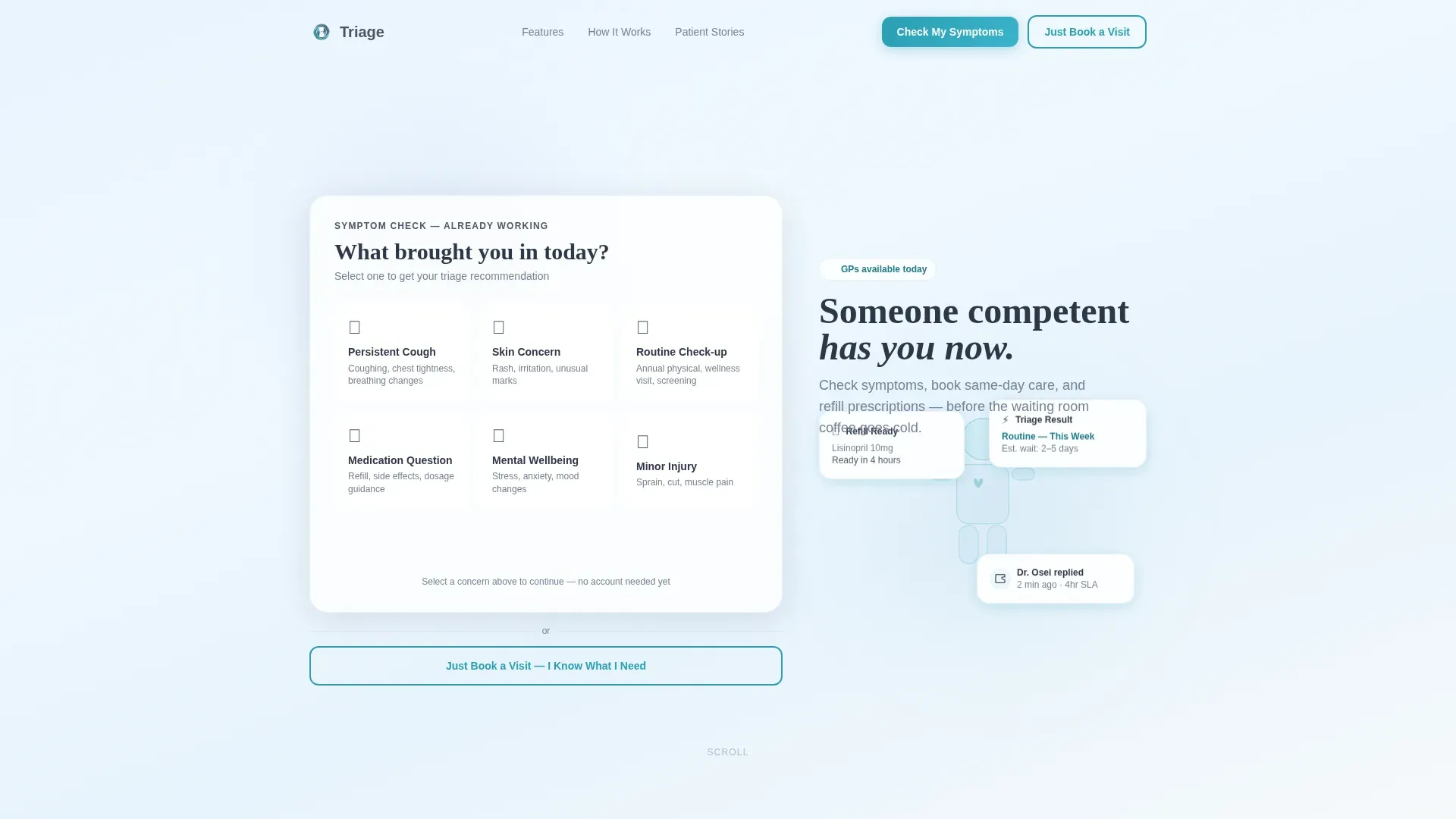
Triage is a single-page general practitioner patient portal landing page. It opens with a working symptom estimator, walks patients through a five-step guided assessment, and delivers a triage recommendation before any registration prompt. A comparison table contrasts portal features against the old way of doing things, with practicing GP quotes grounding every row in clinical reality.
Who this template is for
This template is built for GP clinics and digital health teams that want to replace phone-tree frustration with a calm, competent digital front door. It fits anyone who needs to earn patient trust before asking for sign-up.
- GP practices and primary care clinics offering same-day or virtual appointments
- Digital health product teams building patient-facing portal experiences
- Clinic administrators looking to reduce front-desk call volume with self-service triage
What problem this template solves
Patients abandon clinic portals because the portal asks for an account before it offers any value. Long waits, fax-based prescription refills, and confusing phone trees push patients away before they even book. This template flips that sequence.
- The symptom estimator works immediately, before any login or registration wall
- The comparison table shows the gap between old clinic workflows and the portal's approach
- The triage recommendation arrives first, so registration feels like saving progress rather than surrendering data
What you get with this template
You get a complete, section-led landing page layout that balances high interactivity with clinical calm. Every section has a clear purpose, and the visual system stays consistent from the hero widget through to the footer.
- An interactive symptom-check widget in the header, functional on load with tile selection and gradient pulse feedback
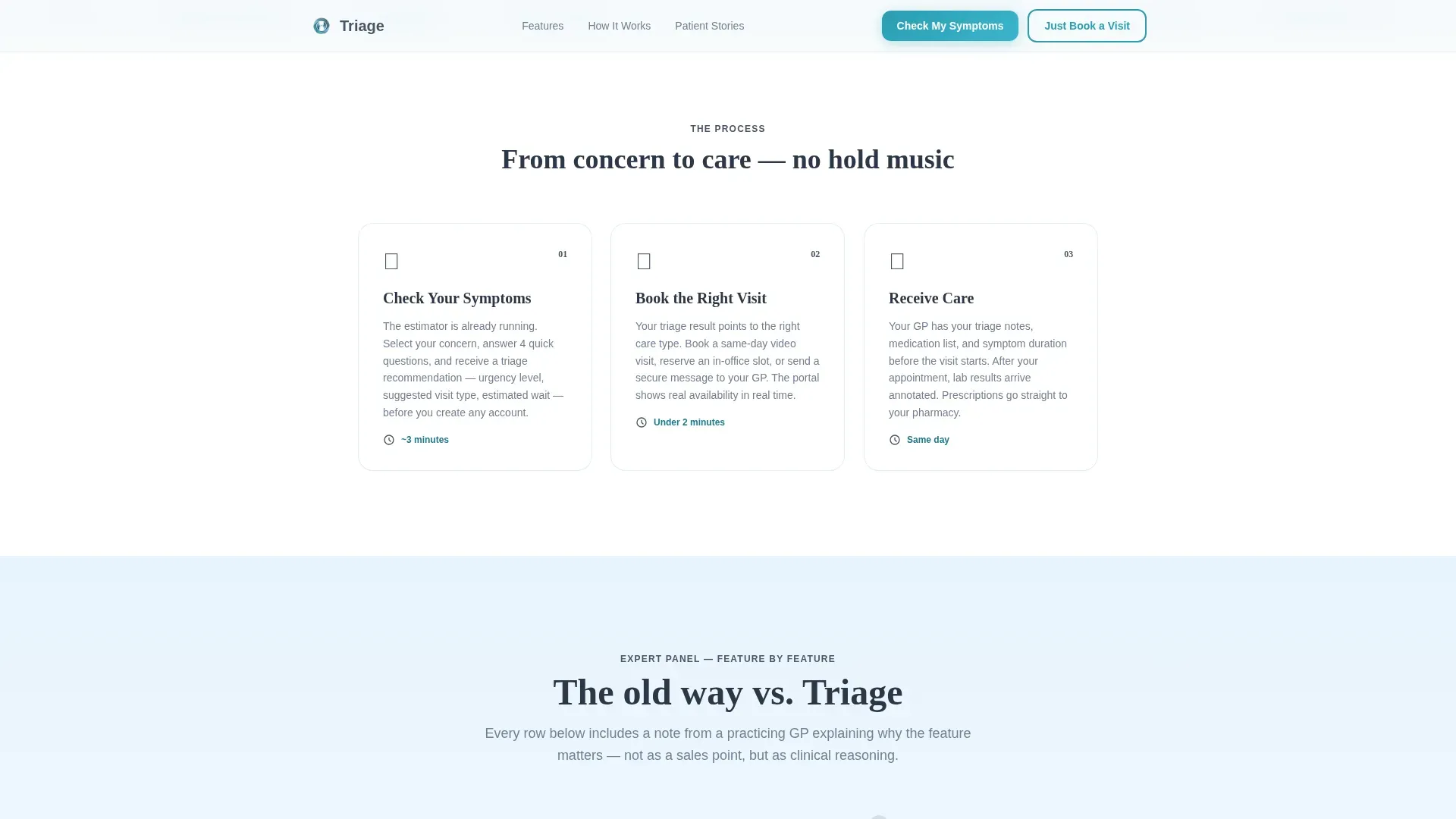
- A five-step guided assessment expanding from the hero into symptom category, duration, severity, current medications, and preferred appointment type
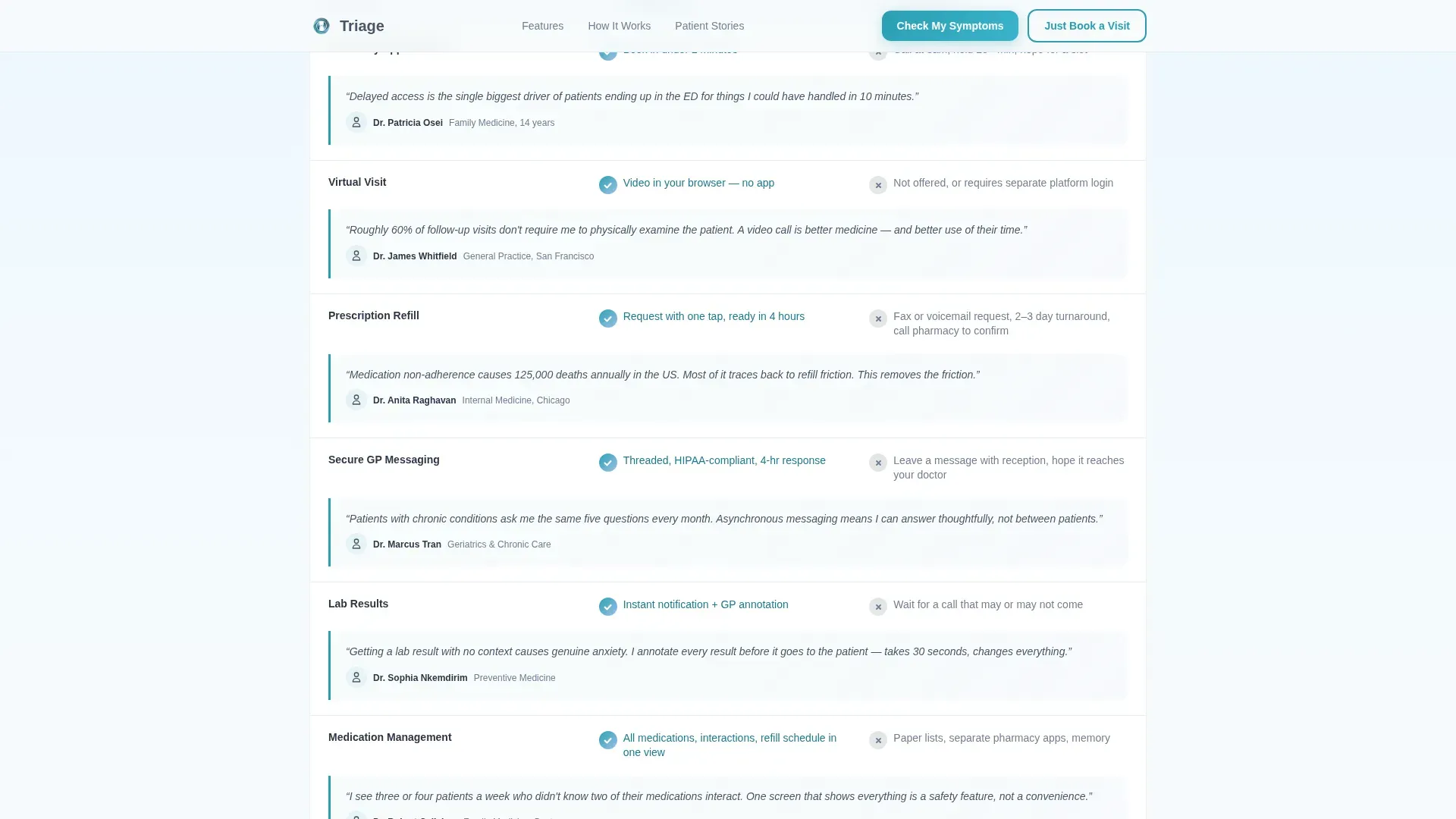
- A side-by-side comparison table with GP expert quotes per feature row and a footer following a linear single-row pattern
Feature list
This section covers the core built-in components and interaction patterns included in the template.
Interactive Symptom Estimator Widget
The header loads with a working symptom-check tool, not a static image. Patients tap illustrated body icon tiles and answer a single warm question. A soft gradient pulse confirms each selection in real time, so the tool feels responsive before the visitor commits to anything.
Five-Step Guided Assessment
The primary call to action, "Check My Symptoms," expands into a five-step flow covering symptom category, duration, severity scale, current medications, and preferred appointment type. The assessment ends with a personalized triage recommendation that includes urgency level, suggested visit type, and estimated wait.
GP-Quoted Comparison Table
A structured comparison table stacks portal features against traditional clinic workflows row by row. Virtual visits, in-office appointments, secure messaging, and prescription management are each compared to phone trees, fax refills, and multi-week wait times. Each row carries a brief quote from a named, specialty-identified GP, building quiet authority through scroll.
Dual Conversion Paths
Two calls to action serve different patient mindsets. "Check My Symptoms" guides uncertain patients through the full assessment. "Just Book a Visit" gives confident patients a direct route to scheduling. Neither path requires registration upfront.
Social Proof Section
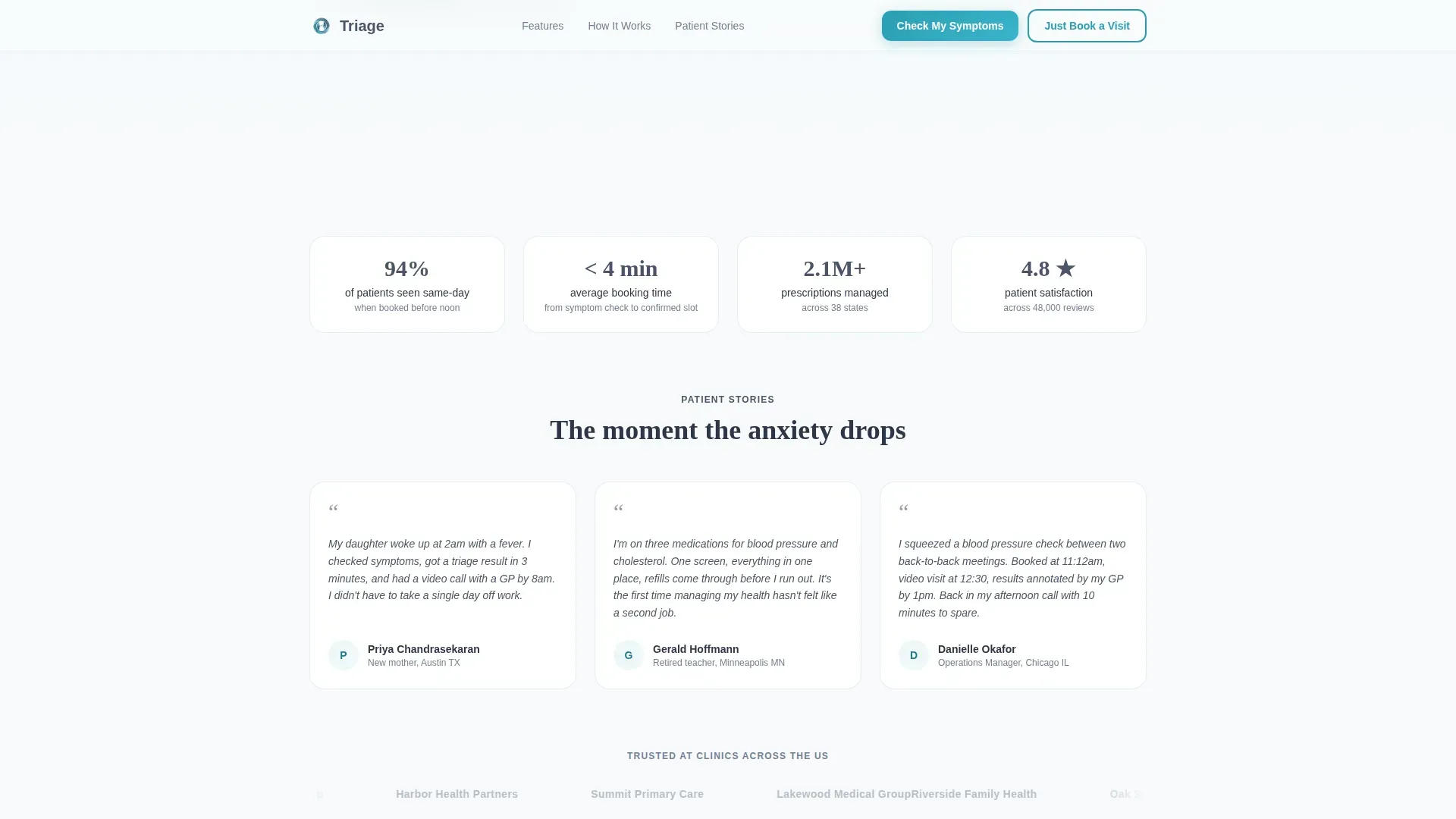
A dedicated section presents patient outcome metrics and authentic patient quotes alongside the GP expert commentary woven through the comparison table. The combination of clinical voice and patient data supports trust at every scroll depth.
Progress-Saving Registration Flow
After the triage recommendation is delivered, the landing page prompts patients to save their progress. Registration is framed as a benefit rather than a barrier, reducing friction at the moment patients are most engaged.
Page sections overview
| Section | Purpose |
|---|---|
| Symptom Estimator Hero | Opens the portal with a working triage widget and tile selection |
| GP Comparison Table | Contrasts portal features against old clinic workflows with expert quotes |
| Five-Step Assessment | Expands the hero call to action into a guided symptom and appointment flow |
| Social Proof Section | Builds trust through patient outcome metrics and authentic quotes |
| Save Progress call to action | Converts engaged patients into registered users with low-friction framing |
| Linear Footer | Closes the page with a clean single-row pattern |
Design & branding system
The visual identity uses a Soft Gradient theme built on a Slate and Sky color system. The palette is designed to feel clinical without being cold, like light coming through a skylight in a modern clinic.
- Clinical slate (#4A5568) handles body text and structural dividers; soft sky (#A0C4E8) washes across section backgrounds in gentle gradient bands; clean white (#F7FAFC) fills card surfaces and input fields; reassuring teal (#2B9EB3) marks active buttons and progress indicators
- Typography pairs Fraunces for headings with DM Sans for body text, balancing warmth with legibility
- Animations are set to medium intensity: gradient pulse on tile select, scroll reveals between sections, and spotlight card effects on feature rows
Mobile & speed optimization
The template is built mobile-first, reflecting the reality that many patients open the portal on a phone at 2 a.m. or between meetings. The symptom widget is functional on initial load, before any scrolling is needed.
- Touch-friendly tile selection in the symptom estimator is sized for one-handed use on small screens
- The five-step assessment is laid out as a vertical flow that progresses cleanly on narrow viewports
- Fast initial load is a design target, with the interactive widget ready to use before other sections render
How this template helps you convert
The conversion strategy is built around delivering value first and asking for commitment second. Every design and interaction choice supports this sequence.
- The symptom estimator engages patients immediately on load, reducing bounce before they decide whether to trust the portal.
- The comparison table educates rather than sells, so patients reach the assessment section already convinced the portal is better than the alternative.
- The triage recommendation arrives before any email prompt, making registration feel like a logical next step rather than a cost.
Other information about this template
This template is designed for use within B2C digital health and healthcare SaaS contexts where patient trust and clarity are the primary conversion drivers. It is localized for English (USA), using USD currency formatting and MM/DD/YYYY date formatting throughout.
- The landing page uses Fraunces and DM Sans, both available as web fonts, making typographic customization straightforward
- The footer follows Pattern 1, a linear single-row layout that keeps the close of the page clean and uncluttered
- The template is scoped as a single landing page, not a multi-page portal build, making it suitable for quick clinic launches or standalone triage entry points
Theme
Soft Gradient
Creative direction
Expert Panel
Color system
Slate & Sky
Style
Comparison Table
Direction
Quiz/Assessment
Page Sections
Interactive Symptom Estimator
Five-step Guided Triage Assessment
Gp-quoted Comparison Table
Dual Conversion Call-to-action Paths
Progress-saving Registration Prompt
Social Proof and Patient Metrics Section
Related questions
Does the symptom estimator work without a login?
Can patients book an appointment directly from this landing page?
Is this template suited for mobile users?
How does the GP comparison table work?
Can the triage recommendation output be customized?



