Concrete Finisher Quote Request Landing Page Template
Trowel is a split-screen landing page template built for concrete finishing businesses. It pairs bold educational content with a focused quote-request flow, guiding homeowners, general contractors, and property managers from curiosity to commitment. The Navy Authority color system and FAQ-driven layout work together to build trust before the visitor ever sees a form field.
by Rocket studio
Quick summary
Trowel is a single-page, split-screen landing page template designed for concrete finishing professionals. It uses a question-and-answer layout to educate visitors and a streamlined booking form to turn that confidence into a scheduled quote. Every section is built around real buyer intent, from cracked garage floors to pool deck resurfacing deadlines.
Who this template is for
This template is built for concrete finishing businesses that do high-quality finish work and need a landing page that earns trust before asking for a phone number. It works equally well for sole operators and small crews.
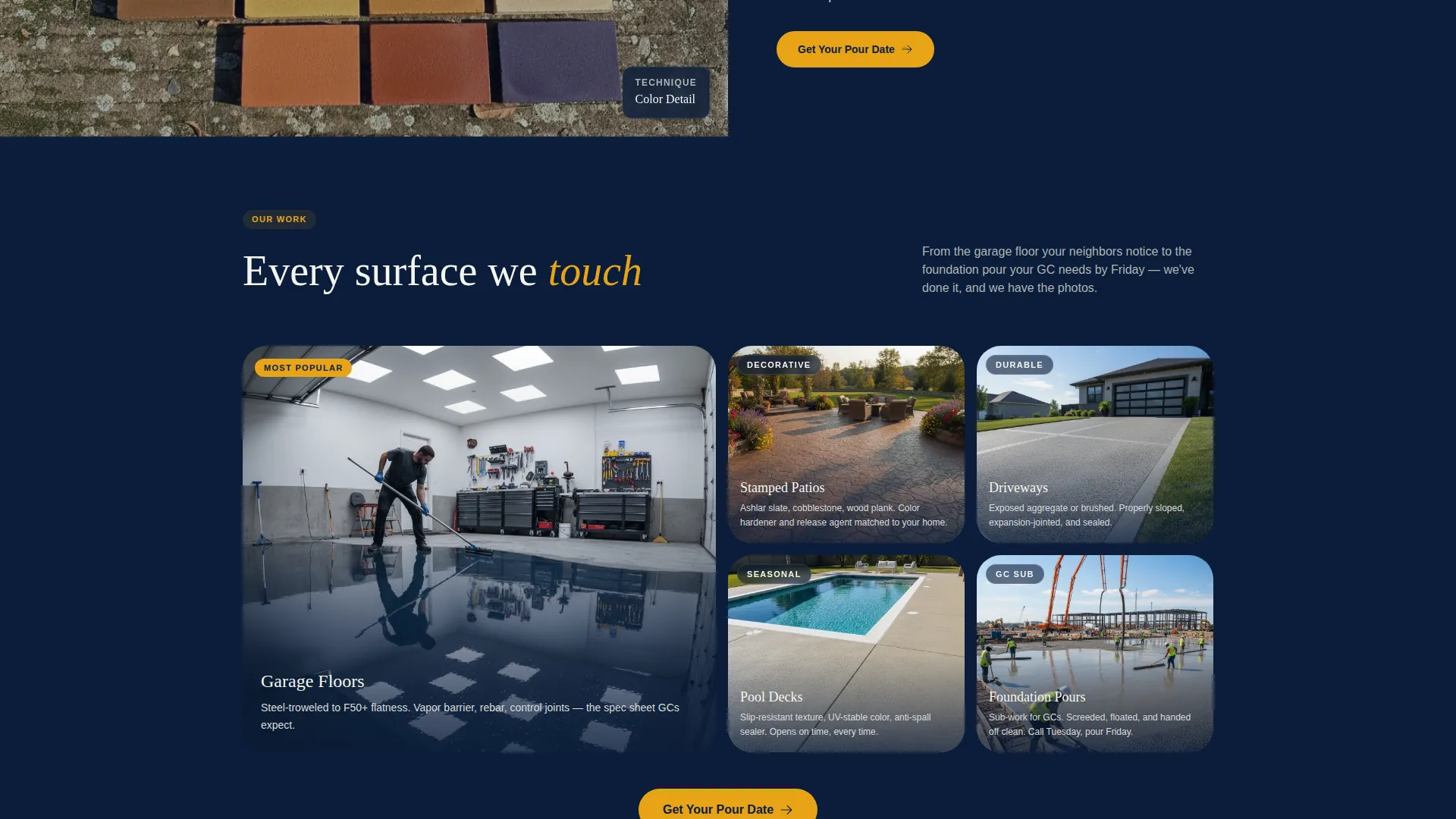
- Concrete finishers offering garage floor, patio, driveway, and foundation services
- General contractors who need a reliable finishing sub and want a quick way to request availability
- Property managers resurfacing commercial or residential surfaces before a seasonal deadline
What problem this template solves
Most concrete business websites lead with a phone number before they explain why the visitor should call. That approach loses the homeowner who just typed "how long before I can park on new concrete" into a search bar. Trowel flips the sequence, answering questions first and requesting contact details only after genuine value has been delivered.
- Visitors arrive with skepticism and leave with enough knowledge to trust the crew
- The form collects project type and square footage before asking for a phone number, reducing friction
- A secondary download path captures undecided visitors without losing them entirely
What you get with this template
The template delivers a complete, ready-to-customize single-page layout structured around education and conversion. Every visual and structural decision comes from the source brief, so nothing feels generic or borrowed from an unrelated industry.
- A 50/50 split-screen layout pairing text content with project photography or looping video on every FAQ section
- A sticky mobile bottom bar with the primary call to action and a multi-step quote request form
- A secondary lead capture path offering a downloadable finish guide for visitors not ready to book
Feature list
This template is built around five purposeful design and content systems that work together.
Data-Driven Header Panel
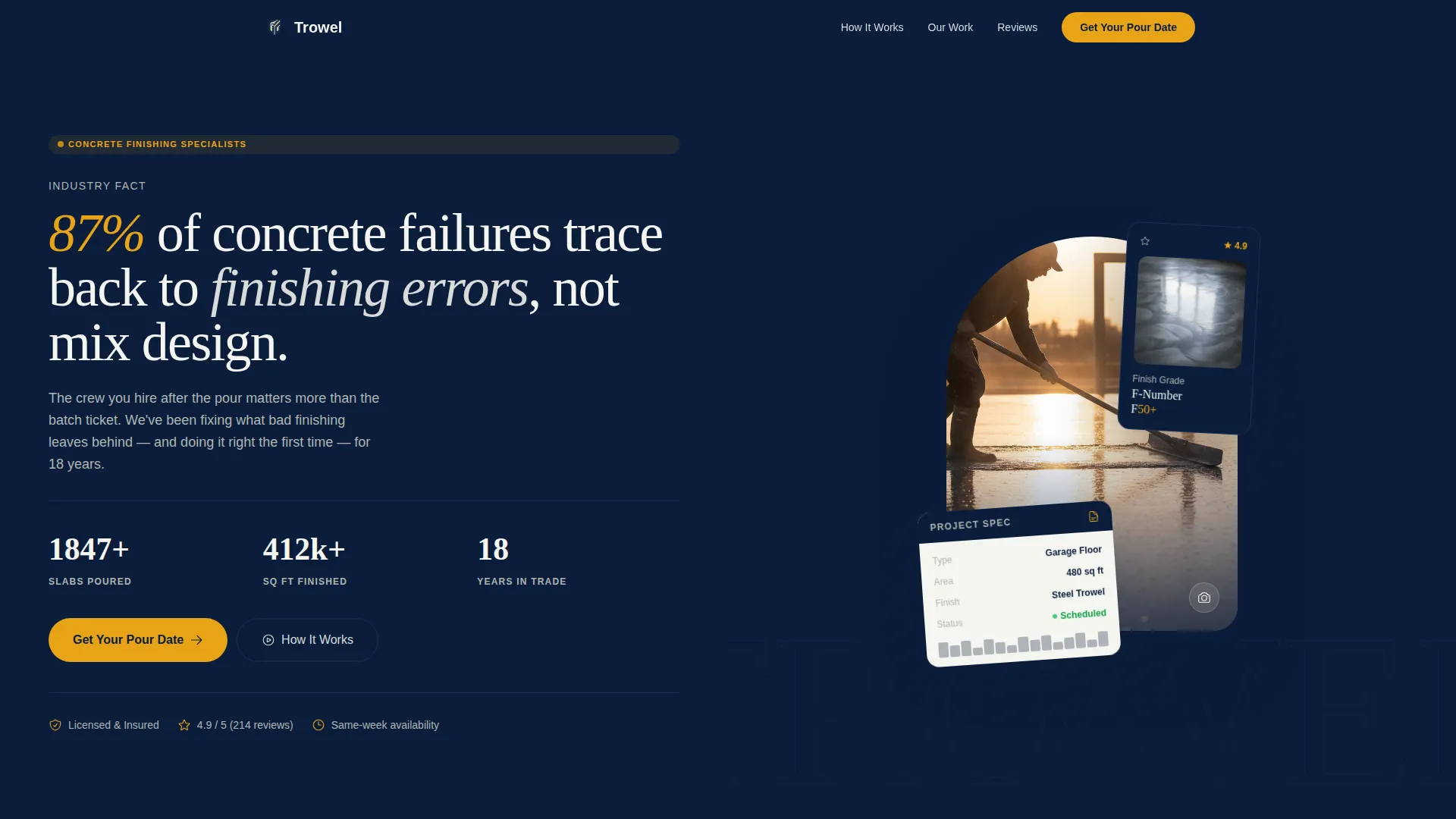
The left panel of the header displays a bold typographic stat: "87% of concrete failures trace back to finishing errors, not mix design." An animated counter cycles through real project numbers, including slabs poured, square feet finished, and years in trade. The right panel shows a close-up overhead shot of a finisher pulling a bull float across wet concrete at golden hour.
FAQ-Driven Scrolling Layout
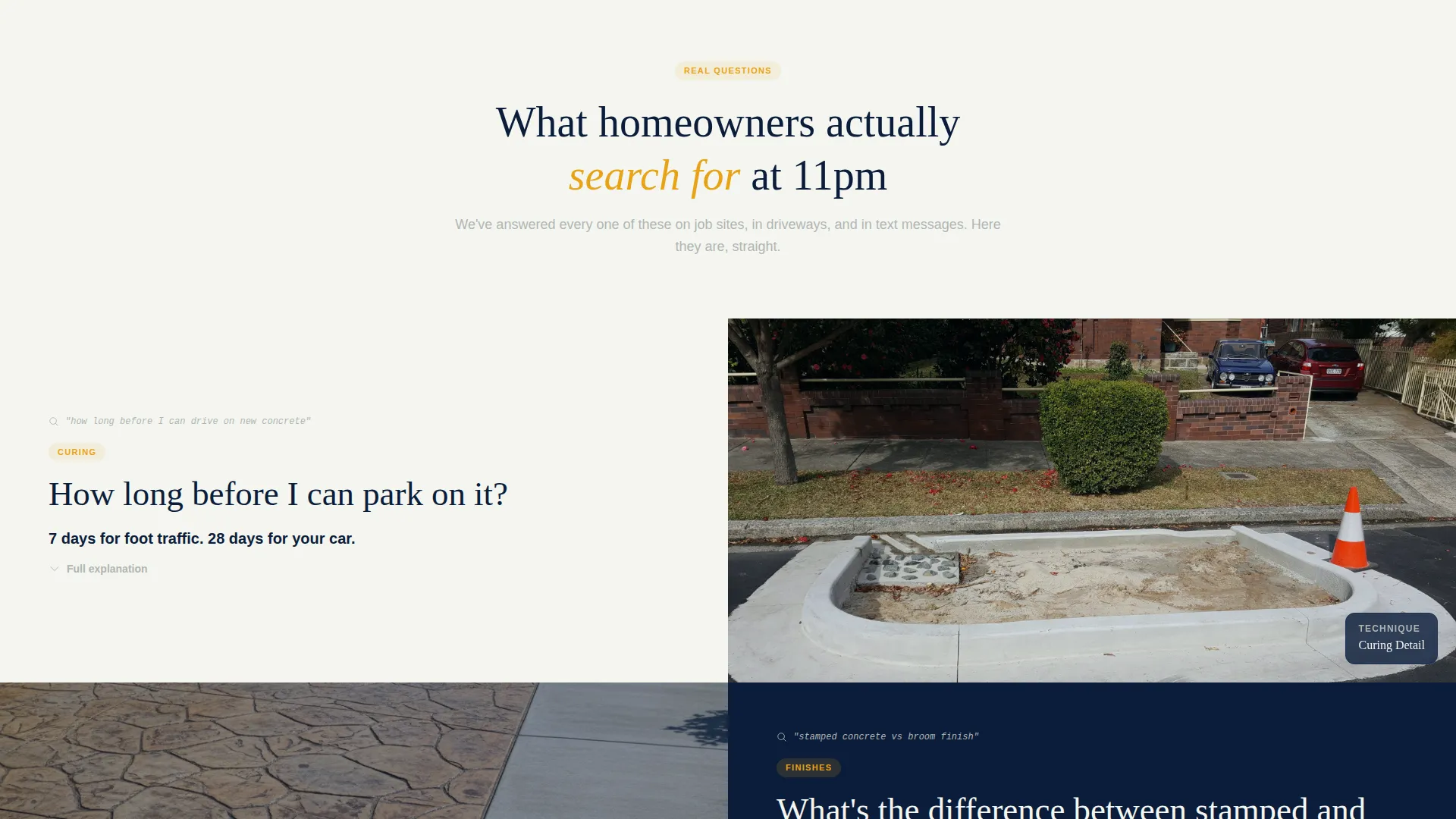
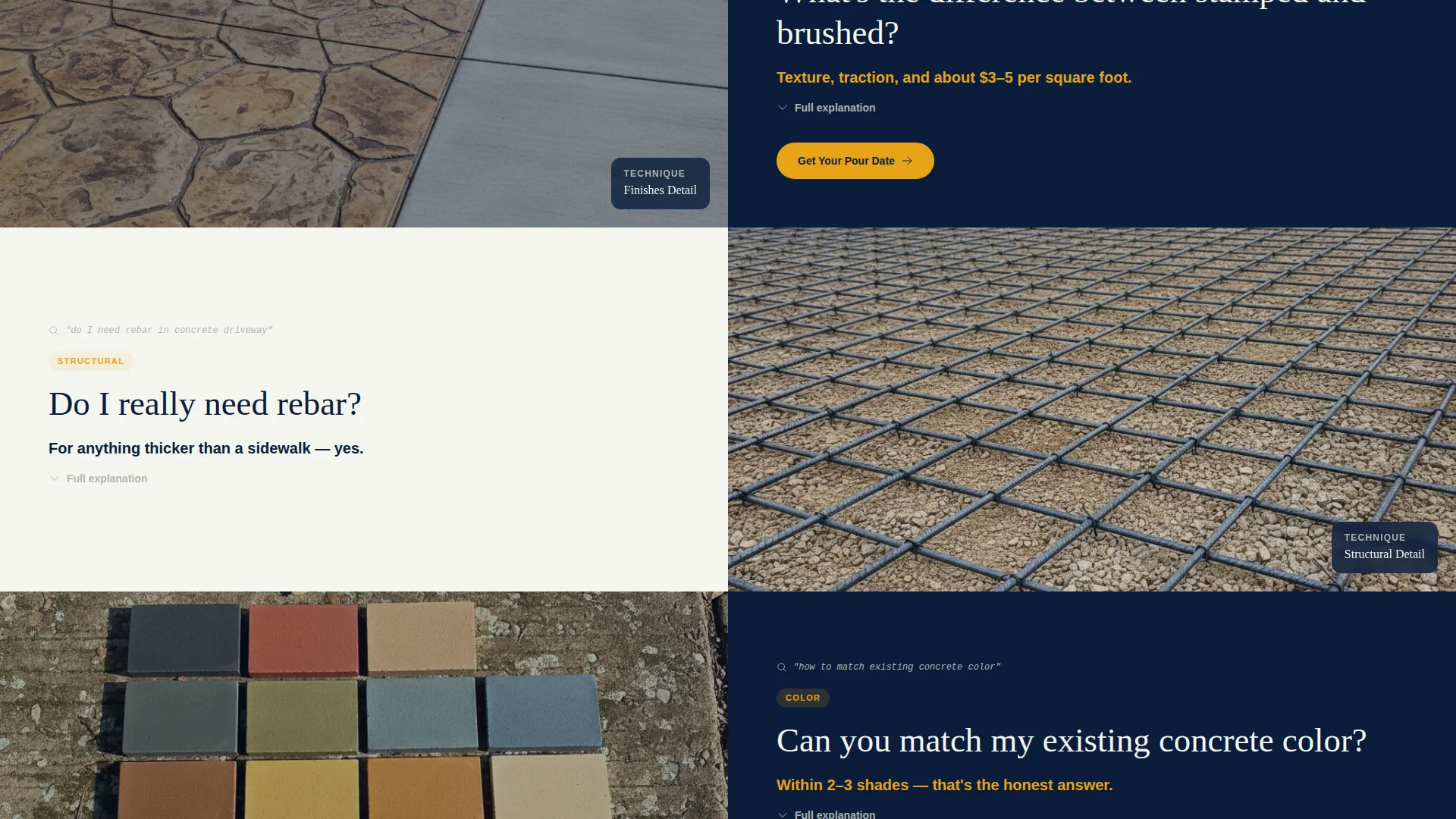
Each content section is anchored to a real question homeowners type into search bars, such as "How long before I can park on it?" or "Do I really need rebar?" The left panel holds the question and a plain-language answer. The right panel shows a matching close-up photo or short looping video of that technique.
Multi-Step Quote Request Form
The booking form leads with project type selection, then a square footage slider, then a preferred start window, and finally zip code and phone number. Phone is collected last, after the visitor has already invested time and received value. This sequence is designed to reduce drop-off at the most sensitive field.
Sticky Mobile Call-to-Action Bar
On mobile, the primary call to action "Get Your Pour Date" stays anchored in a fixed bar at the bottom of the screen. This keeps the booking path accessible at every scroll position without interrupting the reading experience on desktop.
Secondary Email Capture Path
A "Download Our Finish Guide" option appears as an alternative for visitors who are not ready to request a quote. It collects an email address only, creating a lower-commitment entry point for follow-up without pressuring the visitor to share a phone number immediately.
Page sections overview
| Section | Purpose |
|---|---|
| Split-Screen Header | Deliver a credibility stat and an authentic project photo side by side |
| Animated Project Counter | Show real volume numbers to establish professional scale |
| FAQ Section One | Answer the first common question with a paired visual |
| FAQ Section Two | Build on the first answer with the next common question |
| FAQ Section Three | Address technical hesitation with a close-up technique visual |
| Repeat call to action Block | Re-surface the quote form after every third FAQ pair |
| Quote Request Form | Collect project type, square footage, timeline, zip, and phone |
| Finish Guide Download | Capture email from visitors not ready to book |
| Sticky Mobile Bar | Keep the primary call to action reachable at all scroll positions |
Design & branding system
The Navy Authority color system anchors the visual identity in a job-site-at-dawn palette. Every color has a specific role and the template respects those boundaries throughout.
- Deep command navy (#0B1D3A) dominates headers and section backgrounds, establishing authority without shouting
- Cured concrete gray (#B0B5B3) carries body text and informational panels, keeping long answers readable
- Chalk-line white (#F4F5F0) creates breathing room between sections, preventing visual fatigue on long scrolls
- Safety-vest amber (#E8A317) appears only on calls to action and interactive highlights, so the eye is always drawn to the right place
Mobile & speed optimization
The template layout is built to perform cleanly on the devices that homeowners and site managers actually use to search for concrete services. The mobile experience is treated as a first-class layout, not an afterthought.
- The sticky bottom bar keeps "Get Your Pour Date" accessible on every mobile screen size without obscuring content
- The square footage slider and project-type selector are touch-friendly input controls sized for thumbs, not mouse cursors
- Looping video panels on FAQ sections are scoped to short, lightweight clips that support the answer without creating load friction
How this template helps you convert
The conversion strategy in Trowel is sequenced deliberately. Trust is built before any contact information is requested.
- The header stat and animated project counter establish credibility within the first few seconds, before the visitor has scrolled at all
- Each FAQ section delivers real, useful information paired with visual proof, so the visitor arrives at the form already confident in the crew's expertise
- The secondary download path ensures that visitors who are not ready to book still enter a follow-up sequence rather than bouncing with nothing exchanged
Other information about this template
This template is designed as a standalone concrete finisher quote request landing page. A few additional details are worth noting before customizing it.
- The Educational Guide theme means the page functions more like a trusted resource than a typical service advertisement
- The FAQ-driven creative direction is specifically chosen to match the questions real homeowners type into search engines before hiring a concrete crew
- The template style is Split Screen (50/50), meaning every section pairs a text panel with a visual panel at equal width on desktop
- The Booking and Scheduling landing-page direction means the entire page structure points toward one primary outcome: getting a confirmed pour date on the calendar
- The template is part of the Professional Services category, specifically the Concrete Finisher Business subcategory, and is scoped to a Concrete Finisher Quote Request Page use case
Theme
Educational Guide
Creative direction
FAQ-Driven
Color system
Navy Authority
Style
Split Screen (50/50)
Direction
Booking/Scheduling
Page Sections
Data-driven Split-screen Header
Faq-driven Section Layout
Multi-step Quote Request Form
Sticky Mobile Call-to-action Bar
Secondary Email Capture Path
Related questions
Can I replace the placeholder photography with my own project photos?
How does the multi-step form reduce friction for new visitors?
What concrete project types does the quote form cover?
Is the secondary email capture section required?
Does the sticky call-to-action bar show on desktop screens as well?



