Kids Gymnastics After-School Program Landing Page
Tumble is a single-column landing page template built for kids gymnastics after-school programs. It features a cursor-reactive animated hero, a scroll-linked skills progression display, a flip-reveal safety section, and a lead-capture form offering a free First-Week Guide. The warm watercolor palette and playful interactions speak directly to busy parents searching for quality after-school enrichment.
by Rocket studio
Quick summary
Tumble is a warm, interaction-rich landing page template designed for kids gymnastics after-school programs. It leads with a cursor-reactive gymnast illustration, guides visitors through skills progression and coach credentials, and closes with a value-first call to action. Parents get a free guide before any commitment is asked.
Who this template is for
This template is built for gymnastics studios and after-school enrichment programs that serve children roughly ages 4 through 12. It works best for operators who want to earn parent trust through useful content rather than a hard sales pitch.
- Gymnastics studio owners launching or promoting an after-school program
- After-school program coordinators who need a polished, mobile-ready landing page
- Independent coaches building a parent-facing presence for the first time
What problem this template solves
Parents searching for after-school activities are skeptical. They have seen generic program pages that make big promises but show nothing real. This template solves that by delivering value immediately, letting the page's own interactions model the program's philosophy before a form ever appears.
- Generic studio pages fail to show what a child's first week actually looks like
- Parents abandon pages that lead with enrollment forms before trust is built
- Program owners lack a structured way to capture leads while offering something genuinely useful
What you get with this template
You get a complete single-column landing page with five purposeful sections, a minimal footer, and high interactivity built in. Every section is designed to move a parent from curious to confident without pressure.
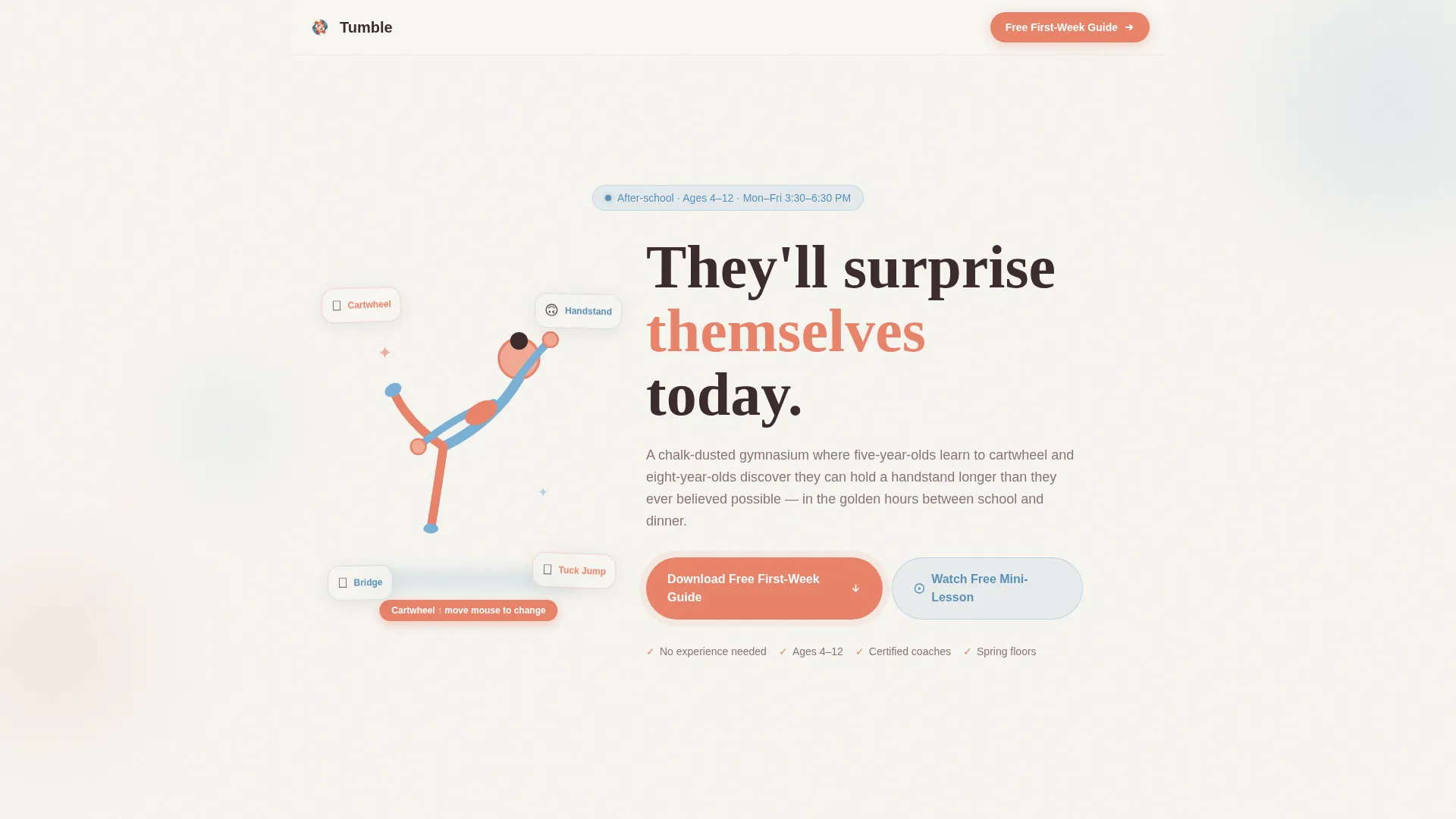
- A cursor-reactive hero section with an animated gymnast illustration and floating skill cards
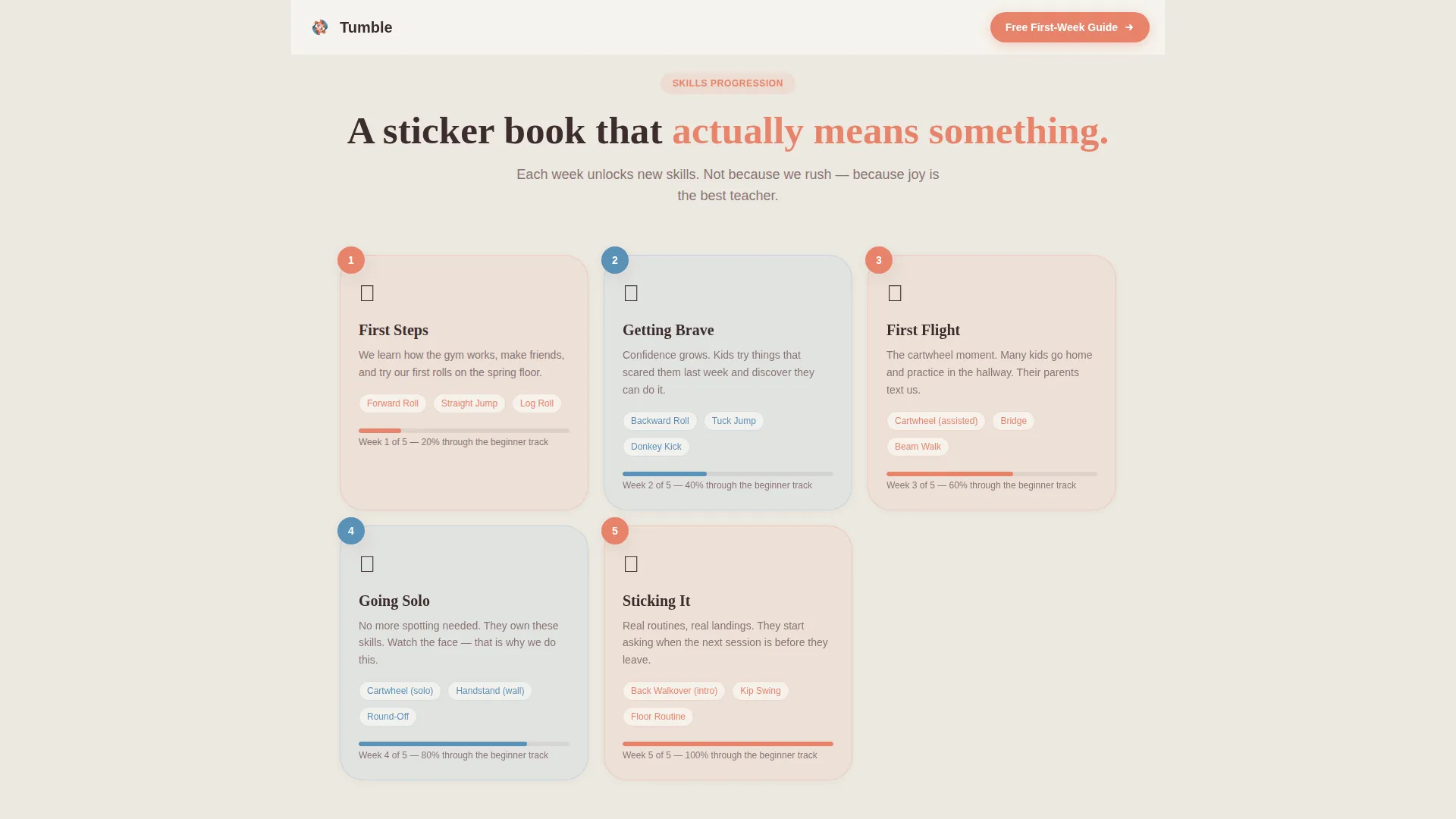
- A sticker-book-style skills progression grid showing weekly skill unlocks
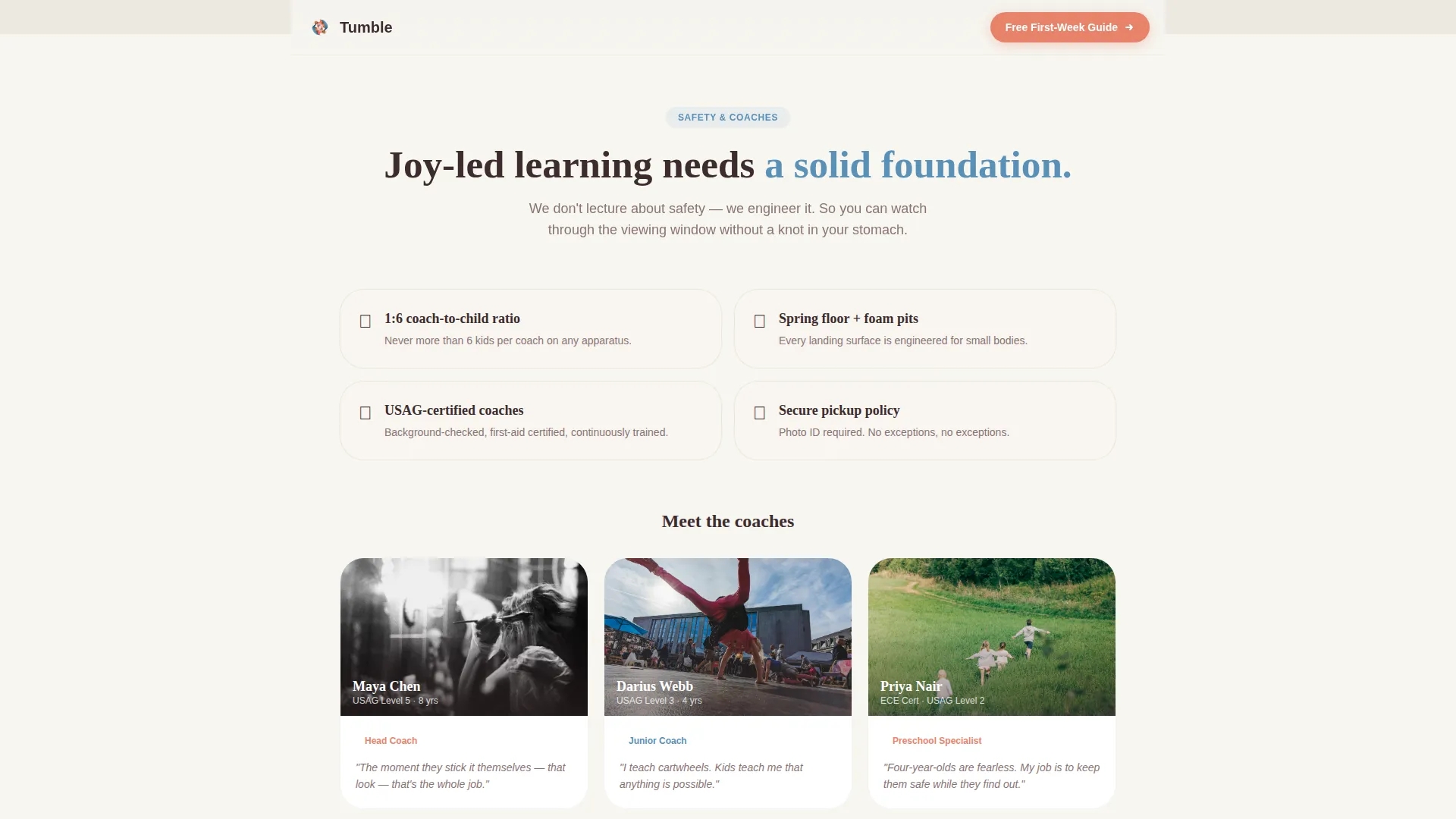
- A flip-reveal safety and coaches section, a testimonials block, and a lead-capture call-to-action section
Feature list
This template packs meaningful interactions and a clear content hierarchy into one focused layout.
Cursor-Reactive Animated Hero
The hero features an SVG gymnast illustration that responds to the visitor's mouse movement. As the cursor moves, the figure rotates through four skills: cartwheel, bridge, tuck jump, and handstand. The headline "They'll surprise themselves today" sits beneath in rounded, confident type.
Scroll-Linked Skills Progression
A bento-grid display unfolds like a sticker book as the visitor scrolls. Each cell reveals a skill unlocked week by week, giving parents a concrete sense of what their child will learn and when.
Flip-Reveal Safety and Coaches Section
The safety section uses a CSS flip animation, turning upside-down before righting itself on scroll. Coach credentials are revealed through this interaction, making a factual section feel genuinely memorable.
Value-First Lead Capture Form
The primary call to action offers a free downloadable First-Week Guide, a printable PDF covering what to pack, what to expect, and three at-home warm-up games. The form asks only for a first name and email, with an optional checkbox for the seasonal class schedule.
Free Mini-Lesson Secondary Path
A secondary call to action invites visitors to watch a free two-minute video lesson with no sign-up required. This gives hesitant parents a low-commitment way to experience the program before deciding anything.
Parent Testimonials Block
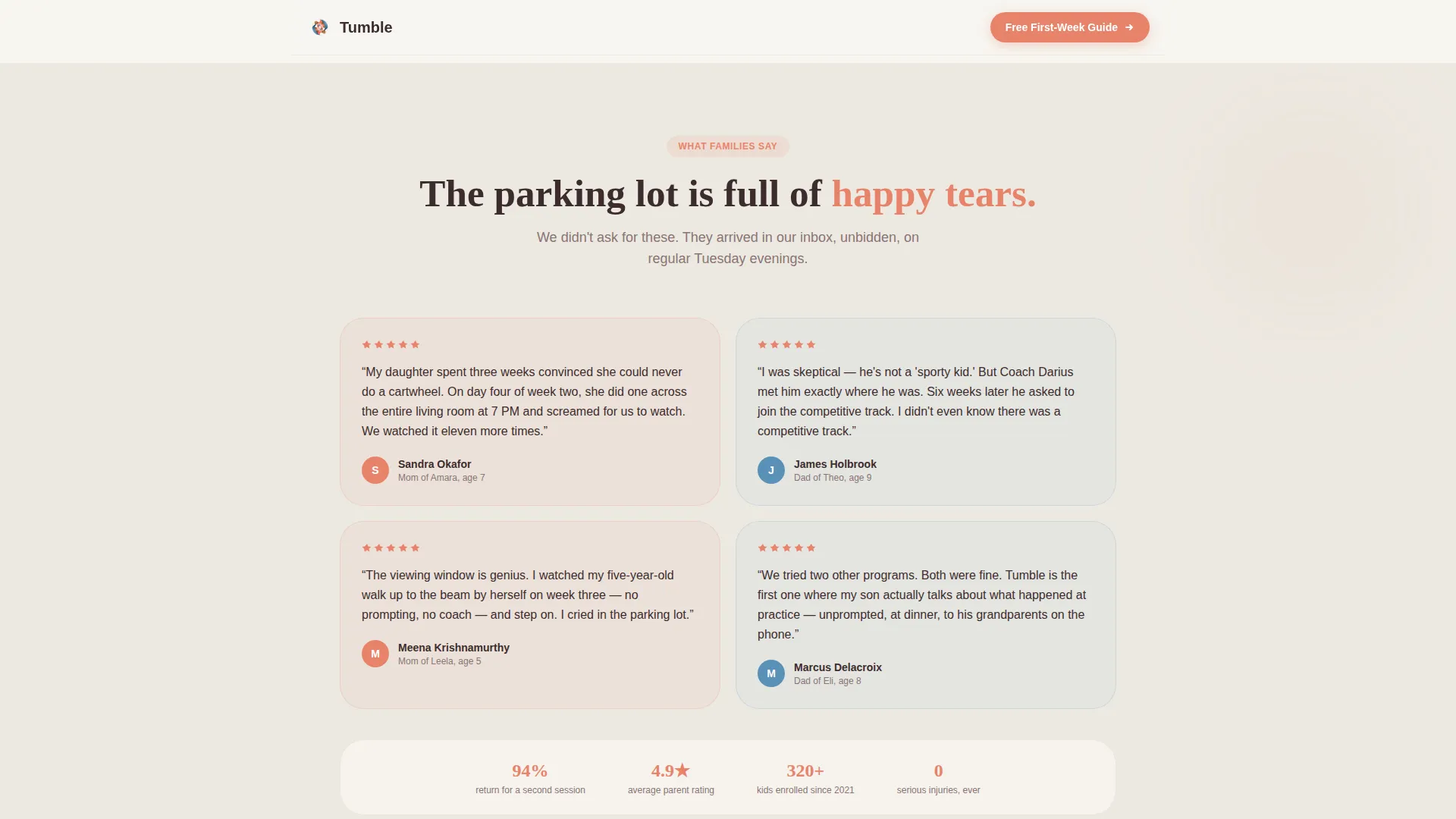
A dedicated testimonials section displays parent quotes paired with each child's age and a specific skill milestone. This ground-level social proof is more convincing than star ratings because it reflects real, named outcomes.
Page sections overview
| Section | Purpose |
|---|---|
| Hero with illustration | Greet visitors with a cursor-reactive gymnast and the core headline |
| Skills progression grid | Show weekly skill unlocks in a visual sticker-book layout |
| Safety and coaches | Build trust through flip-reveal credentials and safety details |
| Parent testimonials | Reinforce confidence with age-specific, outcome-based quotes |
| First-Week Guide call to action | Capture leads via a simple form and offer a free mini-lesson |
| Minimal centered footer | Close the page cleanly without distraction |
Design & branding system
The visual identity follows a Community Hearth theme built on a Cloud Canvas color system. Every color choice feels like a watercolor painting left on a sunlit kitchen table: gentle and warm without tipping into anything childish or sugary.
- Soft chalk white (#F7F5F0) for backgrounds, warm mat blue (#7BAFD4) for accents, tumble-track coral (#E8836B) for calls to action, and deep gymnasium wood (#3D2C2E) for body text
- Fraunces is used for headlines, giving the page a rounded, confident personality; DM Sans handles body copy for clean, easy reading
- Scroll-reveal stagger animations and CSS-transform-only motion keep the page feeling lively without becoming overwhelming
Mobile & speed optimization
This template was designed mobile-first, reflecting the reality that most parents discover after-school programs while scanning their phones at school pickup. All animations rely on CSS transforms only, keeping motion smooth on lower-powered devices.
- Single-column flow scales naturally to any screen width without layout shifts
- SVG-based illustrations and CSS-only animations avoid heavy asset loads
- The lead-capture form is touch-friendly, with a minimal two-field structure that works quickly on a phone keyboard
How this template helps you convert
The conversion strategy mirrors the program's own teaching philosophy: let families experience something valuable first, and enrollment follows naturally.
- The free First-Week Guide delivers immediate, printable value before any commitment, lowering the barrier for a parent to share their email.
- The free mini-lesson video creates a second conversion path for visitors who are not yet ready to sign up, keeping them engaged on their own terms.
- Every interactive section, from the cursor-reactive hero to the flip-reveal coaches block, demonstrates the program's character, so parents arrive at the form already trusting what they see.
Other information about this template
Tumble is built as part of a broader template collection designed around the intersection of niche audience needs and joyful, interaction-led design. A few additional details worth knowing:
- The template style is Single Column Flow, making it straightforward to customize section by section without disrupting layout
- The creative direction is Surprise and Delight, meaning each scroll interaction is designed to reward attention rather than just fill space
- The header concept is an Interactive Preview, a category of header that uses live motion to communicate program personality before a single word is read
- The landing page direction is Content and Resource focused, prioritizing value delivery over immediate hard-sell conversion
- Localization defaults are set to English, United States date format, and USD pricing references
- The footer uses a minimal centered pattern, keeping the close of the page clean and uncluttered
Theme
Community Hearth
Creative direction
Surprise & Delight
Color system
Cloud Canvas
Style
Single Column Flow
Direction
Content/Resource
Page Sections
Cursor-reactive Animated Hero
Scroll-linked Skills Progression Grid
Flip-reveal Safety and Coaches Block
Value-first Lead Capture Form
No-signup Mini-lesson Video Path
Age-specific Parent Testimonials
Related questions
What sections are included in this landing page template?
Can I update the colors and fonts to match my studio's branding?
Does the lead capture form connect to an email platform automatically?
Is this template suitable for programs serving a wide age range?
Do visitors have to sign up to watch the free mini-lesson video?



