Toddler (1-3) Products & Booking Website Template
Tumble is a masonry-style landing page template built for toddler sports programs. It combines a bouncing icon-grid hero, a scrapbook-style community photo gallery, age-band program cards, and a three-step booking flow. Designed for mobile-first parents scrolling at naptime, it turns warm citrus visuals and real parent quotes into free-trial class bookings.
by Rocket studio
Quick summary
Tumble is a single-page booking template for toddler sports programs serving children aged 12 months to 3 years. The layout uses a warm citrus color system, a Pinterest-style masonry gallery, and a floating "Book a Free Trial Class" button to guide parents from first scroll to confirmed class time in three taps.
Who this template is for
This template is built for local children's enrichment businesses that need a booking-focused landing page. It speaks directly to the people most likely to sign up and show up.
- Small gym owners and toddler sports coaches who want to fill trial classes without a complex website
- Grandparents and family members looking for a simple way to gift a season pass as an experience
- Daycare directors searching for structured group field trips for children aged one to three years
What problem this template solves
Most local enrichment programs lose potential customers because their online presence feels cold, cluttered, or hard to navigate on a phone. Parents scrolling at naptime need warmth and speed, not walls of text.
- The template removes friction by presenting a clear three-step booking flow: choose a location, select an age group, then pick a class time
- It builds trust fast using parent photo quotes, child ages, and stat tiles before a visitor ever reaches the booking button
- It keeps grandparent and daycare segments in the same scroll path without separate pages or confusing navigation
What you get with this template
You get a fully structured, single-page layout designed around one goal: converting curious visitors into booked trial class attendees.
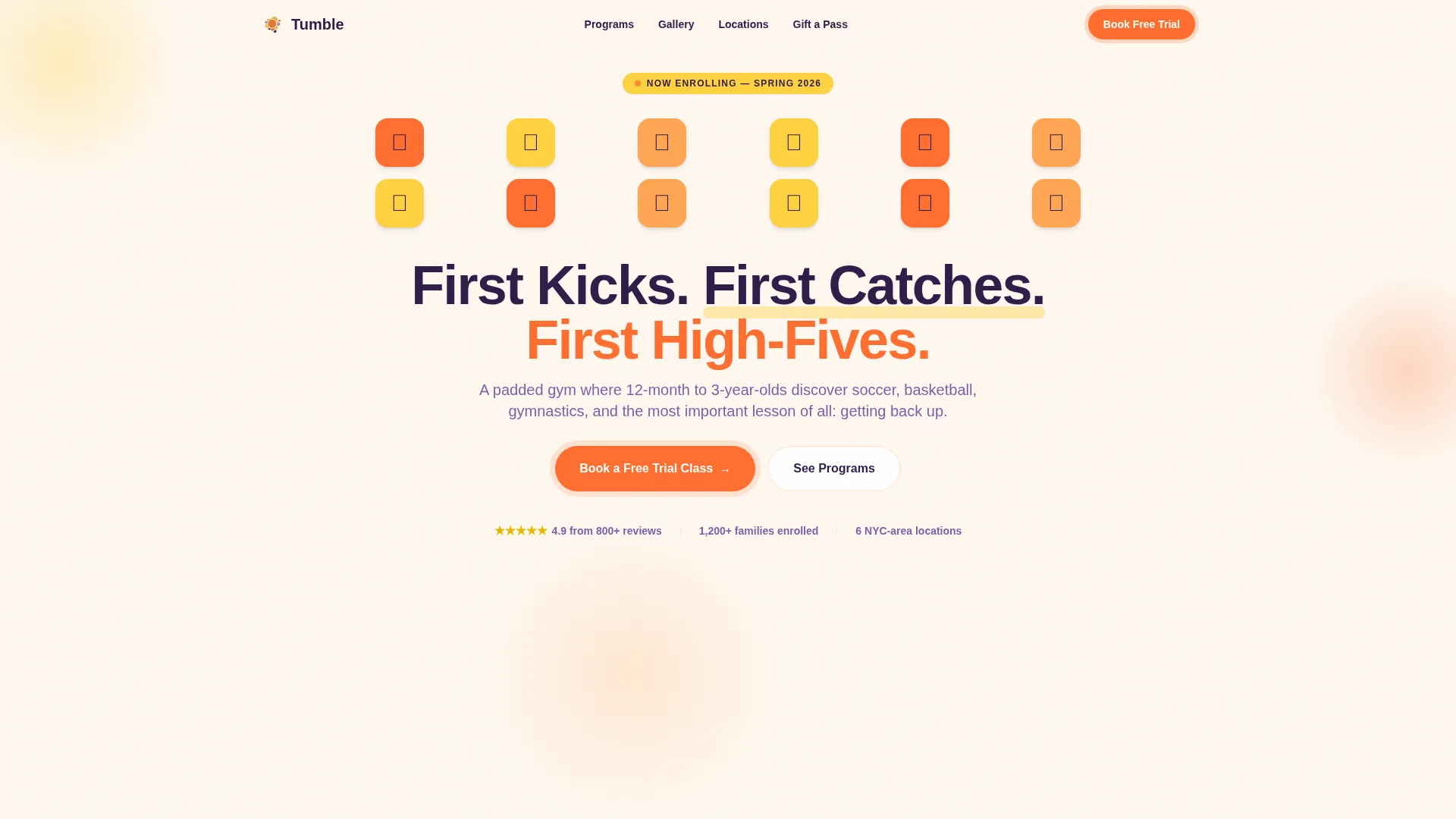
- A hero section with an animated icon grid, a bold headline, and a floating tangerine call-to-action button
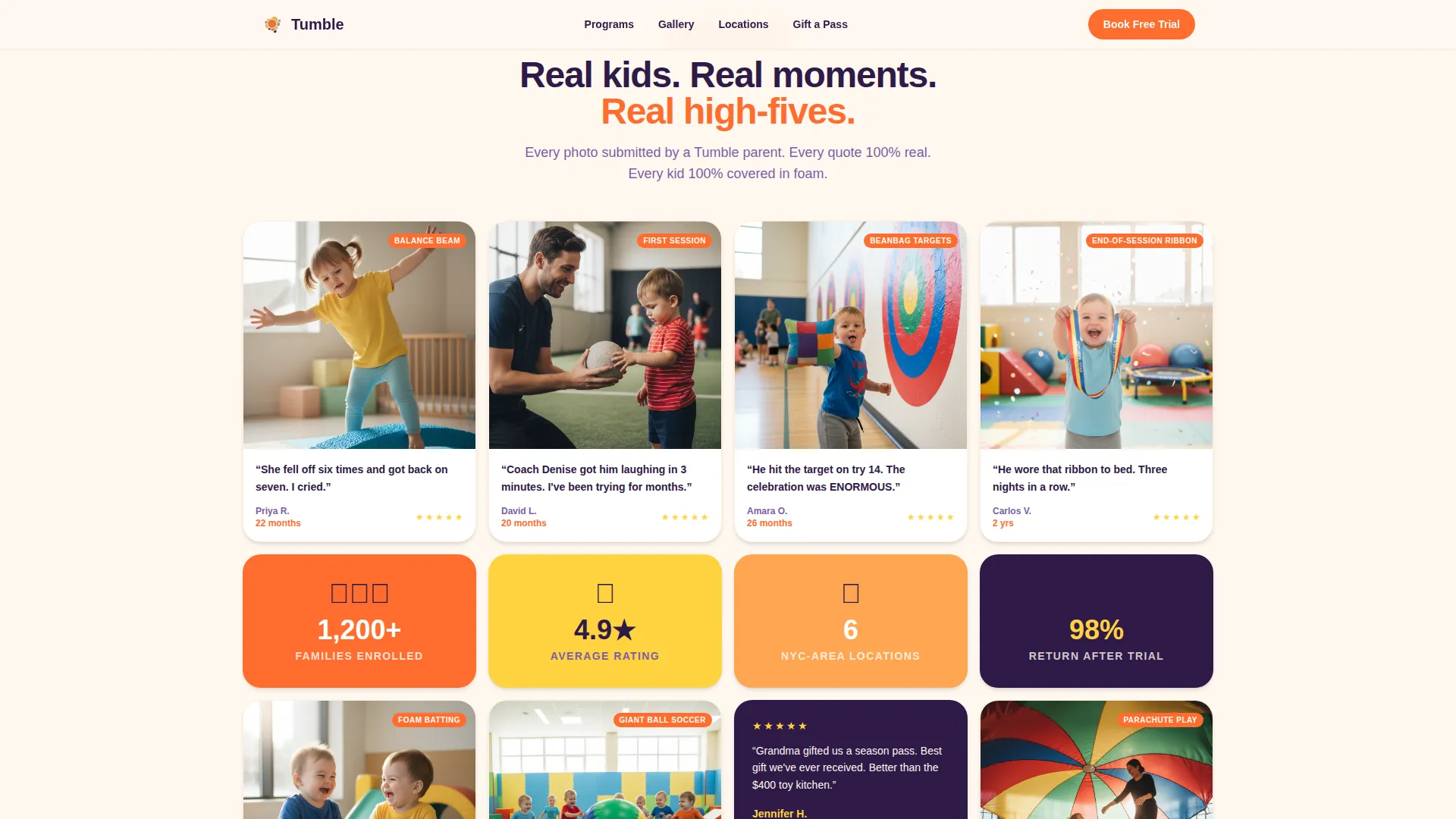
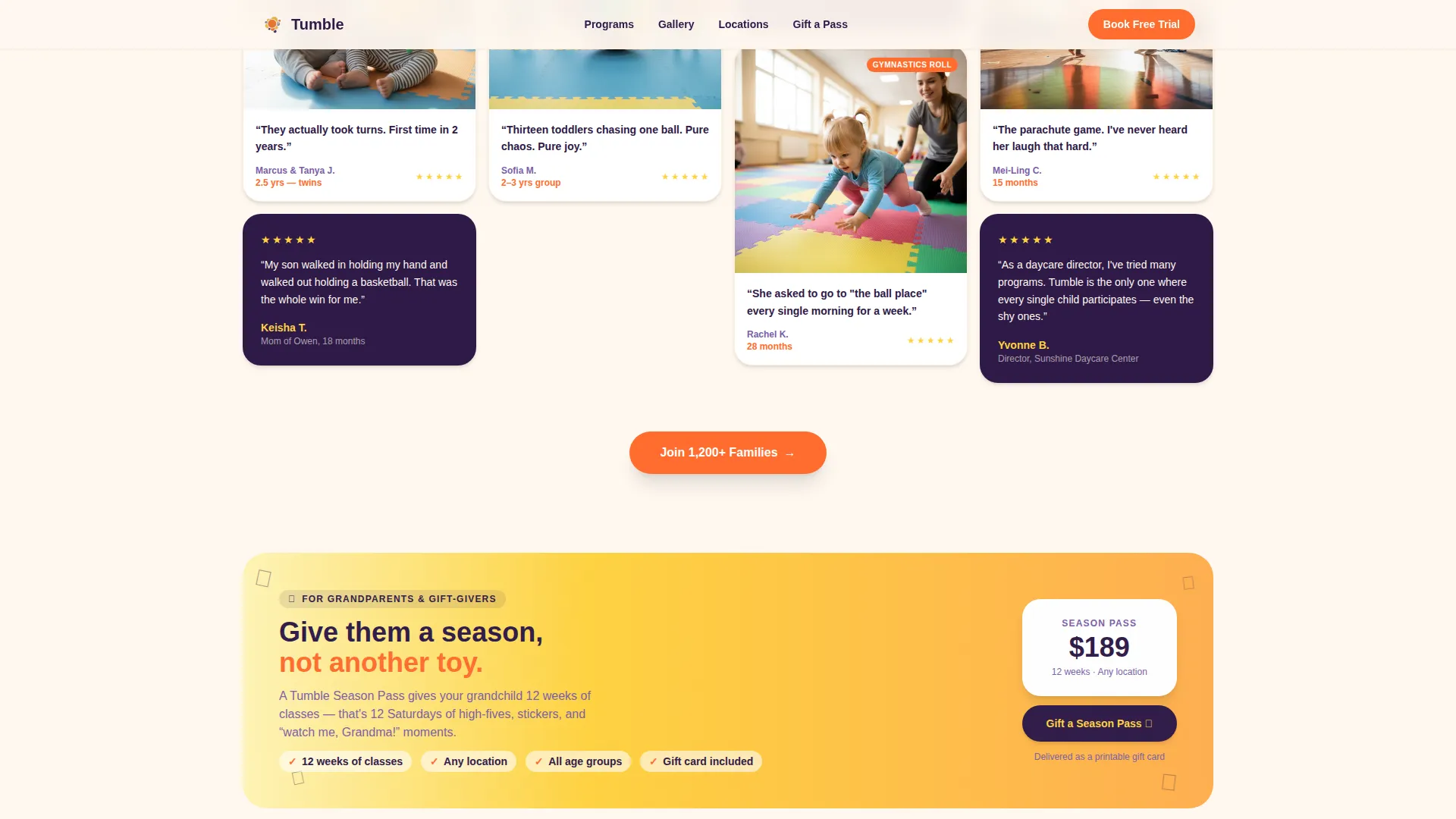
- A masonry photo gallery with parent quote tiles, illustrated stat cards, and a mid-page gift banner for the grandparent segment
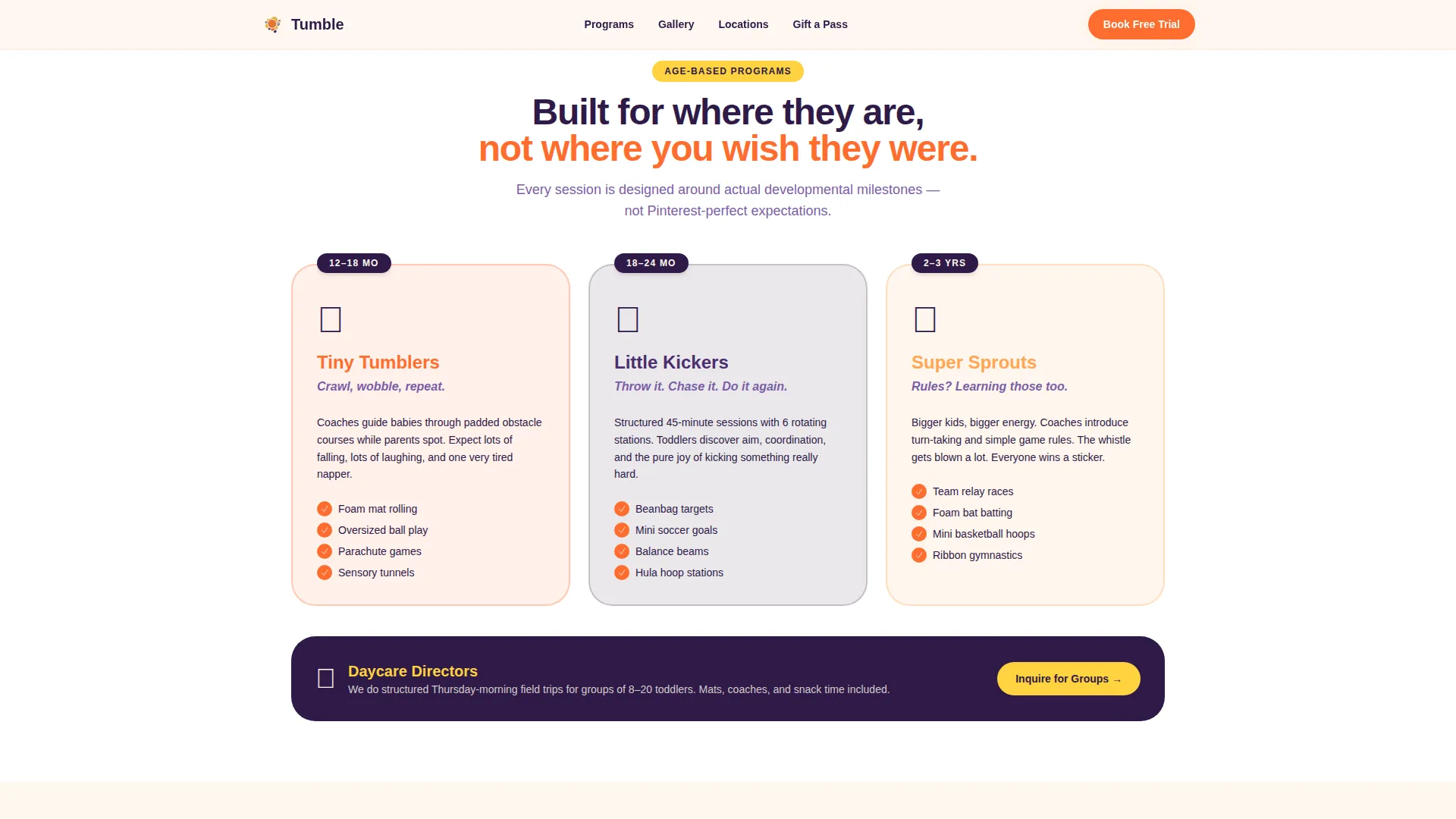
- Three age-band program cards, a three-step booking modal, and a single-row linear footer
Feature list
This template ships with purpose-built sections and interaction patterns matched to the toddler sports booking use case.
Bouncing Icon Grid Hero
The header opens with a tight mosaic of hand-drawn sport icons sitting inside rounded citrus-colored tiles. Each tile animates on load with a subtle bounce, setting a playful tone before a single word is read. The chunky deep grape headline lands between the icons like refrigerator magnets a child arranged.
Masonry Community Gallery
A scroll-driven Pinterest-style grid fills with parent-submitted candid photos, short quote captions, and each child's age. Occasional illustrated stat tiles break the photo rhythm with figures such as 1,200 plus families enrolled and a 4.9-star average across 6 locations. The unpredictable tile sizing keeps visitors scrolling.
Age-Band Program Cards
Three clearly labeled cards cover the 12 to 18 month, 18 to 24 month, and 2 to 3 year age ranges. Each card describes what actually happens in that specific class session. Parents can quickly confirm their child fits before tapping to book.
Three-Step Booking Modal
Tapping the primary call-to-action opens a focused modal with three sequential steps: pick a location, select the child's age group, then choose an available time from a visual calendar view. The flow removes decision fatigue and gets parents to a confirmed slot quickly.
Gift a Season Pass Banner
A lemon-highlighted banner appears mid-scroll to catch grandparents and gift-givers at exactly the right moment. It presents a secondary conversion path without interrupting the main booking flow for parents.
Floating Mobile Call-to-Action
The "Book a Free Trial Class" button stays pinned to the bottom of the screen on mobile devices. It also reappears after every fourth masonry row on desktop, so the booking entry point is never more than a short scroll away.
Page sections overview
| Section | Purpose |
|---|---|
| Hero Icon Grid | Introduce the program with a playful animated mosaic and primary headline |
| Age Program Cards | Show what each age-band class covers and confirm fit for the child |
| Masonry Photo Gallery | Build social proof through parent photos, child-age quotes, and stat tiles |
| Gift Season Pass | Capture grandparent and gift-giver segment with a lemon-highlighted banner |
| Booking Call-to-Action | Guide visitors through a three-step location, age, and time selection flow |
| Linear Footer | Provide single-row navigation and contact anchors |
Design & branding system
The Citrus Burst color system drives every visual decision on this page. The palette was built to feel like warm, sticky-fingered joy rather than a sterile children's product catalog.
- Tangerine (#FF6D2E) powers all primary buttons and badges; lemon (#FFD23F) highlights testimonial tiles and star ratings; soft clementine (#FFA552) adds depth to gallery tiles; chalk white (#FFF8F0) breathes between dense masonry rows
- Deep grape (#2E1A47) anchors all headlines and body text, keeping every word legible against the warm citrus background
- Typography uses Plus Jakarta Sans in chunky, friendly weights throughout, reinforcing a scrapbook-meets-coach-whistle tone
Mobile & speed optimization
The template is built mobile-first because its primary audience scrolls on phones during short windows of free time. Every layout decision starts from the smallest screen and expands outward.
- The masonry gallery loads images lazily so the page feels responsive on mobile connections before all photos appear
- CSS animations including the hero tile bounce and scroll-reveal gallery effects are GPU-accelerated to keep motion smooth without draining battery
- The floating call-to-action button stays pinned at the bottom of the mobile viewport so booking is one tap away regardless of scroll position
How this template helps you convert
Every section of this landing page is sequenced to reduce hesitation and increase the likelihood that a visitor books a class before closing the tab.
- The icon grid hero and headline create an immediate emotional connection before any product claim is made, lowering the visitor's guard and inviting curiosity
- The masonry gallery builds layered social proof through volume: more photos, more ages, more parent voices accumulate as the visitor scrolls, making the program feel genuinely loved rather than self-promoted
- The three-step booking modal reduces the decision to three simple choices, removing every unnecessary click between "I'm interested" and "I'm booked"
Other information about this template
This template belongs to the Community Hearth theme family, which prioritizes warmth, local trust, and community-driven visuals over polished brand photography. It pairs well with programs that rely on word-of-mouth referrals and repeat family enrollment.
- The Community Gallery creative direction means the layout is designed to showcase real submitted photos rather than stock imagery, making authentic parent content a core design component
- The Booking/Scheduling landing-page direction means the entire scroll path is structured to funnel visitors toward a single conversion action: reserving a free trial class slot
- The template supports a masonry grid category filter, allowing programs with multiple sports or age groups to let visitors sort the gallery by activity type
- Localization defaults are set for English, United States date format (MM/DD/YYYY), and USD pricing, reflecting a New York metro area service context
Theme
Community Hearth
Creative direction
Community Gallery
Color system
Citrus Burst
Style
Masonry/Pinterest
Direction
Booking/Scheduling
Page Sections
Bouncing Icon Grid Hero
Masonry Community Photo Gallery
Age-band Program Cards
Three-step Booking Modal
Gift a Season Pass Banner
Floating Mobile Call-to-action Button
Related questions
Can I change the age bands shown on the program cards?
Does the booking modal connect to a live scheduling system?
Is the masonry gallery set up for real parent photos?
Can the gift banner be used for actual purchases?
Can this template work for a daycare group inquiry, not just individual bookings?



