Kids Gymnastics Landing Page Template
Tumble is a scroll-reveal landing page template built for kids gymnastics studios and parent resource guides. It uses a personalized inline quiz to match each child with the right class path, then drives parents straight to event registration. With a playful geometric visual style and a warm Lavender Dream color palette, the page feels exciting for kids and trustworthy for parents.
by Rocket studio
Quick summary
Tumble is a single-page, scroll-reveal template designed for kids gymnastics programs. It guides parents through a short inline quiz, surfaces a personalized class recommendation, and converts that momentum into event registration. The Playful Geometric design and warm color palette make the page feel welcoming to families at every experience level.
Who this template is for
This template is built for gymnastics studios, youth activity centers, and parent resource guides that serve families with children roughly between four and twelve years old. It is the right fit if your primary goal is turning curious, first-visit parents into registered trial-class attendees.
- Gymnastics studio owners promoting trial classes, open gym days, or parent info nights
- Youth activity operators running recreational and pre-competitive programs
- Content creators or resource sites helping parents compare kids gymnastics options
What problem this template solves
Most gymnastics studio pages treat every parent the same way. A four-year-old's first tumbling class and a ten-year-old's pre-competitive path are very different decisions, yet a generic page cannot reflect that. Parents land on the page uncertain, compare several options, and often leave without registering.
- Parents feel overwhelmed choosing between recreational, developmental, and competitive class tiers
- Generic registration pages do not speak to a child's specific age, experience, or goal
- Studios lose conversions because the offer never feels personally relevant
What you get with this template
Tumble gives you a complete, ready-to-customize landing page that walks parents from curiosity to commitment in one scroll. Every section is purposeful and sequenced to reduce hesitation and reward engagement.
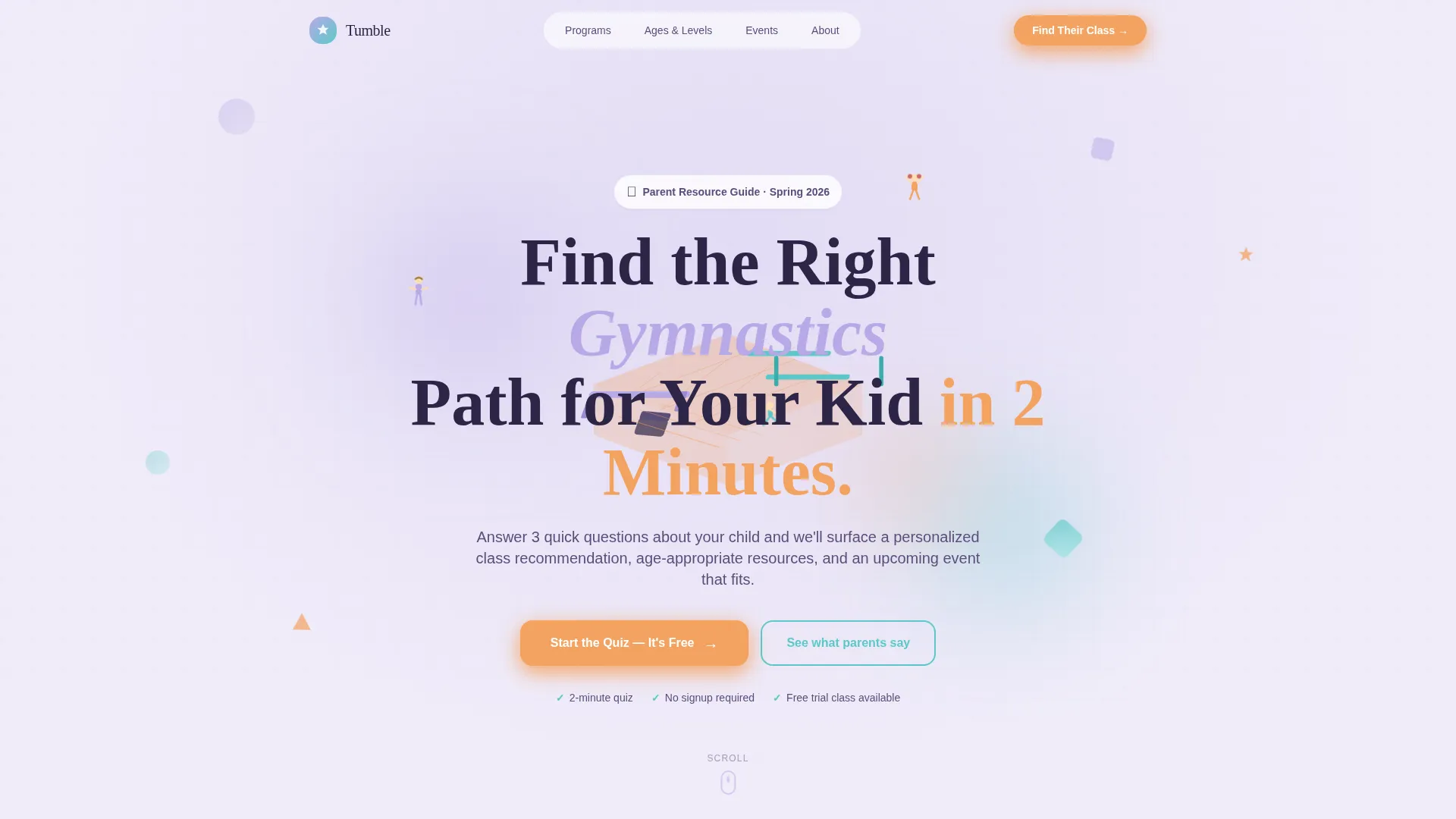
- A parallax isometric hero section with a headline and quiz call-to-action
- A progressive three-step inline quiz with micro-animations and real-time results
- An event registration section with a visual calendar picker and a sticky call-to-action button
Feature list
This template packs a high level of interactivity and visual detail into a single, focused page. Here is what each major feature delivers.
Parallax Isometric Hero
The header opens with a miniature geometric gym illustration rendered in clean vector shapes. Parallax layers give the flat scene surprising depth on scroll, and shapes rotate subtly on load, pulling parents into the page before they read a single word.
Progressive Inline Quiz
A three-step quiz reveals itself as the visitor scrolls. Parents tap the child's age, select an experience level, and choose what matters most to them. Each answer triggers a geometric shape snap-in animation, making the interaction feel playful and purposeful at the same time.
Real-Time Personalized Results
After the quiz, the page rebuilds below with a personalized recommendation card, a matched upcoming event card, and age-appropriate article suggestions. The results feel hand-picked rather than mass-marketed, which is exactly why parents trust them enough to act.
Visual Calendar Picker and Registration Form
The event registration section uses a visual calendar picker so parents can see and select available dates at a glance. The form collects parent name, child's first name and age, a preferred event date, and an optional notes field for anything the studio should know.
Sticky Footer Call-to-Action
A "Reserve Their Spot" button stays anchored at the bottom of the screen throughout the scroll. This persistent nudge keeps the primary action visible without interrupting the reading experience.
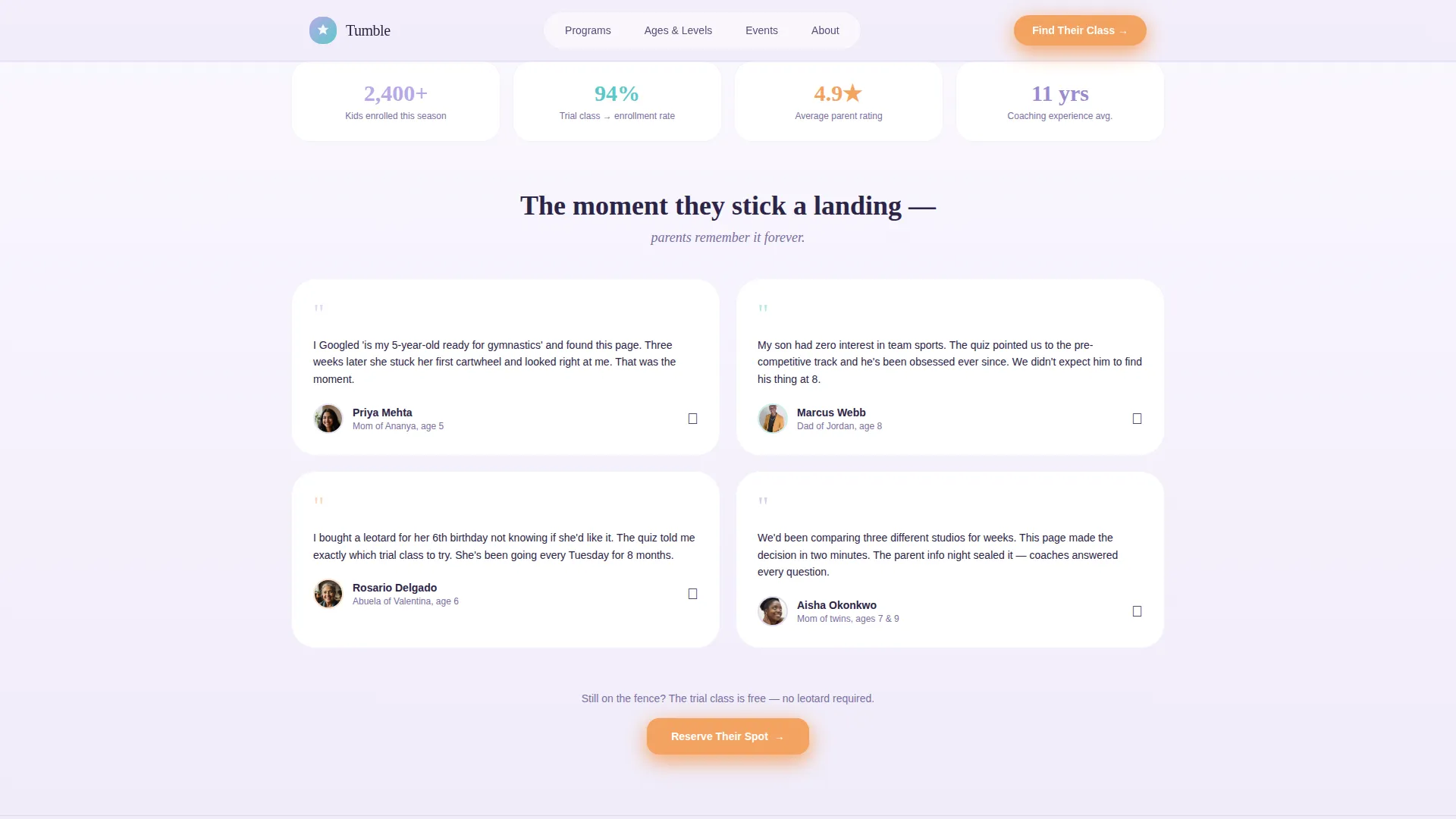
Parent Testimonial Mosaic
A social proof section presents parent testimonials alongside child ages, enrollment statistics, and milestone moments. Seeing real families and real results gives hesitant parents the final reassurance they need before committing.
Page sections overview
| Section | Purpose |
|---|---|
| Hero with Quiz call to action | Opens with isometric illustration and headline, invites parents to start the quiz |
| Progressive Quiz | Three-step inline quiz captures age, experience, and parent goal |
| Personalized Results | Rebuilds dynamically with recommendation card, event card, and articles |
| Event Registration | Visual calendar picker and form convert quiz results into a confirmed spot |
| Social Proof | Testimonial mosaic and enrollment stats build trust before the final call to action |
| Footer | Single-row linear footer closes the page cleanly |
Design & branding system
The visual style is Playful Geometric. It is joyful without being juvenile, landing somewhere between a birthday party and a well-run studio. The palette and typography choices were made specifically to reassure a nervous parent while still exciting a six-year-old.
- Color palette: soft lavender (#B8A9E8), chalky lilac-white (#F0ECF9), tumble-mat teal (#5CC8C8), warm apricot (#F4A261) for buttons and highlights, and deep violet (#2D2547) for text anchoring
- Typography: Fraunces for display headings, bringing warmth and personality; DM Sans for body copy, keeping it clean and readable
- Geometric vector shapes, isometric illustration style, and CSS-driven animations maintain a consistent visual language across every section
Mobile & speed optimization
The template is built mobile-first, recognizing that most parents search for kids activity programs on their phones during pickup lines and spare moments. Every interactive element is sized and spaced for thumb navigation.
- Scroll reveal sections use IntersectionObserver triggers and CSS transforms only, keeping animations smooth on mobile browsers
- Images are lazy-loaded so above-the-fold content appears quickly without waiting for the full page
- Tappable number bubbles in the quiz replace small radio buttons, making age selection effortless on touchscreens
How this template helps you convert
The page is designed around a single insight: parents register when they feel understood, not when they feel targeted. Every structural decision moves them closer to that moment of recognition.
- The quiz creates a sense of personalization early. By the time parents see the recommendation card, they already feel the page was built for their specific child, making the event offer far easier to accept.
- The "Reserve Their Spot" call-to-action appears twice: once after quiz results load and once as a sticky footer button. Both placements catch parents at peak intent without forcing the action before they are ready.
Other information about this template
Tumble is part of the Kids and Family category within the Kids Gymnastics niche. It is specifically shaped around the parent resource guide use case, where the goal is guiding a decision, not just advertising a service.
- Template style: Scroll Reveal (Progressive), meaning content sections animate into view as the parent scrolls, rewarding exploration
- The page targets English-language audiences in the United States, using USD pricing references and US date formats for the calendar picker
- The creative direction is Quiz and Personalize, a high-interactivity approach suited for any program where the right class depends on a child's age, experience, and family goals
- Animation level is high: parallax hero, quiz shape snap-ins, scroll reveal triggers, and a sticky call-to-action all work together without relying on heavy JavaScript frameworks
- The footer follows a linear single-row pattern, keeping the close of the page minimal and uncluttered

Theme
Playful Geometric
Creative direction
Quiz & Personalize
Color system
Lavender Dream
Style
Scroll Reveal (Progressive)
Direction
Event Registration
Page Sections
Parallax Isometric Hero Section
Three-step Progressive Inline Quiz
Real-time Personalized Result Cards
Visual Calendar and Registration Form
Sticky Reserve Their Spot Button
Testimonial Mosaic with Enrollment Stats
Related questions
Can I customize the quiz questions and answer options?
Does the template work if I only offer one class type?
Is the registration form connected to a booking system?
How many times does the main call-to-action button appear?
Who supplies the testimonials and social proof content?



