Turbo — Performance Chevy Tuning Landing Page Template
Dyno is a scroll reveal landing page template built for Chevrolet performance tuning shops. It opens with a split-video dyno comparison, walks visitors through three build package tiers using a spec-sheet reveal style, and closes sales with a live inline configurator. Every design detail, from deep charcoal backgrounds to amber data callouts, is engineered to match the authority of a real dyno shop floor.
by Rocket studio
Quick summary
Dyno is a single-page template for high-performance Chevrolet tuning shops. It converts performance enthusiasts into paying customers by presenting real dyno data, structured build tiers, and a live order configurator. The engineering blueprint visual style gives the page the authority of a spec sheet, not a sales brochure.
Who this template is for
This template speaks directly to shop owners and performance tuners who work with Chevrolet platforms. It is built for the business that wants to sell tuning services online without a generic storefront look.
- Weekend drag strip regulars shopping cam upgrades, headers, and exhaust work for third-gen Camaros
- LS-swap builders and Silverado owners looking for reliable street and tow power gains
- Chevrolet tuning shops that want a data-forward site to replace vague service pages
What problem this template solves
Most performance shops rely on word of mouth and generic service pages. That approach is slow to build trust with a buyer who wants to see actual dyno numbers before committing. This template solves that directly.
- Buyers arrive skeptical and leave convinced, because every section delivers verifiable data instead of marketing copy
- The inline configurator removes friction by letting a visitor build and price a custom tuning package without a phone call
- The callback capture path saves the sale for the customer who prefers to talk before they pay
What you get with this template
This template includes a fully structured landing page built around the dyno tuning sales process. Every section has a defined purpose and a clear visual hierarchy.
- A synced split-video hero with a live amber horsepower delta counter
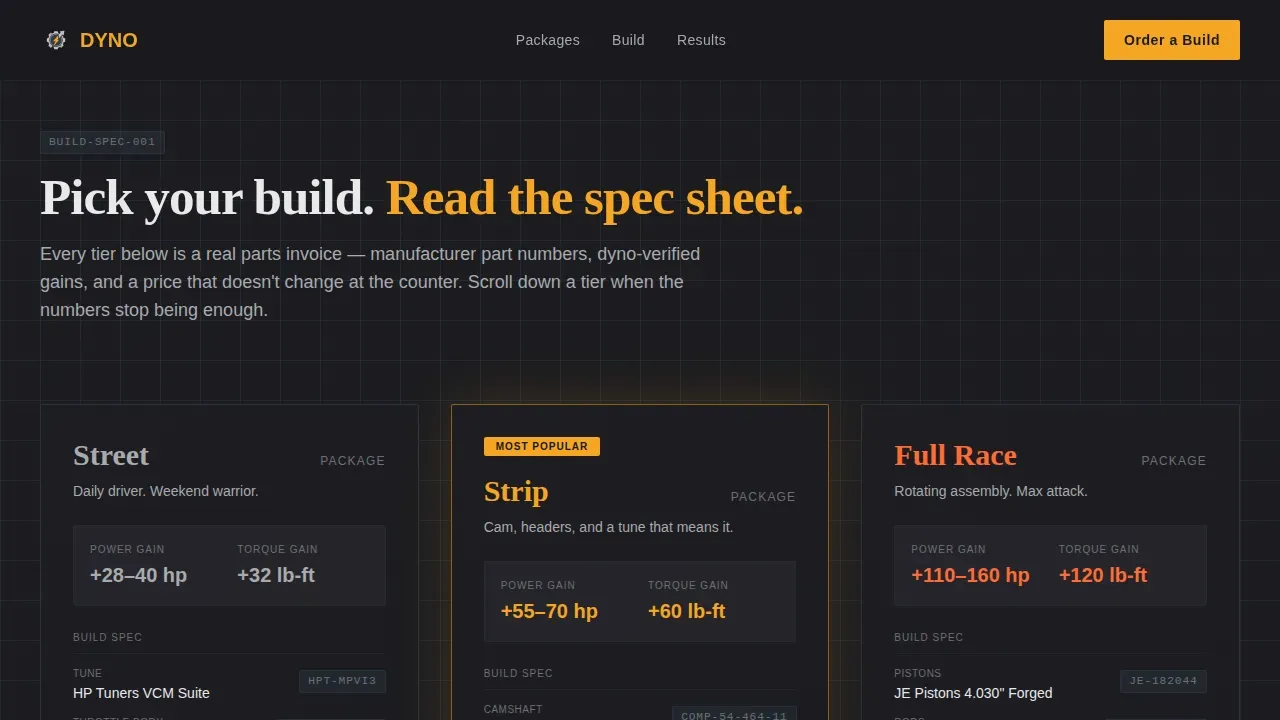
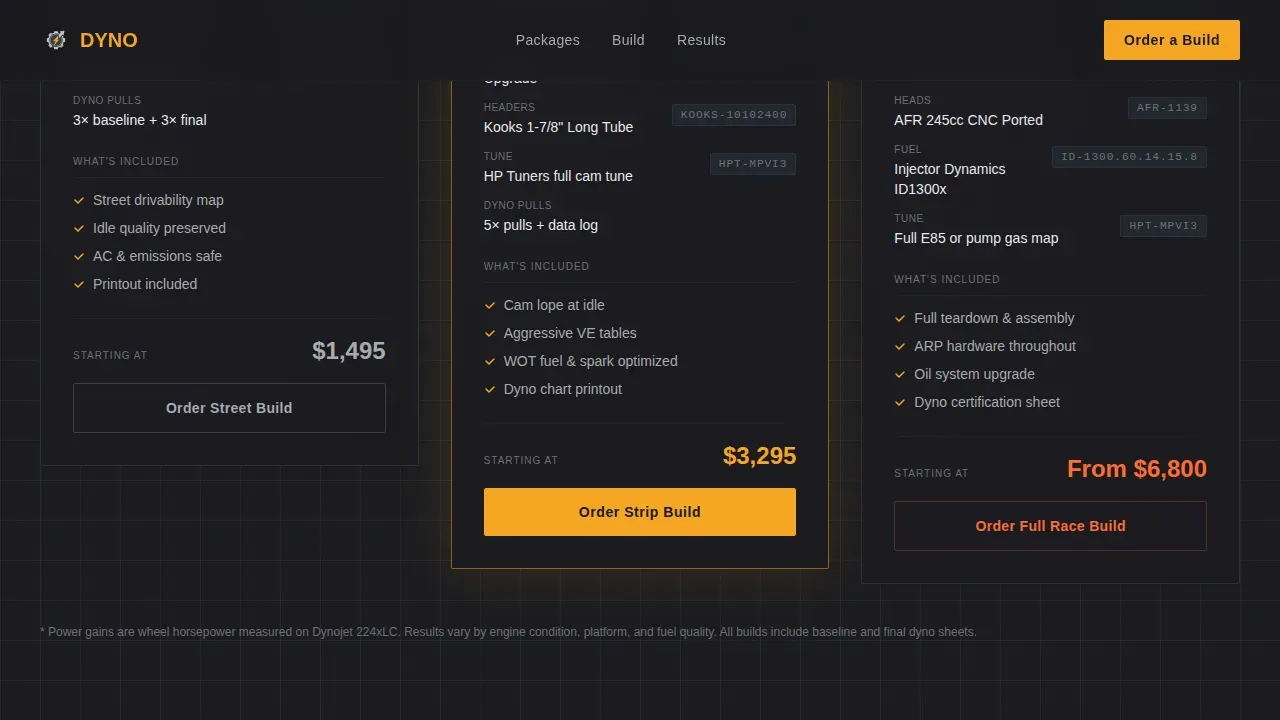
- Three progressive scroll reveal build tiers, Street, Strip, and Full Race, each rendered as a spec sheet with part numbers and dyno graph overlays
- An inline platform configurator with live price updates and a lightweight phone-number callback form
Feature list
This section describes the core built-in capabilities of the Dyno template. Each feature reflects functionality described explicitly in the source brief.
Split-Video Hero with Live Horsepower Counter
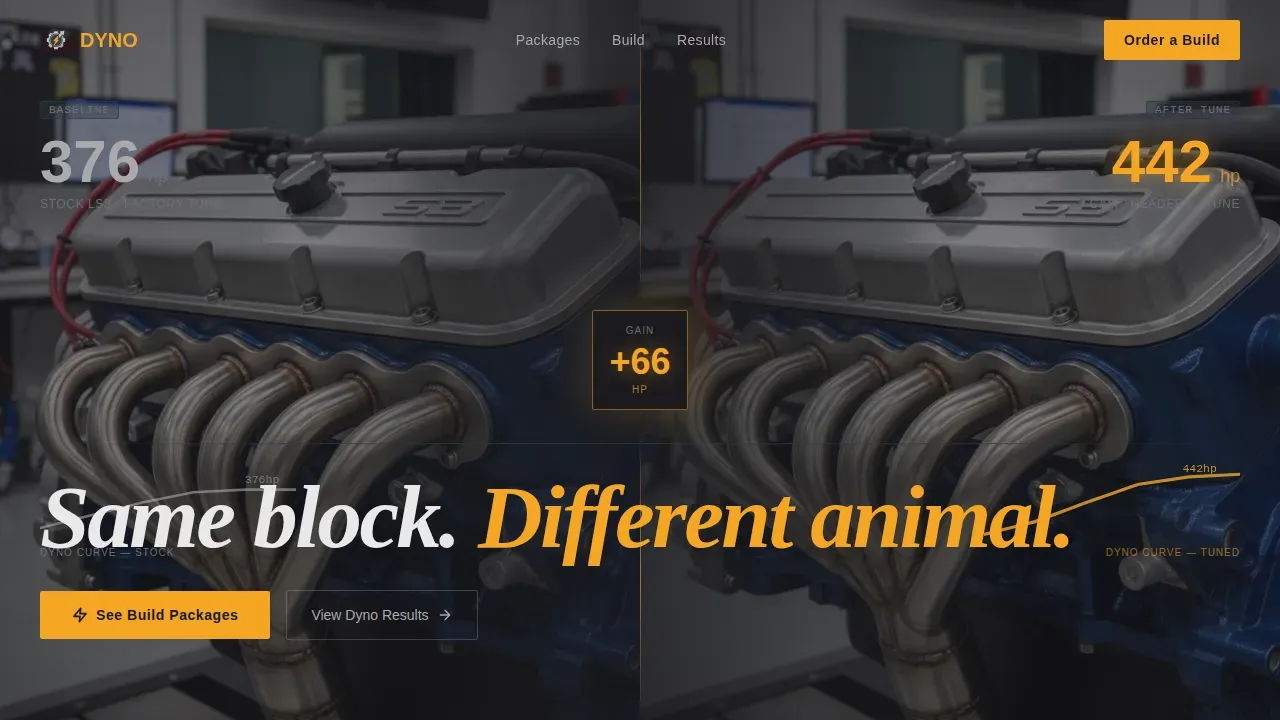
The hero section runs two dyno videos simultaneously, one showing a stock engine and one showing the same engine after cam, headers, and a full tune. Both videos sync to the same RPM sweep. An amber digit counter between them ticks up in real time to display the horsepower delta, making the performance gain impossible to ignore before the visitor scrolls.
Progressive Spec Sheet Scroll Reveal
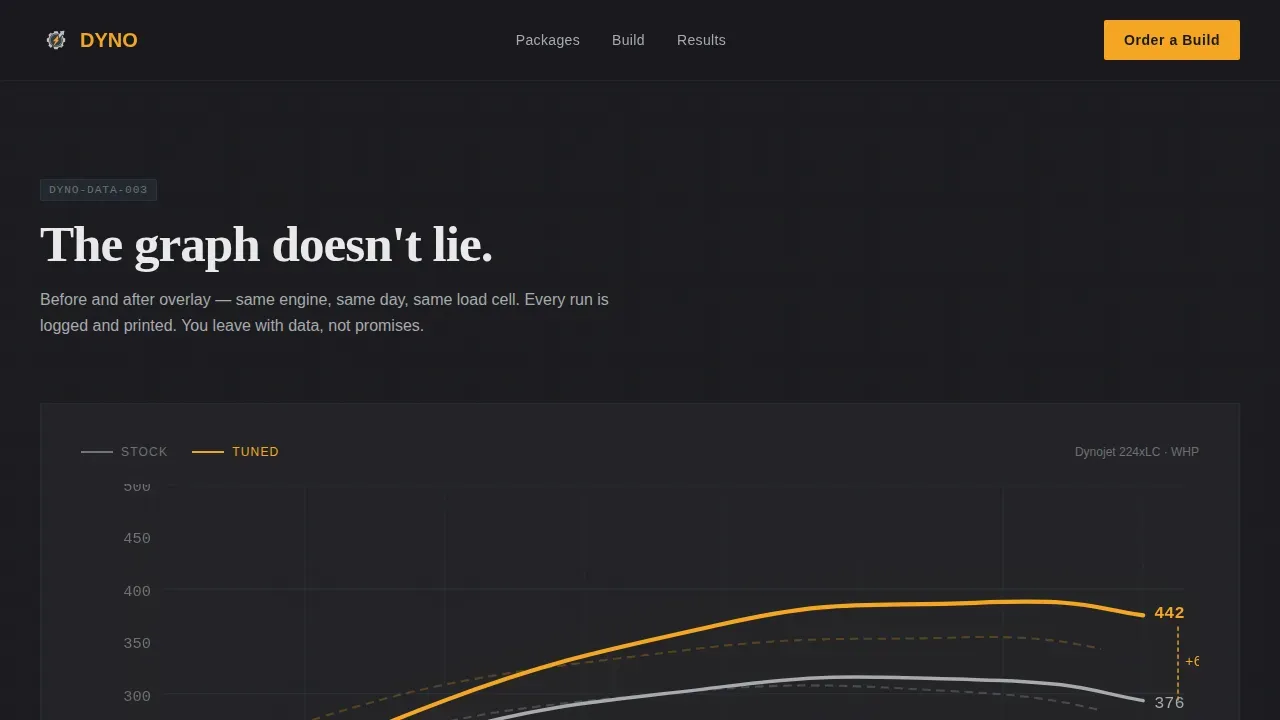
Each build tier reveals itself as the visitor scrolls, the way a service manual walks a tech through a teardown. Baseline dyno numbers appear first. Then parts specs fade in with manufacturer part numbers and thumbnail images. Then the dyno overlay graph draws itself, comparing before and after torque curves. The science of the build is visible at every stage.
Three-Tier Build Package Structure
The page presents three distinct performance packages: Street, Strip, and Full Race. Each package is a self-contained spec sheet with escalating data. Visitors read the build sheet the way a driver reads a parts invoice, and every line item builds confidence before they reach the order button.
Inline Platform Configurator with Live Pricing
Each package tier ends with an amber "Order This Build" button that opens an inline configurator. Visitors select their Chevy platform, confirm their engine code, and choose add-ons such as dyno verification or full install. Price updates live as selections change, giving the buyer full control without leaving the page.
Callback Lead Capture Form
A secondary conversion path at the bottom of the page asks one question: a phone number. The call to action reads "Call Me Back." This form is designed for the customer who wants to talk to a technician before they commit, not fill out a multi-field form. It is short, direct, and effective.
Engineering Blueprint Visual System
The entire page uses a deep charcoal background, blueprint grid section dividers, aluminum gray body text, and amber accents on every number and interactive element. The combination reads like a dyno printout under shop lighting. Fraunces handles display headlines while DM Sans keeps body copy and user interface elements clean and legible.
Page sections overview
| Section | Purpose |
|---|---|
| Hero Split-Video | Show stock versus. tuned dyno run with live amber HP delta counter |
| Build Package Tiers | Progressive spec sheet reveal for Street, Strip, and Full Race |
| Platform Configurator | Inline order builder with live pricing and add-on selection |
| Results and Social Proof | Dyno graph overlays and customer testimonials with car details |
| Callback Capture | Single phone-number field with "Call Me Back" call to action |
| Footer | Linear single-row footer with shop contact and logo |
Design & branding system
The visual identity follows an engineering blueprint theme. Every color and type choice reflects the no-nonsense authority of a professional dyno shop.
- Color palette: deep engine-bay black (#1A1A1E) for backgrounds, machined aluminum gray (#A8AAAD) for body text, blueprint grid blue-gray (#2C3A47) for section dividers, and hot amber (#F5A623) for callouts, data highlights, and interactive elements
- Typography: Fraunces for display headlines that carry weight at large sizes, DM Sans for all body copy and user interface elements to maintain readability and efficiency
- Section dividers use thin blueprint grid lines to reflect the technical, spec-sheet aesthetic without decorative clutter
Mobile & speed optimization
The template is built desktop-first to match how shop customers research builds on larger screens, but it scales cleanly to mobile and tablet viewports.
- Static sections are structured as server components to keep initial load fast, while the interactive configurator runs as a client component to deliver live price updates without slowing the rest of the page
- Scroll reveal animations, the animated dyno graph draw, and the amber counter tick-up are all optimized to run smoothly across device types without blocking content
- The callback form reduces mobile friction to a single field, keeping the conversion path accessible even on a small screen
How this template helps you convert
This template is built around one goal: turning a Chevy performance enthusiast into a paying customer. Every section is positioned to move that process forward.
- The split-video hero and amber HP delta counter deliver immediate proof of performance gains before the visitor reads a single word of copy, establishing trust in the first seconds of the session.
- The progressive spec sheet reveal keeps visitors engaged as they scroll, because each stage adds new data and raises the perceived quality and reliability of the service being offered.
- The inline configurator and the callback form create two distinct conversion paths, one for the buyer ready to order and one for the driver who wants to discuss the build before committing.
Other information about this template
This template is designed specifically as a dyno high performance chevrolet tuning shop landing page template for shops serving the USA market. All pricing displays in USD and all performance figures use imperial measurements including horsepower, pound-feet of torque, and cubic inches.
- The results section is structured to display dyno graph overlays alongside customer testimonials that include the customer name, vehicle details, and specific power gains, giving potential customers the social proof they need to move forward
- The page supports listing services such as custom ECU tuning and ECU remapping, intake upgrades, exhaust system work, cam and valvetrain packages, and dyno-only verification sessions, all defined by the shop owner in the configurator add-on menu
- Dyno testing measures torque, horsepower, and efficiency under realistic conditions, and the template's graph overlay sections are built to display before-and-after data in a format that reflects the science behind every tune
- Professional dyno tuning allows for adjustments that reflect different driving styles and preferences, and the three-tier package structure lets the shop match each build to the right driver, whether that is daily drivability, street strip acceleration, or full racing output
- Investing in dyno tuning provides long-term value by protecting the engine and reducing wear and tear, and the template's results section can highlight that reliability story through customer testimonials
- The page layout supports shop-specific trust signals including a logo, contact hours, and a physical address in the footer, which also aids local search visibility
- Chiptuning and custom ECU remapping notes can be added to the configurator to help customers discuss warranty implications before they schedule a session
- The template is built to help a tuning shop team present its ability to deliver measurable performance upgrades with quality data, not guesswork, and the bearings of every design decision point back to that goal
Theme
Engineering Blueprint
Creative direction
Spec Sheet
Color system
Charcoal & Amber
Direction
Direct Sales
Page Sections
Split-video Hero with Amber HP Counter
Progressive Spec Sheet Scroll Reveal
Three-tier Performance Package Layout
Inline Configurator with Live Pricing
Callback Lead Capture for High-intent Buyers
Engineering Blueprint Visual Identity
Related questions
What Chevrolet platforms does the configurator support?
Can I display real dyno graphs and before-and-after results?
How does the callback form work for customers who prefer to talk first?
Is the pricing configurator editable for different services and add-ons?
What animation and interactivity is included in this template?



