Landscaper Professional Website Template
Turf is a single-page landscaper landing page built for commercial and institutional service providers. It pairs a zigzag alternating layout with a Monochrome Steel color system to project operational authority. Regional coverage, partner logos, project proof, and a focused bid-request form work together to qualify B2B leads before they ever reach you.
by Rocket studio
Quick summary
Turf is a B2B-focused landscaper landing page template designed for crews that serve property managers, general contractors, HOA boards, and commercial developers. The alternating zigzag layout stacks regional proof, partner logos, and project data in a deliberate scroll that builds trust before asking for anything. A safety-vest orange call to action closes every section pair.
Who this template is for
This template is built for landscaping businesses that operate at a commercial or institutional scale. If your clients are organizations rather than homeowners, this page speaks their language directly.
- Commercial landscapers targeting property managers, general contractors, and HOA boards
- Landscape contractors serving multi-site portfolios, new construction builds, or municipal contracts
- Established crews that need a service area and location page to qualify inbound B2B inquiries
What problem this template solves
Most landscaping websites blur the line between residential charm and commercial credibility. They lead with curb-appeal photography and hope the right client connects the dots. That approach costs contracts.
- Decision-makers at development firms and property management companies vet vendors quickly and need operational proof, not lifestyle imagery
- Without a structured service area page, regional coverage and project scale go unstated, and qualified leads bounce before reaching the form
- Generic contact forms fail to pre-qualify leads by project type, portfolio size, or geography, wasting follow-up time on poor-fit inquiries
What you get with this template
You get a complete single-page layout built around the Logo Wall Authority creative direction. Every section is designed to layer credibility in sequence before presenting a conversion ask.
- A press mentions header bar with partner logos, municipality seals, and trade publication badges rendered in flat grayscale
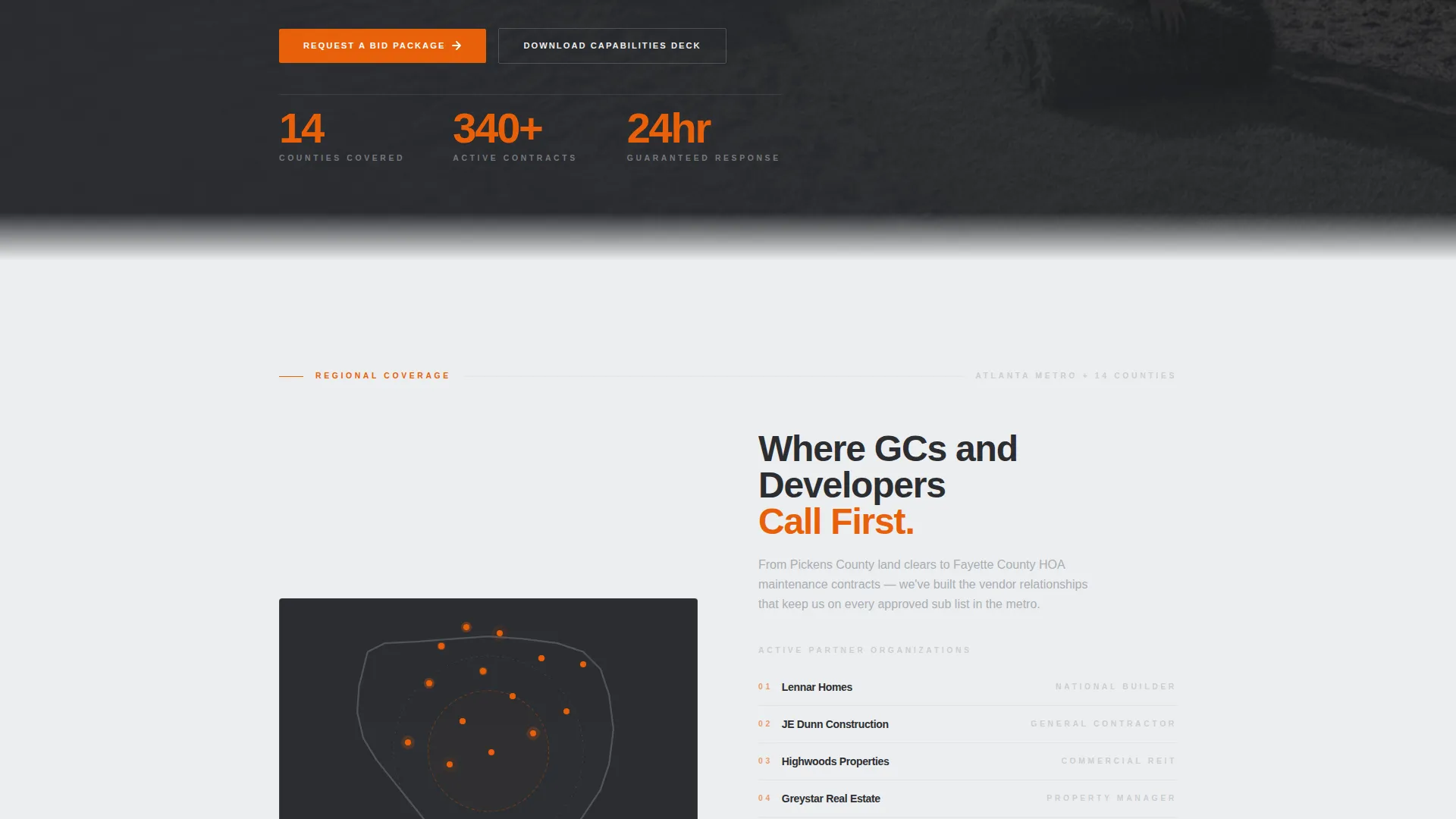
- A zigzag alternating content structure pairing coverage maps, project photos, and case study data with logo clusters and project counts
- A full-width service matrix grid, a primary bid-request form, and a gated capabilities-deck download path
Feature list
This section covers the core built-in components that make Turf work as a commercial landscaping service area and location page.
Press Mentions Authority Bar
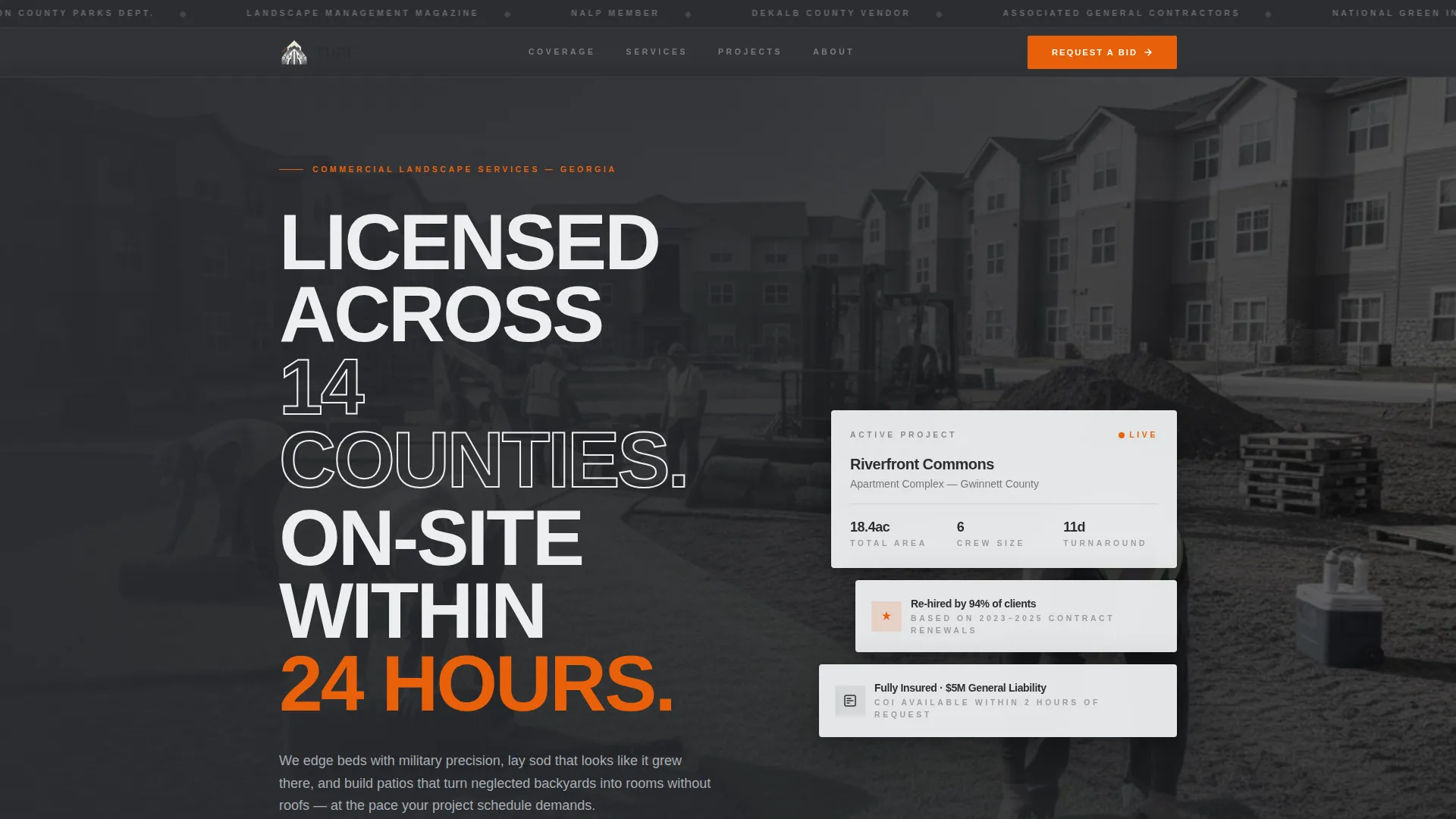
A horizontal ticker sits at the top of the page, displaying partner logos, county seals, and trade publication badges in flat grayscale on a charcoal band. It signals third-party credibility before the headline is read.
Zigzag Alternating Section Layout
Each content block alternates placement left to right. Service area maps, project photography, and case study stats pair with logo clusters and project counts. Backgrounds alternate between structural charcoal and poured-concrete off-white, maintaining visual rhythm throughout the scroll.
Service Matrix Grid
A full-width charcoal band breaks the zigzag midway through the page. It lists every service offering, including mowing, irrigation, hardscape, seasonal color, and snow removal, with location-specific checkmarks for quick reference by regional clients.
B2B Bid Request Form
The primary call-to-action form collects four fields: company name, project type via dropdown, number of properties, and service area zip code. The structure is designed to pre-qualify whether an inquiry is a one-off job or a contract opportunity.
Gated Capabilities Deck Download
A secondary conversion path captures prospects who are not yet ready to request a bid. They can download a capabilities PDF by submitting only an email address and company name, making it easy to enter the pipeline at a lower commitment level.
Case Study Data Blocks
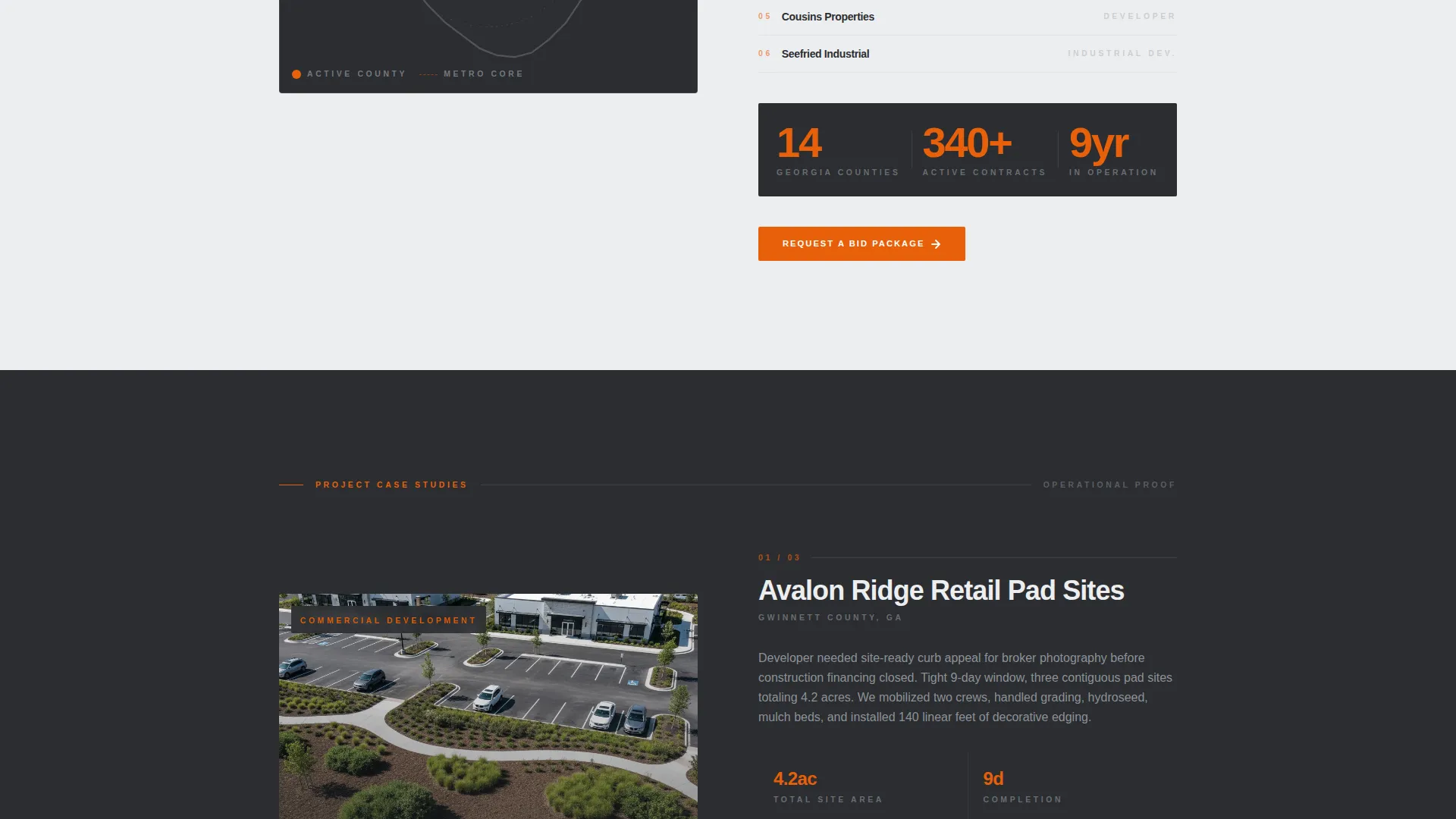
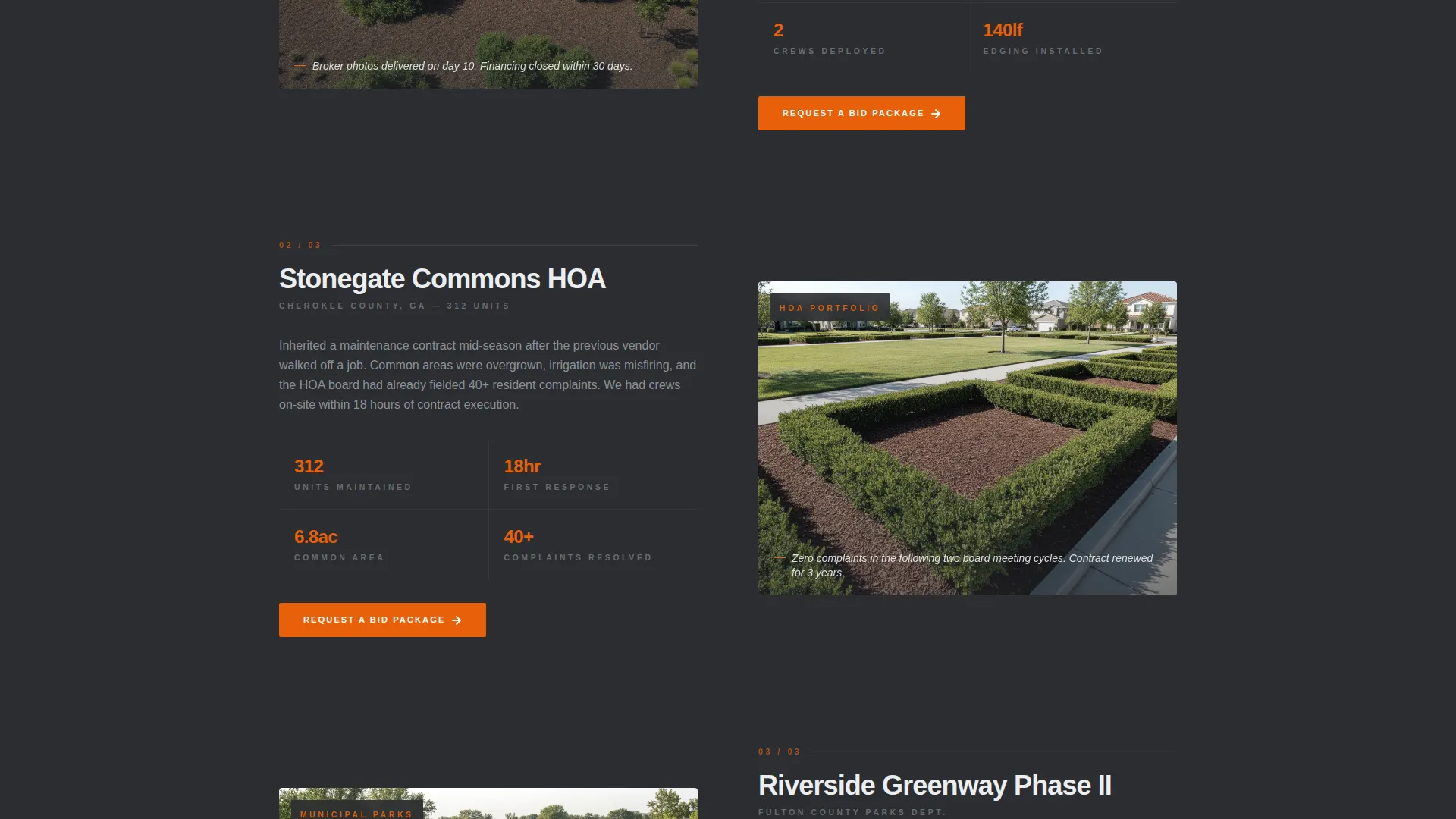
Short proof blocks appear within the zigzag sections, each featuring a project photo alongside square footage, crew size, and turnaround time. The format communicates scale and reliability without long-form narrative.
Page sections overview
| Section | Purpose |
|---|---|
| Press Mentions Bar | Opens with partner logos, county seals, and trade publication badges to establish third-party authority immediately |
| Hero Header | Delivers the headline and muted wide-angle project photo behind it to set operational tone |
| Coverage Map Block | Shows regional service territory with county boundaries and paired general contractor logos |
| Project Case Study | Pairs a commercial project photo with square footage, crew size, and turnaround data |
| Service Matrix Grid | Lists every service offering with location checkmarks in a full-width charcoal band |
| Bid Request Form | Collects four pre-qualifying fields and presents the primary orange call-to-action |
| Capabilities Deck Download | Offers a gated PDF download for prospects vetting credentials before committing to a bid |
Design & branding system
The Monochrome Steel palette creates a visual environment that feels structured and trustworthy, like well-organized equipment ready for deployment. Color is used with restraint so that every accent carries real weight.
- Structural charcoal (#2B2D31) and poured-concrete off-white (#EDEEF0) alternate as section backgrounds, with galvanized silver (#A8ADB3) handling typography dividers and icon strokes
- Safety-vest orange (#E8600A) appears exclusively on call-to-action buttons and active-state elements, making every decision point impossible to miss
- Partner logos and publication badges are rendered in flat grayscale to preserve visual hierarchy and let the content data carry authority
Mobile & speed optimization
The layout is built to translate clearly on smaller screens where B2B decision-makers review vendor options between meetings. The section structure remains scannable at every viewport size.
- The zigzag alternating layout stacks vertically on mobile, keeping map blocks, case study data, and logo clusters in logical reading order
- The four-field bid form and the two-field capabilities-deck download remain prominent and easy to complete on touch devices
How this template helps you convert
The page is sequenced deliberately. Authority is established first, scope is demonstrated next, and the conversion ask appears only after the visitor has processed multiple layers of proof.
- The press mentions bar and logo clusters handle skepticism upfront, so visitors arrive at the form already trusting the operation rather than still forming a judgment
- The bid request form pre-qualifies leads by project type, portfolio size, and zip code, meaning the inquiries you receive are already filtered for contract-level relevance
Other information about this template
This template sits within the Professional Services category under the Landscaper Online Presence subcategory. It is specifically designed for the Landscaper Service Area and Location Page niche, making it a direct fit for crews that need to communicate multi-county reach to institutional buyers.
- The Service Utility theme and Partnership/B2B landing-page direction are embedded in the layout logic, not just the visual style
- The header concept follows the Press Mentions pattern, which is particularly effective for contractors who have been featured in trade publications or hold membership in industry organizations such as the National Association of Landscape Professionals (NALP)
- The template supports a dual conversion funnel: immediate bid requests for decision-ready buyers and a capabilities deck download for prospects still in the vendor-vetting stage
Theme
Service Utility
Creative direction
Logo Wall Authority
Color system
Monochrome Steel
Style
Zigzag/Alternating
Direction
Partnership/B2B
Page Sections
Press Mentions Authority Bar
Zigzag Alternating Layout
Service Matrix Grid
B2B Bid Request Form
Gated Capabilities Deck Download
Case Study Data Blocks
Related questions
Who is the ideal user of this template?
What makes the bid form different from a standard contact form?
How does the capabilities deck download work?
Can I edit the service matrix to match my actual offerings?
Is this template suitable for a landscaper who only serves one city?



