Cleaning Professional Website Template
Turnover is a precision move-in and move-out cleaning landing page built for property managers, landlords, and renters. The Engineering Blueprint design theme combines deep navy backgrounds with animated line-art floor plans and an amber call to action. A five-step interactive quiz qualifies each job instantly, delivering a tailored scope of work without a phone call.
by Rocket studio
Quick summary
Turnover is a single-page landing page template for move-in and move-out cleaning services. It pairs a technical blueprint visual identity with a zigzag layout and a built-in five-step assessment quiz. Visitors describe their unit, condition, and timeline, then receive an instant scope-of-work summary and a direct booking prompt.
Who this template is for
This template speaks directly to cleaning businesses that serve the rental property market. The copy, layout, and conversion flow are built around three buyer types who already know what they need.
- Property managers handling multiple unit turnovers at once
- Landlords who need documented, room-by-room cleaning before a new tenant moves in
- Renters who want full deposit recovery before a scheduled walkthrough
What problem this template solves
Move-out cleaning services struggle to communicate precision. Generic landing pages fail to show buyers that every surface, every appliance, and every grout line will be handled. Visitors leave before booking because they cannot picture the actual scope of work.
- There is no way for a prospect to self-qualify their job without a phone call
- Local credibility is hard to establish when testimonials are vague and unattributed
- Visual identity rarely matches the methodical standard the service actually delivers
What you get with this template
This template gives you a complete, conversion-ready landing page with a distinct visual identity and a self-qualifying quiz flow. Every section is designed to build trust and move visitors toward a booking decision.
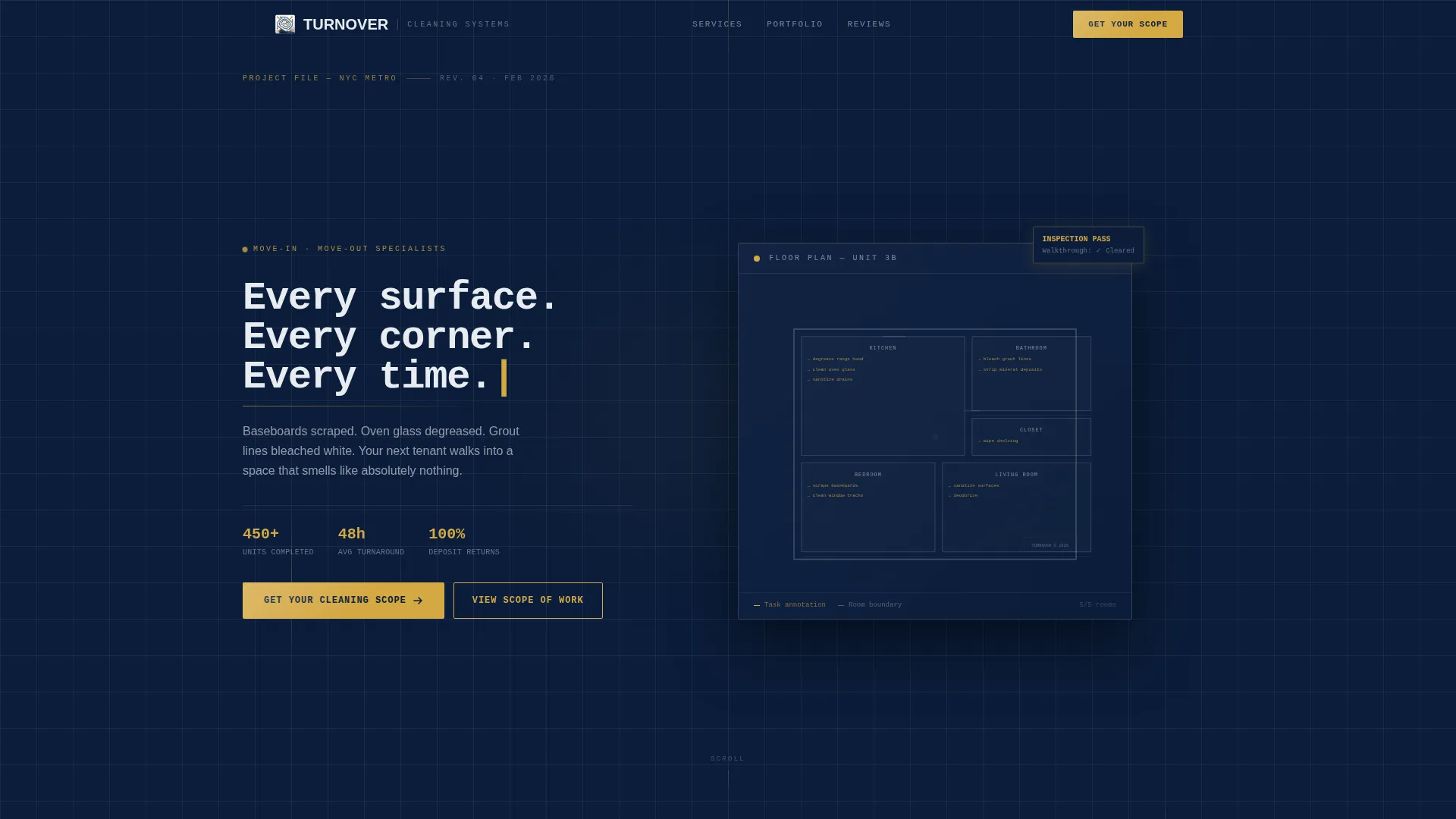
- A full-width animated blueprint header with typed headline and labeled cleaning zones
- A zigzag alternating section layout with neighborhood-specific line-art and testimonials
- A five-step interactive assessment that delivers an instant scope-of-work summary
Feature list
This template includes a focused set of built-in components, each designed to reflect precision and build buyer confidence from the first scroll.
Animated Blueprint Header
The header fills the full page width with a thin-line floor plan drawn in white on deep navy. Rooms animate in one by one, each labeled with a specific cleaning task such as "degrease range hood" or "strip mineral deposits." The headline types itself in a monospaced font, reinforcing precision before the visitor reads a word.
Zigzag Alternating Section Layout
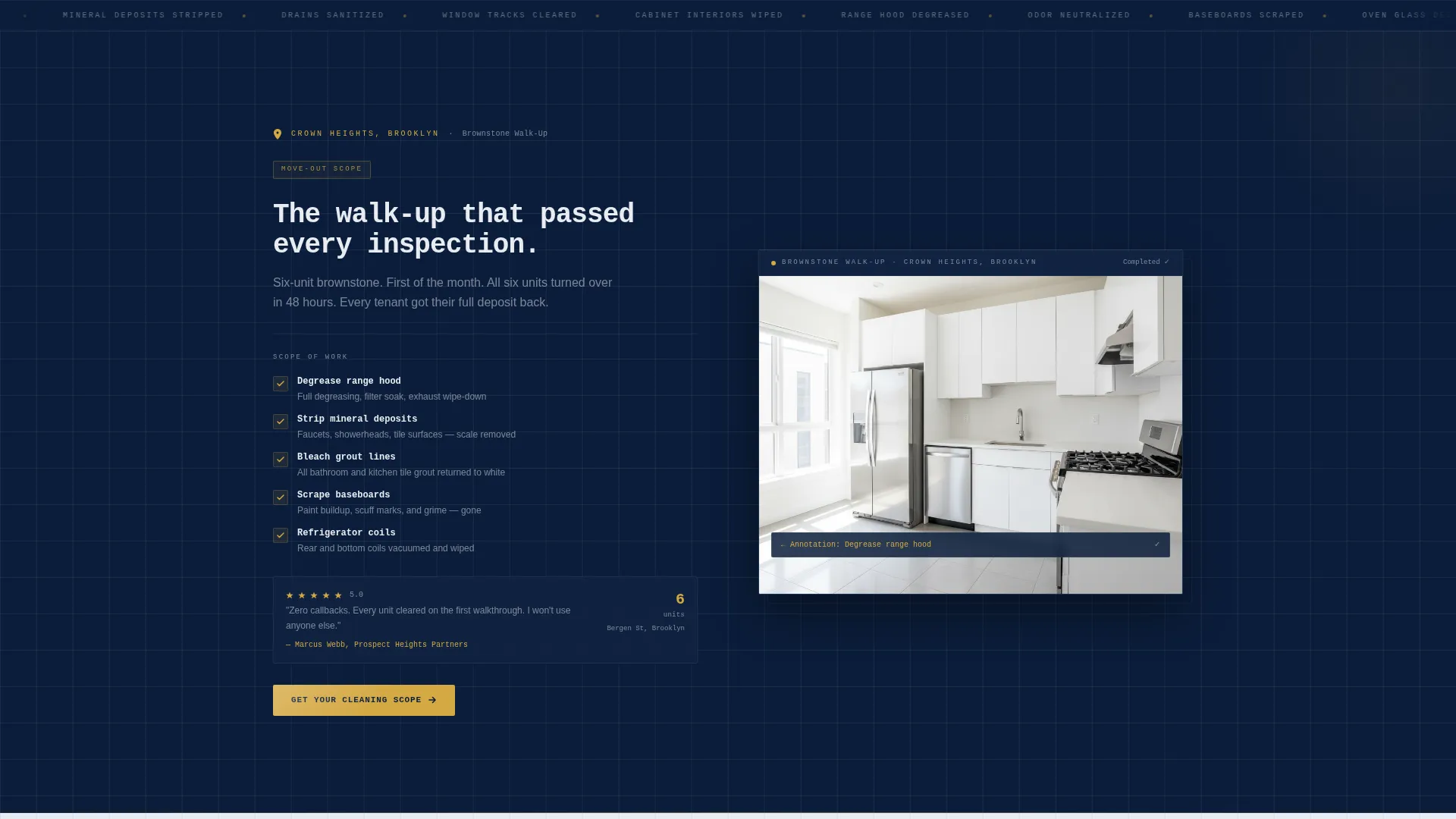
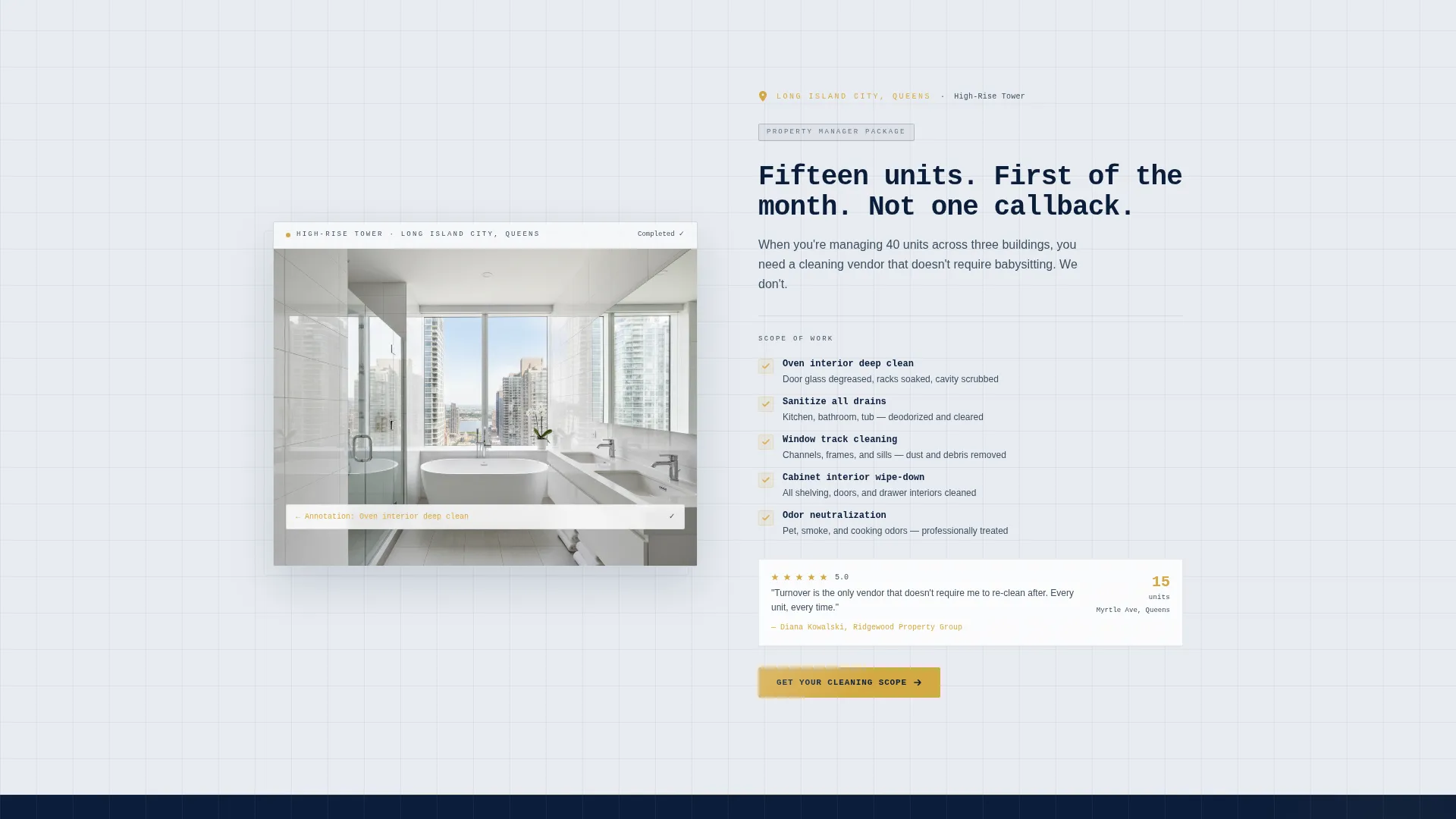
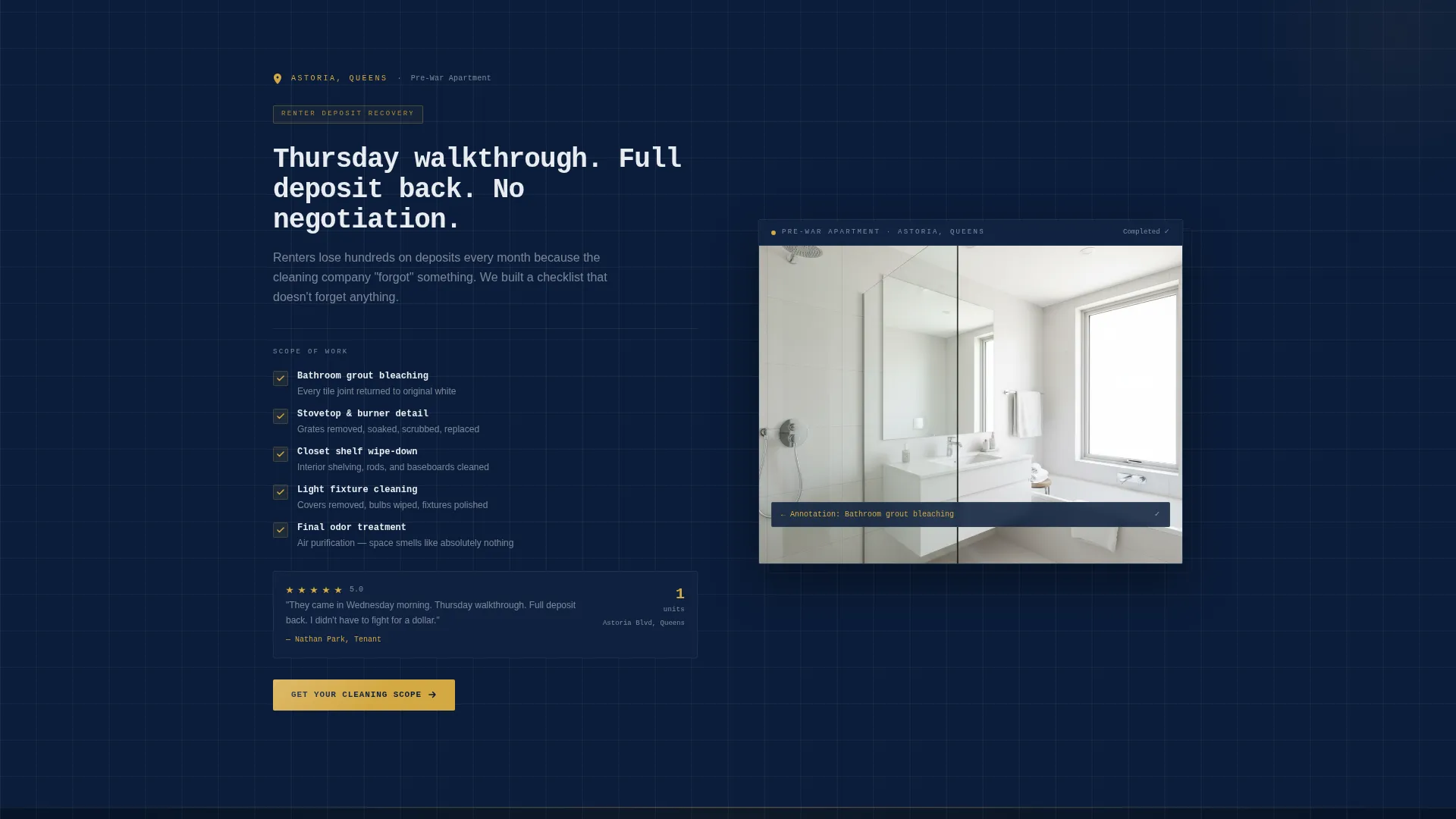
Content sections alternate between navy and white backgrounds as the visitor scrolls. Each section anchors to a specific building type or neighborhood, paired with a line-art rendering and an overlaid checklist. The scroll pattern feels like flipping through a completed project binder.
Local Proof System
Each zigzag section carries a location pin, a unit count, and a five-star walkthrough result. Testimonials are tagged to real street names and property management companies. Local proof accumulates as the visitor scrolls, increasing trust for buyers who recognize their own area.
Five-Step Interactive Quiz
The primary conversion tool is a five-step assessment launched by the amber "Get Your Cleaning Scope" button. Steps cover job type, unit size, condition level, timeline, and contact details. Each step is styled as a blueprint annotation filling in, keeping the theme consistent through the conversion flow.
Instant Scope-of-Work Delivery
After completing the quiz, the visitor receives an immediate scope-of-work summary with estimated hours. A "Confirm and Book" button follows directly, removing the need for a follow-up phone call. The flow qualifies both the job and the visitor in a single pass.
Amber Call-to-Action System
The inspection-pass amber color is reserved exclusively for calls to action, progress indicators, and interactive highlights. The primary "Get Your Cleaning Scope" button appears in the header and repeats at every zigzag section transition. Consistent placement makes the next step unmistakable at every point on the page.
Page sections overview
| Section | Purpose |
|---|---|
| Full-Width Header | Animated floor plan with typed headline and amber call to action |
| Brownstone Walk-Up | Left-aligned zigzag with checklist and local testimonial |
| High-Rise Unit | Right-aligned zigzag with scope details and star rating |
| Property Manager Row | Addresses multi-unit turnover jobs with local proof |
| Renter Deposit Row | Speaks to deposit-recovery urgency and walkthrough prep |
| Quiz Launch Panel | Introduces the five-step assessment with amber call to action |
| Step-by-Step Quiz | Interactive five-step scope and booking assessment |
| Instant Scope Screen | Delivers hours estimate and Confirm and Book button |
Design & branding system
The Engineering Blueprint theme uses a tightly controlled four-color palette. Every color has a specific role, and none are used interchangeably across the page.
- Deep technical navy (#0B1D3A) sets the primary background, giving the page a facilities-grade authority
- Drafting-line white (#E8ECF1) handles section alternation and body text for clean contrast
- Steel graphite (#3D4F5F) fills secondary surfaces and supporting elements
- Inspection-pass amber (#D4A843) is reserved for calls to action, progress indicators, and interactive highlights only
Mobile & speed optimization
The zigzag layout and quiz flow are structured to work across screen sizes. Stacked sections on smaller screens maintain the visual rhythm of the alternating design.
- Line-art illustrations scale cleanly without losing detail on narrow viewports
- The five-step quiz advances one step at a time, keeping mobile interaction simple and focused
- Amber call to action buttons remain prominent and tappable at all breakpoints
How this template helps you convert
Every design and content decision in this template serves a specific conversion purpose. The structure moves visitors from curiosity to commitment without friction.
- The animated header and typed headline create immediate confidence by showing precision before any copy is read, reducing early drop-off
- The neighborhood-specific zigzag sections build local credibility that accumulates as the visitor scrolls, making the service feel proven and familiar
- The five-step quiz replaces the phone-call barrier with an instant scope delivery, turning a hesitant visitor into a confirmed booking in one session
Other information about this template
This template is designed specifically for the move-in and move-out cleaning niche within the broader construction and home services category. It is production-ready as a single landing page and does not require additional pages to complete the conversion flow.
- The template style is zigzag alternating, which suits services that need to address multiple buyer types in a single scroll
- The quiz-based landing page direction is well suited to cleaning jobs that vary by unit size, condition, and timeline
- No photography is used anywhere on the page; the line-art illustrations carry the full visual load
- The monospaced typography and blueprint annotation styling are consistent across the header, body sections, and quiz steps
- This template sits at the intersection of the Construction and Home category and the Move-In and Move-Out Cleaning niche, making it a focused fit for residential cleaning operators who serve property managers and individual renters
Theme
Engineering Blueprint
Creative direction
Local & Neighborhood
Color system
Navy Authority
Style
Zigzag/Alternating
Direction
Quiz/Assessment
Page Sections
Animated Blueprint Header
Zigzag Alternating Layout
Local Proof System
Five-step Scope Quiz
Instant Scope-of-work Summary
Amber Call-to-action System
Related questions
Who is this landing page template built for?
Does the template include the interactive quiz?
Can I update the neighborhood sections with my own service areas?
Do I need photography to use this template?
Is this template suitable for a cleaning business that serves multiple property types?



