Tutoring Center Marketing FAQ & Common Questions Website Template
A split-screen editorial landing page built for tutoring centers pursuing B2B partnerships with school districts, corporate HR teams, and nonprofit literacy organizations. The page uses an award badge hero, frequently asked question-driven scroll sections, a sticky amber call to action bar, and a friction-reducing partner rate form to convert procurement decision-makers into qualified leads efficiently.
by Rocket studio
Quick summary
This landing page template turns a neighborhood tutoring center into a credible B2B vendor. It opens with a dense badge wall and an editorial headline, then walks procurement visitors through four frequently asked question-driven sections that mirror a real sales conversation. Each section builds value before a prominent call to action appears, so the form earns the click rather than demanding it.
Who this template is for
A dedicated landing page for B2B outreach works best when the audience makes deliberate, budget-conscious decisions. This template is built for organizations that need to speak that language clearly and confidently.
- School district administrators evaluating after-school program vendors and bulk tutoring contracts
- Corporate HR managers building employee education benefits or workforce development programs
- Nonprofit directors and community literacy organizations seeking grant-eligible, co-brandable tutoring service partnerships
What problem this template solves
Procurement decision-makers arrive at a tutoring center website skeptical. They are not browsing; they are running a quiet evaluation. A generic website cannot explain district bulk rates, co-branding options, or implementation timelines in the structured way a procurement call demands. Without the right page design, qualified visitors leave before the value lands.
- B2B leads require a different page than parent-facing enrollment pages, yet most tutoring center sites serve only one audience
- Procurement visitors need social proof, rate transparency, and logistics answers before they will contact a vendor
- A generic signup form placed too early raises bounce rate and loses leads who are not yet ready to commit
What you get with this template
This template delivers a complete single-page landing experience structured to move procurement visitors from curiosity to contact. Every section serves a specific role in the sales conversation, and the page design keeps focus on one call to action throughout.
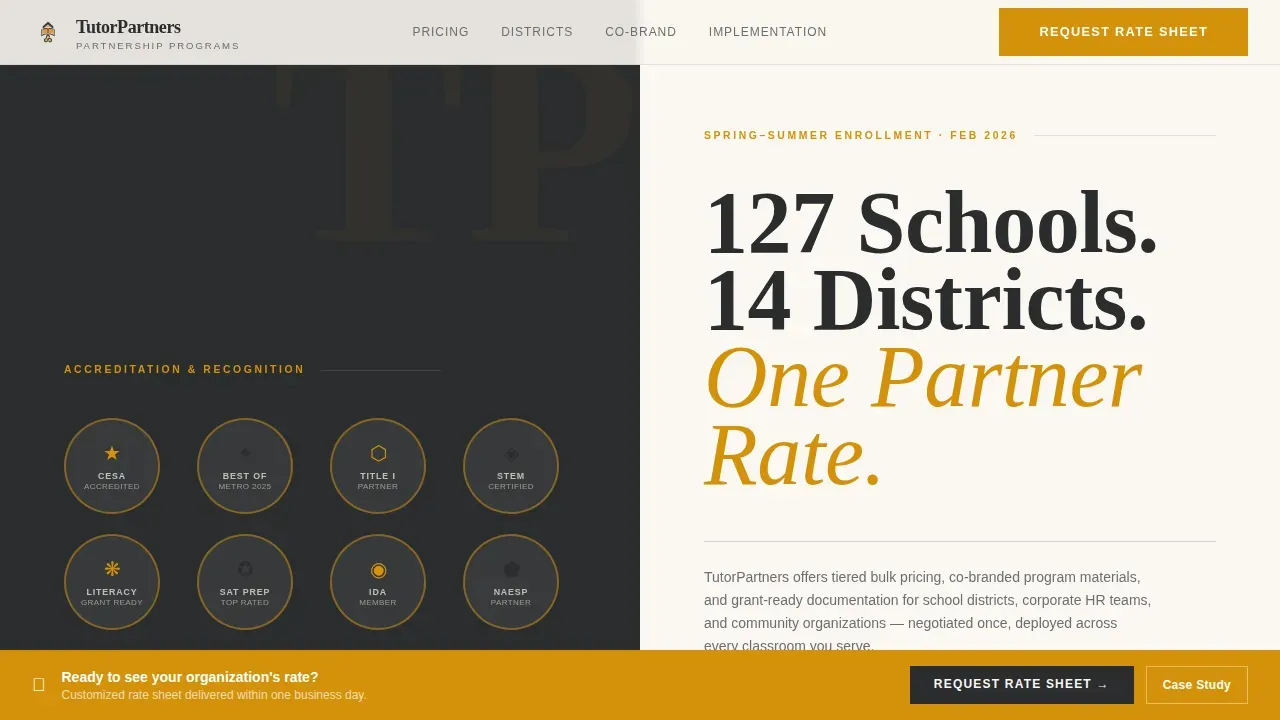
- A 50/50 split-screen hero featuring an award badge wall on the left and a bold editorial headline on the right, with a dateline-style subhead and a thin charcoal rule below
- Four frequently asked question-driven scroll sections covering bulk rate tables, district partner logos, co-branding mockups, and implementation timelines, each paired with testimonials or case study downloads
- A sticky amber call to action bar that activates after the third frequently asked question section, anchoring a low-friction partner rate request form that omits phone fields intentionally
Feature list
This landing page template includes purpose-built features that address the specific needs of education B2B sales. Each feature was designed with procurement decision-makers as the primary users.
Award Badge Hero Panel
The left panel of the split-screen hero displays accreditation seals, local press badges, and partner logos inside amber-rimmed circles. This badge wall functions as dense, immediate social proof. Visitors see institutional authority before they read a single word of copy, and that density makes a visual argument that no stock photo could replicate.
frequently asked question-Driven Scroll Architecture
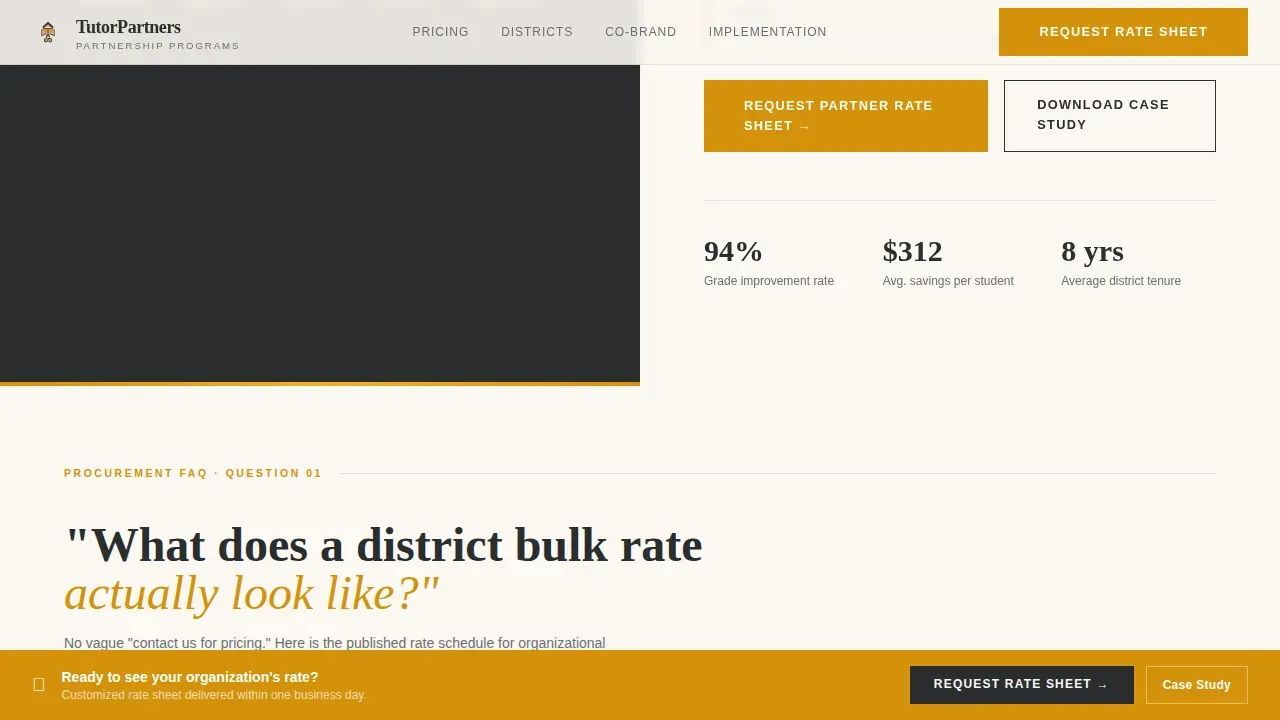
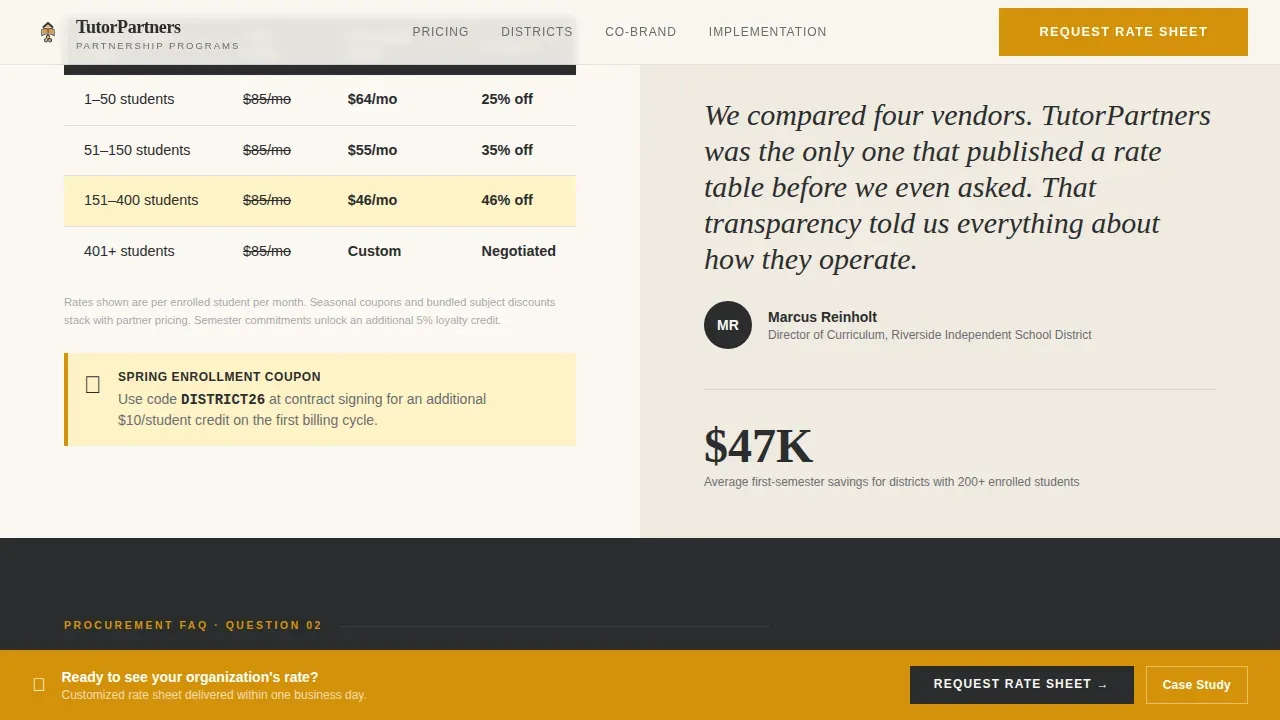
Each scroll section is framed as a question a procurement contact actually asks during evaluation. "What does a district bulk rate look like?" opens a rate table with amber-highlighted savings columns beside a district coordinator testimonial. Each subsequent question escalates commitment, from pricing to logistics to contract terms, so the page process mirrors a real sales conversation naturally.
Sticky Amber Call to Action Bar
A persistent call to action bar appears after the third frequently asked question section, once the page has demonstrated value. The bar stays visible as visitors continue scrolling, keeping the primary conversion step accessible without interrupting the reading experience. This design choice reduces bounce rate among high-intent visitors who are ready to act but still absorbing content.
Partner Rate Request Form
The primary lead capture form collects organization name, partner type, anticipated student count, and work email. Phone number is deliberately excluded to reduce friction. This approach reflects a key principle of effective landing page design: ask only for what you need, so more qualified leads complete the form and enter the sales funnel.
Gated District Case Study Download
A secondary conversion path offers a downloadable case study PDF for leads not yet ready to request a rate sheet. This lead magnet captures email and role title only, creating a lower-commitment entry point. Having two conversion options means the page can generate leads across different stages of the procurement decision process.
Editorial Typography and Layout System
The page uses Fraunces serif headlines set in deep charcoal for authority and DM Sans for body text and interface elements. Compelling headlines are set in high-contrast type to capture attention immediately. Pull quotes and bold callouts give each frequently asked question answer the visual weight of a published feature, reinforcing the editorial magazine theme throughout the landing page.
Page sections overview
| Section | Purpose |
|---|---|
| Hero Split Screen | Display badge wall and editorial headline to establish authority instantly |
| frequently asked question Section One | Explain district bulk rate table with amber savings highlights and coordinator testimonial |
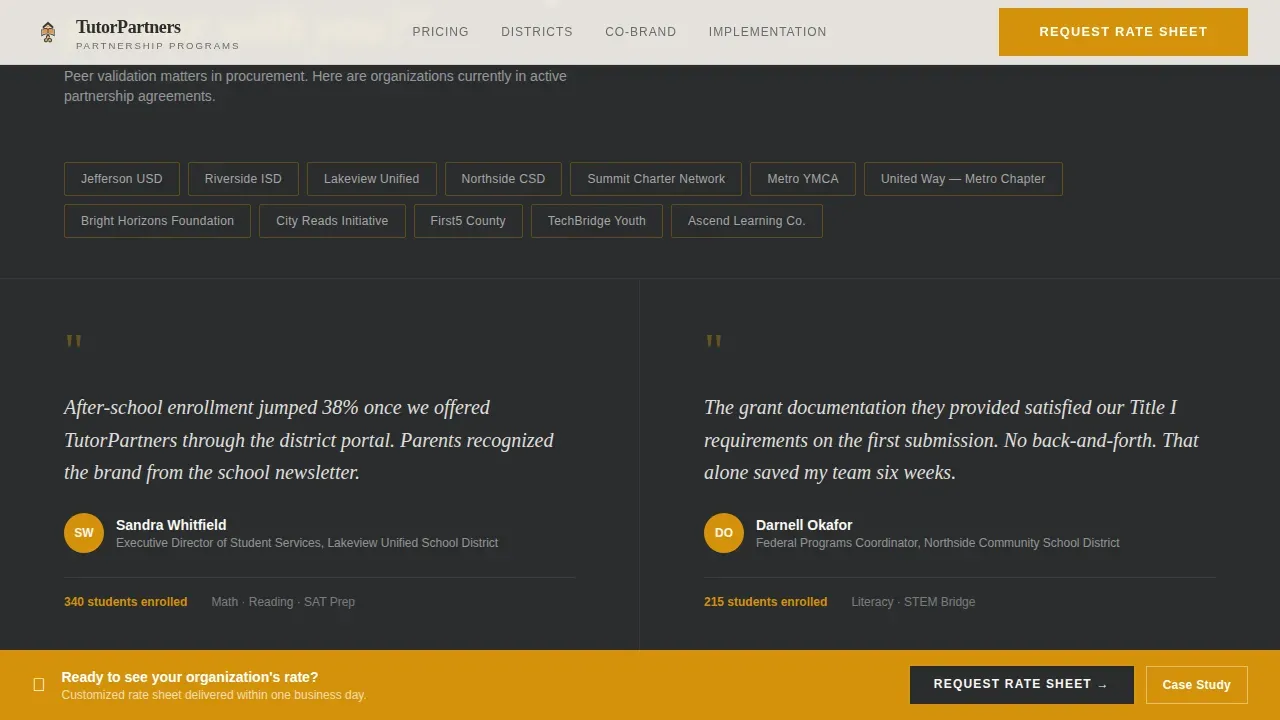
| frequently asked question Section Two | Show district partner logo wall and coordinator quote for peer social proof |
| frequently asked question Section Three | Reveal co-branding flyer mockup and partnership capability list |
| frequently asked question Section Four | Present implementation timeline and surface the case study download call to action |
| Footer Linear Row | Provide contact details, legal links, and secondary navigation in a clean single row |
Design & branding system
The visual identity follows an editorial magazine theme that feels authoritative without feeling cold. The palette communicates the quiet confidence of an institution that has already proven itself across many districts and service years.
- Deep editorial charcoal (#2B2D2F) carries all masthead-weight headlines and typeset body text; warm newsprint ivory (#FAF7F2) fills the primary background to evoke the texture of a well-read journal page
- Rich amber (#D4920B) marks discount badges, callout borders, hover states, and the sticky call to action bar, functioning as the visual highlighter that draws attention to key benefits and conversion steps
- Soft graphite (#6B6E73) handles secondary body text and interface elements, while the Fraunces and DM Sans type pairing balances editorial weight with clean readability across all screen sizes
Mobile & speed optimization
Although procurement decisions are typically made at a desk, the template is built to perform well across all device sizes. Responsive behavior is treated as a baseline requirement, not an afterthought.
- The layout adapts from a 50/50 desktop split to a stacked single-column flow on smaller screens, preserving the badge wall and editorial headline hierarchy without losing context
- GSAP scroll reveals and staggered badge entries are implemented with medium animation weight, keeping motion purposeful and avoiding effects that could slow perceived page load or distract mobile users
- The sticky amber call to action bar and accordion-style frequently asked question reveals are built as client-side components, while static sections use server-side rendering to keep the page responsive and snappy for visitors on any connection
How this template helps you convert
A landing page that mirrors a real procurement conversation converts better than one that simply lists service details. This template is structured to move visitors through a natural decision arc that addresses every objection before the form appears.
- The badge wall and editorial headline establish credibility in the first second, so visitors do not need to search for social proof elsewhere on the site; the value proposition is visible above the fold and immediately convincing to business people who scan before they read
- Each frequently asked question section answers a real procurement objection in sequence, from bulk pricing to co-branding to implementation, building commitment progressively so that the prominent call to action arrives only after trust is established, ultimately driving more qualified submissions from visitors who would otherwise bounce
Other information about this template
This template is relevant for any tutoring center business owner looking to create a B2B sales page that competes with larger vendors. It is equally useful for a company managing multiple tutoring locations that wants a shared landing page for district outreach. The following notes cover additional context that helps users get the most from this template.
- The tutorpartner award driven b2b discount landing page template is the specific product described on this page; it is designed for the education sector and B2B partnership sales specifically
- Key benefits placed above the fold allow visitors to grasp the offer immediately without scrolling, following sound information placement strategy for high-stakes B2B pages
- The page supports straightforward layout principles: one primary call to action, minimal navigation, and a clean visual hierarchy that keeps users focused on the conversion goal
- Meta tags and alt text fields are available for customization, allowing users to align the page with their search results strategy and improve discoverability in relevant queries
- The template can support Google Analytics integration by adding a tracking script to the page head, enabling teams to measure how many visitors reach each frequently asked question section and where users drop off
- Dedicated landing pages allow for tracking of specific campaign metrics such as traffic sources and conversion rates, which helps a business owner determine what is working across different digital marketing channels
- The page design accommodates high quality images in the badge wall area; using real accreditation seals and press badges rather than generic icons strengthens social proof significantly
- Pop ups are not part of this template's default design; all conversion paths are inline, which keeps the experience clean and reduces interruption for procurement visitors
- The secondary case study download functions as a lead magnet and signup form in one step, capturing email and role title from leads who need more time before committing to a rate sheet request
- Other landing pages targeting the same audience can be built from this template by swapping frequently asked question questions and rate table content, making it reusable across different seasonal discount windows or partner types
- Promoting the landing page via email outreach and website pop ups on the main tutoring center site can expand visibility among other businesses in the district vendor ecosystem
- Satisfied clients from past partnership cycles can be featured as testimonials inside the frequently asked question sections, and past clients represented in the logo wall provide ongoing social proof without requiring new content
- The template also suits contexts adjacent to online courses or employee education programs, where the same procurement audience needs clear bulk pricing and co-branding assurances before signing
Theme
Editorial Magazine
Creative direction
FAQ-Driven
Color system
Charcoal & Amber
Style
Split Screen (50/50)
Direction
Partnership/B2B
Page Sections
Award Badge Split-screen Hero
Faq-driven Procurement Scroll
Sticky Amber Conversion Bar
Dual Conversion Form System
Editorial Typography Hierarchy
Seasonal Discount and Rate Table Module
Related questions
Who is this landing page template designed for?
Can I customize the frequently asked question questions to match my actual sales conversations?
What are the two conversion paths included in this template?
Does this template include built-in social proof sections?
Can this landing page be adapted for seasonal discount promotions?



