Kids Dance Academy Landing Page Template
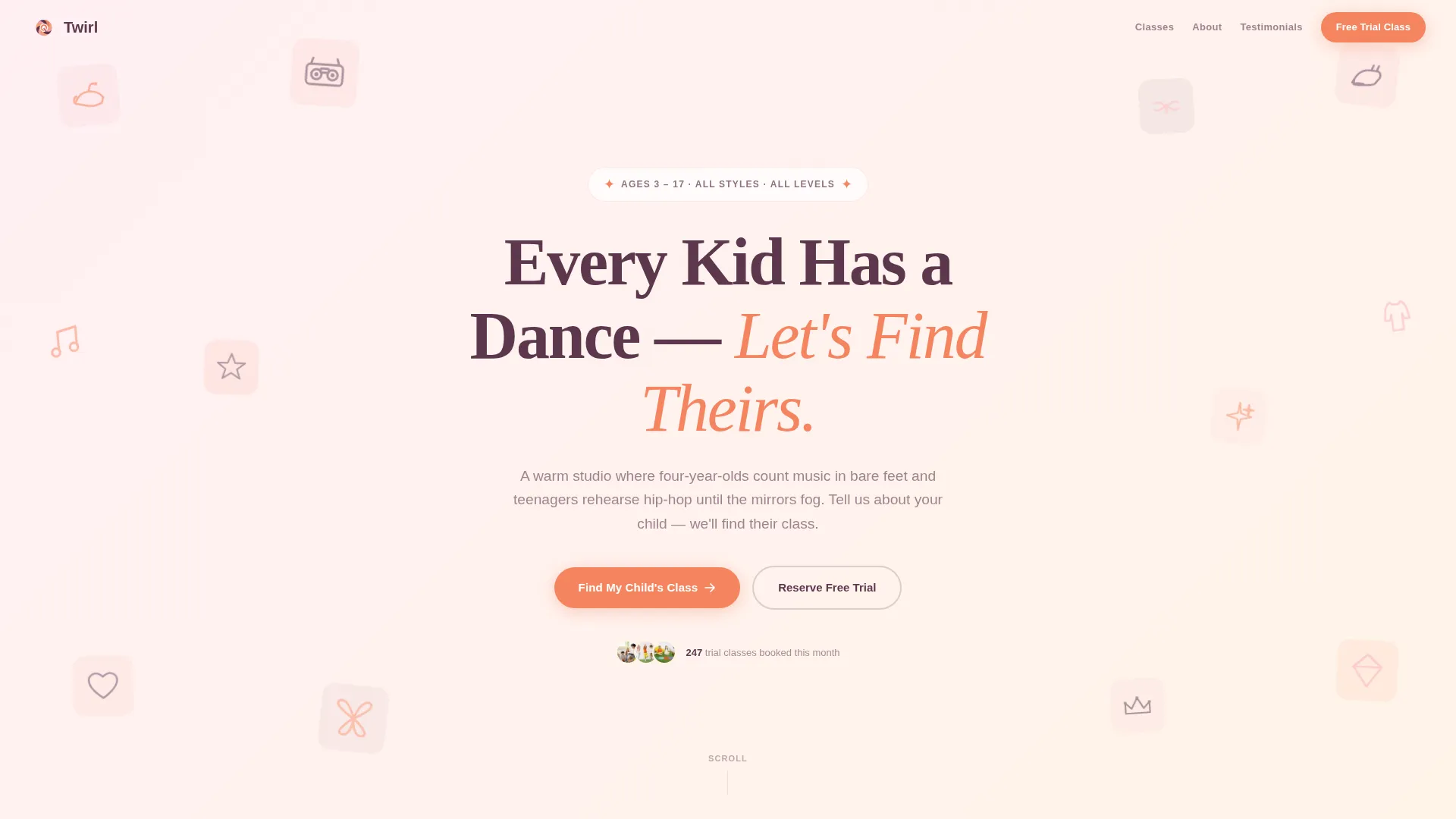
Twirl is a warm, masonry-style landing page template built for kids dance academies. It combines an animated icon grid hero, a three-question personalization quiz, and a candid photo class grid to guide parents straight to a free trial booking. The design uses a sunset gradient palette that feels nurturing, playful, and polished without being over-the-top.
by Rocket studio
Quick summary
Twirl is a single-page landing page template designed for kids dance academies. It opens with a pulsing icon grid hero, then moves parents through a short quiz that reshuffles class cards into personalized recommendations. Every card ends at an inline booking form. The result is a warm, guided path from curious visitor to confirmed free trial.
Who this template is for
This template is built for small and mid-size kids dance studios that want a parent-friendly booking experience without a complicated build. It works especially well for academy owners who need to convert late-night mobile browsers into real-world sign-ups.
- Dance studio owners running classes for children from toddlers through teenagers
- Dance instructors launching a new academy who need a polished first impression fast
- Studio managers looking to replace a generic booking page with something that feels personal
What problem this template solves
Most dance studio pages list classes and stop there. Parents of young or shy children need more than a schedule. They need reassurance that the class will actually fit their kid before they commit to showing up.
- Parents leave generic studio pages without booking because nothing speaks to their specific child
- First-time dance families feel uncertain about choosing the wrong style or age group
- Studios lose trial sign-ups because the booking step feels like too much effort on a phone at night
What you get with this template
You get a complete, single-page landing page that walks parents through a discovery flow and lands them at a booking form. Every section is designed to reduce hesitation and build trust before the ask.
- An animated icon grid hero section with a bold headline and a prominent call-to-action button
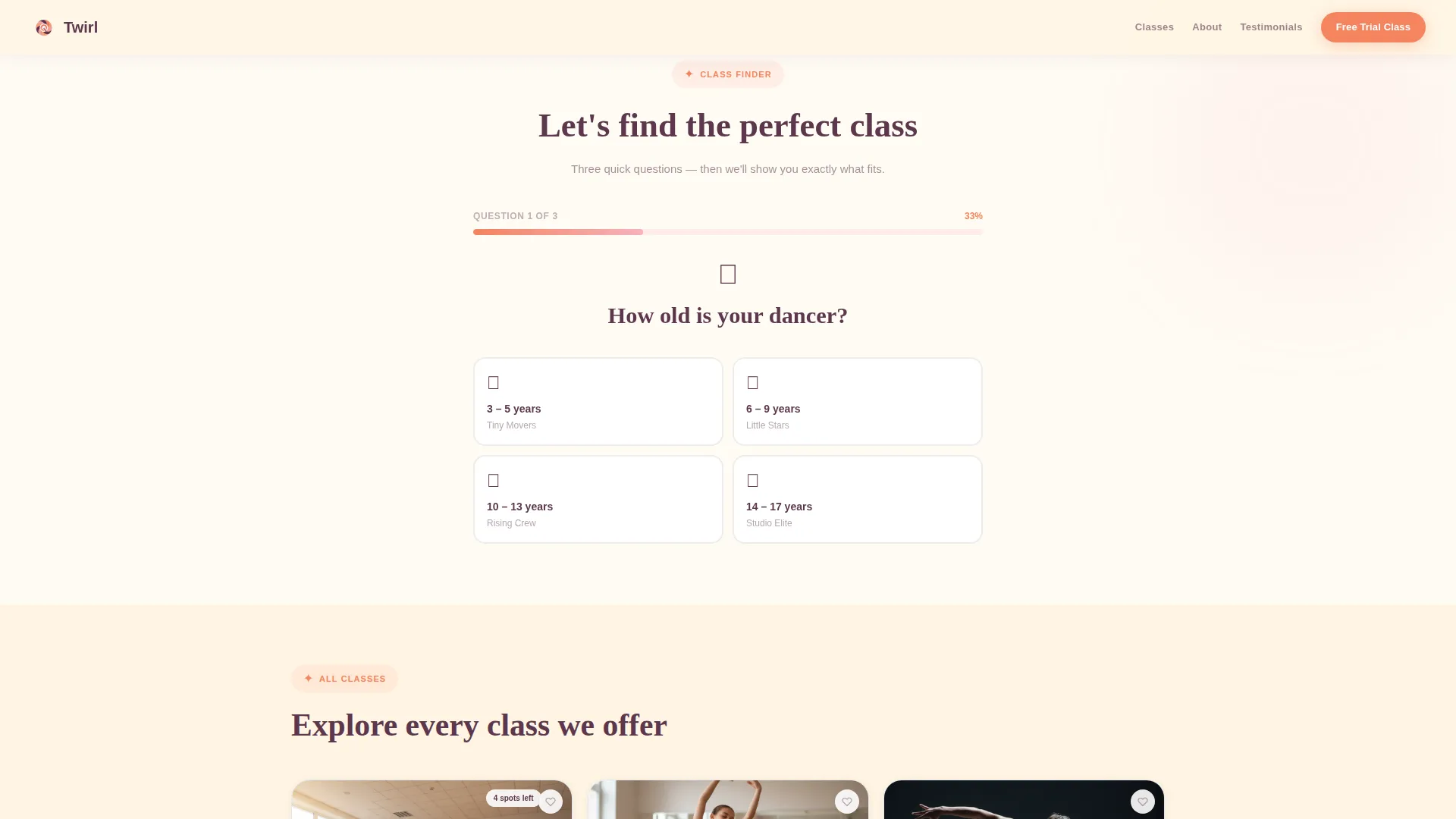
- A three-question quiz engine that reshuffles a masonry class grid into personalized recommendations
- An inline booking scheduler on every class card, plus a soft secondary path for parents who are not ready to commit
Feature list
This template includes a focused set of interactive and visual features drawn directly from the design brief. Each one serves the single goal of helping a parent feel confident enough to book a free trial class.
Animated Icon Grid Hero
The header displays a mosaic of hand-drawn dance icons including ballet slippers, boomboxes, tap shoes, music notes, and more. Each icon pulses gently and cycles through the sunset gradient colors on hover. A bold plum headline sits centered over the grid with an apricot call-to-action button beneath it.
Three-Question Personalization Quiz
A friendly quiz asks the child's age, prior dance experience, and music preference. Answer options are written in plain parent language, such as "Disney soundtracks" or "anything with a beat." The quiz runs inline without a page reload, making the experience feel conversational rather than form-like.
Dynamic Masonry Class Grid
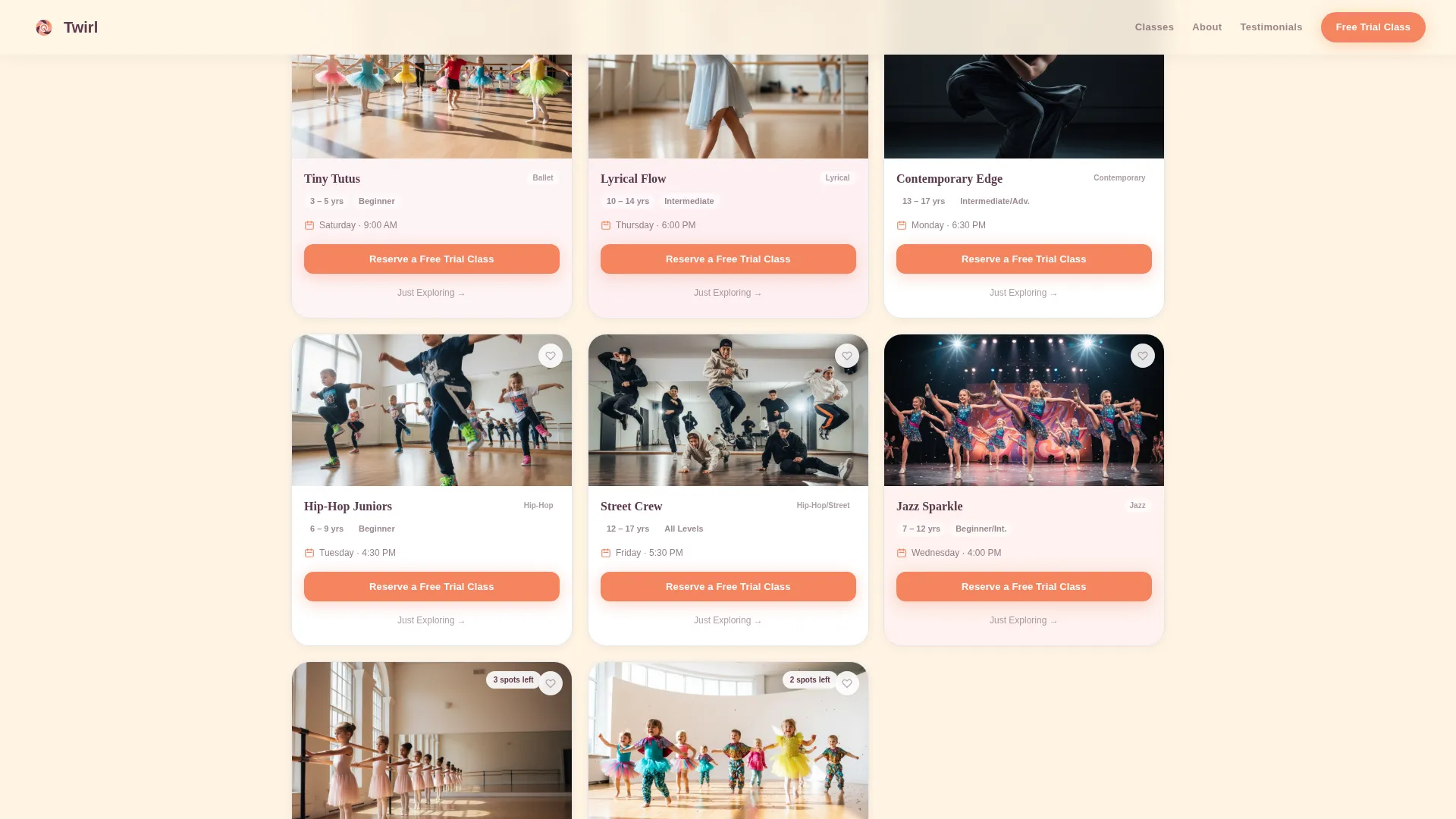
The class grid reshuffles in real time based on quiz answers. Each card shows a candid rehearsal photo, the class name, age range, day and time, and a heart-shaped save icon. The layout uses a masonry grid structure so cards of different heights sit comfortably together, just like a Pinterest board.
Inline Free Trial Booking Scheduler
Every class card carries a primary "Reserve a Free Trial Class" button. Tapping it opens an inline scheduler showing the next three available dates. The form asks only for a parent's first name, the child's first name and age, and a phone number, keeping friction low for mobile users.
Soft Secondary Conversion Path
Parents who are not ready to book can tap "Just Exploring" to receive a PDF schedule via text message. This keeps hesitant visitors inside the experience rather than letting them leave empty-handed.
Social Proof Section
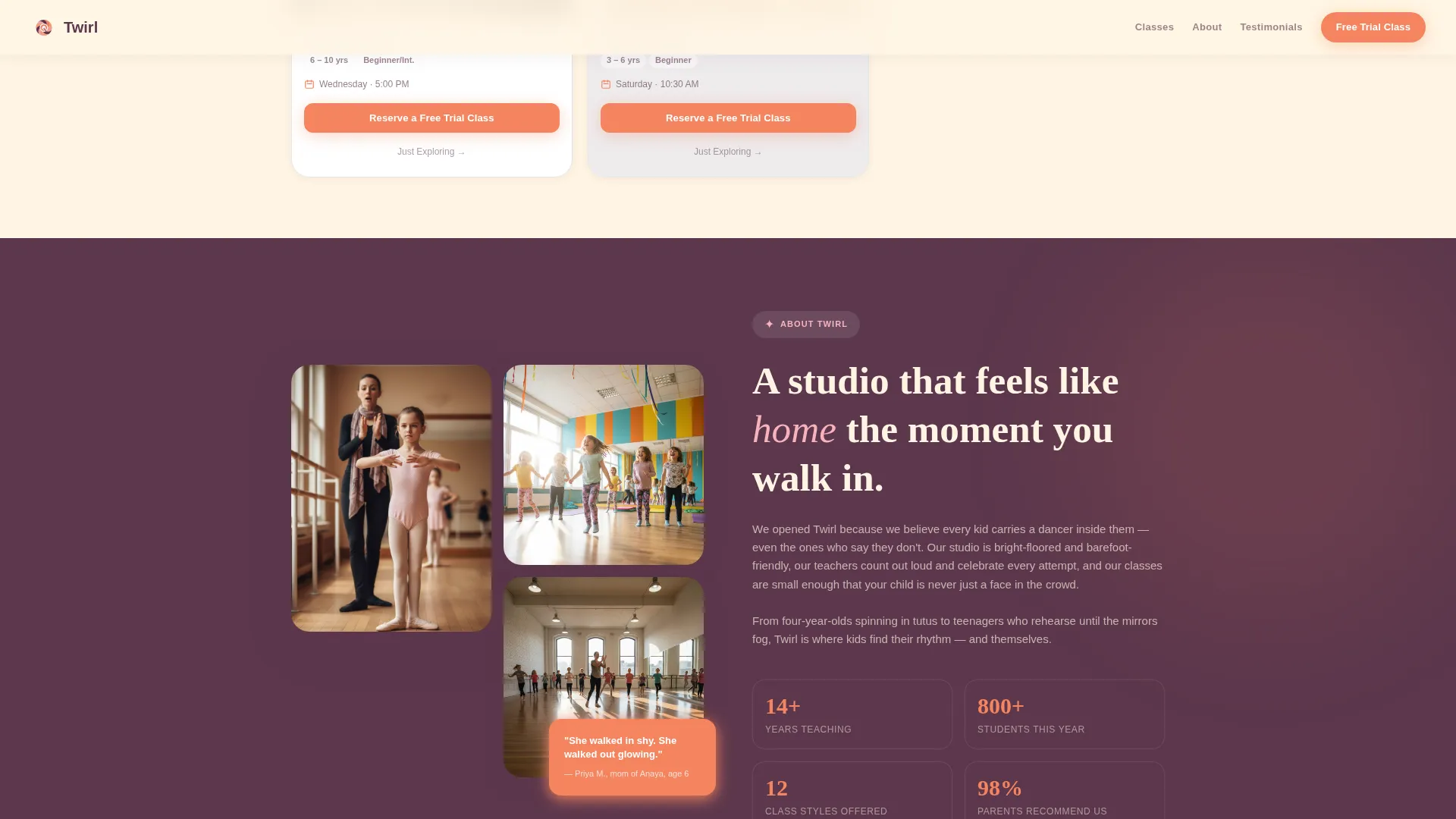
The template includes an overlapping photo testimonial section featuring parent quotes with child names and candid studio photos. A live-style counter showing the number of trial classes booked that week adds a sense of community momentum.
Page sections overview
| Section | Purpose |
|---|---|
| Icon Grid Hero | Captures attention with animated icons and a bold headline |
| Quiz Engine | Personalizes the class grid through three friendly questions |
| Masonry Class Grid | Shows recommended classes as candid photo cards |
| Studio Social Proof | Builds trust with parent testimonials and studio photos |
| Free Trial Booking | Converts intent into a confirmed trial class reservation |
| Footer | Provides studio contact and navigation in a horizontal flow |
Design & branding system
The visual identity follows a Community Hearth theme expressed through a Sunset Gradient color palette. The result is warm and inviting without tipping into a candy-store feel. Deep plum grounds the design so the brighter accent colors read as nurturing rather than loud.
- Colors: apricot (#F4845F), soft peony pink (#F7B2BD), deep plum (#5C374C) for text and anchors, and a creamy buttermilk (#FFF5E4) background
- Typography: Fraunces for display headlines paired with DM Sans for body text, creating a warm and readable combination
- Illustration style: hand-drawn dance icons used in the header grid, reinforcing a handmade community feel
Mobile & speed optimization
This template is designed with mobile-first parents in mind. The target user is scrolling a phone in a quiet house after the kids are in bed, so every interaction is optimized for thumb-friendly navigation and fast loading.
- Images in the masonry grid are lazy-loaded so the page feels quick even with many candid photos
- The quiz flow and inline booking scheduler are both designed for small screens with large tap targets
- Scroll reveal animations keep the experience lively without slowing down the initial page load
How this template helps you convert
The template is structured so that every section reduces a specific parent objection before the booking ask appears. By the time a parent sees the "Reserve a Free Trial Class" button, the page has already done the persuasion work.
- The quiz creates a personalized experience early, so parents feel the studio understands their child before they book
- The inline scheduler on each class card removes the need to navigate away, keeping momentum at the moment of highest intent
- The "Just Exploring" secondary path captures contact information from hesitant parents instead of losing them entirely
Other information about this template
This template is built specifically for the kids dance academy niche within the broader kids sports and dance category. It is a strong fit for studios in the United States that use standard date and time formats and price classes in USD.
- Template style: Masonry and Pinterest-inspired grid layout
- Theme: Community Hearth, designed to feel local, warm, and personal
- Animation level: High, including a pulsing icon grid, quiz transition effects, masonry reflow on quiz answer, and scroll reveal effects throughout
- Footer pattern: Horizontal flow layout suited to a local studio with a concise set of links
- The landing page supports gifting use cases, making it useful for grandparents or family members searching for a class as a gift
Theme
Community Hearth
Creative direction
Quiz & Personalize
Color system
Sunset Gradient
Style
Masonry/Pinterest
Direction
Booking/Scheduling
Page Sections
Animated Icon Grid Hero
Three-question Personalization Quiz
Dynamic Masonry Class Grid
Inline Free Trial Booking Scheduler
Soft Secondary Conversion Path
Parent Testimonial Social Proof
Related questions
Can I edit the quiz questions to match my studio's class types?
How does the masonry class grid work with the quiz?
What does the inline booking form ask parents to fill in?
Is this template suitable for studios teaching more than one dance style?
Can the template be used to promote gifted class packages?



