Patient Portal Landing page Template
This audiologist patient portal landing page helps patients finally understand their hearing test results. Built as a sidebar companion with interactive guides, inline jargon definitions, and a plain-language audiogram explainer, it turns confusing clinical charts into clear personal insight. A downloadable hearing guide and audiogram upload path give patients two gentle ways to take action.
by Rocket studio
Quick summary
This is a sidebar companion landing page designed for audiology clinics. It walks patients through their audiogram results using interactive charts, plain-language explanations, and a structured content curriculum. The goal is simple: replace post-appointment confusion with calm understanding, and earn patient trust long before they book a follow-up.
Who this template is for
This template serves audiology clinics that want to support patients between appointments. It works equally well as a standalone patient education hub or as a companion to an existing clinic website.
- Adults who recently received audiogram results and left the appointment with more questions than answers
- Parents reviewing their child's hearing assessment results, often late at night without a clinician nearby
- Veterans working through VA hearing benefit paperwork using a PDF audiogram they cannot easily interpret
What problem this template solves
Most patients leave an audiology appointment holding results they do not fully understand. The chart with sloping lines, masked and unmasked symbols, and the air-bone conduction gap means nothing without context. This template closes that gap.
- Patients struggle to connect clinical data to lived experience, such as why speech sounds muddy in noisy restaurants
- Jargon-heavy results pages create anxiety rather than clarity, reducing the chance a patient follows through on care
- Clinics lack a scalable way to provide post-appointment education without adding to staff workload
What you get with this template
You get a fully structured, content-rich landing page built around a sticky sidebar navigation and a scroll-based educational curriculum. Every section is designed to move a patient from confusion to confidence at their own pace.
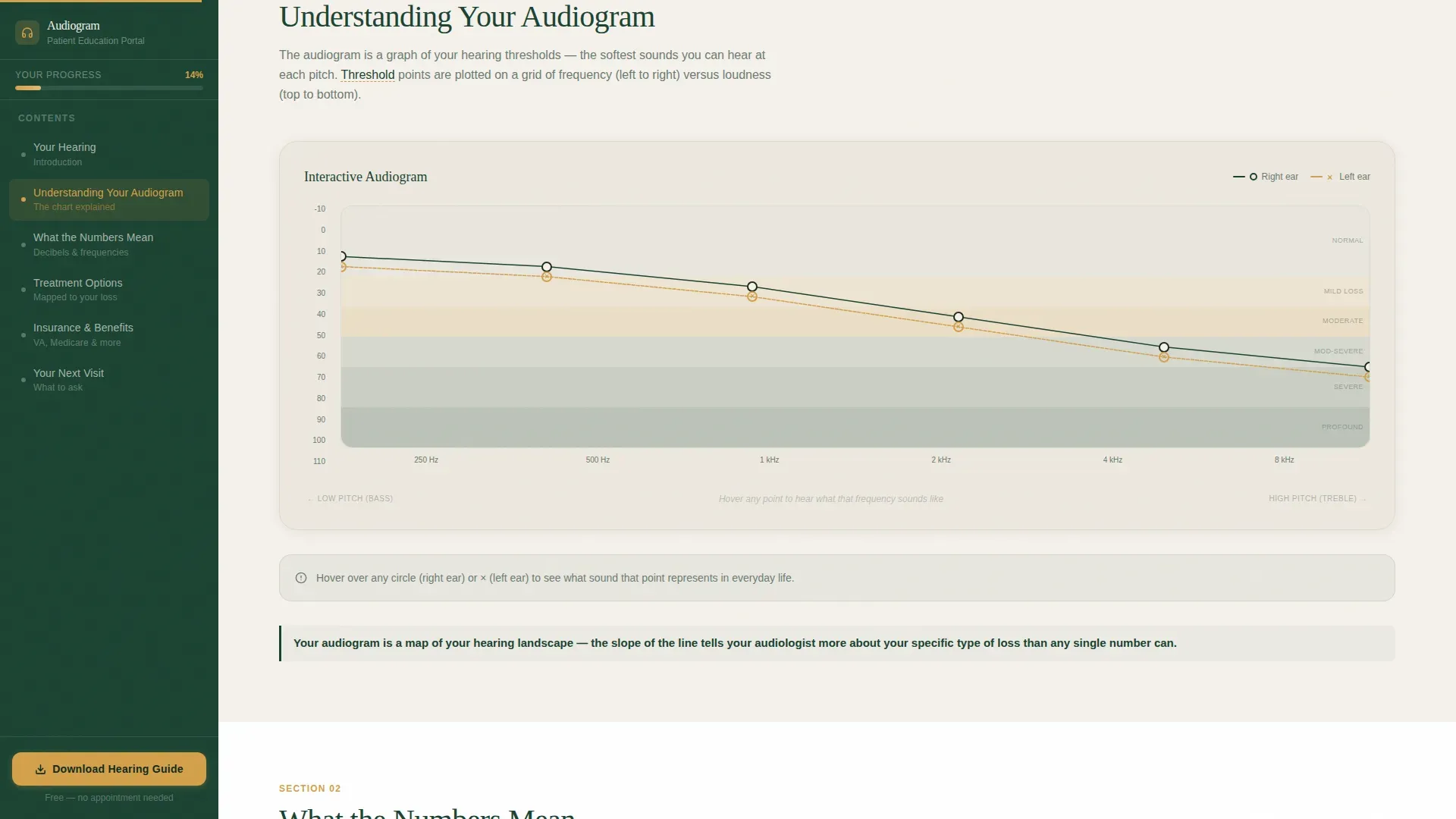
- An interactive audiogram chart where hovering over a frequency reveals a real-world sound at that pitch and decibel level
- A sidebar that locks into place as a living table of contents, guiding patients through five defined learning sections
- Two gentle conversion paths: a PDF hearing guide download and an audiogram upload tool for plain-language translation
Feature list
This template is built around a specific set of interactive and structural components drawn directly from the clinic portal brief.
Interactive Audiogram Chart
Patients hover over frequencies on the audiogram to hear or read about a real-world sound at that pitch and loudness level. Conversational callouts annotate every key data point so the chart tells a story instead of presenting raw data.
Sticky Sidebar Navigation
The sidebar locks into place during scroll and functions as a living table of contents. It includes five clearly labeled sections: Understanding Your Audiogram, What the Numbers Mean, Treatment Options Mapped to Your Loss, Insurance and Benefit Navigation, and Preparing for Your Next Visit.
Aided versus. Unaided Comparison Slider
A slider lets patients compare their speech recognition scores with and without hearing aids. This single interaction makes the case for treatment more clearly than a paragraph of clinical explanation ever could.
Expandable Fitting Timeline
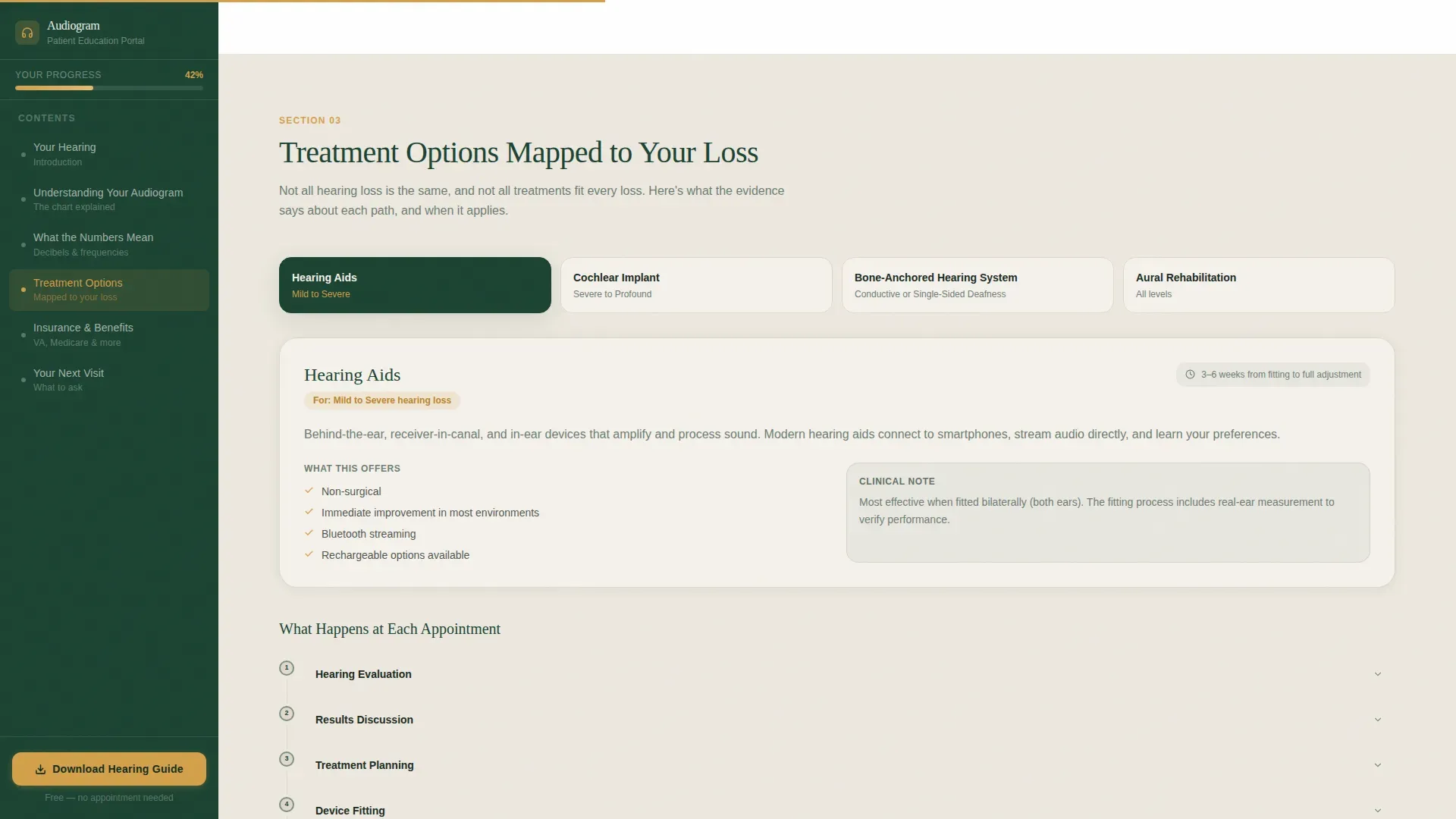
A step-by-step appointment timeline expands to show exactly what happens at each stage of the hearing care journey. Patients arrive at their next visit already knowing what to expect.
Inline Jargon Definitions
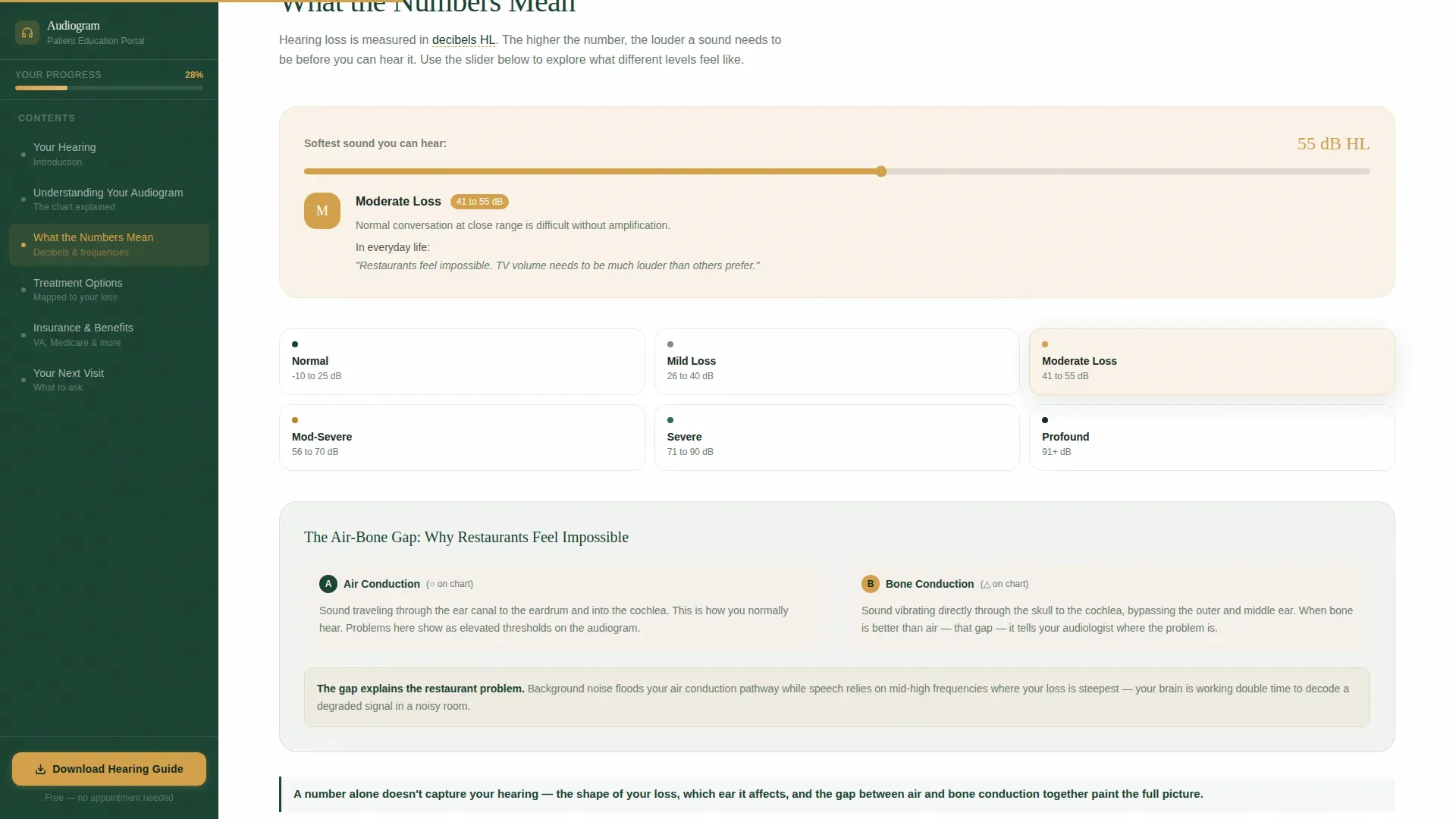
Clinical terms are defined the moment they appear in the text, without footnotes or separate glossary pages. Every section ends with a single bolded takeaway sentence so patients always leave with one clear idea.
Dual Conversion Paths
The primary call to action is a PDF hearing guide download, requiring only a first name and email address. A secondary path lets patients upload their audiogram file and select the test type from a dropdown for a plain-language translation.
Page sections overview
| Section | Purpose |
|---|---|
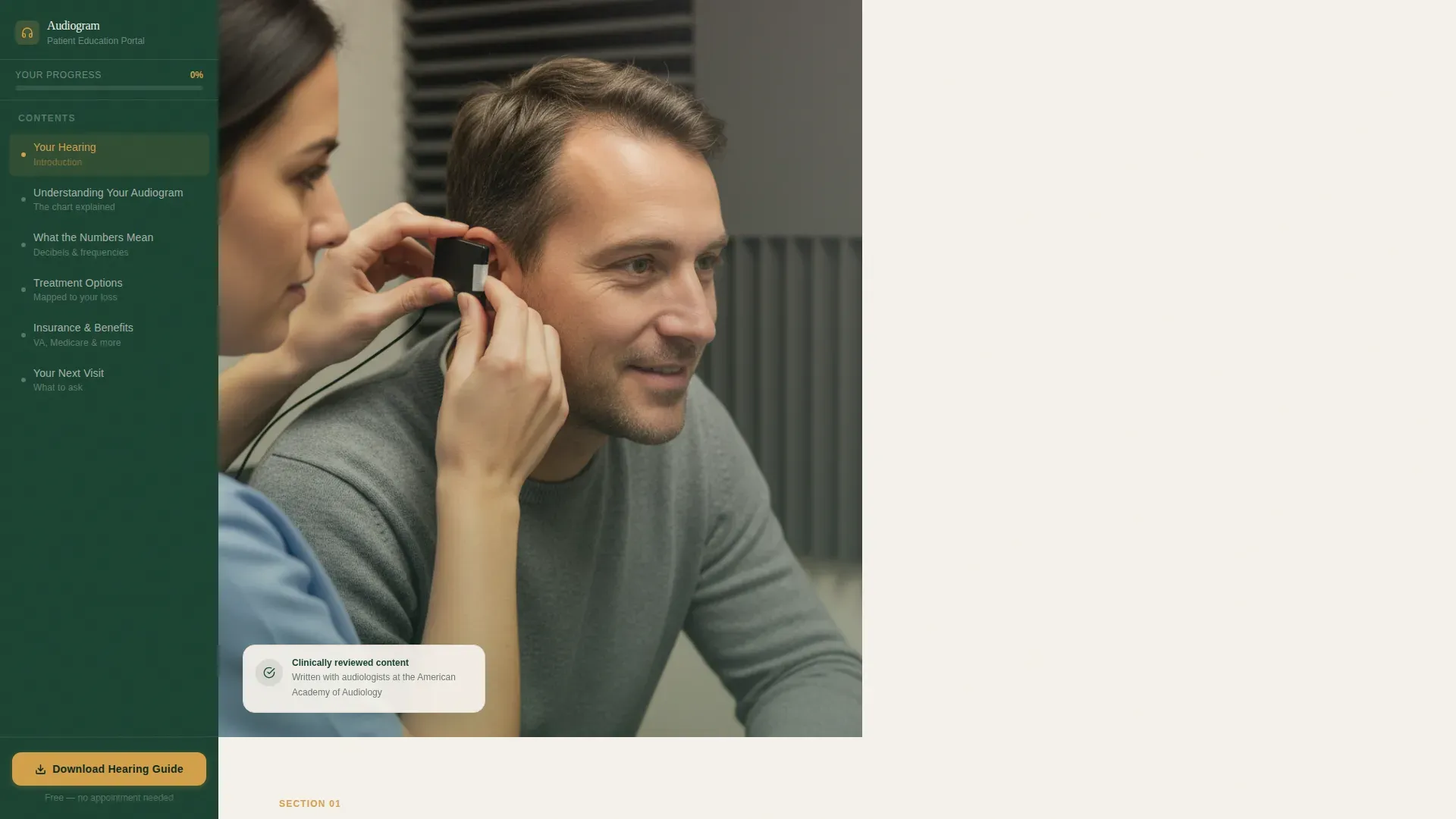
| Hero Header | Introduce the portal with a warmly lit split layout and a plain-language headline |
| Sidebar Navigation | Provide persistent, scrollable access to all five educational sections |
| Interactive Audiogram | Let patients explore their chart by hovering over frequencies |
| What Numbers Mean | Explain audiogram data points with inline definitions and annotated diagrams |
| Treatment Options | Map hearing loss types to care paths using an expandable appointment timeline |
| Aided versus. Unaided Slider | Show patients the practical difference treatment can make |
| Patient Testimonials | Build trust with specific, contextual patient voices and audiologist credentials |
| PDF Guide Download | Offer a personalized hearing summary in exchange for a name and email |
| Audiogram Upload Tool | Allow patients to submit their results for a plain-language translation |
| Footer Row | Deliver clinic contact information and navigation links in a clean single row |
Design & branding system
The visual identity follows an Educational Guide theme using a Forest Trust color system. The palette was designed to feel like a waiting room rebuilt by someone who genuinely cares: a potted fern, linen upholstery, wood-grain clipboards instead of sterile plastic.
- Deep evergreen (#1B4332) anchors the sidebar and section headers; warm birch (#F5F1EB) fills the main reading column for a calm, well-lit feel
- Lichen gray-green (#7C9082) softens diagram backgrounds so clinical illustrations feel approachable rather than textbook-cold
- Clear amber (#D4A04A) is reserved exclusively for interactive highlights, progress indicators, and call-to-action buttons so the eye is drawn only when action is needed
Mobile & speed optimization
The layout is designed desktop-first to support the sticky sidebar and high-interactivity components, with a thoughtful mobile collapse built in. On smaller screens the sidebar transitions to an accessible top navigation so the curriculum structure stays intact.
- Static content sections use server-side rendering for fast initial load; the interactive audiogram chart loads as a client component to keep the rest of the page snappy
- Scroll-reveal animations are medium intensity, keeping the experience engaging without introducing layout shifts on slower connections
How this template helps you convert
The conversion strategy is built on reciprocity: give patients genuine understanding first, and they return to the clinic already informed and already trusting. There is no appointment hard-sell anywhere on the page.
- The PDF hearing guide download asks only for a first name and email address, making the first conversion step feel helpful rather than transactional
- The audiogram upload path invites patients to take a second, slightly deeper action once they have already received value from the educational content
Other information about this template
This template sits at the intersection of patient education and clinic growth. It is built for English-language, US healthcare contexts with USD-denominated benefit navigation in mind. The typography pairing of Fraunces for serif headings and DM Sans for body text reinforces the documentary-calm, linen-and-fern aesthetic described in the brief.
- The header uses a Half-Page Photo and Text composition: a close, warmly lit photograph on the left and headline copy on the right, set in evergreen over birch
- The Transparent Process creative direction means every section is structured as a guided curriculum, not a marketing funnel
- The footer uses a Pattern 1 Linear Single-Row layout for clean, minimal clinic contact presentation
- Social proof is integrated through patient testimonials with specific contextual detail, such as age and condition, alongside audiologist credentials
Theme
Educational Guide
Creative direction
Transparent Process
Color system
Forest Trust
Style
Sidebar Companion
Direction
Content/Resource
Page Sections
Interactive Audiogram Chart with Hover Callouts
Sticky Sidebar Table of Contents
Aided Versus. Unaided Comparison Slider
Expandable Appointment Timeline
Inline Jargon Definitions
Dual Conversion Paths
Related questions
What kind of clinic is this landing page built for?
Do patients need to book an appointment to use the portal?
What does the audiogram upload tool do?
Is the sidebar visible on mobile devices?
Can the color palette and typography be customized?



