Underwriter Booking Website Template
Underwrite is a single-column landing page built for commercial underwriting professionals who need fast, reliable answers under deadline pressure. It organizes coverage checklists, appetite guides, and binding-authority FAQs the way a seasoned desk reviewer thinks. A persistent booking flow and a gated appetite update capture two types of visitors: those ready to schedule and those still researching.
by Rocket studio
Quick summary
Underwrite is a resource-first landing page for commercial underwriting desks. It surfaces FAQs, coverage checklists, and appetite guides in a single scrollable column. A metrics bar, testimonial mosaic, and two conversion paths turn a reference tool into a lead-generation engine for underwriting professionals pressed for time.
Who this template is for
This template speaks directly to the people who live inside submission queues and renewal folders. It is built for professionals who need accurate answers fast, not polished marketing copy.
- Junior underwriters checking surplus-lines eligibility against a hard deadline
- Senior risk analysts reviewing treaty language before a renewal meeting
- Agency producers diagnosing why a submission was kicked back
What problem this template solves
Underwriting reference materials are often scattered across compliance folders, shared drives, and outdated PDFs. That fragmentation costs real time on real submissions. This template organizes everything into one focused, scrollable page.
- Coverage checklists and appetite guides are buried or formatted for compliance filing, not for desk review
- Visitors arrive mid-task and need the right resource in seconds, not after three clicks
- Booking a desk review or subscribing to appetite updates has no clear path on most underwriting pages
What you get with this template
This template delivers a complete single-column landing page structured around how an experienced underwriter actually works through a problem. Every section earns its place before moving the visitor toward a clear next step.
- A metrics bar with three live-style figures that establish authority immediately
- Categorized FAQ accordions with a search bar anchored at the top
- A testimonial mosaic that breaks up the scroll with evidence-based social proof
- A "Book a Desk Review" scheduling module with coverage line, complexity, and calendar inputs
- A secondary email-gated download for the weekly appetite update
Feature list
This template's features follow the logic of a well-organized underwriting desk. Each component has a specific job within the single-column flow.
Metrics Bar with Authority Figures
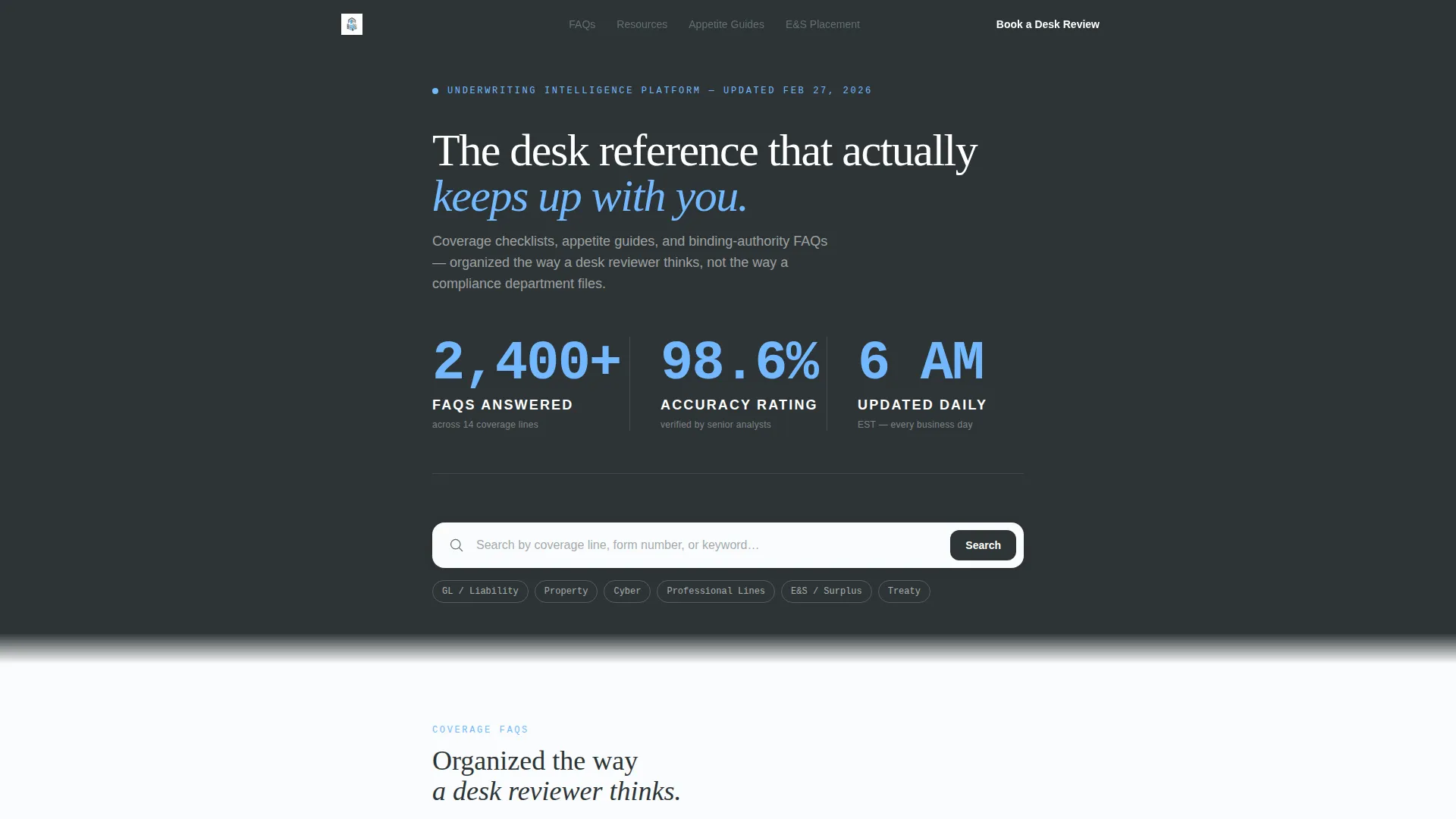
Three oversized statistics rendered in sky blue on a charcoal background open the page. The figures read "2,400+ FAQs Answered," "98.6% Accuracy Rating," and "Updated Daily at 6 AM EST," giving every visitor an immediate sense of the resource's depth and reliability.
Search Bar with Coverage-Focused Ghost Text
A single search field sits directly below the metrics bar. The ghost text reads "Search by coverage line, form number, or keyword..." and anchors the visitor's first action to the most relevant task they came to complete.
Categorized FAQ Accordions
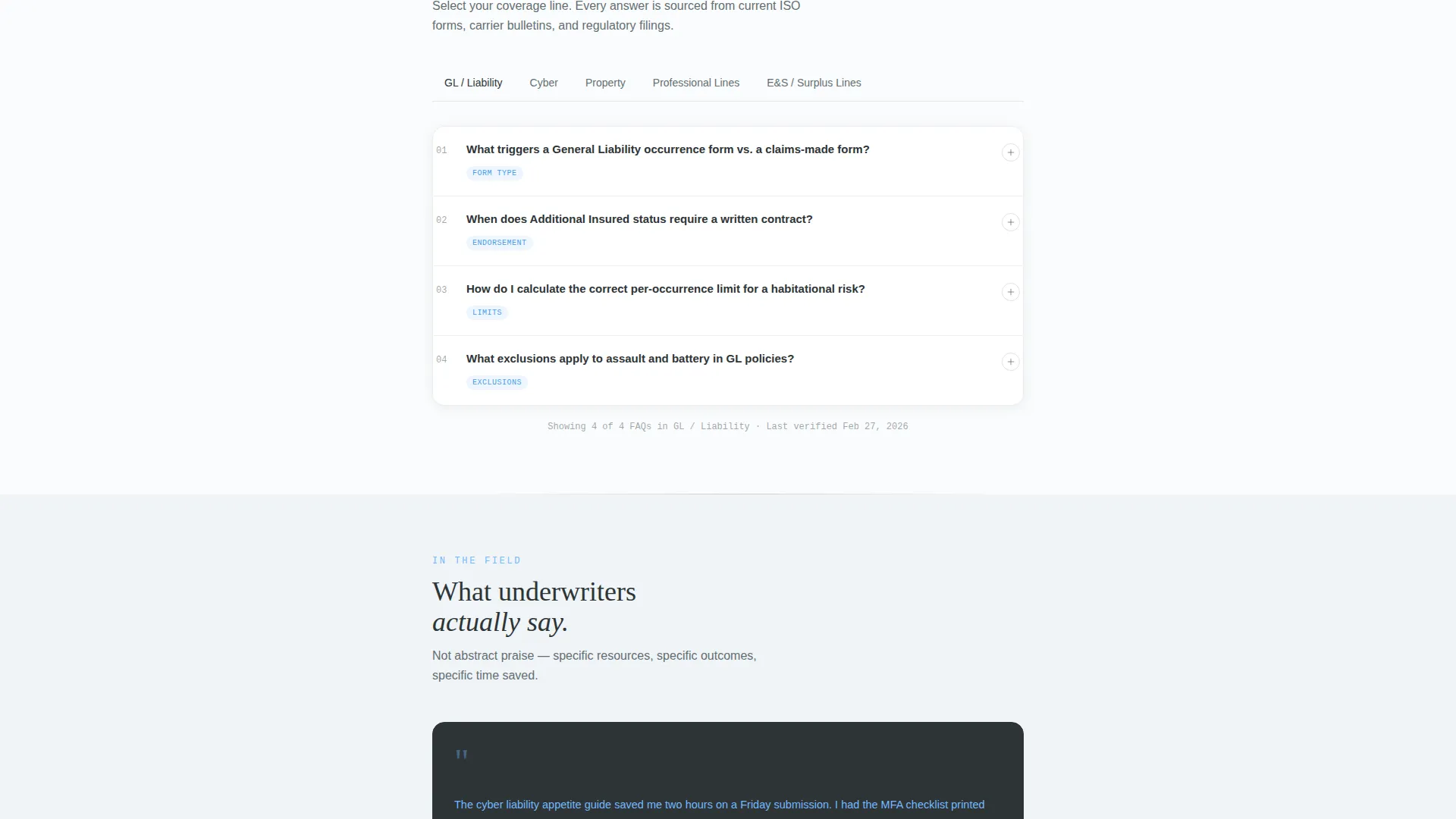
Coverage FAQs are organized into expandable accordion sections. Categories move from foundational topics early in the page toward complex areas such as treaty reinsurance and excess and surplus placement flowcharts at the bottom, rewarding visitors who scroll deeper.
Testimonial Mosaic with Utility Evidence
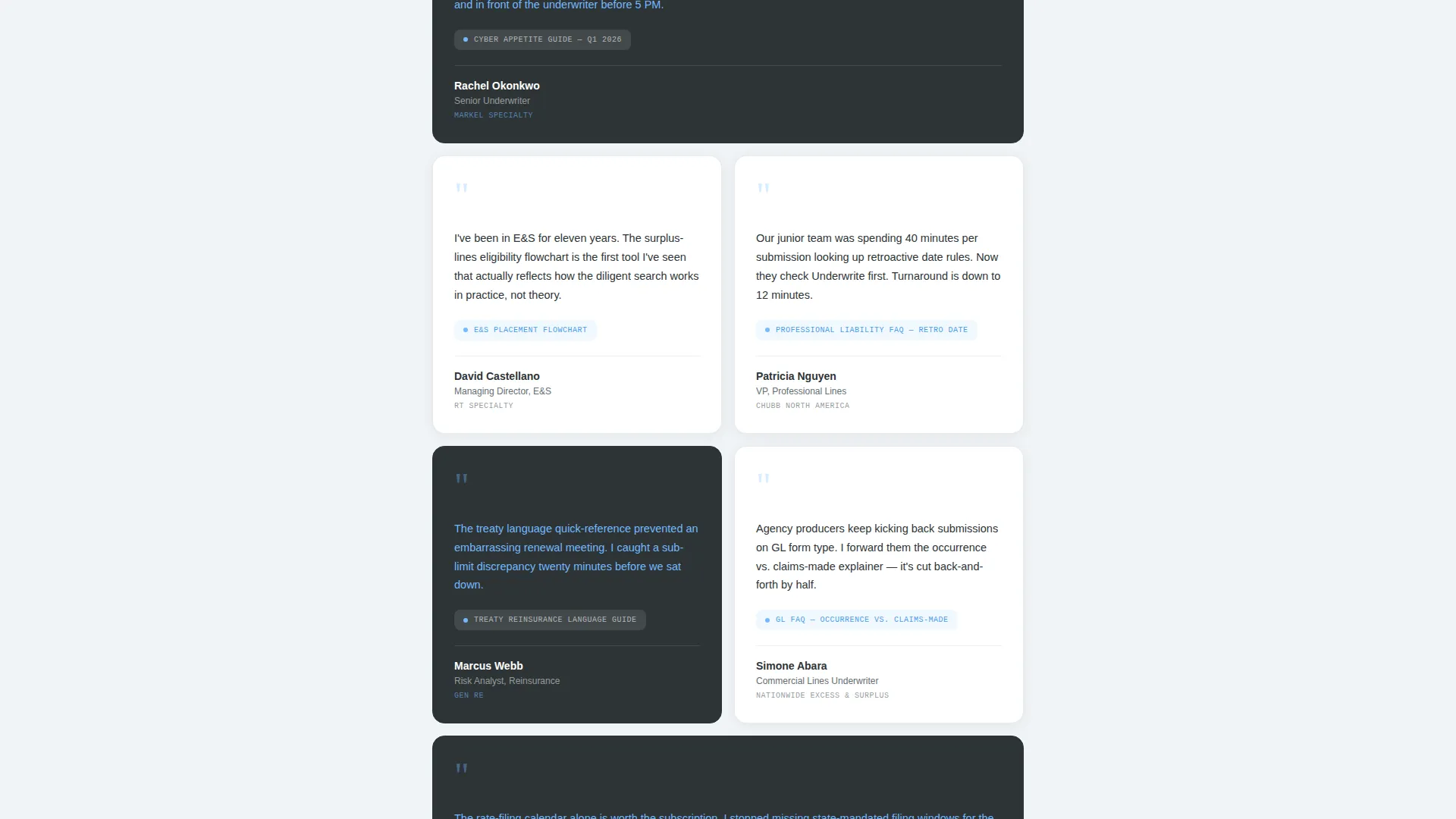
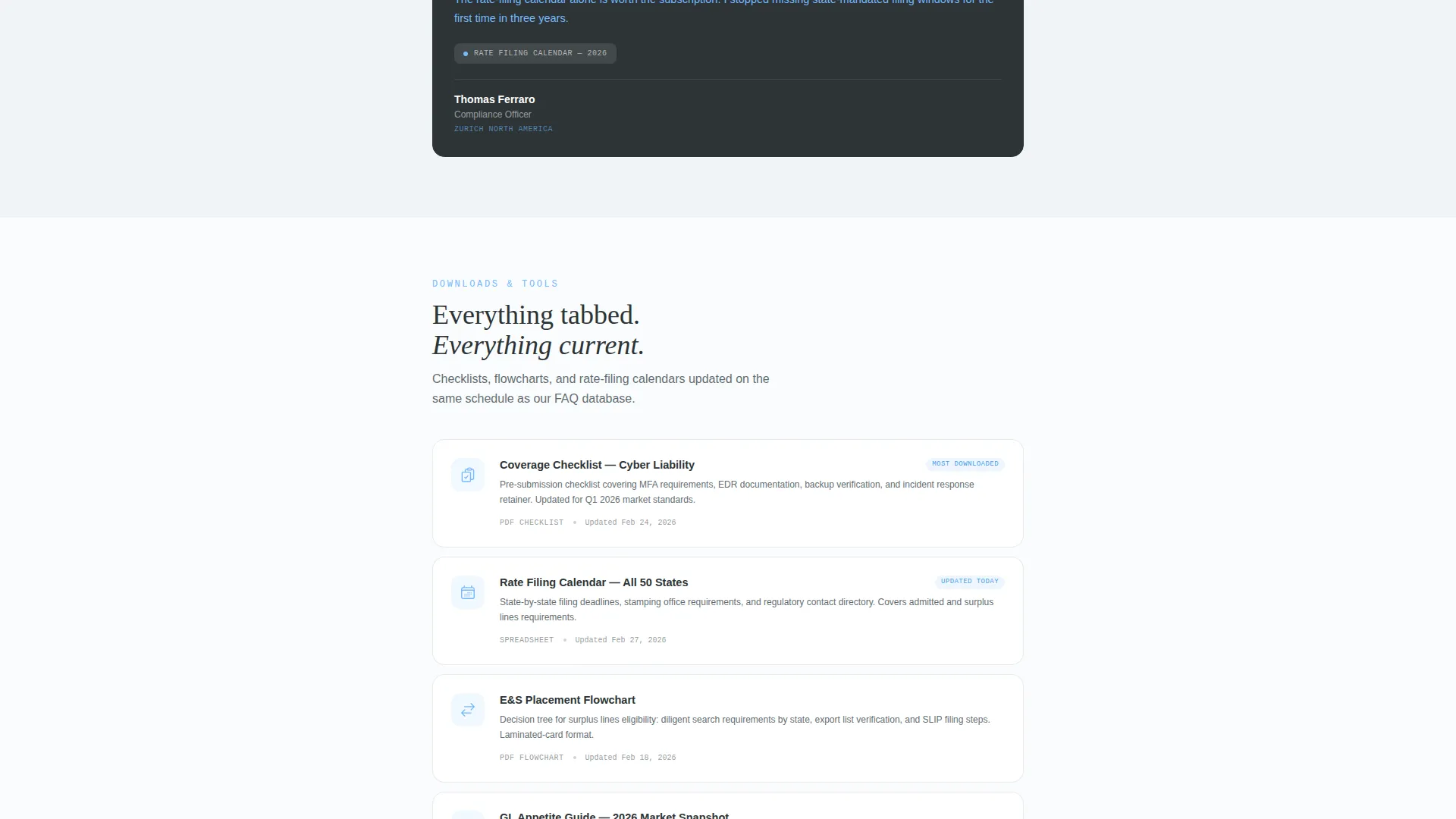
Every third section in the scroll breaks with a staggered grid of quote cards. Each card carries the underwriter's name, title, carrier, and the specific resource they used. The mosaic alternates between slate-background and white-background tiles to maintain visual rhythm without interrupting content flow.
Desk Review Booking Module
The primary conversion path is a three-field scheduling form. Visitors choose a coverage line from a dropdown (General Liability, Property, Cyber, Professional, Excess), set a complexity toggle (standard, complex, or program), and pick a 30-minute slot from a calendar picker.
Gated Appetite Update Download
A secondary conversion path captures visitors who are not ready to book. An email field gates access to the current week's appetite update, building a subscriber list from research-stage visitors.
Page sections overview
| Section | Purpose |
|---|---|
| Metrics Authority Bar | Establishes credibility with three key figures |
| Coverage Search Bar | Directs first action to resource discovery |
| FAQ Accordion Categories | Organizes answers by coverage line and complexity |
| Testimonial Mosaic Breaks | Adds social proof at regular scroll intervals |
| Downloadable Resource Module | Offers checklists and rate-filing calendars mid-page |
| Complex Topics Section | Surfaces treaty and excess and surplus content for deep scrollers |
| Desk Review Booking Form | Primary conversion module with three-field scheduler |
| Appetite Update Gate | Secondary email capture for research-stage visitors |
| Full-Width Booking call to action | Reinforces booking action after final testimonial mosaic |
Design & branding system
The visual identity follows a Legal Shield theme built on a Slate and Sky color system. The palette feels like a freshly printed coverage binder on a mahogany desk with institutional light coming through a window: authoritative without being heavy.
- Deep charcoal slate (#2D3436) for primary text and section dividers; mid-tone pewter (#636E72) for secondary copy
- Open-sky blue (#74B9FF) on interactive elements, highlighted FAQ answers, and pull-quote accents
- Clean policy-paper white (#FAFCFD) as the content column background; no stock photography or illustration anywhere on the page
- Monospaced slab serif typography in the metrics bar, chosen to read like a compliance dashboard
Mobile & speed optimization
On mobile, the single-column layout translates cleanly without requiring any horizontal adjustment. The most important conversion element stays visible at all times during the scroll.
- The "Book a Desk Review" call to action appears as a persistent bottom bar on mobile so it is never out of reach
- On desktop, the same booking button is anchored as a sidebar element throughout the scroll
- The accordion structure keeps long FAQ content collapsed by default, reducing visual load on smaller screens
How this template helps you convert
The page is designed around two conversion paths that serve visitors at different stages of readiness. Both paths are present from the moment a visitor arrives.
- The "Book a Desk Review" module captures decision-ready visitors through a focused three-field form with a 30-minute slot calendar, removing scheduling friction at the moment of highest intent.
- The "Download This Week's Appetite Update" email gate captures research-stage visitors who are not yet ready to book, turning a single-page visit into a subscriber relationship.
Other information about this template
This template is part of the Professional Services category with a focus on underwriter online presence and underwriter booking page use cases. It sits at the intersection of lead generation and educational guide delivery for commercial insurance professionals.
- The editorial and magazine template style gives the long scroll a publication-quality feel rather than a generic service page look
- The Expert Panel creative direction means the page earns trust through demonstrated knowledge, structured reference material, and peer testimonials rather than through promotional language
- The template is designed as a single-column flow, making it straightforward to customize section by section without disrupting the overall layout logic
- Content stakes escalate as the visitor scrolls: basic FAQ categories appear early, downloadable checklists and rate-filing calendars appear mid-page, and the most complex topics such as treaty reinsurance and excess and surplus placement flowcharts appear last
Theme
Educational Guide
Creative direction
Expert Panel
Color system
Slate & Sky
Style
Editorial/Magazine
Direction
Lead Generation
Page Sections
Metrics Authority Bar
Coverage Search Bar
Categorized FAQ Accordions
Testimonial Mosaic Layout
Three-field Booking Form
Email-gated Appetite Download
Related questions
Who is this landing page template designed for?
What conversion actions does this template support?
Can I customize the FAQ categories and coverage lines?
How does the testimonial mosaic work within the layout?
Does this template work well on mobile devices?



