Car Dealership Advanced Professional Website Template
Underwrite is a dark, immersive landing page template built for a Tesla insurance specialist. It guides visitors through a gallery of model-specific coverage details, a side-by-side comparison of traditional versus Tesla-native policies, and real claim stories, all styled in a carbon-fiber color system designed to feel as engineered as the vehicles it covers.
by Rocket studio
Quick summary
Underwrite is a single-page, gallery-plus-detail landing page template for a Tesla insurance brokerage. It pairs a cinematic dark aesthetic with a persuasive scroll architecture: three sequential "rooms" walk visitors from model-specific coverage details through a data comparison to real claim stories, earning the quote click before it is ever asked.
Who this template is for
This template is built for a Tesla insurance specialist or niche automotive brokerage that serves EV owners who feel underserved by mainstream carriers. It works best when the business can speak with genuine technical depth about electric vehicle coverage.
- Tesla owners in Model S, Model Y, Model X, or Cybertruck variants who need policies that account for over-the-air software updates and structural battery replacement costs
- Insurance brokerages or agents positioning themselves as EV-native specialists rather than general automotive insurers
- Founders or marketers who want a high-converting, visually distinctive landing page that earns trust before asking for a quote
What problem this template solves
Mainstream auto insurance carriers price and underwrite Tesla vehicles like combustion sedans. That gap frustrates owners who understand that a phantom braking recall or a structural battery pack replacement is a fundamentally different repair event. This template gives a specialist brokerage a page that speaks directly to that frustration.
- Tesla drivers struggle to find carriers that understand over-the-air update liability, Autopilot-related incidents, or the real repair cost of aluminum and stainless-steel body panels
- Generic insurance landing pages lose EV owners quickly because the coverage language does not match what they actually drive
- This template frames the brokerage as fluent in Tesla specifics, building credibility before the visitor ever sees a call to action
What you get with this template
The template delivers a complete, scroll-driven single-page layout structured around three content rooms and a cinematic dark interface. Every section is purpose-built for an insurance specialist audience that values technical precision.
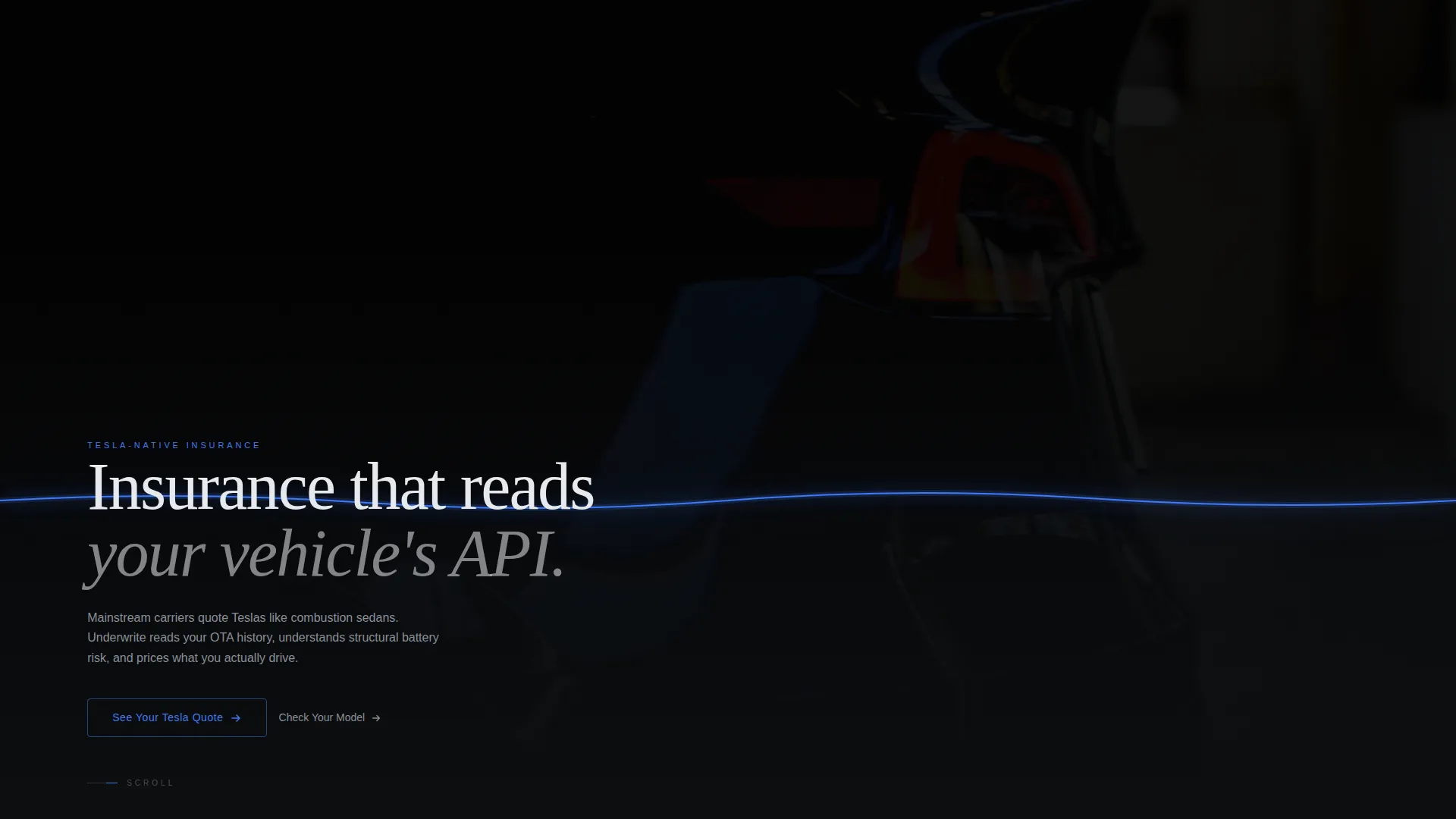
- A full-bleed dark header with a glow-traced taillight edge, a phased-in headline, and a ghost-outlined primary call-to-action button
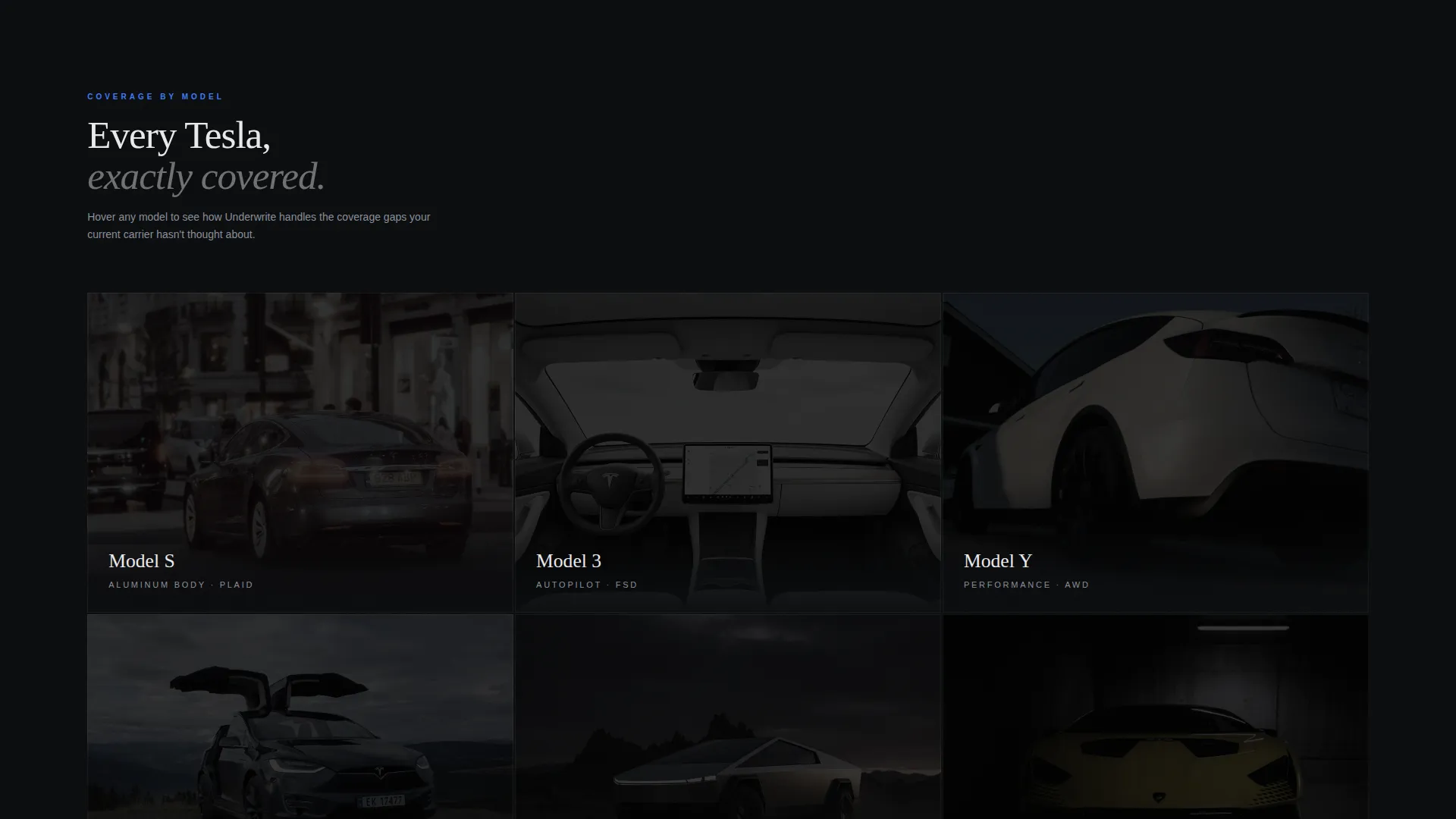
- A gallery grid of Tesla model cards with hover-activated sliding detail panels showing model-specific coverage language
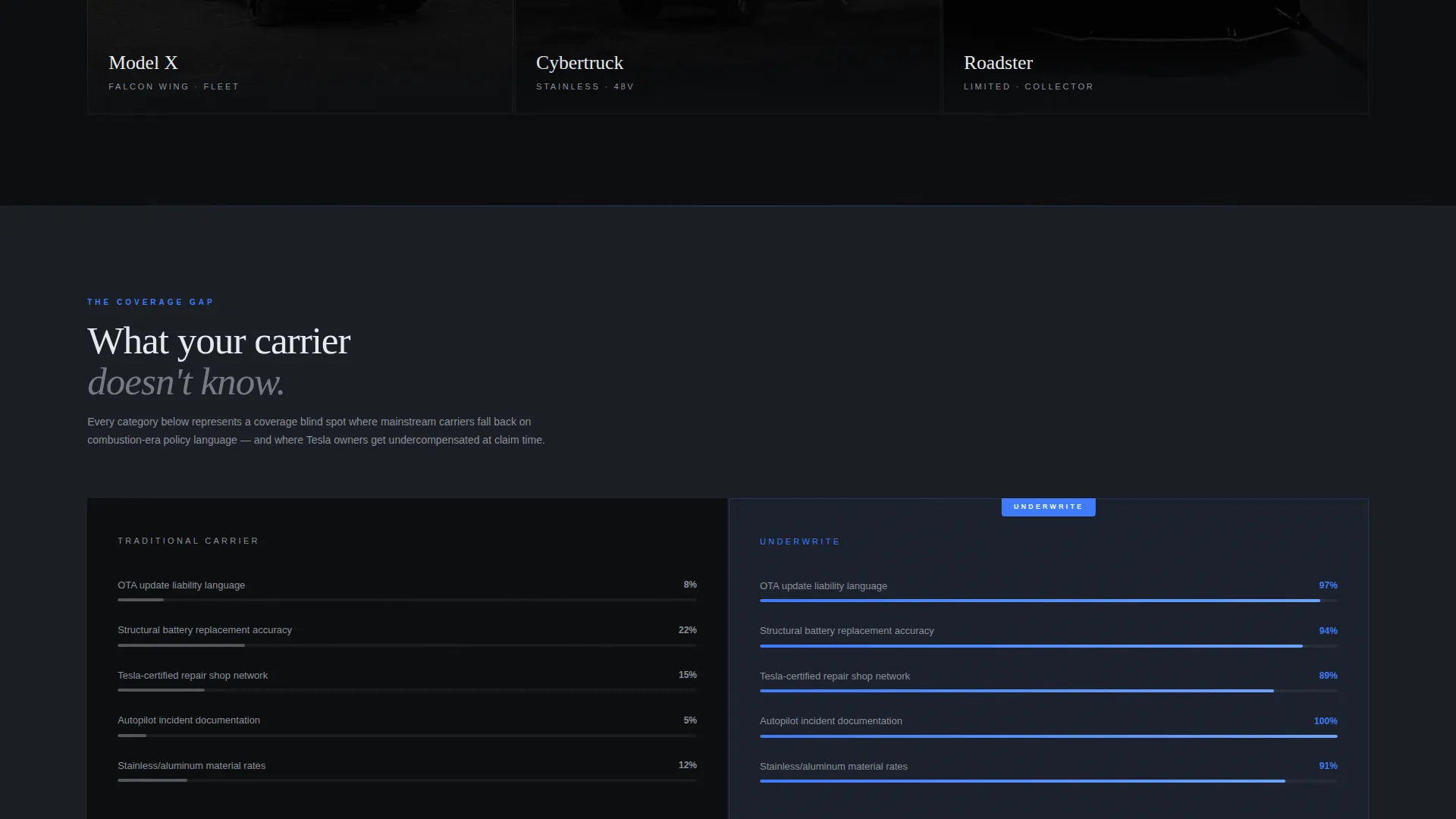
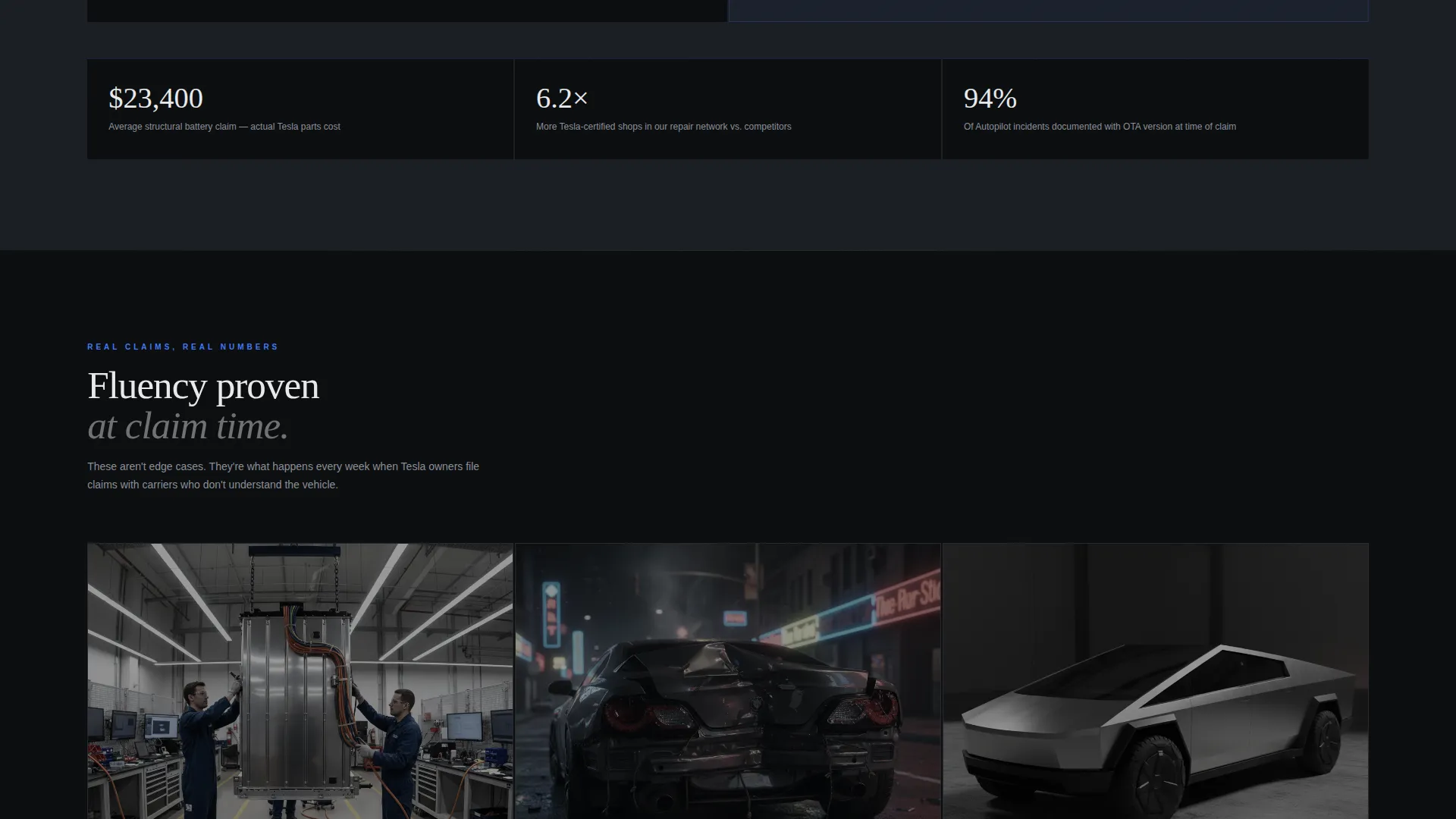
- A comparison section with glowing bar charts contrasting traditional carrier blind spots against Tesla-native policy coverage, followed by first-person claim stories anchored to repair photos
Feature list
A single paragraph overview: each feature below is drawn directly from the template brief and represents a distinct, prompt-verified capability delivered in this layout.
Dark Full-Bleed Header with Glow Animation
The header opens on a near-total-darkness photograph of a Tesla rear quarter-panel at night. A thin accent glow traces the taillight signature edge-to-edge across the viewport. After a brief beat, a sharp sans-serif headline phases in at center. Navigation stays hidden until the visitor scrolls, keeping full attention on the opening message.
Tesla Model Gallery Grid
The first scroll room presents a grid of Tesla model cards. Each card uses a dark background with a subtle glow outline that intensifies on hover. Hovering reveals a sliding detail panel with model-specific coverage language: Autopilot liability language for one variant, aluminum-body repair network details for another, and stainless panel replacement terms for Cybertruck.
Traditional versus. Tesla-Native Coverage Comparison
The second scroll room shifts to a wide single-column layout. Glowing bar charts on dark fields visualize the gap between what traditional carriers cover and what a Tesla-native policy addresses. The format is data-forward and scannable, designed to validate the brokerage's positioning with evidence rather than claims.
First-Person Claim Stories with Repair Photos
The third scroll room presents real claim narratives told in first person. Each story is anchored to a specific repair photograph, grounding the coverage promise in tangible outcomes. The descending scroll rhythm makes this section feel quieter and more persuasive than the sections above it.
Progressive Call-to-Action System
The primary call to action, "See Your Tesla Quote," appears first as a ghost-outlined button in the header. After the comparison section has made its case, it reappears as a filled, glowing blue button. A secondary path, "Check Your Model," lets visitors select their exact Tesla variant and view a model-specific coverage snapshot before entering the full quote flow.
Spatial Scroll Architecture
The layout treats each scroll section as a distinct room the visitor walks through. The spatial and architectural creative direction creates a sense of progressive depth: each floor is quieter, more focused, and more persuasive than the last. The structure is designed to earn the quote click through demonstrated fluency, not urgency.
Page sections overview
| Section | Purpose |
|---|---|
| Full-Bleed Header | Opens with cinematic Tesla imagery and phased headline |
| Model Gallery Grid | Showcases Tesla variants with hover-activated coverage panels |
| Coverage Comparison | Contrasts traditional carrier gaps with Tesla-native policy depth |
| Claim Stories | Validates coverage through first-person repair narratives |
| Quote Call to Action | Converts engaged visitors with a filled glowing call to action button |
| Model Selector Path | Lets visitors choose their variant before entering the quote flow |
Design & branding system
The visual identity is built on a Carbon Fiber color system that feels technical and tactile rather than decorative. Every color decision serves the immersive dark cockpit aesthetic described in the brief.
- Core palette: deep cockpit black (#0B0D0F) as the base, woven carbon mid-tone (#1A1D23) for surface layers, cold instrument white (#E8EAED) for text, and Tesla-blue accent glow (#3E7BFA) reserved exclusively for interactive edges, hover states, and call-to-action pulses
- Typography uses a sharp sans-serif face that phases in on the header, maintaining the clean instrument-panel feel across all headings
- The overall aesthetic avoids unnecessary decoration; every visual element serves orientation, hierarchy, or interaction feedback
Mobile & speed optimization
The template is structured to translate its immersive desktop experience into a focused, performant mobile layout. The spatial scroll architecture adapts to narrower viewports without losing its sense of depth and progression.
- The full-bleed header, gallery grid, and comparison section reflow cleanly for single-column mobile viewing
- Hover states for the model gallery cards are adapted for touch interaction on mobile devices
- The progressive call-to-action system remains intact on mobile, with the ghost button in the header and the filled glowing button appearing after the comparison section
How this template helps you convert
The template is engineered as a click-through landing page, meaning every design and copy decision is oriented toward one outcome: getting a qualified Tesla owner to begin a quote.
- The header earns attention immediately with cinematic imagery and a technically specific headline that signals fluency to the right visitor, filtering out unqualified traffic from the first second
- The gallery grid and comparison section build layered credibility through model-specific detail and data visualization, so the visitor feels understood before they are ever asked to act
- The progressive call-to-action system meets the visitor twice: once as a low-commitment ghost button before trust is established, and again as a confident filled button after the comparison section has done its persuasive work
Other information about this template
This template sits within the Automotive and Transport category, specifically the Tesla Services subcategory, targeting the Tesla insurance specialist niche. It is built for a Gallery plus Detail template style under a Dark Immersive theme.
- The template style is Gallery plus Detail, combining a browsable model grid with deep-dive content panels in a single continuous scroll
- The creative direction is Spatial and Architectural, meaning scroll depth is used intentionally to create a sense of environment and progressive persuasion
- The header concept is Dark Full-Bleed plus Glow, a technique that strips away all navigational chrome until the visitor scrolls, maximizing the impact of the opening image and headline
- The landing page direction is Click-Through, focused on routing visitors to an external quoting tool rather than collecting form submissions on-page
- This template is well suited for a Tesla insurance specialist brokerage, an EV-focused insurance agent, or any automotive services provider in the Tesla niche looking for a visually differentiated starting point
Theme
Dark Immersive
Creative direction
Spatial & Architectural
Color system
Carbon Fiber
Style
Gallery + Detail
Direction
Click-Through
Page Sections
Dark Full-bleed Header with Glow Animation
Tesla Model Gallery Grid
Coverage Comparison with Bar Charts
First-person Claim Stories
Progressive Call-to-action System
Related questions
What kind of business is this template designed for?
Is this a multi-page template or a single landing page?
Can I customize the Tesla model cards with my own coverage details?
How does the two-step call-to-action system work?
Does the template include the quoting tool itself?



