Credit Union & Cooperative Cost Calculator Website Template
Union is a split-screen landing page template built for community credit unions. It leads with a typographic hero, live rate display, and an interactive mortgage affordability calculator. The design uses a deep plum and polished gold palette to project executive trust. Every section pairs a human story with a financial tool, earning member confidence before asking for contact details.
by Rocket studio
Quick summary
Union is a single-page, split-screen landing page template designed for community credit unions. It opens with a bold typographic header showing live rates, then guides visitors through interactive financial calculators. The layout earns trust through transparency, giving real numbers before asking for anything in return. It is built to generate qualified leads from members and prospective members alike.
Who this template is for
This template is designed for credit unions that serve real people in real neighborhoods. It speaks directly to institutions where relationships matter more than algorithms and where members expect to be treated like individuals.
- Community credit unions serving municipal workers, young couples, and small-business owners
- Loan officers and marketing teams who want to show rates and tools before pitching products
- Credit union staff who want to offer in-person appointment booking alongside digital self-service
What problem this template solves
Most financial landing pages hide their best information behind a contact form. Visitors leave before they ever feel confident enough to engage. This template flips that approach by leading with numbers and tools first.
- Visitors get real mortgage, auto loan, and share certificate rates the moment they arrive
- Interactive calculators replace vague promises with actual monthly payment estimates
- A stepped lead form and desk appointment option let each visitor choose their own comfort level
What you get with this template
You get a complete, section-led landing page that moves a visitor from curiosity to qualified lead in a single scroll. Every section is structured as a two-panel conversation between story and tool.
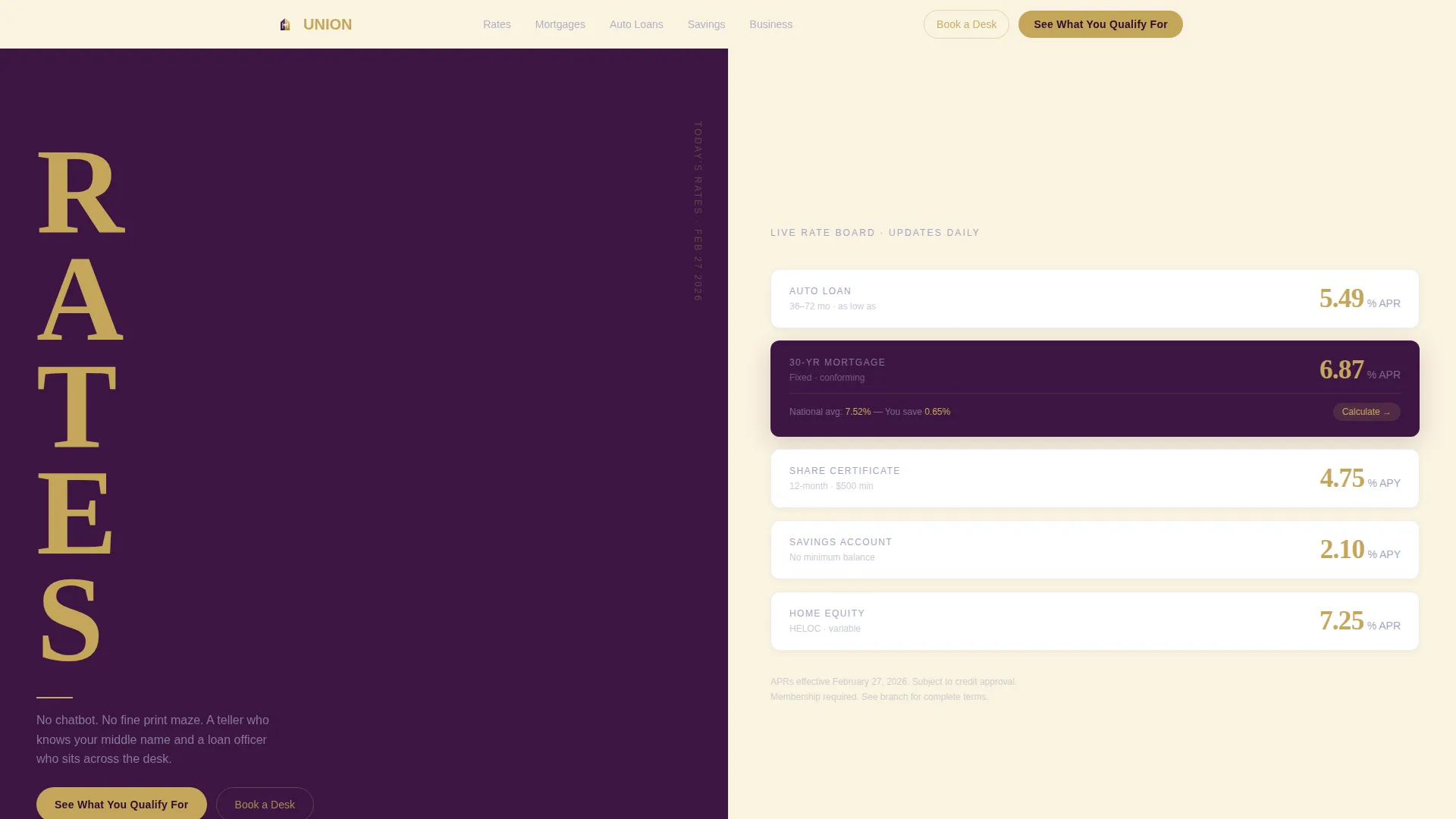
- A Stacked Type Tower hero with a live rate ticker showing auto, mortgage, and share certificate annual percentage yields in gold on plum
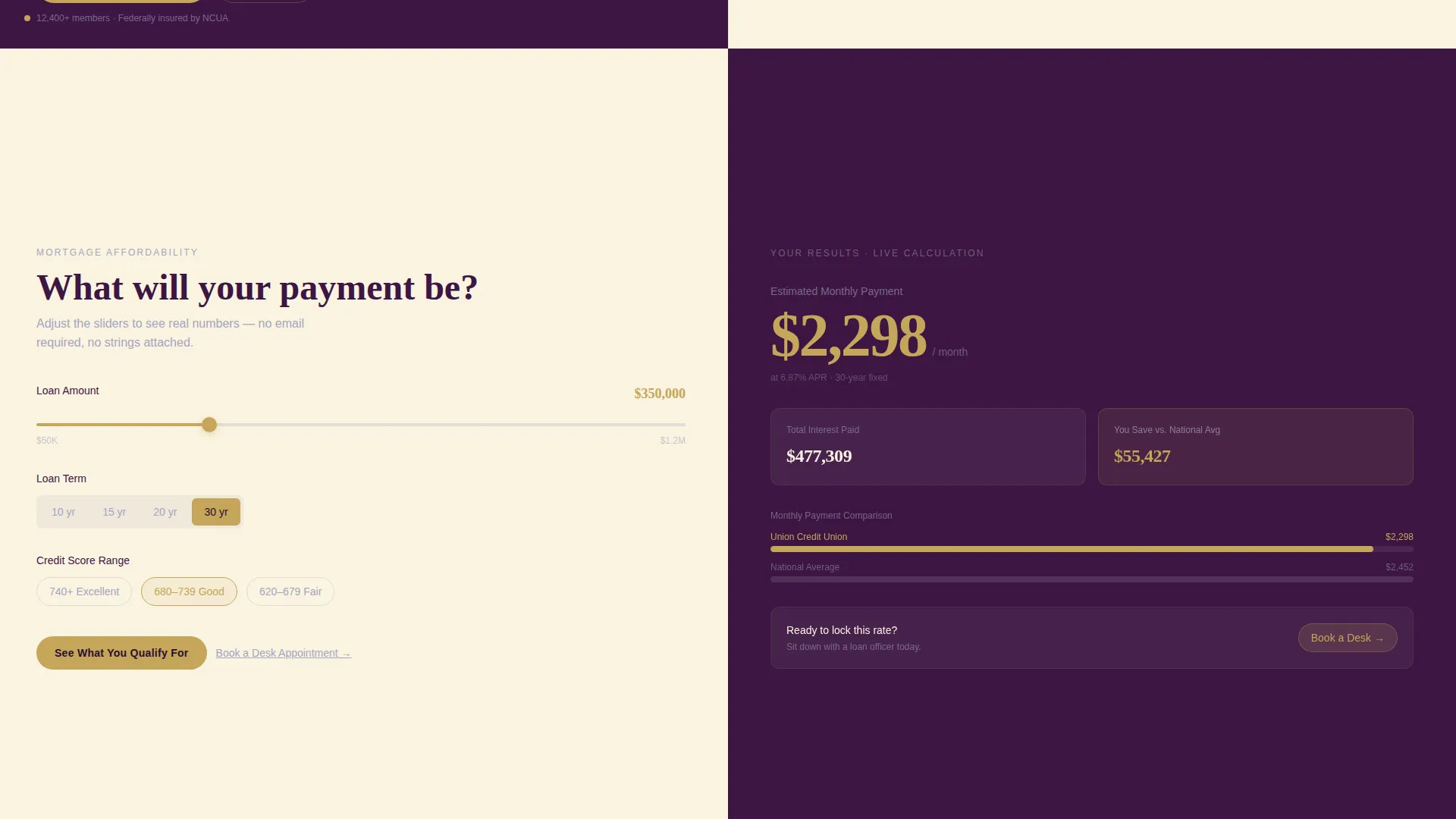
- A full mortgage affordability calculator with a loan amount slider, term toggle, credit range input, and real-time results panel
- Product sections for auto loans, certificates of deposit laddering, and savings goal tracking, each paired with a human member scenario
- A persistent "See What You Qualify For" bottom bar that activates after the first calculator interaction
- A three-step lead capture form covering name and zip code, loan type and amount, and contact preference
- A secondary "Book a Desk Appointment" call to action anchored beside every calculator result
Feature list
This template was built around one principle: give visitors something useful before you ask for anything. Every feature below reflects that commitment.
Stacked Type Tower Hero
The hero splits the viewport evenly. The left half stacks the word RATES in a massive condensed serif, one letter per line, climbing the full height of the screen. The right half displays a live rate ticker in gold numerals on deep plum, showing today's auto loan, mortgage, and share certificate annual percentage yields. No photography or illustration is used.
Mortgage Affordability Calculator
The first interactive section below the hero occupies both screen halves. The left side, set against warm ivory, holds inputs including a loan amount slider, a term toggle, and a credit range selector. The right side, set against plum, displays real-time results including monthly payment, total interest, and a comparison to the national average.
Product Section Calculator Pairings
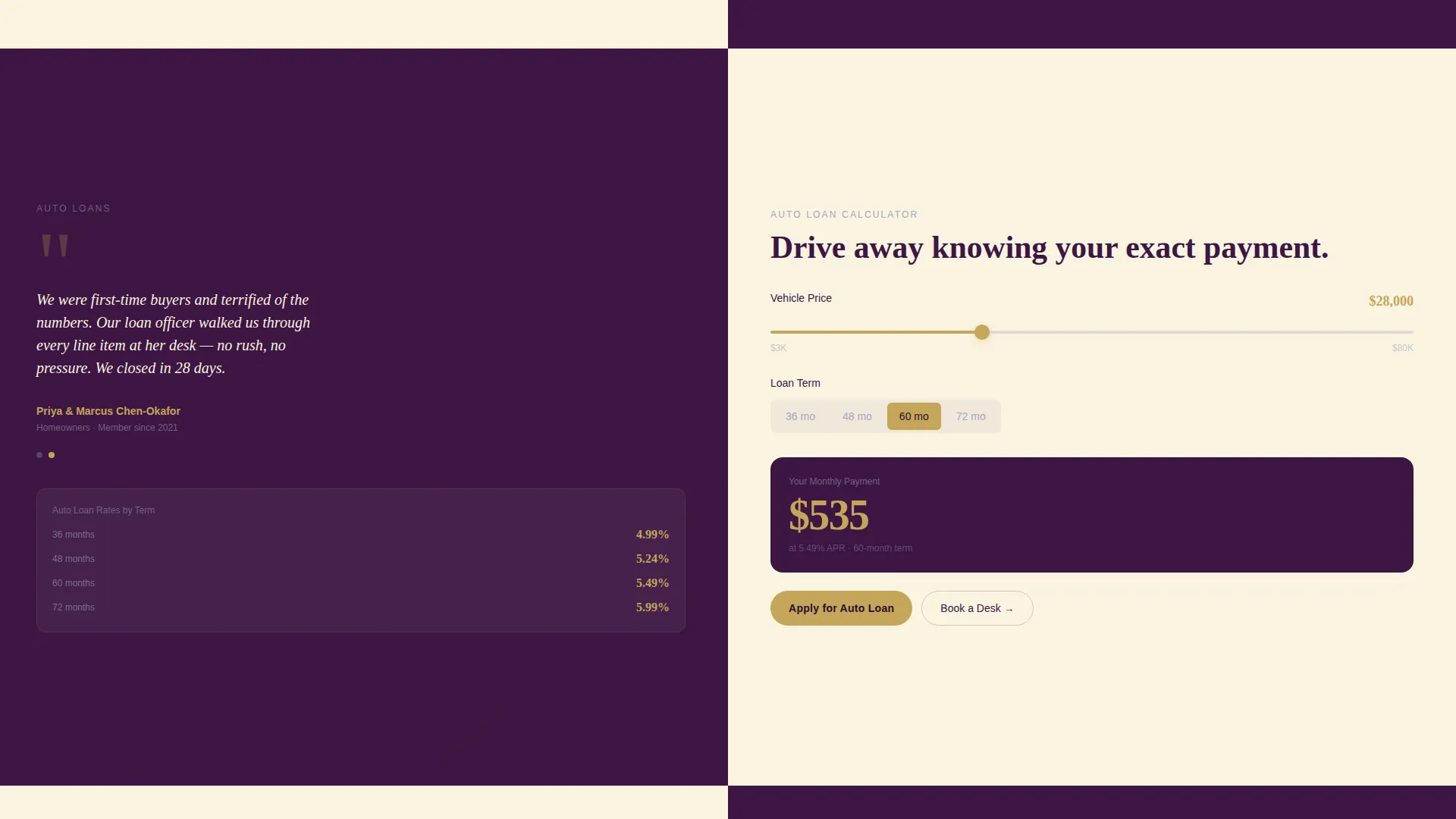
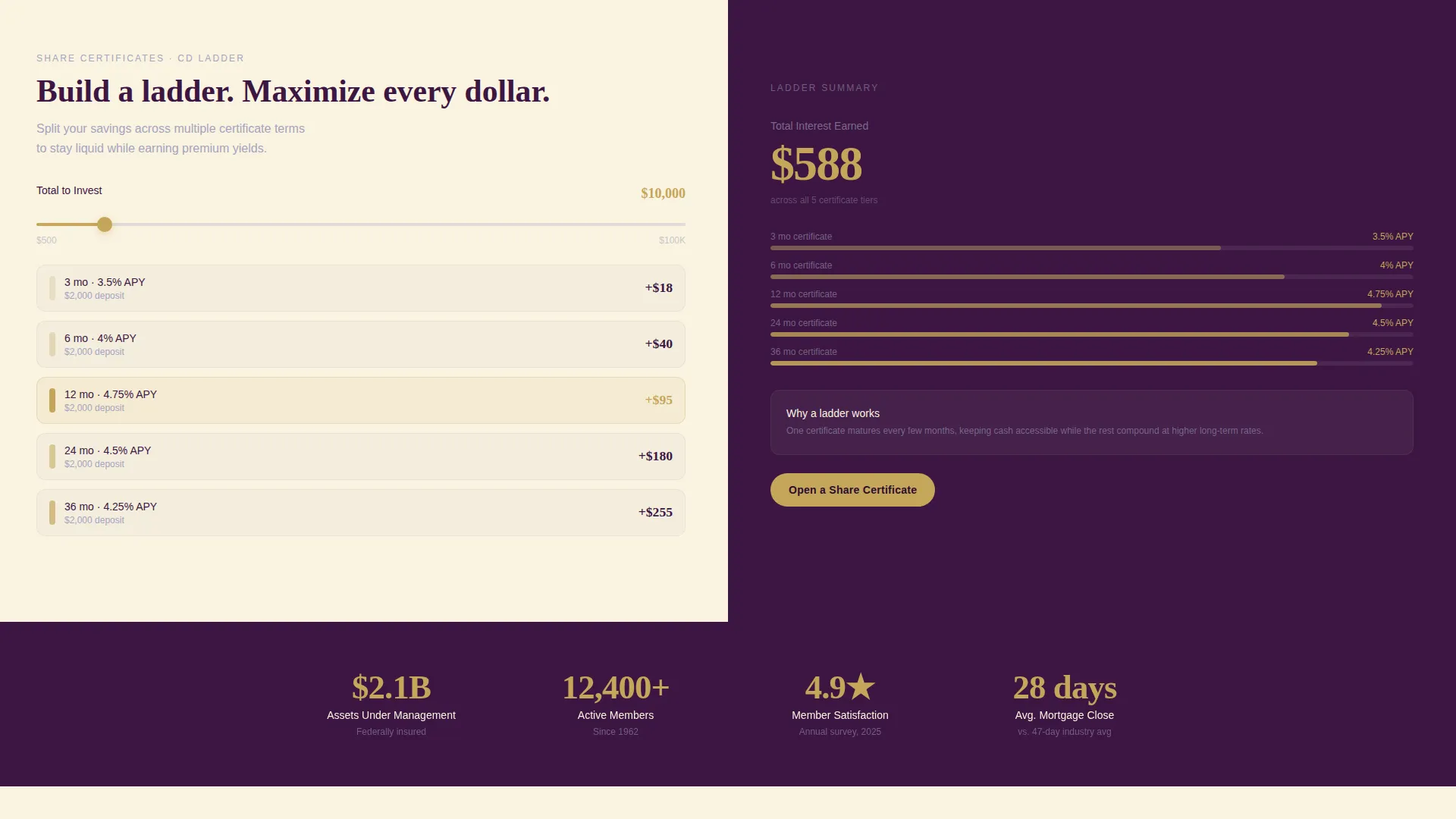
Each product section repeats the split-screen pattern. The left panel presents a member quote or real-life scenario. The right panel delivers a matching tool, covering auto loan calculations, a certificate of deposit ladder builder, and a savings goal tracker.
Persistent Lead Generation Bar
After a visitor interacts with any calculator, a bottom bar locks into place. It carries the primary call to action, "See What You Qualify For," styled in gold on plum. This bar remains visible as the visitor continues scrolling, keeping the conversion path always one tap away.
Three-Step Lead Capture Form
Clicking the primary call to action opens a stepped form. Step one asks for first name and zip code. Step two asks for loan type and estimated amount. Step three asks for phone or email contact preference. The form is brief and sequenced to reduce drop-off.
Desk Appointment Booking Path
A secondary call to action, "Book a Desk Appointment," appears alongside every calculator result panel. This option serves visitors who prefer sitting down with a loan officer in person rather than submitting a digital form.
Page sections overview
| Section | Purpose |
|---|---|
| Rate Tower Hero | Display live rates and establish immediate typographic authority |
| Mortgage Calculator Panel | Let visitors calculate affordability before reading any product copy |
| Auto Loan Section | Pair a member scenario with an interactive auto loan calculator |
| CD Ladder Builder | Show certificate of deposit options with a side-by-side ladder tool |
| Savings Goal Tracker | Help members visualize savings progress with an interactive goal tool |
| Persistent call to action Bar | Keep the lead generation call to action visible throughout the scroll |
| Three-Step Lead Form | Capture qualified lead details across three low-friction steps |
| Desk Appointment call to action | Offer an in-person booking path beside every calculator result |
Design & branding system
The visual identity follows an Executive Suite theme. The palette feels like a leather portfolio opened on a walnut conference table: dignified without being cold, and approachable without being casual.
- Deep boardroom plum (#3C1642) anchors hero backgrounds, section backgrounds, and all primary headers
- Muted silver-gray (#A4A4BF) carries body text and divider lines for quiet legibility
- Warm ivory (#FAF3E0) fills open content panels and calculator input backgrounds for breathing room
- Polished gold (#C5A55A) is reserved strictly for buttons, displayed rates, and interactive calculator accents
Mobile & speed optimization
The split-screen layout is designed to reflow cleanly on smaller screens. Each panel stacks vertically so the human story always appears before its matching tool.
- Calculator inputs and sliders are touch-friendly and sized for comfortable mobile interaction
- The persistent call to action bottom bar adapts to mobile viewports without obscuring calculator results
- Typography scales from the large desktop tower format down to readable proportions on narrower screens
How this template helps you convert
This template converts by earning trust before making an ask. The entire page is structured as a financial consultation, not a brochure.
- The live rate ticker in the hero gives visitors a concrete reason to keep scrolling, removing the first moment of doubt before a single paragraph is read.
- Each interactive calculator delivers personalized estimates immediately, replacing vague marketing claims with actual numbers that feel relevant to the visitor's situation.
- The stepped lead form and the desk appointment path offer two distinct conversion routes, letting visitors choose the level of commitment they are ready for.
Other information about this template
This template is a strong fit for credit unions that compete with large retail banks on the basis of personal service and transparent pricing. It is built to position those strengths visually and functionally from the very first scroll.
- The no-photography, pure-typography direction makes the hero visually distinctive in a category crowded with stock images
- The Plum Executive color system travels consistently across every section, giving the page a unified boardroom-level finish
- The template supports member personas ranging from first-time home buyers and young couples comparing auto loan rates to municipal pension holders and small-business owners seeking SBA-related financing
- The "Calculator/Tool First" creative direction is intentional: showing real numbers before asking for contact information is a trust signal that differentiates community credit unions from traditional bank landing pages
- The split-screen format works equally well for desktop visitors who scan both halves simultaneously and mobile visitors who scroll through stacked panels in sequence
Theme
Executive Suite
Creative direction
Calculator/Tool First
Color system
Plum Executive
Style
Split Screen (50/50)
Direction
Lead Generation
Page Sections
Stacked Type Tower Hero
Mortgage Affordability Calculator
Product Section Calculator Pairings
Persistent Lead Generation Bar
Three-step Lead Capture Form
Desk Appointment Booking Path
Related questions
Who is the Union template designed for?
Does the template include multiple calculators?
How does the lead generation flow work?
Can visitors book an in-person appointment through this template?
What makes this template visually different from standard finance templates?



