Upvote - Powerful SaaS Landing Page Template
Upvote is a dashboard-style SaaS landing page template built for indie founders and small teams launching on Product Hunt. It pairs a terminal-style header, a problem-to-solution data grid arc, and a neon Acid Digital color system to create a high-stakes, launch-day experience that drives visitors toward downloading the Launch Kit or simulating their launch free.
by Rocket studio
Quick summary
Upvote is a single-page SaaS landing page template designed around the Product Hunt launch experience. It opens with a live CLI code snippet, walks visitors through a failed launch data grid, then flips the narrative with solution panels, a glowing divider, and two conversion paths: a Launch Kit download and a free in-browser launch simulator.
Who this template is for
This template speaks directly to the people whose entire quarter can hinge on a single 24-hour launch window. It is built with their specific mindset and workflow in mind.
- Solo developers and indie founders preparing a Product Hunt launch
- Two-person SaaS startups who need a high-credibility page without a design team
- Seed-stage growth leads who are tying Q3 numbers to launch day performance
What problem this template solves
Most landing pages for launch tools look like generic SaaS sites. They do not speak the language of someone refreshing a dashboard at 12:01 AM PST. Upvote solves the mismatch between polished marketing and raw launch-day urgency.
- Generic templates fail to build trust with a technical, data-literate audience
- Founders struggle to convert visitors who are skeptical of hype-driven copy
- There is no standard page layout that walks a visitor from launch failure to a data-backed fix
What you get with this template
Upvote delivers a fully structured, single-page layout built around the Product Hunt launch journey. Every section has a defined role and a clear visual language to match.
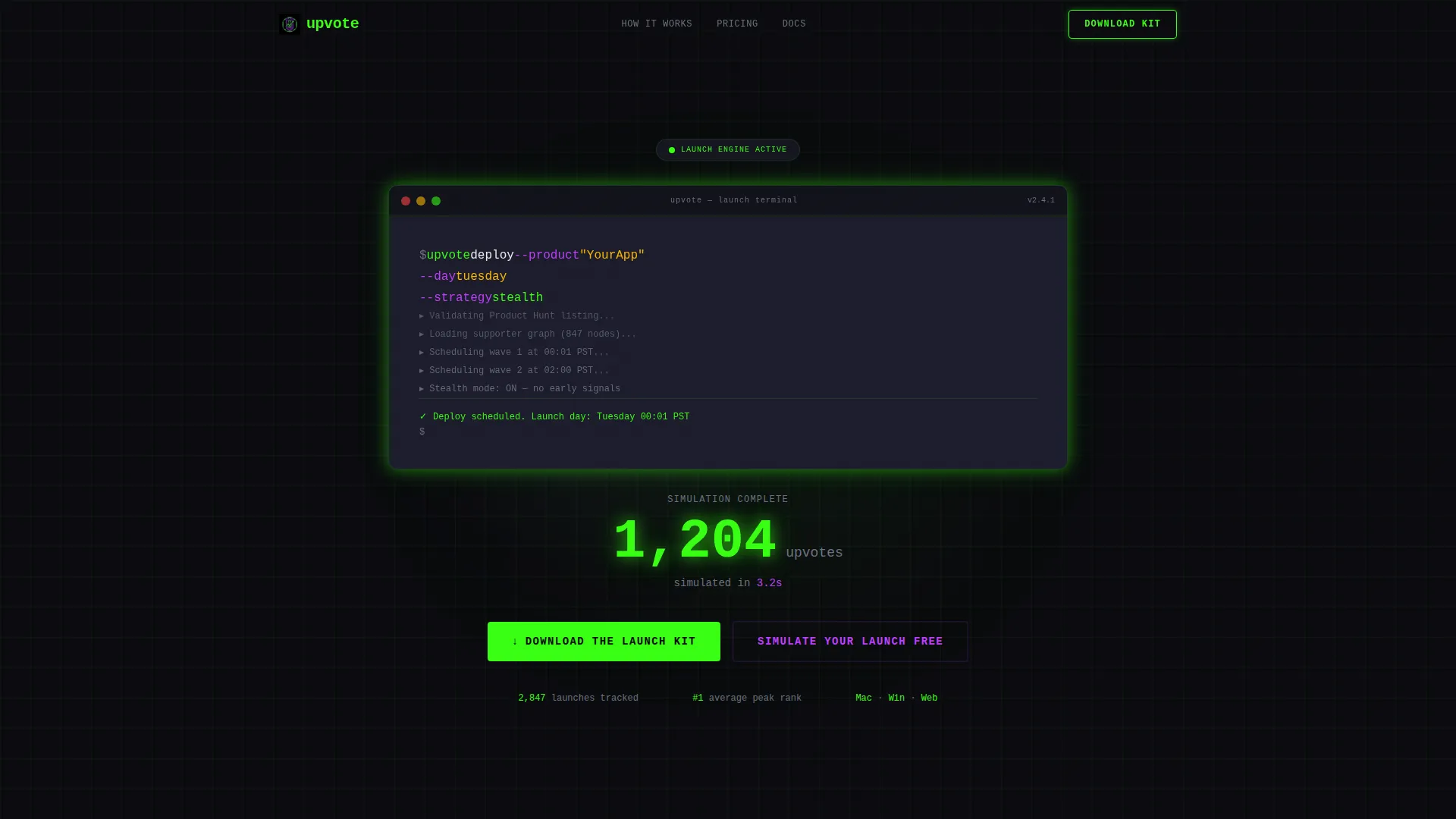
- A terminal-style header block with a real CLI command, syntax highlighting, and a blinking cursor
- A problem data grid showing a failed launch, followed by solution panels with a live upvote curve and rising rank
- Two conversion paths: a sticky "Download the Launch Kit" bar and a "Simulate Your Launch Free" secondary flow
Feature list
This template ships with a focused set of purpose-built components. Each one serves the launch narrative and the conversion goal.
Terminal Code Snippet Header
The header centers a styled terminal block on a void black viewport. It displays a real CLI command with line-by-line syntax highlighting in phosphor green and UV purple. A blinking cursor and an animated upvote metric below the snippet replace stock photography with code and proof.
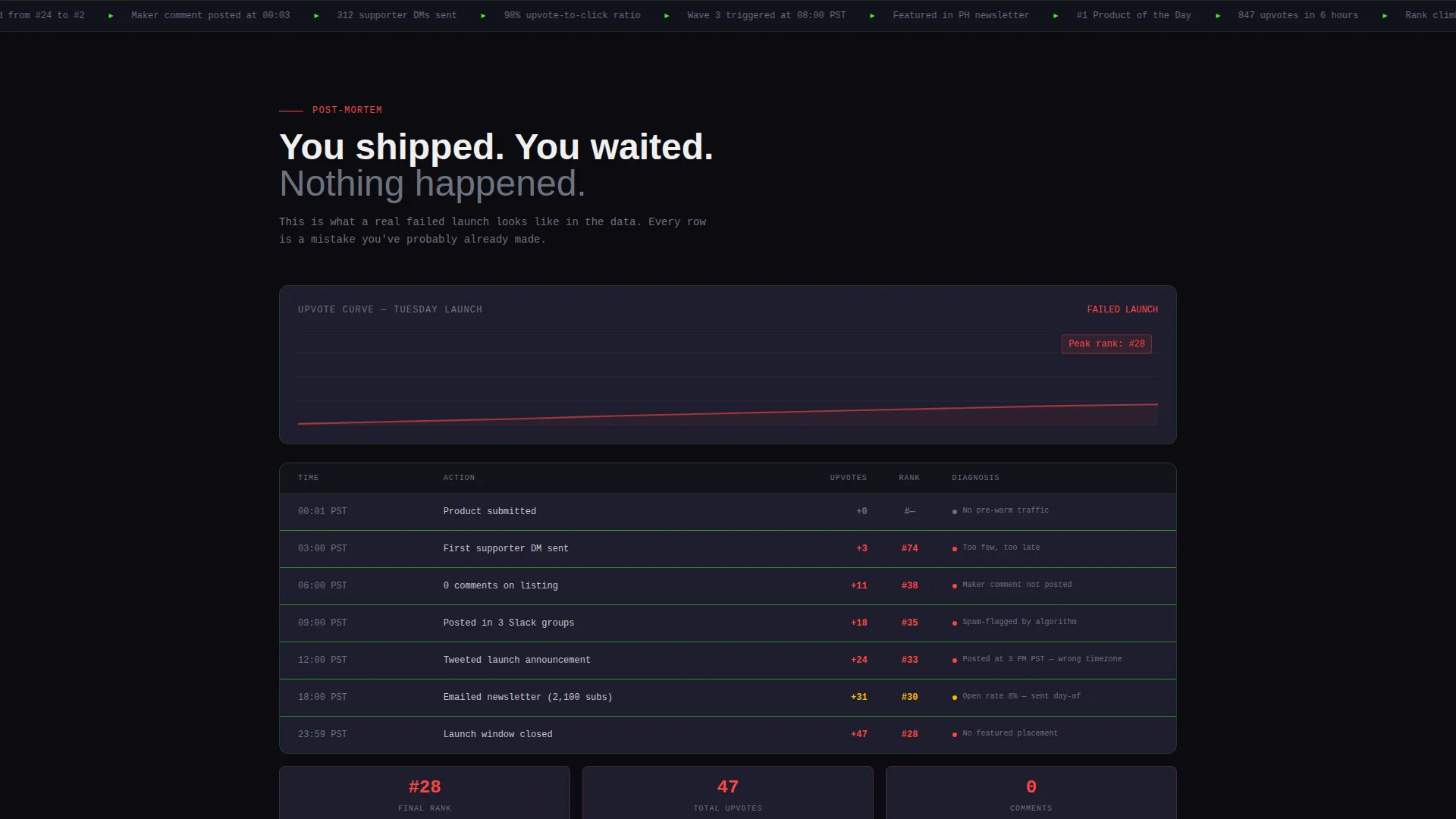
Problem Data Grid Panel
The first scroll section renders a failed launch as a data grid. Rows display real mistakes such as posting time errors, missing scheduled supporters, and a late maker comment. Flat curves, grayed-out cards, and a rank of 38 make the pain visible and specific.
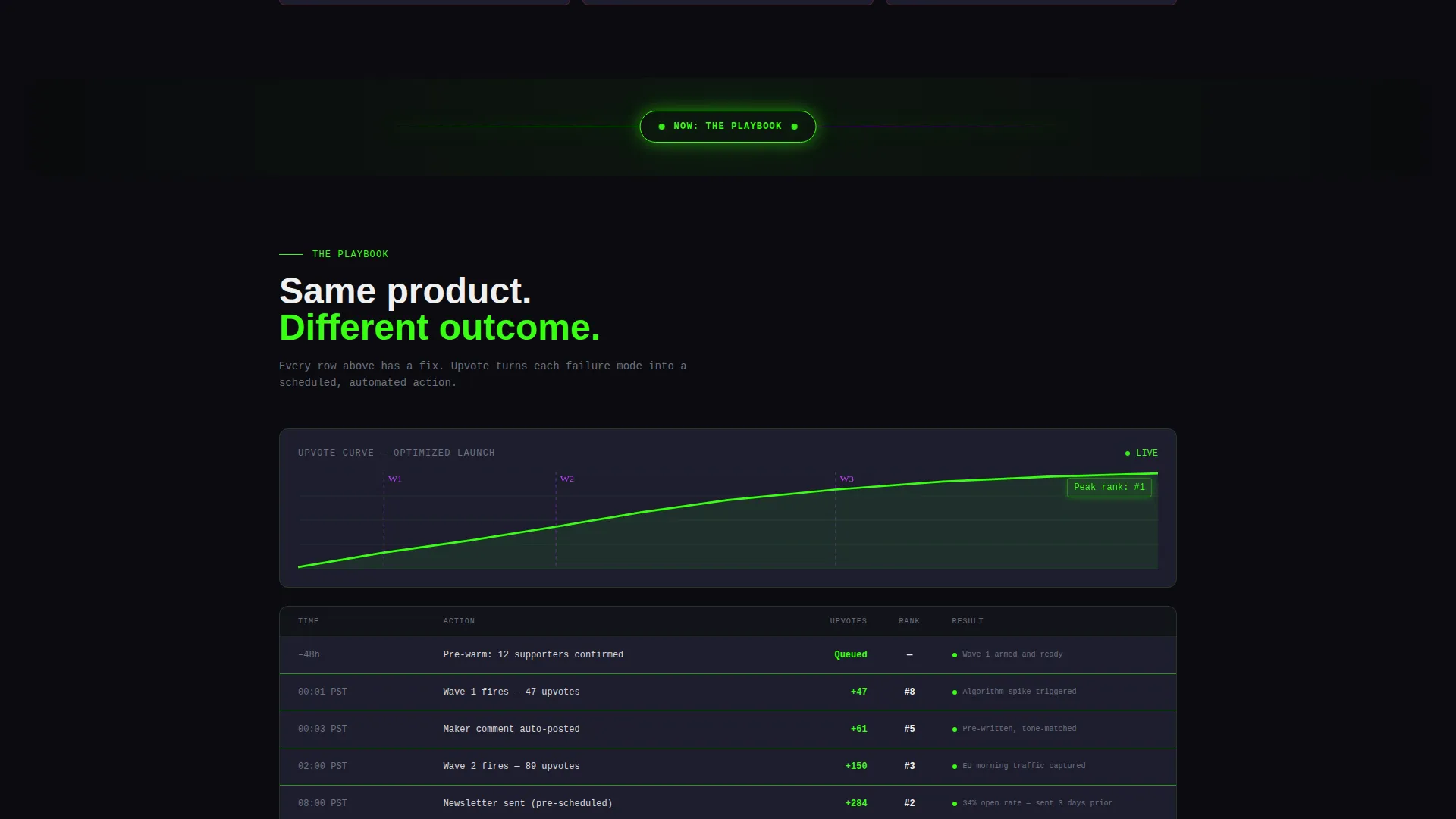
Solution Flip with Glowing Divider
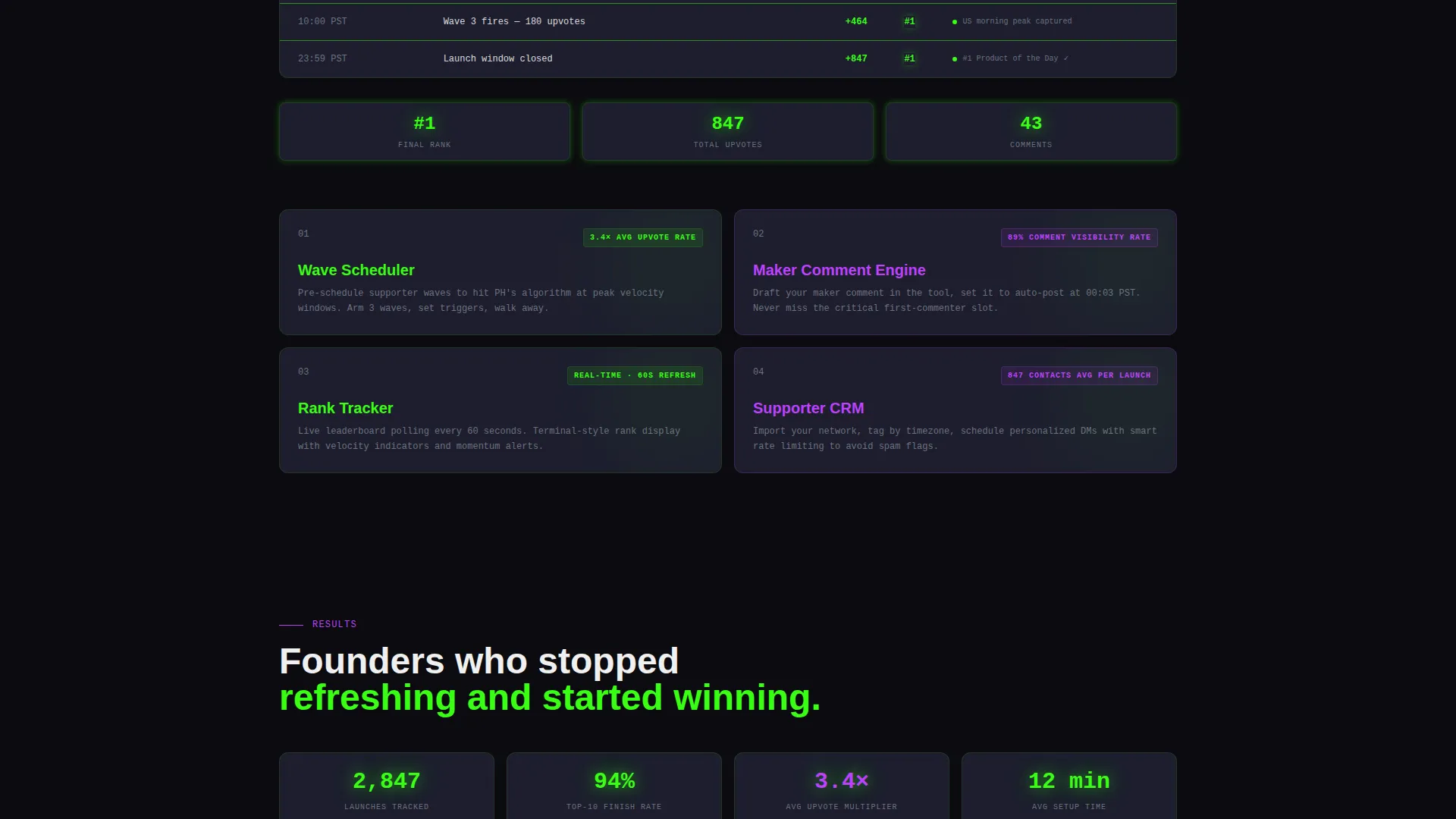
A pulsing green divider separates the failure state from the solution state. Below it, every panel mirrors the problem section but shows the corrected outcome: an exponential upvote curve, a filling comment thread, and a rank climbing to 3. Scrolling feels like reading a post-mortem that turns into a playbook.
Sticky Download call to action Bar
After the problem section, a sticky bottom bar appears with the primary call to action: "Download the Launch Kit." It stays visible as the user scrolls through the solution panels, keeping the conversion path accessible at all times.
Launch Kit Download Flow
The full-width download section at the end of the page collects three inputs: platform choice (Mac, Windows, or Web), Product Hunt username with auto-validation, and launch date. This keeps the sign-up focused and relevant to the user's actual launch context.
Free Launch Simulator Path
A secondary conversion path offers "Simulate Your Launch Free." This lightweight in-browser tool scores the visitor's current Product Hunt listing and emails them a report. It captures leads who are researching but not yet ready to install the full kit.
Page sections overview
| Section | Purpose |
|---|---|
| Terminal Header Block | Opens with CLI code snippet and animated upvote metric |
| Failed Launch Grid | Shows a problem-state data grid of launch mistakes |
| Green Glowing Divider | Signals the narrative flip from failure to solution |
| Solution Panels | Replaces each failure row with a data-backed fix |
| Sticky Download Bar | Keeps the Launch Kit call to action visible after the problem section |
| Full-Width call to action Panel | Final conversion block with download flow and platform selector |
| Launch Simulator Path | Secondary lead-capture via the free in-browser scoring tool |
Design & branding system
The visual identity is built on the Acid Digital color system. Every color choice carries a specific functional role, and the overall effect is deliberately synthetic and high-energy.
- Void black (#0B0B0F) backgrounds keep the focus on data; phosphor green (#39FF14) pulses on live metrics and call-to-action elements; UV purple (#BF40FF) marks badges, ranks, and achievement states
- Status-bar gray (#1E1E2E) tiles card surfaces like monitoring widgets; hot white (#F0F0F0) renders data text for sharp readability against dark panels
- No stock photography or founder headshots appear anywhere; the visual language relies entirely on code blocks, data grids, and neon color states
Mobile & speed optimization
The Dashboard Pro theme underlying this template is designed to hold its visual impact across screen sizes. The data grid and terminal components are structured to scale without breaking the layout.
- Card surfaces and grid panels reflow cleanly for smaller viewports so the failure-to-solution arc reads correctly on mobile
- The sticky call to action bar is positioned to remain usable on touch screens without obscuring key content
- The terminal block and animated metric use lightweight styling rather than heavy media assets, keeping the page lean
How this template helps you convert
Every structural decision in this template is aimed at moving the right visitor toward one of two actions: downloading the Launch Kit or simulating their launch. The page earns trust before it asks for anything.
- The CLI header and animated upvote metric establish credibility in the first viewport by speaking the technical language of the target audience, replacing generic hero copy with something the visitor can immediately recognize as real.
- The problem data grid creates a mirror moment. Visitors see their own past or feared mistakes rendered as data rows, which builds emotional investment before the solution panels even appear.
- The dual conversion path means visitors at different stages of readiness both have a next step. The sticky bar catches the decided buyer; the free simulator captures the curious researcher.
Other information about this template
This template is built within the Dashboard Pro theme framework and uses the Acid Digital color system as its foundational visual language. It is categorized under Startup and Launch with a SaaS startup subcategory, making it a strong fit for the SaaS Product Hunt launch niche. The creative direction follows a Problem-to-Solution Arc, a proven narrative structure for high-stakes conversion pages.
- The template style is classified as Dashboard and Data Grid, which reflects the monitoring-widget aesthetic of the gray card panels and the data-row structure of both the problem and solution sections
- The header concept is Code Snippet, a deliberate choice that prioritizes technical proof over lifestyle imagery
- The landing page direction targets an App Download outcome, meaning the layout is optimized toward a file or platform download action rather than a form submission or subscription flow
Theme
Dashboard Pro
Creative direction
Problem→Solution Arc
Color system
Acid Digital
Style
Dashboard/Data Grid
Direction
App Download
Page Sections
Terminal Code Snippet Header
Problem State Data Grid
Solution Flip Narrative
Sticky Launch Kit Call to Action
Platform-aware Download Flow
Free Launch Simulator Lead Path
Related questions
Who is this template designed for?
What are the two conversion paths included in this template?
Can I use this template without a design background?
Does this template work for a product that has not launched yet?
Is this template suitable for a solo developer shipping alone?



