Emergency Dentist Reviews Website Template
Molar is a single-page emergency dentist landing page built around verified social proof and a guided patient assessment. The Stats-First layout leads with aggregate review data, moves into a side-by-side comparison table, and ends with a three-step quiz that delivers a personalized result and a direct call prompt. Every design choice is tuned for someone in pain at 2 AM on a phone.
by Rocket studio
Quick summary
Molar is a conversion-focused emergency dentist landing page template. It opens with hard data before any marketing copy, uses a comparison table to separate this clinic from typical after-hours options, and guides distressed visitors through a three-step assessment quiz. The result is a personalized care recommendation and a pre-populated call button, all inside a calming Healing Space visual identity.
Who this template is for
This template is built for emergency dental clinics that operate outside standard office hours and need to convert late-night web visitors into same-night appointments. It fits practices that already hold verified reviews across multiple platforms and want to show that proof immediately.
- Emergency dental clinics open past midnight or around the clock
- Practices with verified ratings on platforms like Google, Healthgrades, or Yelp
- Clinics serving high-urgency patients: parents with injured children, travelers before flights, and adults in acute pain
What problem this template solves
A person searching for emergency dental care at 2 AM is scared, in pain, and losing patience with pages that bury the phone number under hero images and vague reassurances. Generic dental websites fail that moment entirely.
- Visitors cannot quickly confirm the clinic is actually open right now
- Typical pages hide their proof behind marketing language instead of leading with data
- There is no fast way for a visitor to know whether their specific emergency can be treated tonight
What you get with this template
You get a complete single-page layout with every section pre-structured for an emergency dental context. No placeholder flow or generic sections; every block has a defined role tied to the conversion path.
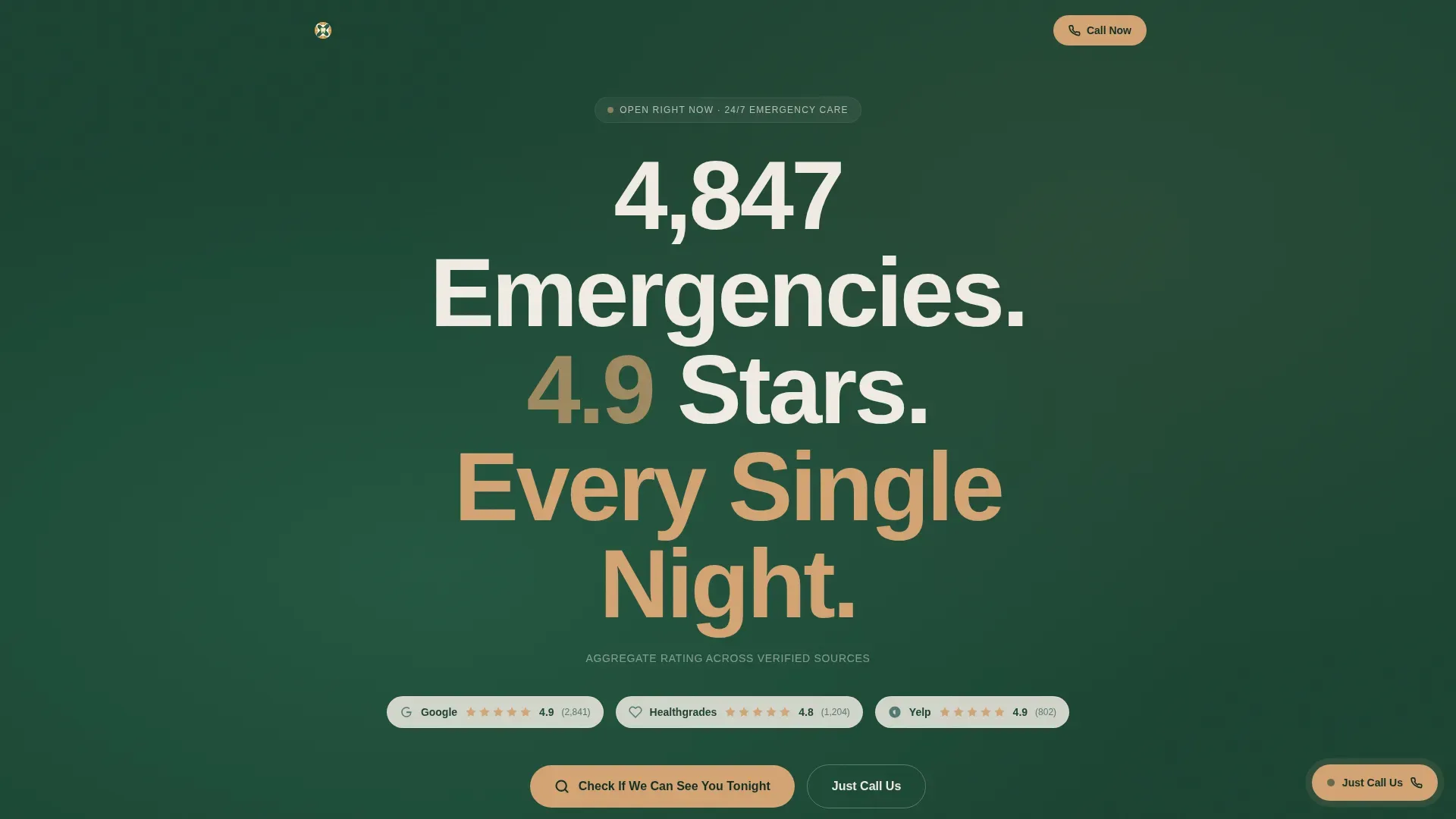
- A data-led hero section with a giant centered headline and linked review-source badges
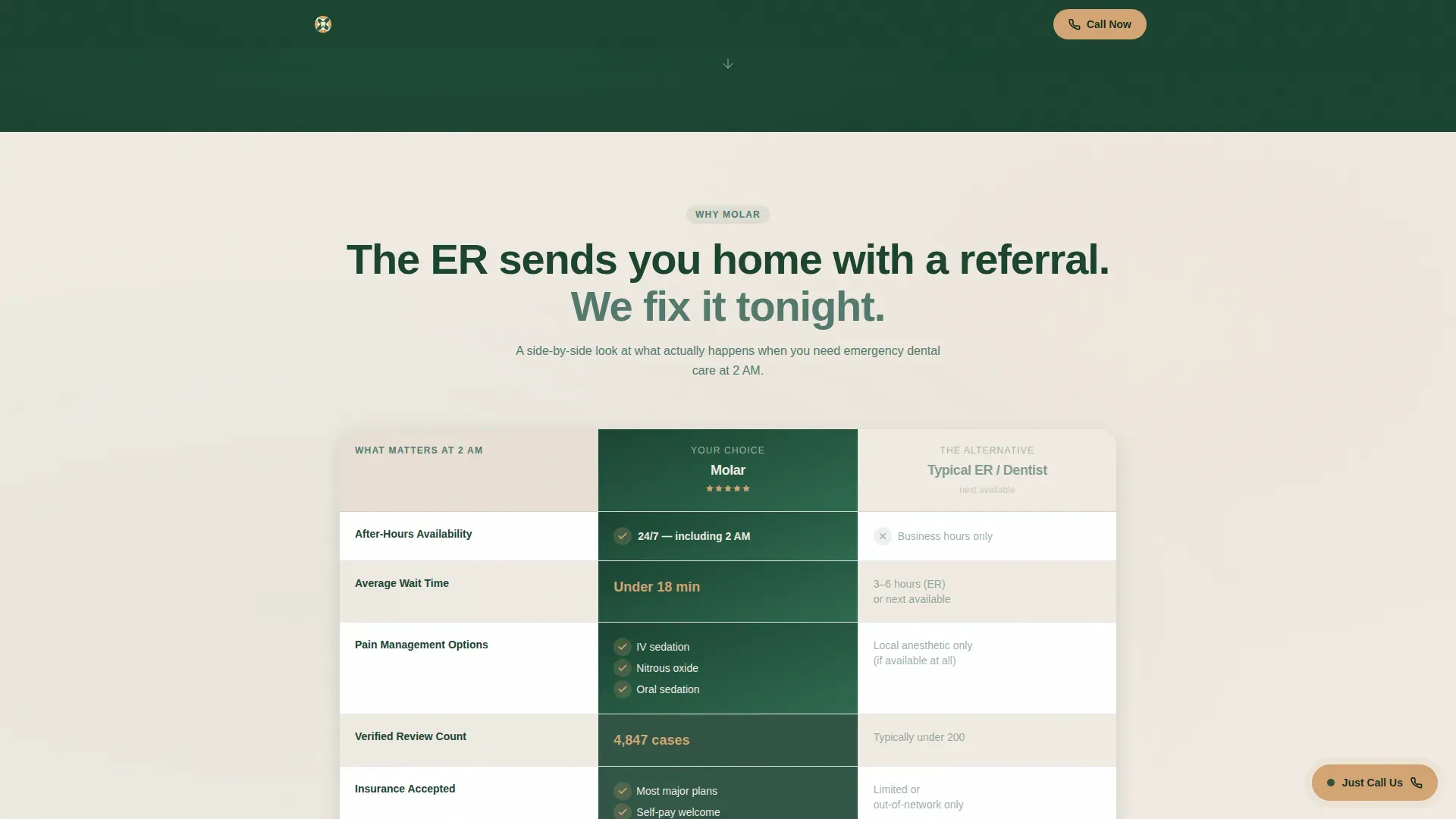
- A comparison table contrasting this clinic against typical emergency dental experiences across five key criteria
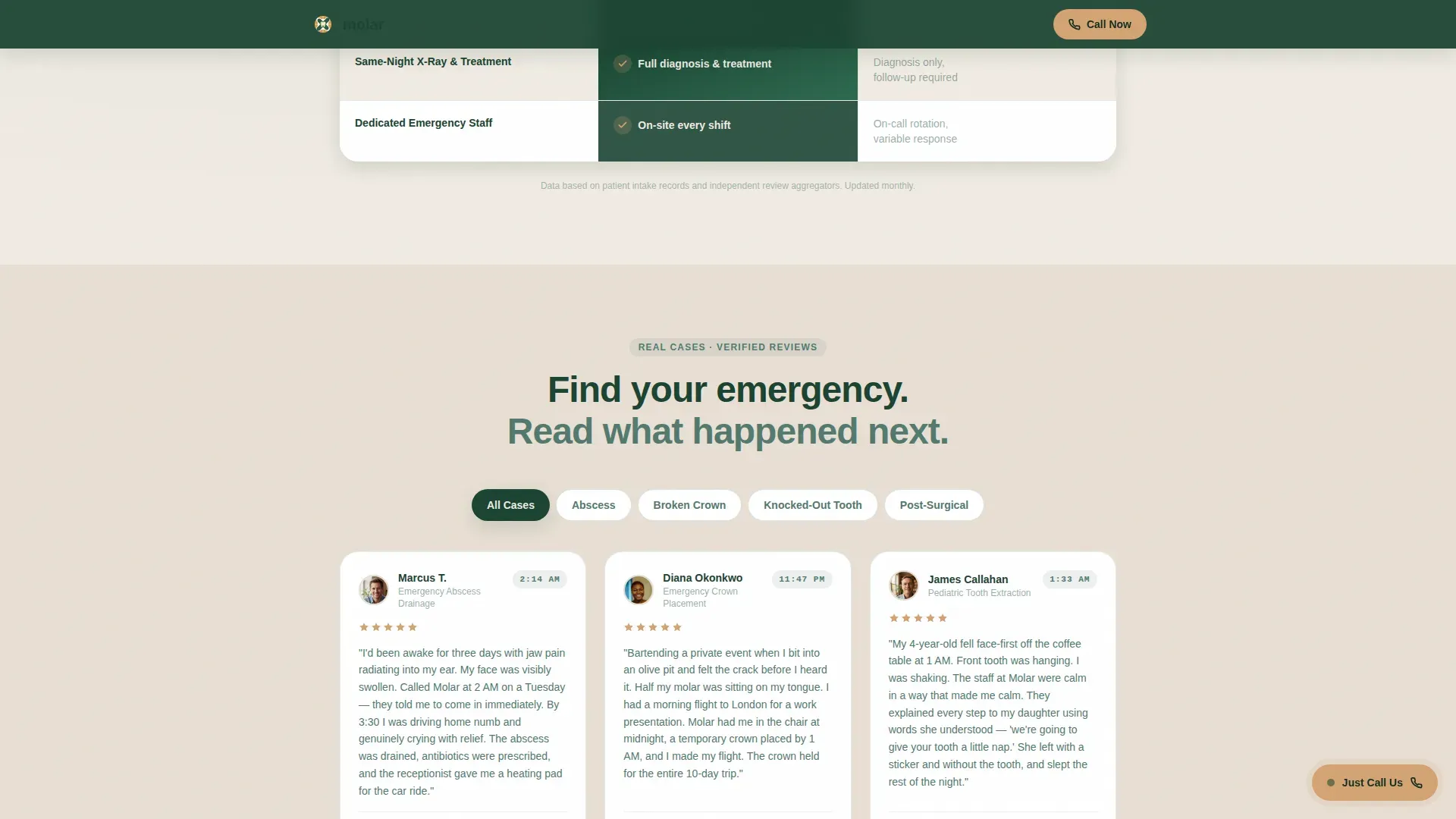
- A testimonials section organized by emergency type with visible timestamps
- A three-step interactive quiz ending in a personalized result and a direct call button
- A persistent floating call button that travels the full page
Feature list
This section walks through the core built-in components and how each one earns its place on the page.
Giant Stats Headline
The hero section carries no image or illustration. The headline itself is the visual, built from specific numbers: total emergencies handled and an aggregate star rating. White birch-cream type sits on deep evergreen, creating instant authority before the visitor reads a single review.
Aggregate Review Source Badges
Below the headline, a single micro-text line names every review platform the rating pulls from. Each source carries a live-linked icon. The specificity of the sourcing makes the number credible rather than decorative.
Side-by-Side Comparison Table
The comparison table puts this clinic next to a typical emergency dental experience across five measurable columns: average wait time, after-hours availability, pain management options, verified review count, and accepted insurance plans. Visitors do not have to infer the difference; the table shows it directly.
Emergency-Type Testimonial Cards
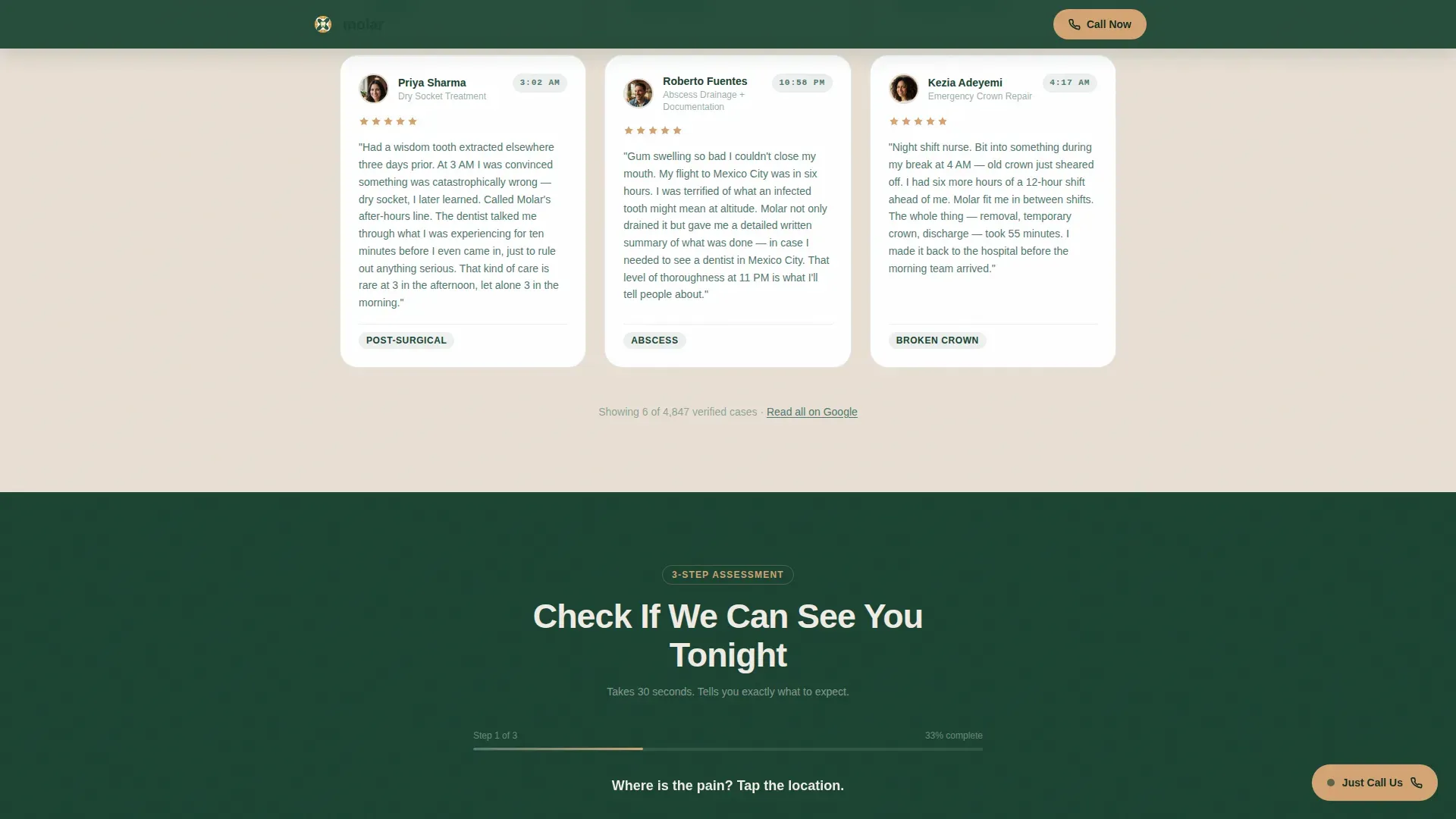
Testimonials are sorted by crisis category rather than by date. Categories include knocked-out tooth, abscess, broken crown, and post-surgical complication. Each card displays a timestamp showing the hour the patient was seen, which reinforces the all-night availability promise with real evidence.
Three-Step Assessment Quiz
The primary conversion path is a guided quiz with three steps. Step one is a visual tooth map where the visitor taps their pain location. Step two is a severity selector covering sharp pain, swelling, bleeding, and cosmetic break. Step three is an insurance provider or self-pay toggle. The quiz closes with a personalized result showing an estimated wait time, a recommended procedure category, and a pre-populated call button.
Persistent Floating Call Button
A secondary conversion path floats across the entire page as a visible button labeled "Just Call Us." Visitors who do not want to complete the quiz can skip directly to a call at any scroll position.
Page sections overview
| Section | Purpose |
|---|---|
| Hero Headline Block | Establish authority instantly with specific stats and review source badges |
| Comparison Table | Contrast clinic strengths against typical emergency dental experiences |
| Testimonials by Emergency Type | Validate all-night availability through timestamped patient stories |
| Three-Step Assessment Quiz | Guide visitors to a personalized care result and direct call action |
| Final Call-to-Action Strip | Reinforce the call prompt with a bold, bottom-of-page action block |
| Persistent Floating Button | Keep the direct call path accessible at every scroll position |
| Minimal Footer | Close the page cleanly without distracting from conversion |
Design & branding system
The visual identity follows a Healing Space theme built on the Forest Trust color system. The palette feels calm without feeling sterile, using natural references like linen textures and warm wood grain rather than clinical white and chrome.
- Deep evergreen (#1B4332) anchors headers and navigation; soft moss (#52796F) carries body text and secondary panels
- Birch bark cream (#F0EBE3) spans backgrounds to create an open, clean reading surface
- Warm amber (#D4A373) is reserved for star ratings, review scores, and interactive call-to-action highlights
- Typography uses Plus Jakarta Sans for headings and DM Sans for body text, pairing authority with readability
Mobile & speed optimization
The template is built mobile-first because the target visitor is most likely on a phone, in pain, at an unusual hour. Every interaction is touch-optimized and the layout collapses cleanly to smaller screens without losing hierarchy.
- The tooth map in the quiz is tap-friendly with large touch targets suitable for stress conditions
- Scroll-reveal animations use a medium intensity setting, keeping motion present without adding load weight
- The floating call button stays prominent on mobile so the quickest path to help is never more than a tap away
How this template helps you convert
The page is structured as a single trust-building funnel that tightens from broad proof to a personalized action.
- The stats headline and comparison table remove doubt before the visitor reads a testimonial, so the emotional appeal of patient stories lands on already-warmed trust.
- The quiz turns a passive scroll into an active, personalized session. A visitor who completes three steps has self-identified their emergency, selected their insurance situation, and received a result with their name on it. That level of personalization makes the final "Call Now" button feel like a logical next step rather than a sales push.
Other information about this template
This template is part of a broader Health and Medical category and sits specifically within the Emergency Dentist Website subcategory. It was designed to serve the Emergency Dentist Testimonial and Review Page niche, where social proof density and after-hours trust signals are the primary conversion levers.
- The footer follows a Superhuman Extreme Minimal pattern, keeping the bottom of the page clean and free of distraction
- Animation intensity is set to medium: scroll reveals bring content into view progressively, and amber pulses gently on rating elements without feeling like an advertisement
- The template supports United States date formats and United States dollar currency references for any cost-related content
- The Intersection Match Score for this template's niche alignment is 13, reflecting a precise fit between the emergency dental context and the conversion page structure
Theme
Healing Space
Creative direction
Stats-First Impact
Color system
Forest Trust
Style
Comparison Table
Direction
Quiz/Assessment
Page Sections
Giant Stats-led Hero Headline
Side-by-side Comparison Table
Emergency-type Testimonial Section
Three-step Assessment Quiz
Persistent Floating Call Button
Aggregate Review Source Badges
Related questions
Can I edit the comparison table columns to match my clinic's actual data?
Do I need existing reviews to use this template effectively?
How does the three-step quiz guide a visitor toward calling?
Is this template suited for someone searching on a phone late at night?
Can I adjust the testimonial categories to match my clinic's most common cases?



