Appointment Landing Page Template | Booking-Focused
A single-column urology appointment landing page built to reduce patient anxiety and drive bookings. The FAQ-driven scroll answers real patient questions before asking for anything in return. A confidential, low-friction booking form, a floating call-to-action bar, and a warm Teal Catalyst color system work together to make booking feel like relief, not exposure.
by Rocket studio
Quick summary
This landing page template is designed for urology clinics that treat sensitive, often-postponed conditions. It leads with empathy, answers the questions patients are too embarrassed to ask out loud, and guides them toward booking a confidential visit. The Healing Space visual theme and FAQ-driven structure make every scroll feel calm, private, and purposeful.
Who this template is for
This template fits urology practices that want to meet patients where they already are: anxious, searching at odd hours, and quietly hoping someone will just explain things clearly. It works for solo urologists and group practices alike.
- Urologists and urology clinics serving adults with bladder, prostate, or kidney concerns
- Practices treating younger adults navigating fertility issues, kidney stones, or sexual health
- Clinics wanting a booking-focused landing page that reduces patient hesitation before the first call
What problem this template solves
Many urology patients delay care because the topic feels embarrassing, the process feels clinical, and the forms feel invasive. A generic medical landing page does nothing to lower that barrier. This template solves the emotional friction first, so the visit feels worth scheduling.
- Patients searching symptoms late at night find calm, jargon-free answers instead of alarming results
- The page removes the feeling of overexposure by asking for minimal personal details upfront
- Inline booking prompts appear throughout the scroll, so patients never have to hunt for a way to act
What you get with this template
You get a complete, single-column landing page layout built around a progressive FAQ-driven flow. Every design and content decision serves one purpose: turning an anxious visitor into a booked patient.
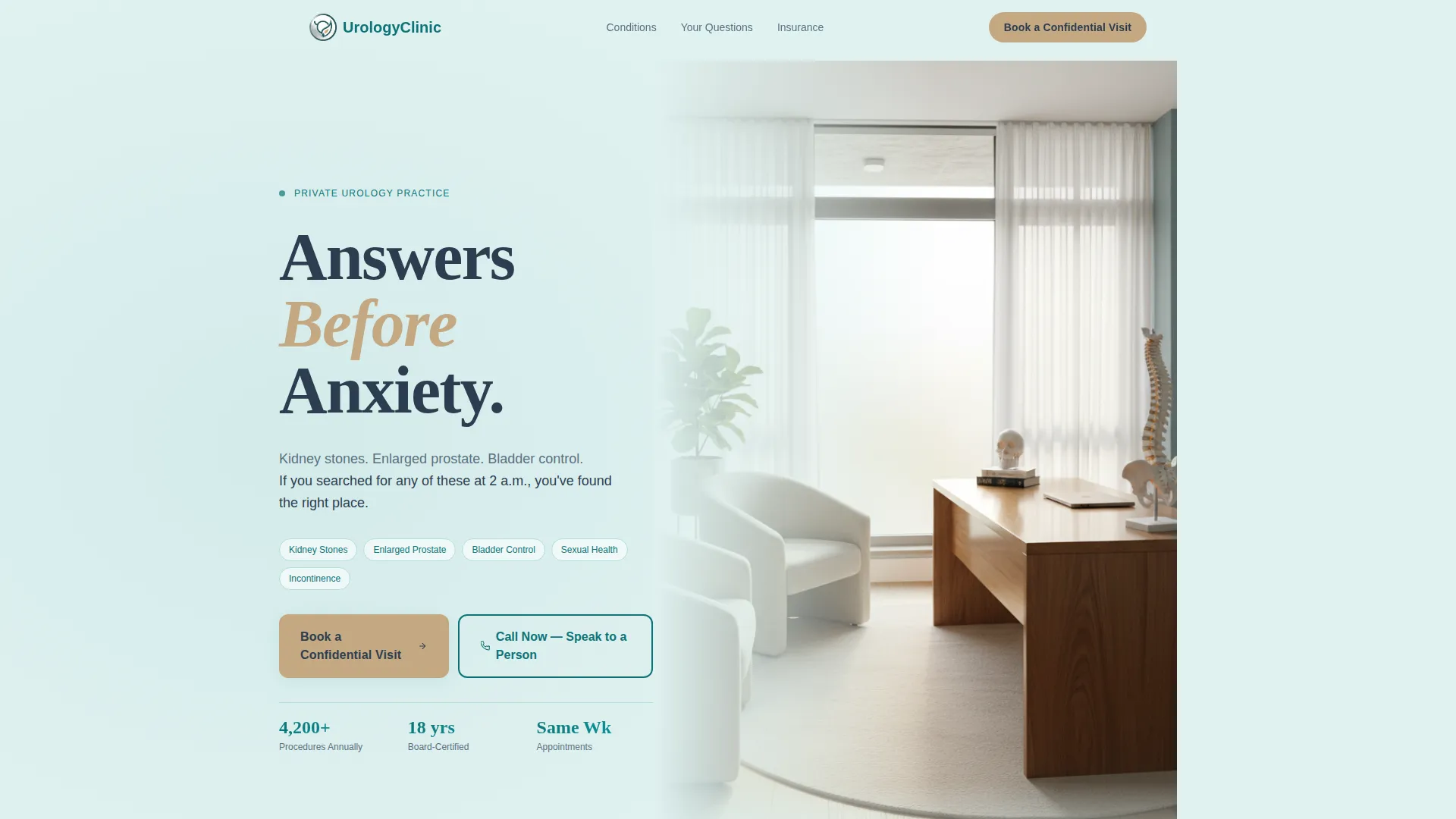
- A hero section with a half-page photo and text layout, condition callouts, and a headline built for immediate recognition
- Three FAQ cluster sections, each ending with an inline booking prompt and a trust signal block
- A confidential booking form with a dropdown for visit reason, preferred time selection, and a secondary phone call-to-action for patients who prefer speaking to a person
Feature list
The template delivers focused, prompt-backed functionality across layout, content flow, and conversion design.
FAQ-Driven Content Flow
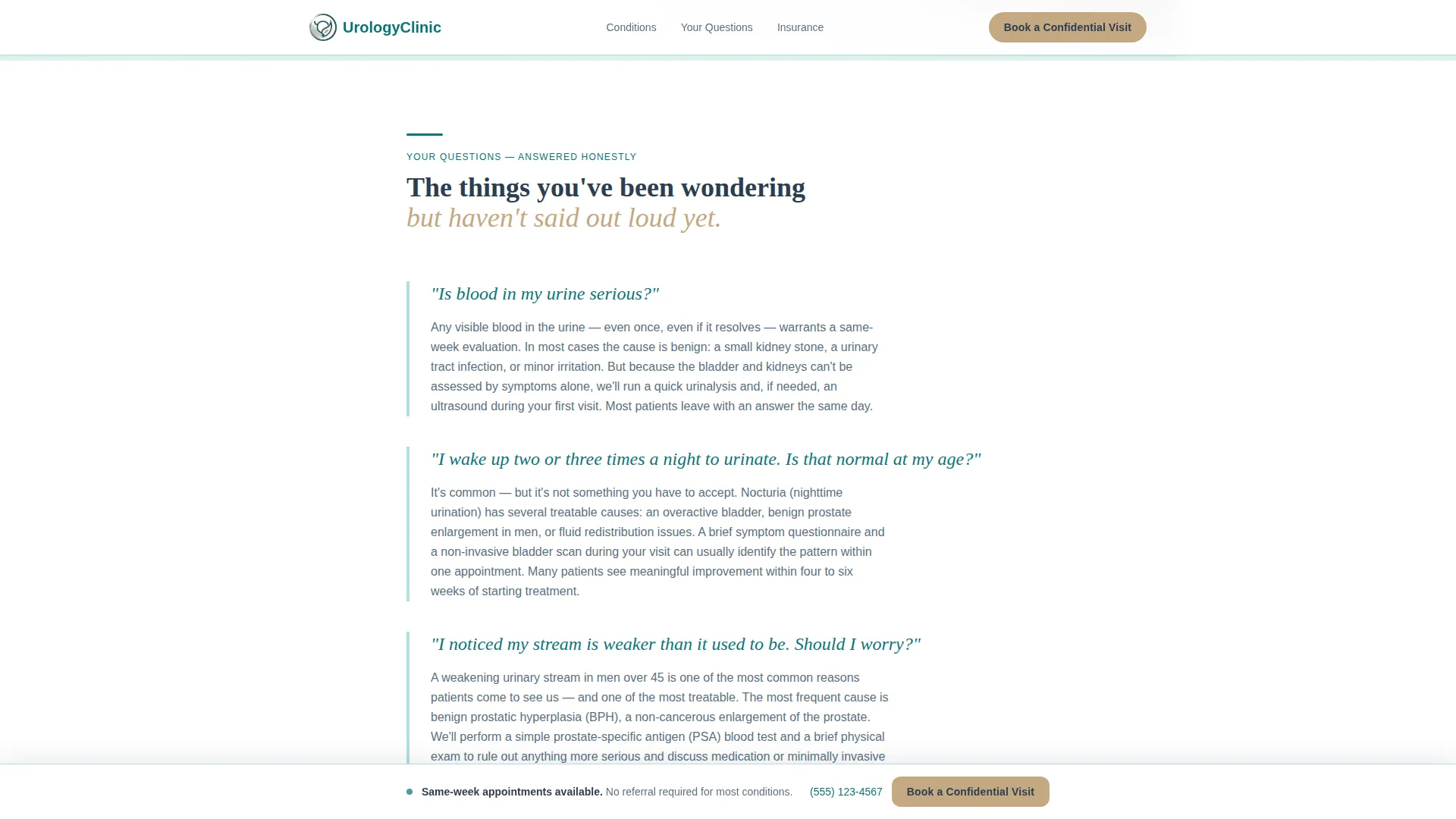
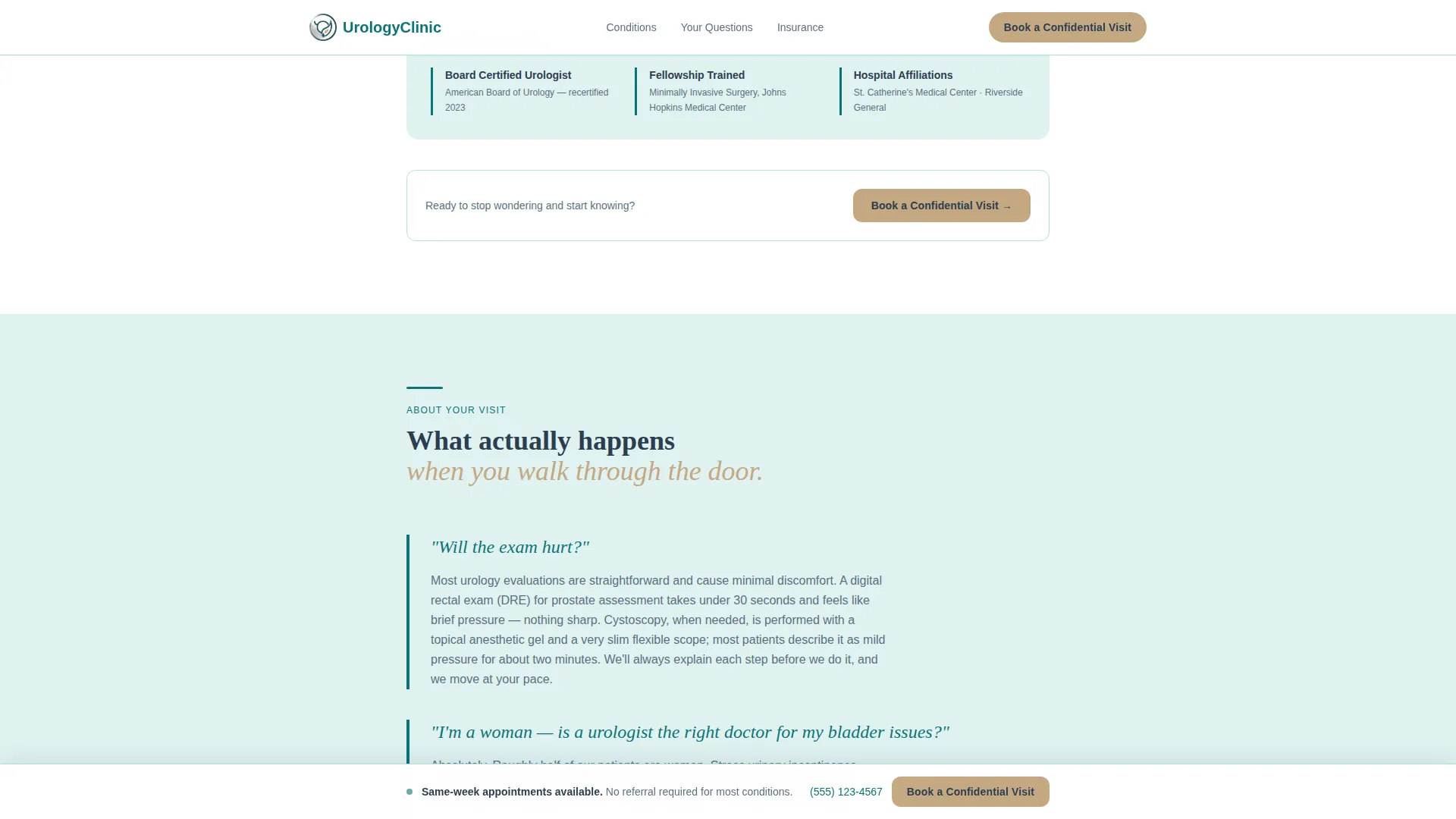
Three distinct FAQ clusters scroll in sequence, each addressing a different emotional stage: symptom urgency, procedure anxiety, and next-step clarity. Questions are styled in a handwritten-style italic typeface to feel personal and human, with calm jargon-free answers that progressively lower the barrier to booking.
Floating Booking Bar
A persistent call-to-action bar activates after the first scroll. It carries the primary booking prompt and stays visible throughout the page, so patients can act the moment they feel ready without scrolling back to the top.
Confidential Booking Form
The booking form collects only what is needed: visit reason via dropdown, preferred time of day, and a phone number. No last name is required at this stage. This design choice directly addresses exposure anxiety, which is one of the most common reasons urology patients delay scheduling.
Inline Trust Signals
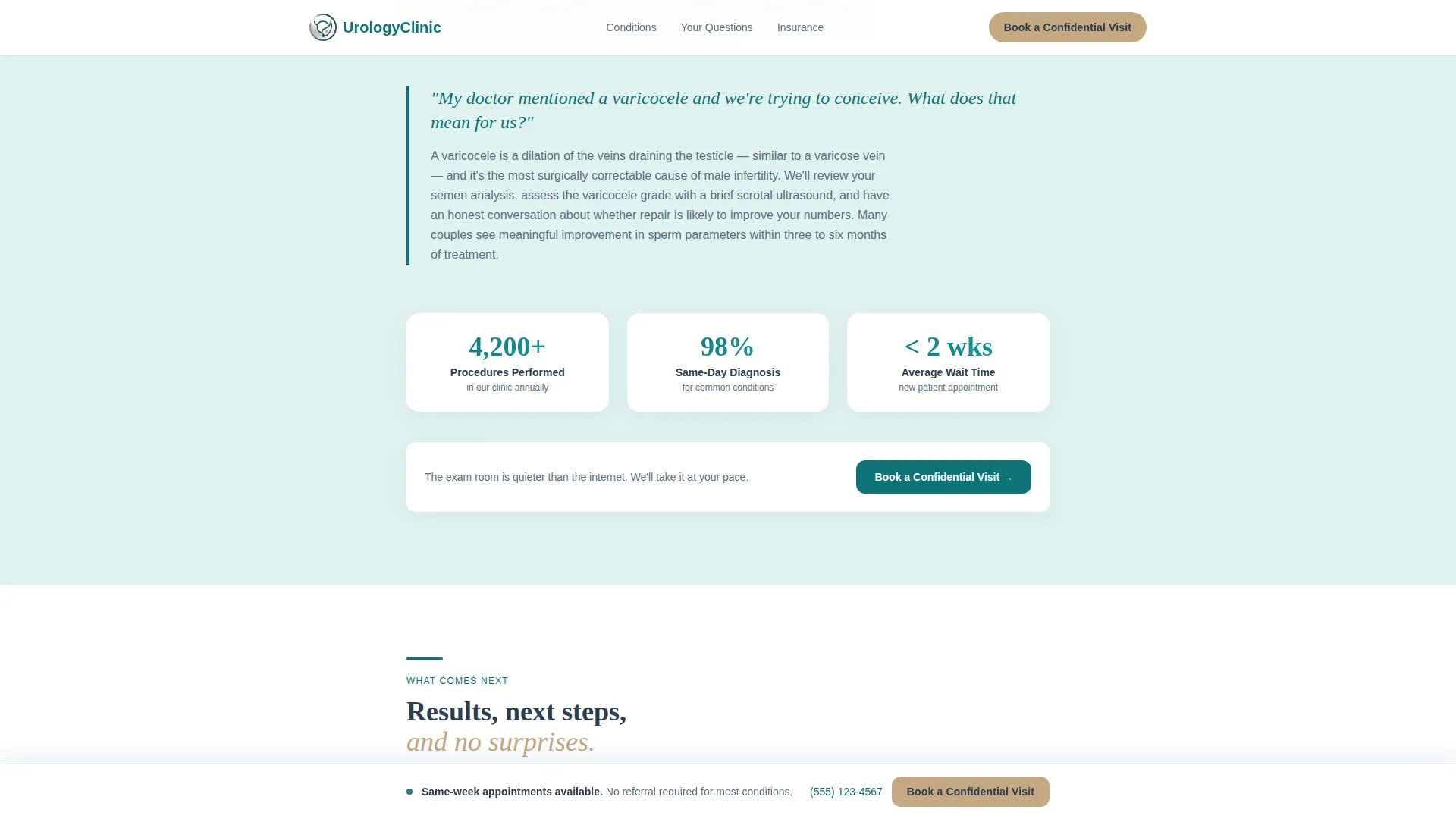
Board certifications, procedure volume statistics, and insurance acceptance logos are placed between FAQ clusters. They build clinical authority at the exact moment a patient is considering whether to trust the practice, without interrupting the empathetic content rhythm.
Half-Page Hero Section
The hero uses a left-weighted text block alongside a right-bleeding photograph of a sunlit, patient-free consultation room. The headline "Answers Before Anxiety" appears in sandalwood over a seafoam background, paired with three condition callouts to make the visitor feel immediately seen.
Secondary Phone Call-to-Action
A dedicated prompt invites patients who prefer human contact to call directly. This path is designed with older patients in mind, particularly those who may distrust online forms and feel more comfortable speaking to a staff member first.
Page sections overview
| Section | Purpose |
|---|---|
| Hero: Photo + Text | Introduce the practice, name three key conditions, set a calm tone |
| FAQ Cluster 1 | Address symptom urgency questions, anchor with board certification trust signal |
| FAQ Cluster 2 | Ease procedure anxiety, reinforce with procedure volume statistics |
| FAQ Cluster 3 | Clarify results and next steps, support with insurance logos |
| Confidential Booking Form | Capture visit reason, time preference, and phone number with minimal friction |
| Footer: Linear Single-Row | Close the page with essential links and practice contact details |
Design & branding system
The Healing Space theme uses the Teal Catalyst color system to feel like a modern medical suite: precise enough to trust, warm enough to breathe in. Typography pairs DM Sans for body text with Fraunces for headlines and the handwritten-style FAQ questions.
- Deep clinical teal (#0D7377) anchors primary buttons and key headings; soft seafoam (#E0F2F1) washes section backgrounds; warm sandalwood (#C4A882) highlights testimonials and human-touch moments; charcoal (#2C3E50) carries body text
- Fraunces renders the italic FAQ questions to give them a handwritten, conversational feel distinct from clinical copy
- Scroll reveals and staggered FAQ item animations add motion without distraction, keeping the page feel calm and intentional
Mobile & speed optimization
The template is built desktop-first with strong mobile support, acknowledging that the primary audience spans both device types. Older patients often use desktop, while late-night symptom searches frequently happen on mobile.
- Server Components handle static content sections to minimize JavaScript overhead on page load
- The floating call-to-action bar and booking form are optimized for touch interaction on smaller screens
- Single-column flow means the layout reflows cleanly on mobile without requiring a separate mobile design
How this template helps you convert
The entire page is sequenced to earn the booking before it asks for one. By the time a visitor reaches the form, the emotional work is already done.
- The hero immediately names the conditions patients are searching for, so they recognize their situation in the first seconds on the page and keep reading.
- Each FAQ cluster ends with a soft inline booking prompt, creating multiple natural conversion points throughout the scroll rather than a single high-pressure ask at the bottom.
- The confidential booking form removes last-name friction and offers a direct phone path, meeting patients at whatever comfort level they have arrived at by the time they are ready to act.
Other information about this template
This template is designed for English-language urology practices operating in the United States, with USD pricing context and standard US date formatting built into the layout. The footer follows a linear single-row pattern, keeping the close of the page clean and uncluttered.
- The template is suited for urologists who want a landing page that handles sensitive health topics with the same care a good consultation does
- Animation is set to a medium intensity: scroll reveals and staggered FAQ item entrances add life without overwhelming patients who may already feel anxious
- The page is localized for US audiences and structured to support a urology clinic appointment booking use case from first impression through confirmed visit
Theme
Healing Space
Creative direction
FAQ-Driven
Color system
Teal Catalyst
Style
Single Column Flow
Direction
Booking/Scheduling
Page Sections
Faq-driven Anxiety-reducing Content Flow
Floating Booking Call-to-action Bar
Confidential Low-friction Booking Form
Inline Clinical Trust Signals
Half-page Hero with Condition Callouts
Secondary Phone Call-to-action Path
Related questions
Can I customize the FAQ questions and answers for my specific practice?
Does the booking form connect to a scheduling system?
Can I add my own photo to the hero section?
Is the floating call-to-action bar visible on mobile devices?
Can this template work for a urology group practice with multiple providers?



