Affordable Housing Real Estate Booking Website Template
Vacancy by Luminous Housing is a dark-themed, single-page landing page template built for affordable housing staging services. It leads with an interactive vacancy cost calculator, flows into a moody before-and-after gallery organized by unit type, and closes with two conversion paths: a staging estimate form and a gated PDF download. The result is a focused, proof-driven page that turns lost rent into booked appointments.
by Rocket studio
Quick summary
Vacancy is a single-page landing page template for a two-person affordable housing staging service. It opens with animated metrics, drops visitors into a cost calculator, and walks them through a gallery of staged units before presenting two clear conversion options. Every section is designed to move a property manager from "how much is this costing me?" to "I need a staging estimate."
Who this template is for
This template is built for small staging businesses serving the affordable housing market. It speaks directly to the clients those businesses pursue every day.
- Housing authority directors filling Section 8 vacancies and needing fast lease-up proof
- Nonprofit developers racing to lease Low-Income Housing Tax Credit (LIHTC) builds before compliance deadlines
- Small landlords in working-class neighborhoods losing roughly $900 in revenue for every month a unit sits empty
What problem this template solves
Affordable housing staging services struggle to explain their value quickly. Property managers are skeptical of cost, not convinced by generic portfolios, and short on time.
- Visitors cannot immediately see what staging costs or what return they can expect
- A static portfolio gives no sense of urgency and fails to connect to each visitor's specific vacancy situation
- There is no clear next step between "I'm interested" and "I want a quote"
What you get with this template
This template gives you a complete, conversion-focused landing page that does the selling before anyone picks up the phone. Every section earns the next scroll.
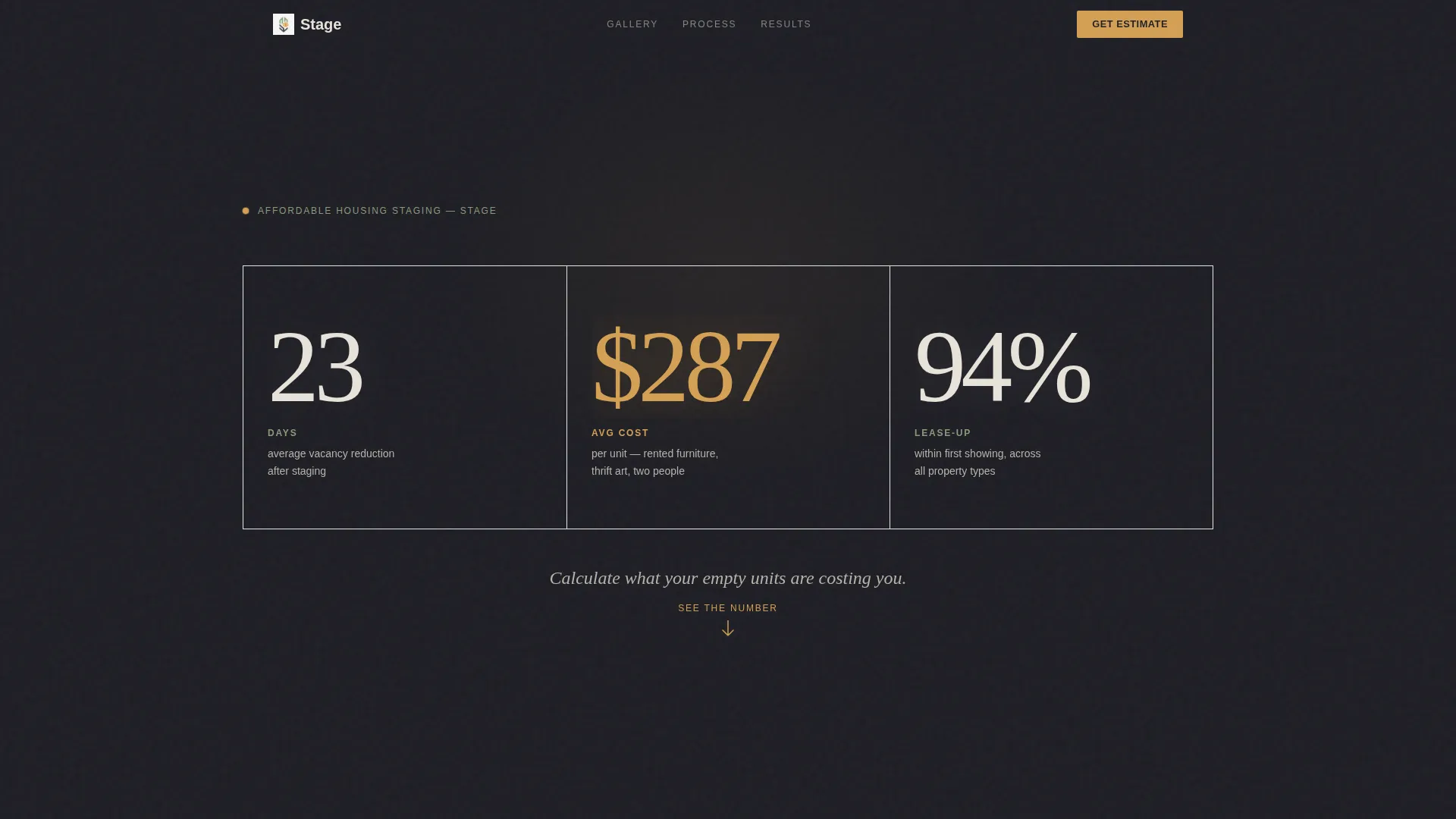
- An animated stats wall with three key metrics displayed in oversized luminous type
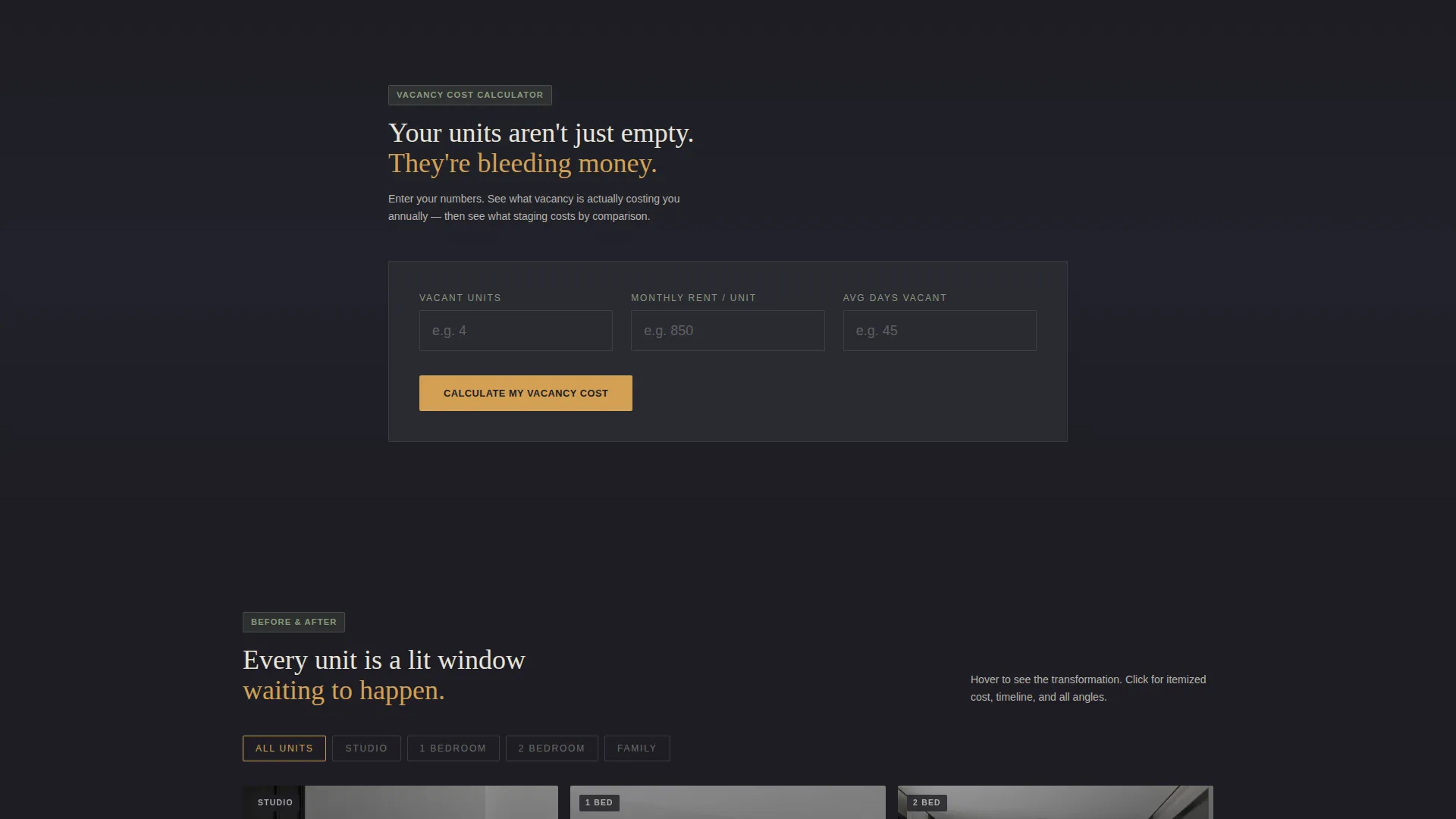
- An interactive vacancy cost calculator that outputs a personalized amber-highlighted loss figure
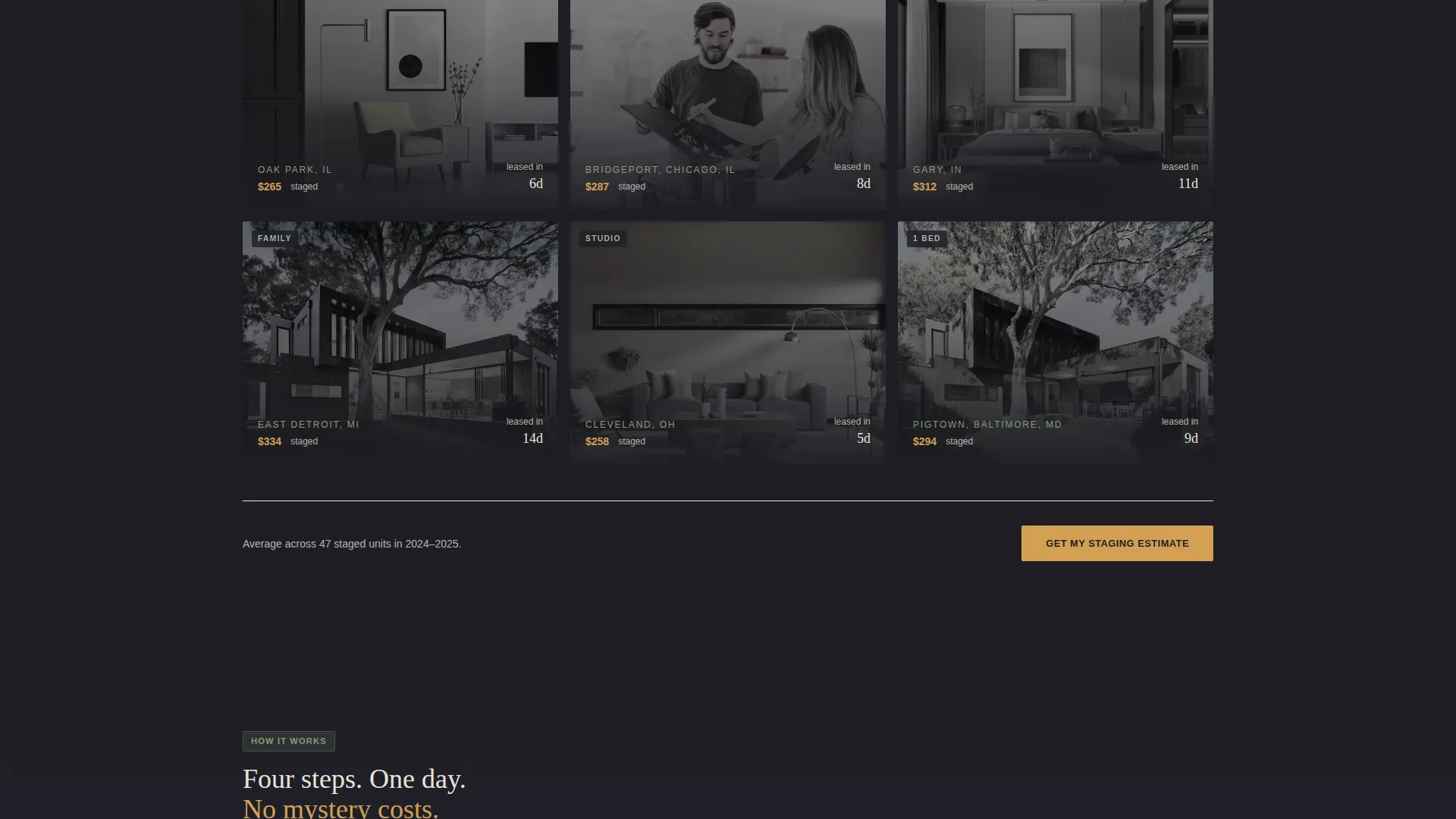
- A before-and-after photo gallery organized by unit type, with hover-activated brightness and click-through detail panels
- A primary lead capture form asking for property name, vacant unit count, unit mix, and optional target lease-up date
- A secondary conversion path offering a gated downloadable PDF called "The $300 Staging Playbook"
Feature list
This section covers the key functional and design components built into the template.
Animated Metrics Header
Three oversized numbers scroll into view against the charcoal background: 23 days average vacancy reduction, $287 average staging cost per unit, and 94 percent lease-up rate within the first showing. The figures are set in a thin, linen-white typeface large enough to feel architectural. A single line beneath them reads: "Calculate what your empty units are costing you."
Interactive Vacancy Cost Calculator
Visitors enter their number of vacant units, average monthly rent, and average days-to-lease. The tool returns a glowing amber dollar figure representing estimated annual lost revenue. This result creates the emotional urgency that drives every conversion action lower on the page.
Before-and-After Gallery by Unit Type
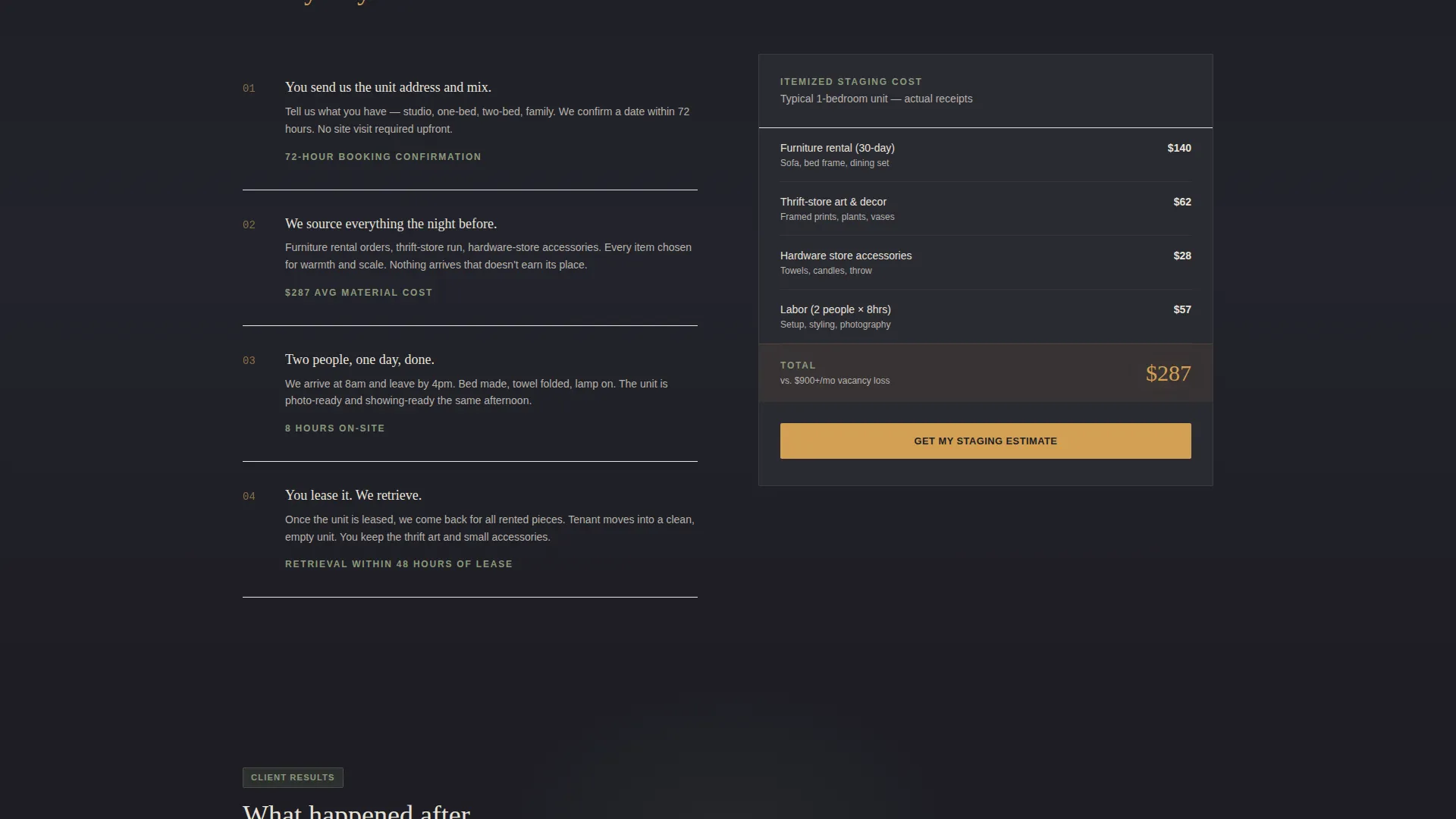
The gallery is organized into four unit categories: studio, one-bedroom, two-bedroom, and family units. Each thumbnail loads dark and moody, then blooms to full brightness on hover. Clicking opens a detail panel with itemized staging cost, days to lease after staging, and a multi-angle image carousel.
Dual Conversion Path Design
The primary call to action, "Get My Staging Estimate," appears first beneath the calculator result and repeats after every third gallery row. A secondary path offers "The $300 Staging Playbook" PDF, gated behind a single email field for visitors who are not yet ready to commit.
Dark Immersive Visual Theme
The Cloud Canvas color system uses charcoal walls, soft linen type, muted sage accents, and warm filament amber reserved for calls to action, hover states, and cost figures. The palette feels like an evening open house lit by a single floor lamp: darkness makes the staged spaces glow warmer.
Page sections overview
| Section | Purpose |
|---|---|
| Animated Stats Wall | Open with proof metrics |
| Vacancy Cost Calculator | Personalize lost revenue |
| Calculator Result Display | Show amber cost figure |
| Before-and-After Gallery | Demonstrate staging results |
| Gallery Detail Panel | Show cost and lease data |
| Staging Estimate Form | Capture primary leads |
| PDF Playbook Gate | Capture secondary leads |
| Repeated call to action Rows | Reinforce conversion path |
Design & branding system
The visual identity follows a Dark Immersive theme built on the Cloud Canvas color system. The palette is intentionally restrained so that staged spaces and amber cost figures command full attention.
- Charcoal wall (#1E1E24) as the base background, soft linen (#E8E3DA) for primary text, and muted sage (#8A9A7B) for supporting accents
- Warm filament amber (#D4A054) reserved exclusively for calls to action, hover states, interactive calculator results, and cost figures
- Thin, luminous linen-white typeface used at architectural scale for the stats header, dropping to clean readable sizing across body sections
Mobile & speed optimization
The layout is built to work clearly on smaller screens where property managers are often browsing between site visits. Interactive components remain usable without a keyboard or wide display.
- The calculator inputs and amber result display are sized for easy thumb interaction on mobile screens
- Gallery thumbnails reflow into a single-column view on narrow viewports, preserving the hover-to-brightness interaction where supported
- The lead capture form and PDF gate remain visible and accessible without horizontal scrolling
How this template helps you convert
The page is structured as a deliberate scroll journey from personal cost to proof to commitment. Every section earns the one that follows it.
- The calculator result creates a specific, personalized loss figure in amber type, making the cost of inaction feel concrete and immediate before any staging proof is shown.
- The before-and-after gallery, organized by unit type, lets property managers see results that match their actual inventory, reinforcing that staging works for their specific situation.
- The dual conversion path catches both high-intent visitors ready to request an estimate and lower-intent visitors who want to learn first, so no qualified lead leaves the page empty-handed.
Other information about this template
This template was designed specifically for the affordable housing staging niche, where budgets are tight and vacancy losses are real and measurable. The content structure reflects the decision-making process of housing authority directors and nonprofit developers, not luxury real estate clients.
- The page works equally well for new staging businesses building their first web presence and for established crews updating an outdated site
- The "Stage" creative direction means the page itself mirrors the staging philosophy: remove clutter, highlight what matters, and make the next step obvious
- The PDF lead magnet, "The $300 Staging Playbook," doubles as a brand-building asset that reinforces the service's affordable, practical positioning
- The template is sold on a template marketplace platform and can be customized to reflect your actual staging portfolio, real metrics, and service area
Theme
Corporate Precision
Creative direction
Case Study Narrative
Color system
Dark Emerald
Style
Asymmetric Grid (60/40)
Direction
Quiz/Assessment
Page Sections
Animated Scroll-triggered Metrics
Interactive Vacancy Cost Calculator
Unit-type Gallery with Detail Panels
Dual Lead Capture Conversion Paths
Dark Immersive Cloud Canvas Theme
Related questions
Who is this landing page template designed for?
What does the vacancy cost calculator do?
What are the two conversion paths in this template?
Can I use this template with a small photo portfolio?
Is this template specific to affordable housing staging?



