Expert Property Appraiser Landing Page Template
Appraise is a single-page landing page built for independent real estate appraisers. It pairs a half-page photo header with a zigzag layout that weaves use-case testimonials directly into service sections. The scheduling form, click-to-call option, and town-name service list work together to move serious clients from first visit to booked appointment fast.
by Rocket studio
Quick summary
Appraise is a focused landing page template for one-person real estate appraisal firms. It uses an authoritative ink-and-paper visual style, a testimony-driven zigzag layout, and a booking form built around the appraiser's actual workflow. Every section answers a different client question before the visitor reaches the scheduling form at the bottom.
Who this template is for
This template is designed for independent, licensed real estate appraisers who serve a defined geographic area and need a professional online presence that converts serious inquiries into scheduled appointments. It fits solo practitioners who handle a broad mix of appraisal types rather than a narrow specialty.
- Appraisers serving divorce attorneys, estate executors, and mortgage loan officers
- Solo professionals who need a credible, bookable page without a full website build
- Practitioners covering multiple towns or townships within a single county area
What problem this template solves
Most appraisers either have no web presence or a generic business-listing page that fails to address why a specific client should call them. Visitors arrive with an urgent, specific need and leave when they cannot quickly confirm service area coverage or relevant experience. This template closes that gap.
- Clients cannot quickly verify whether the appraiser covers their property location
- There is no easy path to confirm the appraiser handles their specific use case
- Generic contact forms create friction that delays time-sensitive inquiries
What you get with this template
You get a fully structured single-page layout with clearly defined sections, a purpose-built booking form, and a design system built to communicate professionalism at first glance. Every component is drawn directly from the appraiser workflow described in the brief.
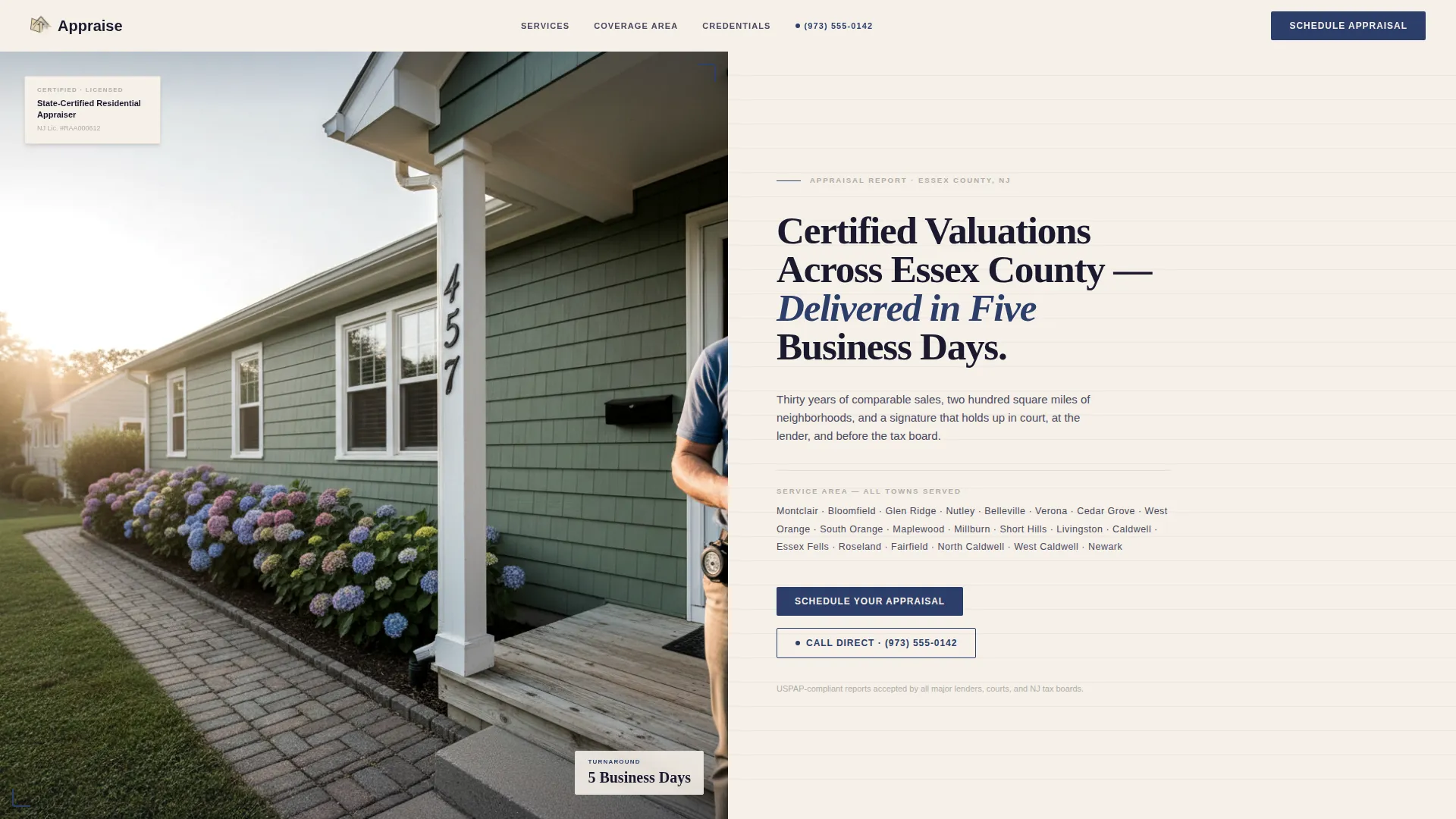
- A half-page photo and text header with headline, service area town list, and primary call to action
- A zigzag alternating content layout pairing each service type with a matching client testimonial
- A structured booking form with property address, appraisal purpose dropdown, date picker, and contact fields
Feature list
Half-Page Photo and Text Header
The header splits the screen between a front-walkway property photograph on the left and a serif headline on the right. The headline format references the county service area and a five-business-day turnaround. Below the headline, a comma-separated town-name list confirms geographic coverage without relying on a map.
Testimonial Mosaic Zigzag Layout
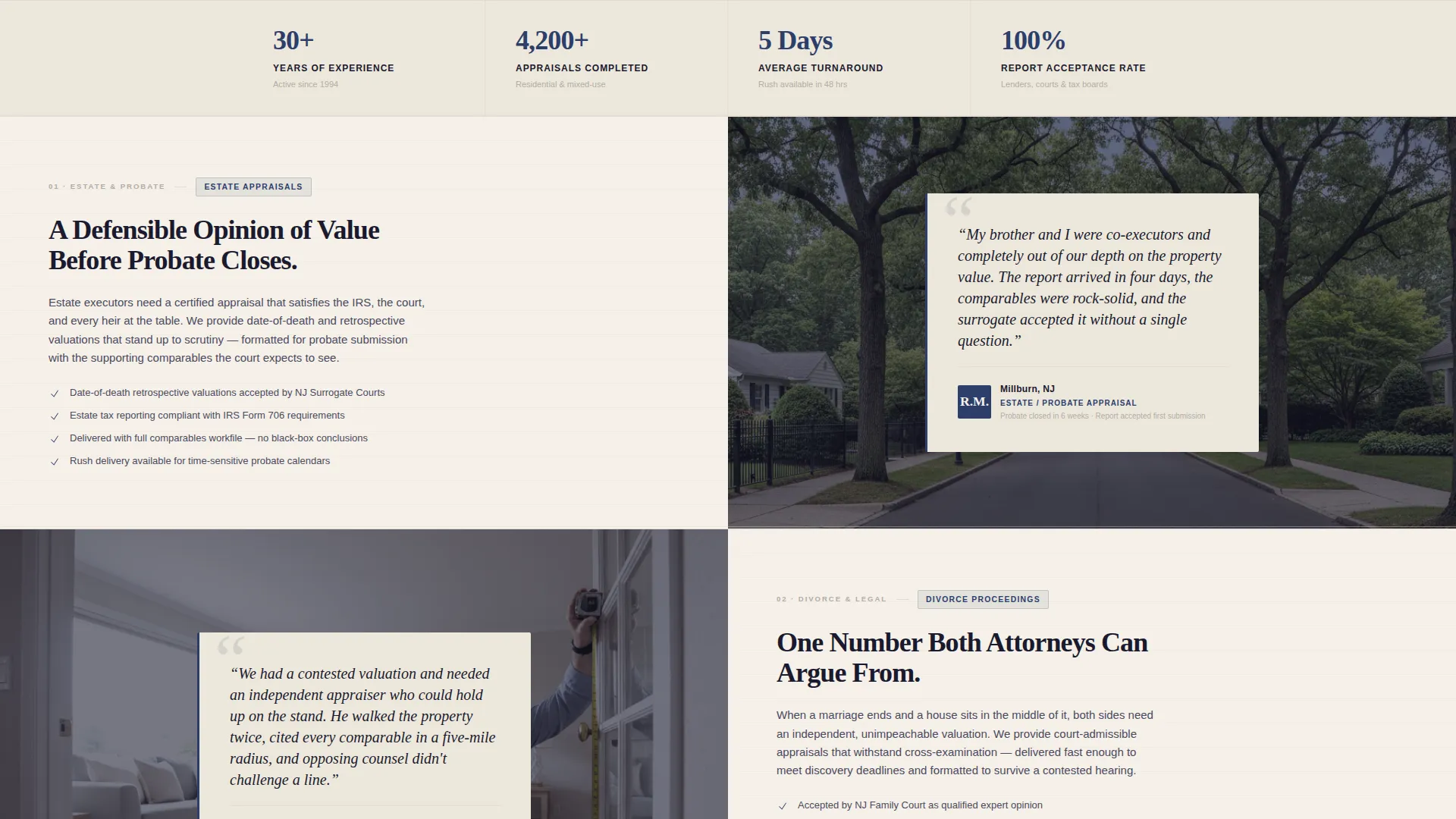
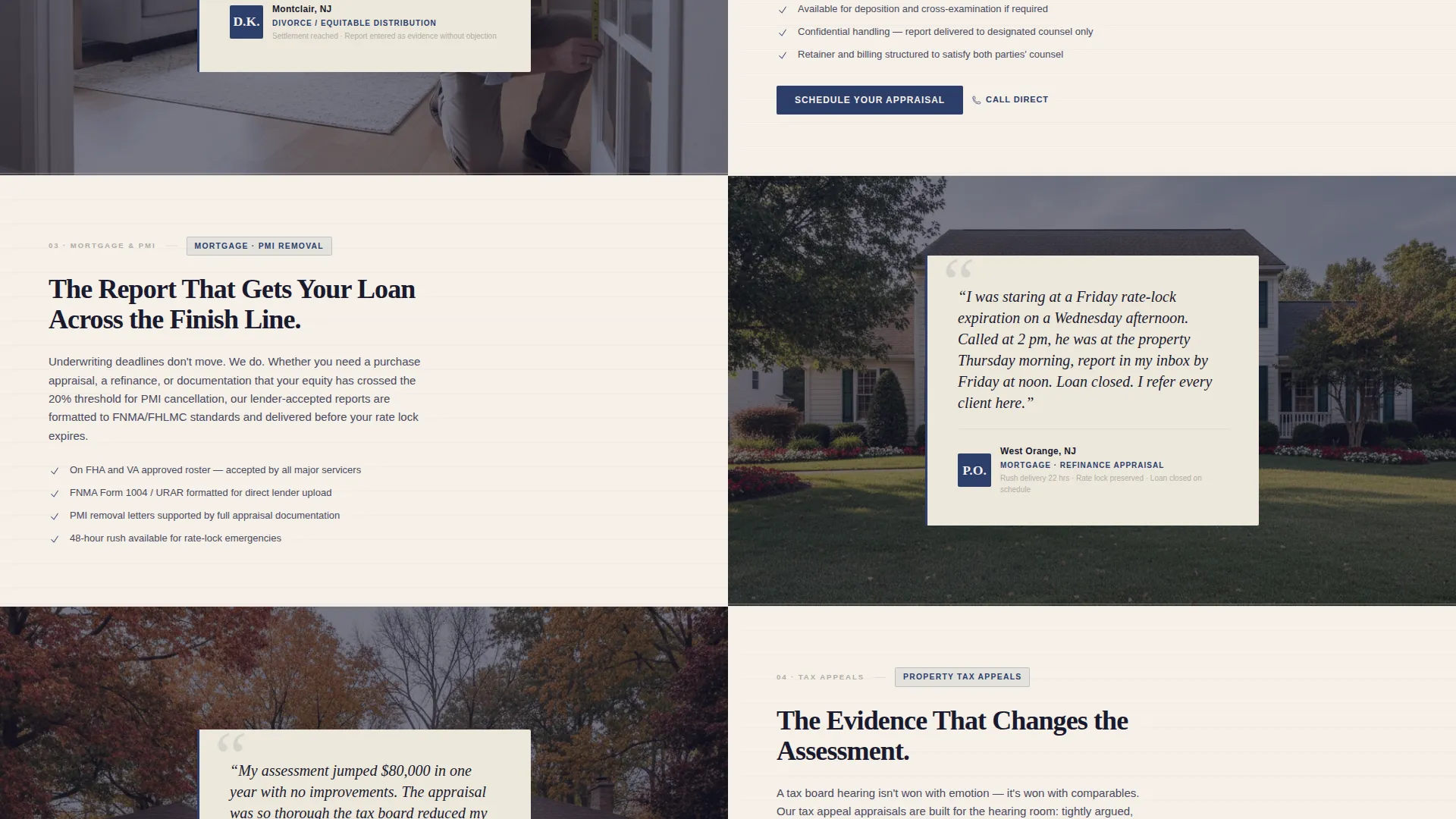
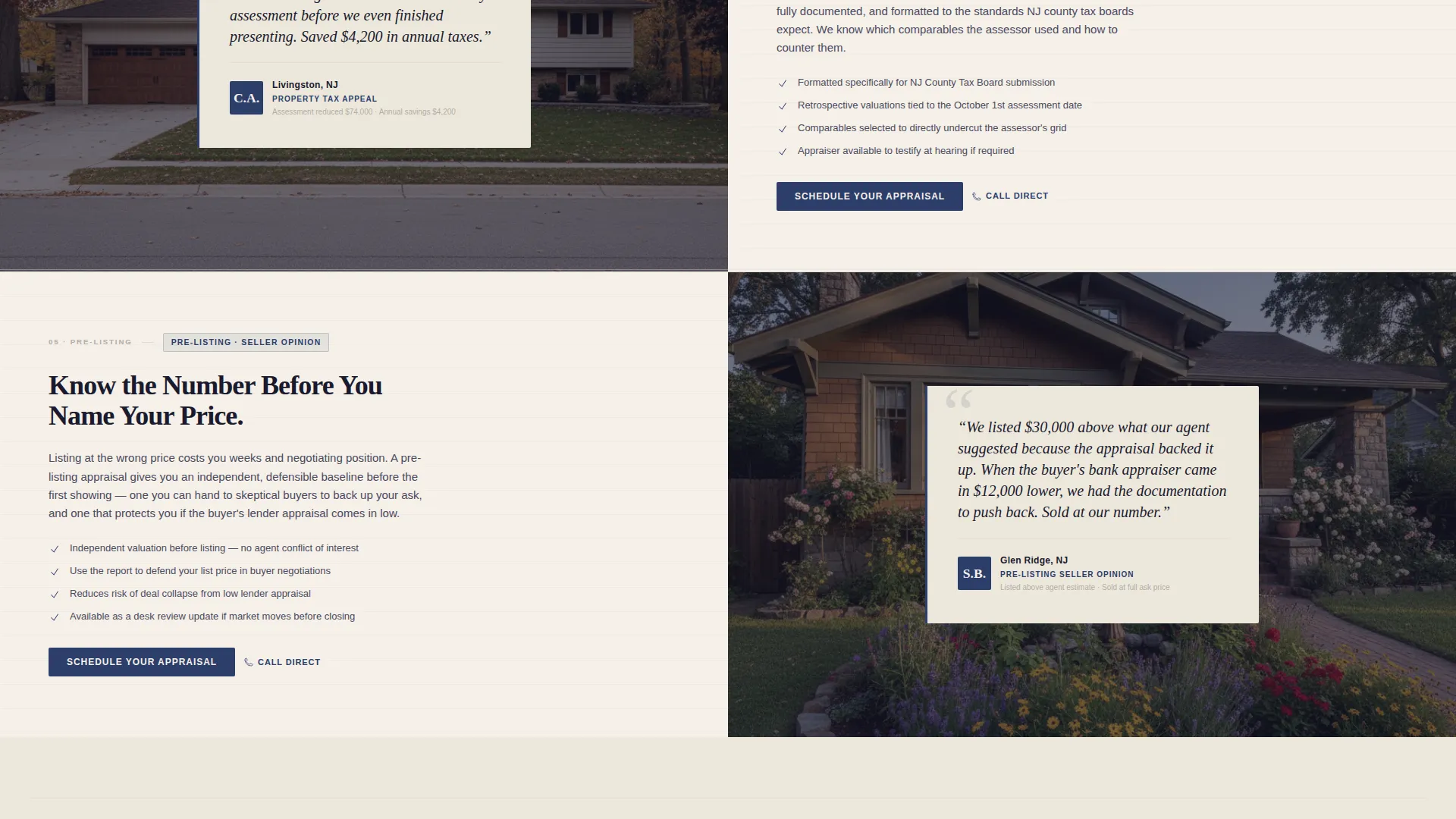
Each alternating content block pairs one appraisal service type with a client testimonial from that exact use case. Service types covered include estate appraisals, divorce proceedings, PMI removal, tax appeals, and pre-listing opinions. Each testimonial is typeset with the client's initials, town name, and appraisal type as a case file reference.
Purpose-Built Scheduling Form
The booking form opens with property address first, then an appraisal purpose dropdown covering mortgage, estate, divorce, tax appeal, and other. A calendar picker follows for preferred inspection date. Name and phone number are collected last, matching the order in which an appraiser actually qualifies a job.
Click-to-Call Secondary Path
A "Call Direct" option with a click-to-call phone number sits alongside the primary scheduling form. This path is designed for loan officers and time-sensitive clients who need a verbal quote before they can commit to a form submission.
Ruled-Line Report Dividers
Horizontal ruled-line dividers between each zigzag section visually reference the horizontal lines of a formal appraisal report. This recurring detail reinforces the document-grade professionalism of the page without requiring decorative illustration or iconography.
Repeating Call to Action Pattern
The "Schedule Your Appraisal" call-to-action button appears first in the header and repeats at every second zigzag block. This ensures a booking entry point is always within one scroll of wherever the visitor pauses to read.
Page sections overview
| Section | Purpose |
|---|---|
| Header photo block | Establishes authority, confirms service area, and presents primary call to action |
| Estate appraisals block | Explains estate valuation service with matched client testimonial |
| Divorce proceedings block | Addresses asset-split appraisal needs with relevant case testimonial |
| PMI removal block | Explains equity-based appraisal for removing private mortgage insurance |
| Tax appeal block | Covers property tax contest use case with supporting testimonial |
| Pre-listing opinion block | Describes seller-side valuation service with matching client voice |
| Bottom booking form | Collects property address, purpose, date, and contact details to confirm appointment |
Design & branding system
The visual identity follows a Service Utility theme built around an Ink and Paper color palette. The goal is to feel like a printed appraisal report: authoritative, readable, and precise. Every color decision reinforces document-grade credibility.
- Warm parchment white (#F5F0E8) for page backgrounds, deep document ink (#1A1A2E) for all body text and headings, and ruled-line gray (#B0ADA6) for dividers and secondary type
- Notary-stamp navy (#2C3E6B) used on all buttons and active interactive elements
- Serif typography for headlines gives the page the cadence of a formal report title, supporting the overall ink-and-paper aesthetic
Mobile & speed optimization
The layout is structured to remain legible and functional on smaller screens. The zigzag blocks reflow cleanly to a single-column stacked format, and the booking form fields are sized for comfortable touch input.
- Zigzag alternating columns stack vertically on mobile without losing the testimonial-to-service pairing
- The click-to-call number becomes a native tap-to-call link on mobile devices
- Form fields including the calendar picker are sized for touch-friendly interaction on phones and tablets
How this template helps you convert
The page is built around a single conversion goal: getting a qualified visitor to schedule an appraisal inspection. Every structural decision reduces doubt before the visitor reaches the form.
- The town-name list in the header immediately confirms geographic coverage, eliminating the most common reason a visitor leaves without acting.
- The testimonial mosaic layout answers "do they handle my situation?" for five distinct client types before the bottom form is reached, building cumulative trust across the full scroll.
- The booking form collects property address before name or phone number, signaling that the appraiser is focused on the job rather than the lead, which reduces form-submission resistance.
Other information about this template
This template is well suited for appraisers who want a professional page that reflects the precision of their actual work product. A few additional details worth noting before you build:
- The template is designed as a single landing page, not a multi-page website
- The service area display uses a plain text town-name list, not an embedded map or interactive coverage tool
- Testimonial content shown in the template is placeholder copy; you will replace it with real client voices from your own case history
- The appraisal purpose dropdown includes five preset options: mortgage, estate, divorce, tax appeal, and other
- The five-business-day turnaround referenced in the header headline is a placeholder; replace it with your actual standard delivery window
Theme
Corporate Precision
Creative direction
Stats-First Impact
Color system
Monochrome Steel
Style
Split Screen (50/50)
Direction
Booking/Scheduling
Page Sections
Half-page Photo and Text Header
Testimonial Mosaic Zigzag Layout
Purpose-built Scheduling Form
Click-to-call Secondary Path
Ruled-line Report Dividers
Repeating Schedule Call to Action Button
Related questions
What types of appraisal clients does this landing page address?
Can I customize the service area town list in the header?
Does the booking form connect to a scheduling system automatically?
Is this template suitable for a firm with multiple appraisers?
How does the click-to-call option work on mobile devices?



